Category Archives: Antivirus Vendors

Antivirus Vendors

LinkedIn: How to avoid being scammed

secure linkedin

Nowadays, practically everyone has a profile on LinkedIn. This is a useful tool for letting companies know who you are, your work experience, your present position and the best way to contact you. Along with other personal details, it is common to include an email address.

Yet despite these benefits, the platform also has its drawbacks, at least when it comes to security. The tool is not only useful for human resources managers, but also for spammers and cyber-criminals on the lookout for email addresses to which to send fraudulent messages.

More often than not, the real target of these attacks is not the owner of the email account, but the company where they work, and its data. For a cyber-criminal, this social network is like an address book containing the company email addresses of thousands of users, who use these addresses instead of their personal ones for any professional business.

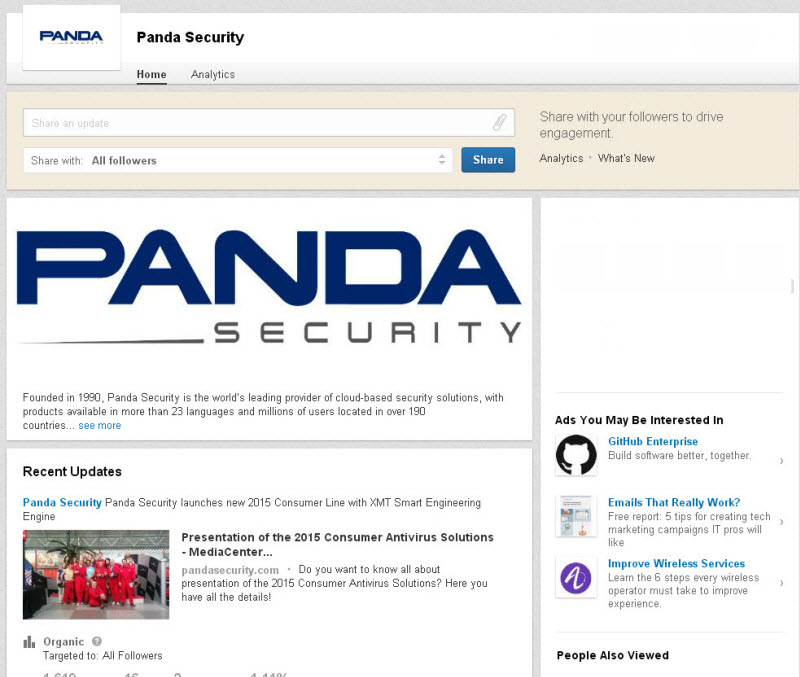
Once they have found several accounts with the same company name, they make a note of the address structure (usually [email protected]). Then, with a slightly more refined search, they can get a list of all employees’ email addresses.
linkedin panda security profile


If the hacker knows the structure of the network that the company uses, they can access the system by sending an email to the employees in their address book. This mail might include, say, a link to a page where the recipients are asked to enter the username and password to access the organization’s platform. Once they have them, they have free reign to spy on internal information.

Those often excluded from the attack are the IT department, as they might rumble what’s going on. However, customer services, marketing, accounts, and human resources are much more attractive targets for hackers.

If the criminals manage to enter the systems, this is just the first step to getting other type of information: personal details, account numbers, passwords and databases can all be compromised.

linkedin profile

Companies often encourage employees to have a presence on Linkedin. Yet saying where they work, looking for new customers and employees and increasing brand visibility on the Internet has its risks.

How to keep unwanted messages out of your professional inbox

  • Stay up-to-speed on IT security. It’s a good idea to go on courses or for companies to organize workshops. If employees can recognize scams it can help prevent them from falling into the traps set by criminals.
  • Employees should be clear about what kind of data they will be asked for on the company’s ICT platforms so as not to enter personal information on external websites. Recognizing the email account used for internal memos is also a useful aid for distinguishing suspicious messages.
  • Another thing you should consider when protecting your company (and also yourself) is to understand the mechanisms that are available to alert technicians to any strange items. IT managers can also play their part, warning about the importance of these actions. A timely warning can prevent someone from clicking a fraudulent link or revealing personal data.
  • Use a personal email account in LinkedIn. This makes it more difficult to identify, although the same advice still applies: don’t open emails from unknown senders, don’t click on the links to unknown content and be careful where you enter your data.

The post LinkedIn: How to avoid being scammed appeared first on MediaCenter Panda Security.
Avast safeguards your teen’s smartphone

Teenagers are responsible for their smartphones. Help them keep it safe with a few easy additions.

teens-smartphone

Seven out of ten high schoolers take a smartphone to school. Not only are these phones being used for surfing the Internet or social networking, but they help kids navigate around campus, connect with teachers and other students, and follow streaming campus news. Many parents see equipping their teenager with a mobile phone as a safety tool and a way to keep in closer contact, especially if an emergency arises.

The first thing to do after buying your teenager a smartphone

Most kids are using a device with an Android operating system and no added security protection. The first thing you should do is to download a security app to protect the phone and data on it.

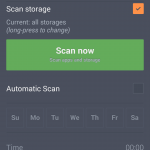
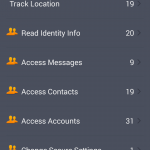
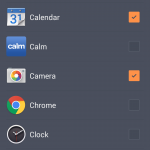
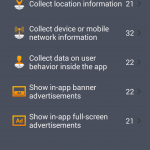
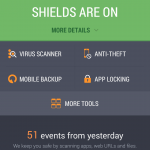
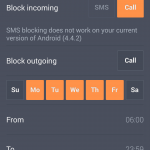
The newest version of avast! Mobile Security & Antivirus is out now, with a completely re-imagined user interface, making it simpler and even more user friendly than it was before. Avast! Mobile Security is free, and it will instantly begin protecting your child from downloading bad apps, protect against spyware and block malware, and backup contacts, SMS/call logs, and photos.

Install avast! Mobile Security and Antivirus from the Google Play store.

en-scan
en-permitions
en-lock
en-detect
en-dashboard
en-call


The second thing to do after buying your teenager a smartphone

High school students are busy people, with lots of activities, so it’s likely that your teen’s smartphone will be misplaced. Avast! Anti-theft is a stand-alone app that can be installed separately from avast! Mobile Security. You can use the phone locator features to find the lost or stolen phone, control it remotely, and lock it down.

Once you install avast! Mobile Security, you will be asked to set up the anti-theft module. You can read about that and the remote features you’ll have access to from your my.avast.com account in our avast! Mobile Security FAQs.

Install avast! Anti-Theft from the Google Play store.

Other things to do

  • Set up a password for the smartphone. This is easy to do and will serve as the first line of defense against nosy people and thieves.
  • Add important numbers to the contact list. Add your mobile number as well as a work line, grandparents, the school, and emergency contacts.
  • Know the school’s rules. If phone usage is prohibited during school hours or allowed only during breaks, that’s important information to know.
  • Talk to your kids about privacy. This includes a conversation about uploading photos and videos, sexting, and oversharing on social networks.

Thank you for using avast! Antivirus and recommending us to your friends and family. For all the latest news, fun and contest information, please follow us on Facebook, Twitter and Google+. Business owners – check out our business products.

The Craigslist scams

craigslist

Craigslist is a website hosting classified ads for jobs, houses, cars… To give you an idea, there are around 10 million new Craigslist ads every month.

As sometimes happens with these kinds of pages, Craigslist has become a hunting ground for fraudsters trying to scam the people who read these ads.

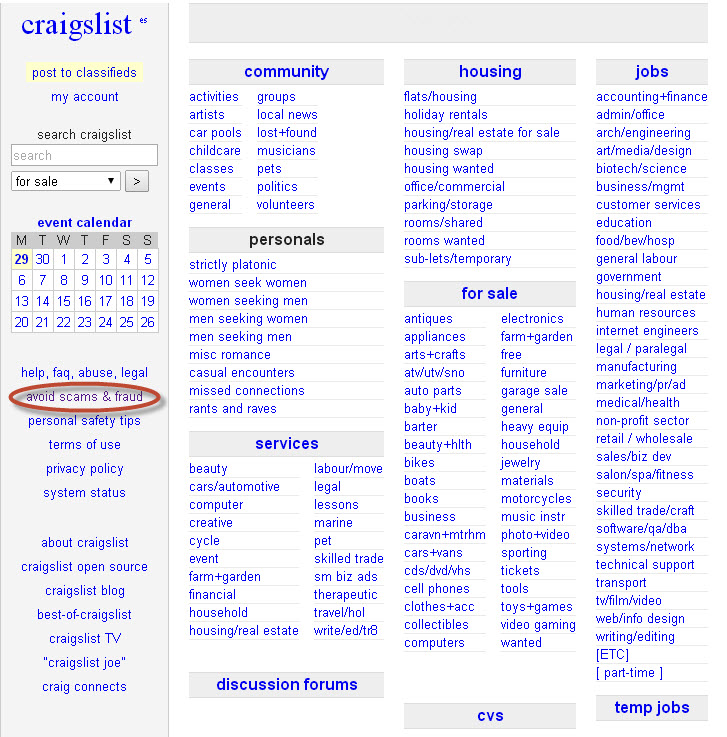
In fact, there’s even an “Avoid scams & fraud” section on the website offering advice on how to improve security in transactions. 

avoid craigslist scams

How to recognize scams on Craigslist

  • If the reply sent by the person you have contacted comes from another country, be wary.
  • They often ask for payment via platforms such as Western Union or Money Gram or a check or money order as surety on the transaction.
  • The other party can’t meet you in person to make the transaction.
  • There is a ‘third-party’ who will make the transaction.

Example of fraud on Craigslist

  • Companies offering work but who ask for an advance payment from the employee.
  • Rental of apartments that don’t exist.
  • Sale of cars that ask for payment in advance without you having seen the vehicle.

Tips for avoiding fraud on Craigslist

  • Read the ad carefully.
  • Don’t buy or rent anything without having physically seen it.
  • Take payment in cash. PayPal is also a secure way of receiving payment. Don’t accept checks or money orders.
  • Don’t give any type of personal or financial information.
  • Be wary of incredible bargains. If you find a low-priced apartment in an up-market area, it’s probably a scam.
  • Have a good look at photos. Many scams include photos of things that look too good for the asking price.

We know that criminals are becoming increasingly devious in disguising their scams, so, with your Internet security in mind, please take great care when buying online.

Have you ever fallen victim to a similar scam?

The post The Craigslist scams appeared first on MediaCenter Panda Security.
What if smart devices could be hacked with just a voice?

Smartphones and wearable devices have introduced a brave new world in the way that humans and computers interact. While on the PC we used the keyboard and mouse, touch-based devices and wearables have removed the need for peripherals and we can now interact with them using nothing more than our hands or even our voices.

This has prompted the arrival of the voice activated “personal assistant”. Activated by nothing more than our voices, these promise to help us with some basic tasks in a hands-free way. Both Apple and Google added voice recognition technologies to their smart devices. Siri and Google Now are indeed personal assistants for our modern life.

Both Siri and Google Now can record our voice, translate it into text and execute commands on our device – from calling to texting to sending emails and many more.

However, these voice recognition technologies – that are so necessary on smart devices – are perhaps not as secure as we give them credit for. After all, they are not configured to our individual voices. Anyone can ask your Google Now to make a call or send a text message and it will dutifully oblige – even if it’s not your voice asking.

What if your device is vulnerable to voice commands from someone else? What if it could call a premium number, send a text message abroad, or write an email from your account without your knowledge. Over–the-air-attacks on voice recognition technologies are real, and they are not limited just to smartphones. Voice activation technologies are also coming to smart connected devices at home, like your smart TV.

As I demonstrate in this short video, the smart devices in my home do respond to my voice, however they also respond to ANY voice command, even one synthesized by another device in my home.


The convenience of being able to control the temperature of your home, unlock the front door and make purchases online all via voice command is an exciting and very real prospect. However, we need to make progress with the authentication of the voice source. For example, will children be able to access inappropriate content if devices can’t tell if it is a child speaking or a parent?

Being able to issue commands to my television might not be the most dangerous thing in the world but new smart devices, connected to the Internet of Things are being introduced every day. It may not be an issue to change the station on my television, but being able to issue commands to connected home security systems, smart home assistance, vehicles and connected work spaces is not far away.

Utilizing voice activation technology in the Internet of Things without authenticating the source of the voice is like leaving your computer without a password – everyone can use it and send commands.


There is no question that voice activation technology is exciting, but it also needs to be secure. That means, making sure that the commands are provided from a trusted source. Otherwise, even playing a voice from a speaker or an outside source can lead to unauthorized actions by a device that is simply designed to help.


An Emerging Threat

While we haven’t discovered any samples of malware taking advantage of this exploit in the wild yet, it is certainly an area for concern that device manufacturers and operating system developers should take into account when building for the future. As is so often the case with technology, convenience can come at a risk to privacy or security and it seems that voice activation is no different.

Shellshock vulnerability: should we be concerned?

We are continually hearing about bugs and vulnerabilities that could potentially be serious. The latest one named ShellShock can potentially be used to remotely take control of almost any system that is using a software component called Bash. This sounds devastating and it course of could be, but don’t start running for the hills or deciding to unplug from the Internet quite yet though.

Bash is a software component that exists on many Linux systems including Apple’s Mac OSX. As Linux is the operating system used on a large number of the web servers, a bug like this could mean cybercriminals have the potential to exploit the vulnerability and cause harm to users of the web server or indeed to the company whose web server it is. They do this by inserting malware on the server that could potentially collect data, cracks passwords or do something particularly malicious.

At the time of writing this blog there is already a large number of patches available that address this vulnerability for servers and reputable companies have teams in place that watch for these alerts and update their servers to protect them and the users of the services they offer. A good example is our own security team here at AVG who immediately ran an audit to see if we had any servers that may have this vulnerability, and they have already confirmed that our servers are safe.


If you are a Mac user should you be concerned and what do you need to do?

Apple has, as expected, reacted quickly and is releasing an automatic update to OSX that users will be prompted to install. They have also made it clear that the issue does not affect the majority and is an issue for power users that take advantage of the advanced UNIX services within OSX. If the previous sentence has baffled you then you are in the group that Apple say are not at risk.

Even as a power user at home you are likely to be sitting behind a firewall that would detect someone trying to execute commands on your machine and they would be blocked. However bad guys may well try and trick users to into installing files that could leave them more vulnerable to attack, a good rule is to not click something that you don’t recognize and remember the update will only come directly from Apple. When you see the update appear through on your Mac, install it immediately so that you stay safe.

There are also other devices in our homes that run Linux. Many of the routers and broadband modems we use to connect to the Internet also utilize Linux as an operating system and because of this we recommend you watch for updates from those vendors and take the action to install them. If your router is provided by your ISP then they should push the update to the router automatically.

It is good practice to allow the automatic updates on your devices so that they are maintained by the manufacturer of the device to protect you from issues like this. Having up to date anti-virus software installed and active is also of paramount importance in today’s environment where more of our data than ever before is held by us on our devices. The protection provided will detect and block an exploit such as this where cybercriminals attempt to install malware on your machine. AVG’s Free Antivirus is available for Mac and PC users and can be downloaded from www.avg.com