Tag Archives: featured1

How to use the Avast Virus Chest

The Avast Virus Chest is a safe place to store potentially harmful files. These files are completely isolated from the rest of the operating system, meaning that they are not accessible for any outside process or software application. Files cannot be run while stored in the Virus Chest.

How to open the Avast Virus Chest

To open the Virus Chest, right click on Avast’s little orange ball icon in the system tray in the bottom right hand corner of your computer. Select Open Avast user interface from the menu. Another way to open the user interface is to double click the desktop icon.

From the main menu, select Scan, then Scan for viruses, and then click the Quarantine (Virus Chest) button at the bottom of the screen to open the Virus Chest window.

If Avast 2015 detects an infected or suspicious file, it will try to repair it at first. Unfortunately, some files cannot be repaired so Avast will try to move the file to the Virus Chest. If the infected file refuses to move to the Virus Chest, it will be automatically deleted from your computer.

How to set up quick access to the Virus Chest

For quick access to the Virus Chest, you can assign it to one of the four shortcut squares in the Avast user interface. To change which function you see, click on the drop-down menu icon in the top right hand corner of the square. There you will find a choice to place the Virus Chest right on the Overview of your Avast product.

Once you have the shortcut on the user interface, then simply click it to open the Virus Chest.
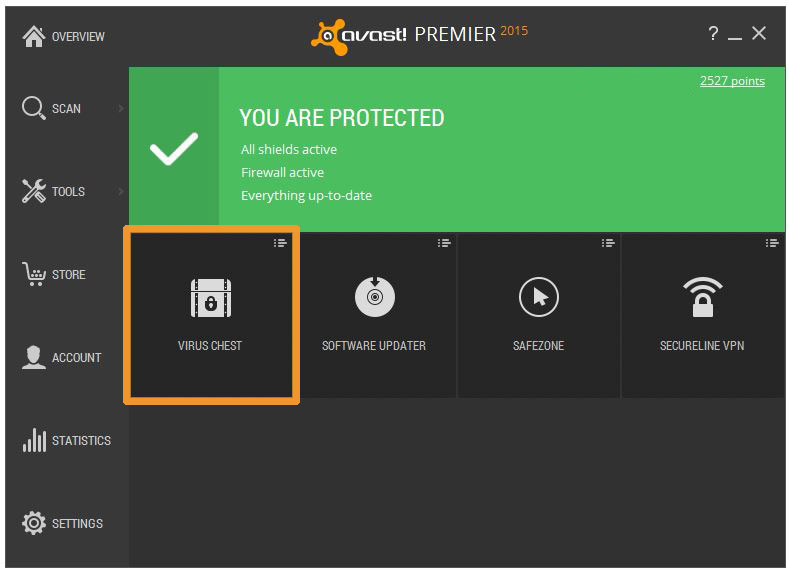
avast-user-interface

Set the shortcuts that you want in the Avast user interface.

You can perform different actions while in the Virus Chest

You can perform different actions on the file inside the Virus Chest by right clicking. For example, you can

  • Restore a file
  • Exclude it from scanning
  • Report it to the virus lab
  • Delete the file

Once you have made the decision on which action to take, you will be asked to confirm your choice. When you have finished, close the Virus Chest to exit.

NOTE: Exercise extreme caution when restoring a file from the Virus Chest as it may still be infected. This is a high security risk action that requires advanced skills and experience handling infected files to avoid further potential infection of your computer.

How to manually move a file to the Virus Chest

If you need to move a file manually into the Virus Chest, right click anywhere on the contents table on the Virus Chest screen and select Add from the menu. A navigation dialog will open so all you need to do is locate the desired file that you want to move. Then click the Open button. The desired file will then appear in the contents table on the Virus Chest screen.

How to restore files from the Avast Virus Chest

When you open the Virus Chest, you will see a list of files contained within it. Right click on the file that you want to restore and the drop-down menu will appear. Select the Extract option, then select the location to save the file and click OK to close your window.
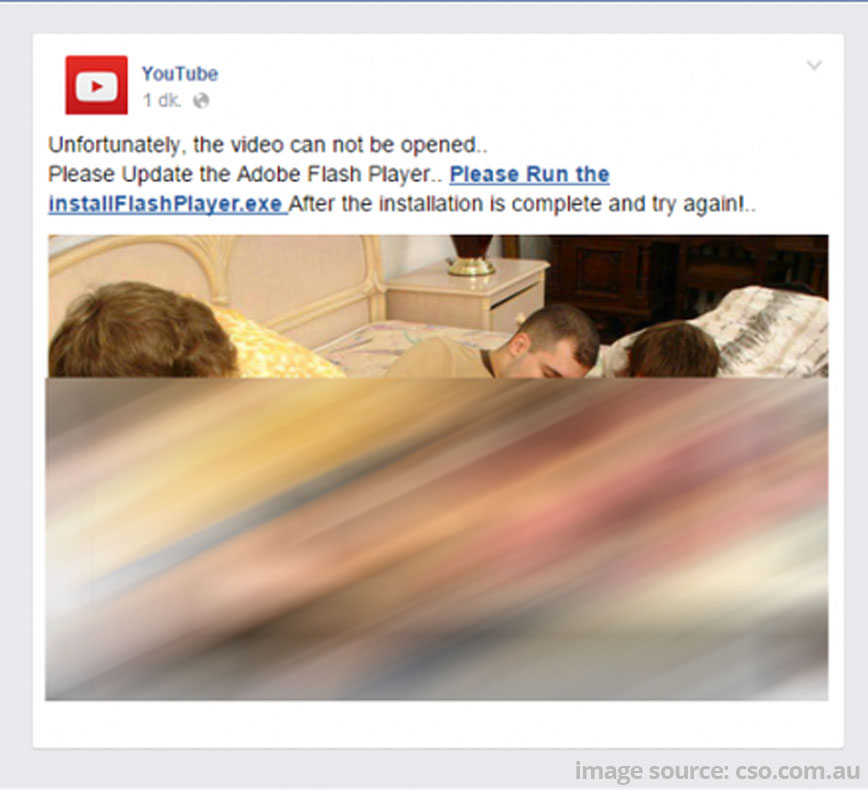
Don’t click on the porn video your Facebook friend shared

Fake Flash Player updates fool Facebook users.

facebook-fake-flash-small

Facebook users get malware from clicking on fake Flash Player updates.

Facebook users have fallen victim to a recycled scam, and we want to make sure that all of our readers are fore-warned. Cybercrooks use social engineering tactics to fool people into clicking, and when the bait comes from a trusted friend on Facebook, it works very well.

Here’s how the scam works – your friend sends you an interesting video clip; in the latest iteration you are tagged and lots of other friends are also tagged – this makes it seem more trustworthy. The video stops a few seconds in and when you click on it, a message that your Flash Player needs to be updated for it to continue comes up. Since you have probably seen messages from Adobe to update your Flash Player, this does not raise any red flags. Being conscientious about updating your software, as well as curious about what happens next in the video, you click the link. That’s when the fun really begins.

The fake Flash Player is actually the downloader of a Trojan that infects your account. Security researcher Mohammad Faghani, told The Guardian, …” once it infects someone’s account, it re-shares the clip while tagging up to 20 of their friends – a tactic that helps it spread faster than previous Facebook-targeted malware that relied on one-to-one messaging on Facebook.”

How to protect yourself from Facebook video scams

Don’t fall for it. Videos that are supposedly sensational or shocking are also suspect. Be very cautious when clicking.

Does your friend really watch this stuff? If it seems out of character for your friend to share something like that with you, beware. Their account may have been infected by malware, and it’s possible they don’t even know this is being shared. Do them a favor and tell them about it.

Be careful of shortened links. The BBB says that scammers use link-shortening services to disguise malicious links. Don’t fall for it. If you don’t recognize the link destination, don’t click.

Use up-to-date antivirus software like Avast Free Antivirus with full real-time protection.

Report suspicious activity to Facebook. If your account was compromised, make sure to change your password.

Management and Security, can you have one without the other?

cloud-based solution

Some days ago we showed you the Adaptive Defense Newsletter that we created with Gartner, and today we announce one about Panda Fusion.

This new Newsletter, entitled Management and Security, can you have one without the other? The part written by Panda explains how medium companies have difficulty managing their IT systems; heterogeneous, disperse and complex systems that aggravate their security.

What do we propose to solve this issue? Panda Fusion, the centralized and integrated cloud-based solution, provides the maximum protection against malware and at the same time manages and supports all their devices.

In addition, you will find Gartner Magic Quadrant last report: Magic Quadrant for Endpoint Protection Platforms, in which Panda is included as visionary.

Want access to this newsletter?

The post Management and Security, can you have one without the other? appeared first on MediaCenter Panda Security.

Cyber safety: one of the major companies concerns

shaking hands

I’m sure you have read about Sony’s latest leaks, the cyberattacks to Medias like The New York Times and the chaos created when cybercriminals paralyzed some banks payment networks. Nevertheless there are many other silent virtual crimes: both big corporations and small and medium businesses can suffer breaches in their data without anyone noticing anything, not even the workers.

Nowadays most banking transactions are conducted online, and almost every company has a web platform where they manage their documents and emails. That makes me wonder why computer security remains an outstanding issue in many organizations. Are they aware of the risks they are taking? Or, is it just that the new types of malware surpass their security measures?

This is not a trivial issue as we saw in the World Economic Forum (WEF), which took place last January in Davos (Switzerland). Many analysts, politicians and CEOs showed their concern and warned the public about this issue.

world economic forum

John Chambers, Cisco’s CEO, could not have said it better: “There are two types of companies: those who have been hacked, and those who don’t yet know they have been hacked.” Putting into words the issue’s significance at the WEF.

Moreover the situation is echoed by the 2015 Global Risks Report, elaborated by the WEF, and includes the cyberattacks as the futures more pressing dangers. “Innovation is critical to global prosperity, but also creates new risks. We must anticipate the issues that will arise from emerging technologies, and develop the safeguards and governance to prevent avoidable disasters.” said the President of Global Risk and Specialties at Marsh.

Technological Risks according to the Global Risks Report 2015 at the World Economic Forum

Cyber safety is now one of the major companies concerns. The forum had already published another analysis dedicated solely to this issue: “Risk and Responsibility in a Hyperconnected World” in collaboration with McKinsey & Company.

According to the experts, the technology sector, which includes big data analysis and cloud storage, could produce between 9.6 and 21.6 billion dollars of global profits.

Cybersecurity is precisely one of the barriers that ensure the favorable indicators. But if the sophistication of the attacks surprises the defensive capabilities of the equipment, the altercation would cause serious damages. In addition, the implementation of new regulations and limits for the corporations would slow down the economic and technological innovation and progress.

binary code

The report states that in order to protect companies and society in general from the negative effects a collaboration framework between public and private sectors should be stablished. Global cooperation from the authorities in order to develop new strategies that replace the traditional obsolete ones is needed.

The cost of the attacks can conceal the possible profits. Stephen Catlin, president of Lloyd (insurance market) recently claimed that the losses caused by cybercriminals can reach so important sums of money that the governments should take responsibility.

Also, companies need funds in order to research new types of malware and develop new methods that prevent cybercrimes. Chambers ended his speech at the forum expressing his fear of what is about to happen: “In 2014 the issues related to cybersecurity have deteriorated, and 2015 would be much worse.”

So, try our corporate antivirus for best corporate endpoint protection!

The post Cyber safety: one of the major companies concerns appeared first on MediaCenter Panda Security.

Ransomware holds eSports players hostage

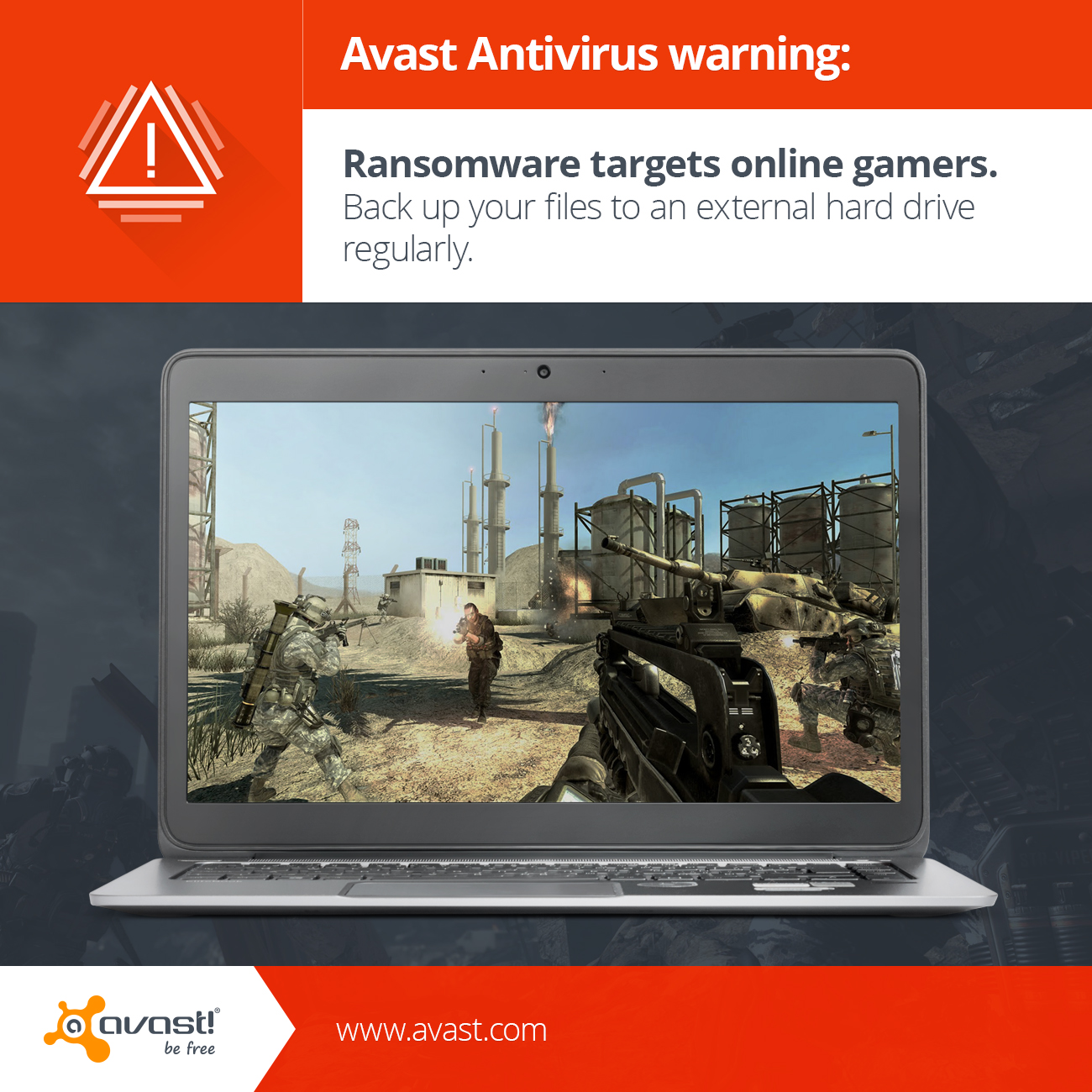
Dreaded ransomware, the malware that locks your files and demands payment for the key to unlock them, is now targeting gamers.

New ransomware targets gamers.


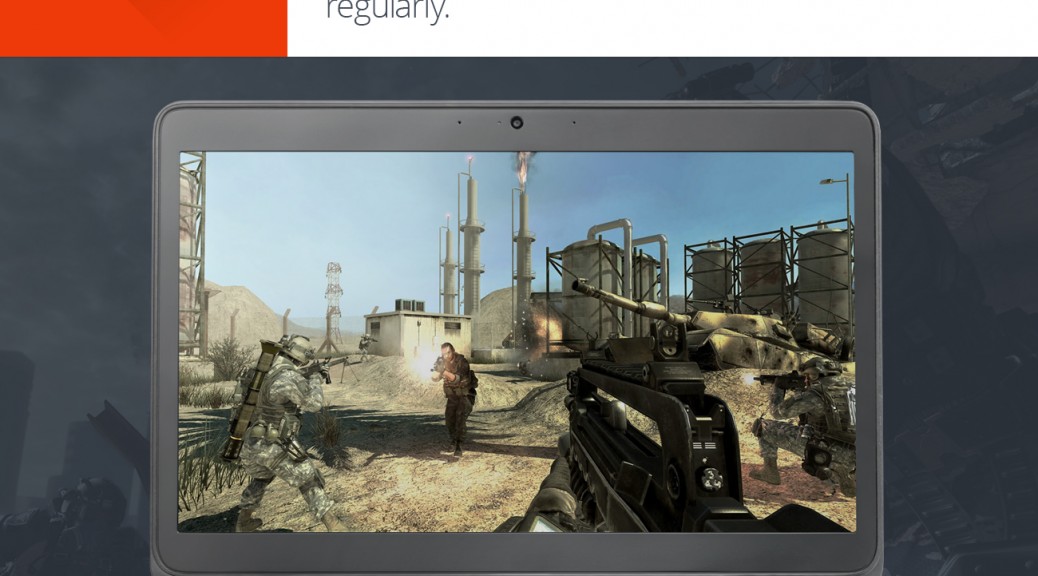
In the first report of gamers being targeted by ransomware, more than 2o different games, including World of Warcraft, League of Legends, Call of Duty and Star Craft 2, various EA Sports and Valve games, and Steam gaming software are are on the list.  This variant of ransomware looks similar to CryptoLocker according to a report from a researcher at Bromium Labs.

What is CryptoLocker?

CryptoLocker is “ransomware” malware that encrypts files on a victim’s Windows-based PC. This includes pictures, movie and music files, documents, and certain files, like the gamer’s data files, on local or networked storage media.

A ransom, usually paid via Bitcoin or MoneyPak, is demanded as payment to receive a key that unlocks  the encrypted files. In previous cases, the victim has 72 hours to pay about a relatively small amount of money, usually in the low hundreds of dollars, but after that the ransom rises to over thousands of dollars. We have seen reports that says the gamers are demanded a ransom of about $1,000 via PayPal My Cash Cards or 1.5 bitcoins worth about $430.

“There’s mostly no way to get the data back without paying the ransom and that’s the reason why bad guys focus on this scheme as it generates huge profit, “ said  Jiri Sejtko, Director of Avast Software’s Virus Lab Operations last year when ransomware was making the news. “We can expect some rise in ransomware occurrences,” predicted Sejtko. “Malware authors will probably focus on screen-lockers, file-lockers and even on browser-lockers to gain money from victims.”

That prediction came true, and now ransomware authors are targeting narrower audiences.

How do I get infected with CryptoLocker?

Infection could reach you in various ways. The most common is a phishing attack, but it also comes in email attachments and PDF files. In the new case targeting gamers, the Bromium researcher wrote, “This crypto-ransomware variant has been getting distributed from a compromised web site that was redirecting the visitors to the Angler exploit kit by using a Flash clip.” There is a detailed analysis in the report.

How do I protect myself against ransomware?

Ransomware is continuing to evolve, most recently CryptoWall ransomware, and even mobile ransomware called Simplocker.  The most effective way to protect yourself is to back up your files and store them on an external hard drive, as the new malware could also attack other drives and even cloud storage like Dropbox.

“Outdated software makes you more vulnerable for ransomware, so keep your system and applications up-to-date, especially  Java, PDF Reader, Browsers, and Flash,” said Sejtko. The Avast Software Updater feature in all of our products, shows you an overview of all your outdated software applications, so you can keep them updated and eliminate any security vulnerabilities.

By all means, avoid paying the ransom. Even if you do – you’re dealing with cybercriminals – how can you trust them to give you the key?

Avast has an Android app called Avast Ransomware Removal that will eliminate the malware from an infected device. Get it free for your Android smartphone and tablet from the Google Play Store.

List of targeted games and software

Single User Games

Call of Duty, Star Craft 2, Diablo, Fallout 3, Minecraft, Half-Life 2, Dragon Age: Origins, The Elder Scrolls and specifically Skyrim related files, Star Wars: The Knights Of The Old Republic, WarCraft 3, F.E.A.R, Saint Rows 2, Metro 2033, Assassin’s Creed, S.T.A.L.K.E.R., Resident Evil 4, and Bioshock 2.

Online games

World of Warcraft, Day Z, League of Legends, World of Tanks, and Metin2.

Gaming Software

Steam

Company Specific Files

Various EA Sports, Steam, and Bethesda games

Game Development Software

RPG Maker, Unity3D, and Unreal Engine

New threats for Android phones, how do they work? Beware of your battery!

smartphone battery charging

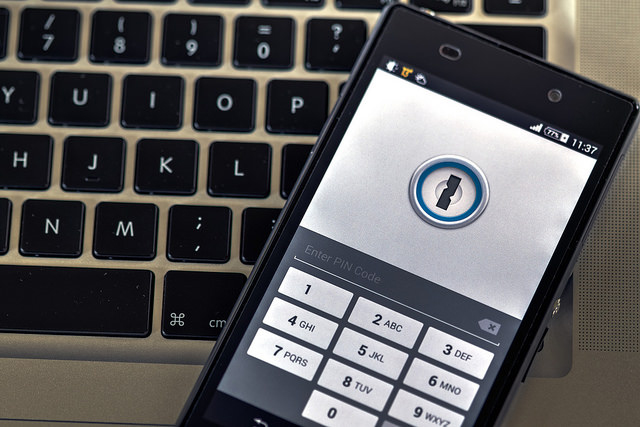
When buying a smartphone one of the first things we do is choosing an unlock pattern, trusting that by doing this our WhatsApp conversations will be protected from our nosy surroundings. If you are one of those who think that just one finger is able of drawing a complicated route on the screen, you are mistaken! Hacking an Android’s phone lock is easier than what you thought!

Digital thieves can reach even more. Not only can they get physically inside your phone, but they can also do it virtually or, using the phone’s microphone. Now they can even spy on you when the phone is turning off.

Those who trust that clicking on their smartphones “off” switch is enough to stop their contact with the outside world are in trouble. Virtual spies are able to remotely pull the strings, even so when the owner and his phone were sleeping. Security researchers have demonstrated how a Trojan for Android phones can make the users believe that they have turned it off as they usually do.

PowerOffHijack, the new malware, succeeds a very particular task: Hijacks the users’ shutdown process. When pressing the on/off button a fake dialog box appears making the users believe that their phone is turning off. Meanwhile, the malware is manipulating the operating system “system server” file.

smartphone and computer

The owner rests peacefully, even though the device is not at ease: the Trojan can make outgoing calls (even to foreigner numbers), make pictures and many other things without notifying the user. In China there have been more than 10.000 devices infected by this malware; it seems it expands via some apps.

In order to avoid this mocking Trojan we recommend you to pull out your battery so it doesn’t raise your phone bill to unsuspected limits. As much as the spies try, they are still not capable of controlling the phones without lithium. Another tip is to uninstall the apps that may have caused these silent thieves entry.

Although taking the battery off and putting it back on can resolve the Power Off Hijack issue, some hackers are using the battery’s internal information to spy mobile phones. Researchers of Stanford University together with a group of Israelis experts have developed Power Spy, a new technology that gathers the Android phone’s geolocation, even when the GPS is turned off. How? Tracking the phone’s power consumption over time.

WiFi and GPS connections need the user’s permission in order to work, but the battery consumption data doesn’t. So the cyber criminals can track your phone with 90% accuracy, later using this location information as they please, being able to locating you at all times.

lego on smartphone

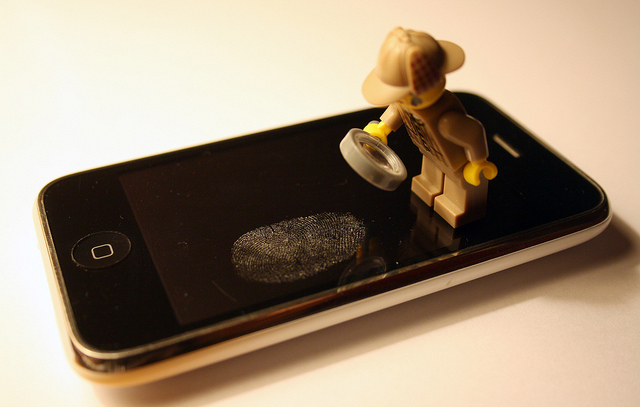
The researchers have proven Power Spy’s capacities in two Nexus phones. This program enabled them to locate the phone even if its owner wasn’t using it at the moment. Power Spy would access your phone without you knowing it. The issue is that you might be downloading it together with any app without noticing it.

“We show that measuring the phone’s aggregate power consumption over time completely reveals the phone’s location and movement”, says Yan Michalevsky, one of the researchers.

Fortunately this technology has its limitations: in order to work it needs predefined routes and to have already traveled along the route before. “If you take the same ride a couple of times, you’ll see a very clear signal profile and power profile,” says Michalevsky.  In addition the tracking accuracy increases if the phone has just  a few apps rather than in the ones with more, where power is used unpredictably.

Anyone can start spying on your phone in ways you would have never suspected. Security is not only needed in your desktop computer, it is essential in the tiniest corners of your phone.

Do you want to try our free antivirus for Android?

The post New threats for Android phones, how do they work? Beware of your battery! appeared first on MediaCenter Panda Security.

Celebrities on Instagram. Are they putting their lives at risk?

instagram filters

Celebrities around the World, beware! Many of us have surrender to Instagram, but we have to advice that we are endangering ourselves! One can easily follow our steps if we publish our photos without caution.

The filters used by this app, owned by Facebook, have become one of the celebs favorites! Even Michelle Obama, the First Lady of the United States, has an Instagram account! She –or her community manager- is making a mistake: sharing photos on Instagram and also sharing her location information.

obama instagram

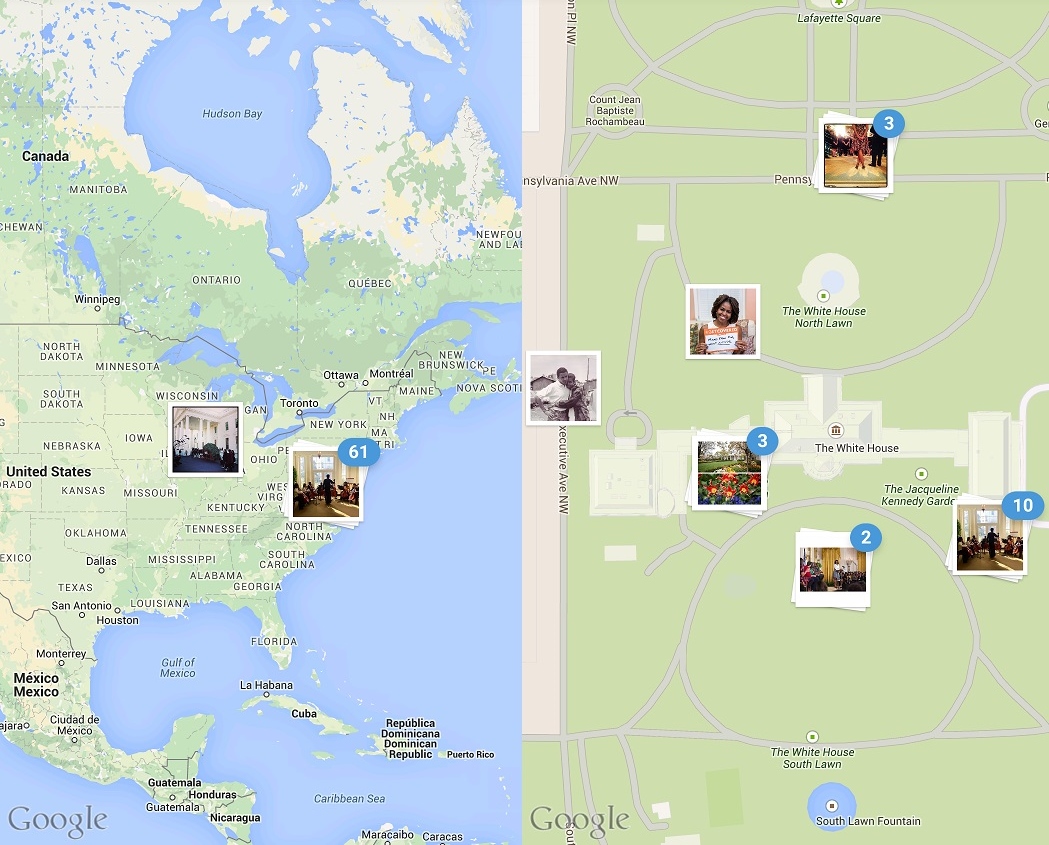
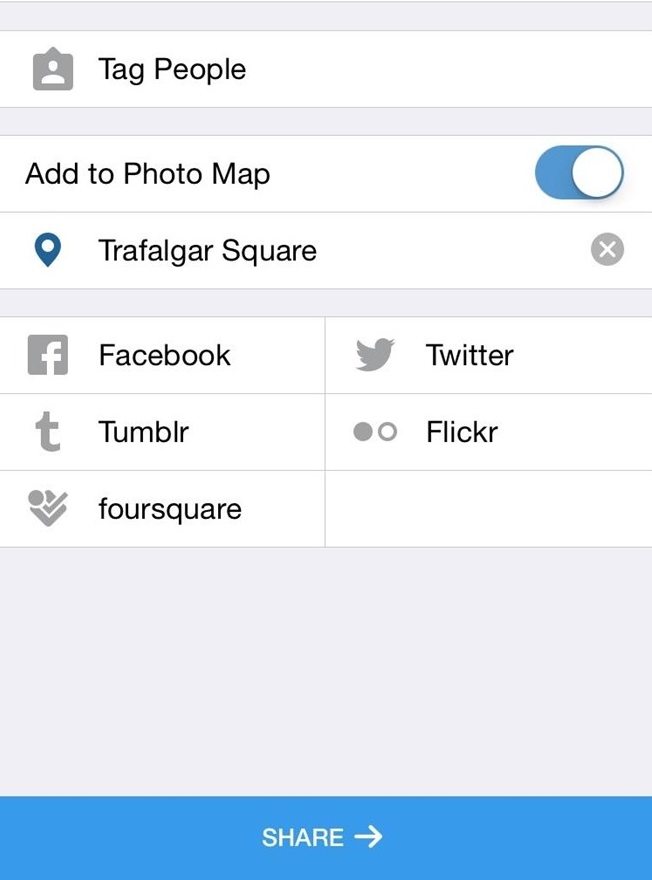
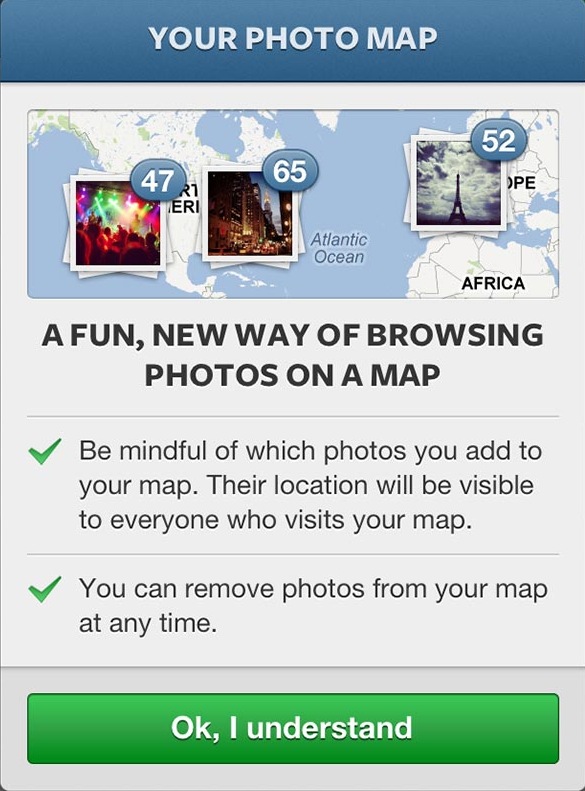
Is a feature available to all Instagram users when sharing a picture. In addition to using filters you can add your location to your picture, captured via your smartphone GPS. Instagram will pinpoint your images on a worlds map, depending where you took them or where you shared them (in case the spot is not the same and the information is not on the metadata of the picture).

instagram location


instagram map


What happened to the First Lady is not the only and not even the most dangerous incident that jeopardizes the security of an important person. After all, the majority of Michelle Obama’s pictures are located at The White House. As expected.

However, many other celebrities share their location, making it easy to any follower to stalk them, capturing where they upload their photos, their habits or the places they usually visit.

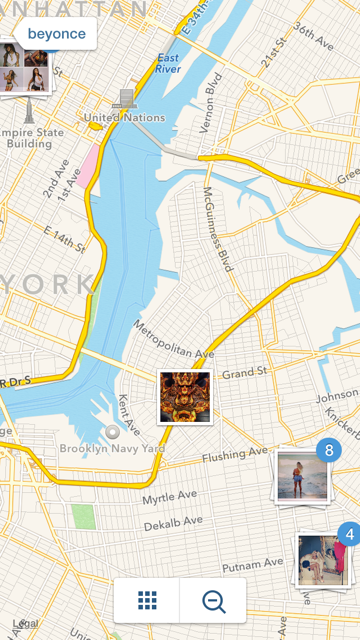
Another celebrity that shares her map with her followers is Beyonce, if one clicked in her profile one would be able to see where the picture was taken or uploaded.

Beyonce instagram

This information, which can only be seen from Instagram mobile app, is not shared by default. When uploading a photo on to this social network users can turn on the “Add to Photo Map” settings. Is by doing this, when followers are able to see where the picture was taken or uploaded.

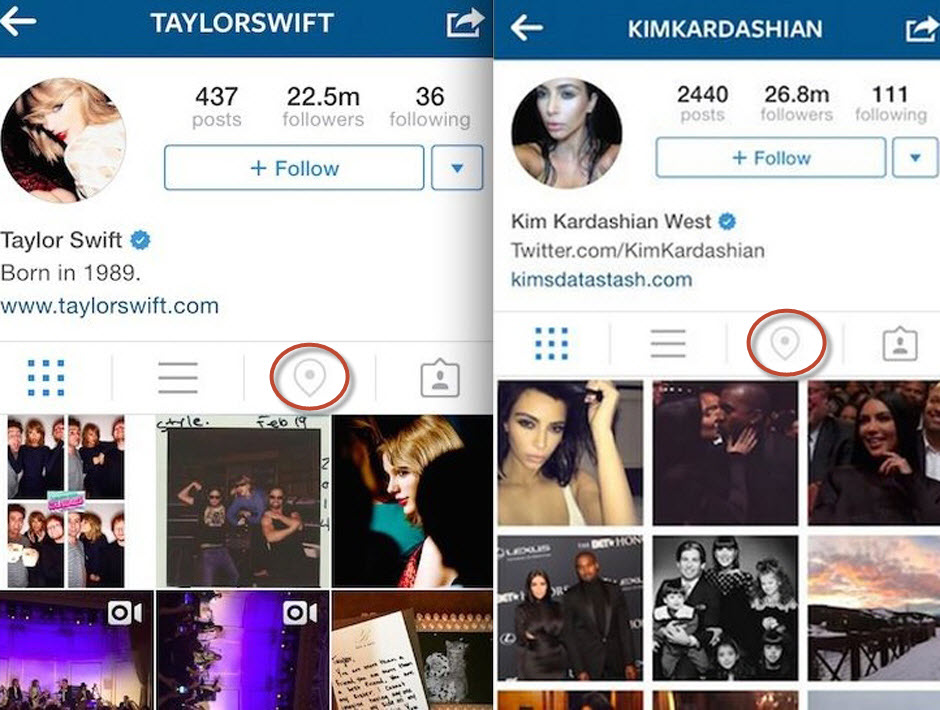
Nevertheless, not all celebrities share this information with the public. Tailor Swift and Kim Kardashian, for example, have this option deactivated. They are actively involved with their followers but don’t take the risk of having thousands of fans monitoring their pace. Keeping their favourite places for themselves.

Kardashian instagram

Sharing your location with your followers may seem risky, but it is not activated by default. You already know how to avoid social networks sharing your location! But celebrities can erase their tracks if they regret leaving breadcrumbs on Instagram, so their followers are not able to follow their steps. Each user can erase the photos on his map by clicking on it, from the app and choosing the “Edit” option.

Please be careful! We are sure your followers are very grateful that you are always telling them where you are, but for your security’s sake, don’t!

The post Celebrities on Instagram. Are they putting their lives at risk? appeared first on MediaCenter Panda Security.

Avast at Mobile World Congress 2015

Part of the Avast team was reunited again at the Mobile World Congress, in Barcelona, to show our new apps:  Avast Battery Saver, Avast GrimeFighter and Avast SecureMe, and also other popular apps like Avast Mobile Security and Avast SecureLine.

Jude McColgan, president of Mobile, and Filip Chitry, malware analyst, came from our office in Prague with Petra, Jindra, Zdeněk, Jakub, Petr, Juraj and Farid. Daniel Cheng, Head of Worldwide Mobile Sales and Marketing, came from our offices in Hong Kong and Sung Lyong, came from South Korea. I didn’t travel as I’m working at the host city, the beautiful city of Barcelona. Have you ever been in Barcelona? You should try the famous tapas, walk around Las Ramblas and visit La Sagrada Familia. Feel free to ask us for some recommendations on Twitter! :)

The Avast team arrived the weekend before the Mobile World Congress in order to build up our beautiful and colorful booth, located at the Hall 5, booth 5K29. After one day of exhausting work, the booth was ready to receive all the visitors and the journalists. The booth was really cool, right? ;)

MODIF
Everything started on monday. Tens of thousands of people came to the Mobile World Congress, located in Hospitalet de Llobregat (“What are you talking about? The MWC is in Barcelona!” Well, not really, the MWC is located in the second largest city of Catalonia, Hospitalet, next to Barcelona) where besides learning some security tips from the Avast team and learning about our new apps, the visitors were able to see what’s new on the mobile industry, like new smartphones, new wearables, new tablets, etc…

The following days were really successful. A lot of people came to our booth to meet the team and, of course, our new apps.

Full_1024

Not only visitors, a lot of journalists from all around the world and from different media, from TV channels to tech blogs, came to our booth. Nobody wanted to miss our new apps and our impressive hacking experiment! Everyone was impressed after knowing how, with Avast Battery Saver, you can save up to 7 hours of battery and, of course, after watching our live hacking experiment, where everyone was able to see how important a good security solution is while using a public Wi-Fi.

The whole team was really satisfied with the results achieved at the Mobile World Congress. The feedback received from the visitors was really positive and of course it will help us to improve our top rated security solutions.

Do you want to know what Filip Chitrý, malware analyst at Avast, and Jindra Pistkova, mobile marketing specialist, said about the Mobile World Congress? Watch the following video:

And last but not least, here you have a picture of the team :)

Avast Team

See you next year at Mobile World Congress 2016!

Avast hacks devices at Mobile World Congress

MWC15 Avast logoThe Avast Mobile Security team demonstrated how easy it is to hack smartphones and tablets at the Mobile World Congress.


The sleekest smartphones, the coolest wearable devices, and the best in mobile security were debuted at the Mobile World Congress in Barcelona last week. But it was hacking user’s devices at the Avast booth that had the journalist’s buzzing.

Hacking unsecured Wi-Fi is easy enough for any IT college student

Filip Chytry, a mobile malware researcher that you are familiar with if you visit our blog, set up a wireless hotspot in the Avast booth that allowed visitors to track the online activity of any device that connects.

“The site will let Avast capture passwords, messages and other information people type on the websites, and Chytry can even create dead ringers for Gmail or Facebook sign-in screens – – down to the little green padlock icon that indicates a secure connection…,” reported Bloomberg Business in The Easiest Way to Get Hacked: Use Phone at Phone Show.

The hacking demonstration illustrated what Avast found out during a global Wi-Fi hacking experiment conducted right before MWC.

“The study found that people around the world overwhelmingly prefer to connect to unsecured and unprotected Wi-Fi networks instead of password-protected networks,“ wrote Help Net Security in Global experiment exposes the dangers of using Wi-Fi hotspots.

Avast at MWC15

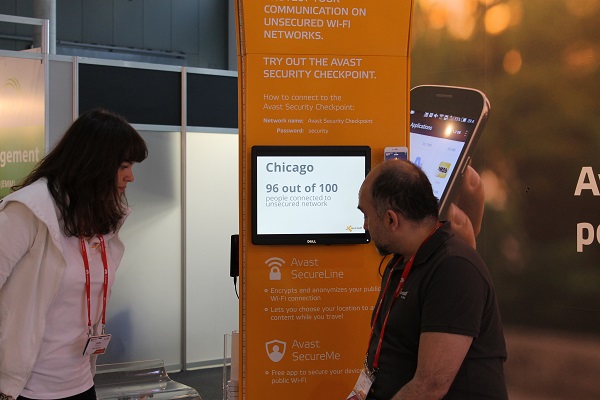
Most people connect to a completely unsecured public Wi-Fi hotspot without a second thought.

Security experts from Avast traveled to 9 cities on 3 continents, and found that Wi-Fi users in Asia are the most prone to attacks. Chicago and London are the most vulnerable in the USA and Europe. Avast’s spokesperson Marina Ziegler told E&T Engineering and Technology magazine, “…in London we found that 54 per cent of routers were weakly encrypted and easily accessible to hackers.”

“That means that if a hacker walks into a pub, he can access the router’s settings and for example reroute the traffic via another malicious server,” said Chytry. “That’s very easy. Every IT college student can do that.”


Information regarding an issue with the signature file in Panda Cloud Office Protection and Retail 2015

We inform you that we have had an incident with our signature file that might have affected our Panda Cloud Office Protection and Retail 2015 customers. This issue causes some files to be moved to the quarantine.

The signature file has already been replaced, so this situation should not recur. Nonetheless, we advise our customers not to restart your computer. At Panda Security we are working to restore the situation at the endpoint as soon as possible.

We apologize for any inconvenience this may have caused you. We will keep you informed at all times.

*** UPDATE – Wednesday, 21:20 (CET)

The solution which restores the quarantined files has been automatically deployed in all the affected products. We are working on a tool to be installed on those computers which require a manual installation of the solution. We will update the information as soon as it is ready.

http://www.pandasecurity.com/uk/homeusers/support/card?id=100045

The post Information regarding an issue with the signature file in Panda Cloud Office Protection and Retail 2015 appeared first on MediaCenter Panda Security.