Tag Archives: featured1

Hacker Experience. The game about IT security caused a sensation on the Internet

A developer created a game that became an Internet sensation in just a few hours. Overwhelmed by the success of his work, he decided to sell it.

This is similar to what happened with Flappy Bird. Vietnamese game developer Dong Nguyen, decided to sell the famous app as soon as it became successful.

Yet in this case the game is not about birds and tubes, rather viruses and IT security. The game is called Hacker Experience and its creator, a computer science student at the University of Winnipeg, has been saturated by the response to this simulator.
hacker experience

I’m tired. So I’m selling my game that just went viral “. With these words, Renato Massaro, who is just 21 years old, has terminated his relation with ‘Hacker Experience’, the game he was working on for two-and-a-half years.

The game is a hacking simulator, where players can play the role of a cyber-criminal trying to become rich and powerful working for an evil corporation. In this game, you can hack virtual servers, develop new software, mine bitcoins, work on missions, hack banks, etc.

But it’s only a game; everything that happens is just a simulation, so players are not really handling viruses that could damage their computers or destroying the hardware on other people’s systems. It’s all a work of fiction, a simulator that you can play online and which became an incredible success within just a few hours.

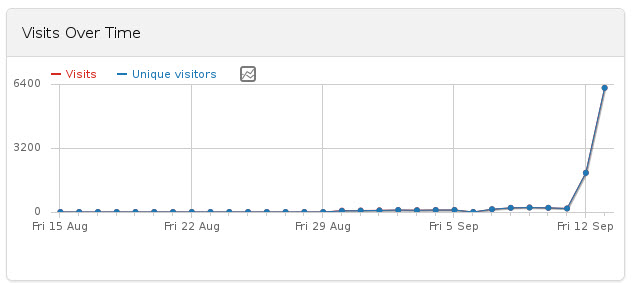
“It went viral in a matter of minutes,” says Massaro, who goes on to explain how he launched ‘Hacker Experience‘ at 4pm on September 13 and, “…by the end of the day, it had 2000 registered users and 1000 online.”

This instant success was largely down to two news aggregators: Hacker News and Reddit who made the name of this game spread like wildfire and the number of users rocket in no time at all.

What this Brazilian student had been working on for so long, suddenly became a sensation. “Now, about 30 hours later, there are 6000 registered users and 1500+ online,” said Massaro, as he realized that the situation was simply too much for him.
hacker experience success

In just a few hours the situation had become unbearable for the young student having received thousands of emails and messages. Overwhelmed by the situation, the creator of the simulator decided to put ‘Hacker Experience’ up for sale.

What was the asking price? There wasn’t one. Massaro waited for offers via email. He was selling the game, the code and the NeoArt Labs brand, under which he had launched the game, but as he had never before sold software, he had no idea what price to put on his game.

He did however tell potential buyers that this was the result of more than two and a half years work and that ‘Hacker Experience’ was already a lucrative source of income.

hacker experience game


According to his calculations, revenue from Google AdSense and Premium account users (‘Hacker Experience’ is based around the ‘freemium’ model, where players pay for certain features that give them an advantage or make the game quicker) would offer a minimum return of $1000 (about 800 euros) a month. However, Massaro also claims that with a few adjustments and offering more advantages to Premium users, ‘Hacker Experience’ could soon be offering returns of up to $5000 (almost 4000 euros) per month.

Nevertheless, any potential buyer should also be aware the game’s users have already found flaws and have been sending them via email to the creator as well as publishing them on the Hacker Experience wikipedia page and forum.

The game is still operating, though probably it is now under new ownership. In exchange, the creator will have received a decent sum (according to his own calculations, Massaro suggests that a price of some 60,000 dollars for the game would be easily recovered within the space of one year) and above all he can now enjoy the peaceful life that was so rudely interrupted by ‘Hacker Experience‘, the virus game that went viral.

The post Hacker Experience. The game about IT security caused a sensation on the Internet appeared first on MediaCenter Panda Security.


JP Morgan acknowledges that 76 million accounts were hacked

jp morgan chase

US bank, JPMorgan Chase has acknowledged that 76 million current accounts and 7 million small business accounts were affected by a hacker attack last August.

The bank presented an official report to the Securities and Exchange Commission (SEC), specifying the type of data that had been compromised in the attack on the Web and mobile apps of JPMorgan Chase.

Data obtained by the cyber-criminals included customers’ names, addresses, phone numbers and email addresses, as well as internal company data. There is still no evidence that this data theft has compromised account numbers, passwords, ID numbers, dates of birth or social security numbers.

Cyber-attack on JP Morgan Chase

JPMorgan Chase was one of five US organizations to suffer an attack, the real purpose of which is still under investigation.

The FBI have been trying to determine the origin since August and determine whether the motive is purely financial or if it is part of an international espionage operation.

The bank has also asked customers to come forward if they are aware of any irregular transactions, though for the moment, they have no evidence of any fraud related with this data theft.

 *** Update

Luis Corrons, technical Director of PandaLabs, has drawn similarities between this attack and the one suffered by Orange some months ago. In neither case were passwords stolen, which is typically the prime target of cyber-criminals, probably because this data is stored on systems with greater security.

Nevertheless, Luis Corrons has also pointed out that companies are attacked every day around the world and a small percentage of these attacks are successful. This should serve to remind businesses that they need to improve defenses against cyber-attacks and ensure they have the best business antivirus.

More | 10 reasons why you need the best business antivirus

The post JP Morgan acknowledges that 76 million accounts were hacked appeared first on MediaCenter Panda Security.
Facebook set to hand over users’ information to third-party advertisers

facebook advertising

Facebook will hand over users’ information to advertisers to enable them to advertise more effectively on third-party portals. This will be done through the Atlas platform that compiles data from the social network and uses it on external websites.

This way, if you click ‘like’ on a clothing website, you will begin to see adverts for similar products when you visit other pages.

So, with the data gathered from Facebook a history of likes and preferences is compiled which helps advertisers identify potential customers.

Advertising on Facebook

Until now, advertising on Facebook was done using cookies that registered your ‘likes’ as you visited other Internet pages. So when you were in Facebook you would be shown adverts in accordance with your preferences.

The aim of this latest methodology is to improve the effectiveness of advertising, and to track people’s preferences on mobile devices, which is what Atlas can do through Facebook.

What do you think? Are we losing privacy with these kinds of initiatives?

More | Android users under attack through malicious ads in Facebook

The post Facebook set to hand over users’ information to third-party advertisers appeared first on MediaCenter Panda Security.
Millennials take responsibility for their own cybersecurity

A new trend has started – people are taking responsibility for their own safety online!

ncsam_facebook_cover_photo_2014

AVAST Software is a “champion” and supporter of NCSAM.

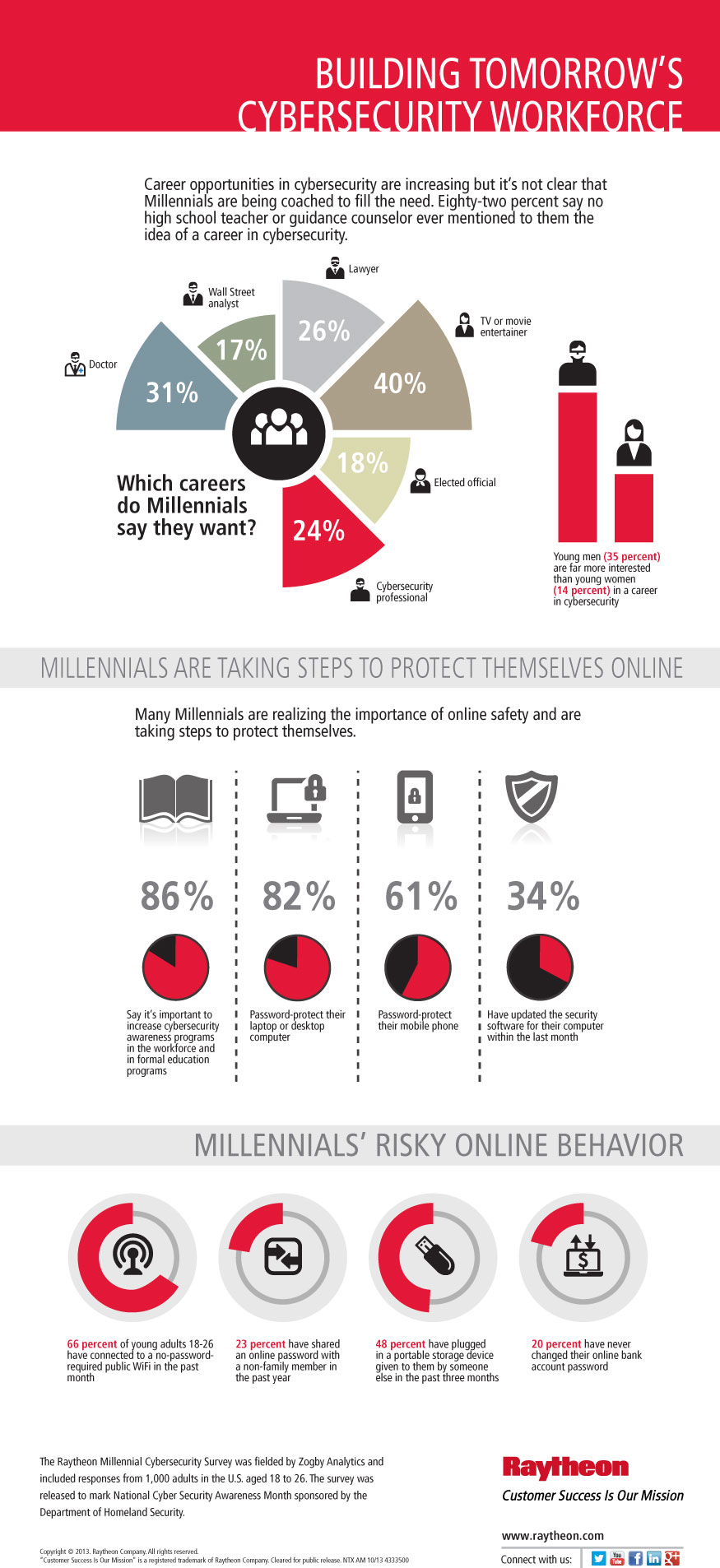
Last October when National Cyber Security Awareness Month (NCSAM) was getting started, it was reported that the incoming workforce of millennials was lax about cyber-risks. They engaged in risky online behavior like:

  • Connecting to unprotected public WiFi networks
  • Using a storage device that wasn’t their own
  • Sharing a password with a non-family member
  • Never changing their online banking password

2014 brings more awareness among “Digital Natives”

For this year’s NCSAM, a new survey was done by defense contractor Raytheon in partnership with the U.S. Department of Homeland Security and the National Cyber Security Alliance. It showed that awareness of online safety is rising, with 70% of millennials saying they follow cybersecurity concerns and are up-to-date on the topic. Eighty-seven percent believe they are personally responsible for their online safety.

Millennials are known as the “Facebook generation” or “Digital natives” because they grew up in the “digital age” with internet-connected devices. But just because they were born after the digital age began, doesn’t mean they were any more concerned about security than the so-called digital immigrants who had to replace analog skills with digital. But this year, maybe because of the high profile data breaches that have occurred repeatedly, millennials are concerned about their devices being infected by malware, credit or debit card theft, someone hacking into financial information, or falling victim to online scams or fraud.

While many are aware of the risks – roughly 60% have experienced some sort of online violation – identity theft, a computer virus, or a bad experience on social media – they’re still engaging in some risky behaviors, such as 72% using public WiFi that doesn’t require a password.

Interestingly enough, this increased awareness is also driving interest in a career in cybersecurity with millennials expressing a desire to make the Internet safer and more secure. The problem is that almost two-thirds of the total don’t know or aren’t sure what the “cybersecurity” profession is.

Building_Tomorrows_Cybersecurity_Workforce-NCSAM2014

STOP. THINK. CONNECT.

For millennials and everyone else, improving cybersecurity involves absorbing the STOP. THINK. CONNECT. message: Take a few safety precautions, understand the consequences of behaviors, and enjoy the Internet with more peace of mind.

To stay safer and more secure online everyone should:

  • Keep a clean machine. Keep software up-to-date on all Internet-connected devices to reduce risk of infection and malware.
  • Get two steps ahead.  Switch on two-step verification or multi-factor authentication wherever offered to make your accounts more secure.
  • When in doubt, throw it out. Links in email, posts, and texts are often the ways cybercriminals try to steal your information or infect your devices.
  • Think before you app. Understand and be comfortable with what information (i.e., location, your contacts, social networking profiles, etc.) the app would access and share before you download it.
  • Use a better password. Improve your defenses by making passwords that you can remember, are hard to guess, preferably use numbers, capital and lowercase letters and symbols and are different for all accounts.
  • Post only about others what you would have them post about you. It’s the golden rule on the Internet, too.

Thank you for using avast! Antivirus and recommending us to your friends and family. For all the latest news, fun and contest information, please follow us on Facebook, Twitter and Google+. Business owners – check out our business products.


Parental Control. What is it? How is it installed?

parental control

The safety of children on the Internet is one of the greatest concerns for adults when their kids use computers.

The content they can access, the Web pages they can see or the people who can contact them is a serious worry for parents.

How can you protect your kids on the Web? No doubt you have heard of ‘parental control’, but do you know how it works? Are you aware of all that you can do with this feature?

What is parental control?

Parental control lets the administrator user of a computer, in this case the parents, deny access to inappropriate content. In addition to this, the new Panda 2015 products also include the option to monitor kids’ Internet activity.

They offer a summary of the pages and categories that the children have visited most, along with a detailed report of all the pages accessed (page, category, date/time).

The technology used in this parental control feature is independent of the Web browser, so simply deleting the history or changing browsers won’t affect the monitoring of kids’ online activity.

Similarly, parental control lets you block pages according to content by using categories or blacklists.

Sounds useful, doesn’t it? Well, you’ll find this feature in the most comprehensive antivirus solutions: Panda Internet Security 2015, Panda Global Protection 2015 and Panda Gold.

Are you concerned about activating it? Here you have the instructions how to install parental control on your computer.

The post Parental Control. What is it? How is it installed? appeared first on MediaCenter Panda Security.

Experienced Social Media Ninja wanted!

Take care of Avast Communities &  A-team!

social nijna

At Avast we are convinced that our Community of 5 million fans and followers deserve our full attention.

Therefore, we have a dedicated social media team that creates, monitors, and participates in conversations across social media, engaging with AVAST users, journalists, and key influencers. We blog, tweet, pin, simply do what all Social Media Ninjas should do, in order to earn the title Ninjas! One of us is leaving, to take care of a newly-arrived little Ninja, therefore we are looking for someone who can join our Social Media A-Team! ;) 

Avast Social Ninja should be :)

  • Experienced and multi-functional community manager: Monitor, prioritize, respond, and assign conversations across all of AVAST’s 20 social media touch points!
  • Able to assist our local social media community managers: Monitors trends, tools, and new techniques, so you can support and guide our local managers through the social media jungle!
  • Creative story-telling via short-form content and blogging is your weapon, and you know how to play with words!
  • Focused and capable of planning ahead.
  • Be able to manage Social Media campaigns and report results to the Master of Ninjas!

Perfect Ninja should :)

  • Prove at least 2 years experience in the Social Media ring.
  • Be flexible and focused on the users’ needs. Understanding that our American, French, Russian, German, etc. communities require different approaches is crucial! 
  • Understand that Social Media Ninjas fight together. Work closely with communications, marketing, support, and product teams.
  • Be tech savvy enough to know that the AVAST Virus Lab doesn’t create new viruses, phishing doesn’t use worms for bait, a false positive isn’t positive for Avast or our users. Basically you need a working knowledge of online and mobile security!
  • Fluent in English (written and spoken) is a MUST. Any other language is a plus (Japanese will give you extra points. :) )

What you can expect from us?

  • Great, unique experience in social media, lots of fun, space for creativity, and new ideas!
  • Fantastic team atmosphere and close cooperation within our international environment with Deborah (American, currently in Florida, USA, before living in China, Finland), Albert from Spain, Anna from Russia, Andre from Brazil, Dominika from Czech Republic, Sarah from France!
  • Working in the AVAST HQ in Prague, one of the most beautiful cities in the world.
  • Plenty of benefits that all Ninjas like: Flexible working hours, lunch vouchers, 5 weeks of vacation, sick days, language courses, training, pension insurance.

What won’t happen to you:

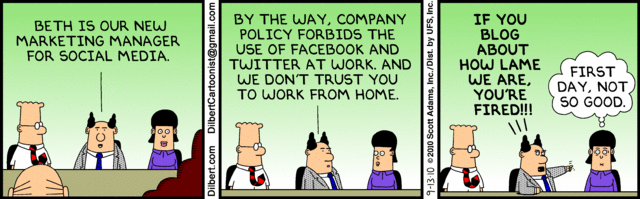
beth

Challenge accepted? :)

Send us your CV, link to your blog, Twitter profile, Google +  and a letter explaining why you ARE THE ONE at [email protected] or [email protected]

Last, but not least, follow us on Facebook, Twitter and Google+. Business owners – check out our business products.

LinkedIn: How to avoid being scammed

secure linkedin

Nowadays, practically everyone has a profile on LinkedIn. This is a useful tool for letting companies know who you are, your work experience, your present position and the best way to contact you. Along with other personal details, it is common to include an email address.

Yet despite these benefits, the platform also has its drawbacks, at least when it comes to security. The tool is not only useful for human resources managers, but also for spammers and cyber-criminals on the lookout for email addresses to which to send fraudulent messages.

More often than not, the real target of these attacks is not the owner of the email account, but the company where they work, and its data. For a cyber-criminal, this social network is like an address book containing the company email addresses of thousands of users, who use these addresses instead of their personal ones for any professional business.

Once they have found several accounts with the same company name, they make a note of the address structure (usually [email protected]). Then, with a slightly more refined search, they can get a list of all employees’ email addresses.

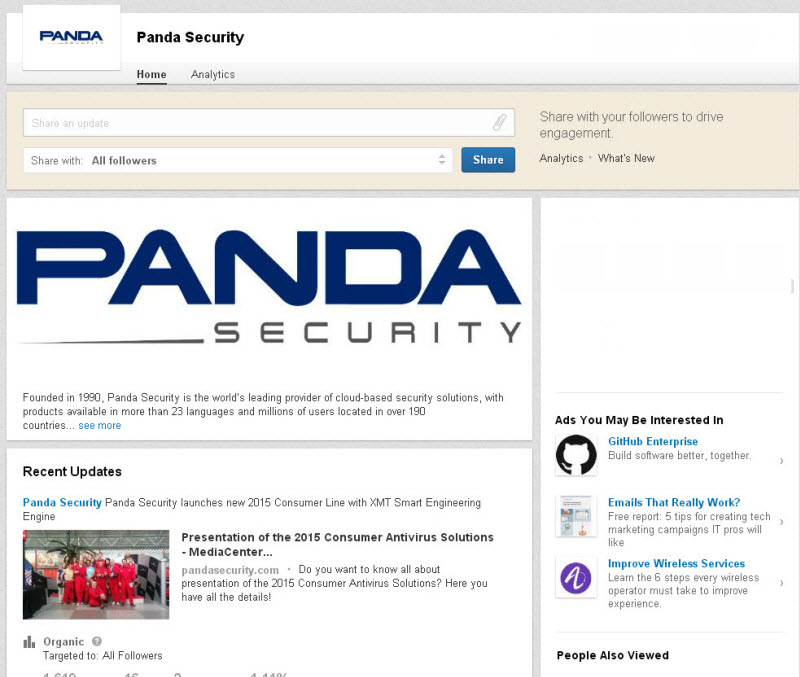
linkedin panda security profile


If the hacker knows the structure of the network that the company uses, they can access the system by sending an email to the employees in their address book. This mail might include, say, a link to a page where the recipients are asked to enter the username and password to access the organization’s platform. Once they have them, they have free reign to spy on internal information.

Those often excluded from the attack are the IT department, as they might rumble what’s going on. However, customer services, marketing, accounts, and human resources are much more attractive targets for hackers.

If the criminals manage to enter the systems, this is just the first step to getting other type of information: personal details, account numbers, passwords and databases can all be compromised.

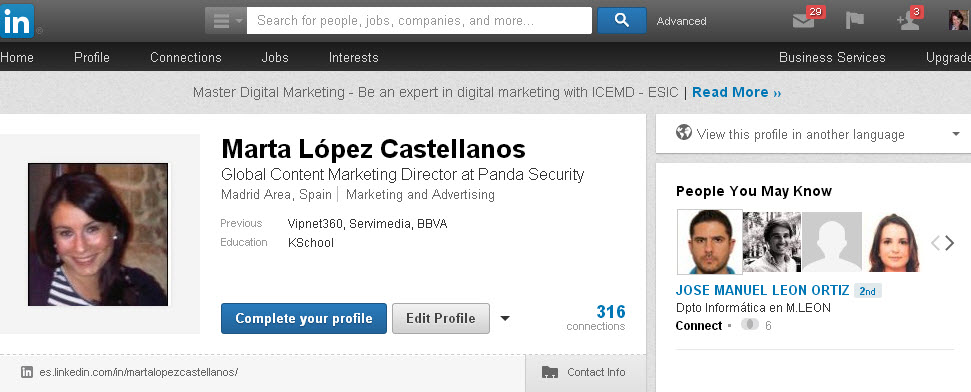
linkedin profile

Companies often encourage employees to have a presence on Linkedin. Yet saying where they work, looking for new customers and employees and increasing brand visibility on the Internet has its risks.

How to keep unwanted messages out of your professional inbox

  • Stay up-to-speed on IT security. It’s a good idea to go on courses or for companies to organize workshops. If employees can recognize scams it can help prevent them from falling into the traps set by criminals.
  • Employees should be clear about what kind of data they will be asked for on the company’s ICT platforms so as not to enter personal information on external websites. Recognizing the email account used for internal memos is also a useful aid for distinguishing suspicious messages.
  • Another thing you should consider when protecting your company (and also yourself) is to understand the mechanisms that are available to alert technicians to any strange items. IT managers can also play their part, warning about the importance of these actions. A timely warning can prevent someone from clicking a fraudulent link or revealing personal data.
  • Use a personal email account in LinkedIn. This makes it more difficult to identify, although the same advice still applies: don’t open emails from unknown senders, don’t click on the links to unknown content and be careful where you enter your data.

The post LinkedIn: How to avoid being scammed appeared first on MediaCenter Panda Security.

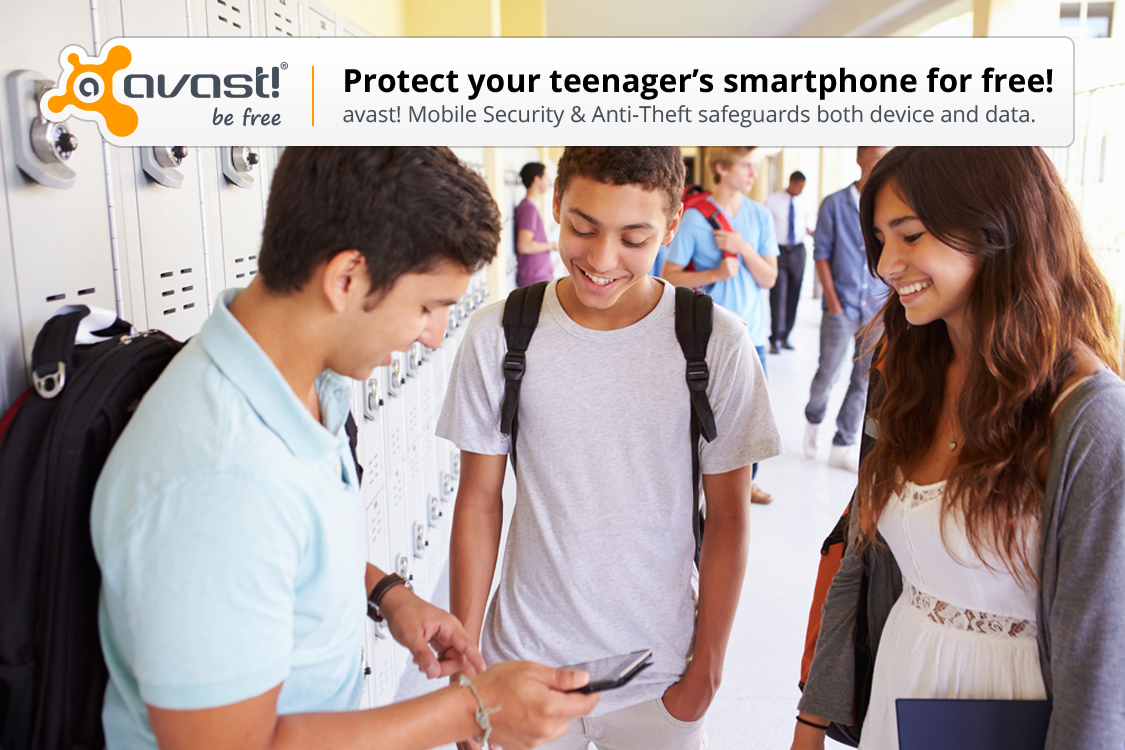
Avast safeguards your teen’s smartphone

Teenagers are responsible for their smartphones. Help them keep it safe with a few easy additions.

teens-smartphone

Seven out of ten high schoolers take a smartphone to school. Not only are these phones being used for surfing the Internet or social networking, but they help kids navigate around campus, connect with teachers and other students, and follow streaming campus news. Many parents see equipping their teenager with a mobile phone as a safety tool and a way to keep in closer contact, especially if an emergency arises.

The first thing to do after buying your teenager a smartphone

Most kids are using a device with an Android operating system and no added security protection. The first thing you should do is to download a security app to protect the phone and data on it.

The newest version of avast! Mobile Security & Antivirus is out now, with a completely re-imagined user interface, making it simpler and even more user friendly than it was before. Avast! Mobile Security is free, and it will instantly begin protecting your child from downloading bad apps, protect against spyware and block malware, and backup contacts, SMS/call logs, and photos.

Install avast! Mobile Security and Antivirus from the Google Play store.

en-scan
en-permitions
en-lock
en-detect
en-dashboard
en-call


The second thing to do after buying your teenager a smartphone

High school students are busy people, with lots of activities, so it’s likely that your teen’s smartphone will be misplaced. Avast! Anti-theft is a stand-alone app that can be installed separately from avast! Mobile Security. You can use the phone locator features to find the lost or stolen phone, control it remotely, and lock it down.

Once you install avast! Mobile Security, you will be asked to set up the anti-theft module. You can read about that and the remote features you’ll have access to from your my.avast.com account in our avast! Mobile Security FAQs.

Install avast! Anti-Theft from the Google Play store.

Other things to do

  • Set up a password for the smartphone. This is easy to do and will serve as the first line of defense against nosy people and thieves.
  • Add important numbers to the contact list. Add your mobile number as well as a work line, grandparents, the school, and emergency contacts.
  • Know the school’s rules. If phone usage is prohibited during school hours or allowed only during breaks, that’s important information to know.
  • Talk to your kids about privacy. This includes a conversation about uploading photos and videos, sexting, and oversharing on social networks.

Thank you for using avast! Antivirus and recommending us to your friends and family. For all the latest news, fun and contest information, please follow us on Facebook, Twitter and Google+. Business owners – check out our business products.

The Craigslist scams

craigslist

Craigslist is a website hosting classified ads for jobs, houses, cars… To give you an idea, there are around 10 million new Craigslist ads every month.

As sometimes happens with these kinds of pages, Craigslist has become a hunting ground for fraudsters trying to scam the people who read these ads.

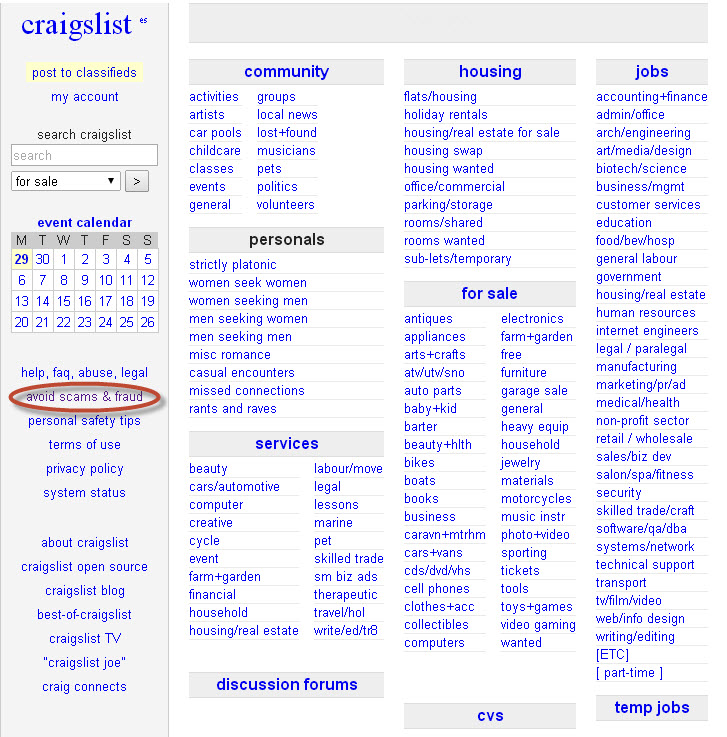
In fact, there’s even an “Avoid scams & fraud” section on the website offering advice on how to improve security in transactions. 

avoid craigslist scams

How to recognize scams on Craigslist

  • If the reply sent by the person you have contacted comes from another country, be wary.
  • They often ask for payment via platforms such as Western Union or Money Gram or a check or money order as surety on the transaction.
  • The other party can’t meet you in person to make the transaction.
  • There is a ‘third-party’ who will make the transaction.

Example of fraud on Craigslist

  • Companies offering work but who ask for an advance payment from the employee.
  • Rental of apartments that don’t exist.
  • Sale of cars that ask for payment in advance without you having seen the vehicle.

Tips for avoiding fraud on Craigslist

  • Read the ad carefully.
  • Don’t buy or rent anything without having physically seen it.
  • Take payment in cash. PayPal is also a secure way of receiving payment. Don’t accept checks or money orders.
  • Don’t give any type of personal or financial information.
  • Be wary of incredible bargains. If you find a low-priced apartment in an up-market area, it’s probably a scam.
  • Have a good look at photos. Many scams include photos of things that look too good for the asking price.

We know that criminals are becoming increasingly devious in disguising their scams, so, with your Internet security in mind, please take great care when buying online.

Have you ever fallen victim to a similar scam?

The post The Craigslist scams appeared first on MediaCenter Panda Security.
Shellshock, the security hole in Bash that affects Linux and OS X

Shellshock

A security hole has been discovered in Bash that jeopardizes the security of Linux and Mac users. This vulnerability, dubbed ‘Shellshock’, affects the command interpreter in these operating systems.

So what does this mean? To give you an idea, this flaw could allow a cyber-criminal to remotely access a system using Bash and insert spyware designed to steal confidential information or even take control of the system.

The hole was discovered by Stephane Schazeblas and it would appear that it is more serious than Heartbleed, the vulnerability discovered in the OpenSSL library last April. According to the CVSS rating of the security hole, Shellshock has a score of 10, while Heartbleed was rated 5.

What can you do to protect yourself from the Bash vulnerability? Update your software and keep your operating system up-to-date.

* Many thanks to our colleague from Critical Malware, Daniel Garcia, for his help.

The post Shellshock, the security hole in Bash that affects Linux and OS X appeared first on MediaCenter Panda Security.