Tag Archives: featured1

Avast Wi-Fi Finder helps you stay connected wherever you are

Many of us have found ourselves in situations in which we need Wi-Fi connection and are unable to find it easily. Since we’ve become used to being connected to safe and steady Wi-Fi networks at home or in the office, it can become frustrating and inconvenient when we’re unable to establish a quick connection and gain secure online access.

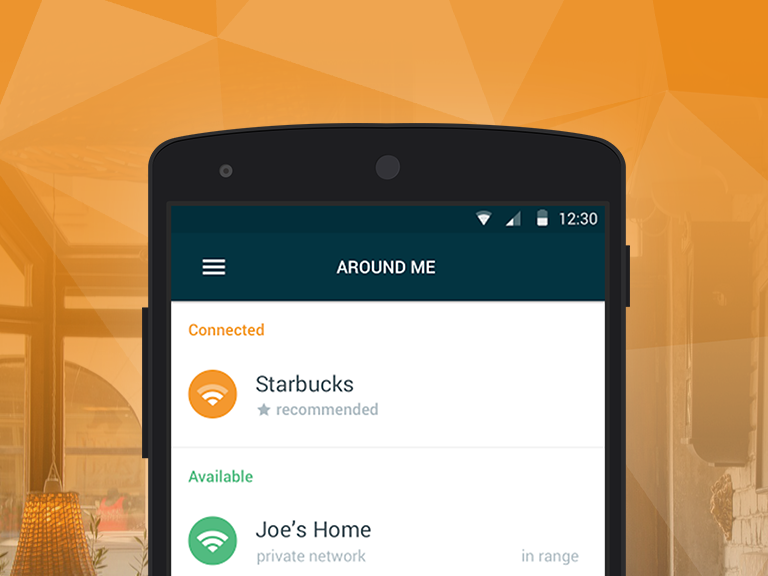
For those seeking a fast, reliable and secure Wi-Fi connection, we’re happy to introduce you to Avast Wi-Fi Finder. Our new app gives you the opportunity to have a fast connection regardless of your location while continuously providing you with privacy and security. Whether you’re at the gym, a hotel, cafe, bus station or library, Avast Wi-Fi Finder has got you covered.
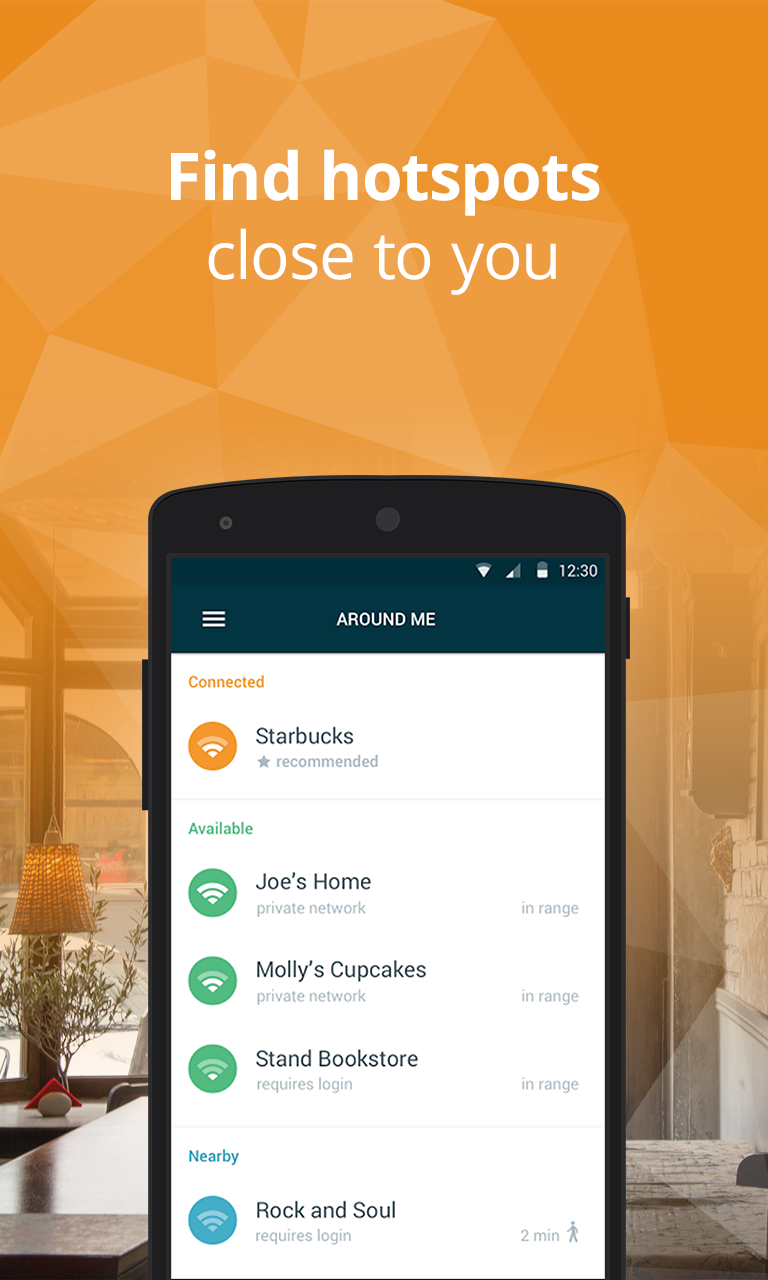
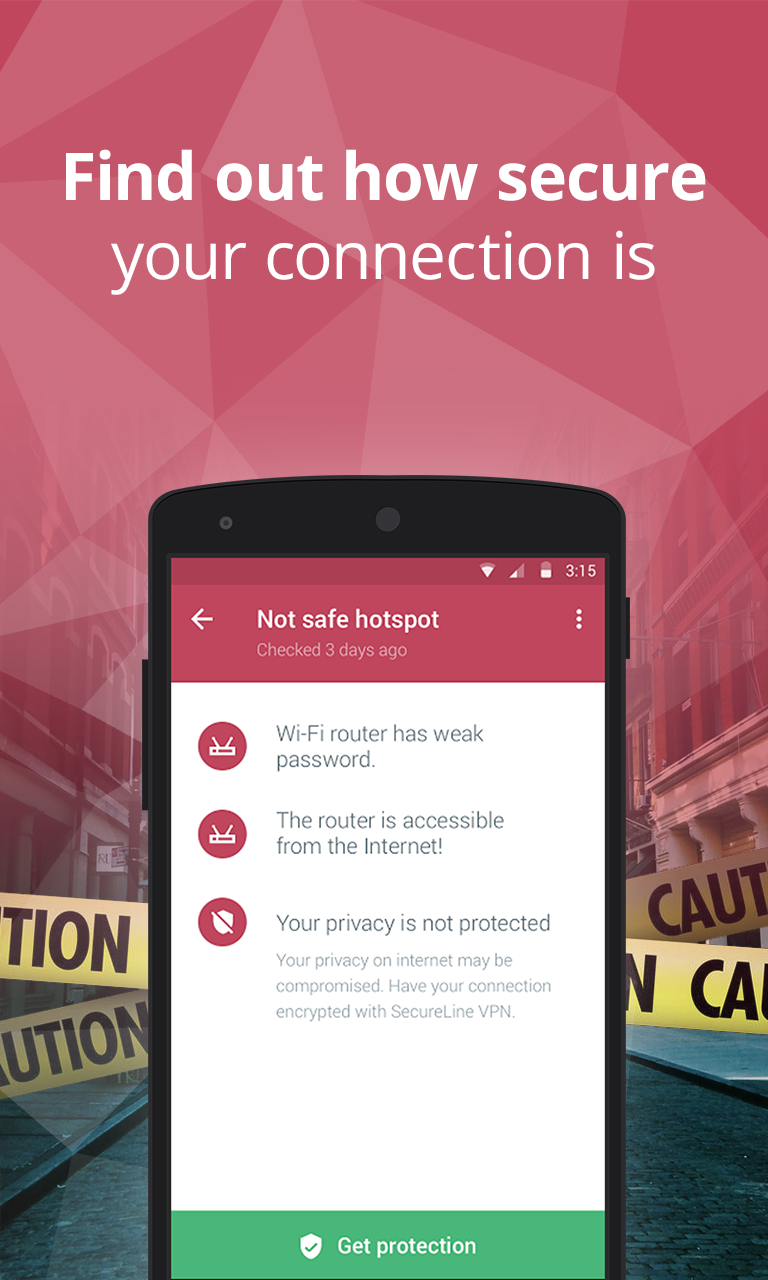
With Avast Wi-Fi Finder, you’re not limited by your data plan – instead, the app allows you to save on funds that would otherwise be spent on establishing a mobile Internet connection. No longer will you be stuck having to purchase a refreshment at the nearest cafe or register for a service in order to connect to fast, reliable Wi-Fi networks – the passwords of our recorded Wi-Fi networks are stored and provided to you.

Getting to know the app

Using Avast Wi-Fi Finder, the following features are at your fingertips:

  • Connect to the fastest, most secure hotspots around. Avast Wi-Fi Finder helps you automatically connect to Wi-Fi networks nearest to your location, helping you save on monthly bills and roaming fees.
  • Get speed and privacy. There’s no need to compromise on your security. Avast Wi-Fi Finder checks the security ratings of each network and keeps you protected while you browse, chat, or email away.
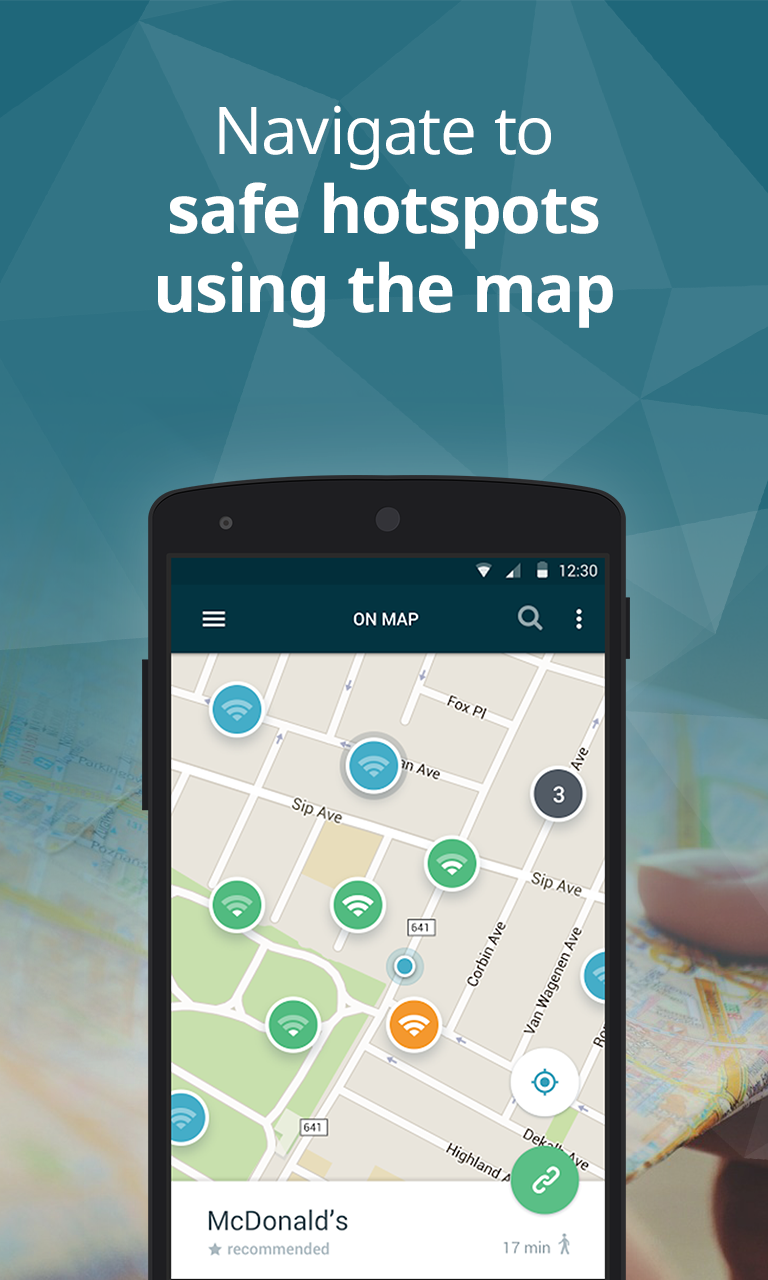
  • Follow your map and you’re set to go. The app’s user-friendly map allows you to navigate to a widespread collection of fast, reliable hotspots recommended and crowdsourced by people just like you from all around the world.

In just a few simple steps, you can become one of the beta testers who help us make Avast Wi-Fi Finder (and other Avast mobile apps) the best that they can be. Read through our guide to get started in the Avast Android beta program.

Since the beta version of Avast Wi-Fi Finder has only recently been launched, we’d like to ask our users to be patient, as certain locations may not yet be filled with available Wi-Fi networks. As our community of beta testers continues to grow, the size and quality of our network database will do the same. To speed up this process, we encourage our beta testers to add available Wi-Fi networks to locations as they find them. Get started by becoming a tester for Avast Wi-Fi Finder on Google Play!


Follow Avast on FacebookTwitterYouTube, and Google+ where we keep you updated on cybersecurity news every day.

The coupon scam that’s flooding WhatsApp

whatsapp scams

If you end up getting a WhatsApp that’s offering you a coupon for a discount at the likes of Ikea or McDonald’s then you’re right to be suspicious – none of these companies are giving away coupons and it’s like that  you’re being a victim of a fraud.

In reality, the name of these, and many other companies, are being used for what seems to be a global social engineering campaign which aims to steal information from unsuspecting victims.

It all begins with a link send to one of your contacts which they will pass on to you – relax, your friends aren’t out to scam you, it’s just how it works.

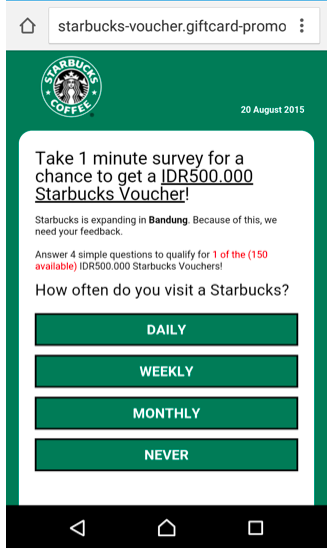
By opening the link, potential victims are taken to what appears to be a questionnaire on behalf of a well-known supermarket or brand. Via this method, the scammers hope to make use of these famous names to trick you – the likes of Zara, Lidl, Starbucks, or H&M.

starbucks whatsapp

According to the information found after opening the link, the corresponding store is looking to expand and is looking for its users to fill out a survey. They ask you to give your name, address, email, and telephone number, which goes directly to the cybercriminals.

All of this information is collected and later used to carry out spam campaigns, but not before signing the victims up to different premium SMS scams. So, the scam doesn’t just involve identity theft, but could also affect your telephone bill and, in the end, your wallet.

Even though these types of phishing scams have been going on for years, the possibility of getting an easy discount and spreading it to friends, thus making it viral, have turned this new way of tricking people into a global phenomenon.

ikea scam

The best way to avoid falling victim to these scams is to be cautious when it comes to sharing your personal information and to always be wary of promotions that you see online, especially if the brands don’t usually do it and even more so if it comes via WhatsApp.

What’s more, there have been times when these coupons and offers have been sent to victims in different languages or in different currencies – so if you get an offer in Spanish but you live in Australia, or they offer you a coupon in dollars but you live in Ireland, common sense should tell you that something isn’t right.

The post The coupon scam that’s flooding WhatsApp appeared first on MediaCenter Panda Security.

What happens to your mobile phone when you lose it?

That’s what we wanted to find out.

Avast security analysts ran a five-month experiment to “lose” and track 20 mobile phones.

More than 3 million phones are lost each year

More than 3 million phones are lost each year

To prepare the phones for the experiment, they activated three security apps: Our own free Avast Anti-Theft, Lookout Mobile Security, and Clean Master. They made sure that each phone was marked with contact information so it could be returned if found. Then, they randomly placed 10 phones around New York City and the other 10 around San Francisco.

It didn’t take long for the phones to be found and tampered with. Fifteen of the 20 phones were wiped clean using the factory reset feature. They only security app that survived the factory reset was Avast Anti-Theft.
That was just what our analysts needed to track the lost devices on their adventures.

And what adventures they had!

On a slow boat to…India?!

One of the phones, lost in Battery Park, New York City, eventually found its way to Mumbai, India. At first, a long, slow journey across the Atlantic Ocean had our analysts baffled, until they theorized that the phone was aboard a transatlantic cargo ship. After two months, it appeared again in Mumbai. Using the app’s GPS feature, our analysts can see the new owner’s daily travels back and forth between work and home.

Mumbai map

Analysts can see the movement of the lost mobile phone

Avast Anti-Theft takes a remote picture of the thief

A “theftie”

Not the kind of selfie you want on social media

With Avast Anti-Theft still working, our analysts were able to remotely activate the lost phone’s camera and take a picture of the thief, which we call a “theftie”. They got this from one of the phones lost at Strawberry Fields in New York’s Central Park.

Evidence for the police

After a San Francisco phone was found, our analysts gathered enough details that they could have easily gone to the police and requested the new phone owner to be tracked down. They knew that the person spent time in San Francisco, switched operators, changed the phone’s language to Spanish, got a new SIM card with a Los Angeles area code, and they even knew the last Internet service provider.

Only four found their way home

Only four of the lost phones were returned to Avast.

Quiana W. from Harlem, New York City found the phone on a park bench. Because she lost her own phone a couple of months ago, she was acutely aware of what it felt like to think your phone was gone. “I know what it feels like to lose things, a wallet or a phone, so I was just trying to pay it forward,” said Quiana.

Michael D. found a phone in a public restroom in San Francisco. “My initial reaction was to leave the phone where it was – it seemed a little suspicious,” Michael said. But he decided to play detective to find the phone’s owner and eventually found a note asking to return the phone. “I returned the phone because I don’t take things that aren’t mine,” said Michael.

“More than 3 million phones are lost each year,” said Gagan Singh, president of mobile at Avast. “Fortunately with Avast Anti-Theft, users have the means to track and recover a lost phone – or remotely wipe the data on it if it’s not recoverable. With all the personal data we store on our phones today, it’s a good idea to have a way to either find your phone or delete the content if you lose it.”

Protect your smartphone with Avast Anti-Theft

It’s safe to conclude that Avast Anti-Theft offers the most reliable solution to recover your lost phone. Install it for free from the Google Play Store.


Follow Avast on FacebookTwitterYouTube, and Google+ where we keep you updated on cybersecurity news every day.

 

Sticking unknown USB devices into your computer is risky business

If you found a USB stick, would you plug it into your laptop to see what’s on it?

Sounds like a risky thing to do, but in a recent experiment in four major U.S. cities, that’s exactly what happened when 200 unbranded USB devices were left in public places. One in five people let their curiosity get the best of them and plugged the flash drive into a device. These “Nosy Nellys” proceeded to open text files, click on unfamiliar web links, or send messages to a listed email address. All potentially risky behaviors!

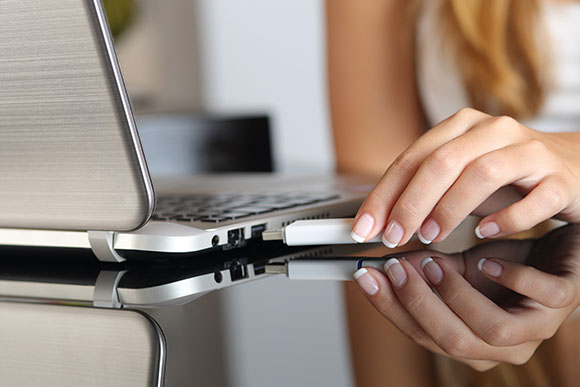
Plugging USB drive  into a laptop

You can scan your USB sticks with Avast

“These actions may seem innocuous, but each has the potential to open the door to the very real threat of becoming the victim of a hacker or a cybercriminal,” said Todd Thibodeaux, president and CEO of The Computing Technology Industry Association (CompTIA) the trade association that commissioned the experiment.

Every time you plug an unknown flash drive into your computer, you’re taking a risk because a USB drive can spread malware, as well as attract it.  Here are some dramatic examples:

Stuxnet and Flame were spread by USB device

The infamous Stuxnet worm and Flame malware, alleged American-Israeli cyber weapons designed to attack and spy on Iran’s nuclear program, relied on USB sticks to disseminate attack code to Windows machines.

Power generation facilities infected by malware on USB sticks

A tainted USB drive was responsible for attacks at two U.S. power generation facilities documented in late 2012. The U.S. Industrial Control Systems Cyber Emergency Response Team were called in to investigate and found that infections were spread by USB drives that were plugged into critical systems without back-ups.

How to use Avast to scan a USB device

Avast antivirus products come with a number of pre-defined scans including the ability to scan any removable storage device that is connected to your computer, like USB flash drives and external hard drives. It will scan the drive to detect potential “auto-run” programs that may try to launch when the device is connected.

  • Open the Avast user interface
  • Click the Scan tab
  • Choose Scan for viruses
  • In the drop down menu on the right side, choose Removable media from the selection

Follow Avast on FacebookTwitterYouTube, and Google+ where we keep you updated on cybersecurity news every day.

¿Dónde está mi teléfono? Avast Anti-Theft lo sabe

Hace unos días recibimos en Twitter un mensaje de Juan José, usuario de Avast en su teléfono móvil, en el que nos comentaba que, gracias a Avast Anti-Theft, pudo recuperar su teléfono perdido.

Juan José con su móvil recuperado gracias a Avast Anti-Theft

Juan José con su móvil recuperado gracias a Avast Anti-Theft

Mientras Juan José paseaba por Sevilla, se dio cuenta de que su teléfono móvil ya no estaba con él, lo había perdido. Su primera reacción fue llamar al número para ver si alguien lo había recogido y podía devolvérselo. El teléfono daba señal, pero nadie respondía.

Temiendo que quien había encontrado el teléfono no tenía intención de devolvérselo, Juan José dio unos pasos muy importantes en estos casos. Desactivó la tarjeta SIM y modificó la contraseña de su cuenta de Google.

Lo que no se esperaba es que,  gracias a una acción que realizó anteriormente, iba a recuperar su teléfono.

Juan José fue previsor e instaló Avast Anti-Theft en su teléfono. Durante la instalación, introdujo un número de teléfono “amigo”, por lo que siempre que haya un cambio en la tarjeta SIM del dispositivo, el teléfono indicado recibirá un mensaje con todos los detalles de la nueva tarjeta.

Y eso es exactamente lo que sucedió. Al cabo de unos días, y sin tener esperanza en recuperar el teléfono perdido, Juan José recibió un mensaje de Avast informando sobre el cambio de tarjeta SIM en el dispositivo.

Gracias a los datos que el mensaje incorporaba, Juan José pudo contactar con el propietario de la tarjeta que, de buen grado, accedió a devolverle el teléfono.

Como ya explicamos anteriormente en el blog y tal y como hemos podido ver, hay que estar preparado por si alguna vez perdemos o nos roban nuestros teléfonos móviles. Instala gratuitamente Avast Anti-Theft en tu dispositivo Android.

¿Tienes alguna historia similar? Envíanos un mensaje en Facebook o Twitter.

¿Tienes alguna historia relacionada con nuestros productos?

¿Tienes alguna historia relacionada con nuestros productos? Envíanos un mensaje en nuestras redes sociales

Telecoms giant TalkTalk suffers critical data breach

talk talk

When it comes to protecting the private information housed within your company’s network, it’s been proved time and again that no business can afford to overlook the damage that a cyberattack can do. It’s also worth bearing in mind that an attack can originate from anywhere and, sometimes, the culprit can be a surprising one.

Following the news that British phone and broadband provider TalkTalk had suffered a “significant and sustained cyberattack”, it has since been revealed that a 15-year-old boy has been arrested in Northern Ireland in relation to attack.

The cybercrime, which took place last week, has led to the possible compromising of information relating to more than four million customers. The information includes bank account details and sort code numbers, which could have potentially devastating economic repercussions for those affected. Following the news of the attack, shares in TalkTalk fell by 12% and some customers reported that money had already gone missing from their accounts. It has since emerged that the company could face claims amounting to millions of pounds from the victims. The fallout from the attack, and the drop in shares, has seen the company lose around £360m since last Thursday.

While the investigation continues into how the attack was carried out, the company first indicated that it suffered a sustained DDoS attack – a distributed denial of service attack where a website is bombarded with waves of traffic. This was accompanied by an SQL injection, which is a technique where hackers gain access to a database by entering instructions in a web form. This type of attack is very easy to protect against and some industry experts expressed their surprise at an attack of this form being successful considering the advancements of IT security solutions.

This isn’t the first time that TalkTalk has been the target of cybercrime. In less than one year the company has suffered three security breaches and Dido Harding, TalkTalk’s CEO, stated that she believes all firms are at risk of cybercrime, in what is becoming the “crime of our era”.

“This is happening to a huge number of organizations all the time. The awful truth is that every company, every organization in the UK needs to spend more money and put more focus on cybersecurity – it’s the crime of our era.”

Investigations are currently being carried out by the Information Commissions Officer (ICO) and the Metropolitan police, as doubts begin to surface over whether the company was properly protected or not. An ICO spokesperson stated that “organizations do need to make sure they have the appropriate level of security in place to protect the customer information they hold. If they don’t, we will act.”

With this in mind, a cyberattack on your company won’t just affect its reputation and standing in the industry. It also has the potential to be financially damaging and can lead to long-term trust issues with customers, so we recommend avoiding these common errors committed by other companies in the fallout of a data breach.

The post Telecoms giant TalkTalk suffers critical data breach appeared first on MediaCenter Panda Security.

How a drone can hack into your home’s network just by flying over it

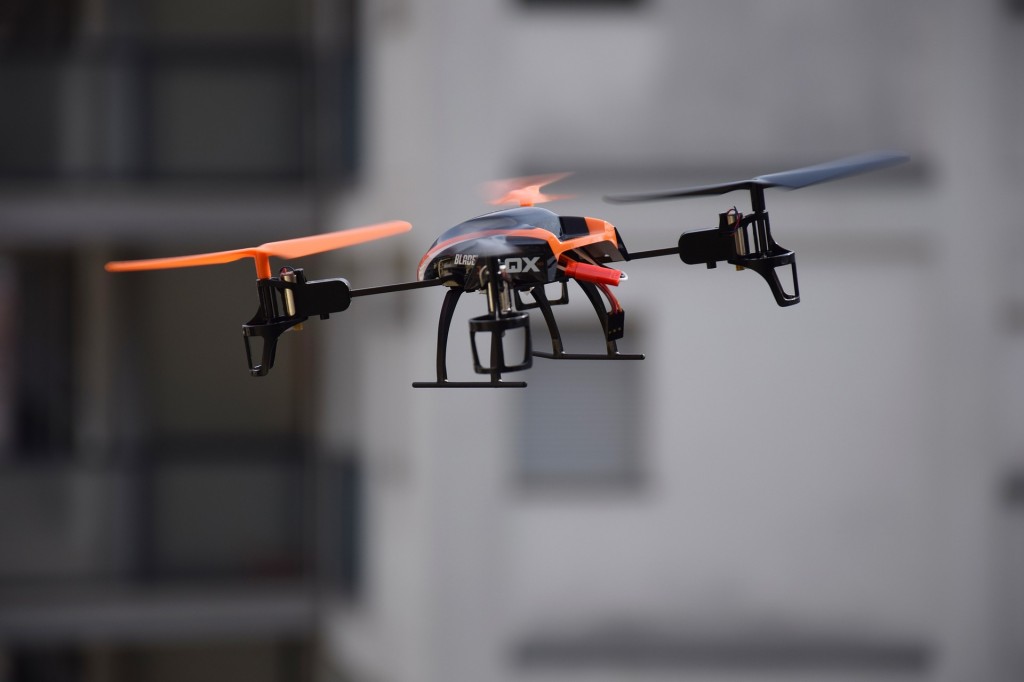
drone

Drones can be used to record incredible scenes for movies, to follow thieves from above, to save lives, or to carry out home deliveries at lightning speed. The great benefit that they provide has no limit and, unfortunately, this also opens the doors to various ways to misuse them for malicious gain.

They have since been used to introduce contraband into prisons, to illegally spy, and according to a group of investigators from the Singapore University of Technology and Design, they could also be used to intercept communications between a computer and a printer from above.

This flying robot could circle above a home or office and end up being more dangerous than you could imagine. If you don’t keep an eye on your security, private documents and files that contain information such as passport numbers and addresses could end up in the hands of criminals.

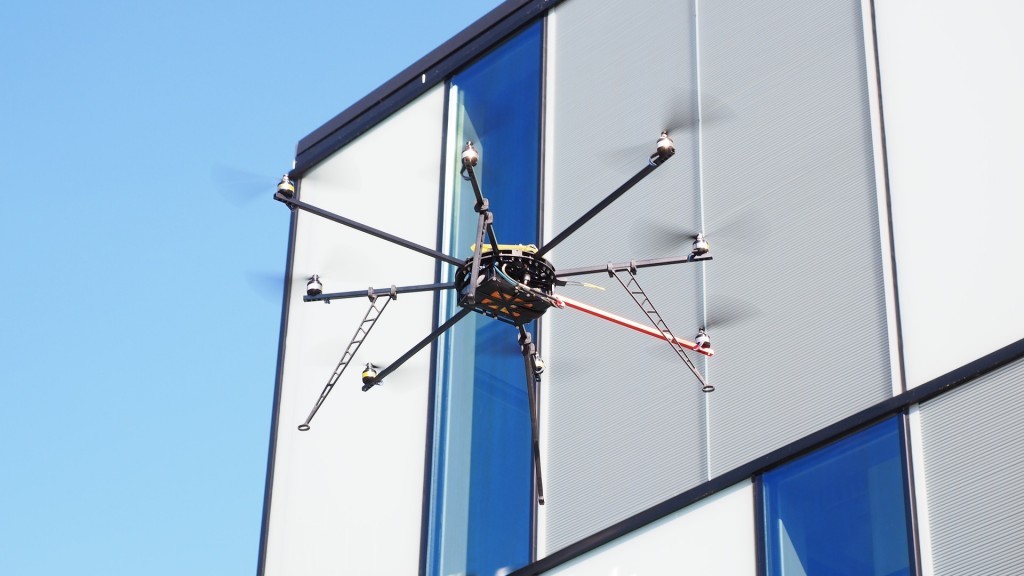
dron flying

To demonstrate that this threat is real and exists, the investigators equipped a drone with a smartphone and developed two apps that were designed to intercept the communications of a printer from outside of the building in which it was running.

The first of these apps, Cybersecurity Patrol, detects vulnerable printers – in fact, it can be used to detect security holes and even close them – and the second, which for obvious reasons remains secret, passes itself off as the machine. Basically, it creates a false access point and pretends to be the printer, tricking the computer into sending the files to it.

In principle, all that you need is a smartphone in order to carry out these attacks, but the drone comes into play when it comes to getting the required distance (a radius of 26 meters, at most) to trick the computer. By flying over a building at this distance, a simply drone could give cybercriminals access to your home or office network.

Beyond the drone, the investigators have also shown that it is possible to use an automatic hoover to introduce the mobile device in search of vulnerable printers.

The aim of the team from the Singapore University of Technology and Design is simply to alert businesses to the danger that an apparently inoffensive printer could pose, and that it is relatively easy for a criminal to gain access to information by using rather simple methods.

“The main point [of the research] was to develop a mechanism to try to patrol the perimeter of the organization and find open printers from outside the organization,” state the experts. “It’s dramatically cheaper than a conventional pen test.”

The study was completed as part of a project on cybersecurity that was sponsored by the Singaporean government and focused on printers because, as was agreed by all involved, they are a weak point that is often overlooked in offices. A lot of wireless printers are sold with an open Wi-Fi connection as default, and a lot of the owners later forget to change this setting, leaving them vulnerable to cybercriminals.

The post How a drone can hack into your home’s network just by flying over it appeared first on MediaCenter Panda Security.

How to get the best out of your computer

plane

You have surely, at one point or another, missed the speed at which your computer once worked when it was new. Now, when you turn it on, it takes an eternity to start up and you’re sat there wasting time.

With time it is normal for the performance of your PC to drop due to the buildup of unnecessary files which reduce the space available on the hard drive.

Likewise, the fragmentation of files, which can also take excessive amounts of time, plays a role in slowing down your PC’s performance.

With this in mind, it is recommended that you do a clean out of your PC every so often, eliminating unnecessary files, etc.

Seeing as we can’t give you a new computer, we came up with a solution to help your PC regain its former glory. Even if you didn’t think it possible, you can do this with an antivirus software.

Cleaning the PC: solution for a slow computer 

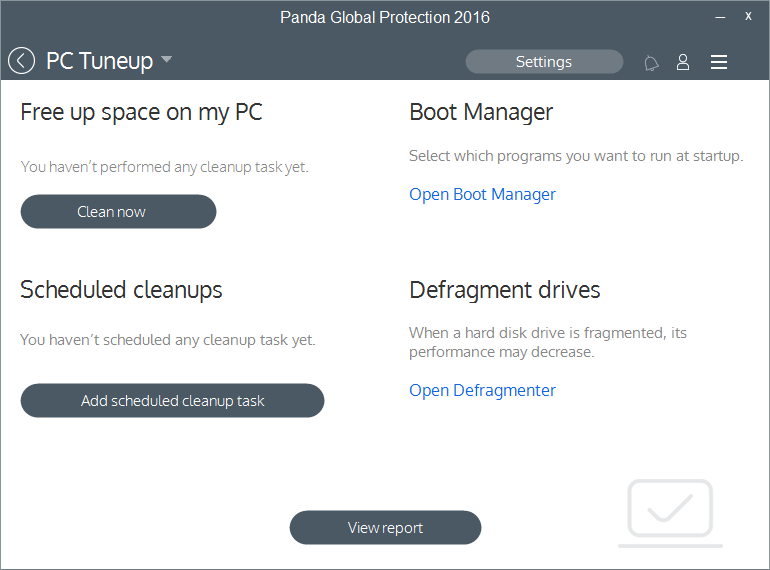
The PC Tuneup feature is present in the 2016 antivirus protection line through the Panda Global Protection 2016 and Panda Gold products.

best computer

With this you can:

  • Clean cookies and unnecessary, temporary files that can slow down your PC.
  • Eliminate invalid entries on the register which can affect your PC’s start up.
  • Manage the start up of your computer. You will be able to see all running programs and deactivate them if necessary. Also, the product constantly monitors and advises the user in the event of a program installing itself during the start up process.
  • Optimize your Android devices to increase performance and battery life.

Do you want to try it out? Give our new 2016 consumer solution products a go and tell us what you think!

Remember that we can only help you if you contact us via the technical support page.

The post How to get the best out of your computer appeared first on MediaCenter Panda Security.

Government and misuse of technology are most feared by Americans

Americans don’t trust that technology will be kept out of the hands of bad guys.

Forget about zombies, vampires, and ghosts. Americans don’t fear things that go bump-in-the-night as much as they do their own government. The annual Survey of Fear conducted by Chapman University asked Americans about their level of fear in 88 different topics ranging from crime, the government, disasters, personal anxieties, technology, and others.  The majority of Americans said that they are “afraid” or “very afraid” of the corruption of government officials.

Hacker stealing password

One of American’s greatest fears is government-sponsored spying

The misuse of technology, financial crime, and privacy-related issues took up half of the Top 10 fears of 2015. After two years of high-profile data breaches and the revelations of government spying from the Edward Snowden leaks, it’s not too surprising. Here’s the list:

  • Corruption of government officials (58.0%)
  • Cyber-terrorism (44.8%)
  • Corporate tracking of personal information (44.6%)
  • Terrorist attacks (44.4%)
  • Government tracking of personal information (41.4%)
  • Bio-warfare (40.9%)
  • Identity theft (39.6%)
  • Economic collapse (39.2%)
  • Running out of money in the future (37.4%)
  • Credit card fraud (36.9%)

From this survey, it’s apparent that Americans’ awareness and concern about guarding their personal privacy is growing. An interesting topic that was further down the list is “Technology I don’t understand,” feared by 19% of Americans surveyed. At least that is something that individuals can control – just watch some videos or read this blog and you will learn about technology and how you can minimize your risks of these other things happening to you. For example, here’s how to secure your Facebook login and protect your personal privacy and identity.

Facebook announces government spying alert

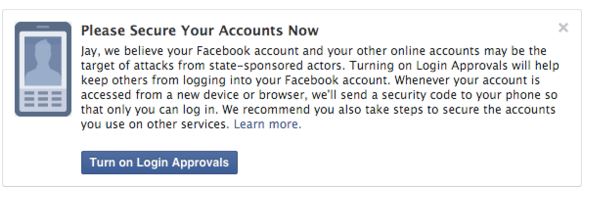
The fears of government spying don’t go unwarranted. Facebook has reason to believe that it’s an important issue “because these types of attacks tend to be more advanced and dangerous than others.” These are the words of Facebook’s Chief Security Officer, Alex Stamos, in a recent announcement telling if the social media network suspects that a user is being targeted by government-sponsored hackers, they will issue an alert advising them to “take the actions necessary to secure all of their online accounts” such as “rebuild or replace these systems [your computer or mobile device] if possible.”

FB govt intruder warning


Follow Avast on FacebookTwitterYouTube, and Google+ where we keep you updated on cybersecurity news every day.
 

Look&feel, reports… We unveil the new version of Adaptive Defense!

The new version of Adaptive Defense is here and we have reason to celebrate!

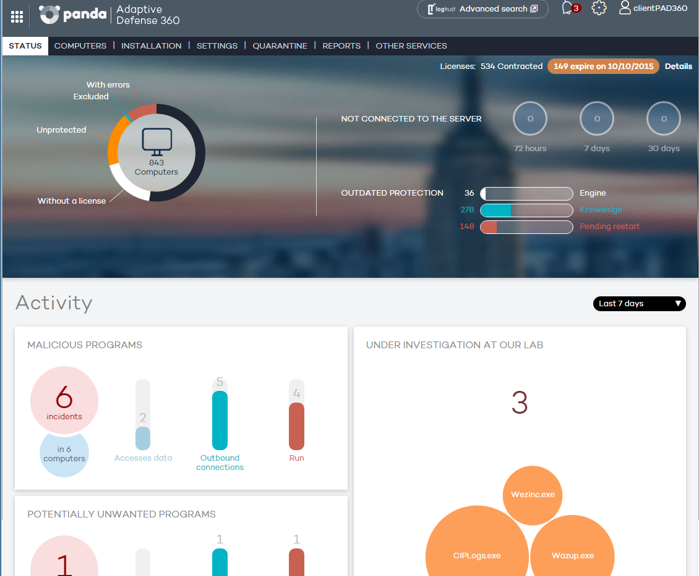
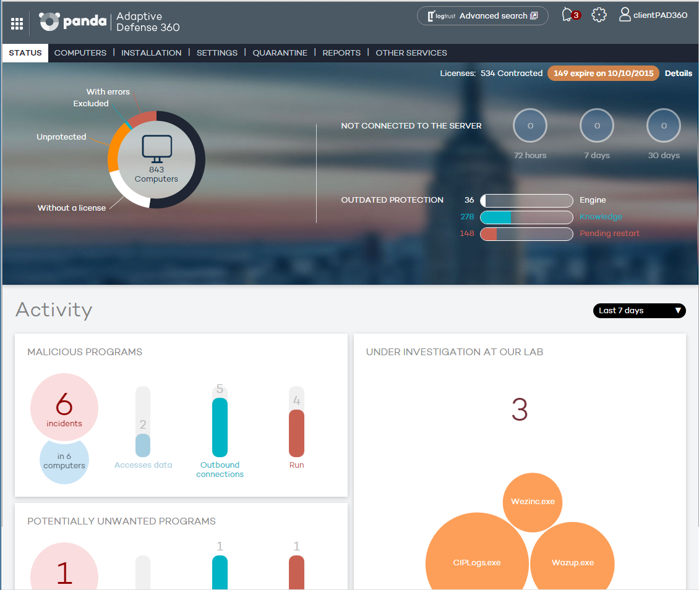
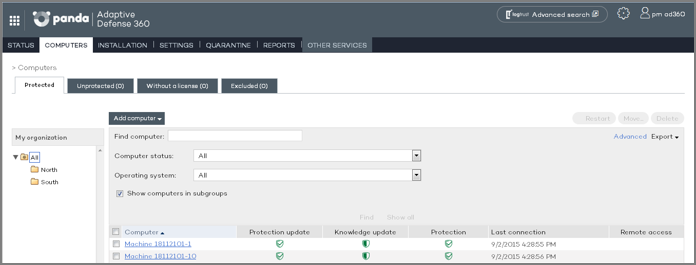
One of the most important changes to the product is the look&feel, which is now a lot more visual, accessible, and adaptable to all devices. You can manage the product from your smartphone, tablet, notebook, and, computer.

screenshot

AD 21

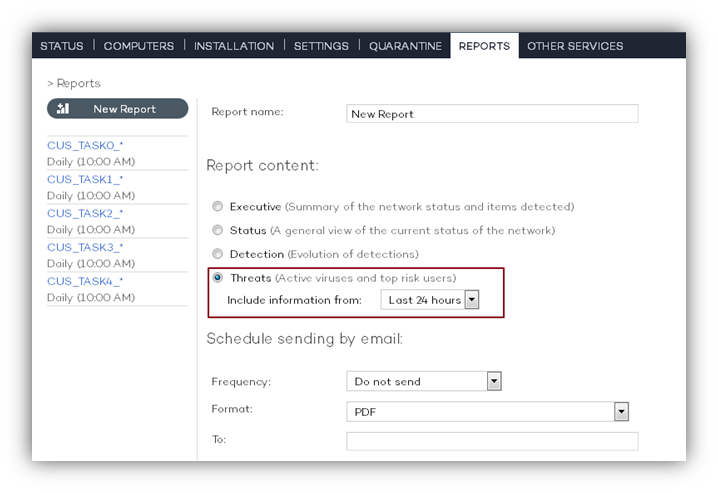
What’s more, this new console allows you to complete a new report on the attacks and threats that are detected by its advanced protection. This report can be seen in real-time or can be programmed to be sent by email.

informe

Adaptive Defense: more than just an antivirus for businesses

Adaptive Defense protects the endpoints, servers, laptops within your corporate network, and roadwarriors (remote users), by blocking the running of applications that, due to their behavior and nature, aren’t considered as safe applications or goodware. It protects your business against direct attacks, persistent advanced threats, and Zero-Day attacks.

With Adaptive Defense you will:

  • Know 100% of the applications that are running within your business
  • Avoid direct attacks in real-time
  • Be able to consult all information relating to direct attacks on your systems
  • Safeguard your business against future attacks and threats

The post Look&feel, reports… We unveil the new version of Adaptive Defense! appeared first on MediaCenter Panda Security.