Tag Archives: featured1

How to keep your Facebook business page secure

Managing the security of your Facebook business page is important to maintain a good reputation.

Nowadays we can hardly imagine a successful business functioning without digital marketing. When we say digital marketing Facebook comes to mind immediately. The most popular social platform with more than one billion users all over the world is a massive communication platform not only for the individuals, but also for brands and their consumers.

Community managers update Facebook for their company

Everyone working with your company Facebook page should know how to keep it protected.

Freelancers, owners of small local businesses, and large corporations; all of them use Facebook to promote their products and talk with their customers. In this blog post we will show you how to keep your Facebook page safe from the bad guys.

Manage the managers

Even if you are a small business, managing all your social media efforts by yourself can be difficult. Don’t try to control everything, it’s impossible and you will end up with micromanagement overload with unnecessary work. Instead, control the roles of your co-workers and educate them!

Follow our tips to avoid basic security mistakes:

  1. 1. Make sure that you have always more than one admin. In case you are the admin and your Facebook account has been blocked, you can lose control over your page.
  2. 2. Control the level of rights. For example, your support person doesn’t need publishing rights and colleague from the Business Intelligence department will be perfectly fine with only Analytical rights. Check out what kind of levels are available and manage your managers accordingly!
  3. 3. Update section Page roles regularly. You might forget that you once gave page access  to a graphic designer to upload a new cover image, or that your community manager who has left the company six months ago still has access to your page. Make sure that your Facebook page managers are always up-to-date.
  4. 4. Educate your staff members about secured login into their personal accounts. At the end of the day they use their profile to access your Facebook page.
  5. 5. If you cooperate with an agency or freelancers, use third party applications to moderate Facebook conversations. In this way no one will have direct access to your Facebook page and you can better control what kind of content is being published on your behalf.

Manage the apps

As Facebook grows in popularity, competition among brands grows. Everyone wants to attract more fans and engage with more potential consumers. One of the ways is to offer different kinds of contests. You can also connect your social media profiles, such as Twitter, Instagram, Pinterest or others using a special app. All those apps require access to your Facebook page. Make sure you use only well known, secure applications. Regularly go to your page Settings – Apps and check which one should still have access to your page. Learn more about apps security directly on Facebook.

Content is a king

Producing and distributing good content is a key to success. You want to avoid the unpleasant surprise of discovering posts on your Facebook page that should not appear there. Consider using one of many publishing platforms that allows you to control and filter outgoing content. If you can’t afford a third party social media management tool, then regularly monitor your page. Pay attention to who is posting on your page behalf (Facebook shows the author of the post to the admins) and use pre-scheduling options. If you plan your communication ahead, not only you will save some time, but you can control it better.

Secure your mobile social apps

If, like millions of other Facebook users, you and your team access your page via mobile, you should consider installing an application that will block access to Facebook. This is handy in case your mobile is lost or for simply preventing your friends from joking around and posting something on your behalf, while you leave your smartphone unattended. Avast Mobile Security protects your Facebook for free with a security code.

Stay tuned for more social media security and privacy tips!


Follow Avast on FacebookTwitterYouTube, and Google+ where we keep you updated on cybersecurity news every day.

Alabama State University switches to security in the cloud

Networks are relentlessly attacked by online threats. Organizations need quality security products to keep their network secure.

When Jothan Virgil, an IT Administrator at Alabama State University located in Montgomery, Alabama, got an email announcing the new, free Avast for Business product, he did his research and signed up.

Alabama State University

image via swac.org

Virgil knows that a good antivirus product is the most important part of protecting a network and was using Avast Endpoint Protection before switching. ”The new cloudbased solution is easier to manage.” Avast for Business lets Virgil see his entire network anywhere, anytime making his job easier.

Alabama State has a very large network managed by multiple IT professionals, with over 1,000 faculty and staff members and more than 5,600 students. Avast for Business now protects all of them from one console.

“Avast for Business is so easy to deploy and monitor, it’s made the administration of our network much smoother.” System notifications tell Virgil exactly which machines are being hit with viruses or malware.

And it’s not just easy. It’s also free. Avast for Business created a savings that Virgil can use somewhere else. He’s certain the savings will go to good use in their growing IT environment.


Avast for Business can save your non-profit, company, or school money and time. Sign up on the Avast website.

It’s possible to access Dropbox and Google Drive accounts without needing user passwords

security, cloud

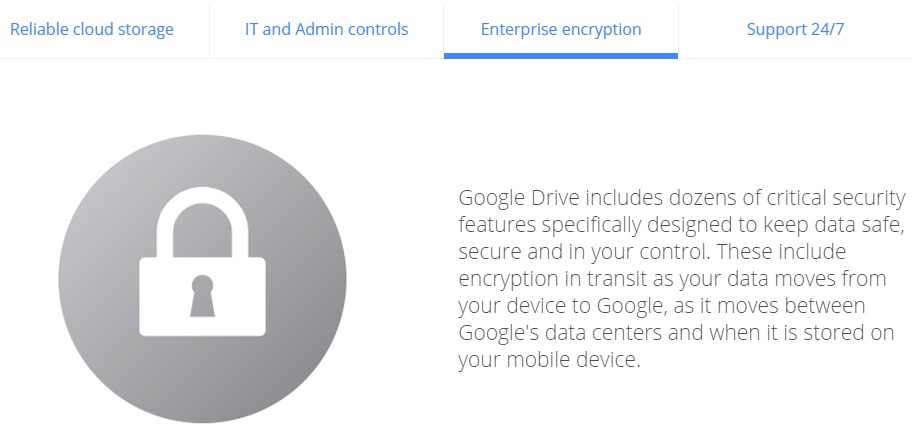
As the number of connected devices increases, so too does the use of platforms which allow us to synchronize them all and access our files from any location. Saving documents on the cloud is especially useful in the corporate world, where all of the team is able to access and modify information without the need to send emails or use external memory systems.

As we have already mentioned on various occasions, despite being useful and efficient, the cloud system isn’t completely risk free. During this year’s BlackHat USA, an event that draws together security experts from all around the world, there was a new revelation relating to cloud security.

The group on question discovered a new type of attack called the Man in the Cloud (a variation on the classic Man in the Middle), which allows cybercriminals to access synchronized file services.

dropbox

By doing this, they can reconfigure platforms such as Dropbox, Google Drive or Microsoft’s OneDrive and turn them into tools for stealing information. One of the most dangerous and worrying aspects of this is that the criminals don’t need to have the passwords in order to access the information.

In an effort to speed up the process, a lot of the most popular applications don’t ask users for their login details every time. Instead of this authentication, it relies on an identification key or a token, which is saved in a file or register.

The problem is that even when the key is encrypted, cybercriminals are able to eliminate the encryption. To make matters worse, some platforms such as Dropbox don’t renew the code even when the user changes the password. That means that to steal information, the attacker only has to install the identifier on its own system.

google drive

One of the experts who uncovered this attack has developed a test to manipulate the encryption of the keys. It consists of a malware that the victim downloads from a link included in an email or when they access an infected webpage.

Once inside, besides stealing documents and confidential information, the attackers can manipulate the files, encrypting them so that the users are unable to access them. They are also able to install a back door on the device which allows them even more control over it.

To avoid these types of attacks, the best thing to do is use storage and synchronization tools such as Panda Cloud Drive, which is included in the Gold Protection version of our security solutions.

The post It’s possible to access Dropbox and Google Drive accounts without needing user passwords appeared first on MediaCenter Panda Security.

Technical support phone scams are still going strong

Every day, millions of people get scam phone calls. In the U.S. alone there are more than 86 million scam calls each month.

Consumer phone scammers often use cheap robocalling services; automatic dialers that make thousands of phone calls every minute for a low cost. They hope to catch someone who is not aware of the system or hasn’t heard of phone scams. A recorded message will say you qualify for a special program to lower your credit card interest rate or that something is wrong with your computer. When you press a number to learn more, the scam kicks in. The unfortunate victims are often elderly people, recent immigrants, and young college students.

Elderly people are targeted for phone scams

Elderly people are targeted for phone scams

‘We have detected a virus’

The most popular type of phone scam is the bogus tech support claim. The one that has been around for a few years (also read Don’t be fooled by support scams) involves a caller claiming they are a computer technician employed by Microsoft, McAfee, or even, Avast. They say they have detected a problem, commonly a virus or malware, on your computer and can fix it for a fee – sometimes as high as $450.

Once the frightened consumer agrees, the phone scammer has them download software for remote access. You can imagine what changes a crook can make to computer settings which allows them access later.

Other tactics tech support scammers take include:

  • Enroll their victim in a bogus computer maintenance program
  • Collect credit card information to bill for services
  • Install malware that can steal personally identifiable information like passwords and account numbers

‘Your computer is damaged’

Another type of tech support scam begins with a pop-up message designed to scare the user which says, “Your computer is damaged.” These scams usually occur after the computer user downloads software that includes a toolbar, an unwanted add-on, or adware. When the user clicks the pop-up to learn more, they are redirected to a website with instructions to call a number to activate or register the bogus software. From there the scam looks similar to the previous technical support scam in which they try to sell other products or services.

How to protect yourself from tech support scams

Be cautious when installing free software. Some programs include additional software that is bundled with the regular download. Make sure you uncheck any boxes for additional software installations.

Activate Avast ‘Potentially Unwanted Programs’ (PUPs) detection. PUPs include search bars, intrusive adware, and browser extensions that Avast does not detect by default. To enable this detection open the Avast program and go to Settings. Click Customize next to Web Shield. Go to Sensitivity and put a check mark beside PUP and suspicious files.

Do not give control of your computer to a person that calls out of the blue claiming to be from tech support. If it is a real technical support person, then they will schedule a time to call you.

Never share your credit card information or passwords with someone who calls you claiming to be from technical support.

Make sure your antivirus software is up-to-date and running, and apply security patches and updates to your browser and software.


Follow Avast on FacebookTwitterYouTube, and Google+ where we keep you updated on cybersecurity news every day.

EDR technology – much more than just standard protection

Traditional viruses, defined as executables that were sent en masse to cause infection on a large scale, are already controlled by protection systems (Endpoint Protection Platforms). These are popularly known antiviruses which, as the name suggests, protect the system of the user. The problem is that cybercriminals have evolved greatly in recent years and so has their manner of attack.

Cybercriminals change their spots every day and advanced threats are now the main focus. Direct attacks, ransomware (a technique, such as Crypotolocker, that steals information from the infected computer), zero day attacks, persistent threats… they are all spreading through the market. Businesses and everyday users are at risk, not just of information theft, but also the economic fallout of being targeted. It can also reflect badly on a company if it suffers an attack and can damage its reputation.

Fortunately, the security industry has begun to react and many big players in this sector have unveiled platforms which go far beyond just protecting your system – they can detect advanced threats while at the same time giving the best response possible to possible incidents. We are talking about EDR platforms, or Endpoint Detection and Response, to give them their full name. This term was coined in 2013 by the security analyst Gartner Chuvakin and is a trend that we at Panda Security have turned into a true star product with our Adaptive Defense 360 solution.

“The protection offered by EPP (Endpoint Protection Platform) solutions, including those that possess a traditional antivirus, isn’t enough,” explains Eduardo Fernández Canga, an expert at Panda Security. “Antiviruses are still important; they are products that protect against known threats. The problem is that some new forms still manage to enter the system. It’s not good enough to just protect your system, you also need tools that allow you to detect new threats. It’s impossible to say that we can block all malware but we can detect it and act in the best way possible,” he added.

edr technology

A comprehensive and customized solution

This is where a solution like Adaptive Defense 360 comes into play. Designed by over a five-year period by Panda’s experts, this solution is compatible with Windows and soon will be available on Android devices. “Protection solutions that detect a threat always generate an identifier and include a black list. The problem is that if there is an executable that is not on this blacklist then it assumes that it is good and does nothing against it. However, Adaptive Defense does not rely only on a blacklist. It is suspicious of everything running on the endpoint,” emphasizes our expert.

So, how does this platform work? The first thing that it does is install an agent on the user’s device. Then it analyzes the behavior of every application that is running on the system. It then sends information to the cloud regarding the behavior. By using big data and data mining tools, Panda is able to classify 95% of all that shows up, including goodware and malware. To cover the remaining 5%, Panda depends on its group of expert analysts who are able to analyze and classify what the system misses.

detection

An important differential, when compared to other solutions on the market, is that Adaptive Defense draws up a white list “for the client which we use to analyze executables,” says Fernández. Furthermore, the platform doesn’t just classify the executables but rather makes sure that their behavior doesn’t change. “Normally white list solutions aren’t capable of detecting a change when they have classified an executable like goodware. However, we generate a pattern for each executable, so if the latter leaves the pattern then it generates an alert,” adds our expert.

This last part is a relevant factor that allows customers to work with vulnerable applications such as old versions of Java, Chrome or Internet Explorer. “Many businesses feel obligated to work with software which only functions with these applications. Therefore the only way they can be protected while using them is to have a system like Adaptive Defense,” insisted Fernández.

Full control of the information flow in the organization

Another advantage of Adaptive Defense is that it allows the system administrator to know exactly what damage the malware has caused to the computer. Moreover, it allows you to know and control who has access to these harmful executables. For example, it may be the case that an employee accesses confidential information and sends it to someone outside the company. Adaptive Defense, although it doesn’t block these actions, detects them and informs the administrators.

In fact, going a step further, Adaptive Defense is a powerful tool to precisely analyze, understand and visualize the flow of information that occurs both within our organization and outward, and vice versa. “The administrator can know who, how and when data is accessed, with the all of the advantages that it entails,” says Fernández Canga.

The post EDR technology – much more than just standard protection appeared first on MediaCenter Panda Security.

Dating site users infected with banking Trojan after malvertising attack

A popular dating site and a huge telecommunications company were hit with malvertising.

Hacker at work

Trusted websites can be hit with malvertising

Popular dating site Plenty of Fish (POF) and Australian telco giant Telstra were infected with malicious advertising from late last week over the weekend. The infection came from an ad network serving the advertisements that the websites displayed to their visitors.

Malvertising happens when cybercrooks hack into ad networks and inject malicious code into online advertising. These types of attacks are very dangerous because web users are unaware that anything is wrong and do not have to interact in any way to become infected. Just last week, other trusted sites like weather.com and AOL were attacked in the same way. In the Telstra and POF attacks, researchers say that a malicious advertisement redirected site visitors via a Google URL shortener to a website  hosting the Nuclear Exploit kit which infected users with the Tinba Banking Trojan.

Malwarebytes researchers observed an attack before the POF discovery and surmised in their blog, “Given that the time frame of both attacks and that the ad network involved is the same, chances are high that pof[dot]com dropped that Trojan as well.” In turn, the Telstra attack was similar to the Plenty of Fish attack.

In an interview with SCMagazineUK.com, Senior Malware Analyst Jaromir Horejsi said,

“To protect themselves from malvertising, people should keep their software, such as browsers and plugins up-to-date, adjust browser settings to detect and flag malvertising. They should also have antivirus software installed to detect and block malicious payloads that can be spread by malvertising.”

The people at the highest risk are those website visitors with out-of-date software like Adobe Flash, Windows, or Internet Explorer. They could find their PC infected with the Tinba Banking Trojan, which is known for stealing banking credentials.  Tinba aka Tiny Banker went global last year when it targeted banks like Wells Fargo, HSBC, Bank of America, and ING Direct. The success of the Trojan relied heavily on a bank customer’s system being vulnerable because of out-of-date software.

For more protection, use security software such as Avast Antivirus with the Software Updater feature. Software Updater informs you about updates and security patches available for your computer.


Follow Avast on FacebookTwitterYouTube, and Google+ where we keep you updated on cybersecurity news every day.

Everything that could go wrong when you send an unencrypted email (and how to avoid it!)

key, encrypt

Everything that you send in an email, from the attachments to the text, goes on a dangerous journey every time that you click send. Its path is filled with traps that cybercriminals can use to steal your information.

One of the tips that you should follow to protect the content of your emails is to encrypt them. This way, even if someone is able to access your emails, they won’t be able to read the content.

Although it might surprise you, the journey that your emails take isn’t as straightforward as you might think. It isn’t a simple matter of going from A to B, but rather the emails pass through different routes which put them at risk of attack from cybercriminals:

  • Step 1: The email that you send from your device to your company’s server. Larger companies generally make sure that this is a safe route and look after it. If you see a green icon or a lock icon in the address bar then you can relax  it’s secure. The journey, however, continues…

email, protect

  • Step 2: Next you email needs to pass through different serves until it reaches its destination. This part of the journey is the most dangerous as the email can be intercepted at any time, especially if the server used by the receiver isn’t protected correctly. The worst thing about this stage is that users are completely blind – there is no way of knowing how secure the connection is between the two servers. The only way to be sure is to encrypt your messages.


  • Step 3: Not only is it going between two servers, but the email still has to travel to the computer or the mobile device. This stage can also be complicated and, furthermore, once it arrives at the other device it can still be under threat. You have to remember that computers are always at risk if the correct security procedures aren’t followed.

With so many different ways to steal information from emails, it is vital to protect the content and attachments that you send.

padlock security

There are many ways to encrypt your emails and some messaging services offer it as an option. There are other options to ensure increased protection for your emails, such as the one offered by Panda, which encrypt your attachments to make sure that the content is secure. It isn’t necessary to be an expert to protect your online security, but it is better to behave like one.


The post Everything that could go wrong when you send an unencrypted email (and how to avoid it!) appeared first on MediaCenter Panda Security.

Mr. Robot Review: m1rr0ring.qt

This week’s episode of Mr. Robot continued from where it left off last week, focusing on the show’s characters rather than hacking methods. We see Elliot struggle with himself as he figures out that Mr. Robot is his dad (who died years ago), who he has been imagining in his mind. Meanwhile, Tyrell’s world is crumbling. His wife gave birth to a baby boy, but tells him she does not want to be with him unless he “fixes things”. He then gets fired from E Corp and remains as the prime suspect in Sharon’s murder investigation. It doesn’t look like Tyrell did a very good job of fixing things, if you ask me…

Despite the lack of hacking, I did have a few questions about the final scene of the episode. I spoke with my colleague, senior malware analyst Jaromir Horejsi, who helped me better understand FSociety’s plan.

via: USA Networks - Mr. Robot airs on USA, Wednesdays at 10/9 central

In the last scene of the episode, Tyrell pays Elliot a visit. Tyrell tells Elliot about how he murdered Sharon and how surprisingly good that felt. Elliot then decides to tell Tyrell about his plan to take down E Corp. Elliot explains to him that by encrypting all of E Corp’s files, all of their financial records will be impossible to access as the encryption key will self-delete after the process completes.

Stefanie: Clearly, E Corp is in some pretty big trouble if this plan succeeds, but could something like this happen to the average user? How disastrous would it be if, for example, if my personal computer’s data were to be encrypted?

Jaromir: Ransomware is a common and nasty form of malware that encrypts data and demands a ransom, as the name suggests. We have seen many cases of ransomware on PCs and mobile devices. Encrypted data is impossible to decrypt unless you have the encryption key, which is pretty disastrous if you ask me.

Stefanie: What is an encryption key and what should I do if my data is encrypted by ransomware?

Jaromir: An encryption key is information that is needed for the functional output of a cryptographic algorithm or cipher. You can think of encryption as a vault or door that is locked and the encryption key is the key or combination to open the vault or door, and in the case of encryption, to decrypt data. If your device is infected with ransomware you can a) delete the ransomware by using an antivirus rescue disc, b) reboot into safe mode and remove it manually or c) reboot using another operating system stored on an external disc. Once this is done, you can restore your data, using your backed up files. This is why it is important to always back up your data! More importantly, you should have antivirus software installed on all of your devices — PC and mobile — to prevent ransomware from infecting your device in the first place!

We highly discourage paying ransom, as this proves to cybercriminals that their methods are effective and encourages them to continue spreading ransomware.

Stefanie: What happens to the encryption key in ransomware? Does it also self-delete?

Jaromir: If cybercriminals do their job correctly, so to speak, the encryption key should be deleted by the ransomware, similar to what Elliot programed his encryption program to do. Ransomware typically generates a key and uses it to encrypt files. The ransomware then encrypts the encryption key with the attacker’s public key and sends the encrypted key to the attacker. Once this is done,and the files on the infected device are encrypted, the ransomware securely deletes the encryption key from the infected device, meaning that the attacker is the only one who has the encryption key that can decrypt the encrypted files on the infected device.  

Thank you, Jaromir, for taking the time to speak with me. :-)

What did you guys think of the episode? Let us know in the comments below!

Ashley Madison. Should your company invest in cyber insurance?

ashley madison

What started out as a dating site – albeit a controversial one at that – has turned into a nightmare. Ashley Madison, a dating site for married people who are looking to have an affair on the side, suffered a devastating cyberattack this week as hackers published private details relating to nearly 40 million users.

The information released contained names, phone numbers, email addresses and even sexual preferences. The fallout of the attack, which took the form of a 10GB database on the “dark web” that could be accessed through a specialized web browser called Tor, was felt around the world. One radio show in Australia had listeners calling in to see if their partners had had accounts on the website, resulting in some unsavory moments.

This has resulted in the company’s reputation – like that of its users – lying in tatters and calls into the question the credibility of similar websites. How can a person be expected to sign up to a confidential website if their private information is so easily at risk of being exposed?

This is an example, recent and extreme, of what a cyberattack can mean for your company. The average cost of data theft is around $3.8 million (€3.4 million), according to the latest report by the Ponemon Institute. This is an increase of 23% compared to what a company would have lost to a hacker in the previous year.

Cyber insurances for companies

The damage done to a company’s credibility may not be repairable but there is at least a way of preventing the economic fallout from being too harsh. Large corporations are away of the risk that is posed and are looking for solutions. This has resulted in an increase in cyber insurance, which has seen an increase from 10% to 26% in the last year in the United State alone. It is estimated that up to 60 different insurance firms are offering this service.

Information theft is also a worry for European businesses and they are heading for a more rigorous legal framework for data protection, with a new law on the way. Protection against possible regulatory fines and penalties is something that every potential cyber-insurer must cover in Europe.

In general terms, you could say that there are two distinct risks that these policies cover: direct risks, which affect the company itself, and indirect risks which affect third parties (clients and users). In a typical information leak, the direct cover would help to defray the costs of notifying about an attack and the following analysis, the repair and restoration of the data, and the victims’ verification service. The indirect cover would take care of the costs of fines, legal fees, judges, and complaints on behalf of users.

hacking computer

So, is it worthwhile for your company to contract a cyber-insurer or is this just another way for insurance companies to increase their revenue by exploiting unchartered territory? It depends and the first thing to consider is rather obvious; prevention is always better than the cure. A good antivirus for businesses y and following recommended security steps is the best defense against a cyberattack.

That said, the main advantage of these insurance policies is that the company can continue operating if it suffers an attack. It doesn’t prevent or decrease the chances of being targeted, but it allows you to relax knowing that the future won’t be so grim.

However, no matter what insurance the company has, it will never recover its reputation after an attack and this can be devastating. According to a report by Ponemon, a cyberattack can cause a company to lose up to 4% of its clients and customers in some sectors.

So, if your company finally decides to contract a cyber-insurer there are a few things to consider. The insurer should offer retroactive cover (which pays for breaches that take place before the policy is activated), cover for unencrypted documents (text documents, spreadsheets, etc.), third party information, information stored on the cloud and mobile devices, and that it is clear what the company considers to be negligence – so they don’t leave you high and dry at the worst moment.

The post Ashley Madison. Should your company invest in cyber insurance? appeared first on MediaCenter Panda Security.

Infected ad networks hit popular websites

Infected ads can be dangerous to your computerIt is frustrating when your antivirus protection stops you from visiting a website that you know and trust, but these days even the most popular websites can fall prey to attacks.

This week security researchers discovered booby-trapped advertisements on popular websites including eBay, The Drudge Report, weather.com, and AOL. The ads, some of which can be initiated by a drive-by attack without the user’s knowledge or even any action, infected computers with adware or locked them down with ransomware.

Computer users running older browsers or unpatched software are more likely to get infected with malware just by visiting a website. Avast blocks these infected ads, but to be safe, please use the most updated version. To update your Avast, right-click the Avast Antivirus icon in the systems tray at the bottom-right corner of your desktop. From the menu, select Update.

“This kind of malvertising is a fairly easy way for cybercriminals to deliver adware or another malicious payload. Many websites sell advertising space to ad networks then deliver the targeted ads to your screen,” said Avast Virus Lab researcher Honza Zika. “All Avast users with current virus databases are fully protected against this attack, but those without protection or up-to-date security patches run the risk of being infected with ransomware.”

Malicious ads have appeared on legitimate websites for years now. In 2010, Jiri Sejtko, the director of Avast Virus Labs reported on ads poisoning and predicted that “The ad infiltration method is growing in popularity alongside with the web site infections. Now we are facing probably the biggest ad poisoning ever made.” In the years following, many legitimate sites have suffered this attack notably Reuters, Yahoo, and Youtube.

For a more technical explanation of how infected ad networks work, read the study done by Avast Virus Lab analysts, Malvertising and OpenX servers.

How to protect yourself from infected ad networks

Since infected ads can appear on legitimate sites that you normally visit with no problem, you have to trust your antivirus protection to do it’s job. Here are some steps you can take to protect yourself’

    1. 1. Make sure your antivirus protection is up-to-date and that you have applied security patches to software.
    2. 2. Disable Adobe Flash and Java. Cybercrooks often exploit the vulnerabilities in these services.
    3. 3. It may seem drastic, but you can even get an Ad-blocker browser plug-in to stop all ads from showing. The downside is that you miss something that could actually be useful.


Follow Avast on Facebook, Twitter, YouTube, and Google+ where we keep you updated on cybersecurity news every day.