Tag Archives: featured1

Ohio school district teams up with Avast for Business

Avast teamed up with Chillicothe City School District in Ohio to provide free antivirus software their schools.

The best defense is a good offense.

The best defense is a good offense.

Educational institutions manage sensitive data including names, birthdays, and even social security numbers. That data needs to be secured to ensure sensitive student data remains confidential. Tyler Hisel is an IT technician the Chillicothe City School District in Ohio. Tyler recently started protecting his school with Avast for Business. “We had AVG before switching to Avast and we really needed to simplify our security solution.”

Servicing an entire school district’s IT needs is a challenge. That’s why Tyler said he needed software with easy-to-use centralized management where he could monitor the district’s devices. “Avast was cost saving and had lots of features that I was surprised came free,” said Tyler.

Tyler discovered Avast for Business by searching for free antivirus software for business. He explored all of the options and after considering the alternatives decided that Avast for Business was the best antivirus software for the district. “All we wanted was a simple security solution that worked, and I knew we didn’t have to pay a fortune for it.”

Budget wasn’t the biggest factor in Tyler’s decision but he claimed that it was definitely important. There were other security solutions that fit most of Tyler’s qualifications but he says that Avast for Business’ nonexistent price tag and centralized management made it the clear choice. When asked if he would recommend Avast to others he replied saying, “We’ve told businesses in the area about it already!”

Tyler’s final thoughts on Avast for Business were simply this, “I’ve got to hand it to you, it’s really an impressive product and it being free just makes it better.”

Avast for Business is free for schools, small and medium sized businesses and non-profit organizations. Visit our Avast for Business website to learn more and sign up.

Companies’ business continuity plans must improve

disaster

Disasters and security incidents happen. It is a fact. The problem is that organizations are still planning a response to these situations with little time, despite the fact that most of them have been forced to use a disaster recovery plan in the past 24 months. This is shown in a study by Gartner carried out in several countries highlighting this aspect (how these business continuity plans are managed and how the information security is safeguarded, what is their IT budget to accelerate the service restoration, etc.), which shows some of the most common disaster recovery management mistakes and discusses the key points to avoid them.

Short-sighted companies

In the report, made after interviewing more than 900 companies from six countries (United States, Canada, United Kingdom, Germany, India and Brazil), the consulting firm reveals that 75% of companies surveyed plan business continuity strategy just seven days in advance or even less. A striking fact that is striking when 86% of institutions claim to have had to implement a disaster recovery plan (which includes the recovery of the business, a crisis or incident management, the management of disaster recovery from the IT point of view, the availability of third parties or suppliers etc.) in the past 24 months.

Moreover, according to another report, this time made by Swiss Re, a company in the insurance sector, the number of natural and man-made disasters has increased exponentially in the last 40 years. While between 1970 and 1985 there were less than 100 disasters per year on average, between 1986 and 2013 there were 150, 2005 being by far the worst year (with more than 250 incidents that year).

Lack of capacity to determine their plans’ effectiveness

Another error detected by Gartner is the inability of most organizations to establish whether or not the business continuity plan they have defined is effective. Only 35% of the surveyed organizations surveyed dealt with exercises to test the effectiveness of their plan, just 30% used metrics for this purpose and 27% used score cards. At least half rely on audit reports, a practice somewhat weaker than the previous options, says Gartner.

incident management

Recovery Time and budget

As for the recovery time from a disaster, it is also generally high. Seventy six percent of the participants in the survey claimed that their business and their company’s systems are operational in 24 hours. Only 35% indicated that they are able to fix their systems in less than four hours.

The report also showed which sectors are more willing to increase their IT budget to improve their response to disasters. These are the health sector (this is what 71% of the respondents in this segment of the survey believe), communications (63%), transport (56%), banking (54%), and retail (52%). Contrary to these only 36% of the utilities and public sectors interviewees expect to increase the amount for this area in 2015. Furthermore, 9% of the respondents of these last two sectors believe that the IT budget for disaster recovery will be reduced this year.

Monitoring and management tools

Interestingly, as the study denotes, companies that have a greater degree of maturity in managing business continuity plans used software that facilitates this aspect and others such as monitoring certain parameters, from risk management to analysis of the incidents’ impact on the business and the disaster recovery plan management process. In general, 50% of the consulted organizations have acquired some of these tools in the past 12 months. Also gaining ‘market points’, are early warning systems of natural disasters (used by 32% of the companies), climate (24%), geopolitical (23%) and other aspects that may cause disruption of the business.

Extra effort to reduce the applications’ unplanned downtimes

A remarkable and positive aspect of the report is the growing number of IT managers who are starting projects in order to reduce (if not eliminate) the unplanned downtime of applications. According to Gartner, 40% of falls occur due to failures in the application (bugs, performance problems, or changes that cause problems); 50% are due to errors in operations, 20% are due to the hardware (problems on servers, networks…), operating systems, environmental factors (related to overheating, for example) and disasters.

“Statistics show the importance of establishing and maintaining a program focused on reducing, if not minimizing, the duration of unexpected downtimes and its impact on operations”, says the study along these lines.

Recommendations

Finally, from Gartner, they provide some advice to organizations who want to improve their business continuity plans and their disaster recovery policy.

  • Define a longer-term program, at least three years.
  • Use this program to know the largest time frame an organization can support when there has been a disaster or other incident involving a business interruption.
  • Check what insurance is held by the company in the event of a situation like this and act accordingly.
  • Analyze the use of tools that allow monitoring and managing business continuity plans to help standardize the strategy and to provide real time analytics and an x-ray of the operational area that allows managers to make better decisions during a crisis, incident or disaster.

The post Companies’ business continuity plans must improve appeared first on MediaCenter Panda Security.

Does Avast slow down my computer?

When your computer slows to a crawl, it is very frustrating. One of the worst things that people do when trying to restore the performance of their PC is to remove the security software. Getting rid of your protective barrier just opens you up to threats that could make things even worse.

So you know that you need a security product on your computer, but you don’t want any software to impact the speed or performance. That’s why an excellent choice is Avast antivirus products.

Avast got the highest rating for Performance from AV-ComparativesAvast provides high detection rates and good protection against malware, but it does not degrade system performance or annoy users by being resource hungry.

But don’t take my word for it.

AV-Comparatives, a well-known and trusted third party testing lab, recently tested 20 antivirus and internet security products. Avast Free Antivirus topped every single one of them – paid security suites and free antivirus protection – and received an Advanced Plus three star award for the May 2015 Performance Test.

Reasons why your PC may be slow

It is not always security software that is responsible for a slow system. Other factors can play a role, which means that with a few tweaks your systems performance can be improved.

Old hardware If you try to install modern software into your old computer, it could start running at a snail’s pace, because the hardware simply is not capable of running the software. Ideally, buying a new PC with a multi-core processor is the best solution. However if your budget does not include a new computer, then you could add more RAM.

For Windows 7 or Windows 8, you should use a minimum of 4 gigabytes of RAM. If you use Windows XP or Vista, switch to Windows 8.1 64-bit. Avast security products are compatible.

More than one security program is not good. It’s not advised to run more than one security program with real-time protection at a time. Please uninstall any trial software that came with your PC before installing different protection. You can find a list and instructions to remove here. We recommend you follow their instructions before proceeding with the uninstallation.

Make sure your software is up-to-date. The most up-to-date software contains fixes and patches that makes it run at its best. Avast has ended product updates for older consumer versions of Avast Antivirus. Versions 8.0.1497 and lower continue to receive threat updates but do not receive any patches or technical support. The latest version of Avast has enhanced features and higher detection rates to protect your computer from malicious attacks.

Clean out the clutter. Clutter from leftover files and registry entries, unneeded shortcuts, adware, toolbars, and bloatware can slow your computer down. Getting rid of the junk can bring new life to your machine.

If your hard disk is almost full you could transfer movies, images, and other infrequently used files to an external disk. For the best performance, you should leave 20% of your disk space free.


Public WiFi networks. Are they safe?

free wifi

Airports, hotels… On vacation we also spend the whole day connected to the Internet. WhatsApp has in many countries become an essential tool for personal communication. We all want to be able to check Facebook, post photos on Instagram, tweet something we’ve seen, and answer work emails from wherever we  are… and it’s possible. We mostly do all these things from a smartphone, or perhaps from tablets or (increasingly less) from laptops.

It is quite common to scan for and connect to public WiFi networks which aren’t password-protected and let you connect to the Internet cheaply and simply. In fact, a typical selling-point of many restaurant chains nowadays is that they offer free WiFi connections to customers, and in many places there are public WiFi hotspots provided by local councils.

Even though the price of mobile data connections has dropped considerably (largely thanks to competition and technological advances), and connection speeds continue to increase (GPRS, 3G, HDSPA, 4G…), most users, if they can, still try to avoid using mobile data. The reason is simple: many of the mobile data rates on offer include a limit on data download volume, and once this threshold is exceeded, either the connection speed drops or the charges increase. Moreover, not everywhere has good mobile data coverage, and that directly affects the connection speed. And that’s not to mention the question of data roaming when traveling to other countries, where prices are very often completely prohibitive.

It’s obvious that most of us at one time or another will try to connect to a public WiFi network. Is it safe? What are the risks? Can anyone spy on data sent from my device? Can I get infected if the network is malicious? These are some of the questions that we’ll answer below.

When you connect to the Internet from home or from your office, you know who is responsible for the network and which people can connect to it.  However, on a public network, anyone can be connected, and you have no idea of their intentions. One of the first questions that arises concerns the level of security on any Web page that requires you to enter your login credentials.

wifi airport

How to connect safely to a public WiFi network

Could someone connect to the same network and spy on data communications?

Yes, anyone connected to the network could capture the data traffic sent from your device, and there are simple, free apps available for this purpose.

Does this mean that someone could steal my Facebook username and password?

No. Fortunately, Facebook, along with many other social networks, webmail services, online stores, etc. have secure Web pages. You connect to them via SSL, which you can see on your browser (depending on which one you use) when the padlock icon is displayed next to the page address. This means that all the data sent to this page is encrypted, so even if it is captured by a third-party, it cannot be read.

What about other websites? Could someone see which pages I’m visiting, or access the data I enter on unencrypted site?

Yes. It’s very simple to capture this information, and anyone could see what pages you connect to, what you write on a forum or any other type of unencrypted page.

So as long as the Web page is secure, I’m alright, aren’t I?

Yes, but it must really be secure. Capturing network traffic is just one type of possible attack. If the hotspot has been deliberately set up by an attacker, they could, for example, alter the settings of the WiFi router to take you to the page they want. Imagine you enter www.facebook.com in your browser, yet the page you see is not really Facebook but a copy, so when you enter your username and password you are giving it directly to the attacker. Or, worse still, the page you are taken to contains an exploit which infects your device without you realizing. In any event, the fake page won’t be secure, which should help you detect that it is not the real site.

But is this still the case if I know that the WiFi hotspot is reliable, such as in a shop or restaurant?

Yes. although it is obviously safer, no one can guarantee that the router hasn’t been compromised, or that the DNS configuration hasn’t been changed, which would enable an attack like the one described above where you’re directed to a fake page. In fact in 2014, security holes have been discovered in popular routers which allow them to be hacked so an attacker could easily change the configuration.

This is chaos! Is there any way of protecting myself against these attacks?

Yes. One good way is to use a VPN (Virtual Private Network) service. This ensures all data traffic from your device is encrypted. It doesn’t matter whether the site is secure or not, everything is encrypted. When you are connected to the VPN, the router’s DNS settings are not used in any event, so you’re protected from the types of attack described above.

And what about password-protected WiFi networks? Is there the same risk?

This in effect ensures that only people who know the password can connect to the same WiFi access point, nothing else. In a way, you could say that this reduces risks by reducing the number of people who can connect, although the same kind of attacks can still occur in the same way as on an open network without password protection.

Does this apply to all types of devices or just to computers?

To all kinds: computers, tablets, smartphones or any other device with which you can connect to a network.

And so what about WhatsApp? Can anyone see my chats or the photos and videos that I send?

No. Fortunately that information is now encrypted. Previously it wasn’t, and in fact, an app was developed that allowed you to see people’s chats if you were connected to the same network. This is no longer possible, although there is a way someone could find out your phone number if you are connected to WhatsApp on the same network as them, but that’s the most they can do.

The post Public WiFi networks. Are they safe? appeared first on MediaCenter Panda Security.

Mr. Robot Review: Eps1.2d3bug.mkv

Elliot, Mr. Robot’s anti-hero cyber-security engineer by day and vigilante hacker by night, has been having a life-style crisis. In episode 3, Elliot longs to live what he calls a bug-free life, otherwise known as a regular person.

“Was he drinking Starbucks?”

“Was he drinking Starbucks?”

However, he is quickly pulled back into F Society’s hold when emails exposed during the threatened data dump revealed that E Corp executives had knowledge about the circumstances which led to his father’s death. We will leave the intrigues and plot theories, especially if Mr. Robot is real or a figment of Elliot’s imagination, to the internet. Right now, let’s look at the hacks highlighted in this episode.

At minute 7:40, you see Elliot in the hospital after Mr. Robot had pushed him off the high wall they were sitting on in the previous episode. His psychiatrist, Krista, is in the hospital and explains that the police wanted to do a drug panel, but Elliot refused. Elliot admits he has been taking morphine. Krista says the only way she can approve his release from the hospital would be if he commits to a bi-monthly drug test. Elliot starts thinking about how he will get around this problem by hacking the hospital’s IT. The IT department is lead by one single person, William Highsmith, with a budget of just $7,000 a year. According to Elliot, he uses useless virus scans, dated servers and security software that runs on Windows 98. It’s one of the reasons why Elliot made that particular hospital his primary care facility, since he can easily modify his records to look average and innocent.

Stefanie: Wow, wouldn’t it be an unusual that a hospital would actually use old infrastructure and have little budget for their IT? I also found it a bit odd that they have just one IT guy, I mean healthcare data is REALLY sensitive and definitely one of the last things I would want to have accessed by hackers!

Walter MegoWell, unfortunately, this situation is a very real in American hospitals. Last year, the Healthcare Information and Management Systems Society (HIMSS), reported that one out of five hospitals indicates that a lack of adequate financial resources was a barrier to the implementation of new technology, and another one fifth said that a lack of staffing resources was a barrier. In the same report, 20% of hospital IT leaders indicated their organization had experienced a security breach in the past year. Now, if you think about hackers like Elliot – you can imagine that some breaches probably go unnoticed. The real number of data breaches and hacks affecting healthcare institutions are most likely higher – scary, right?

We learn more about Angela’s boyfriend Ollie and his sticky situation. Last episode Ollie received a music CD that turned out to have malware on it. The infection that resulted gave an unknown hacker access to Ollie’s laptop webcam which he used to spy on him and Angela. The hacker tells Ollie he has photos of his mistress, Angela, and even Angela’s and her dad’s banking information and social security number. He threatens to blackmail Ollie if he does not spread the malware within Allsafe’s systems.

Stefanie: This part creeped me out, despite all of the crazy stuff we have seen so far on the show! First, let me ask: How easy is it for someone to hack your laptop’s webcam? I have heard tons of stories like this in the news, but I want to believe this isn’t as easy as it may be…

Walter Mego: Unfortunately, you are right to be creeped out and afraid. Webcam hacking is relatively easy and it’s not only built in laptop cameras that we have seen being hacked and streamed to other online, it’s also baby monitors with cameras and CCTV cameras. In terms of laptops, all hackers have to do is get you to install hacking software, which is often easier than people maybe think. In this episode, we see that Elliot hacked Shayla by obtaining her login credentials using a phishing scam. Phishing scams can also be used to trick people into downloading software and once a hacker has installed certain software on your laptop they can control your webcam to watch your every move and even record via your webcam. To prevent this, you should change your CCTV, baby monitor and external webcam’s passwords. If your laptop has a built in camera, you can simply cover it up with a post it, but you should really make sure you have antivirus installed on your computer and make sure it’s always up to date to catch malicious software. 

Stefanie: The other part that also scared me about this situation was how the personal information the hacker collected not only affected Ollie, but Angela and her dad as well. Do you think people are aware of how much a hacker can do if they collect your personal information?

Walter Mego: Absolutely not. People often say “here, look at my phone, I have nothing to hide” or do not protect themselves while connected to open Wi-Fi, because they think their activities and data are uninteresting. I think people underestimate the value of the data on their devices. This is the perfect example of that and the hacker didn’t even steal any of Ollie’s money while hacking, he just gathered personal information. Granted Ollie was having an affair (not very cool of him), which was what Ollie was unhappy about having potentially exposed, the hacker also got a hold of Angela’s dad’s social security number, because her bank account was linked to her dad’s account – something Ollie probably wouldn’t have thought he had on his laptop. If you hack someone and collect enough valuable and personal information, I am sure you can blackmail anyone to a certain extent using that information.

At minute 35:25 we see Tyrell do some simple Instagram stalking and he finds out where Anwar, the CEO’s assistant, hangs out. After an encounter with Anwar, Tyrell does something to Anwar’s phone that gives him valuable information.

Stefanie: We see on the cell phone’s display that Tyrell is rooting Anwar’s device. Why do you think he does this?

Walter Mego: We are not entirely sure of Tyrell’s motives, but it’s likely he targeted Anwar to gain access to the name of the candidate for the CTO job that he wants. Tyrell uses a backdoor in Anwar’s Android device to install an app that could allow remote access. It’s not strictly necessary to root the phone – just gaining physical access to the phone is all he needed.

Can’t get enough of Mr. Robot? Watch Avast’s Hack Chat video series.

Every week we discuss the hacks on Mr. Robot, plus current cyberthreats, nostalgic web tech, and Tips & Tricks on how to protect yourself and your devices. Subscribe to our YouTube Hack Chat channel and don’t miss a single episode.

Spying on your company’s emails can be as easy as (literally) coupling into its optical fiber

router

Five minutes. That is the time needed for an attacker to intercept your company’s communications in the most simple and alarming way. Unfortunately, they don’t have to circumvent complex security measures, install malware on the employees’ computers or anything like that.

The legendary hacker Kevin Mitnick, once convicted cybercriminal and now renowned expert in computer security, has shown that coupling the optical fiber connection of a company or an individual is too easy for someone with evil intentions and the right skills.

Replicating the usual configuration of an office’s network, Mitnick simulates a daily situation: any employee sends an email that, before reaching its destination, will stop on a server (represented by a second laptop in the demo, for practical reasons).

Attackers do not require physical access to any of the two computers. Their task is limited to finding a point where they can intercept the optical fiber. As shown in the video, they can couple into any cassette or junction box carrying the cable before it reaches the victims office or home.

Probably you have seen these cassettes when the technician on duty went to install them. They are usually stacked in a box in the telecommunications room (RITI) of the building, a room that is usually in the garage or in the access floor – or maybe it is the same where the electricity meters are.

If the room is closed with a key, probably it won’t be the place chosen by an intruder to hack the connection. Still in the building, on the upper floors, he could tap the junction box where the cables which end in every home or office start. And also outside the building, on the street, the cybercriminal can find somewhere to couple the cable.

optical fiber

Once located the spot, the attacker will tap the communication thanks to a small ordinary device. Known as ‘clip-on coupler‘, is a device that technicians use for maintaining and identifying the cables. Mitnick used it on his show, and a specific software installed in the computer, to intercept data packets travelling by optical fiber.

This time is the email (and its content, an important password) that ends up in the hands of the fictional attacker. In a real scenario, the cybercriminal could spy any communication that is not encrypted. Moral: do not send passwords, confidential reports or other sensitive material unencrypted via e-mail.

How to prevent your optic fiber from being coupled

  • Restrict access to the optic fiber cabinets to authorized personnel.
  • Use secure tools for sharing files and information.
  • And common sense.

The post Spying on your company’s emails can be as easy as (literally) coupling into its optical fiber appeared first on MediaCenter Panda Security.

Panda’s Security 25th anniversary party

On June 25th, we celebrated the 25th anniversary of Panda Security. It is possible that you may be wondering how the celebration was so… here are some pictures!

diego navarrete

DIEGO NAVARRETE, PANDA SECURITY CEO, WELCOMING THE ATENDEES


panda awards

PANDA INNOVATION AWARDS


dj

LET’S GET THE PARTY STARTED!


party

WE COULD NOT HAVE HAD BETTER COMPANY!


brindis

HAPPY 25TH ANNIVERSARY!

If you wish to see more… here is the video!

The post Panda’s Security 25th anniversary party appeared first on MediaCenter Panda Security.

Top 10 most annoying browser toolbars

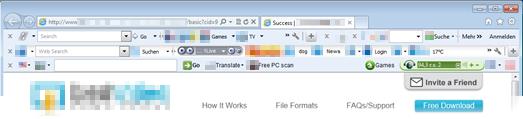
It usually happens after you download something free. You go back online and your browser suddenly looks unfamiliar. There’s new buttons and weird icons in the place of what you used to have. A strange search page from a company you have never heard has taken the place of your homepage.

How did I get that annoying toolbar?


Avast Browser Cleanup removes annoying toolbars

You have inadvertently downloaded a browser toolbar that came bundled with other software.

Free programs, like Adobe Reader, often include add-ons like toolbars or browser extensions. Most of the time, during the installation of the software, an opt-out option will be presented for the add-on. But, lots of people click through without reading, and when they’re finished they discover they have downloaded something they didn’t intend to.

To keep this from happening in the first place, slow down and read the screens. You could save yourself lots of time and headaches if you do.

What do browser toolbars do to my computer?

  • Change your homepage and your search engine without your permission or awareness
  • Track your browsing activities and searches
  • Display annoying ads and manipulate search results
  • Take up a lot of space inside the browser
  • Slow down your surfing speed
  • Fight against each other and become impossible for the average user to fully uninstall

In some cases, toolbars or add-ons can be quite useful, but Avast users have rated only 4% of toolbars as “good” or “useful”. The rest are “poor” or “very poor”.

The ten most unpopular toolbars are:

TOOLBAR NUMBER OF REMOVALS
Mindspark 18,358,334
Conduit 13,924,453
 Ask.com  11,773,062
 Delta Search  6,136,056
 FastStart  4,862,671
DealPly 4,253,676
 Yontoo Toolbar  4,020,969
SearchTheWeb (Iminent) 3,442,706
 IncrediBar  2,729,797
Sweet 10 packs / SweetIM 1,948,958

How do you get back your normal browser?

Avast Browser Cleanup has identified more than 60 million different browser add-ons and removed more than 650 million from users’ browsers in the past two years. Avast Browser Cleanup can help you remove annoying browser toolbars and regain your normal browser settings.

Avast Browser Cleanup is integrated in all free and premium Avast products. It can also be downloaded by users of other security programs as a standalone version.

AP students go nuts for Avast SecureLine VPN?

This morning, our colleagues who work on our Avast SecureLine VPN product informed us that there was a significant increase in downloads in the U.S. This made us curious, as we didn’t have any specific campaigns running that would explain this dramatic spike in downloads. In the App Store, we jumped tothe 6th spot in the utilities category (and as we were coming from the 200th spot, this says a lot)!

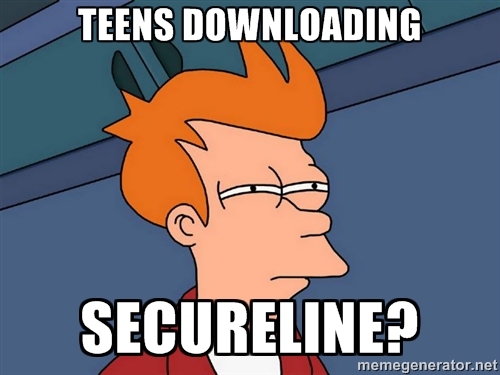
We decided to turn to Twitter to see what was going on and discovered that teenagers were the cause of the trend. This shouldn’t have really surprised us, as teens are trendsetters and experts at dispersing viral content via social media channels.

SecureLine VPN

Why would our Avast SecureLine VPN go viral amongst teens?

Why are American teens downloading our Avast SecureLine VPN to access content via our server in New York? We know a lot of people like to use our VPN product to watch content from home while travelling, but we have never seen this many people connecting to a server within their own country.

AP (Advanced Placement) scores available on the East Coast first

Reading through the product-centered tweets, we realized why so many teens were downloading our VPN – they wanted to see their AP scores ASAP :). Apparently, APscore.org announced that the results of AP exams would be published by location, the first region being the East Coast.

What is Avast SecureLine VPN and how did it help students across the U.S. (to hopefully sleep well at night knowing they did well on their AP tests!)

Avast SecureLine VPN (virtual private network) creates a virtual shield and tunnels traffic to a proxy server. The proxy server protects your personal data, thus preventing hackers from accessing your files and other sensitive information stored on your device. Avast SecureLine VPN also anonymizes your location, an added advantage that can be used when you’re travelling and want to access content that may otherwise be blocked. Alternatively, like in the case of all these students, access your AP scores as if you were from viewing them from New York!

We are afraid Vaibhav may be right (we appreciate your condolences man!)…

However, we decided to extended the 7-day free trial for an additional 30 days and have come up with a list of reasons why you AP students should continue to use Avast SecureLine:

  • You’ll be starting college soon and we suspect that means you will be spending many hours at Starbucks studying, writing papers, hanging out with your friends or on dates. This means you’ll be using Starbucks’ free Wi-Fi and, as with other things in life, we highly recommend you use protection! Wi-Fi hacking doesn’t require a high level of skill and when you connect to open Wi-Fi networks, hackers can see which websites you’re visiting, what you’re looking for on Amazon or eBay – it’s as if they are peering over your shoulder (creepy!). Avast SecureLine encrypts your data, thus protecting you from Wi-Fi snoops.
  • You may study abroad (and I personally recommend you do so!). Studying abroad is great – you learn a different language, get to know other cultures, sample exotic foods, and make tons of friends from across the globe – but you will probably miss home during this exciting time. Avast SecureLine can bring you a bit closer to home to help with homesickness. Content like Netflix, Hulu and Pandora is not always available in countries outside of the U.S., but with SecureLine VPN, you can connect to a server in the states to watch your favorite shows from home or listen to the latest hits your friends are all raving about.
  • A one-year subscription of SecureLine for Android and iOS costs as much as a selfie stick. As nifty as selfie sticks are, they are banned in many places, such as Disney theme parks, the Palace of Versailles and the majority of museums and concert halls across the world. So, instead of buying a selfie stick you can’t use in all the cool places you want to visit this summer, invest in one year of SecureLine VPN to protect you during your first (and hopefully best) year of college :)

SecureLine VPN is available for PC, Mac, Android and iOS.


Welcome to the Team, Remotium!

I’m glad to announce that we have acquired Remotium, a leader in virtual enterprise mobility, headquartered in Silicon Valley. Remotium’s award-winning and patent-pending technology, the Remotium Virtual Mobile Platform (VMP), provides enterprises with secure access to business-critical applications from anywhere and from any mobile or desktop device. With this product, corporate mobile users have all their personal data and apps resident on their mobile (iOS or Android) while all their corporate data and apps reside and execute on a server and are only displayed on the mobile. This is the perfect fit for bring-your-own-device (BYOD) environments.

Remotium‘s mobile solutions address the needs of modern enterprises. As more and more companies support BYOD policies, the question of how to implement these policies efficiently and securely is top of mind for everyone. As people bring their own devices to work, the lines between business and private data become blurry. In a study, IBM found that millions of people use dating apps on company smartphones, which could expose themselves and their employers to hacking, spying and theft. Out of the 41 dating apps analyzed by the researchers, 26 had medium or high severity vulnerabilities.

With Remotium’s technology, companies have the visibility and security needed to ensure data integrity and corporate compliance. At the same time, users enjoy increased privacy, as well as apps that look and feel consistent across mobile and desktop platforms. Remotium was named “Most Innovative Company” at RSA® Conference 2013 and won the Best of Show award at Interop Tokyo in June 2015.

With this acquisition we are expanding our mobile offerings into the enterprise space. Although our near-term approach with Remotium is to make the products successful in the enterprise market, we also see a tremendous opportunity to leverage this innovative technology within our traditional consumer and SMB markets.

We are pleased to add the Remotium staff to our team of more than 600 Avast employees – together we will further accelerate Remotium’s growth and expand its capabilities across enterprise mobility platforms.