
Tag Archives: featured1

Ugly Mail: How to know if your emails are being tracked

computer

Someone is spying on your company’s emails. Probably in your office names like Yesware, Bananatag or Streak don’t ring a bell, but they know a lot of things about you, and how your corporate email is managed.

Because of these three services, anyone that sends an email to your corporate account might know when, where and with what device was the email read. So, all this information is known by the sender and also by these tracking tools.

How do these applications work? Simply insert a transparent 1×1 image into an email, and then notifies the sender where and when that email has been read.

Is like this that some companies sneak into your office’s privacy to find out if you are ignoring them, and taking, as they are already in, any information about your employees habits. Now, thanks to a Chrome extension you will be able to know who is using your email as a Trojan horse to snoop in your business.

Its name: Ugly Email. This tool alerts the user which emails in his inbox are being tracked by one of these three services.

If you want to use Ugly Email in your office computer, you just need to do is follow this link to the Chrome extension and click on “Add to Chrome”. From that moment on, Ugly Email will allow you to know which emails are being tracked.

It will mark the emails containing a tracking pixel with an eye icon next to the subject heading.

ugly email

As Ugly Mail’s creator, Sonny Tulyaganov, explains, this tool detects the tracked emails but doesn’t store, save, or transmit any data from your email account; everything takes place on the user’s computer.

But for now the extension Ugly Email has its limitations: it is only available for Chrome, it only works with Gmail and it only effective detecting emails tracked by Yesware, Bananatag and Streak, the three more popular tools but not the only ones.

However Tulyaganov says that Ugly Email will be soon available for Firefox and Safari, the default browser in Apple’s operating system. He also indicated that it will continue adding more tracking services in the future.

This extension won’t prevent others to track the emails they send to your corporate account, but at least you will know who wants to know the time you read the email and from where. Stop it then, is on you.

More | How to increase the privacy of your Gmail account

The post Ugly Mail: How to know if your emails are being tracked appeared first on MediaCenter Panda Security.

How to find the best protection for your Android phone? Independent tests.

Recently we told you about malware inside of Google Play and we also alerted you to the resurrection of Simplocker, a dangerous ransomware that has started its second infection wave. Hopefully,  you are convinced that you need to seek a top security application for your Android device. It’s just not safe out there any longer.

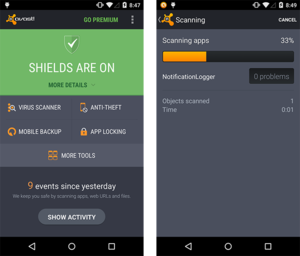
AV-Test of Avast Mobile SecurityHowever, how can you be sure that our security application is doing its job correctly and extensively?

Some people doubt marketing talk on vendor websites, but we know you cannot start testing every apk file or entering the dark side site of Internet just to see if our solution works. That’s why Avast has chosen to submit our products to third party, independent testing labs.

AV-TEST runs Avast Mobile Security through the paces

AV-TEST is a well-known testing laboratory for mobile security. Recently, they tested 31 mobile security products for Android focusing “on malware detection and usability, including performance and false positives”.

They used 2,950 different malware samples and Avast Mobile Security blocked 100% of them. The malware set was a very recent one: malware in the wild in the last 4 weeks.

More?

Avast Mobile Security did not commit any mistake when tested with 1,932 legitimate apps from the Google Play Store and 981 legitimate apps from third party app stores. The better of the two worlds: protection and usability.

In addition, all this protection, according to AV-TEST, did not “impact the battery life”, or “slow down the device during normal usage”, and “does not generate too much traffic”.

Avast Mobile Security earned the AV-TEST certification.

Avast Mobile Security earned the AV-TEST certification.

The testing Lab gives a thumbs up for all the other security features that you can find in Avast Mobile Security:

  • Anti-Theft for remote lock, wipe and locate your lost or stolen device. NOTE: For those of you who do not have automatic update turned on, please do an update ASAP so you can keep Anti-theft working optimally.
  • Call Blocker from specific or unknown numbers and a SMS Filter for unwanted content.
  • Safe Browsing that protects against malicious websites and/or phishing.
  • Backup for personal data on cloud storage.
  • Firewall that allows control over your connection usage over 3G/4G/Wi-Fi/Roaming.
  • Network Meter that gives you easy to understand information about your data plans.

Don’t you want to try it? You can download Avast Mobile Security for free on Google Play.


With only 70€ someone can steal your information on a public WiFi network!

wifi coffee

It is available in hotels, restaurants, libraries, airports or train stations. Nowadays most locations offer public WiFi networks and we don’t hesitate to enjoy its benefits. It is easy and free. We take out our smartphone, our tablet or our laptop and we connect to them without thinking that a cyber-attacker could intercept our device and steal our data.

We have advised you more than once to take precautions before using them, though you probably think that no one in the coffee shop has the knowledge to spy on you. We are sorry to tell you that you are wrong: the attacker does not need a big budget or any special computer skills to steal your data. Actually, if he tries he will be able to do spy on you without any difficulty.

“All you need is 70 euros, an average IQ and a little patience”, says the hacker Wouter Slotboom.  The security expert showed how, in just 20 minutes, he was able to get the personal information of almost all the users of a coffee shop in Amsterdam, even the history of their Google searches.

wifi poster

With only a laptop and a small device the size of a pack of cigarettes, Wouter launched a program and the antenna began to intercept the cellphones and laptop signals in the establishment. Then he ran the classic “man in the middle” attack, making his network to be the intermediary between the victim and the source: users believe they were connecting to the local network, but instead they were connected to the fictitious one the security expert deployed. He claims all the programs needed to do this can be easily downloaded from the internet.

In a short period of time, 20 users were connected to the network. But not only that, Slotboom was able to get their MacIDs and even see the specifications of their mobile phones, an information that could have easily been used for detecting the security gaps of each device. He even discovered what application was using each user.

This hacker asked the Dutch journalist who accompanied him to write his username and password. Within seconds, the data was in his possession. If we use the same password on multiple services, a technique not recommended but highly used, a cyber-attacker could easily access all the details of our virtual life. He also explained how to divert traffic, making the user believe he is entering his banks’ web but instead he is in a cloned site.  This technique can be used to clean you out virtually.

You are probably thinking that because Slotboom is a security expert these tasks come easy to him, but in fact even a child could access your devices if they are connected to a public network, literally. Recently, Betsy Davis, a seven-year-old British girl, was able to spy the communications of the devices around her, which were connected to a public WiFi network, in just ten minutes.

The virtual private network (VPN) provider Hidemyass conducted this experiment to point out these networks insecurities. Betsy created a Rogue Access Point (using the same attack “man in the middle”) and began intercepting data following just the instructions she found searching in Google. The messages from the other users of the public network started coming to her instead to arriving at their rightful recipient.

wifi street

If even Betsy is capable of spying on the devices connected to a public network, you should start being more careful and stop thinking that the people next to you in the coffee shop are harmless.

Although the best advice we can give you is not to use these networks, if you have to we recommend you to use a VPN service to connect through a private network, and that you access web pages with secure https protocol. Also avoid making bank transactions from an open network, in the unluckily event that there is a thieve waiting to empty your account.

Here you have some tips on how to connect to a public network safely, just in case. Its better be safe than sorry.

The post With only 70€ someone can steal your information on a public WiFi network! appeared first on MediaCenter Panda Security.

10 Spring Cleaning Tips to Combat Grime

After a long winter, it’s time to throw open the windows and let the fresh air in. But first, you need to do a good Spring Cleaning to wash away the grime that has accumulated. Here’s our favorite tips that go beyond the ordinary vacuum and dust routine. Choose the ones you want to do, and don’t forget that your mobile devices can use a good cleaning too (see tip #10)!

house cleaning service

Spring cleaning is not only for your house. You can clean grime from your mobile devices too!


Starting from the top down:

  1. 1. Dim light fixtures and dull lamps.  See the gleam again from your light fixtures. Get a soft microfiber cloth or duster and wipe away dust from ceiling lights, fans, and table lamps. I even use a vacuum attachment on lamp shades.
  2. 2. Greasy window treatments. Dirt, dust, grease, and bacteria collect on draperies, blinds, verticals, and shades. It is recommended to have your fabric window treatments dry-cleaned every 5-7 years. For metal or plastic blinds, you can take them down and wash them with dishwashing soap in a bucket of water or a solution of half water, half vinegar. Clean wooden blinds with a soft dry cloth wear a pair of cotton gloves or old socks and wipe the slats down.
  3. 3. Dusty bookshelves. A dusty old library sounds like a romantic notion, but it’s not good in your own home.Working from the top down, remove books and decorative objects from one shelf at a time, dust and return. Maybe you’ll find some old books that are ready to donate while you’re at it.

You walk by it every day:

  1. 4. Grimy doors, knobs, and handles. Grubby hands and jumping dogs can make your doors pretty awful looking, but because you are walking in and out, you don’t even see the grime. Give knobs and handles a quick wipe down with your favorite cleaner and some paper towels. Make your front door welcoming again by cleaning it inside and out with warm, soapy water. Dry it with a soft cloth.

How does that get there?!

  1. 5. Crumby kitchen drawers. I can’t ever figure out how the crumbs get in there; but spring cleaning is a good time to remove everything, wipe out the drawers and return only the items you still use.
  2. 6. Upholstered furniture. After a season of snuggling on the sofa with the dog and a good movie, stick your hand between the cushion and you’ll find old popcorn and plenty of dirt, sticks and leaves. I even found a dead lizard! Get out the vacuum attachments and vacuum upholstered furniture, including under and between cushions. Fluff and rotate cushions and pillows.
  3. 7. Underneath the rugs. You’ll be surprised what’s under there, so move the furniture off the rug and vacuum underneath. You may want to take your rug outside and give it a good old-fashioned beating too.
  4. 8. Underneath beds and behind furniture. Dust bunnies as big as the cat are hidden away, so make an extra effort to get the vacuum way up under there. Allergy sufferers have enough to deal with when the pollen comes, so help them out by minimizing dust.

You will feel cleaner, too. Trust me.

  1. 9. Scummy shower and tub walls.  Soap scum builds up after a season of long, hot showers. Choose your favorite cleaning product and leave it on for at least 10 minutes before scrubbing down the tiles.

This is the easiest one!

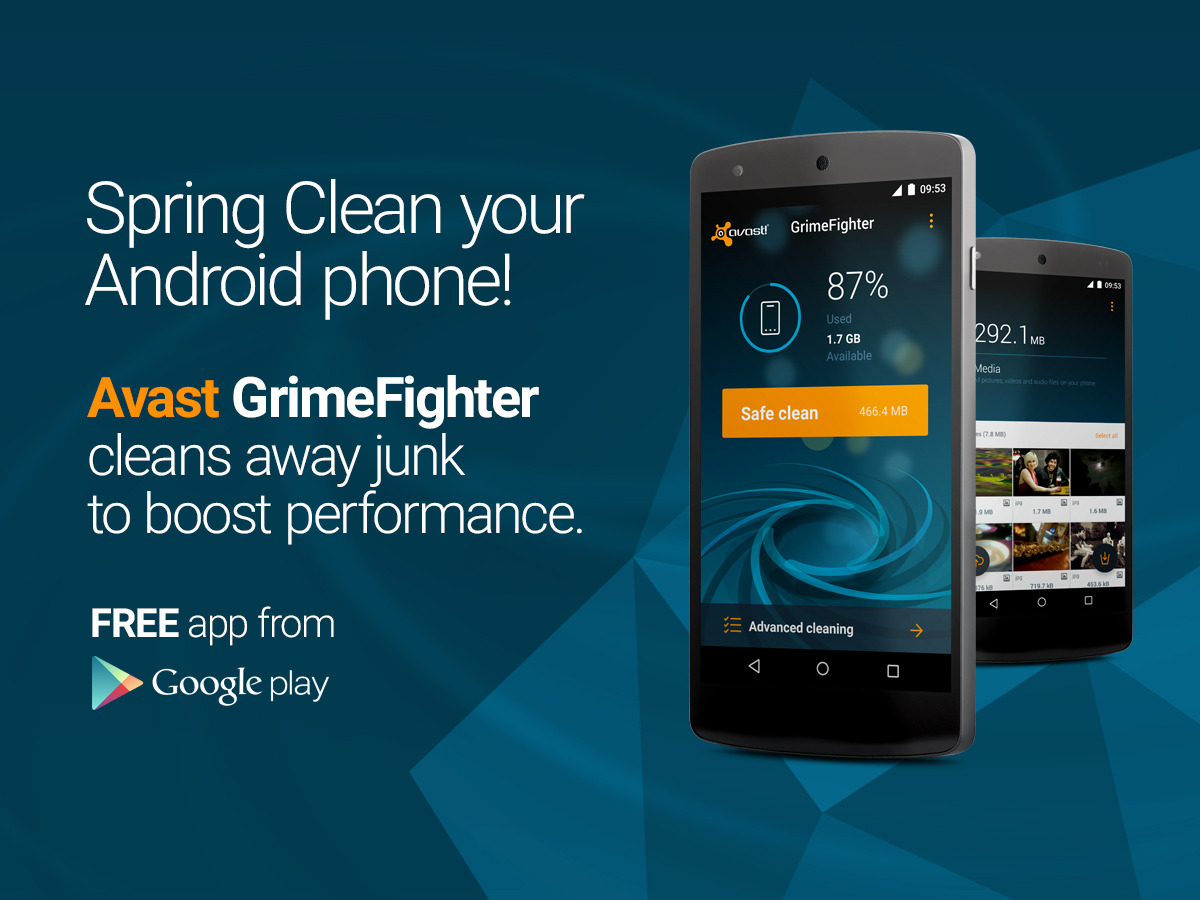
  1. 10. Spring Clean your Mobile Devices. We may not be great at washing windows and cleaning floors, but we know how to Spring Clean you Android device! Over time, unnecessary data, system caches, gallery thumbnails, installation files, and residual files can accumulate on your smartphone and tablet. You can regain performance and speed when you clean away all the grime with our free app, Avast GrimeFighter Safe Clean for Android.  Install Avast GrimeFighter free from Google Play.
Avast GrimeFighter for Android is a free app.

Install for Free!

The White House has been hacked

White House hacked

White House deputy national security adviser Ben Rhodes informed about a cyberattack to the White House.

Rhodes told the CNN that hackers gained unauthorized access to the computers non-classified systems and sensitive information, though their classified systems weren’t compromised.

Rhodes wouldn’t confirm or deny if the attack was carried out by Russian hackers or when it happened, but he hinted that it hadn’t been recently. (Wasn’t in the salt couple of days)

Without going into details, during his report he commented that a series of security measures to evaluate and mitigate the damage have been taken.

The post The White House has been hacked appeared first on MediaCenter Panda Security.

Don’t take the bait: Beware of web attack techniques

Mousetrap with cheese

When it comes to cybercrime, it’s always better to be in the know. Here are a few ways that web attacks can find their way onto your device. Don’t be fooled — most cybercrooks design attacks to  take place where you’d least expect it.

  1. Social engineering preys on human weakness

“A lot of attacks are still using social engineering techniques; phishing emails – ways of convincing the user to give up valuable information,” said Avast CEO Vince Steckler.

In a phishing or spearphishing attack, hackers use email messages to trick people into providing sensitive information, click on links, or download malware. The emails are seemingly sent from organizations or individuals the potential victims would normally get emails from, making them even more deceptive. Last July, Avast took a look at the Tinba Trojan, banking malware that used spearphishing to target its victims.

 usbank

An example of an injected form from Tinba Trojan targeting U.S. Bank customers.

Web attacks also take place through SMS Text Phishing, also known as SMSishing. This method has become one of the most popular ways in which malicious threats are transmitted on Android devices. These text messages include links that contain malware, and upon clicking them, the malicious program is downloaded to the user’s device. These programs often operate as SMS worms capable of sending messages, removing apps and files, and stealing confidential information from the user.

  1. Malicious apps attempt to fool you

Malicious programs can disguise themselves as real programs by hiding within popular apps or games. In February, we examined malicious apps posing as games on Google Play that infected millions of users with adware. In the case of malicious apps, cybercrooks tamper with the app’s code, inserting additional features and malicious programs that infect devices. As a result, the malware can attempt to use SMSishing in order to collect additional data.

Durak-game-GP

The Durak card game app was the most widespread of the malicious apps with 5 – 10 million installations according to Google Play.

  1. Ransomware uses scare tactics that really work

Another name that made headlines was a group of malware dubbed ransomware, such as CryptoLocker, and its variants CryptowallPrison LockerPowerLocker, and Zerolocker. The most widespread is Cryptolocker, which encrypts data on a computer and demands money from the victim in order to provide the decryption key. Avast detects and protects its users from CryptoLocker and GameoverZeus.  

Make sure you back up important files on a regular basis to avoid losing them to ransomware. Ransomware made its way from desktop to Android during the year, and Avast created a Ransomware Removal app to eliminate Android ransomware and unlocks encrypted files for free.

Count on Avast apps to keep mobile malware at bay

To keep your devices protected from other ransomware, make sure to also install Avast Free Mobile Security & Antivirus from the Google Play store. It can detect and remove the malware before it is deployed.

Install Avast Ransomware Removal to find out if your Android devices are infected and to get rid of an infection. Avast Ransomware Removal will tell you if your phone has ransomware on it. If you are infected, it will eliminate the malware. Android users who are clean can use the free app to prevent an infection from happening.Once installed, you can easily launch the app to scan the device, remove the virus, and then decrypt your hijacked files.

A Google Play with less malware? Android apps will be supervised by humans

google play

An X-ray Scan application? A tool to detect lies? In Google Play there are many apps with doubtful behavior. Obviously, neither of the ones mentioned deliver what they promise. Most are just looking to bombard with advertising, but there are some cases of undercover malware, like the game Balloon Pop 2 (which has already been removed from the platform), that stole WhatsApp conversations of those who installed it in their phones.

The online store of Android operating system has been repeatedly accused of accepting any software without a thorough analysis of their origin, functionality or permits. Nevertheless, Google disregarded the critics and kept using the same methods to verify whether an application meets the requirements.

The Mountain View giant uses a system known as Bouncer, an automated process that supposedly analyzes the tools before published them, rejecting them if it detects any type of malware or fraudulent behavior. However, the platform’s catalog shows that it doesn’t always fulfill its tasks effectively.

apps

It seems like now Google has changed its mind. The company recently announced that the verification will no longer be automated but it will incorporate human inspections attempting to improve the process. Stating that this is not a future intention, the new mechanics has been several months in place.

According to the company, a team of experts review the applications and identifies possible violations of the policy established for developers. The new addition will help the products to be published on the platform “within minutes or hours after sending them, instead of days or weeks.” Although, maybe is the speed one of the reasons why there is a lack in the control.

In the same statement they announced that there will also be an increase of the information provided to the developers about the evaluation and publication process. They will receive a more detailed “feedback” in order to know why their tool has been rejected or suspended, so they can remedy any irregularities.

google developers

Although Google has started walking in the right direction (or at least shows that intention), is difficult to evaluate yet if their efforts will produce the expected results. Nevertheless, there still remains an important point that is not even mentioned in their announcement: what will happen with the fraudulent or malicious applications already published on the platform?

There is no need to go far back in time to check that there are still new apps being detected as illegal behavior. Security experts from the Spanish National Institute of Cybersecurity recently alerted of the existence of two applications (Naked Scanner and Super Jumper X) whose alleged functionality is to see people in their underwear.

Those who fall into the trap end up subscribed to a premium messages service that is reflected on their phone bill. As if this wasn’t enough, one of these apps offered their users to download an antivirus after showing them fake security alerts. Sadly for many users this warning arrived late: Naked Scanner exceeds 50.000 downloads and Super Jumper X has more than 1.000.

Given this scenario, it seems risky to lower your guard. Keep paying attention to the applications you download from Google Play and do not trust services that promise a little or no realistic product: they are usually a scam.

The post A Google Play with less malware? Android apps will be supervised by humans appeared first on MediaCenter Panda Security.
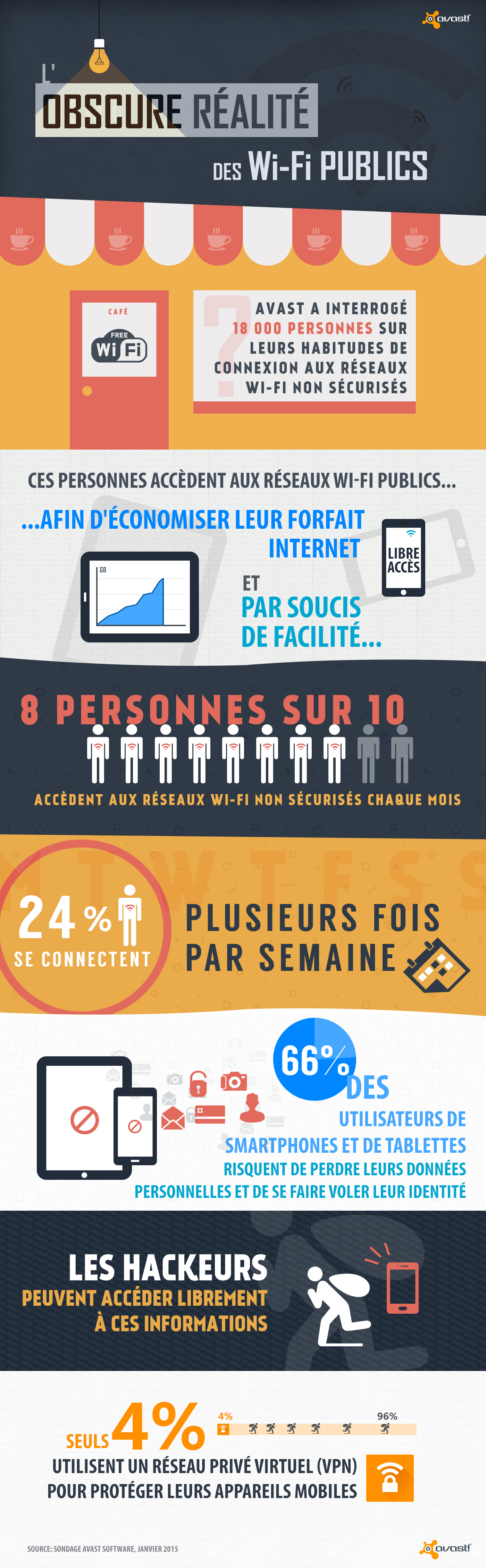
Les Français se mettent délibérément en danger lors de leur connexion aux réseaux Wi-Fi non sécurisés

Selon une récente étude menée par Avast, 66 % des français préféreraient se connecter aux réseaux Wi-Fi non sécurisés et risqueraient donc se faire voler leurs données personnelles. 30 % des français se connectent une fois par mois aux réseaux Wi-Fi publics et 24 % plusieurs fois par semaine. La raison principale pour laquelle ils se connectent est l’économie de leur forfait Internet mobile (20 %) mais aussi et surtout pour des raisons pratiques (47 %). Ces habitudes de connexion présentent de nombreux risques comme le vol des données personnelles (photos, sms, e-mail etc.), la mise en danger de votre vie privée ainsi que la vulnérabilité de vos transactions financières. 10 % des personnes interrogées affirment d’ailleurs se connecter à leur compte bancaire lorsqu’elles sont connectées aux réseaux sans fil non sécurisés, 4 % font du shopping en ligne et 2 % effectuent d’autres types de transactions financières. Les risques associés à une connexion aux réseaux Wi-Fi publics sont bien réels. Il est donc important de prendre certaines mesures afin de protéger ses données. Les mobinautes doivent éviter de se connecter aux réseaux sans fils ne requérant pas de mot de passe ou d’enregistrement. Il est également nécessaire d’utiliser un VPN (Réseau Privé Virtuel) afin de protéger vos appareils mobiles. Le VPN Avast SecureLine chiffre toutes vos données (historiques de recherche, appels en ligne, mots de passe) et protège ainsi efficacement votre appareil mobile des hackeurs.

Avast Wi-Fi infographic FR (2)

WhatsApp: 6 scams you must pay attention to!

security on whatsapp

The success of WhatsApp has a downfall: while the instant messaging service reached 600 million active users last summer, the numbers of frauds emerging around the app are also growing steadily.

What are the most common scams in WhatsApp? What should we do so we don’t take the bait?

WhatsApp: 6 scams you must pay attention to!

  1. A fake invitation to WhatsApp voice calls

With the arrival of WhatsApp voice calls a new fraud has emerged. While millions of users are waiting for an invitation to access this new feature, cybercriminals are distributing the malware via a link, which automatically downloads the malware.

whatsapp voice calls

To avoid falling into the new WhatsApp fraud, you should keep in mind that voice calls are only available for Android phones.

  1. Frauds via browser

After WhatsApp launched their browser platform, fraudulent websites were created to steal your banking data.

This fake webpages use different types of scams:

  • Asking for the phone number of the gullible users and then, subscribing them to downloading premium services which charge special rates.
  • Making users download an application in their computers, but actually is a Trojan that will allow cybercriminals to obtain confidential information, such as banking information.

In this case, one thing to remember is that the only browser version of WhatsApp is free, and you don’t need to download anything to your computer to use it.

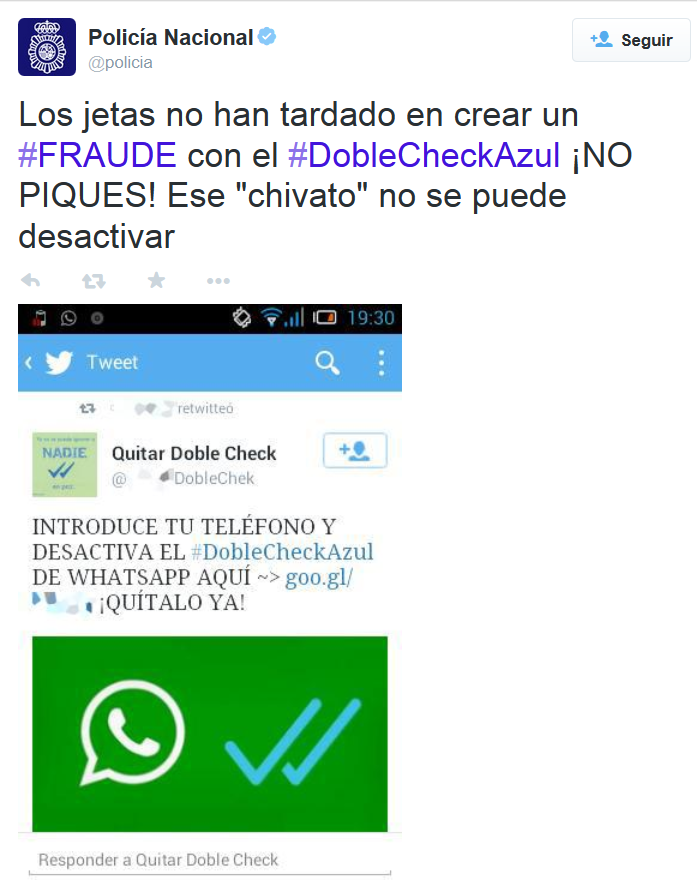
  1. How to disable the blue double check

Scammers also tried to take advantage of WhatsApp’s double check launch. Before the instant messaging service allowed disabling this feature, in social networks we could find advertisements of fraudulent services for getting rid of the darned double check.

doble check azul whatsapp

Getting some users to sign up for a premium SMS service without knowing it, which has a special rate. Remember: you can disable the double check feature from the app.

  1. WhatsApp Gold

The Spanish National Police and Civil Guard reported a couple of months ago the existence of a scam that can be expensive, actually, 36 euros per month.

The fraud starts with a message via social networks in which WhatsApp users are invited to click on a link to update their app to the inexistent Oro version (Gold version), including supposed new and exclusive features.  The link takes the user to a web page where, if he wants to use these improvements, he has to give his phone number.

In fact, all those who gave their number will subscribe to a premium SMS service: each text message that you receive will cost you 1.45 euros, until a maximum of 36.25 euro per month. If you ever cross paths with this message, remember there is only one official version of WhatsApp. Common sense is, as usual, your best ally.

  1. The fake voicemail of WhatsApp

In contrast to the ones before, this scam doesn’t take the advantage of a recently launched service, it just invents one. It starts when a user receives an email, in which they inform him that he has an unread voice message in the WhatsApp nonexistent voicemail.

When he hits “Play”, there is no message, but it downloads malicious software that the scammers introduce to your device. From that moment on, text messages with special rates or the theft of confidential information can cause the user a great deal of trouble. Remember: there is no WhatsApp voicemail.

  1. WhatsApp’s Spy

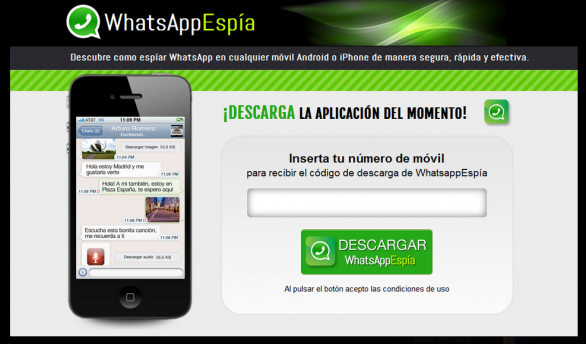
We are aware of the existence of WhatsApp Public, an application that allows you to spy your contacts in WhatsApp, but there is a scam that goes one step ahead and offers( with a similar name) a service which allows anyone to read conversations of others. But it is just another way of infecting with malware the gullible user’s phone.

whatsapp spy

Obviously, you can’t spy other people’s conversations and the only change it will bring it will come in your phone bill, which will increase considerably.

Remember that it is important to maintain your cellphone’s security. If you want, you can download free of charge our antivirus for Android.

The post WhatsApp: 6 scams you must pay attention to! appeared first on MediaCenter Panda Security.