Adobe is expected tomorrow to patch a Flash zero day vulnerability uncovered among the data stolen in the Hacking Team breach.
Tag Archives: Malware
Avast Browser Cleanup removes unwanted browser add-ons
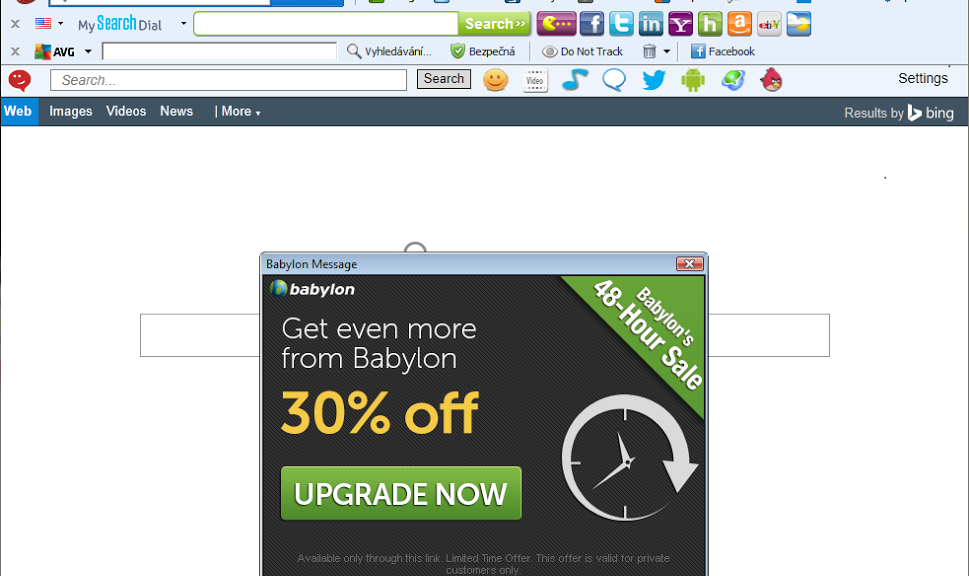
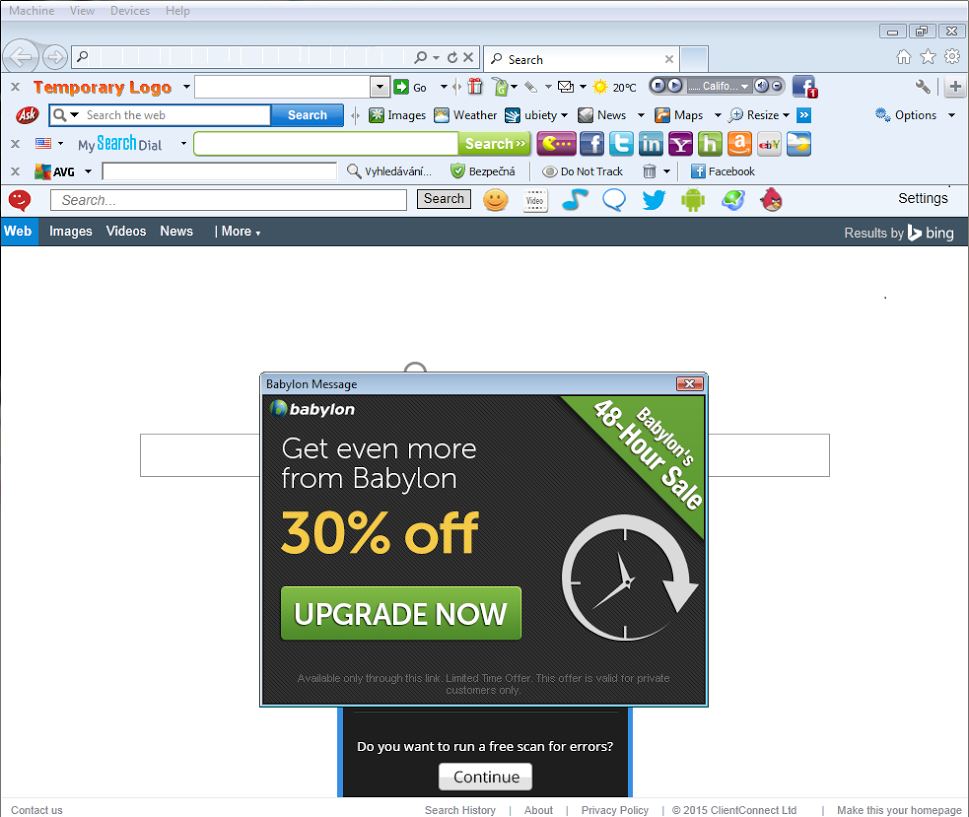
Most Internet users are familiar with this problem all too well: After downloading a video player, Java, Flash updates or other software, the browser has suddenly changed. New buttons and icons in all colors and sizes along with an URL entry bar take up valuable real estate on your browser. The browser runs noticeably slower – and the results look different. Most annoying is that the advertising becomes more prominent.
Our free utility gets rid of annoying toolbars and restores hijacked searches.
Over the past two years, Avast Browser Cleanup has identified more than 60 million different browser add-ons which are often bundled with other free software, such as video players, Java and Flash updates. These toolbars typically occupy the horizontal space below a user’s browser and can include buttons, icons, and menus. Despite removing and re-installing a browser, toolbars will often remain, which is a behavior similar to malware.
“We’ve entered the decade of unwanted add-ons — Google is now cracking down and removing ad-injecting toolbars from its Chrome store. Avast detects these toolbars and many more and is focusing on helping users battle browser toolbars that are one of the biggest consumer security outbreaks since spyware,” said Vince Steckler, Chief Executive Officer of Avast.
While not malicious per se, browser add-ons that come as toolbars can hijack and switch a user’s search preferences and can be extremely difficult to remove once installed. Avast Browser Cleanup removes these unwanted toolbars from Google Chrome, Mozilla Firefox, and Internet Explorer and lets users restore their search engine preference. Previously available as a feature in Avast Free Antivirus, Avast Browser Cleanup has now been made available as a new, free stand-alone product.
The new version of Avast Browser Cleanup includes improved browser compatibility, support of the latest browsers, more homepages to choose from when resetting the browser, and more aggressive detection of toolbar protectors that make removal difficult. Additionally, Avast Browser Cleanup now runs in the background, notifying the user when it detects a potentially unwanted or malicious toolbar.
Are you an Avast user? You already have Avast Browser Cleanup.
Avast Browser Cleanup is integrated in all Avast antivirus security products, including the free version.
Use another antivirus product? You can use stand-alone Avast Browser Cleanup.
If you don’t use Avast as your antivirus protection, Avast Browser Cleanup can be downloaded as a free stand-alone software.

Hacking Team Couldn’t Hack Your iPhone
More than 36 hours after the huge cache of data from Hacking Team’s corporate network was dumped online, researchers are continuing to find surprising bits and pieces in the documents. Among them is evidence that the company had an enterprise developer certificate from Apple, allowing it to develop internal apps, but could not get its […]
UK Student’s Research a Wassenaar Casualty
Grant Wilcox, an ethical hacking degree candidate at the University of Northumbria in the U.K., said the Wassenaar Arrangement rules were one reason he decided not to publish exploits he developed for his dissertation.
Ad Fraud Malware Updating Flash on Infected PCs
Ad fraud malware is one of the more profitable specialties in the cybercrime world, and the attackers who use it often have to adapt their tactics in order to keep the money rolling in. One of the tactics that they have adopted in recent months is that of updating the version of Flash that’s installed on an infected machine.
Hackers Release Hacking Team Internal Documents After Breach
Attackers have compromised the network of Italian intrusion software vendor Hacking Team and released a large cache of the company’s private documents, including customer invoices that show sales to oppressive governments.
Get a total of $4,2 million for the FBI’s most wanted hackers
It’s most likely not a huge surprise that there is such a list, and while it’s probably not as well-known as its “big brother”, the rewards offered for information leading to the arrest and/or conviction of 5 of the top most wanted cybercriminals on that list is not too shabby: The Federal Bureau of Investigation is willing to pay a total reward of $4.2 million!
So who is actually on the list? Let’s take a look.
EVGENIY MIKHAILOVICH BOGACHEV
Evgeniy Mikhailovich Bogachev, aka “lucky12345” and “slavik”, became famous as being the alleged mastermind behind the Trojan called “Zeus”. The Russian currently fetches a reward of $3 million.
NICOLAE POPESCU
The Romanian Nicolae Popescu apparently was involved in Internet Fraud schemes and made quite a lot of money with it. The FBI is offering a reward of $1 Million for him.
ALEXSEY BELAN
Belan is only worth $100,000 to the authorities. The Russian is wanted for allegedly having broken into three major United States-based e-commerce companies. Afterwards he tried to sell the stolen usernames and passwords on the black market.
PETERIS SAHUROVS
Being accused of selling malware laced ads that distributed ransomware, the reward for the Latvian is currently at $50,000.
CARLOS ENRIQUE PEREZ-MELARA
While the reward for Melara is set at $50,000, my guess is that the FBI actually wants to hire the guy: He allegedly was involved in manufacturing spyware “which was used to intercept the private communications of hundreds, if not thousands, of victims”.
For the rest of the list just go here.
The post Get a total of $4,2 million for the FBI’s most wanted hackers appeared first on Avira Blog.

CryptoWall joins forces with click fraud botnet to infect individuals and businesses alike

Newest CryptoWall variant enters systems through a click fraud botnet.
Earlier this year, we told you about the return of CryptoWall, malware that encrypts certain files in your computer and, once activated, demands a fine around $500 as a ransom to provide the decryption key. These kinds of financial fraud schemes target both individuals and businesses, are usually very successful and have a significant impact on victims. The problem begins when the victim clicks on an infected advertisement, email, or attachment, or visits an infected website.
Recently, a click fraud botnet with ties to CryptoWall has been discovered. The malware, nicknamed ‘RuthlessTreeMafia‘, has been being used to distribute CryptoWall ransomware. What first appears as an attempt to redirect user traffic to a search engine quickly mutates into an alarming threat as infected systems begin to download CryptoWall and system files and data become encrypted, rendering them useless by their owners. Click fraud and ransomware are two types of crimeware that are usually quite different from one another and typically don’t have many opportunities to join forces; therefore, the result of this unlikely yet powerful collaboration can be detrimental to its victims.
In a public service announcement issued on June 23, the FBI warns of the continued spread of this variant of CryptoWall that has the potential to affect not only individuals, but also government entities and businesses. The report reads:
“Many victims incur additional costs associated with network mitigation, network countermeasures, loss of productivity, legal fees, IT services, and/or the purchase of credit monitoring services for employees or customers. Between April 2014 and June 2015, the IC3 received 992 CryptoWall-related complaints, with victims reporting losses totaling over $18 million.”
The uncovering of this most recent CryptoWall variant also goes to show just how creative cybercriminals can be when coming up with ways to get their malware onto people’s systems. A simple click fraud botnet compromise can now lead to a potentially serious ransom attack.
How to stay safe against infection
- Go with your gut. Don’t click on any emails or attachments that appear as suspicious or unfamiliar to you.
- Enable popup blockers. Popups are a popular way for hackers to spread malware. To eliminate the chance of accidentally clicking on a popup, it’s best to prevent them from appearing in the first place.
- Educate employees about the dangers of malware. It’s crucial that SMBs teach their employees about the risks that malware pose to their business. Hold regular workshops to educate employees about common malware attacks, such as phishing emails, and how they can stay safe against them.
- Always use antivirus software and a firewall. It’s crucial that you download and use antivirus software to best protect yourself against malicious attacks. For the highest level of protection, regularly make sure that your software is updated to the latest version.

Evasion Techniques Keep Angler EK’s Cryptowall Business Thriving
The SANS Internet Storm Center reports that the Angler Exploit Kit, pushing Cryptowall 3.0 ransomware, uses rapidly changing URL patterns—almost daily changes—to evade detection and rake in profits.
Senator Demands Answers on FBI’s Use of Zero Days, Phishing
The chairman of the powerful Senate Judiciary Committee is asking some pointed questions of the FBI director about the bureau’s use of zero-day vulnerabilities, phishing attacks, spyware, and other controversial tools. Sen. Charles Grassley (R-Iowa) has sent a letter to FBI Director James Comey asking for “more specific information about the FBI’s current use of […]