Tag Archives: Mobile Security

Kemoge: Google Play faces new app attack

Android users will be well aware of the fact that the Google Play store, and their Android device, are constantly under the watchful eye of cybercriminals. Thanks to the wide usage of the Android operating system, these criminals use this in the favor and use the Google Play store to help spread their malware to unsuspecting victims.

android malware

The latest case is called Kemoge and, similar to another recent malware that affected iOS users, has its roots in China. This follows Google removing many apps from the online store that disguised themselves as legitimate applications but actually began to push out adware and, eventually, more malicious things. Some of the popular apps that were disguised as Kemoge include Smart Touch, Calculator, Talking Tom, Light Browser, Privacy Lock, Easy Locker and others including adult apps. The malware then collects information from the infected device and starts sending ads in an aggressive manner. The eight root exploits are more worrisome because the attackers can use them to download, install and launch apps on the infected device.

Once the campaign was discovered, Google set about deleting the infected applications from its online store and issued warnings to users. The infection covered a large spectrum of devices, but the root exploits are not one-to-one mapping. Furthermore, some of the root exploits are device oriented, like motochopper which targets Motorola devices, but some others are general root, like the put_user exploit, which can root unpatched devices from Samsung, HTC or Motorola.

Once the device is infected, Kemoge beings to install different components which help it gain root access. It, for example, registers MyReceiver in the AndroidManifest which invokes another component called MyService, both of which are disguised as legitimate Google code because they include Google’s com.google component prefix. This means that the device is under constant control without the victim realizing it.

As always, the best way to avoid being the victim of malware, regardless of what device you are using, is to be protected with an antivirus for Android. As we have seen before, there are many different ways that you could have your or your loved ones’ privacy or information compromised, and prevention is the best form of protection.

The post Kemoge: Google Play faces new app attack appeared first on MediaCenter Panda Security.
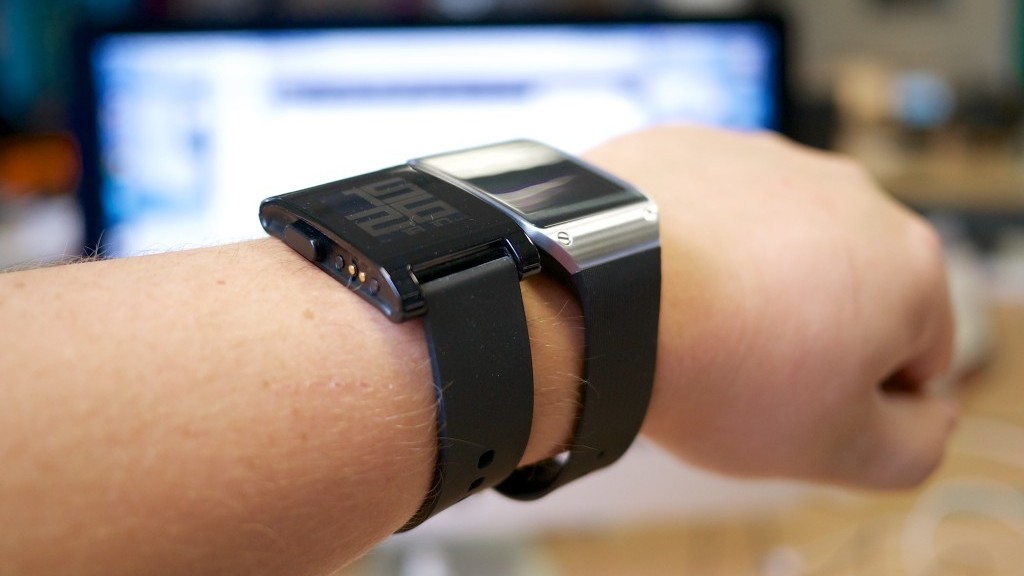
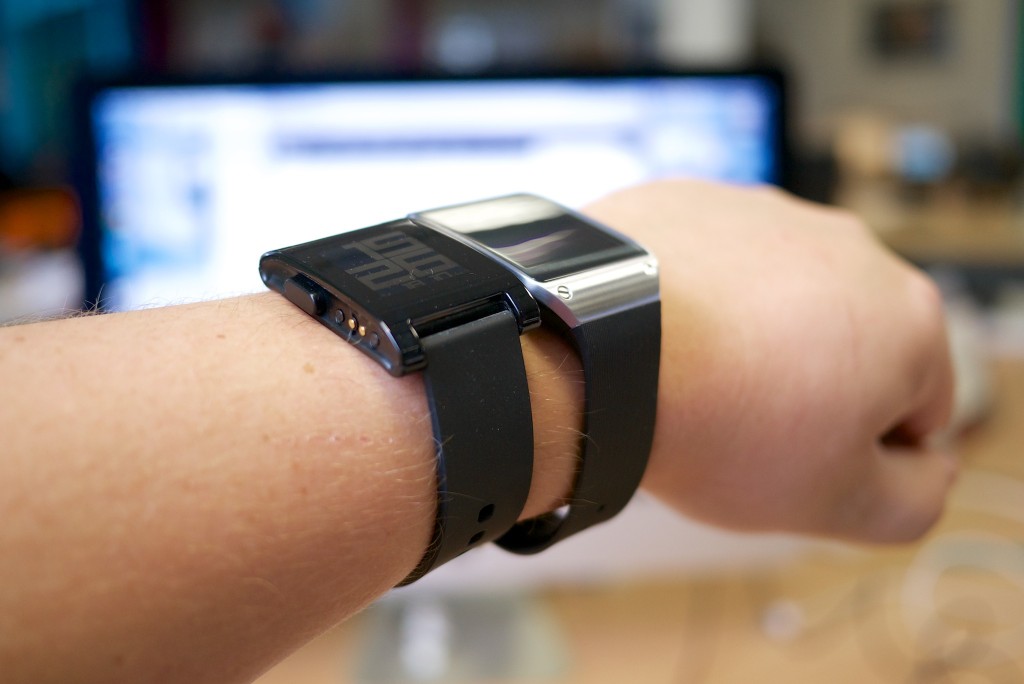
Caution! Your smartwatch could reveal what you’re doing on your computer

smartwatch

In case you didn’t know it, according to the latest report issued by the International Data Corporation, sales of smartwatches have increased by 200% during the first quarter of this year, resulting in over 11 million units sold.

Not only do these gadgets attract consumers, but they are also getting the attention of cybercriminals. We’ve already warned you on a few occasions of the vulnerabilities of smartwatches, but a group of investigators from the University of Illinois have just uncovered a new security risk posed by these devices. They have shown that it is possible to use them to detect the information that someone enters into a computer.

Knowing which letters are being keyed in by the owner of a smartwatch could help cybercriminals to discover passwords without needing direct access to your computer.

It also isn’t even necessary to alter any of the settings on the watch or modify it in any way, the American experts were able to do it using an application that they developed. The tool they used captures all of the information obtained by the different sensors that the device is connected to.

With information from the accelerometer and the gyroscope, the app registers the movement of the hands and fingers on the keyboard. What’s more, the investigators have used the special information to construct a 3D map.

They introduced the information into a software that analyzed the rhythm of the inputs. By using two algorithms they were able to know the exact key that was hit, which allowed them to guess the different letters.

One of them detected the exact moment that the user started to input information on the keyboard and created a temperature map which indicated the keys. The other received the resulting information and analyzed the pauses between inputs, allowing them to calculate the number of letter that were hit by the right hand – as the watch was worn on the left.

So, by using this new mathematical tool as a dictionary, they were able to guess the letters used by the person wearing the smartwatch. The tool is efficient but it still needs to be perfected as it can’t yet detect punctuation or other symbols on the keyboard.

The work of these investigators is included in the Motion Leaks Through Smartwatch Sensors project, financed by the National Science Foundation. “Sensor data from wearable devices will clearly be a double-edged sword,” said Associate Professor Romit Roy Choudhury, who is affiliated with the Coordinated Science Laboratory.

Although the devices allow for the monitoring of information related to health, they could also put at risk the security of private information. According to Choudhury, “the real aim is to know the quantity and nature of the information that can be gotten about individuals”.

In this case it was the investigators that developed the app, but they assure us that any cybercriminal could make a similar one and spread it via platforms such as iTunes or Google Play. Because of this, just like with smartphones, it’s advisable to verify where any app comes from before you download it to your smartwatch.

The post Caution! Your smartwatch could reveal what you’re doing on your computer appeared first on MediaCenter Panda Security.
Pay with Bitcoins to save a hacked phone? It’s a scam!

bitcoins

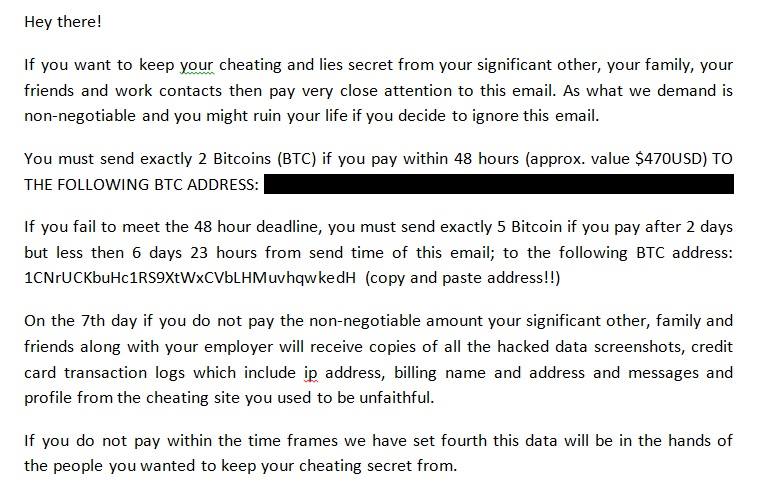
The Telematics Crime department of Spain’s Guardia Civil has warned of a new type of fraud which affects mobiles. This new operation consists of cybercriminals saying that they have taken control of your device and threatening to reveal private information to your contacts.

They do it via an email similar to this one:

hacking mobile

In this email they give you 48 hours to transfer two Bitcoins (a virtual currency that has a real value) which will increase to five Bitcoins if you don’t pay before the 48 hour limit. By the seventh day, if you haven’t completed the transfer, your private information will be made public.

However, according to the Guardia Civil, this is nothing more than a scam and you should be wary of falling for the trap. Be warned!

The post Pay with Bitcoins to save a hacked phone? It’s a scam! appeared first on MediaCenter Panda Security.

Google takes the fight to Ransomware

mobile malware

It’s becoming more and more common for malicious applications on Android to use this old form of attack. Just like their famous predecessors that went after computers (do you remember the terrible Police virus?), ransomware “kidnaps” the cellphone and demands that the owner pay a “ransom” in order to unblock the device.

It is one of the most worrying threats to mobile users as it renders the device unusable until the fee is paid and is sometimes difficult to eliminate completely. Google is aware of this issue and has finally decided to face it head on.

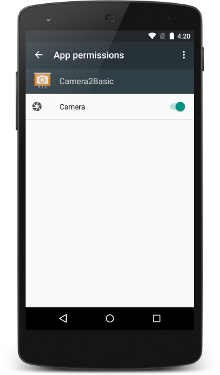
Its latest operating system, Android 6.0 Marshmallow, which is already available on selected terminals, makes things more difficult for cybercriminals to hijack your phone. This is thanks to the company’s experts designing a new operating system to manage the permissions asked by different applications.

Until now, the user accepted all of the permission requests at once when they installed the apps (quite often without even reading them). Due to this, seemingly inoffensive apps such as a simple flashlight were able to access features that were nowhere near related to their purpose.

Not all were dangerous though, and for the most part they were only trying to fine tune their advertising. However, this arbitrary allowing of permissions by users opened the door to malware and it is one which Google is now trying to close again.

The majority of malicious apps that follow this tactic take advantage of the permission process to open alert window (SYSTEM_ALERT_WINDOW) when the terminal is blocked. Some also open an alert window which is impossible to close while others open an error message which remains on the screen.

permission mobile

In any case, the new manner of managing permission with Android 6.0 Marshmallow will make it a lot more difficult for cybercriminals to block their victim’s phone. A chat wants to access your phone? You’ll need to give it permission. An app wants to see your GPS? It can’t do it without your permission.

Now it seems that the security has been ramped up for permissions that are high risk, such as the case of SYSTEMS_ALERT_WINDOW. In this case, the user will have to manually access their settings within the app if they want to give it the green light – this isn’t something to take lightly, like in the past.

Maybe cybercriminals will think up another way to trick us into granting them permission, but this time they’ll have to think of how to do it without raising any suspicions. To keep those cyberattackers at bay, update your Android operating system as soon as possible. From then on, your best allies will be your common sense and a good security solution.

The post Google takes the fight to Ransomware appeared first on MediaCenter Panda Security.
Cybersecurity tips for business travelers

business trip - working late

Sensitive business data is at risk when you travel. Take precautions to protect it.

Cybersecurity is not limited to your office or home. Nowadays, many of us use the same devices for work and personal business, so when traveling we need to be extra diligent to protect our devices and the data we have on them. If you use common sense and a bit of Avast technology, all your devices – laptops, smartphones, and tablets, can remain secure wherever you are.

Here are a few things you can do before you go and while you’re on-the-road:

1. Install antivirus protection. Your first and best line of defense on your PC or Android device is antivirus protection. Install it and make sure it is up-to-date.

2. Keep your operating system and software up-to-date. Hackers take advantage of software with security holes that have not been plugged, so take time regularly to make sure that your software and apps have patches and updates applied.

3. Lock down your device. Make it a habit to lock your PC and phone with a PIN, password, or even a fingerprint. Avast Mobile Security even allows you to password-protect your apps. Before you travel, make sure your critical apps, like access to your bank, are protected.

4. Turn off auto-connect. If you have your phone set to automatically detect and connect to available wireless networks, then turn it off. It’s much better to choose yourself. The new Avast W-Fi Finder can help you find secure Wi-Fi hotspots. Look for it to be released soon.

5. Avoid unencrypted Wi-Fi networks. Free Wi-Fi hotspots sure are nice, but they are not worth the risk to your personal data. They are unsecured and can give cybercrooks access to your internet-enabled devices. The safest way to use free Wi-Fi, even that supplied by your hotel, is to connect via a virtual private network, otherwise known as a VPN. The name sounds complicated, but with Avast SecureLine VPN, it is as easy as pushing a button.

6. Use smart passwords. Using a password like 1234 or password is not a smart thing to do at any time. But discovering that your account was hacked when you are traveling can ruin your trip. Plan ahead and manage your passwords in an intelligent way. There are plenty of memory tricks you can use to create unique passwords or you can let a password manager take care of the heavy lifting for you. Look for a new Avast password manager coming soon.

7. Think before you overshare. There are differing opinions about oversharing your location on social networks. Some say that broadcasting to the world that you are away invites a burglar into your home. Others say that broadcasting your whereabouts with regular updates is security in and of itself, because your friends and family know where you are in case something happens. And it could protect your contacts from the “I was arrested in Niagara Falls and need you to send bail money via Western Union” scam. Talk with your family and decide how you want to handle that.

8. Guard your devices. Thieves often target travelers. Don’t let yourself get so distracted that you lose track of your devices. Install Avast Anti-Theft before you leave. One of its useful features is called Geofencing. This allows you to set a perimeter, say around a table at an airport cafe, and if your mobile phone leaves that perimeter, an alarm will sound. If you discover any time that your smartphone or tablet has been stolen, Avast Anti-theft lets you control your cell phone remotely. You can locate and track your lost phone, remotely lock or wipe the memory, and even activate a customizable siren or alarm.

The best thing about all these tools is that they are free (or in the case of SecureLine, a free trial), so the next time you start packing for your business trip, make sure that your devices are ready to go too.


Follow Avast on FacebookTwitterYouTube, and Google+ where we keep you updated on cybersecurity news every day.

Security for iOS 9

ios 9

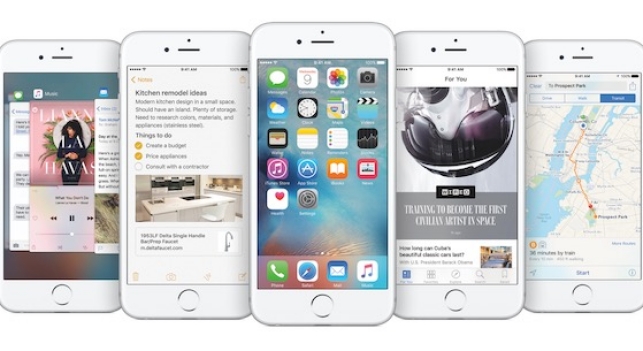
IOS 9, the Apple’s new operating system is here and along with it comes a mission on its behalf – to slowly rehabilitate the brand image that has been under scrutiny in recent months.

Beyond doubts over the amount of space that the new system occupies and how long the batteries will last, Apple’s integrity is at play following the Celebgate scandal that saw many well-known stars have their private photos, some nude, leaked thanks to a weakness in the security of the iCloud. As if that weren’t enough, there have been problems with the security measures in place for the Apple Watch.

With this serving as a backdrop, the company has just launched its new mobile operating system, one which sees security being prioritized above all else – an access code which features more digits and a two-step verification process.

The latter is more important than ever when it comes to keeping stored information safe. With this new process it is impossible, even if someone got hold of your passwords, to access your Apple ID account as it would be necessary to have a second password – one which only the user has hold of.

These new measures join other security measures that were already in place on Apple’s devices such as Touch ID, which allows you to unblock the iPhone by using fingertip technology, and the encryption of iMessages.

Security for iOS 9

Besides these security measures, any user who has a device starting with iPhone 4 up to the brand new iPhone 6, can take advantage of iOS 9 and, if they like, can also opt for these extra measures to ensure their phones and privacy are kept under wraps.

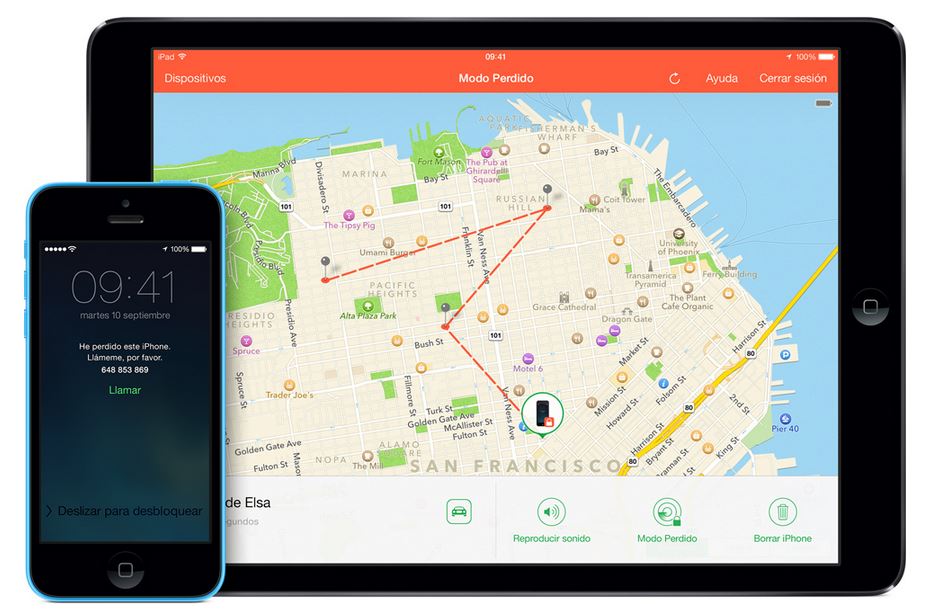
  • Find my iPhone: What Android allows its users to do, Apple allows theirs to do, too. With this tool it’s possible to know where the phone is and even delete anything stored on it.

lost iphone

  • Block access to Siri from a blocked screen: Apple’s virtual assistant is useful, but sometime she can put your security at risk. In some cases it’s possible to get past the blocked screen and interact with Siri. To avoid this, you can deactivate this option and save yourself any hassle.
  • Be careful with autocomplete: Just like on any other device, the autocomplete tool is useful yet dangerous. It allows you to forget passwords and users but allows anyone to access your accounts or device. It’s better to remove this option.
  • Secure passwords: Again, even though you have the two-step verification process, the best way to keep yourself protected is to have a secure password. Keep these tips in mind when you’re selecting a new password (and change it often!).
  • Automatic updates: Enjoying the latest automatic updates from Apple is essential to be able to take advantage of all the new security measures. An updated device is a safe device!

The post Security for iOS 9 appeared first on MediaCenter Panda Security.

Android or iOS: which operating system is the most secure for mobiles?

ios android

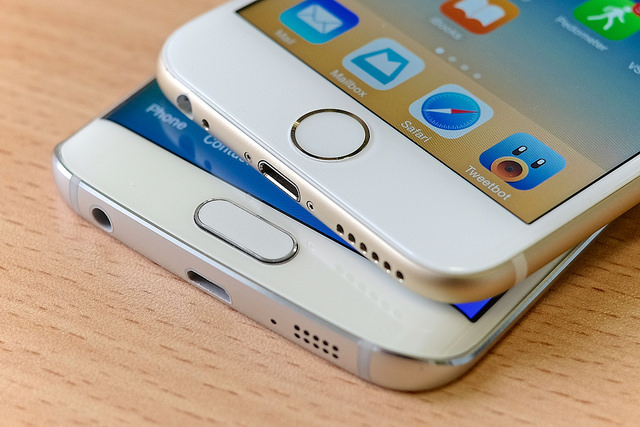
Following the recent XcodeGhost attack on the Apple Store in China, the eternal debate has reignited: iOS or Android? This is the dilemma that you face when it comes to choosing which mobile device to purchase and it goes far beyond just preferences regarding the camera or types of apps that are available to download. Whichever of the two that you choose could spell the difference between keeping your confidential information, and that of your company and employees, out of the cybercriminals’ grasp.

To make your decision a little easier, we’ve analyzed the main strengths and weaknesses of both operating systems in terms of security. Of course, neither of the pair is perfect, but each one has an area where they excel compared to the other.

Pros and cons of iOS

Among the advantages of Apple’s operating system, you have the fact that it is a closed system and, therefore, automatically secure (well, as much as it can be). Apple has control over the job done by the app developers and the app store has special mechanisms to verify the tools, their origin, and features.

Furthermore, with iOS 8 all information saved in the calendar, contacts, notes and reminders are protected by encryption.

However, let’s not get too carried away as no system is perfect and as we’ve seen in recent days, the Apple system isn’t immune to an attack. There have been a few scenarios in which we have seen the existence of vulnerabilities in the iOS system and attacks on the Apple user ID.

Pros and cons of Android

Android, for its part, offers more freedom to app developers. A lot of them use the programming language C++, which is a more complex one than previous versions, and is therefore more difficult for cybercriminals to modify.

However, when they use Java in sensitive fragments of code within the apps, the tide turns in the favor of the cybercriminals as this is easier to manipulate, allowing them to insert their own malicious codes with relative ease.

In contrast with Apple, purchases of Android apps is a little less secure. There is less attention paid on the part of Android to the tools used and, once installed, there operating system doesn’t alert you to anything suspicious.

android ios

However, there are some good points – Android allows the use of HCE (Host Card Emulation) when making purchases from your smartphone. It works via an app that is offered by banks and is able to be downloaded directly to the phone. When you complete a purchase on the cloud, the tool sends the user information via the safety measures installed in the NFC chips on the device.

Finally, you won’t find the biggest weakness in the system by analyzing sophisticated technology. The real advantage that cybercriminals have when it comes to spreading malware through Android is that there is such a high number of users – if they want to spread malware, why not spread it by the most popular system?

A recurring strategy used by attackers is to make themselves the administrator of the device, which allows them total control of the phones. The real owner of the phone is helpless and can’t change these settings nor delete the application.

Given the widespread use of Android, the best way to protect your privacy depends on the phone’s manufacturer. No matter if you have an iOS or an Android, the an eye on its security is yourself. Do this by using secure passwords which you change often and keep a watchful eye on apps that you download.

The post Android or iOS: which operating system is the most secure for mobiles? appeared first on MediaCenter Panda Security.