Moonpig has warned customers that some of their email addresses, passwords, and account balances have been published after what it calls a “security issue”. The company, which sells custom greeting cards, said in a message to users that attackers were not able to get any credit card information, as Moonpig does not store that data. […]
Tag Archives: Mobile Security

More than 50% of malware for Android is aimed at stealing from you. Keep an eye on your pocket!

With the barrage of news about Hacking Team, the massive cyber espionage by governments, and the US intelligence raids, it might seem that cybercriminals are taking a different route compared to your average criminal. However, don’t let this fool you as they are all after the same thing which, as the famous song goes, is “money, money, money”.
Wherever there’s money, there are sure to be malware creators. So after the boom in internet shopping people are beginning to reach for their pockets to make payments once again; not with their wallets though, but rather their cellphones.
According to a recent study carried out by IAB, 7 out of 10 Spaniards (more than 19 million internet users) regularly buy online. The percentage of those who make purchases from their cellphones or tablets is steadily increasing and currently accounts for 15% of all purchases. In other countries, such as the United States, the percentage of purchases from mobile devices is even greater.
These online purchases generally require the use of sensitive bank information as you are paying with a card or performing a transfer, but this doesn’t seem to bother consumers. According to a report by ING, nearly half of Europeans now use their smartphone or tablet to carry out bank transactions.

Slowly but surely tablets and smartphones are replacing the traditional computer for these types of tasks and, as a result, they have become a goldmine for cybercriminals. Financial malware, designed to gain access to your account, is thriving in the darkest corners of the internet.
More than half of all malware designed for Android has been created with stealing money in mind. This was confirmed by a recent study, which named Trojan and ransomware (which hijacks your terminal and requires a payment to unblock it) as the most popular tools deployed by cybercriminals.
It’s interesting to note that it is Android, and not iOS, which is the main target of attack. This is despite iOS taking a far larger profit share of the market. This is because, for the cybercriminals, it is all a matter of volume.
On a global level, Android is a far more popular system and accounts for 78% of the smartphone systems in operation, according to details from the IDC. Meanwhile, iOS only accounts for market share of 18.3%.
The more potential victims there are, the higher the yield for the cybercriminals, as we have seen with the infamous Sypeng and Faketoken cases, which wreaked havoc across the globe. So, if you have already been targeted by them you’re in a tricky situation, as prevention is better than the cure in this case.
An antivirus for Android and following some advice when completing transactions on your mobile device (such as avoiding public WiFi connections and avoiding applications that aren’t on Google Play) will save you a lot of hassle in the future.
The post More than 50% of malware for Android is aimed at stealing from you. Keep an eye on your pocket! appeared first on MediaCenter Panda Security.
Porn clicker keeps infecting apps on Google Play
A recently identified trojan porn clicker is still infecting apps on Google Play.
The post Porn clicker keeps infecting apps on Google Play appeared first on We Live Security.

Samy Kamkar’s ProxyGambit Picks Up for Defunct ProxyHam
Hardware hacker Samy Kamkar has developed an anonymization device called ProxyGambit that improves upon ProxyHam, the device that was supposed to be unveiled at DEF CON.
WhatsApp: read or unread?

Did you know that WhatsApp may be developing a mark as unread feature? When most of us already got used to the double blue check and few others decided to remove it completely from their lives, everything points to the most popular messaging application has decided to implement this ‘unread’ function.
According to ADSL Zone, it will be the receiver who will be able to modify the status of the message. As has happened other times, they found this new feature in WhatsApp’s official translation center. Here is where the new features are translated before they are released to the public, and not long ago we could find: “mark as read” and “mark as unread”.
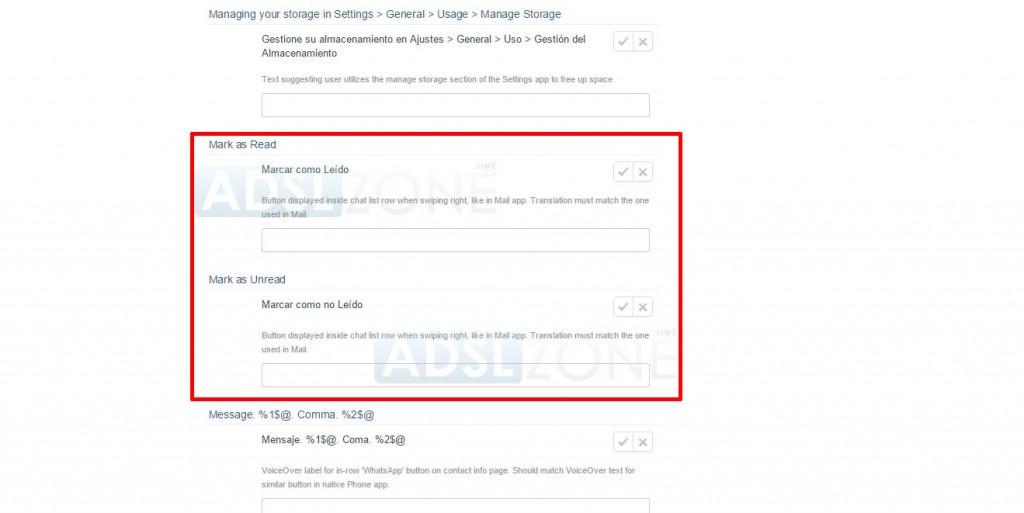
For the moment, it seems to be only available for iPhone users. Now, the question is: how will this affect our privacy? Will the sender be able to see before if the message has been read?
We will keep an eye on it…
More | How to disable the WhatsApp blue double check on Android
The post WhatsApp: read or unread? appeared first on MediaCenter Panda Security.
WhatsApp for Android: Always download it from Google Play!
By becoming popular, they turn into a real danger. The more famous an application is, the more likely it will be used by cybercriminals to carry out frauds, which may turn out very expensive for those distracted users.
The perfect example is WhatsApp. Each novelty announced by the instant messaging service is exploited immediately by the thugs on the network to deploy all kinds of social engineering techniques.
Without going any further, WhatsApp voice calls lead on to fraud via email: the victim is notified by email of a pending voice message and in order to for hear it he just needs to click on it. By doing so, it will not play any message, but actually it will download a malicious software on the user’s computer.
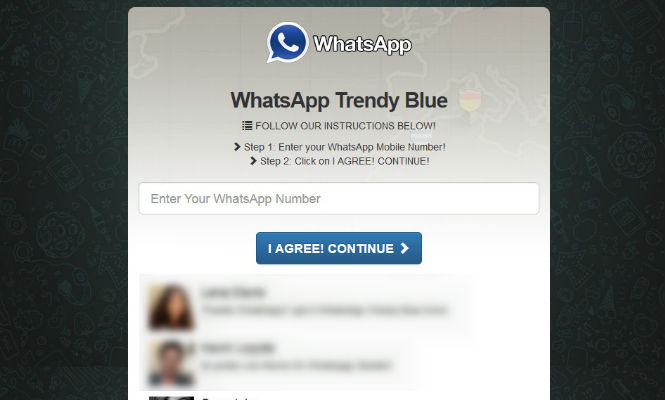
To generate this avalanche of fraudulent services, cybercriminals not only take advantage of WhatsApp’s latest features. Sometimes they create totally fake versions with presumed advantages as the possibility of customizing the app’s appearance. The most recent case is the one of the so-called Blue WhatsApp, it promised changing the famous app’s green to blue, although this version hides a poisoned apple: a subscription to a premium service which will increase, quite a bit, the victims’ phone bill.
In general, the desire of enjoying new features on an application as common as WhatsApp makes some users to accept these updates even if they do not come from an official supplier.
That is why, the best way of avoiding any kind of fraud from making a hole in our pocket or someone stealing our information stored in our Android is using Google Play (or the App Store in case of having an Apple device) at the time of downloading and update or any other application.
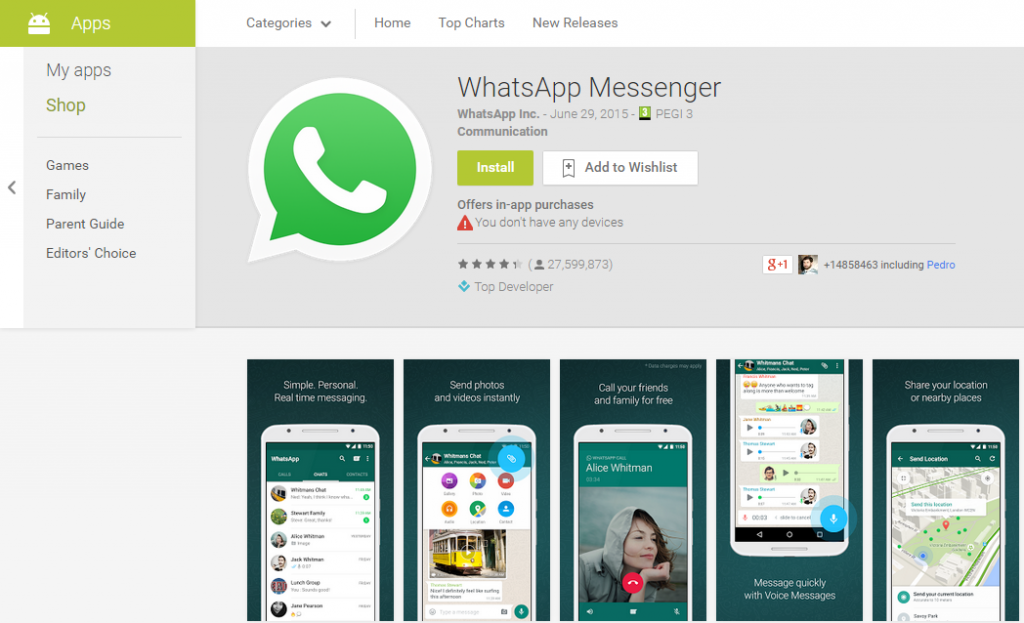
In this way, users can sort the Web woven by the crooks on the Internet. Furthermore, not only should be wary of those web pages that provide the so-called WhatsApp download with little credible characteristics: on other occasions, a platform which doesn’t belong to the official app nor to the corresponding applications market, will simply offer users to download WhatsApp as a way of attracting potential new victims.
Without false advantages but just as fraudulent, these downloads will fill your device with malware or subscribe you to an SMS premium service at a great cost. It is the case of a website that distributes a malware designed to steal data and it does it under the official WhatsApp appearance.
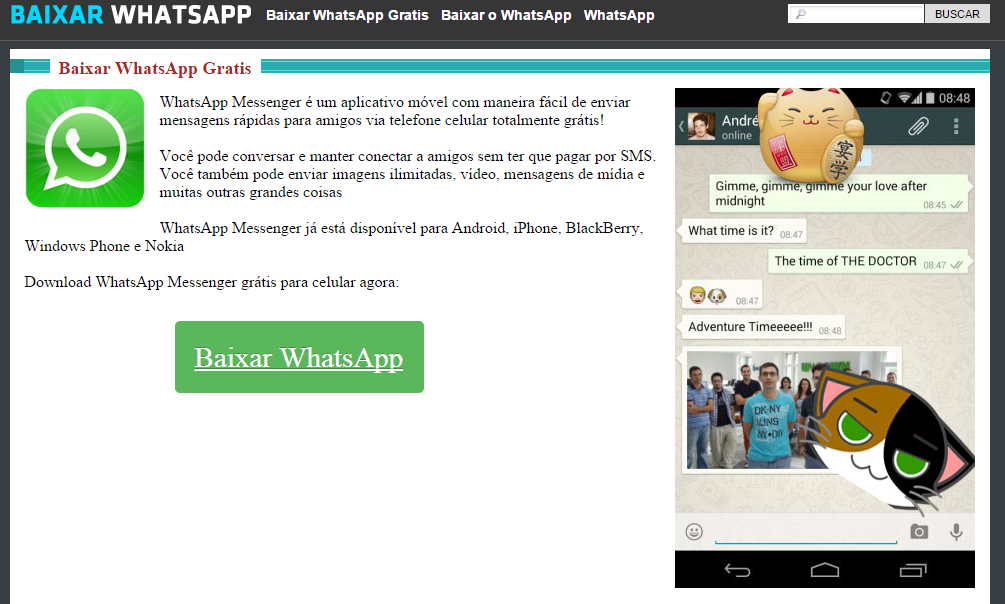
The web site does not promise any new features in the instant messaging service. It simply enables the download. When the user installs it and accepts all permissions requested, this false WhatsApp access the information stored on the users’ Android device.
That way, both downloading and updating an application, the safest way to do it is going to the corresponding official site. Even so, users can also find in places like Google Play some fraudulent applications hiding under the appearance of a popular service or that simply requires more permissions than the strictly necessary.
For this reason, before downloading an application for the first time you should read carefully its rating and some comments from other users: if it is a trap that has evaded Google’s Play security, the previous experience of others can serve you as warning.
The post WhatsApp for Android: Always download it from Google Play! appeared first on MediaCenter Panda Security.
Developers are neglecting the login security for both Android and iOS
You open an application to read the news, check your e-mail or social networks and, on many occasions, it asks you for a username (which may be your email address) and a password. You must sign in to access the headlines which have been customized depending on your preferences, your Inbox where you receive your emails (and not those addressed to anyone else) or, to your personal, and supposedly non-transferable, account.
Technically, yes. A team of researchers from the University of Darmstadt (Germany) and the Fraunhofer Institute for Secure Information Technology scanned 750,000 applications for Android and iOS and discovered that the apps developers didn’t take as seriously as they should the security of this important step (login or authentication).
These experts claim that the analyzed apps, including very popular ones – although they didn’t give any names- and they detected vulnerabilities in all kinds of applications, from games to Instant Messaging, through social networks, financial services or even health-related software.
According to the findings of this research team, many programmers are managing the information needed for logging in, in a negligent or improper way, leaving user names, email addresses or passwords available to third parties with dubious intentions. During their analysis, they found 56 million ‘sets’ of unprotected data.
“App developers use cloud databases to store user data but apparently ignore the security recommendation given by the Cloud providers” says Prof. Eric Bodden, study’s lead author, regarding to the cloud databases offered by Facebook (Parse) and Amazon (AWS).
Storing the users data in third-party cloud it is easier for developers (for example, when it comes to synchronizing web services and applications for different operating systems), but it is a decision that should not be taken lightly. Our data’s security is at stake.
Why is there so much unprotected data?
Cloud vendors offer different security mechanisms to determine if a user is who he claims to be when he checks the database: the more sensitive the information, the higher the barriers. Bodden explains that “the weakest form of authentication, meant to identify rather than to protect the data, uses a simple API-token, a number embedded into the App’s code”.
Using the appropriate tools, an attacker could easily remove those tokens and access the data, read it or even manipulate it. There are endless ways of harming or cashing in for someone unscrupulous: from selling emails and passwords on the black market, to blackmailing the data owners, spreading malware or turning the cell phones of hundreds of users into soldiers of a bot army.
To prevent this, app developers should implement more sophisticated security measures, precisely, just what Facebook, Amazon and other cloud vendors recommend. As the research carried out by Darmstadt and Fraunhofer recommended, developers should implement an access-control scheme, which according to the test most of the 750,000 analyzed applications didn’t.
“Our findings and the nature of the problem indicate that an enormous amount of app-related information is open to identity theft or even manipulation” says Prof. Eric Bodden. “With Amazon’s and Facebook’s help we also informed the developers of the respective apps and they really are the ones who need to take action because they underestimated the danger”.
The post Developers are neglecting the login security for both Android and iOS appeared first on MediaCenter Panda Security.
Researcher Says LG App Update Mechanism Doesn’t Verify SSL Cert
Many smartphones manufactured by LG contain a vulnerability that can allow an attacker to replace an APK file with a malicious file of his choice. The problem is the result of several conditions on LG phones. Like other manufacturers, LG includes custom apps on its handsets, which are not available through the normal Google Play […]
Do you accept app permissions without reading them? You should be more careful!
A smartphone is nothing without its apps. Looking around the apps store is something we do quite frequently, either by necessity or to see what’s new or which game is most popular. And probably, while you are there browsing you end up downloading one or two.
That’s when Android users have to accept certain permissions of their new application. Apple users approve these permits the first time they use the app or certain features.
Applications request access to certain data and features of your device. As expected, maps apps ask for permission to use GPS and locate your device. However, most applications ask for more permissions than they should, which means that we are taking a few risks just by accepting them.

One of the most shocking examples is the flashlight apps. For using them you don’t need to sing in and they are free. However, when installing the app we have to accept permissions which have nothing to do with the app’s purpose, as knowing their location thanks to GPS data, taking pictures, recording audio or even reading our text messages.
App Permissions – Read before accepting
Facing that avalanche of totally unnecessary permissions, the best thing users can do before installing an application is to look closely at what information the app wants to access.
Most of these times, these permissions do not respond to a real need for the application to function, but serve to create an advertising environment that adapts the location and the user’s interests. Hence a flashlight wants access to GPS or a QR code reader asks permission to view your browsing history and your web markers.
The users take several risks when they systematically accept these permissions. On the one hand, they are letting developers to know their location or their Internet habits, and the final destination of this information is not clear at all.
But the situation may be much more serious if there is a security breach in the application’s meat that allows cybercriminals to access your smartphone through these permissions.
So, giving full access to Internet could result in cybercriminals taking advantage of the connectivity to download malware to your device or to steal passwords transmitted through Wi-Fi.
However, security breaches and cybercriminals are not the only risks that a user may face when approving the requested permissions. In fact, they are not even the most common. The major risk is users handing over their data to apps development companies, and these companies end up sending their users’ private information to analysis or advertising companies.
These permissions can also lead, in the case of downloading malicious applications, to scams related with calling services and premium messages, which do not provide any service for the user but charge exorbitant prices for each message.
Finally, when you download and install an application, the best thing you can do is to stop and analyze if the permissions required are necessary and, especially, if the developer can be trusted.
Checking this before approving permissions willy-nilly can avoid any surprises, or at least, our data falling into anybody’s hands.
The post Do you accept app permissions without reading them? You should be more careful! appeared first on MediaCenter Panda Security.
The Dawn of Privacy-Driven Social Networks
As Avira focuses on privacy and security issues, and social networks now play a major role in people’s lives, CNET journalist Laura Hautala caught my attention yesterday with her article “Non-creepy social networks make it to your smartphone” (CNET, 15 June 2015).
Partly in response to outrage (in the wake of Edward Snowden’s disclosures) over government surveillance abuses and companies selling personal data from their customers to the highest bidders, a few companies are now attempting to disrupt the dominant paradigm – i.e. to provide private, encrypted alternatives to Facebook and other networks that the public perceives as being more concerned about profit than the privacy of their customers.
Meet the innovative Minds
Manhattan-based Minds, which has run an alternative social media website for two years, just launched a lightweight social-network app for mobile (for Android and iOS) that encrypts all communications – so they are secure and anonymous (able to be read only by the intended recipient). According to the company, Minds is the first social network with an encrypted app and it’s all based on open-source code to ensure that any attempts to read what shouldn’t be read will be transparent to developers.
According to Co-Founder and CEO Bill Ottman, the app launched this week with a two-year base of 30,000 people already using its social website. As Hautala points out, it’s not a number that will cause Facebook any pain (with its near 1.4 billion users), but the IT world can and often does change rapidly.
In addition to encryption of the data going through the app, Minds collects none of its customers’ data. So even if intelligence agencies demand users’ data, the company has nothing to give them.
As for earning revenue, Minds plans to give up traditional ad sales (which it has used on its website version) and instead offer ‘VIP services’ for points, which can be either purchased outright or earned free via interaction. Such services include being able to expand the reach of your content beyond your personal connections.
Others en route
With a focus on similar principles – namely, data privacy, anonymity, and seeing customers are more than just numbers – the Vermont-based social network Ello also plans to launch a mobile app for iOS, Android, and Windows devices. More will come.
While I have personally suggested to friends and colleagues that ‘privacy’ may have been a short-lived concept in human history (and is in fact already gone from our lives in the way our grandparents knew it), it seems that companies led by freedom-loving people continue to rise up against privacy’s seemingly increasing absence.
While writing this, I downloaded the iOS version of the Minds app myself. I’ll activate an account later today and, if I find it to be a promising social experience, maybe I’ll see you there.
The post The Dawn of Privacy-Driven Social Networks appeared first on Avira Blog.