Tag Archives: Mobile Security

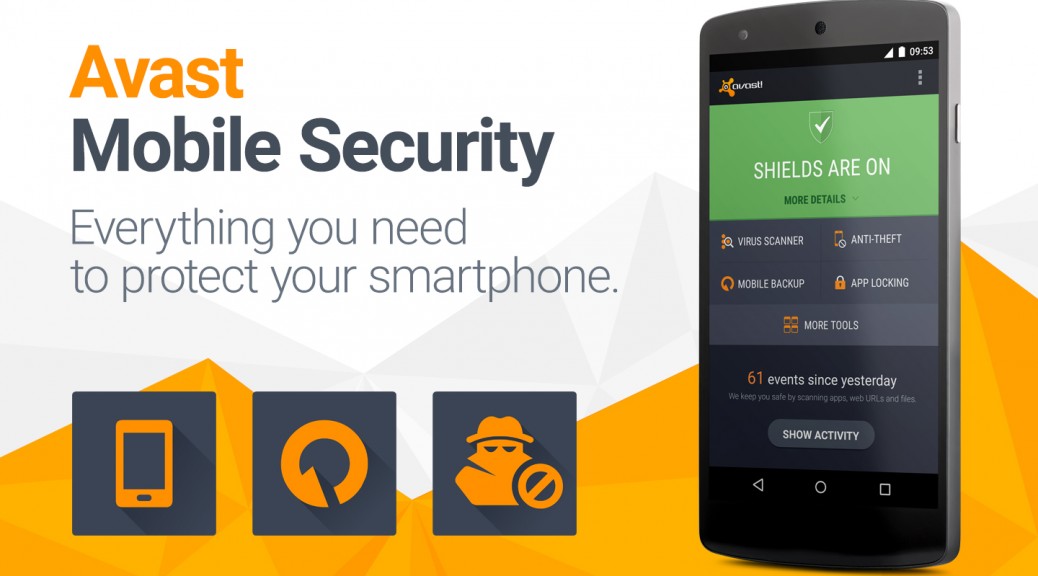
Avast Mobile Security: What’s not to love?

Mobile is attractive to cybercrooks

Our mobile phones are fantastic little devices — these days, they’re as powerful and can accomplish nearly all the things a regular computer can. While this is convenient for us, it also gives cybercrooks a relatively easy in-road to your private data and financial information. As 2015 rolls along, consumers continue to become more aware of mobile security options available to them, since they will increasingly use mobile apps that contain sensitive banking, financial, and personal health information.

Last year, more than 1 billion Android devices were shipped out to customers around the world. With Android winning the majority of the smartphone market, it offers a tempting target to malware authors. The average user is not especially concerned about being infected with a virus on their phone or tablet, but unfortunately, mobile malware is more than just a myth. Avast currently has more than one million samples of mobile malware in its database, with 2,850 new mobile threats being created every day by hackers.

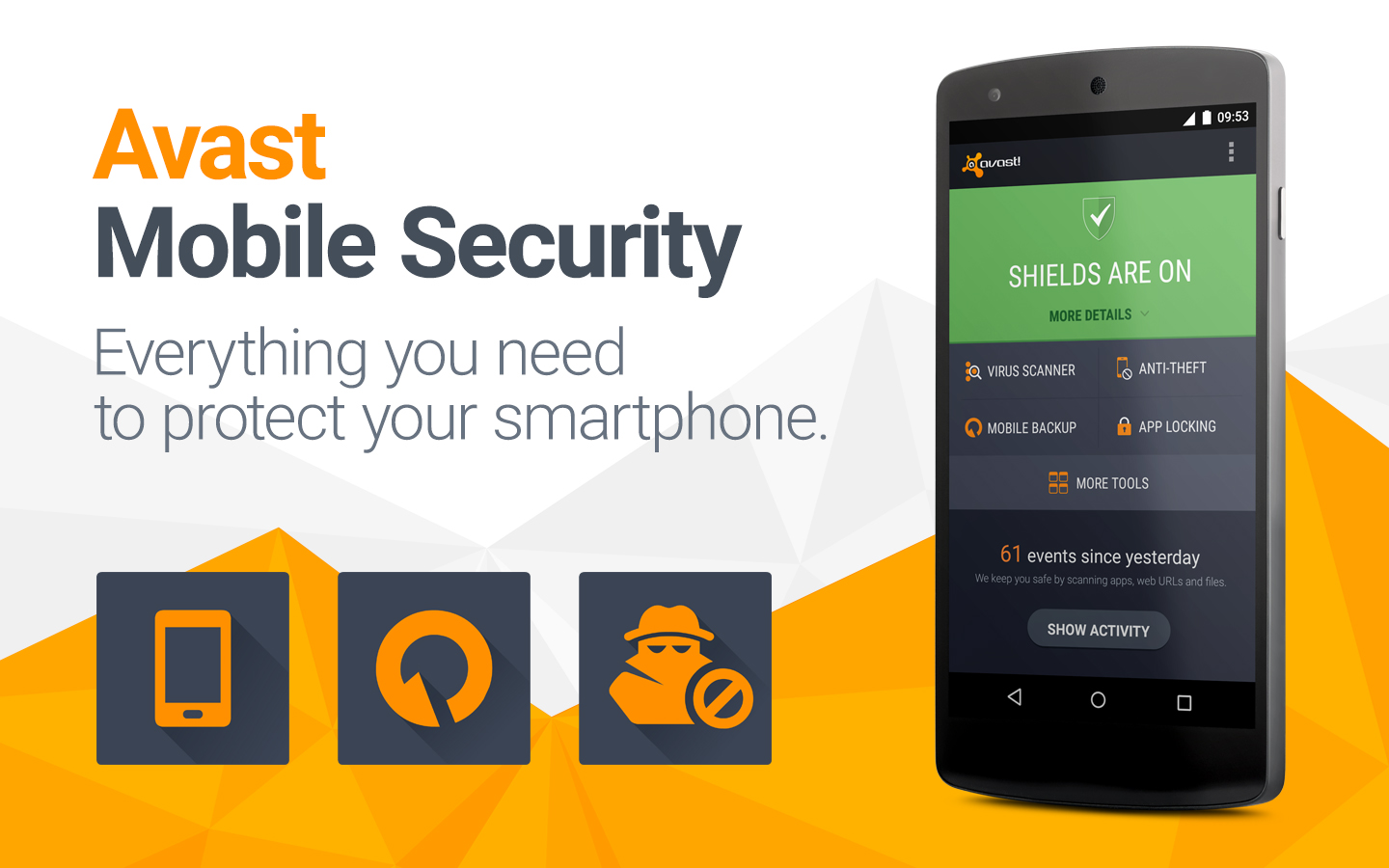
Even if you think your chances of being infected with malware are low, we suggest that you go ahead and install a good mobile antivirus software. The great thing about Avast Mobile Security is that it’s free, so your investment is minimal – just a few minutes of setup and you’re ready to go.

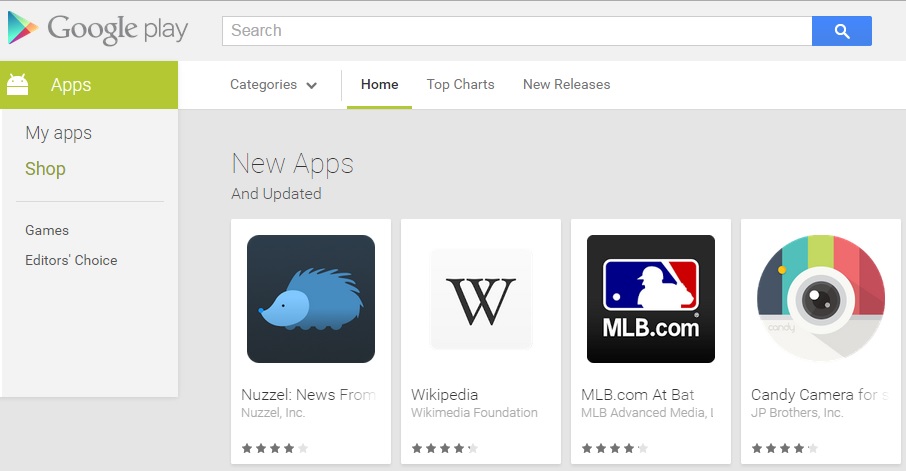
Avast Mobile Security includes antivirus protection which scans your apps to see what they are doing, and a Web shield that scans URLs for malware or phishing. Malicious apps allow malware to enter your phone, so it’s good to have Avast on your side to detect when a bad one slips by on Google Play or another app store.
1440x900

When taking a look at Avast Mobile Security’s features and capabilities, it’s easy to see why it’s a top-rated mobile security app.

AV-TEST All-Stars

Avast Mobile Security did not commit any mistakes when tested with 1,932 legitimate apps from the Google Play Store and 981 legitimate apps from third party app stores. In addition, all this protection, according to AV-TEST, did not “impact the battery life”, or “slow down the device during normal usage”, and “does not generate too much traffic”.

To compare the choices of mobile antivirus software, you can look at the January 2015 “Mobile Security Test” conducted by the independent labs at AV-TEST. They looked at 31 popular Android security apps. Avast Mobile Security tops the list because it detected 100% of malicious apps without any impact on the battery life or slowing down of the device.

AMS Referral Program

In the latest update of Avast Mobile Security, we added a referral program, so you can recommend Avast Mobile Security to your friends and family. Not only can you recommend the best mobile security app available on Google Play, but you will be rewarded for doing so; you can earn up to three months of Avast Mobile Premium for free!

Here is how it works: For every five friends you send an SMS to recommending Avast, you get one free month of Avast Mobile Premium. Cool, huh?

There you have it — we’re huge fans of Avast Mobile Security, and we think you will be too. Download Avast Mobile Security for free on Google Play.
 

How to find the best protection for your Android phone? Independent tests.

Recently we told you about malware inside of Google Play and we also alerted you to the resurrection of Simplocker, a dangerous ransomware that has started its second infection wave. Hopefully,  you are convinced that you need to seek a top security application for your Android device. It’s just not safe out there any longer.

AV-Test of Avast Mobile SecurityHowever, how can you be sure that our security application is doing its job correctly and extensively?

Some people doubt marketing talk on vendor websites, but we know you cannot start testing every apk file or entering the dark side site of Internet just to see if our solution works. That’s why Avast has chosen to submit our products to third party, independent testing labs.

AV-TEST runs Avast Mobile Security through the paces

AV-TEST is a well-known testing laboratory for mobile security. Recently, they tested 31 mobile security products for Android focusing “on malware detection and usability, including performance and false positives”.

They used 2,950 different malware samples and Avast Mobile Security blocked 100% of them. The malware set was a very recent one: malware in the wild in the last 4 weeks.

More?

Avast Mobile Security did not commit any mistake when tested with 1,932 legitimate apps from the Google Play Store and 981 legitimate apps from third party app stores. The better of the two worlds: protection and usability.

In addition, all this protection, according to AV-TEST, did not “impact the battery life”, or “slow down the device during normal usage”, and “does not generate too much traffic”.

Avast Mobile Security earned the AV-TEST certification.

Avast Mobile Security earned the AV-TEST certification.

The testing Lab gives a thumbs up for all the other security features that you can find in Avast Mobile Security:

  • Anti-Theft for remote lock, wipe and locate your lost or stolen device. NOTE: For those of you who do not have automatic update turned on, please do an update ASAP so you can keep Anti-theft working optimally.
  • Call Blocker from specific or unknown numbers and a SMS Filter for unwanted content.
  • Safe Browsing that protects against malicious websites and/or phishing.
  • Backup for personal data on cloud storage.
  • Firewall that allows control over your connection usage over 3G/4G/Wi-Fi/Roaming.
  • Network Meter that gives you easy to understand information about your data plans.

Don’t you want to try it? You can download Avast Mobile Security for free on Google Play.

 

A Google Play with less malware? Android apps will be supervised by humans

google play

An X-ray Scan application? A tool to detect lies? In Google Play there are many apps with doubtful behavior. Obviously, neither of the ones mentioned deliver what they promise. Most are just looking to bombard with advertising, but there are some cases of undercover malware, like the game Balloon Pop 2 (which has already been removed from the platform), that stole WhatsApp conversations of those who installed it in their phones.

The online store of Android operating system has been repeatedly accused of accepting any software without a thorough analysis of their origin, functionality or permits. Nevertheless, Google disregarded the critics and kept using the same methods to verify whether an application meets the requirements.

The Mountain View giant uses a system known as Bouncer, an automated process that supposedly analyzes the tools before published them, rejecting them if it detects any type of malware or fraudulent behavior. However, the platform’s catalog shows that it doesn’t always fulfill its tasks effectively.

apps

It seems like now Google has changed its mind. The company recently announced that the verification will no longer be automated but it will incorporate human inspections attempting to improve the process. Stating that this is not a future intention, the new mechanics has been several months in place.

According to the company, a team of experts review the applications and identifies possible violations of the policy established for developers. The new addition will help the products to be published on the platform “within minutes or hours after sending them, instead of days or weeks.” Although, maybe is the speed one of the reasons why there is a lack in the control.

In the same statement they announced that there will also be an increase of the information provided to the developers about the evaluation and publication process. They will receive a more detailed “feedback” in order to know why their tool has been rejected or suspended, so they can remedy any irregularities.

google developers

Although Google has started walking in the right direction (or at least shows that intention), is difficult to evaluate yet if their efforts will produce the expected results. Nevertheless, there still remains an important point that is not even mentioned in their announcement: what will happen with the fraudulent or malicious applications already published on the platform?

There is no need to go far back in time to check that there are still new apps being detected as illegal behavior. Security experts from the Spanish National Institute of Cybersecurity recently alerted of the existence of two applications (Naked Scanner and Super Jumper X) whose alleged functionality is to see people in their underwear.

Those who fall into the trap end up subscribed to a premium messages service that is reflected on their phone bill. As if this wasn’t enough, one of these apps offered their users to download an antivirus after showing them fake security alerts. Sadly for many users this warning arrived late: Naked Scanner exceeds 50.000 downloads and Super Jumper X has more than 1.000.

Given this scenario, it seems risky to lower your guard. Keep paying attention to the applications you download from Google Play and do not trust services that promise a little or no realistic product: they are usually a scam.

The post A Google Play with less malware? Android apps will be supervised by humans appeared first on MediaCenter Panda Security.

WhatsApp: 6 scams you must pay attention to!

security on whatsapp

The success of WhatsApp has a downfall: while the instant messaging service reached 600 million active users last summer, the numbers of frauds emerging around the app are also growing steadily.

What are the most common scams in WhatsApp? What should we do so we don’t take the bait?

WhatsApp: 6 scams you must pay attention to!

  1. A fake invitation to WhatsApp voice calls

With the arrival of WhatsApp voice calls a new fraud has emerged. While millions of users are waiting for an invitation to access this new feature, cybercriminals are distributing the malware via a link, which automatically downloads the malware.

whatsapp voice calls

To avoid falling into the new WhatsApp fraud, you should keep in mind that voice calls are only available for Android phones.

  1. Frauds via browser

After WhatsApp launched their browser platform, fraudulent websites were created to steal your banking data.

This fake webpages use different types of scams:

  • Asking for the phone number of the gullible users and then, subscribing them to downloading premium services which charge special rates.
  • Making users download an application in their computers, but actually is a Trojan that will allow cybercriminals to obtain confidential information, such as banking information.

In this case, one thing to remember is that the only browser version of WhatsApp is free, and you don’t need to download anything to your computer to use it.

  1. How to disable the blue double check

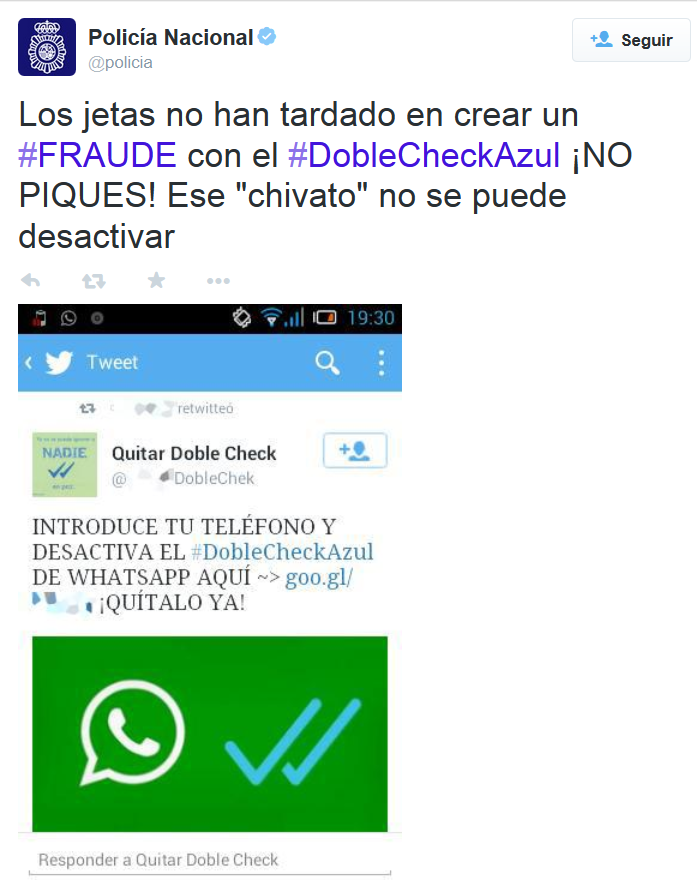
Scammers also tried to take advantage of WhatsApp’s double check launch. Before the instant messaging service allowed disabling this feature, in social networks we could find advertisements of fraudulent services for getting rid of the darned double check.

doble check azul whatsapp

Getting some users to sign up for a premium SMS service without knowing it, which has a special rate. Remember: you can disable the double check feature from the app.

  1. WhatsApp Gold

The Spanish National Police and Civil Guard reported a couple of months ago the existence of a scam that can be expensive, actually, 36 euros per month.

The fraud starts with a message via social networks in which WhatsApp users are invited to click on a link to update their app to the inexistent Oro version (Gold version), including supposed new and exclusive features.  The link takes the user to a web page where, if he wants to use these improvements, he has to give his phone number.

In fact, all those who gave their number will subscribe to a premium SMS service: each text message that you receive will cost you 1.45 euros, until a maximum of 36.25 euro per month. If you ever cross paths with this message, remember there is only one official version of WhatsApp. Common sense is, as usual, your best ally.

  1. The fake voicemail of WhatsApp

In contrast to the ones before, this scam doesn’t take the advantage of a recently launched service, it just invents one. It starts when a user receives an email, in which they inform him that he has an unread voice message in the WhatsApp nonexistent voicemail.

When he hits “Play”, there is no message, but it downloads malicious software that the scammers introduce to your device. From that moment on, text messages with special rates or the theft of confidential information can cause the user a great deal of trouble. Remember: there is no WhatsApp voicemail.

  1. WhatsApp’s Spy

We are aware of the existence of WhatsApp Public, an application that allows you to spy your contacts in WhatsApp, but there is a scam that goes one step ahead and offers( with a similar name) a service which allows anyone to read conversations of others. But it is just another way of infecting with malware the gullible user’s phone.

whatsapp spy

Obviously, you can’t spy other people’s conversations and the only change it will bring it will come in your phone bill, which will increase considerably.

Remember that it is important to maintain your cellphone’s security. If you want, you can download free of charge our antivirus for Android.

The post WhatsApp: 6 scams you must pay attention to! appeared first on MediaCenter Panda Security.

Snapchat Publishes First Transparency Report

Snapchat has released its first transparency report, covering a four-month period from November through February, and the data shows that the company didn’t receive any National Security Letters and got fewer than 400 total requests for data from the United States government. Snapchat, a California company that runs a popular chat and media-sharing service, said in the report […]

Avira Antivirus Security for Android – Version 4.0

Previously discovered bugs have been successfully fixed in the latest version and new features have also been added to the application. You can now lock the applications you use on your mobile devices thanks to the new App Lock feature.

It’s all about performance and security

Although several improvements can be noticed in the design of the interface, most of the updates referred to internal processes and they were aimed at offering Android users the best possible protection. The latest version of Avira Antivirus Security also makes it easier for users to upgrade to the Pro version and thus benefit from a Secure Browsing experience on their Android devices.

Mobile applications secured with Avira’s App Lock

Officially released within the newest version of Avira Antivirus Security for Android, the App Lock feature enables users to protect their mobile apps against unauthorized usage by simply blocking access to them. This comes as an extra layer of protection highly welcomed for apps known to store precious data such as personal information, photos, videos or any other type of sensitive content.

“Our Mobile Development team is proud to offer Android users more than an antivirus application for their devices, an app that treats all privacy aspects equally serious. Data theft can occur under many forms and it is our duty to help the user benefit from extra layers of protection for all sensitive data. The updates in the latest Avira Antivirus Security version, such as the new App Lock feature, work exactly towards this goal: enhanced protection with no extra costs” said Cornel Balaban, Mobile Development Manager at Avira.

FREE Avira Antivirus Security for Android Version 4.0 is available for download in the Google Play Store

Let us know what you think about the latest updates and what future changes you would like to see in our app: https://play.google.com/store/apps/details?id=com.avira.android

The post Avira Antivirus Security for Android – Version 4.0 appeared first on Avira Blog.

Caution! New SMS scam!

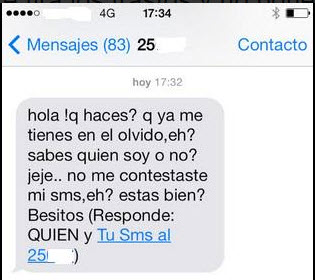
We have seen many scams involving text messages, the most recent one in Spain a few days ago; crooks sent innocent users this SMS…

sms scam

“Hello! What are you doing? You have forgotten about me, eh? Do you know who I am, or not? LOL… You didn’t answer to my SMS, uh?  Are you alright? XOXO (Answer WHO and …)”

This is what reads in the captured SMSs.

Have you received this type of text message?

This is happening in Spain, where the National Police has alerted in their Twitter account about these types of messages.

What is the criminal’s benefit? It’s an economic profit, evidently. How? There are two possibilities:

  • Subscription to SMS Premium services, which will increase your telephone bill.
  • Exchanging messages with a machine for hours, paying important amounts of money for each message.

So, if you receive a SMS like this on your cellphone, just ignore it! No acquaintance of yours would contact you like this.

Even if you are not in Spain, we advise you to be careful! You never know where the cybercriminals may strike again!


The post Caution! New SMS scam! appeared first on MediaCenter Panda Security.