A 3D skyscraper has been developed to help the Cyber Security Challenge find the next generation of cyber talent.
The post Virtual skyscraper Cyphinx hopes to find cyber talent appeared first on We Live Security.

A 3D skyscraper has been developed to help the Cyber Security Challenge find the next generation of cyber talent.
The post Virtual skyscraper Cyphinx hopes to find cyber talent appeared first on We Live Security.
A survey has found that most parents in the UK are keen to see a minimum age introduced for smartphone ownership.
The post UK parents ‘want minimum age for smartphone ownership’ appeared first on We Live Security.

Do you think that slow-downs, crashes, and poor battery life only affect ageing Windows XP (or Vista) PCs or last-generation smartphones? Think again. Even the latest operating systems, such as Windows 10 and Android 6 (Marshmallow) still haven’t found a cure for performance, bottlenecks, storage hogs, and battery drainers.
Whether you’re running an older PC, smartphone or the sleekest, latest hardware, it’s crucial to keep it running at top performance from day one.
AVG Performance comes bundled with 3 products to help keep all of your Windows computers, tablets, Mac computers, and Android phones/tablets clean and fast. The AVG Zen platform is built into each product, so you can optimize all your devices from one place.
An overview of what’s new:
AVG’s products and suites will now be auto-updated on a continual basis, so if you purchase AVG Performance you will no longer need to worry about keeping your products up to date.
Let’s get to into the detail of what’s new:
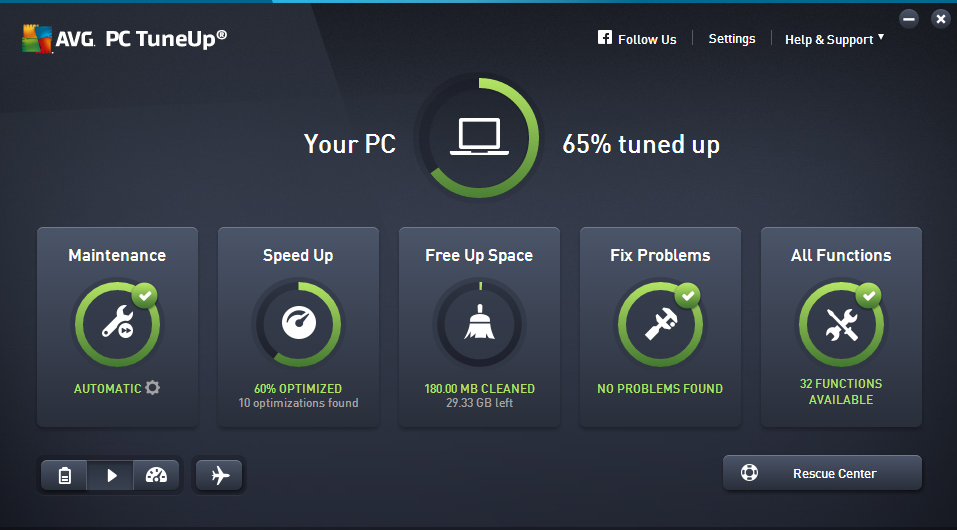
Remember how quickly your PC ran when you first got it? The latest version of AVG PC TuneUp helps you keep your computer at peak performance even more so than before:
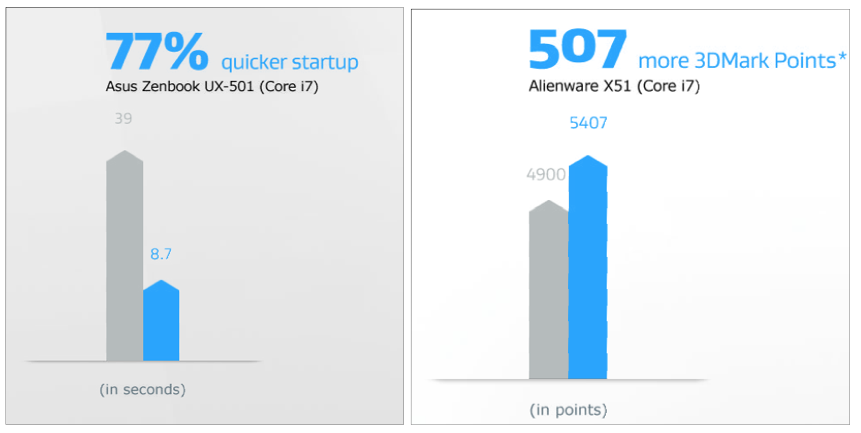
So you may ask: PC tuning? Why would I need that on my new machine? Well, whether you’ve got a 2008-era desktop PC or a shiny new ultrabook, AVG PC TuneUp can do something for you. In our internal tests, we looked at how we could improve performance on both new and old machines, here are some of the results*:
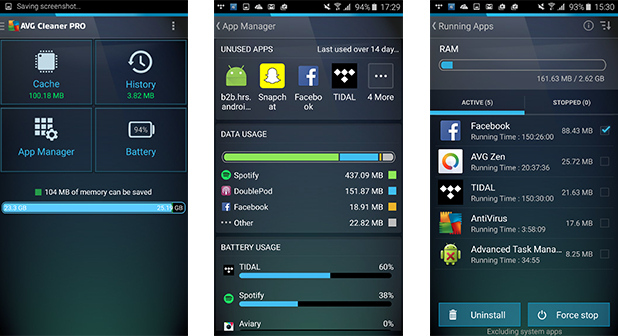
AVG Cleaner for Android helps you clean up your Android phone or tablet more easily, and can help keep tabs on performance-draining apps better than ever before, thanks to:
NEW App Manager: The new ‘App Manager’ feature gives you an immediate overview of renegade apps from a single screen and helps you get rid of them:
Curious to try it out for yourself? Download it from the Google Play store for free – if you like what you see – upgrade to the PRO version and benefit from improved battery life enhancements, too.
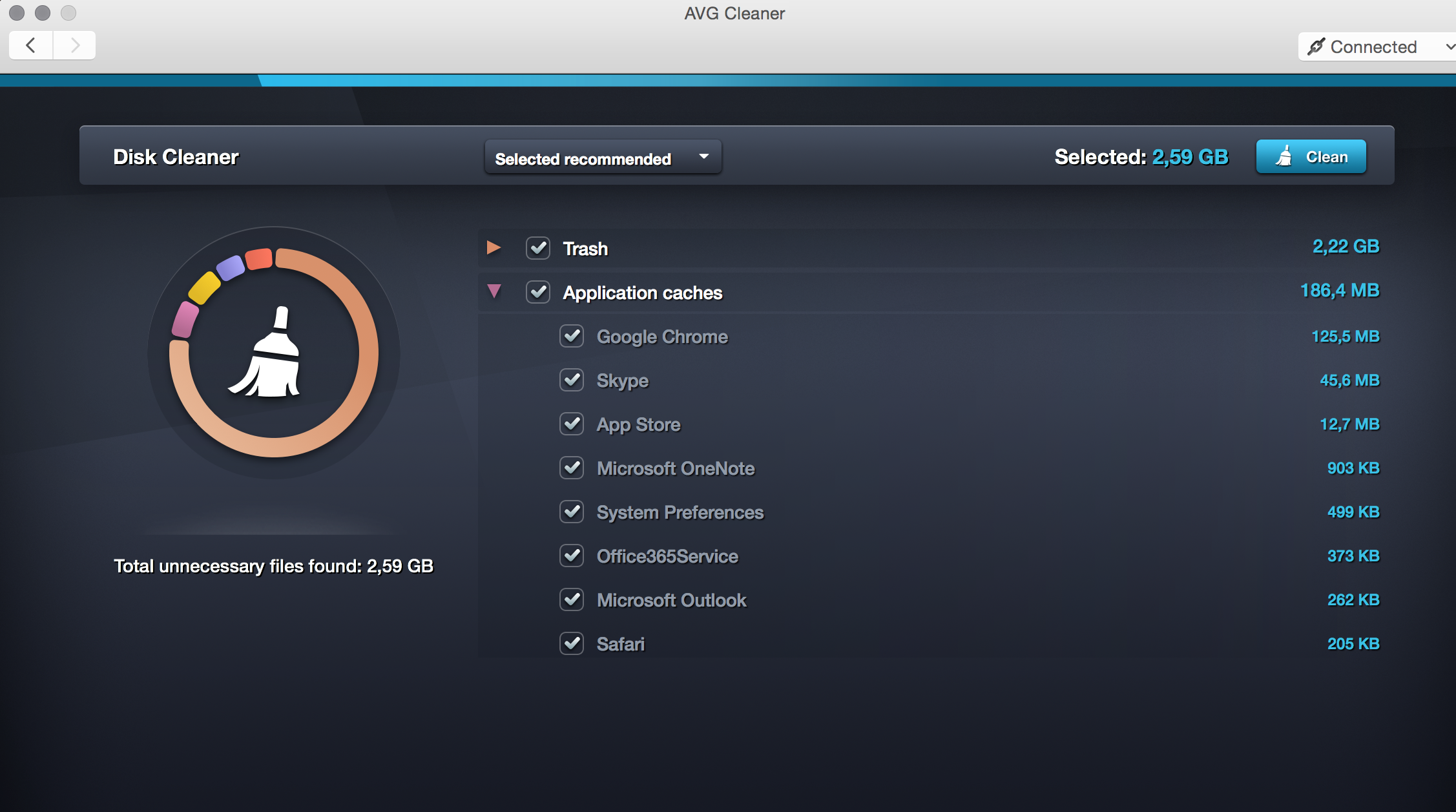
AVG Cleaner for Mac scans for hidden data trash and unwanted duplicate files that gather on Mac computers through everyday use, helping to free up disk space for more of your precious photos, music, and other files.
We’ve added lots of new features for all you Mac fans out there:
You can try our Performance package as a 30-day trial from www.avg.com/performance.
Over the course of the next few weeks, we’ll show you how these products work in greater detail including some step-by-step guides. Stay tuned.
* The results from our internal test lab are indicative only. Your results may vary.


Vulnerable hospital equipment details can be found online, two security researchers have found.
The post Vulnerable medical equipment details disclosed online appeared first on We Live Security.

You’ve probably heard the news: Potentially millions of Apple iPhone and iPad users may be at risk after the first-ever major Apple hack — a breach made possible by fake developer tools used to create iOS apps that made their way onto the Apple App Store.
Developers in China sought to reduce software download times by downloading a copy of the Xcode developer tools hosted on a Chinese server instead of the official version available from Apple. Unknown to developers, this counterfeit version of Xcode automatically embedded some malware, called ‘XcodeGhost’, into their apps. According to Apple this may have led to a number of infected iOS apps leaking, “some general information such as the apps and general system information.”
Apple, which prides itself as one of the most secure OS platforms in the world, quickly responded and apparently removed over 300 pieces of malware-infected software from the App Store. It also simultaneously began working with developers to make sure they were using the correct version of Xcode, and not the fake developer code used to create the infected apps.
The full list of affected apps has not yet been disclosed, but Apple has published a list of the most popular currently-known impacted apps.
Ironically, the Apple hack occurred just as Chinese leader President Xi Jinping was arriving in the U.S. to attend a summit with President Barack Obama to discuss concerns about China’s slowing economy and cooperation on cyber security; as well as meet with top tech firms including Apple.
If you feel you’re at risk of having downloaded any infected apps, here are some things you can do:


AMSTERDAM – September 30th, 2015 – AVG® Technologies N.V. (NYSE: AVG), the online security company™ for more than 200 million monthly active users, today announced the availability of its next generation consumer product releases for PC and mobile. AVG’s products and suites will now be auto-updated on a continual basis, so users will always have the latest features and capabilities and will no longer need to worry about keeping their products up to date. This is AVG’s first step towards Security as a Service.
As well as including AVG’s latest protection and performance products for Windows, Android, iOS and Mac OSX devices, both suites feature AVG’s flagship AVG Zen® platform, which makes it easy for users to monitor and manage protection and performance across an unlimited number of their own devices, and those of family members, from a single dashboard on any PC or Android device.
AVG has coordinated these releases with two, industry initiatives: European Cyber Security Month and National Cyber Security Awareness Month, to underscore its leadership in online security and its strong commitment to protecting devices, data and people, at home and at work.
“From the number of devices we own, to the types of apps we use, the digital world is now more intrinsically linked with our lives than ever before; and this dependency shows no sign of stopping,” said Andrew Reid, SVP, Products at AVG Technologies. “However, with the online landscape getting more complicated on a daily basis, we know that consumers and businesses cannot afford to be left unprepared. That is why we are constantly evolving our products – giving our customers peace of mind that their devices will always be protected and performing at their best, no matter how their device use changes.”
New features of the updated AVG Protection and AVG Performance suites include:
AVG Protection
Available in FREE or PRO versions, AVG Protection includes AVG’s leading AVG AntiVirus software for Windows, Android or Mac, and features the following updates:
AVG Performance
Comprising AVG’s three tuneup products – AVG PC TuneUp, AVG Cleaner for Android and AVG Cleaner for Mac – the upgraded AVG Performance suite includes the following:
AVG Protection and AVG Performance are available to download now* via the AVG website. PRO versions of both suites, which include features such as AVG Internet Security, are also available for 30-day trials, or to purchase as annual subscriptions for $59.99 (Protection) or $39.99 (Performance). * The upgraded products will be available in Brazil in Q4 2015
To view our Press Kit, which includes product screenshots, video content and further details on this news, please visit http://now.avg.com/avg-new-protection-performance-press-kit/
About AVG Technologies (NYSE: AVG)
AVG is the online security company providing leading software and services to secure devices, data and people. AVG’s award-winning technology is delivered to over 200 million monthly active users worldwide. AVG’s Consumer portfolio includes internet security, performance optimization, and personal privacy and identity protection for mobile devices and desktops. The AVG Business portfolio – delivered by managed service providers, VARs and resellers – offers IT administration, control and reporting, integrated security, and mobile device management that simplify and protect businesses.
All trademarks are the property of their respective owners.
Contacts:
North America:
Deanna Contreras
Tel: +1 415 371 2001
Email: [email protected]
Rest of World:
Zena Martin
Tel: +44 7496 638 342
Email: [email protected]
Press information: http://now.avg.com


It has been reported that compromised Uber accounts are being used by criminals in China.
The post Compromised Uber accounts ‘being used in China’ appeared first on We Live Security.

A security chip that self-protects the device it is embedded in is being developed by the Department for Homeland Security.
The post DHS working on ‘self-destructing’ security chip for smartphones appeared first on We Live Security.

With the Smartphone revolution and the wide choice of free messaging services available, receiving an SMS is definitely an unusual occurrence. Instead of being a way for friends and family to communicate, it has now become the preferred way for businesses to get in contact with you. However, you need to be vigilant of exactly what it is that these messages are trying to tell you as it could put your security at risk.
As was uncovered in a recent report published by the University of Toronto, SMS messages are being used by a group of cybercriminals to rob Gmail account passwords with the aim of accessing the victim’s account.
This attack doesn’t just avoid the two-step verification process offered by Google as a security measure, but also manages to work in a way that the victim won’t suspect a thing.
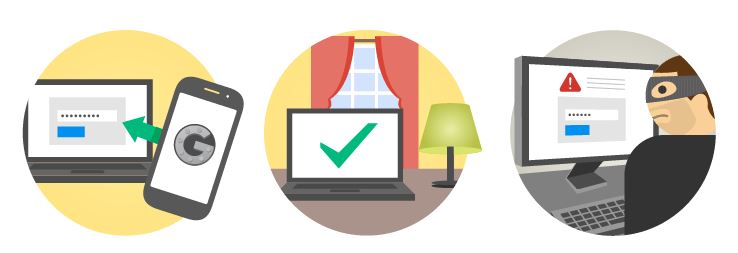
It all starts with an SMS being sent to the victim’s mobile. It appears to be from Google advising the user that someone has tried to access their email account.
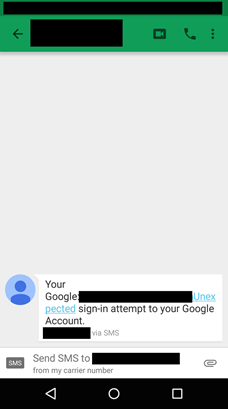
The purpose of this message is to alarm the victim. Ten minutes later the victim will then receive an email which appears to be from Google warning them of an “unexpected login”. The email contains a link that, supposedly, will lead the victim to a website where they can change the password in order to reinforce the safety of their account. However, this couldn’t be further from the truth.
What really happens is that the user is brought to a phishing tool which permits the cybercriminal to obtain their password. What’s more, this false webpage will ask for the user’s verification code which is sent to the user’s mobile phone by SMS.
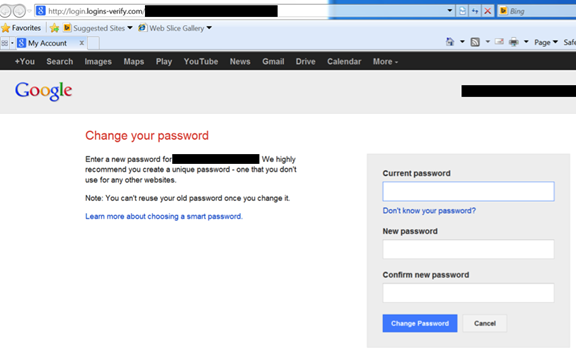
This way, in just two steps, they are able to steal your Gmail information and bypass the two-step verification process that Google has in place.
However, this isn’t the only attack that the investigators uncovered. Cybercriminals are also trying to steal password information by a phishing system which begins with what seems to be a phone call pertaining to a business proposal.
This is of course a trick and the false proposal was sent to the victim’s email account via a link that is held in a Google Drive document. Of course, to access this document the user must enter their Google password which allows the cybercriminals to get a hold of this private information.
So far what is known about these attacks is that they have originated from a group of cybercriminals based in Iran that have gone after political dissidents in their country. However, all Gmail users should take precautions and be alert to any possible scam, as anybody could become a victim of identity fraud.
To help protect yourself, and to be safe against any form of password theft, we recommend that you always create secure passwords and change them frequently.
The post If Google sends you an SMS warning you that someone has accessed your account… be careful! appeared first on MediaCenter Panda Security.
Apple’s iOS 9 contains a security flaw that lets cybercriminals gain limited access to a device through Siri.
The post iOS 9 security flaw lets attackers access device through Siri appeared first on We Live Security.