Tag Archives: Tips

A Kidnapping Survival Guide: How to Combat Digital Ransomware (Part 1)

Kidnappers can easily take your digital information using one of the most dreaded types of malware: ransomware. Cyber-criminals are relying more and more on these malicious programs to block our computers.  Now, they are asking for larger amounts of money if you want them to “give back” access to your hard-drive.

The losses that a business can incur from an attack of this kind are enormous, which is why it is essential to be knowledgeable about the basic precautions that should be taken if you are in this type of situation.  First to prevent these types of attacks; and then to fight them.

We have prepared a summarized guide with the essential things that you need to be aware of. Here they are:

  • Do not forget the basics. Ignore any of the “simple” measures, which can be fatal for your company’s security. For example, if you allow your company’s employees to open email attachments containing executable files (like a Windows screensaver), then you are opening the door for cyber-attacks.


  • Remember that “human factor”. People are your business’ weakest links when it comes to security, since it is usually much easier to trick them then to trick a machine. It is essential that you give your team the right skills (for example, teach them how to recognize a supplanter or a suspicious email). Your employees can be your company’s best shield against ransomware, or they can be the black hole your organization falls into.


  • Perform an inventory of all of your company’s hardware and software. If something leads us to grow suspicious of a potential attack, it is important to know what “it” is and where we can find “it”.  How fast you are able to respond to an incident will largely depend on how long it takes you to locate the affected computers and systems.


  • Compartmentilize your company’s network, or in other words, divide your company’s network into areas with different access profiles. Apply internal rules to define the type of communication that can be exchanged between these groups and the privileges they have during certain events, in order to prevent greater problems.


  • The safety of our corporate network isn’t the only thing we need to worry about. Every computer (computers, tablets, mobile…) used by employees in the organization must be protected because they are both an entry point and a first line of defense against any type of infection. For instance, when a laptop connects from an external network not belonging to the company, the risk for infection is multiplied. We must prepare ourselves.


  • Buy a good security solution for your company. If you are constantly updating your database, then an anti-virus will more likely and more rapidly be able to detect all kind of threats, even some of the newest ones.

The post A Kidnapping Survival Guide: How to Combat Digital Ransomware (Part 1) appeared first on Panda Security Mediacenter.

“Complete security does not exist in any part of life and definitely does not exist on the Internet”

Ten years ago we started celebrating World Information Society Day on May 17th. On this day, we honor the Information Society and the importance of telecommunications by raising awareness about the Internet and its possibilities, as well as other information and communication technologies (ICT). Luis Corrons, technical director of PandaLabs, pointed out some of the Internet’s capabilities for society and business, and gave us some information on how we can reduce digital divide.


Panda Security– The majority of traditional media outlets are already on the Internet, what advice do you have for them regarding computer security?


Luis Corrons Internet is a communication tool. Online media sites do not differ much from the rest of other websites, so really, the security measures are similar to those of any website belonging to a company in another sector. What they need are reliable systems that provide availability and are fast, but also take safety measures to protect them against possible server attacks. Also, businesses must be extra careful with personal information belonging to their users and/or subscribers.


PS– Social Networks are the main catalyst for change when it comes to the way we communicate, also affecting the personal world of an individual. Are privacy and cyber-security connected?


LC No, privacy and cyber-security go hand in hand. Social networks and privacy are connected, because they encourage that we abandon our privacy by asking us to share personal information that would have never been public prior to their existence.

There are always those who violate the law by taking advantage of the Internet’s benefits.


PS– Internet Day celebrates everyone’s digital freedom: we can decide what to do in a digital environment, how to do it, and to whom. Is this a way for cyber-criminals to intervene?


LC– This is similar to the freedom we have walking through the streets of a city. But we are not going to prohibit walking down the street, or allocate pedestrian licenses, or make people check in on every corner so that the authorities know where they are at all times. It is clear that in a free environment there are always those who violate the law by taking advantage of the benefits, like those on the Internet, but we cannot let that be an excuse.


PSThe use of the Internet is increasingly widespread. One of the best examples is the number of mobile phones in our country. Do you think we should remind users that their security is in constant danger when browsing the Internet, or do you think that many times it is an exaggeration?


LC– Complete security does not exist in any part of life and definitely does not exist on the Internet. But we must not be paranoid. Just as we know that when driving a vehicle the probability of an accident is lower if we follow the rules, we can be reasonably safe if we have taken appropriate measures prior to surfing the web: have software updated and use a dependable security solution for all devices like computers, tablets and Smartphones.


PS– Internet is linked to technology. It is connected to TVs, online videos, the Internet of Things… do we communicate better or worse thanks to these technological developments?


LC– We communicate easier. Never in the history of mankind have we enjoyed so many options like the ones at our disposal today. With those options we can communicate better or worse… it is debatable. It can be said that there are people who are very faithful to the online world, and are much more isolated from the real world than they would be without the Internet. Do we communicate worse or better? It depends on each person.


If security is not present during a company’s digital transformation, it can ruin them.


PS– Digital transformation is a mandatory process for companies. What guidelines must be followed to complete this process safely?


LC– For those companies who have not already adopted digital transformation, it is probably too late. In any case it is essential that we take into account a company’s security when undertaking a digital project. We can have the best idea in the world, run the project perfectly, and make it a great success, but if security is not present our businesses will sink. Let us remember the damage that was suffered by companies for these type of attacks. Last year, the website Ashley Madison and the Italian company Hacking Team are clear examples of the damage these cyber-attacks can have.


PS– “Cloud” services group customer information into a network of specific servers. Do you need extra security to protect them?


LC– The fact is, for both the user and for the business, using cloud services actually decreases the work we have to do to protect the information. As much as a company wants to protect their users’ information, who is going to be able to devote more resources to do so than companies like Google or Microsoft? From this point of view it is clear that the information is more secure in the Cloud. However, there are other risks that we cannot forget: if someone were to steal one’s identity they would have access to those services that can be accessed remotely.


Remembering to update, protect and distrust are key for navigating the web safely.


PS– What minimum precautions should a user take for a safe experience?


LC– There are some guidelines that apply to all devices (computers, tablets, Smartphones)

  • Update: always have applications and the operating system updated, in order to patch any known security holes.
  • Protect: Use a security solution to protect us from the millions of attacks that occur on a daily basis.
  • Distrust: Many times, the users themselves cause security problems. We are very confident when we are on the Internet, and cyber-criminals take advantage of this by using the so-called “social engineering techniques”, where they trick us and infect our companies.


PS– Technology and cyber-security: what do we see for them in the future?


LC– A lot. The Internet of Things are going to fundamentally change the world of cyber-security, with more devices that need protecting every day, from domestic appliances to vehicles, all of them are connected to the Internet. The greatest risk is that many of these newly connected devices were designed without taking into account that they would be connected to the Internet one day. Their manufacturers do not make security a priority. Just imagine that someone “kidnapped” your house using ransomware and does not allow you to leave or enter the house until the ransom is paid. Although this seems like science fiction, we must be well prepared for what lies ahead.

The post “Complete security does not exist in any part of life and definitely does not exist on the Internet” appeared first on Panda Security Mediacenter.
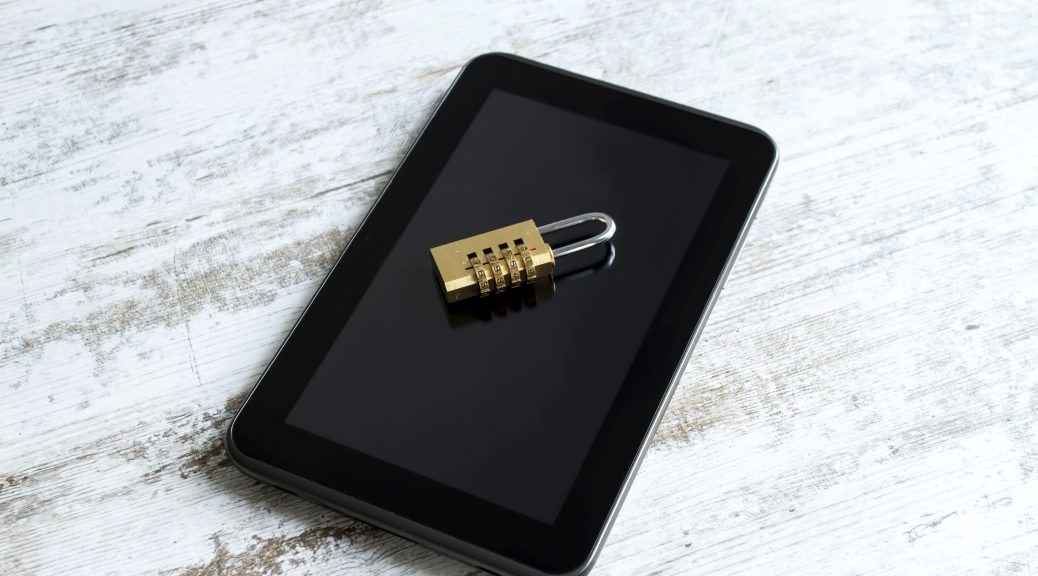
Eight everyday security tips for the whole family

family-EN

From the youngest to the oldest in your household, every member of the family uses the Internet and apps to inform, entertain and maintain contact with their loved ones. This Sunday, May 15th, is International Day of Families and to celebrate, here are some basic tips to keep your family safe while navigating the web.

Updates

Make sure that your operating system and programs or applications are updated properly. Manufacturers often fix vulnerabilities that are appearing, but the only way to make sure your software is “patched-up” is by using the latest version.

Email Attachments

If you get an email that looks suspicious, do not open it until you are sure that the sender is who he claims to be. If you receive unknown messages, do not download the attachments! Even those documents that appear harmless (such as a Word or a spreadsheet) can hide malware. A simple photo might not be what it seems.

Public Wi-Fi

Prevent connecting to public Wi-Fi networks.  Any cyber-delincuent  could use the network as a trap to access your device and steal your information.  If you must use a public network, you should follow these basic security tips.

Online Shopping

While searching for the “best deals” online, we can end up on some unreliable and unknown websites.  Stay away from them! Always verify that the website address matches the webite you are trying to access and that it starts with “https”.  If you always buy on reputable website you will avoid greater evils.

Social Networks

Do not accept friend requests from strangers or allow your children to do so. Try not to share your personal data (like your phone number or address)across platforms like Facebook, Twitter or Instagram, because you can never be certain who is on the other side or spying your conversations. It’s better to be safe than sorry.

Anti-virus

A good anti-virus is the best barrier that you can put between your computer and possible cyber-attackers. Each day, new vulnerabilities are discovered. Only the security experts are aware of them and can update the protection measures when there is a threat.

Parental Control

There are always threats on the network targeted towards young internet users.  Educate the children in your family about proper internet usage and how to recognize unusual behavior.  Teach them what they should do in a difficult situations and always install a good parental control system, like Panda solutions.

Keep Them Little

It is normal, if not inevitable, that your children use social networks or messaging programs like WhatsApp, Snapchat, and Facebook Messenger to speak with their friends. These services can be beneficial or entertaining, but are not 100% danger-free.  Beware of cyber-bullying and the danger-strangers that lurk behind the disguise of a screenname. And for those older members of your family, you should educate them about the dangers of sexting.


The post Eight everyday security tips for the whole family appeared first on Panda Security Mediacenter.

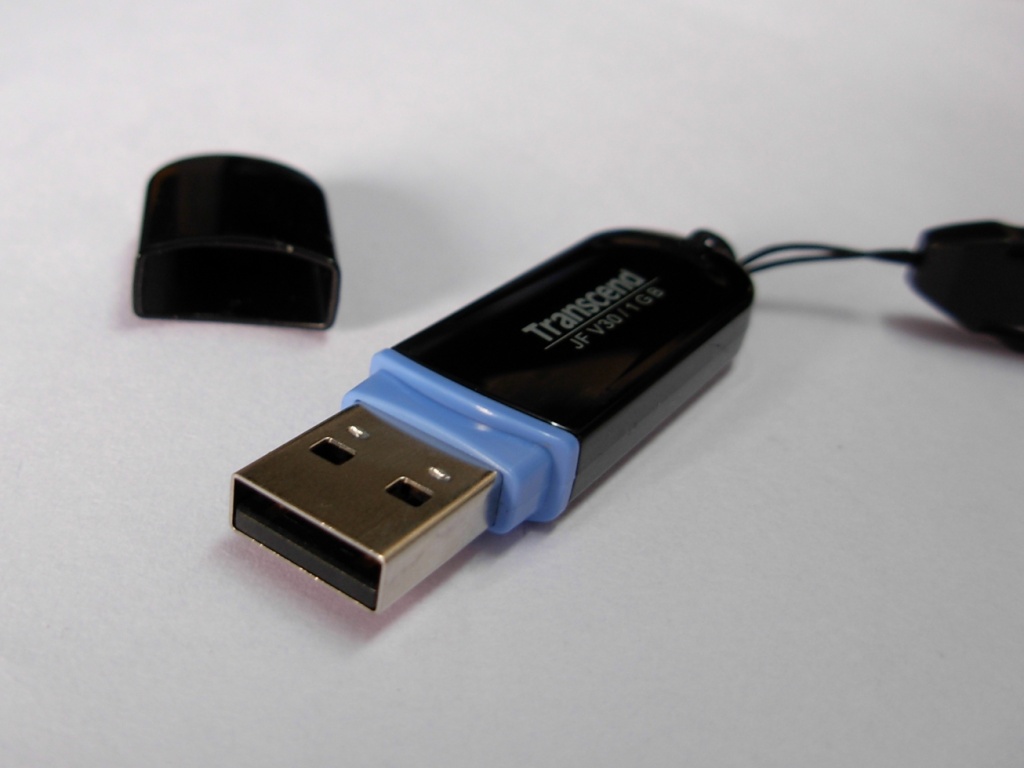
If you find a USB stick, resist the temptation to open it

pendrive1


Beware of infected storage devices: USB flash drives, Floppy disks, CD-ROMs

Classic tricks never go out of style. A favorite trick in the cyber-crime world is done by infecting USB flash drives (or whatever method of storage that is used at the time… remember floppy disks and CD-ROMs?) to cast a malicious program onto the victim’s computer by taking advantage of our biggest human weakness: curiosity.


Maybe you think that there are only few who would fall into these traps, but the truth is that it’s a common occurrence. A group of researchers from the University of Illinois tested people’s “curiosity” and came up with an interesting conclusion: almost half took the bait.


Curious by nature

The study’s author spread 297 USB flash drives across campus to see what would happen. Almost half of the devices (48%) ended up in the USB port of someone else’s computer. Most of them later claimed that they plugged-in the USB in order to find its rightful owner and return it to them (68%). 18% admitted they did it out of curiosity.


The most alarming is not the number of people who fell into the temptation to look at what was stored on the device, but that they would look without taking proper precautions. Only ten people analyzed the USB stick using an antivirus.


Only ten people used an antivirus while

examining the contents of the USB stick


The five most naive victims admitted that they completely trusted their perating system, which unfortunately, was too hopeful. As the prestigious security expert Bruce Schneier stated, “the problem isn’t that people are idiots […] The problem is that operating systems trust random USB sticks.”

The post If you find a USB stick, resist the temptation to open it appeared first on Panda Security Mediacenter.

Tips to help shield your reading devices

PandaSecurity_World_Book_Day

Today, April 23rd, we celebrate World Book Day. Literature has evolved greatly in recent times, both in the way we enjoy it and the way we consume it. How we read, in the digital realm, has changed. In today’s on-the-go society, it is becoming less and less common for people to use paperbacks or hardcovers, and is becoming more and more common that we use many different platforms to enjoy reading. Now we read from our smartphones, tablets, eBooks … Electronic ink has been imprinted in our lives. We read everything and anything from short stories to novels, the news to blogs… we turn them into trending topics. We even share excerpts from the books we read on social media. Stories become viral thanks to transmedia storytelling and techniques.

Not only are we seduced with words, but audiovisual content plays a very important role in grabbing our attention. New technology enriches our reading, using videos or photos to interact with the reader. We live in the era of Branded Content. Struggling brands position themselves in a way that seems “organic” in the minds of consumers by offering unique and high-quality content. Now we are fluent in a new language, digital language, and the language in which today’s literature is based on. We write simpler and add hyperlinks. Digital writing is intended to be enjoyed only on-screen, 100%.

Tips to safeguard your reading device

We often forget that a computer virus in Windows can be passed to a smartphone whether it’s an iOS or Android, and a lot of these viruses can even infect our eReaders. To prevent malware from damaging our reading device, whatever it is, we must follow these guidelines:

1- Beware of USB ports: we must first analyze anything that can be inserted into a computer or electronic device. This is the simplest and most popular way cybercriminals can infect our devices.

2- Only buy or download eBooks from legitimate online stores or known editorial pages.

3- Beware of file size: if we introduce some eBook DRM we must be wary if it occupies more than 2Mb, as it could possibly be a virus that could damage the device.

4- Install an eBooks library manager: if the eBook is a virus or has one, the manager will alert us.

Like always, prevention continues to be the best option to help us enjoy our reading (or browsing) safely. Happy World Book Day!

The post Tips to help shield your reading devices appeared first on Panda Security Mediacenter.

your smartphone is no longer the “smartest” option

android2

Synching your smartphone and computer might increase your chances of being hacked

A classic piece of advice that helps keep email, social networks and other online services safe is by enabling something called two-step verification. This security mechanism makes it more difficult for a cyber-delinquent to access your account through two-step verification. When a different device from the “usual” one (different computer or smartphone) tries to access your account, they must enter a code that is sent to the mobile phone associated with the account in order to continue.

If a cyber-criminal is trying to get into your account, who in theory cannot access your smartphone, this two-step process makes it very complicated for him. Or so we thought.  A group of researchers from the Free University of Amsterdam showed us that this type of protection is becoming more and more flawed the better we communicate with each other using our different devices.  This means that the more computers, smartphones or devices that have access to your account and passwords, the higher your chances are of getting an account hijacked by a cyber-criminal.

The two-step verification is one of
the most popular security measures

In other words, because we are able to synchronize applications between two devices, like your computer and smartphone (and what you do in one can affect the other), the effectiveness of two-step verification decreases.


Computer android


Android and iOS, equally vulnerable

The study’s authors have showed us the possibility of installing apps offered through Android onto your smartphone remotely through the computer (accessing Google Play with the browser) or installing remotely through iTunes.

In both of the above cases, following slightly different strategies, they have managed to intercept the verification code that websites send to your smartphone through SMS when there is a two-step verification, so it is very possible that a hypothetical cyber-criminal could access your Facebook, Google or Amazon accounts—to cite just a few.

The verification code that websites
send you through SMS can be intercepted


Don’t stop doing what you’ve been doing

Just because you have found out about this vulnerability does not mean it is no longer advisable to activate this safety measure in all the services that offer it.  There will always be a few obstacles that you can put between the attackers and your personal information.

The post your smartphone is no longer the “smartest” option appeared first on Panda Security Mediacenter.

What is SafeZone Browser?

Avast SafeZone browser makes online shopping and banking more secure.

Avast has long provided an extra layer of defense called SafeZone Browser in our premium products. We are currently giving SafeZone to a select number of Avast Free Antivirus users so we can learn what they think of the browser.

Avast SafeZone browser makes online shopping and banking more secure

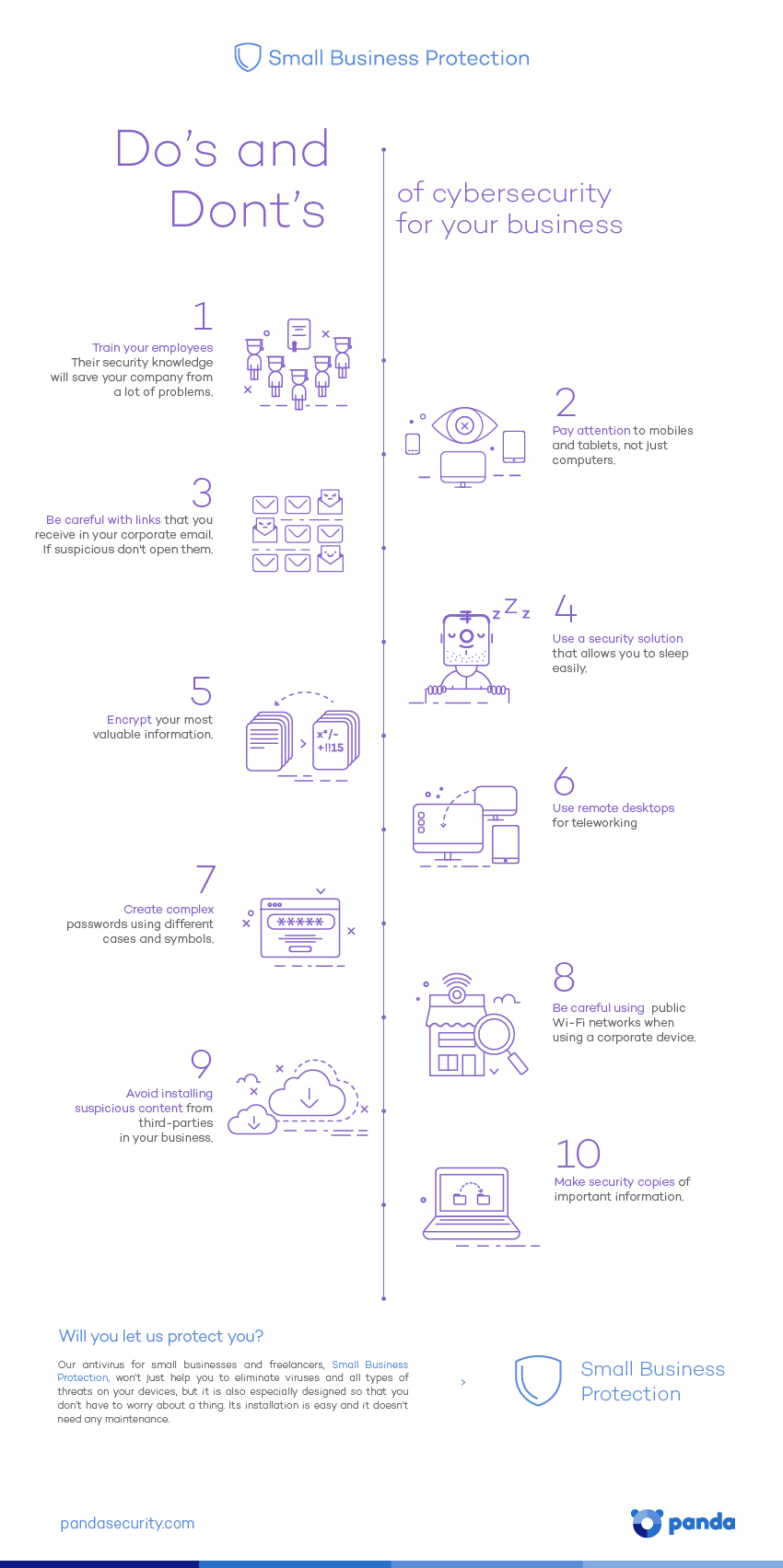
Do and Dont’s of Cybersecurity for your business

cybersecurity business


Do’s and Don’ts of cybersecurity for your business

  • Train your employees. Their security knowledge will save your company from a lot of problems.
  • Pay attention to mobiles and tablets, not just computers.
  • Be careful with links that you receive to your corporate mail – don’t open them.
  • Use a security solution that allows you to sleep easily.
  • Encrypt your most valuable information.
  • Use remote desktops for teleworking.
  • Avoid installing suspicious content from third-parties in your business.
  • Create complex passwords using different cases and symbols.
  • Make security copies of important information.
  • Keep an eye on public Wi-Fi networks when using a corporate device.

If you want to share this infographic, here you have the code:

The post Do and Dont’s of Cybersecurity for your business appeared first on MediaCenter Panda Security.

Avira’s Top Ten Internet Safety Tips

Security on a computer can be summarized as a two-way street: First, keeping the bad things from coming in and harming the device (like ransomware or viruses). Second, keeping news about your private life – with data, activities, and financial information – from leaving your device and falling into the wrong hands.

The post Avira’s Top Ten Internet Safety Tips appeared first on Avira Blog.