Tag Archives: Tips

Simple tips on how to make every day a Safer Internet Day

safer internet day

Nearly everyone browses the Internet on a daily basis, be they children or adults, and although we work hard on making every day a safe day, it’s never too late to remind ourselves of the possible risks associated with browsing online.

Tomorrow, February 9, is Safer Internet Day and to celebrate it we have compiled 10 tips that you should keep in mind when using the Internet.

Simple tips on how to make every day a Safer Internet Day

  • Never share personal information on social media, instant messaging apps, or chats. You never fully know who is can see these messages so, because of this, don’t accept requests form people you don’t know. Also, try to avoid giving out personal details such as phone numbers, addresses, personal photos, and other private information unless it is someone you know and trust.
  • Always be nice. Treat people online just as you’d like them to treat you. If you see any comments or actions that you don’t like, mention it to your parents, teachers, or someone you trust in – they’ll know what to do. Don’t participate in this kind of behavior, even if you’re not the victim.
  • Say to your children that if they have doubts about surfing the net they should speak to you or another adult figure.
  • Be careful with attachments. If you use instant messaging or email then you will know that it is common to get emails or messages from unknown sources with attachments or links. It’s best not to click on these links, but rather type the address into the address bar. Also, be careful when accessing trailers for films, ads or downloading games.
  • Use secure passwords. Having different passwords for different accounts, which you should be changing frequently, is a great way of protecting yourself from cybercriminals. If you detect something odd, report it immediately!
  • Learn to recognize scams. These online methods of deception are well known, but be suspicious if someone tries to convince you that you’ve won a lottery that you never even entered. Your bank won’t ask you for access codes by email, either. A good antivirus is able to detect these threats and, along with some basic security knowledge and common sense, you can rest assured that you can avoid falling for these traps.
  • Security awareness and parental control are best way to be safe online. It’s important that you know the risks that your kids are exposed to online and that you educate them about what to do in certain situations. A good parental control system will help you to ensure that your kids have a safe and fun experience online.
  • Protect your PC with a reliable security solution. By always keeping your PC protected with a modern security software and you can also ensure the safety of all your family online. If you haven’t got an antivirus installed, try out our free antivirus.
  • Be careful with public Wi-Fi networks. Everyone has used these open networks at some point, be it in a café or a train station. Sometimes it isn’t avoidable, so when you do use them be sure to take extra measures to protect yourself. Always look for the lock symbol in the address bar and avoid carrying out any financial tasks.


The post Simple tips on how to make every day a Safer Internet Day appeared first on MediaCenter Panda Security.

How to spot if an ATM has been tampered with

Panda_Security_Ciberdcriminals_atm

After a period of relative calm, ATMs have fallen back under the spotlight of cyberattacks. The change from traditional credit and debit cards (those with the magnetic band) to integrated chip cards, which are more difficult to copy, along with changes to ATMs themselves, has caused a rush among cybercriminals to take advantage of current vulnerabilities before they disappear for good.

As a consequence of this, there has been a marked increase in the number of illicit activities of this sort in recent months. According to FICO, a security company that monitors 65% of all ATMS in the United States, the first four months of 2015 saw the highest number of attacks on cash machines in over twenty years.

The solution to this increase in attacks isn’t to become alarmed and avoid using ATMs, but rather use them with caution and follow a few simple pieces of advice.

Try to guess if an ATM is dodgy

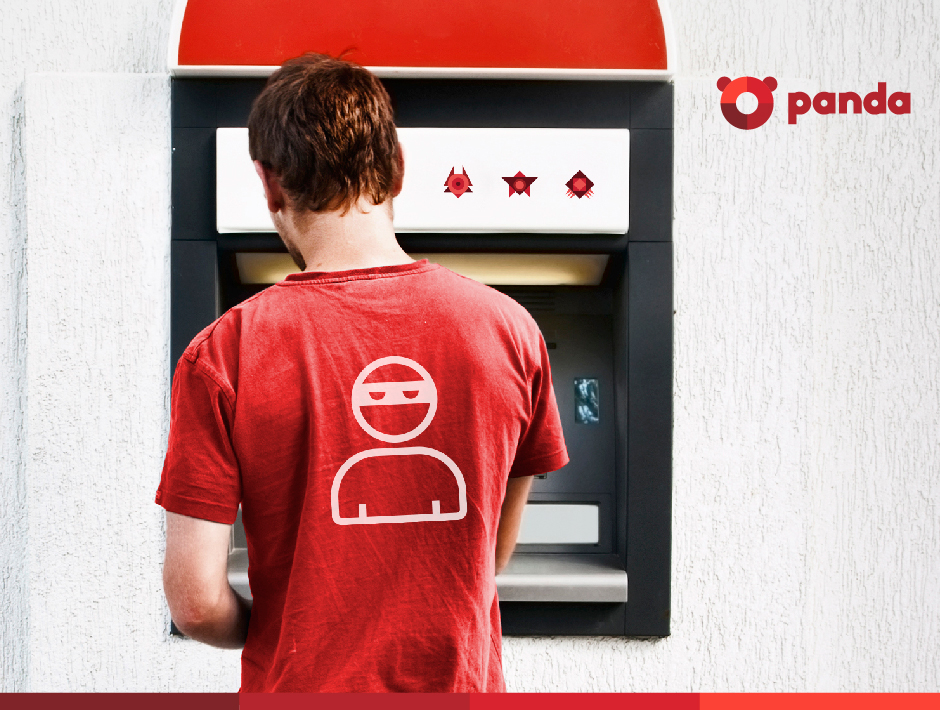
The most common modification technique used with these machines is a method known as skimming, which consists of installing a small device in the slot where the card is inserted which copies the information on the magnetic band. This information is later used to make duplicate cards of to carry out online transactions without the victim knowing.

Knowing that a machine has been tampered with isn’t easy as the skimming devices are usually well hidden. However, there are some things to look out for when checking to see if it is safe to withdraw cash. First of all, take a look at the card slot and the area around it – if you spot any marks or scratches then it’s likely a device has been planted there. Also, check that the little light that usually operates on the card slot is working.

If the light is turned off or you suspect that something is amiss, then we advise you not to use that ATM. Cancel the transaction (if you have already started it) and don’t try to remove the skimmer yourself (advise the staff in the bank instead).

The following video will help you to look for signs of skimming devices:

Hide your PIN

If they’ve managed to get your card information and want to clone it or use it to make online purchases, the cybercriminals will also need your PIN, which they can get in a few different ways. The first, and most obvious way, is by looking over your shoulder while you’re at the machine. This is why it is important that you cover the keypad with your hand when entering your PIN, as it will also avoid your code being picked up by a camera hidden on the machine.

Make sure that you have a PIN that is difficult to guess (don’t use simple combination such as 0000, 1234, 1111, or 999, nor ones based on dates of birth or telephone numbers) and never have it written down. For your own security, it’s best that you just memorize it.

Before taking out cash, take a look around you and see if there are any suspicious looking characters in the area. Never accept any help from a stranger during a transaction, no matter what happens. If your card becomes stuck in the machine, or the cash doesn’t come out, don’t accept any assistance, as it could all be part of a trick set up by the attacker. If you find yourself in this situation, the best thing to do is call the bank and remain at the ATM, turning down any offers of help from strangers.

Panda_Security_Security_ATM

Choose the right ATM

Whenever possible, use an ATM that is inside the bank rather than one that is on the street. Try to avoid bank machines that are located in transport hubs and shopping malls, as these are easy targets for criminals.

According to FICO, attacks on machines placed inside banks have increased by 174%, which is alarming in itself, but pales in comparison to the 317% increase in attacks targeting other bank machines. Wherever there is a lot of light, security cameras, or people passing by, is where it is least likely that the criminals will try to tamper with a machine.

Finally, always keep a copy of your receipt from the ATM and keep a check of movements in your account. If you spot anything suspicious, get in touch with your bank immediately so that they can resolve it. Some banks have a maximum time limit to resolve these problems, so don’t let too much time pass.

The post How to spot if an ATM has been tampered with appeared first on MediaCenter Panda Security.

Afraid you might have a virus? Analyze and disinfect your PC for free with Panda Cloud Cleaner!

malware computer

It might be that you’re too trusting and haven’t installed an antivirus on your PC, or that your license has recently expired, or that you have an antivirus but it doesn’t guarantee maximum protection and… maybe you’ve been infected!

If you notice that the performance of your computer has changed, or that simple tasks that previously worked fine are now running incorrectly, it’s likely that some type of malware (virus, Trojan, work, etc.) has installed itself on your PC.

How do I know if my PC is infected?

At Panda Security we make user security our priority, even those who don’t use our antivirus. This is why we offer a free tool that can analyze your PC, determine if it has been infected, and eliminate any type of malware that may be lurking on it.

You can download Panda Cloud Cleaner for free here.

disinfect pc

Why should I use Panda Cloud Cleaner on my PC?

  • It’s a tool that has been specifically designed to eliminate spyware, malware, and all types of viruses. It won’t miss a thing!
  • It’s lightweight and easy-to-use. It will only take a few minutes to download, install and analyze your computer.
  • It updates in real-time thanks to Panda Security’s Collective Intelligence. It learns from each analysis!
  • It continues working in offline mode (without Internet connection), no matter how aggressive the malware may be. You can leave it installed so that it’s there when you need it the most. 

Although it’s a very useful tool, you should keep in mind that Panda Cloud Cleaner isn’t an antivirus. It doesn’t protect you against new attacks, but rather eliminates the malware that is already on your PC. This is why we recommend that you use it in conjunction with an advanced security solution.

The post Afraid you might have a virus? Analyze and disinfect your PC for free with Panda Cloud Cleaner! appeared first on MediaCenter Panda Security.

10 tips to avoid unwanted surprises this Christmas

christmas gifts

Christmas is around the corner and with it comes the usual round of parties and celebrations. This means that our spare time is taken up more than usual, which has an effect on how we complete our gift shopping. The easiest way around this for most is to take to the Internet, avoiding the queues and stress of the stores, in search of those last minute presents.

However, the speed and efficiency of online shopping isn’t the only thing we may experience as this time of year is prime season for cybercriminals and scams, owing to the sheer quantity of activity taking place online. For this reason, we’ve got some tips to help you avoid any nasty surprises.

Also, because taking precautions shouldn’t just be confined to December, nor to online shopping, we’ve filled out the following list of recommendations with some tips regarding how to stay safe when using some of the new technology you might find under the tree this year.

10 tips to avoid unwanted surprises this Christmas

1. Be wary of your cards

Services like PayPal are highly recommended as they encrypt all transfers. If you use them in conjunction with a credit card, you will double your protection if you add in the antifraud used by banks. Anyway, if you only use a credit card, be sure to use just one so as to minimize any potential risks.

2. Pay attention to your browser

Despite always being advisable to surf on secure websites, it is even more important at this time of the year. Only make purchases on known platforms that use authorization services to complete transactions.

amazon

3. Manage your passwords

Make sure that your passwords are secure. During the days leading up to Black Friday, many Amazon users received emails that advised them that their passwords has been reset because someone has tried to access their accounts.

4. Bargains and scams

Don’t trust emails that arrive in your inbox claiming to offer you discounts and deals, especially if they come from unknown sources. The links might direct you towards fraudulent pages where a malware could install itself on your computer.

5. Games and privacy

Recently, a group of cybercriminals hacked the servers of VTech, a manufacturers of electronic games such as tablets, computers, and dolls). They stole information belonging to five million customers, including photographs of minors. Although the company assures us that the theft hasn’t affected credit card details, the hack serves as a reminder that we should be careful with information that kids and parents share on technological devices.

6. Drones

These remote controlled flying machines are all the rage at the moment and there’s a high chance of one being under the tree in your home. Where you give or receive one, keep in mind that just like any other electronic device, they too can be at risk. They are easily manipulated, which can cause them to veer off course, so it’s best to use them in places where there is no risk to third-parties.

7. Watch out when using public Wi-Fi

Don’t fall for the temptation to purchase online when you’re connected to public Wi-Fi. Avoid carrying out anything related to your bank as your device won’t be protected against any attacks – cybercriminals can follow your steps on the network and spy on communications carried out on different pages.

smartwatches

8. Time to take precautions

Smartwatches are another present that many of us will give or get this Christmas. The sensors that are built into them obtain user information which most of the time is stored on the cloud, not to mention the separate information that the applications store. Make sure that the model that you have allows you to block the screen, be sure to choose good passwords, and inform yourself of encryption measures that the brand uses.

9. Keep your receipts

Once you’ve completed a purchase, save the receipts and proofs of purchase just in case there is a problem down the line. Also, take a look at your bank statement every so often to ensure that there are no unauthorized movements being carried out.

10. Information and wearables

There’s no better gift for a runner than a device that measures their physical activity and health at the same time. Bracelets such as trackers store a huge amount of information and share them with different applications. As a security measure, keep an eye on the passwords for your accounts, deactivate Bluetooth when you don’t need it, be care with what your share on social media, and read the terms and conditions of the apps that are linked to the device.

The post 10 tips to avoid unwanted surprises this Christmas appeared first on MediaCenter Panda Security.

10 Tips for Safe Holiday Travel

Preparing for a travel holiday involves a huge amount of planning. In today’s world where many things have become faster and easier to achieve with the aid of modern technology you’d think there would be less to consider when going away, but technology can actually add to the list of concerns rather than shortening it.

So before you head off on your travels, consider these 10 tech tips that can help make your holiday safer and less costly while still staying connected.

  1. Roaming Fees
    Check that your mobile is going to work internationally. Even if you don’t intend using it’s there in case of emergencies. Contact your carrier to see if they have a calling plan for the country you are visiting. For example, some phone carriers offer travel packs or roaming options for most places you might visit. Spending between $20-95 initially, dependent on location, can end up saving you hundreds of dollars expense when roaming without a plan.
  1. Controlling Data Usage
    Apps running in the background can eat away at your data and run up expensive charges without you knowing. Going through every app and adjusting data usage settings is a big task, so switching off data roaming completely and only using apps when connected to Wi-Fi is a simple way of keeping data costs under control.
  1. Wi-Fi Safety
    Using public networks in coffee shops, airports and hotels can help you stay connected, however caution should be taken when connecting to them. Avoid disclosing any sensitive information when using a free Wi-Fi hotspot, including banking, credit card information or other personal data. Consider using a virtual private network (VPN) — software that protects your data by encrypting it — so that when using public Wi-Fi networks your data can’t be intercepted.
  1. Audit Apps
    Make sure that you update all the apps on your device before leaving home. Also, take the time to remove the ones that you no longer need, they may be using valuable space, consuming power or using data in the background.
  1. Security Software
    The most important software for your protection online is an antivirus app, as it will help keep you safe when browsing for tourist information on the go. If you don’t already have one, you should install one like AVG AntiVirus for Android.
  1. Anti-theft Software
    Enable and register your device to protect it against theft. AVG Antivirus for Android has an anti-theft option that allows you to lock, locate and, if necessary, wipe your device if it is lost or stolen.
  1. Location Data
    Switch off location based services for apps that don’t need them. Posting a picture online with location data switched on can reveal to burglars that you aren’t home. It may also reveal to pickpockets and thieves your exact location and make you a potential target.
  1. Credit Cards and ATMs
    Inform your bank that you’ll be travelling and where you’re travelling to. This will avoid any transactions being declined because they’re outside of your normal banking habits.Unfamiliarity with the environment might tempt you into using ATMs in locations that aren’t necessarily safe. If possible always use an ATM at a bank. Also, watch out for devices or odd attachments on ATMs — they might be devices that criminals use to skim (copy) your card.When shopping try and use a credit card instead of your debit card that connects to your bank account. If you have new wireless payment cards consider getting a protected wallet.
  1. Using the cloud
    Using cloud storage for your data can be really convenient. If someone steals your device it means you can still have access to your data, be it photos, travel documents or flight itineraries.
  1. Lastly, use your instinct and have a great vacation.


What you need to know to avoid becoming a victim of Cryptolocker

While happily working on your computer getting stuff done, little do you suspect that in the background, your important files are being subjected to a military-grade encryption to which you don’t have the key.

Suddenly, a Cryptolocker alert appears on the screen—you have only days to pay the ransom or lose all your encrypted files forever. A countdown is already ticking on your screen.

cryptolocker

Nothing New Just A Little Better

An updated and more virulent on-line version of a very old crime – taking something you really care about or need hostage, and extorting money to get it back.

Ransomware is the term for any malicious software which restricts access to users’ devices by locking access or encrypting their important files.

Compared to its predecessors CryptoLocker employs advanced techniques as the first ransomware to request payment through Bitcoins and making use of effectively unbreakable encryption methods to reignite this aggressive sector of the cybercrime landscape and using an affiliate model to spread more rapidly than any of its contemporaries.

Growth in Ransomware & techniques

Security reports highlight the continuing increase in malware with over 230,000 new samples detected every day, and a 6-fold growth in ransomware in H1 2015 compared to last year.

The successful growth is down to the continuing release of new variants for evading security software, emails, and an “affiliate” program that offers accomplices a percentage of ransom payments in return for flooding cyberspace with higher-quality phishing messages.

How Cryptolocker works

CryptoLocker is generally spread through visits to infected websites, social media or phishing emails using social engineering techniques.

So the victim may receive an email purporting to be from a logistics company or your bank. With a password-protected ZIP file containing either a double-extension file such as *.pdf.exe, making it look innocuous or more recently a resurgence in macro-enabled Word documents.

As soon as the user runs the file it encrypts valuable files using an asymmetric encryption algorithm that only the cyber-criminal can provide the unlock key for. All files on local and network drives are vulnerable.

When Cryptolocker has finished encrypting files it will then display the ransom message to the user with details of how to pay and a countdown timer.

Cryptolocker is far worse in a corporate environment as single infected computer will also encrypt files on the file server. Even worse, some organizations use a file-server drive as a shared backup drive for multiple users, meaning that all online backup files could be encrypted too.

You’d think it would be simple to track down the criminals given that they’re taking a ransom, but it’s not that simple. Since CryptoLocker demands payment through wire transfer, premium rate text messages, and Bitcoins, it’s much more difficult to follow the money.

The ransomware business has proven to be profitable returning millions in revenue. So much that there are even specialist variants such as TeslaCrypt which locks and acts like CryptoLocker but focuses on encrypting file types associated with video games and music elated software.

An ounce of prevention is worth a pound of cure

The threat of ransomware and data loss can be reduced by following these simple steps:

  1. Update – Windows and other applications such as Chrome, Firefox, Flash Player and the Adobe Reader and even WinRAR are known gateways for malware threats. By keeping them up to date the threat opportunity is reduced.
  2. Backup – Make backup copies: Make regular backups of all your important files – from your photos to your tax documents.

Backup options are now more cost effective than ever with one-press backup boxes for consumers, various solutions for businesses and cloud-solutions for all. This will not only mitigate damage caused by malware infections, but also hardware failures and other incidents as well.

  1. Secure – For consumers a reputable security solution with antivirus and firewall plus additional layers on top such as; Antiexploit, Application Control to stop your files being encrypted and Process Monitor to increase visibility of unknown applications is required.

Businesses provide a higher profile target for Ransomware so in addition to Endpoint Protection, they should also be considering Endpoint Detection & Response solution such as Adaptive Defense 360 which ensures 100% application trustability.

cryptolocker protection

  1. Be Safe – Despite being around for several years many people are not aware of Ransomware, make sure people know about the virus before they get infected.

Educate users on safe behaviour such as being particularly wary of emails from senders you don’t know, especially those with attached files, and websites which require you to download an add-on to view information or a video.

Be careful where you click. Not all websites are safe and some hide nasty surprises. If your browser says that something’s not right, then pay attention to its warning.

Data lost, what should you do?

It is not recommended to give in to this type of extortion, it will simply encourage these criminals and other to continue developing these Trojans and techniques.

The post What you need to know to avoid becoming a victim of Cryptolocker appeared first on MediaCenter Panda Security.

How Christmas lights and other appliances slow down your Wi-Fi

christmas lights

You know the routine: you’re sat at home, trying to relax by watching a series online or by trying to get some work done. However, your Wi-Fi connection that you pay so much for is slow, unreliable, and likely doesn’t reach every part of your home with a signal strength that you’d like.

So, what is the problem? You’ve called the provider and they’ve confirmed that the connection is working as it should be and you have made sure to close unnecessary tabs to ensure you’re not taxing the signal too much. Still, you find yourself having to strategically locate yourself around the house to get the best signal possible.

If this sounds familiar than the problem may be less to do with your router, and more to do with your home and the objects, or barriers, that are in it. Following a study by Ofcom, a UK regulator, which stated that Christmas fairy lights could be behind slower Internet speeds in the home, we’ve laid out a few of the main causes for interference with your Internet connection… and some of them may be surprising to you!

Reasons why your home Wi-Fi signal is slow and how to improve it

1. Household appliances

Microwaves are the worst of the lot, as it’s basically a metal box that when turned on uses high-powered microwaves at around 2.4GHz (the same frequency as Wi-Fi) creating a black hole around it for Wi-Fi signals.

Other culprits include ovens, freezers, fridges, washing machines, dishwashers… you name it. If it’s metal and has liquid-filled pipes in it, it’s going to kill your Wi-Fi signal.

2. Cordless telephones, televisions, speakers

In most cases people have their router placed near the telephone, which is hard to avoid, but they both work off the same frequency and this can prove to be detrimental.

The same goes for televisions, which on their own aren’t bad, but when placed directly near a router have a negative effect on its performance. The same goes for speakers, which are basically just electromagnets.

3. Piping and insulation

These are pretty much unavoidable in the home, but water-filled pipes absorb any signals and insulation pretty much does as its name suggests, and insulates a room from external forces, including Wi-Fi signals.

4. Your neighbor’s router

Depending on how close your router is to someone else’s, there can be a direct effect on its performance. This might prove to be even more problematic if you live in an apartment, as you could be exposed to different signals from all sides. This means that the more interference that there is, the more your router ups its broadcasting, which causes your neighbor’s router to do the same… which just perpetuates the problem.

5. Humans

Yes, you too are a problem! We humans are a fantastic absorber of Wi-Fi, so that’s also something to keep in mind when lamenting the poor performance of your internet connection.

Luckily, there are a few things you can do to try and improve your Wi-Fi, but short of turning your home into a Faraday shield which would also mean no telephone or FM connection, none will guarantee a perfect signal strength.

6. Place your router in the center of your home

A router transmits the signal in all directions, so it makes sense to have it at the center of the home. Unfortunately this isn’t always possible due to the cables that come with it.

7. Check your cables

In general, a shorter and higher quality cable will mean a faster connection speed. Also, it is better to use Ethernet cables from your modem to a separate router than run long phone cables.

8. Invest in a new router

There’s no need to break the bank on a new, fancy router, but some of the newer ones on the market offer a notable boost in signal and speed.

9. Change your Wi-Fi channel

Your router may do this automatically, but if you change your Wi-Fi channel you may find that there is less interference from other routers near to you. Any two channels separated by five or more do not overlap.

As always, we recommend you take precautions to ensure that not only is your Wi-Fi connection working to the best of its abilities, but that your privacy is also secure, so always use a good Wi-Fi protector and monitor to ensure that nobody can access your network.

The post How Christmas lights and other appliances slow down your Wi-Fi appeared first on MediaCenter Panda Security.

Universal Children’s Day: 7 Tips to Protect Your Child on the Internet

Universal Childrens Day

Today is Universal Children’s Day, a day set aside for everyone to protect and defend the rights of children. But do we know how to protect children from the dangers involving the Internet and new technologies? It’s important to defend their rights and their innocence in the online world.

The internet is a world known by the children and they must know how to handle it perfectly. Its domain of social networks, search engines, forums… In many instances children have a stronger understanding than that of their parents; therefore they sail along them without excessive parental control. There are many cybercriminals and stalkers who take advantage of this situation to take advantage of children, who are unaware of the dangers they face on almost all occasions.

Pornography, harassment, theft of data and identity… There are many threats facing children online. Through the computer, tablet, online games or mobile phone, children should know how to recognize and react to these situations.

How to Protect a Child’s Online Enviroment

Childrens on Internet

1. Education

It is the cornerstone for training minors, but the dynamic growth of the online world makes it even more essential in this case. However, the little knowledge that parents know about the network causes education to be poor. What is Facebook? What is Tuenti? Should my child chat online with strangers? These are the questions that are asked on several occasions by parents who do not understand this new kind of social environment 2. 0.

Parents must teach their children how to create their online personality, just as they teach them how to behave in real life. There are some values that they should maintain in both worlds: do not to speak with strangers, do not to show an image of you that could be later used against you, do not to give personal details to people you don’t know … Web education and teachers are great the resources that parents who feel lost in this world can use.

2. Control the Hours Spent Online

In today’s work, the social relationships online compete against offline social relationships. All children should learn to disconnect, so they can continue to enjoy a conversation or a real life experience, away from the world 2.0.

3. Show Network Hazards

Sometimes overprotection hinders children from really knowing the threats that face them. Actual cases of harassment, espionage, identity theft, blackmail, etc will happen to those that are less aware threatening situations.

 4. Who Does My Child Talk To?

Parents try to preserve the privacy of their children, but the truth is that you we need to know whose talking and what they’re saying. Just as in real life, a child must know to distrust a stranger who approaches them, they must also learn that these type of people exist and are duplicated within the online world.

 5. Which Photos Should Be Uploaded to the Network?

It’s easy to control the clothing and appearance of children in real life, but do we know what pictures up of them are up on the network? We must remind them of the danger of over-exposure on the Internet. This issue is complicated because in many cases, not even the parents themselves are aware of the consequences of particular photographs up on a social network.

6. Where Does My Child Go Online?

There is certain web content that a minor does not have to see. Since it is impossible to control which pages your child is browsing on the Internet, or what places can be reached via banners and ads, you should install parental control. Through this, the parent may decide which sites are appropriate for their child.

 7. Use Common Sense

Like always, if we teach our children to at least to use common sense, it can used within  2.0 world.

Have you ever faced an online situation complicated with a minor?

The post Universal Children’s Day: 7 Tips to Protect Your Child on the Internet appeared first on MediaCenter Panda Security.

6 Tips for safer online shopping this Christmas

It’s the end of the year and that means the festive season is almost here! Many of us will be buying gifts for our friends and loved ones, and many of us will being doing it online — it’s convenient, less hassle and there are some great deals to be found.

Scammers don’t take holidays. Unfortunately they’re especially busy during the holiday season targeting unsuspecting online shoppers who are eager to snap up Christmas bargains.

Here are a few things you can do to enjoy safer online shopping this season.


1. Buy from reputable and trusted stores or sellers

When shopping online you should try and purchase from trusted or well-established online stores or marketplaces, and ensure that sellers or merchants have a good reputation and track record.

Some scammers take the time to set up highly elaborate and genuine looking websites, so don’t be fooled by their good looks. If in doubt, do your research — read reliable online reviews, ask around in website forums, and maybe even go that extra mile and check a seller’s business credentials.

Some e-commerce sites give you the option of using a third party payment method. This can be useful if they offer features like Paypal’s buyer protection. It means that if something does go wrong you can recover some of your money.


2. Avoid the ‘too good to be true’ offer

If you see deals or offers that are too good to be true, then they probably are — try and avoid them. Shoppers are often tempted into taking up unbelievable offers, and in doing so purchase a product that never arrives or they inadvertently divulge their private and financial details to scammers.


3. Pay securely 

When purchasing online always make sure you’re using a secure payment method at the checkout. This will ensure that the information being sent in the transaction is encrypted and can’t be intercepted. You can confirm that an online store’s checkout is encrypted by making sure there is a little lock icon visible in the address bar, followed by ‘https’ and not ‘http’.


4. Avoid upfront payments or fees

You might receive an unsolicited email saying that you’ve received a prize in a competition or a parcel that needs to be delivered, but to receive it you first need to pay an administrative fee or extra postage. Be very wary! Don’t give out any details or pay any fees upfront to claim a ‘free’ item from someone via an unsolicited email, message or phone call.


5. Watch out for phishing emails

Phishing emails often look legitimate and are from businesses that you would normally use — It could be a bank, online store or even a government agency.

The fake email might provide plausible reasons for you to click a link to visit a website and update your details, for example: a problem with your account that needs an update, or that you need to confirm an existing order with correct account credentials.

Be very careful. Don’t reply to the email or click any links, instead go directly to the business or organisation’s website in your browser and login into your account to verify everything is in order.

Also, remember to avoid opening any file attachments from unsolicited or unknown senders. If you do, you could be at risk of accidentally installing malware or trojans.


6. Install an antivirus solution and keep software up-to-date

You should keep all your software and the operating system on your devices up-to-date to avoid vulnerabilities that could be exploited by malicious software and hackers. If you don’t have one already, you should consider installing an effective antivirus solution to prevent viruses and malware.

AVG offers award winning antivirus protection — PC users can install AVG AntiVirus Free, and Mac users can download our free AVG AntiVirus for Mac. If you have a phone running Android, you can download AVG AntiVirus for Android from the Google Play Store, which is also free.

Happy holidays and stay safe out there.


If you or anybody you know has been affected by cybercrime fraud you can report it to:

US
Federal Bureau of Investigation, Internet Crime Complaints Center
http://www.ic3.gov/default.aspx

UK
ActionFruad – National Fraud & Cyber Crime Reporting Centre
http://www.actionfraud.police.uk

AUS
Scamwatch
https://www.scamwatch.gov.au/report-a-scam

ACORN – Australian Cybercrime Online Reporting Network
https://report.acorn.gov.au


How to avoid auto-correct fails

Have you ever sent an SMS in haste only to find that your phone has incorrectly interpreted what it thinks you meant, resulting in a bizarre or non-sensical message?

It can be frustrating, amusing and in some cases embarrassing. But don’t worry, there is way you can disable the auto-correct feature regardless of whether you have and iOS or Android device.

Disable Auto-correction in iOS on your iPhone or iPad

  • Tapping ‘Settings
  • Scroll down and open ‘General
  • Scroll through the options and open ‘Keyboard
  • You should see the ‘Auto-correction’ option, tap to switch it off.


Disable Auto-correction/Auto-replace on Android

Some versions of Android may differ and your screen options might look a bit different, but in general the feature Auto-correction/Auto-replace feature can be found by:

  • Tapping ‘Settings
  • open ‘Language & input
  • Under the ‘Keyboard & input method‘ heading, select the current keyboard—it might be ‘Android Keyboard‘ or ‘Google Keyboard‘ depending on your device setup.
  • Scroll through the options and locate ‘Auto-correct’ or ‘Auto-replace’ then tap to uncheck.
  • If it’s the Google Keyboard you’ll be given a list of options for how aggressive you’d like the auto-correction to be. Select ‘Off‘.
  • You’re all done!

For more great tips on getting the most out of your PC, Mac and mobile devices, follow us on Twitter and Facebook.