The recent Flash zero-day vulnerabilities and exploits have uncovered the relatively quiet Hanjuan exploit kit, and further exposed the dangers of malvertising.
Monthly Archives: February 2015
How to turn off Avast Mobile Security’s Anti-Theft Siren
Avast Mobile Security includes many handy anti-theft features that can help you locate your stolen or lost phone. You can wipe it remotely, it informs you if your SIM card has been stolen, and even allows you take pictures of the person who took your phone. Another cool feature of Avast Anti-Theft is the siren. I decided to test the siren with my friend, who had just downloaded Avast Mobile Security, to see how it could affect a phone thief.
What does the Avast Anti-Theft siren do?
The Avast A nti-Theft siren was developed by the Avast mobile team to be activated when you either lose your phone (even if it is misplaced in your room and on silent) or if it gets stolen. The siren continuously and loudly says the following, by default, when activated: “This device has been lost or stolen!”. In the advanced settings of Avast Mobile Security you can customize what message the siren will sound, if you do not want to use the pre-set message. You can do this under “Select Sound File” or “Record Siren Sound”.
The siren is designed to frighten phone thieves, or to warn people surrounding the thief that the phone might be in the hands of the wrong person. When the first siren cycle began, we tried to turn down the volume. However, the alarm would begin again at the loudest possible volume. We then decided to see what would happen if we took out the battery, this stopped the siren of course, but as soon as we put the battery back in, the siren started to go off again. To say the least, we agreed that it would effectively frustrate and annoy a thief too.
How to turn off the siren
After a minute of testing the app, we decided to turn off the siren using one of these two possible methods:
MyAvast: You can control your phone remotely via your MyAvast account. In your MyAvast account you can keep track of all your devices that have Avast products installed on them. From within your MyAvast account you send numerous Anti-Theft commands to your phone, including activating and deactivating the Anti-Theft siren. Once you are logged into your MyAvast account click on the name of the mobile device you want to control and then click on the siren symbol. From there you can send a command to turn the siren on and off.
SMS command: Using the Avast PIN you set up when you downloaded Avast Mobile Security, you can send SMS commands to your phone to remotely control it. To turn the siren off, text your Avast PIN followed by “SIREN OFF” to your phone.
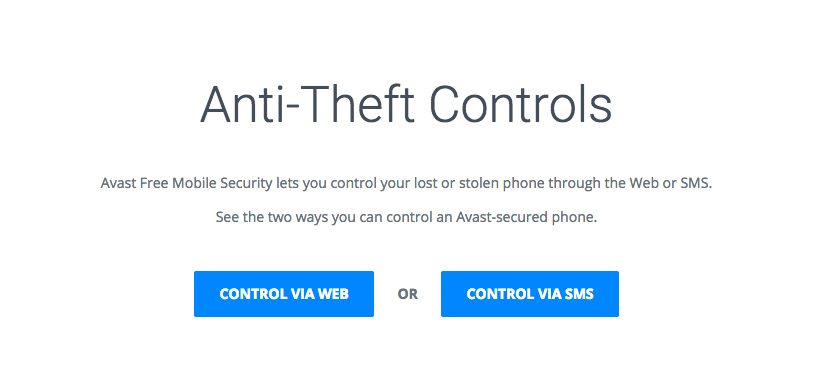
You can read more about how to set up your smartphone for remote control here on our blog and you can find a full list of the Anti-Theft controls on our website.
Have fun checking out Avast Mobile Security’s cool and handy Anti-Theft features, but, please, use caution when testing the siren 
Anthem Data Breach Could Affect Millions of Consumers
Attackers have compromised Anthem Inc., one of the larger health-care companies in the United States, gaining access to the Social Security numbers, birth dates, names, employment and income data and other personal information of an untold number of customers. The company says it is not sure yet how many customers are affected, but Anthem claims to […]

What are the alternatives to passwords?
Is it time for big companies – at the very least – to abandon weak password security? If so, what password alternatives are there?
The post What are the alternatives to passwords? appeared first on We Live Security.
RHSA-2015:0126-1: Critical: rhev-hypervisor6 security update
Red Hat Enterprise Linux: An updated rhev-hypervisor6 package that fixes multiple security issues is
now available for Red Hat Enterprise Virtualization 3.
Red Hat Product Security has rated this update as having Critical security
impact. Common Vulnerability Scoring System (CVSS) base scores, which give
detailed severity ratings, are available for each vulnerability from the
CVE links in the References section.
CVE-2014-3511, CVE-2014-3567, CVE-2014-3611, CVE-2014-3645, CVE-2014-3646, CVE-2015-0235
RHEA-2015:0122-1: resource-agents enhancement update
Red Hat Enterprise Linux: Updated resource-agents packages that add one enhancement are now available for
Red Hat Enterprise Linux 7.
RHBA-2015:0128-1: ovirt-node bug fix and enhancement update for RHEV 3.4.5 with RHEL 6.6 support
Red Hat Enterprise Linux: An updated ovirt-node package that fixes various bugs and contains a number of
enhancements is now available.
RHBA-2015:0127-1: ovirt-node-plugin-vdsm bug fix and enhancement update for RHEV 3.4.5
Red Hat Enterprise Linux: An updated ovirt-node-plugin-vdsm package is now available.
RHBA-2015:0124-1: chromium-browser bug fix and enhancement update
Red Hat Enterprise Linux: Updated chromium-browser packages that fix several bugs and add various
enhancements are now available for Red Hat Enterprise Linux 6.
RHBA-2015:0123-1: xorg-x11-server bug fix update
Red Hat Enterprise Linux: Updated xorg-x11-server packages that fix one bug are now available for Red Hat
Enterprise Linux 6.