Category Archives: Avast

Avast

Mr. Robot Review: m1rr0ring.qt

This week’s episode of Mr. Robot continued from where it left off last week, focusing on the show’s characters rather than hacking methods. We see Elliot struggle with himself as he figures out that Mr. Robot is his dad (who died years ago), who he has been imagining in his mind. Meanwhile, Tyrell’s world is crumbling. His wife gave birth to a baby boy, but tells him she does not want to be with him unless he “fixes things”. He then gets fired from E Corp and remains as the prime suspect in Sharon’s murder investigation. It doesn’t look like Tyrell did a very good job of fixing things, if you ask me…

Despite the lack of hacking, I did have a few questions about the final scene of the episode. I spoke with my colleague, senior malware analyst Jaromir Horejsi, who helped me better understand FSociety’s plan.

via: USA Networks - Mr. Robot airs on USA, Wednesdays at 10/9 central

In the last scene of the episode, Tyrell pays Elliot a visit. Tyrell tells Elliot about how he murdered Sharon and how surprisingly good that felt. Elliot then decides to tell Tyrell about his plan to take down E Corp. Elliot explains to him that by encrypting all of E Corp’s files, all of their financial records will be impossible to access as the encryption key will self-delete after the process completes.

Stefanie: Clearly, E Corp is in some pretty big trouble if this plan succeeds, but could something like this happen to the average user? How disastrous would it be if, for example, if my personal computer’s data were to be encrypted?

Jaromir: Ransomware is a common and nasty form of malware that encrypts data and demands a ransom, as the name suggests. We have seen many cases of ransomware on PCs and mobile devices. Encrypted data is impossible to decrypt unless you have the encryption key, which is pretty disastrous if you ask me.

Stefanie: What is an encryption key and what should I do if my data is encrypted by ransomware?

Jaromir: An encryption key is information that is needed for the functional output of a cryptographic algorithm or cipher. You can think of encryption as a vault or door that is locked and the encryption key is the key or combination to open the vault or door, and in the case of encryption, to decrypt data. If your device is infected with ransomware you can a) delete the ransomware by using an antivirus rescue disc, b) reboot into safe mode and remove it manually or c) reboot using another operating system stored on an external disc. Once this is done, you can restore your data, using your backed up files. This is why it is important to always back up your data! More importantly, you should have antivirus software installed on all of your devices — PC and mobile — to prevent ransomware from infecting your device in the first place!

We highly discourage paying ransom, as this proves to cybercriminals that their methods are effective and encourages them to continue spreading ransomware.

Stefanie: What happens to the encryption key in ransomware? Does it also self-delete?

Jaromir: If cybercriminals do their job correctly, so to speak, the encryption key should be deleted by the ransomware, similar to what Elliot programed his encryption program to do. Ransomware typically generates a key and uses it to encrypt files. The ransomware then encrypts the encryption key with the attacker’s public key and sends the encrypted key to the attacker. Once this is done,and the files on the infected device are encrypted, the ransomware securely deletes the encryption key from the infected device, meaning that the attacker is the only one who has the encryption key that can decrypt the encrypted files on the infected device.  

Thank you, Jaromir, for taking the time to speak with me. :-)

What did you guys think of the episode? Let us know in the comments below!

Infected ad networks hit popular websites

Infected ads can be dangerous to your computerIt is frustrating when your antivirus protection stops you from visiting a website that you know and trust, but these days even the most popular websites can fall prey to attacks.

This week security researchers discovered booby-trapped advertisements on popular websites including eBay, The Drudge Report, weather.com, and AOL. The ads, some of which can be initiated by a drive-by attack without the user’s knowledge or even any action, infected computers with adware or locked them down with ransomware.

Computer users running older browsers or unpatched software are more likely to get infected with malware just by visiting a website. Avast blocks these infected ads, but to be safe, please use the most updated version. To update your Avast, right-click the Avast Antivirus icon in the systems tray at the bottom-right corner of your desktop. From the menu, select Update.

“This kind of malvertising is a fairly easy way for cybercriminals to deliver adware or another malicious payload. Many websites sell advertising space to ad networks then deliver the targeted ads to your screen,” said Avast Virus Lab researcher Honza Zika. “All Avast users with current virus databases are fully protected against this attack, but those without protection or up-to-date security patches run the risk of being infected with ransomware.”

Malicious ads have appeared on legitimate websites for years now. In 2010, Jiri Sejtko, the director of Avast Virus Labs reported on ads poisoning and predicted that “The ad infiltration method is growing in popularity alongside with the web site infections. Now we are facing probably the biggest ad poisoning ever made.” In the years following, many legitimate sites have suffered this attack notably Reuters, Yahoo, and Youtube.

For a more technical explanation of how infected ad networks work, read the study done by Avast Virus Lab analysts, Malvertising and OpenX servers.

How to protect yourself from infected ad networks

Since infected ads can appear on legitimate sites that you normally visit with no problem, you have to trust your antivirus protection to do it’s job. Here are some steps you can take to protect yourself’

    1. 1. Make sure your antivirus protection is up-to-date and that you have applied security patches to software.
    2. 2. Disable Adobe Flash and Java. Cybercrooks often exploit the vulnerabilities in these services.
    3. 3. It may seem drastic, but you can even get an Ad-blocker browser plug-in to stop all ads from showing. The downside is that you miss something that could actually be useful.


Follow Avast on Facebook, Twitter, YouTube, and Google+ where we keep you updated on cybersecurity news every day.

Dark times for Android: Examining Certifi-gate and the newest Stagefright updates

Certifi-gate and Stagefright are two recent threats that have put many Android devices at risk. Photo via Ars Technica.

When it comes to security, it seems that Android has seen better days. A slew of vulnerabilities and threats have been cropping up recently, putting multitudes of Android users at risk. Certifi-gate and Stagefright are two threats that, when left unprotected against, could spark major data breaches.

Certifi-gate leaches permissions from other apps to gain remote control access

Certifi-gate is a Trojan that affects Android’s operating system in a scary way. Android devices with Jelly Bean 4.3 or higher are affected by this vulnerability, making about 50% of all Android users vulnerable to attacks or to their personal information being compromised.

What’s frightening about this nasty bug is how easily it can execute an attack – Certifi-gate only requires Internet access in order to gain remote control access of your devices. The attack takes place in three steps:

  1. A user installs a vulnerable app that contains a remote access backdoor onto their Android device
  2. A remotely-controlled server takes control of this app by exploiting its insecure backdoor
  3. Using remote access, Certifi-gate obtains permissions from others apps that have previously been granted higher privileges (i.e. more permissions) by the user and uses them to exploit user data. A good example of an app targeted by Certifi-gate is TeamViewer, an app that allows you to control your Android device remotely.

The good news here is that Avast Mobile Security blocks the installation packages that make it possible for Certifi-gate to exploit the permissions of your other apps. Breaking this down further, Avast Mobile Security would block the package before the action in Step 2 is carried out, making it impossible for a remotely-controlled server to take control of an insecure app that contains a vulnerable remote access backdoor.

Google’s Stagefright patch can be bypassed

We’ve already told you about the Stagefright bug, which has exposed nearly 1 billion Android devices to malware. Whereas Certifi-gate uses Internet access to control your device, Stagefright merely needs a phone number in order to infect users.

Due to the scope and severity of this threat, Google quickly put out a security patch that was intended to resolve the Stagefright issue once and for all. Unfortunately, it hasn’t been fully successful — it’s possible for the patch to be bypassed, which leaves Android users with a false sense of security and a vulnerable device.

As Avast security researcher Filip Chytry explains in his original post examining Stagefright, Avast encourages users to disable the “auto retrieve MMS” feature within their default messaging app’s settings as a precautionary measure. You can read our full set of instructions for staying safe against Stagefright in the post.


Follow Avast on Facebook, Twitter, YouTube, and Google+ where we keep you updated on cybersecurity news every day.

ASUS selects Avast SecureLine VPN to offer secure browsing to users

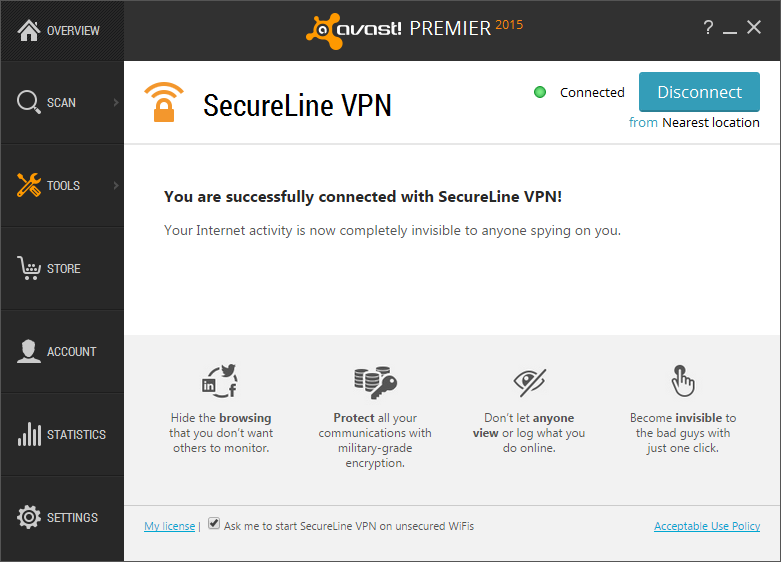
Avast SecureLine VPN anonymizes your browsing and makes your logins, emails, instant messages, and credit card details invisible.

Avast SecureLine VPN anonymizes your browsing and makes your logins, emails, instant messages, and credit card details invisible.


We’re happy to announce that Avast SecureLine VPN will now be preloaded onto ASUS notebooks. Avast SecureLine VPN is now being made available on the company’s popular notebooks worldwide (with the exception of China), making it possible to provide users across the globe with a secure online experience by protecting them from hackers and other vulnerabilities.


 Avast SecureLine VPN on ASUS devices gives consumers peace of mind, knowing that their sensitive personal data and information is protected and they can browse the Internet safely. Our strategic partnership with ASUS allows us to bring both a high-quality product along with safety and security to consumers – something we think is essential in today’s always-on, digital world, said Avast CEO Vince Steckler.


Through this partnership, users of the ASUS X series notebooks will receive 30 days free of Avast SecureLine VPN. Customers can also look forward to a discounted renewal after these 30 days have expired. For those of you who don’t already know (and love) what Avast SecureLine VPN accomplishes, the product anonymizes your browsing and makes your logins, emails, instant messages, and credit card details invisible.

ASUS selected Avast SecureLine VPN because of Avast’s reputable brand name and popularity throughout the world – and for that, we’re grateful. In addition to being available preloaded on ASUS notebooks, you can also find Avast solutions available on Google Play and in the Apple Store


Follow Avast on FacebookTwitterYouTube, and Google+ where we keep you updated on cybersecurity news every day.

Could someone be watching you through your webcam?

A few weeks ago in Toronto, Chelsea Clark and her boyfriend we’re snuggling in their own home watching Netflix together on his laptop. This sounds very similar to what lots of people do to relax at home in the evening. What makes this story stand out is that someone was in the room with them.

covering a webcam

Some people cover the webcam with a bandage to protect their privacy

Turns out that the next day when Clark looked at her Facebook page, she saw intimate images of herself and her boyfriend from the night before sent from an unknown person. The person, identified as Mahmoud Abdul in Cairo, Egypt, uploaded the pictures with a message that said “Really, cute couple [sic]”. The pictures were apparently taken from the laptop’s webcam.

This type of story is not new. This past March, a young man turned himself into the FBI and was sentenced to 18 months in federal prison for the computer hacking of Miss Teen USA, Cassidy Wolf. He watched her through her computer’s webcam for months, and took intimate photos of her in her own bedroom. He then attempted to blackmail her, asking for money for not posting the videos and photos.

You may remember the stories we shared with you on this blog about baby monitors that were hacked in Ohio and in Texas. In both incidents, a hacker took control of the monitor and screamed obscenities and shouted abuse at the toddlers while they were sleeping.

These are stories that make your hair stand up on the back of your neck, especially when you think about the lengths we go to while securing our homes from intruders. We lock the doors and windows, we install burglar alarms and motion-sensitive lighting — all to keep bad guys out. But these days, it’s what we bring inside our house that makes us vulnerable.

How to protect yourself from webcam or CCTV hacks

  • The best defense is to make sure that your computer is always up-to-date. Update your antivirus program to the latest version and keep your virus definitions current, update your browsers and plugins and patch your software, even well-known names like Adobe, Oracle, and Microsoft. Avast Software Updater can help you stay on top of all that.
  • Make sure your router is protected. Avast Home Network Security checks your home network for security issues to help prevent attacks on your router or devices. This video explains,

  • If you have an external camera, such as a CCTV device, then do what you can to understand how it works and what security measures are in place. This may include changing the default password and settings.
  • Many people tape a piece of paper or stick a bandage over their camera when they’re not using it.
  • As always, do not click on links in emails or other messages that are unexpected or come from strangers.

Follow Avast on Facebook, Twitter, YouTube, and Google+ where we keep you updated on cybersecurity news every day.

10 ways to ensure your security while shopping online

That online shopping increases day by day is not news. If you are an average user, you are probably already aware of the normal precautions and have taken them yourself. Ease of use and convenience when browsing for different products or searching for the best prices has improved greatly. However, at the same time, online threats and frauds have also increased exponentially. Therefore, from time to time, all of us must review our behavior and think again if our habits are secure.

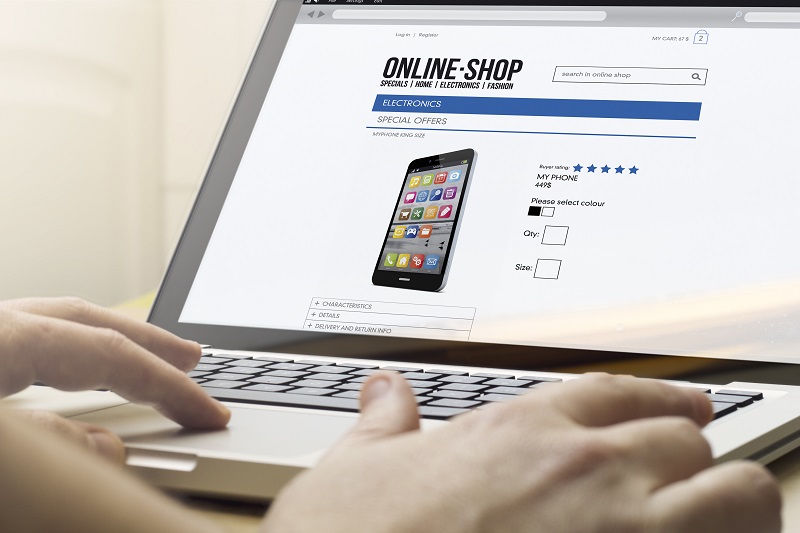
Follow a few simple tips to stay safe while shopping online

Follow a few simple tips to stay safe while shopping online

Best practices while online shopping

1. Use your own computer or mobile device when shopping. It seems obvious, but you cannot trust a computer that does not belong to you, even your best friend’s computer. It might not have appropriate protection and it could already be compromised by malware. So, always use your own device, install an anti-malware solution and before you start doing anything that involves your money, scan your network to discover if it is safe.

2. Use your own Wi-Fi connection with a strong password. You must use a non-standard password for your network and router. Router vulnerabilities and weak passwords allow cybercrooks easy access to your home network. This sounds complicated, but it’s really not. Avast Home Network Security can help you by guiding you to the manufacturer’s website. The blog post will help you understand what it does and why it’s important.

3. If you cannot avoid using public/open Wi-Fi, use a VPN to encrypt your communications, or it could be eavesdropped on and your financial data and credit card credentials could be stolen. Avast SecureLine VPN offers strong encryption for Windows, Mac, and Android devices.

4. Choose your online store wisely. Focus on the best-known ones, where you can read other consumers’ opinions and reviews. We prefer the official site, especially if you are buying apps, so you can avoid fakes or other software bundled together with what you want. Nevertheless, this is not enough. Rogue apps have been know to slip into official stores like Google Play or Windows Store. You really need to have a security app installed and updated in your device: why don’t you do it right now with free Avast Mobile Security?

5. Look for a safe site. Nowadays, all the safe sites use HTTPS protocol (you know, that little padlock in the address bar of our browser). Avast products also scan your HTTPS traffic and prevents many threats. Do not give personal information: common sense is a good security measure, why would you need to inform your birthday to the online store? Moreover, while you are browsing, take your time to check refund policies, privacy policy (what do they do with your personal data), and product guarantees.

6. Search for the best price. You may find the free tool Avast SafePrice (available as a browser plugin called Avast Online Security) useful in helping you find the best offers online in trusted stores.

7. Do not use the same password for all your accounts. You must be aware that if you have an account or have done business with any company that falls victim to a breach, hackers sell your passwords to other cybercrooks. Use different passwords in different sites and a password service.

8. Keep your own computer up-to-date. A lot of security issues start when hackers exploit vulnerabilities in the software installed in your computer. The more popular software they are, the better for hackers. Adobe, Oracle, and Microsoft are only recent examples.

9. Keep a paper trail. Print or save your transaction records; it will be easier for any post sale issue. While you have a trail, you can check your credit card statement to make sure transactions match and if there were unauthorized charges.

10. Prefer safe payment options like your credit card or PayPal. Do not send money directly to the store or vendor. Credit cards have built-in protections and you can receive a refund in case of fraud.

Follow Avast on Facebook, Twitter, YouTube, and Google+ where we keep you updated on cybersecurity news every day.

Mr. Robot Review: wh1ter0se.m4v

via: USA Networks Mr. Robot airs on Wednesdays at 9/10 central on USA

via: USA Networks Mr. Robot airs on Wednesdays at 9/10 central on USA

This week’s episode answered A LOT of questions — we met the infamous White Rose and found out why the Dark Army backed out of the planned takedown of Steel Mountain a few episodes ago, we found out why Cisco blackmailed Ollie into infecting AllSafe with malware and we (kind of) found out who Mr. Robot and Darlene really are! Although many of my questions were answered in this episode, I also found myself asking “what?” and “why?” throughout it. What is a honeypot? What is reverse engineering and why is Tyrell talking to Mr. Robot? Why is Tyrell happy about Fsociety hacking E Corp?

I turned to my colleague Ivan Jedek, malware analyst at Avast, to get some answers to my questions.

At 11 minutes into the show, Gideon has a meeting with Tyrell to tell him that AllSafe is determined to find the hackers that hacked into E Corp. He explains to Tyrell that AllSafe has air gapped E Crop’s private network, implemented a honey pot and reconfigured all firewalls. Tyrell cuts Gideon off to question the honeypot and Gideon explains that a specific server was involved in the last FSociety hack, CS30. He explains that if there is a chance hackers are in the network, honeypot will ensure they cannot cause damage. They will log in to the decoy server they set up thinking they are in they’re in E Corp’s main network — he is personally keeping tabs of all the traffic.   

Stefanie: What is a honeypot and what is it used for?

Ivan: A honeypot is a trap to catch cyberattackers. It comes from the idea that you can lure a bear by attracting it with a honey pot. As Gideon explained in this scene, a honeypot is a decoy. In this case, Gideon set up a honeypot to look like an E Corp server appearing to be connected to the company’s network. In reality, it is isolated and, like Gideon explains to Tyrell, is being monitored for unauthorized access.

At 14:26, we see the AllSafe employees frantically trying to get to the bottom of the malware attack that hit them and Elliot tells Ollie he is trying to reverse engineer the malware.

Stefanie: What is reverse engineering? Is it something that you guys in Avast’s Virus Lab do often?

Ivan: Reverse engineering is when you take something apart to see how it was built or put together. In this case, Elliot is disassembling the malware to see what it does and where it came from. We do reverse engineer malware in the Virus Lab, but we don’t wear lab coats when we do this! If we receive a virus sample that our system didn’t automatically detect, for example, then we like to reverse engineer the sample to find out how it works — then, we can create a detection for it to send to our users. Sometimes we reverse engineer malware because we find interesting or to observe how a certain malware family is progressing

During Elliot’s meeting with White Roe, Elliot learns that by targeting Terry Colby, he opened a vulnerability and raised Gideon’s suspicion. Elliot puts the pieces of the puzzle together and realizes that the Dark Army targeted AllSafe with malware to monitor Gideon, which lead to the Dark Army’s discovery of the honeypot, which is why they pulled out of the deal to take down Steel Mountain. When Elliot leaves the meeting, he is on a mission to take down the honeypot so that FSociety can access the Steel Mountain network to take down E Corp. Elliot goes back to the AllSafe office and in the meantime, Darlene has sent 100 MMS to get Gideon’s phone, which forces him to charge his phone and leave it unattended while a video made by FSociety plays in the AllSafe conference room. While everyone is watching the video, Elliot gets the security token and logs into Gideon’s account to submit a request to take down the honeypot.

Stefanie: Why send all those MMS? What is a security token?

Ivan: Elliot had Darlene send Gideon’s 100 large MMS files to overload his phone and drain his battery. This caused Gideon to charge his phone and allowed Elliot to take it while the video distracted the company. A security token is a temporary password that is sent to a device. The token helps prove one’s identity, as it is sent to a separate device. In this case, Gideon set up two-factor authentication on his AllSafe account so that an additional, temporary password would be sent to his phone whenever anyone attempted to log into his account.

Stefanie: Interesting! Do you also happen to know the reason why Tyrell and Mr. Robot met?

Ivan: That I do not know! I guess we will have to wait till next week to find out.

What did you think of this week’s episode? Let us know in the comments below!

Avast Mobile Security users can help develop a new app

We all know how bothersome finding and connecting to Wi-Fi networks in public places can be — often, we encounter frustrating roaming fees or slow connection speeds in crowded spaces. At Avast, we want Wi-Fi connection to be a safe and simple process for our users. As a result, we’re currently working on new product that will help people to detect and connect to public Wi-Fi networks without any security risk.

Introducing Avast’s new product pioneering program

We’ve recently rolled out a new feature within Avast Mobile Security called the product pioneering program. This program helps harvest nearby Wi-Fi hotspots available for users when they need to connect to public Wi-Fi networks. The feature also supports the creation and growth of our own trustworthy and up-to-date hotspot database, which we need in order to deliver information about nearby Wi-Fi hotspots to our users. As we know that Avast users place great importance on their security and privacy, we are asking our users to lend us a helping hand in collecting and identifying hotspots in their local surroundings. This requires us to request the GPS position permission of our users during the installation or upgrading process of Avast Mobile Security.

In-app notification informing users about our product pioneering program.
Opt-in message shown when users click on in-app notification.
Users have the options of opting out of the program in Settings.

Upon installing or upgrading Avast Mobile Security, users will receive an in-app notification that informs them of our product pioneering program. If a user chooses to opt in to the product pioneering program, it is only then that his or her GPS location information will actively be gathered.

How does the program actually work?

Whenever users connect to an open Wi-Fi hotspot, we will check for an available Internet connection and then anonymously obtain the user’s location along with the name of the hotspot. We will be presenting this gathered information to our users once our Wi-Fi Finder app is ready to be launched in a few months. The app will be available for both Android and iOS.

It’s important to note that our product pioneering program gathers data anonymously from users. Specifically, the program only gathers the names and rough locations of nearby hotspots.

Our users’ participation in our product pioneering program is highly appreciated. We’d like to thank each and every one of our product pioneers in advance for their aid in helping us deliver our new product! Download Avast Mobile Security for free on Google Play.


Follow Avast on Facebook, Twitter, YouTube, and Google+ where we keep you updated on cybersecurity news every day.

Understanding tech companies’ privacy policies and their effect on users

Tech companies’ privacy policies have the ability to help or hinder users.

When was the last time you sat down and read through the entirety of a tech company’s privacy policy, even if you visit the site every day?

In an article recently published by TIME in collaboration with the Center for Plain Language, a selection of the world’s leading and regularly visited tech websites were ranked in a list in relation to their privacy policies. In short, they rated the companies based on the manner in which they communicated with the public while walking them through their privacy policies. In this case, it wasn’t the actual data that these companies collect from current and potential new users that was being analyzed. Instead, this study looked at the way in which that information is brought to the attention of these users.

When picking apart a company’s policy, it’s important to think about how users can actually benefit from taking the time to read it. While that may sound obvious, we’ve all come across our fair share of unfortunate company pages (such as T&Cs, FAQs, or even About Us sections) that add up to a bunch of unintelligible language that we ultimately digest as gibberish. Regarding the level of clarity in a company’s policy, TIME writes:

Does the policy, for instance, make it easy for people to limit the ways in which the company collects their personal information? Or are instructions about opting out obscured in the policy’s hinterlands with no hyperlinks?

In addition to Google, within the list are three social media platforms that many of us use on a regular (if not daily) basis: Facebook, LinkedIn and Twitter. When taking a closer look at these four websites’ policies, it becomes clear that they approach the issue of individuals’ privacy and personal information in very different ways:

1. Google: Unsurprisingly, Google does a great job of spelling out their policies using language that users can easily understand – hence, it came in first place in this study. The Center for Plain Language concluded that by reading through Google’s privacy policy, users’ trust in the company can actually increase. Impressive, considering that most people’s trust in Google is already considerably high to begin with.

2. Facebook: While certain policies simply acknowledge that they store and analyze user information, Facebook’s “What kinds of information” section takes it a step further, breaking down each kind of interaction users have while using the site and clearly explaining which information is collected and stored while those interactions are being executed.

Photo via TIME

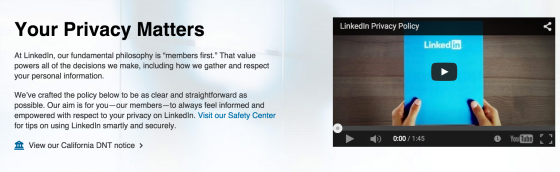
3. LinkedIn: Coming in at number three on the Center’s list, LinkedIn is an example of a company with a privacy policy that is mediocre in its clarity and messaging. However, LinkedIn does claim to have crafted “the policy to be as clear and straightforward as possible”, so the company’s third place rating could be a bit of subjective judgement call.

Photo via TIME

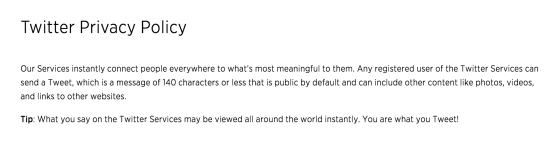
4. Twitter: Jump down to the second to last place on the list, and that’s where you’ll find Twitter. In a series of long and hard-to-read paragraphs, users are left wondering what it was that they just read when trying to pick apart Twitter’s privacy policy. This social media channel is a good example of what not to write when attempting to be transparent with audience members.

This study goes to show that it’s not only privacy policies that are crucial – it’s also important to pay attention to the way in which these policies are written and shared with users. Users should always be able to feel that they understand how and why their personal information is stored, analyzed, and/or shared on websites that they frequently use. Read the full report from the Center for Plain Language for a complete privacy policy analysis.


Follow Avast on FacebookTwitterYouTube, and Google+ where we keep you updated on cybersecurity news every day.

How to scan and remove viruses when your computer is offline

Some sophisticated viruses hide when you turn on your computer (also known as booting up your computer), and even antivirus software like Avast, with its boot-time scan feature, can be prevented from seeing it. If you believe your computer is infected with a virus, the first step you should take is to download and install Avast Free Antivirus and run an entire system scan. If for some reason you are unable to do that, and you have exhausted all other alternatives, like asking our support team for help by submitting a request online at http://www.avast.com/support, then you can create an Avast Rescue Disk that will scan, detect, and remove most malware. This bootable version of Avast attacks a virus from outside of your computer system, catching it before it hides or camouflages itself.

rescue disk

To run a virus scan when offline, create an Avast Rescue Disk.

You can create the Avast Rescue Disk from any Avast product. All you need is an uninfected computer with Avast Antivirus 2015 installed and an empty USB flash drive (make sure it is fairly new so that it supports booting) or a blank recordable CD/DVD.

Follow these easy steps:

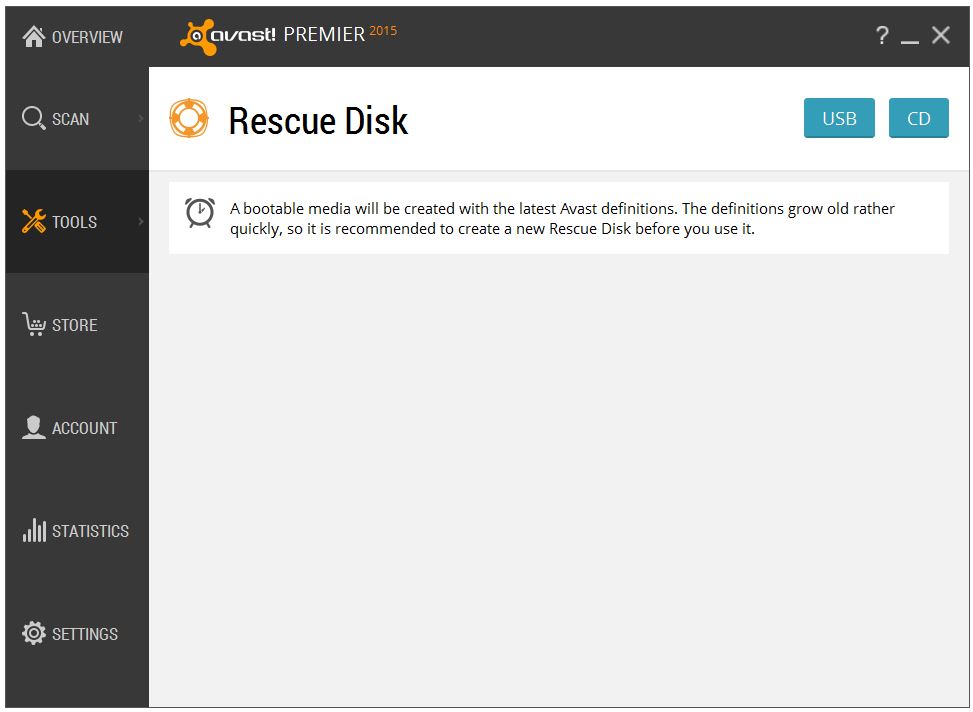
  • Open the Avast user interface.
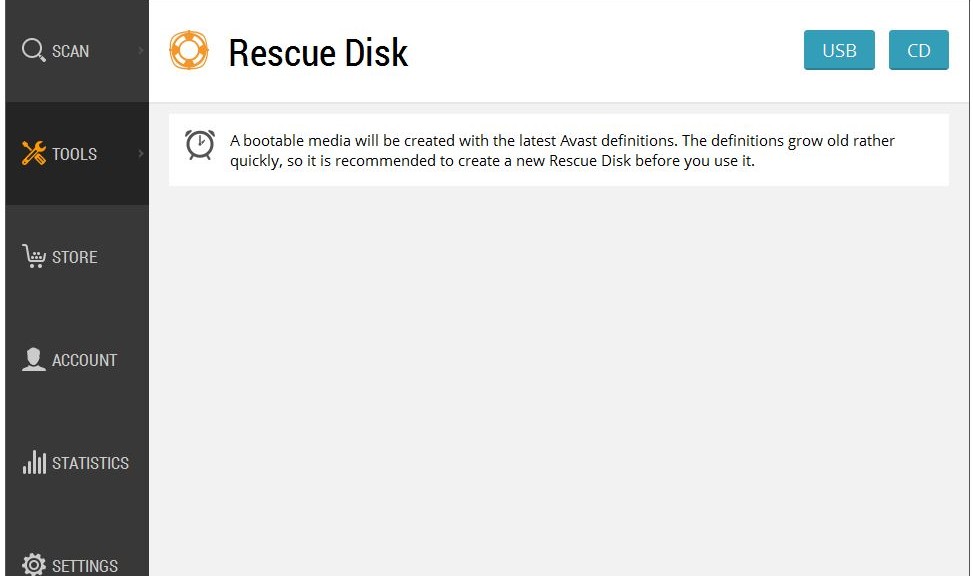
  • From the menu selection on the left, select Tools, then click Rescue Disk.
  • Choose the media type that you want to use; an empty USB flash drive or a recordable CD/DVD.
  • Follow the directions. Creating the rescue disk only takes a few minutes, depending on the speed of your computer and internet connection.

For detailed instructions with screenshots please visit our FAQ: Create Avast Rescue Disk as a bootable USB flash drive or CD.

Once you have created the Rescue Disk, plug it into your infected computer and reboot. There are a variety of ways to boot into the so-called Recovery mode; the ESC, F11 or F12 keys are the most common way to enter the boot menu. Our FAQ: Start up your computer from external bootable media with Avast Rescue Disk explains in more detail how to boot up your infected computer using the USB flash drive or CD/DVD that you created.

The Avast Rescue Disk wizard will walk you through the steps to scan for malware on your infected computer. You can choose to scan your entire computer or you can select specific folders or disks.

When the scan has finished the wizard will show you an overall results page and you will receive a scan log report listing the threats that were found. From there you may decide to repair or delete the infected files.

There are two options when a threat is found:

  1. Avast can remove the malicious code automatically. If it fails to repair the files, they will be automatically deleted.
  2. You may choose to work with the files manually. You have the choice to repair selected files or delete selected files. After you’re done, just to be on the safe side, you may want to start another scan.

Once you are done and your computer has been restarted, you can remove Avast Rescue Disk. You can also safely use Avast Rescue Disk to scan and disinfect other Windows PCs, but since virus definitions are always being added, it’s better to create a fresh Rescue Disk when needed.

Avast evangelist, Bob G. made a video about Avast Rescue Disk when it was introduced. It still works the same way, even though the Avast program interface looks a little different. Thank you, Bob, for making informative, helpful videos.