Category Archives: AVG

AVG

Three reasons to protect your Windows 10 machine with AVG

If you’re on Windows 7 or 8.1, the free upgrade to Windows 10 is quite compelling as it sports the return of the Start menu, a fresh look and some exciting new features.
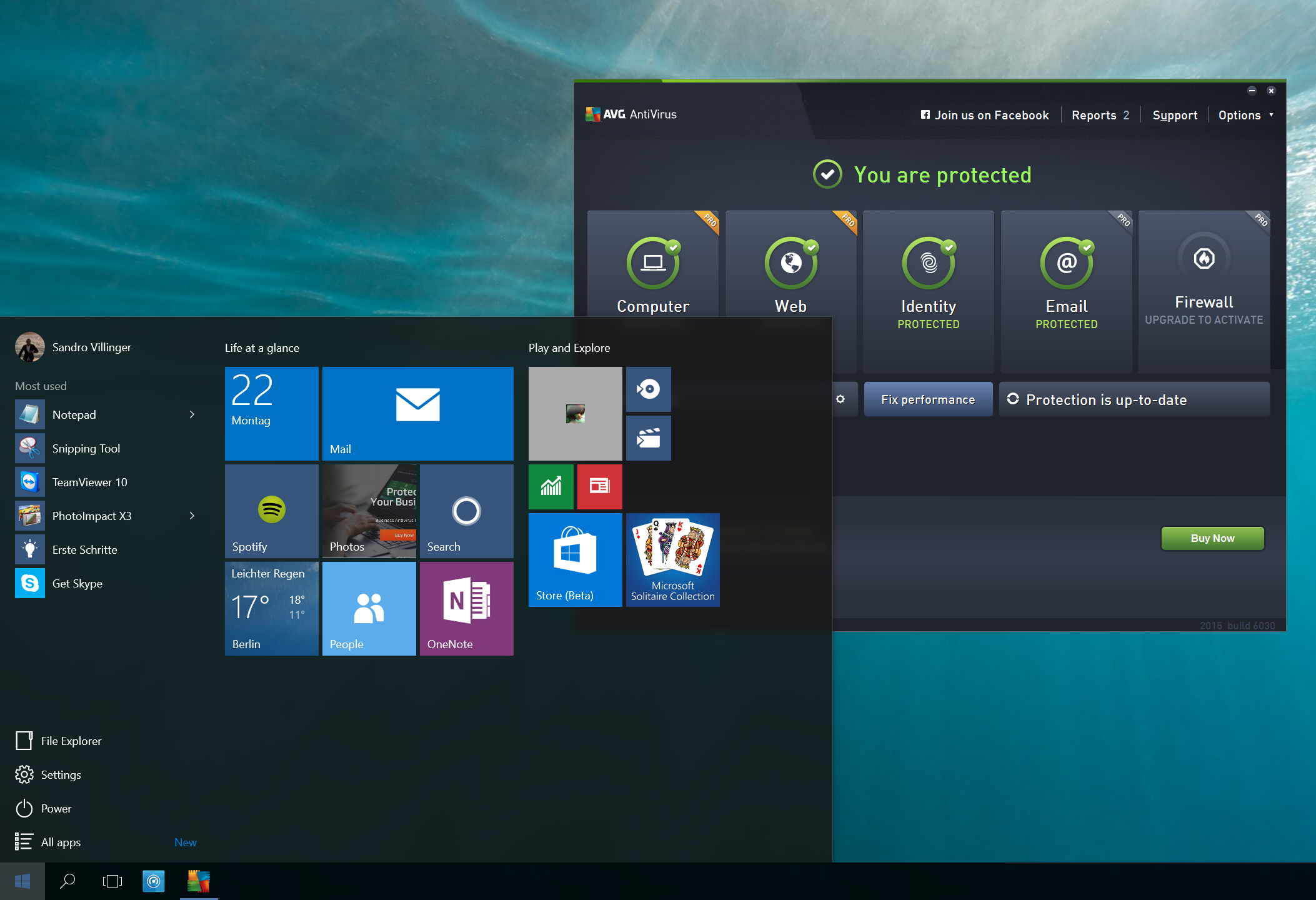
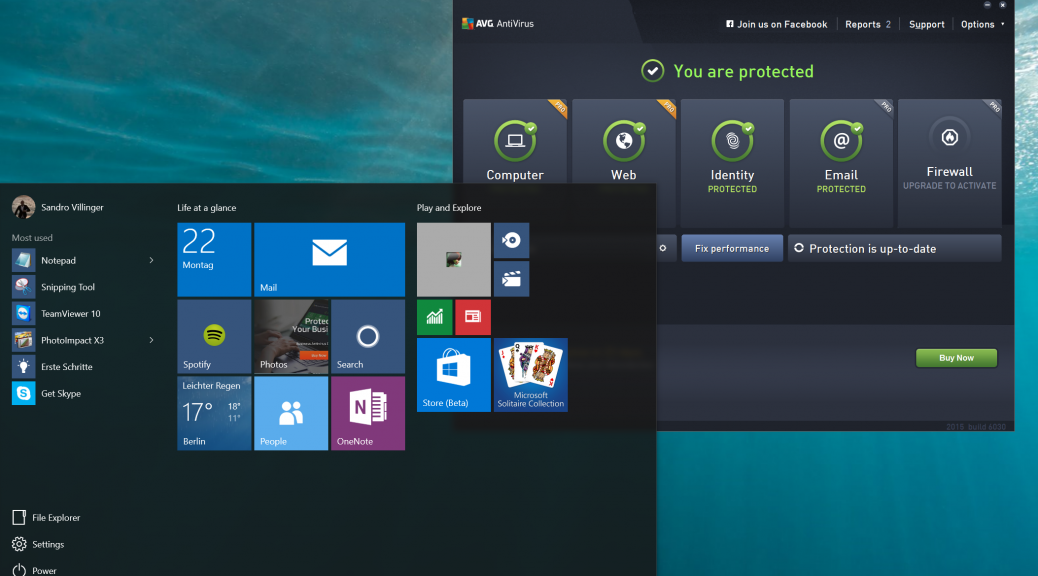
Windows 10


But with millions of users upgrading, it becomes the next big target for hackers and scammers.  Having robust security software will be no less important on Windows 10 than on previous versions.

AVG helps keep you safe, no matter whether you’ve upgraded your old PC or got a brand new one. Here’s three reasons why AVG can help keep you safer than the Windows 10 built in Windows Defender:


Better Protection

In AV Comparatives monthly real-world protection study, Windows Defender provides a 90.9% protection rate which is just not competitive. AVG scored 99% with zero false positives in May of 2015.
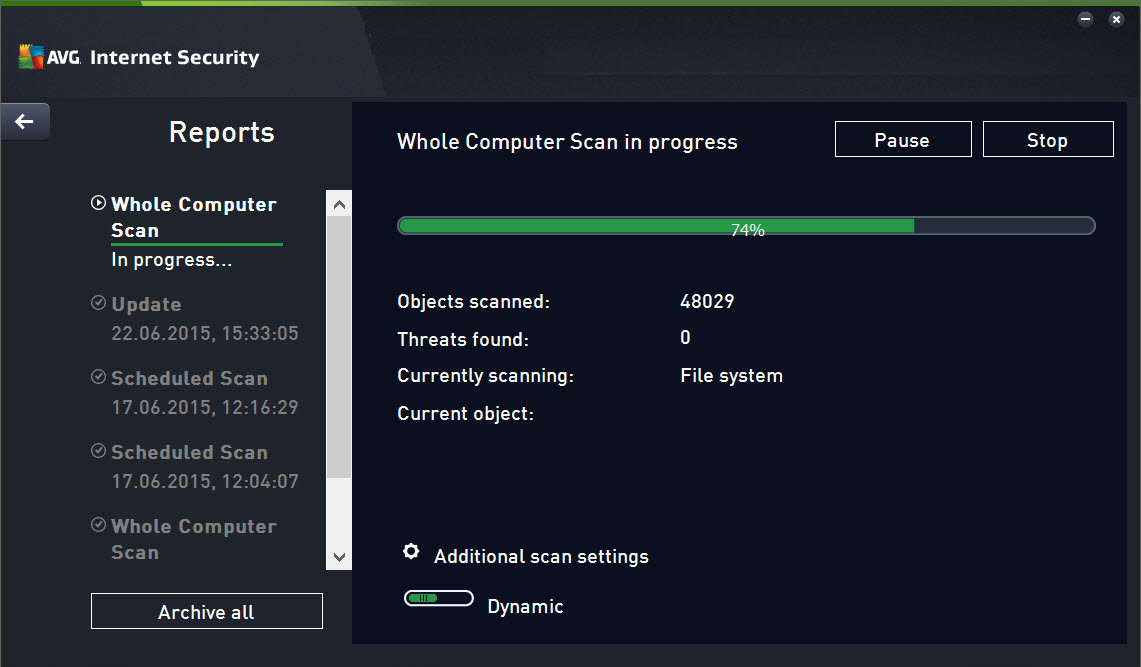
AVG Internet Security


Better Reviews

PCMag wrote in April 2015: ‘It’s true that Windows 8 and 8.1 come with antivirus protection built in, but you can’t rely on it to protect you against malware attacks.’ – According to the reviews, the detection hasn’t improved noticeably with Windows 10, so specialist solutions are recommended. 

On the other hand, Windows 10 compatible AVG AntiVirus Free 2015 has 4/5 stars on CNET and 8/10 on Top Ten Reviews.


More features

While the built-in protection could help you against viruses, there are a wide variety of threats on the Internet.

A good, free antivirus product such as AVG AntiVirus sticks out of the pack by not just offering critical on-demand scans or real-time protection, but also anti-phishing mechanisms, URL scanning and behavior-based detection scans. And with the full-featured AVG Internet Security Suite you will get not just the award-winning antivirus protection, but the following essentials on top:

  • E-Mail Protection: Detects infected or rogue inbound attachments so they can’t damage your PC.
  • Online Shield: Checks files before you download them to ensure they are safe
  • Data Safe: Encrypts and stores your valuable documents
  • More frequent updates: Checks for updates every 2 hours if you want to.
  • Anti-Spam: Stops spammers and scammers getting to you.
  • Shopping Protection with Enhanced Firewall: Blocks hackers attempting to access the private data stored on your PC.
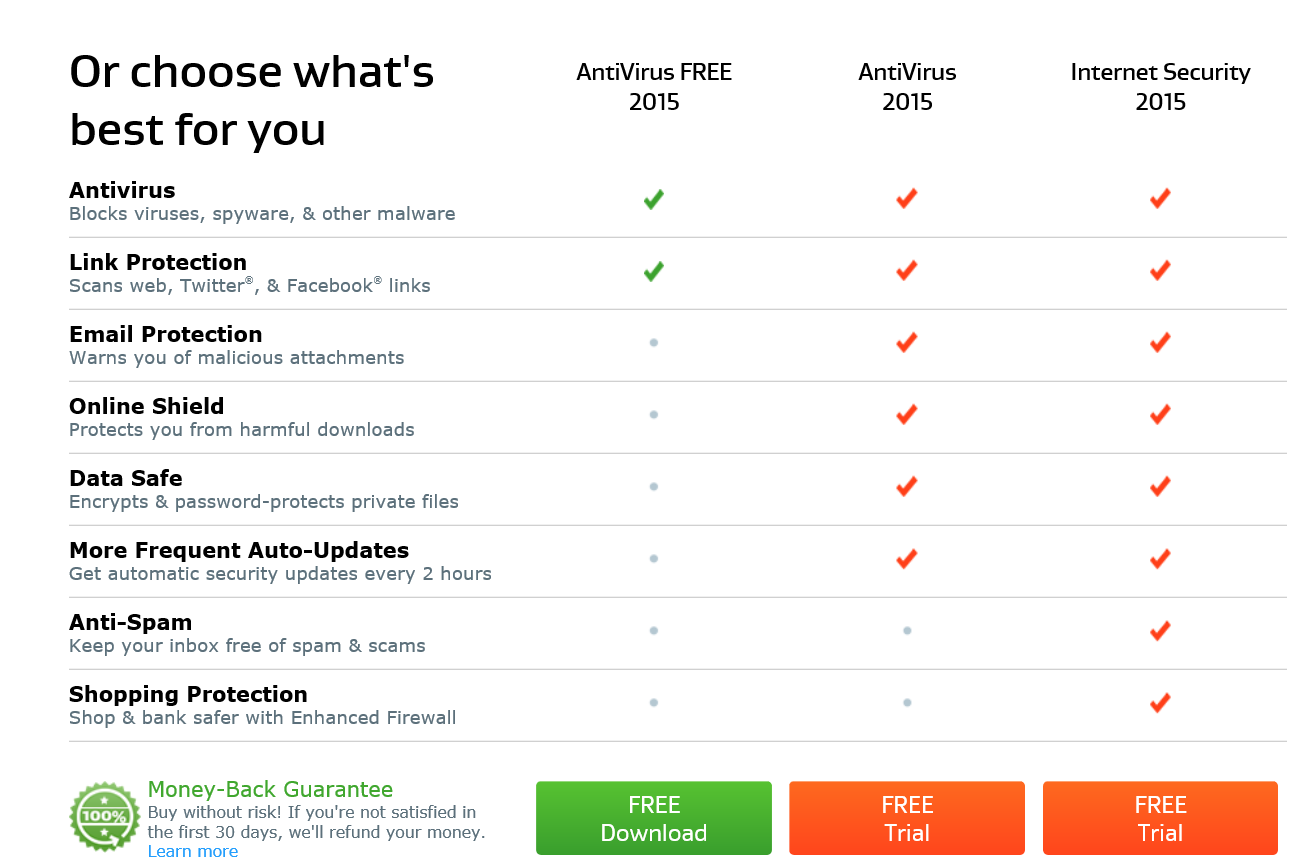
AVG Product Selector


All our AVG security products are 100% compatible with Windows 10 and help protect you from all threats going forward.


Existing Users: How to Ensure Ongoing Protection

Are you running AVG AntiVirus, AVG Internet Security or AVG Protection? If so, then you should’ve already received the free update to the latest product version which is tested and ready for Windows 10, as detailed here in this blog post.

If you don’t see the latest dashboard (such as the one below), then there’s a slight chance something went wrong and you may have to download the latest versions:

  • AVG Internet Security, AntiVirus, or AntiVirus Free users click here.
  • AVG Protection or Ultimate bundle customers click here.

Done? Perfect. Once you’ve upgraded from Windows 7 or 8 to Windows 10, all you need to do is check your task bar and see whether your AVG product is still active.
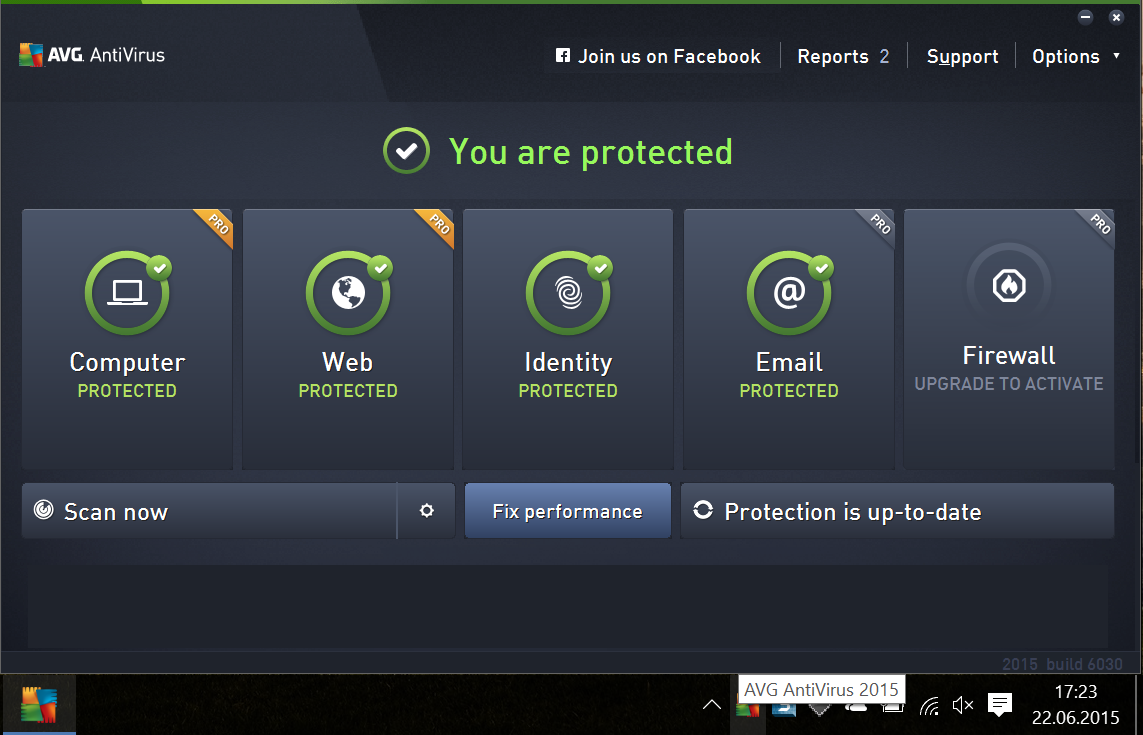
AVG Dashboard


If for some reason, the protection is inactive or you can’t find the AVG icon, please download and install the latest versions as mentioned above. That’s all it takes! Again, this process should be fully automated and won’t need to manually update.


Fire Department drone warning: if you fly, we can’t.

In the United States, California as well as parts of the Midwest and Southwest are experiencing some of the worst drought conditions on record and facing severe wildfire risks. An as of early this week, ABC World News reported that more than 50 major wildfires were estimated to be burning in the US.

At the same time, ABC’s local San Francisco affiliate also was reporting on the promise of drones using regular and infrared cameras to assist in fighting wildfires.

A Wired article earlier in June reported on the promise of  “Fighting Forest Fires before they get Big –with Drones’.   “The idea,” Wired wrote, “is to enable early location and identification of fires using drones, planes, and satellites mounted with special infrared cameras. The system, called Fire Urgency Estimator in Geosynchronous Orbit (Fuego), could help spot new wildfires anywhere in the Western US barely three minutes after they start. The promise of Fuego is the ability to pinpoint fires more quickly and for firefighters to get to the fire more quickly and put it out faster.

Increasingly, drones and unmanned flying vehicles are becoming a popular tool in fire departments for assisting in assessing fires of all types, and using the technology in this manner totally make sense…

But there is other news about drones and forest fires that is equally concerning, even chilling:  In late June, a drone flying in illegal airspace forced fire crews near Los Angeles to divert their air drops, allowing a fire in the Big Bear Lake area.

As reported in the LA Times, a ground commander saw a drone at approximately 11,000 feet up (way above the FAA’s 400 feet regulation) and this forced an air tanker and two smaller planes to turn away from their strategic drops.  The tanker diverted and dropped its retardant on a fire near the Nevada border, and the two smaller planes had to jettison their drops so that they could land with a safe weight. As the planes returned to their base, they saw another drone, this one flying nearly three times above the 400-foot limit.

“These folks who are handling these drones, I have to assume they have no idea what they’re doing,” said Chon Bribiescas, a spokesman for the U.S. Forest Service. “They not only endangered the folks on the ground, but they endanger the pilots.”

All in all, the forced pullback the LA firefighters had to do last week was a missed opportunity to control the fire. Subsequent missions had to be scrubbed as well and officials said that the private drones definitely allowed the fire to grow.

This isn’t the first time that fire fighters have had problems with drones – there were incidents in Oregon, Washington state, Northern California and Idaho last year.

Compounding the “What were they thinking?” factor, these drone operators had to be operating from the ground near an unpredictable fire, not to mention that a fire zone is restricted airspace to begin with.

The Bureau of Land Management (BLM) has released multiple statements warning operators that “Temporary Flight Restrictions (TFRs) are typically put in place during wildfires that require most aircraft, manned or unmanned, other than those engaged in wildfire suppression operations to obtain permission from fire managers to enter specified airspace.”

The Forest Service has put up red signs that state succinctly: “If you fly, we can’t.” Enough said.

Meanwhile, the FAA is expected to issue new rules governing drone aircraft operation in the near future, though drone-flying incidents like these are already illegal. Certainly the drone operators involved in these forest fire incidents aren’t doing the growing drone industry and their fellow operators any favors.

Title image courtesy of CBS News

One-Time passwords: What you need to know

Most of us have dozens of online accounts, each of which should have its own unique password. Remember them all can be a bit of a headache, which is why some people have turned to password managers.

However, events in the last few months have shown that not all password managers are entirely secure, leaving people at odds when it comes to securing their online lives.

One trend that has been steadily gaining momentum is that of the one-time password. Forget having to remember your login for each account and instead have a strong, unique password sent directly to you whenever you need to log in.

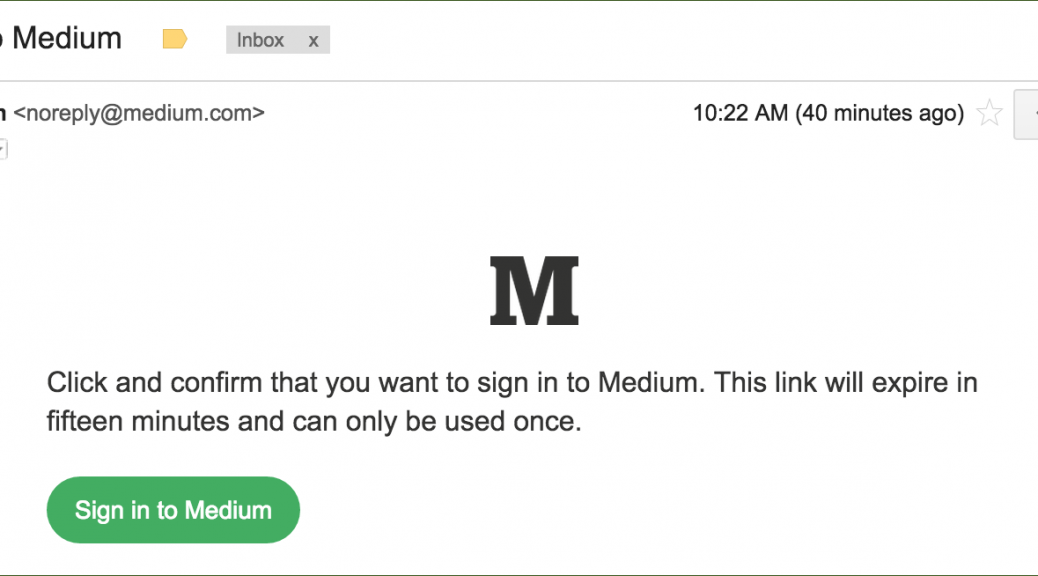
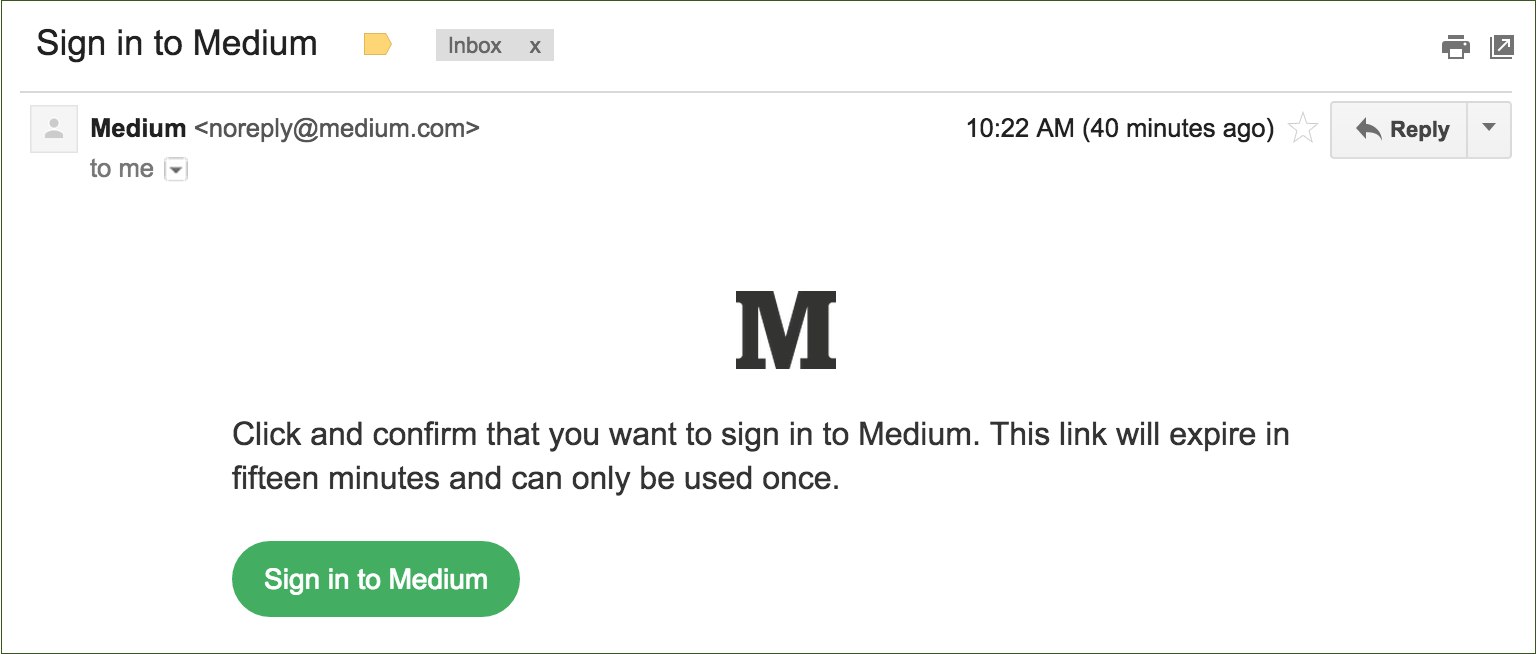
When you want access to your account, a link is sent to you via email, SMS or in app and that can be used to log in. No password required.

Yahoo! Become one of the first household names introduce one time passwords a few months ago and you can see my colleague Tony Anscombe’s views on their implementation on his blog.

More recently, blogging site Medium has just rolled out the feature. They believe that one-time passwords are stronger than traditional means of authentication as they explain on their blog:

It sounds counterintuitive, but this is actually more secure than a password-based system. On most services, if someone guesses or cracks your password, they gain access to your account until you change your password, which might not be for a long time. You might never know that they have access. With this email-only system:

  • You’re automatically notified when someone tries to sign in.
  • The sign in link expires after a short amount of time.
  • The sign in link can only be used once.


Medium


Are there any downsides?

One-time passwords do a great job to help avoid many of the common issues with real passwords such as:

  • Weak passwords
  • Reusing passwords across multiple sites
  • Writing passwords down
  • No warning when someone else has access to your password/account


There is some room for vulnerability in the current system.

Encryption – Emailing a link that can provide unlimited account access, should of course be done in an encrypted fashion. However, this isn’t always possible and transmitting it in plain-text over email or SMS could be a major security vulnerability.

Degrades security – A potential downfall for one-time passwords, especially with Mediums implementation, is that any one-time password account is only as secure as your authentication email account.

For example, it would be useless to manage every one of your online accounts with a one-time password, but only secure your email with a weak password (as many people do). Remember, your email password should be the strongest of all your passwords as it can hold the key to the rest of them. One-time passwords make this even more pertinent.

Forwarding – Obviously it is unlikely, but with the current implementations, anyone with the link would be able to access the account. If you forwarded an email by mistake or pasted the link in the wrong place, then this could leave you vulnerable.

Some verification that the link is being clicked within the correct email account would be an added bonus so that the link would be a big bonus.


Alternatives

So while it is up to you whether or not you want to secure your online accounts with one-time passwords, if you are looking to improve the security of your online accounts I can recommend deploying Two-Factor Authentication.

Two-Factor Authentication is perhaps the simplest way to prevent unauthorised access to your online accounts and is very low risk. For more information on Two-Factor Authentication, check out the video below:

Video

What Is Two Factor Authentication

Windows 10 Wi-Fi Sense could be a privacy problem

Windows 10 is here and it has unleashed a wave of new features and tools for its users. One of which is Wi-Fi Sense, a multi-purpose feature designed to make connecting to the Internet a breeze from Windows Phones.

As explained on the Windows Phone feature page, it does this by:

  • Automatically connecting you to crowdsourced open Wi-Fi networks it knows about.
  • Accepting a Wi-Fi network’s terms of use on your behalf and providing additional info for you to networks that require it.
  • Letting you exchange password-protected Wi-Fi network access with your contacts to give and get Internet access without seeing each other’s Wi-Fi network passwords.


While these are potentially convenient features to use, I have security and privacy concerns regarding their implementation.

It goes without saying, that automatically connecting to open Wi-Fi networks is a bad idea. As we’ve explained several times before, not all free or open Wi-Fi networks are secure and others can be deliberately malicious.  Accessing the Internet on these hotspots can lead to your traffic being intercepted by an attacker, known as a ‘man in the middle’ attack.

Accepting a Wi-Fi network’s terms of use automatically on your behalf seems like an equally bad idea to me. Before we even consider what terms Wi-Fi sense may be agreeing to on your behalf, we don’t even know if the landing page is legitimate or encrypted.

As a human, being prompted for an email address or other personal details gives us a chance to assess the trustworthiness of a provider and make a judgement. Wi-Fi Sense takes this decision making away and will seemingly hand over your information to any network asking for it. This could be a privacy concern.

The last feature, sharing Wi-Fi passwords with your contacts is a little less concerning but it is dependent on complete trust within your contacts.

In combination with the other two features, receiving a network key from a contact could cause you to automatically connect to a malicious network and potentially put you at risk.


How to disable Wi-Fi Sense

Disabling Wi-Fi Sense is simple. On your Windows 10 device go to Settings > Wi-Fi > Wi-Fi Sense.


Tips for safe Wi-Fi Usage

When it comes to surfing the web from your phone, there are generally two things that should concern you:

Wi-Fi-Hacking: Wi-Fi hacking is the most common threat when it comes to public Wi-Fi. When you connect to an public Wi-Fi network (i.e. coffee shop, airport, or hotel), others maybe able to intercept your Internet traffic, collecting your passwords, private photos, emails, browser cookies and a lot more personal info.

Wi-Fi tracking is the second big issue.  Currently specialized software solutions allow virtually anybody to use your phone’s Wi-Fi signal, to track your location and in some instances identify you. Wi-Fi tracking is even more worrying as most smartphone users have their Wi-Fi on all the time. This is increasingly an issue as retailers can use your Wi-Fi signal to track how you move around stores or around the city and even identify who you are. And that’s not all, if you keep your Wi-Fi open all the time hackers can trick your phone into connecting to a fake Wi-Fi hotspot.


At the AVG Innovation Lab in Amsterdam, we developed AVG Wi-Fi Assistant to help combat both of these problems.

VPN Technology

AVG Wi-Fi Assistant can encrypt all the data coming and going from your device helping to ensure that even if someone is snooping on your traffic, that your data is still secured.

Wi-Fi Automation

To help prevent the Wi-Fi tracking issue detailed above, AVG Wi-Fi Assistant prevents your device from automatically joining public Wi-Fi networks by turning off your Wi-Fi when you’re not using it. This helps to keep you safe from trackers.

Here is Tony Anscombe with more tips on securing your Wi-Fi connection from an Android device.

Video

How to keep your mobile while using public Wi-Fi


Parents failing to educate children on Internet dangers

LONDON, 3 JULY, 2015 – In today’s ever-connected world, online dangers can present themselves around every virtual corner. As the third annual Child Internet Safety Summit commences, AVG® Technologies N.V. (NYSE: AVG), the online security company™ for more than 200 million monthly active users, has released new research revealing the extent of children’s exposure to inappropriate content online, and the conflicting views and concerns of their parents.

The findings reveal that more than a third (35%) of UK children have encountered dangers online while at home – a figure that rises to 40% among tech-savvy ‘tweens’.

Despite this reality, a quarter (24%) of all parents have no plans to educate their children about online risks – and this is particularly the case for those with older children, rising to one in four (39%) parents with 10-12 year olds, and two thirds (62%) of parents with 13-16 year olds.

When asked why, two in five (44%) parents believe their child is sensible enough to know what to avoid online, 22% think it will just be too awkward to discuss, and one in seven (14%) simply don’t think it’s necessary.

These startling findings highlight the growing need to educate both children and parents about the threats that lurk online.


Tony Anscombe, Senior Security Evangelist at AVG Technologies, explains: “No matter how tech-savvy today’s children are, nor how ‘technophobic’ their parents think they are, it’s important not to forget that they are still just kids. As with any other life lessons, children look to parents for guidance; and in turn, it is their responsibility to teach them good from bad.

The findings of this research prove exactly that. By assuming children know best, simply because they have grown up around technology, parents are opening up their children to online dangers – and a significant amount are falling victim to them in some form. It’s only through parents educating themselves and their children about these dangers that we’ll start to reduce the number of children exposed to inappropriate content online.”

The study also sheds light on where parents see their child’s digital habits being influenced. The vast majority (88%) say school friends and teachers play the biggest combined role, while over a quarter (26%) say friends from outside of school are also key influencers.

With 40% of parents most concerned for their child’s online safety when they are away from home, these findings highlight how they could be overlooking the online dangers within the home. While parents are rightly conscious of letting their children surf the web outside of the family environment, the findings suggest they may be too quick to shift the blame, for children encountering dangers online, onto these outside influencers, rather than shoulder it themselves.


Julia Bradbury, TV presenter and mother of three, comments: “As a parent, I’m increasingly conscious of keeping my children safe from all the risks they face – whether it’s crossing the road or playing with apps on my phone. Admittedly, it’s a lot easier to see the damage from a scrape on the knee, but – as the Internet plays a bigger role in their lives – we need to understand that virtual bumps and bruises can be just as painful.

All three of my children will be growing up around technology – they simply won’t know anything different – so it’s my job, as a mother, to make sure they know right from wrong (on-and-offline), so they can make the most of their connected world. Having those ‘awkward’ conversations is often part of parenting, and if they protect your child in the long run, then it’s something worth blushing for!”

Activity at the Child Internet Safety Summit 2015 is part of AVG Technologies’ SmartUser mission – a growing movement based on the belief that everyone on the Internet is responsible for making it a better place. The objective is to make the next two billion users of the mobile Internet Smart Users, through education, to help them make informed choices about their own security and privacy — all from the first moment they start using a connected device. The SmartUser initiative works on the basis that if you would teach a child how to safely cross the road, there is a similar duty to teach them how to responsibly use the Internet, as well.

– ENDS –


About the Research / Methodology:

AVG commissioned an online survey, interviewing 2,200 UK adult parents (aged 18-65) with one or more children aged 4-16 years old. The market research company, Vanson Bourne, carried out the fieldwork between 4th-12th June 2015 using their propriety panels.

How can we encourage girls to pursue a career in tech?

My career in the technology sector is a fortunate accident but it remains far too rare an outcome for women entering today’s workforce. This week I addressed an audience at the Child Internet Safety Summit in London to offer a woman’s perspective on what it means to be in technology, why it’s so important for young women to consider a career in the technology sector and what they can do to prepare themselves to be a part of the industry.

Of the many data points that serve to paint the picture of women in technology, I think that Maria Klawe, president at Harvey Mudd in Claremont California provides the clearest description of the problem.

“We’ve done lots of research on why young women don’t choose tech careers and number one is they think it’s not interesting. Number two, they think they wouldn’t be good at it. Number three, they think they will be working with a number of people that they just wouldn’t feel comfortable or happy working alongside.”


Not Interesting?

Ouch. It’s hard to understand this perspective from inside tech. From my vantage point, this is the industry most directly affecting people’s lives today and being a part of that is genuinely exciting. Somehow, at home, in schools and even in movies and television, we’re somehow failing to capture the imagination of young women. What I can other women in tech can do is be evangelists and invest some of our time talking with women and sharing our perspectives whether we are coders, marketers or engineers.


Not Good At It?

Young women don’t come to the conclusion that they wouldn’t be good at a particular thing without some pretty strong communication from their community. Whether at home or at school, our families and institutions need to consciously change the dialog and tone. The evidence is clear that women are just as capable as men in business, technology, medicine and virtually every other field. We need to stop suggesting otherwise and present the skills that lead to tech openly and without bias.


Not Comfortable?

I cannot honestly think of a workplace in which everyone liked each other or got along all the time. Working with a variety of personalities is essential to success regardless of sector so it makes me wonder what message we are sending to young women that gives them this perception of people working in technology. Perhaps the most important thing we can do is to help teach all children how to work together, to compromise and to be a part of a truly diverse workforce.

Much of the media’s focus on women-in-tech has focused on coding, and the good news is that there are many companies and organizations working to make sure young women know that this field is open to them and that there’s much that they have to offer and can accomplish. We’re far from there but we’ve started.

More importantly though, we need a more comprehensive change perceptions and from the beginning communicate to girls and young women that entire world of careers is open to them and welcomes them. To that end we should all do the following:

  1. Become advocates and mentors and provide encouragement, affirmation and confidence. Women in particular need to be role models and mentors in their community.
  1. Young women need to seek out sponsors, someone who will truly take an active role in supporting their career aspirations.
  1. Men need to be allies and supportive.A true male ally is a man who is willing to defend women when there are no women in the room.”


Ultimately, the most impactful thing we can do in our industry is to tell a good story that demonstrates technology is compelling and accessible to everyone.

We don’t need to change who people are or turn women into men. We simply need to make sure that we all women have the opportunity to choose to be a part of whatever industry we want.

Debbie Sterling, Founder and CEO of Goldieblox said it well, “There’s nothing wrong with being a princess, we just think girls can build their own castles too.”

Video

Boardroom or Baby: The choices of women in tech

What is the right age to learn about online safety?

When our kids are just about knee high to a grasshopper we start the process of teaching them things to keep them safe, whether it’s that the cooker is hot or that crossing the road could be dangerous.

The process of crossing the road starts at a young age, we hold their hands and stand near the edge of the sidewalk and talk to them about looking both ways and listening, then under our guidance we walk them across the road. As time progresses we ask them to do the looking and listening, we do it too and then we cross the road on their instruction but with us close by having checked that its safe to do so.

The final stage of this is their first outing to the shop, whether for candy or a newspaper we send them off on the big adventure of being grown up enough to step out on their own.

I often get asked at what age should we be talking to our kids about internet safety, my answer is simple, as soon as you let them start using it. Their experience online should be similar to the way we teach them to cross the road, first we do things with them and then with time and experience they step out to do things on their own.

Our recent survey of 2200 parents in the UK shows that 40% of parents with children aged 4-6 have not yet educated their children on the possible dangers and a quarter of them have no plans to give any guidance to their kids. I am certain that if I asked the same question about crossing the road the percentage would be much lower.

More than 40% believed that their kids are sensible enough not to need it, does this mean that parents don’t know the challenges themselves or that they just feel uncomfortable in having what can be an awkward conversation.

The Internet offers our kids a learning and communication experience that we only thought possible in science fiction movies when we were kids, flat screens, voice activation, video on demand and an endless supply of data and information to keep our lives enriched with content.

With the world very much at their finger tips our kids need our wisdom, maturity and knowledge to guide them in accessing the wealth of information and entertainment available to them. As with anything in life there are risks, but they become very minimized if we are equipped to deal with them.

What the Fourth of July Means to Me

It involves commitment and understanding that one is part of something greater than oneself and recognition that when the uniform went on it was not just for show but also for defending a way of life.

Judith Bitterli

The actions set in motion on Independence Day made us the country we are today and me the person I am today.

I gained as a result of the courage of our founding fathers the privilege to live in a country where class is not a barrier to success; education is supported as a roadmap to a stronger populace and where we as a nation have had the courage to make the right decisions at the right time in history. Most critical to me personally are the Thirteenth Amendment making slavery unconstitutional; the nineteenth amendment giving women the right to vote and Supreme Court decisions on Brown v Board of Education, Roe v Wade, Same Sex Marriage and the Affordable Health Care Act. Last week was a week where history almost went on fast forward with the latter two issues on this list.

At the heart of these laws and programs is the enlightened supposition that “…All people are created equal.”  As much as we disagree as a populace, equality holds true as a principle.

I am fortunate to live in a country rooted in the past but honest enough to adapt to what is right for society and for its people. And while we are not perfect as a nation or as a culture, on this day I give pause and thanks to the founding fathers and to those brave souls along the way who stood up for what was right and made change happen; to those in uniform and to those who had the call to serve this country; and to each person waving the flag, saying the pledge of allegiance and taking a moment in time to reflect on the grandeur that is America.


Happy Fourth!


What data do you protect on your phone?

With over 100 million installs of AVG AntiVirus for Android, we help a huge number of people protect their devices and their data. One of the popular tools in our app is the “App Locker”.

By analyzing a sample of anonymized user data, we’ve learned which information users want to protect the most and have discovered how app updates actually make us more aware of our privacy than before.


Messaging Apps come out on top

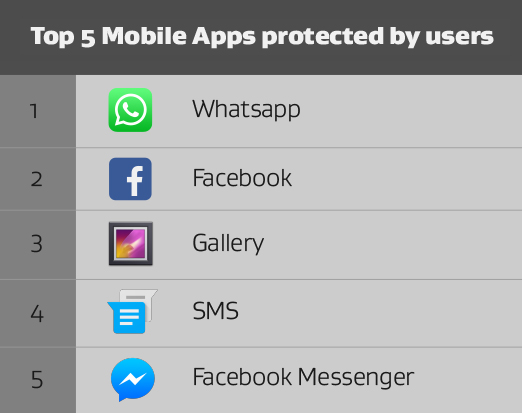
When it comes to data that people want to keep private, nothing beats personal messages. Four of the top five most locked apps were messaging apps with WhatsApp the most popular.

Top 5


Personal data

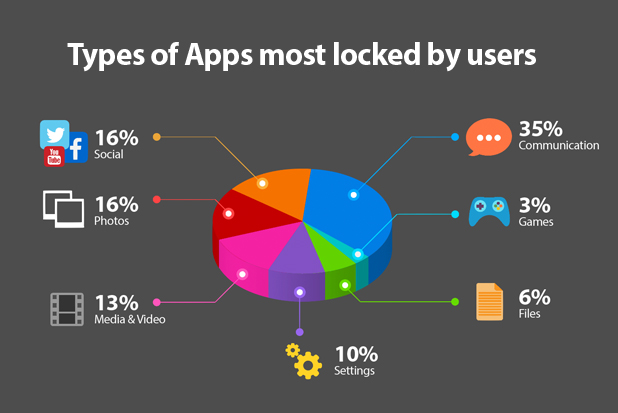
As one might expect, after messaging apps, social networking and photo apps were the next most locked. People have a clear understanding that they want to keep their personal life private and take steps to the data stored within these apps

App Categories


The Privacy Window

Once installed, it’s easy to forget how an app may have access to sensitive data or personal files. We’ve seen that one thing that causes us to remember these permissions are updates. We understood this to mean that there is privacy window in which we all think about apps and their permissions.

Our apps allow us to turn our smartphones into incredibly powerful devices that do everything for us. In return though, we give apps, and their developers access to our data and our lives. To use Instagram, for example, we must first allow it access to our pictures.

This means that each app carefully creates a unique and personal experience for each user, they also become private things that perhaps we don’t want to share.

That’s the idea behind the App Locker feature in AVG AntiVirus for Android. Available as part of the PRO product, App Locker is designed to help you decide what you would like to keep private and password protected.

It could be your messages or even, an app that you don’t want your child to use when they have your device, it’s entirely up to you.

Download AVG AntiVirus for Android today.

AVG demonstrates robust anti-theft solution in partnership with Qualcomm

Losing a smartphone means so much more than the cost of the device itself – personal and business information, messages, emails, contacts and social networking profiles may all be potentially compromised. When you add banking and shopping apps, the financial costs and associated risks can also escalate significantly.

That’s why we’re pleased to announce that AVG is working with Qualcomm Technologies, Inc., a leading supplier of semiconductors to the mobile industry, to expand the functionality of our applications to include Qualcomm SafeSwitch kill switch technology on devices with select Snapdragon chipsets.

Unlike other anti-theft alternatives, SafeSwitch provides a robust yet reversible kill switch solution that locks the device at the chip level, rendering it unusable and extremely difficult to crack. SafeSwitch also helps protect user privacy by encrypting the device’s storage, making it very difficult for attackers to obtain any personal or privileged information from a stolen device.

Any attempt to replace the SIM card, perform a factory reset or brute force the passcode will lock down the device and render it temporarily unusable. After locking, the device owner can unlock the device and restore it to its pre-locked condition by entering the master passcode.

AVG and Qualcomm conducted a demonstration of the SafeSwitch solution on a device incorporating Qualcomm’s premium-tier Snapdragon 810 chip at the 5th Annual International Cybersecurity conference held in Tel Aviv, Israel, June 22nd -25th, 2015.

Following the conference, AVG and Qualcomm Technologies will continue working together to offer a joint end-to-end commercial solution later this year.