Category Archives: AVG

AVG

Women in Tech: Changing the Conversation via the Bottom Line

Though industry numbers don’t yet reflect it, I have to say now is a very exciting time for women in tech. Why? Because for the first time in my career, there is an active conversation taking place about achieving gender and overall diversity in our industry.

This was illustrated yet again this past week by the “Women in Tech Executive Roundtable 2015” hosted by Silicon Valley’s venerable Churchill Club.

I was honored to be one of the speakers, joining a panel of five amazing and inspirational women for the breakfast event in Palo Alto, which brought us together with an active audience of the Valley’s women in tech  – and even a few men, who were brave enough to join us. (And I don’t use the word “brave” in a negative way – but in the best possible meaning – as in it was encouraging to see them showing up and participating in a discussion on women’s issues.)

Churchill Club Logo


You can find the Churchill Club video on their YouTube Channel here.

The bottom line, as my co-panelist Julie Hanna, the executive chair of Kiva and newly named Presidential Ambassador for Global Entrepreneurism, so eloquently describes it: the discourse on gender equality is not just a women’s issue, it needs to be a question for humanity.

As fellow panelist Amity Millhiser, Managing Partner at PwC, noted: “Think about our daughters and how do we want them to think about diversity?” I will paraphrase her here: but in addition to it being a justice issue, gender equality is a “success” issue.

There is no denying that women still lag in STEM education, tech jobs, equal pay, and the C-suites and boardrooms. But the numbers also tell another story. As I was reminded earlier last week by a new study on IT industry and gender diversity by The National Center for Women and Information Technology (NCWIT):  Companies with women on their executive boards outperformed companies will all-male executive boards. Gender-diverse management teams also showed superior return on equity, debt/equity ratios, price/equity ratios, and average growth.

The NCWIT analysis of 2,360 companies corroborates statistics on women-led company performance findings in a study Babson College Research last year, which I’ve written about previously.

The place where gender bias is most prevalent tends to be at executive and boardroom levels and in the VC funding process — where women have the smallest presence (and somehow seem to be “heard differently” than males – as many of my colleagues on the panel have witnessed).

Another salient point made by our discussion group that I, myself, identify with is how we as women are sometimes part of the problem. For example, the audience asked the panel about “cattiness” in the workplace, and why women can be jealous of other women’s success.

Julie Hanna spoke to the dichotomy and “strangeness” of being an engineering-geek woman, who had predominately worked with men, then going to working with other women and encountering a new kind of fear. “It’s like we have to, on a primal level, learn to recognize one of our own and know we/they mean no harm.”

Dr. Tanja Rueckert, Executive VP & Chief Operating Officer Products & Innovation for SAP further underscored: “Remind yourselves to hire for diversity” and for female VCs to invest in female startups.

I believe, much as one panelist reminded us – as Madeleine Albright famously said:  “There’s a special place in hell for women who don’t help other women.”

Madeleine Albright

It is also my strong belief, that as women, 1) we all have an inherent responsibility to educate ourselves what diversity means and why diversity is important and 2) vote with our pocket books – only work with and support companies that support diversity.


Here are some other key pieces of advice from the panel:

  • Always be yourself
  • Don’t apologize for your success; take credit when credit is due
  • Accept feedback, and don’t take criticism personally
  • Be supportive, not jealous of other women
  • Women need both women and men to sponsor, mentor and support them


And by the way, if you are in Silicon Valley and want to stay on top of insights and trends to empower women, and to help create a new conversation in the year ahead, please check out the Churchill Club. It is an extraordinary non-profit organization with a rich history of bringing together the best and brightest in Silicon Valley in conversations that ignite change – and it’s also a mecca for industry networking!

Hackers Using Starbucks Gift Cards to steal money

Earlier in May, researcher Bob Sullivan reported that hackers were targeting Starbucks mobile users and using the Starbucks app to steal money through linked credit cards.

The Starbucks app links to a credit card so that the user can prepay for goods and purchase Starbucks gift cards for friends and family to spend in store.

Reports indicate that the gift cards are fundamental to the attacks.

After gaining access to the victim’s Starbucks account, attackers create a new gift card for the entire balance of the account and issue it to themselves. The problem is then compounded  as the Starbucks app automatically tops up the user’s balance when it gets low. This means that the attacker can then strike again.

Within a few minutes, attackers could potentially siphon hundreds of dollars through gift cards without even needing the victim’s credit card details.

In a recent blog post, Starbucks recently defended the security of their app and said that “News reports that the Starbucks mobile app has been hacked are false.”

Instead, they say that it is reusing login details from other sites that is putting customers at risk:

Occasionally, Starbucks receives reports from customers of unauthorized activity on their online account. This is primarily caused when criminals obtain reused names and passwords from other sites and attempt to apply that information to Starbucks. To protect their security, customers are encouraged to use different user names and passwords for different sites, especially those that keep financial information.


This isn’t the first time that the Starbucks app has come under fire, after last year it emerged that it stores users’ passwords on the device in plain text.


How to help protect yourself from attacks such as these:

Pick a strong, unique password

It goes without saying that this attack would not be possible if hackers were shut out of Starbucks accounts. Therefore, keeping a strong and unique password (one that is not used on any other site) is one of the most important things you can do to help protect yourself from an attack like this. For help creating a strong password, check out this simple guide.


Turn off or limit auto-top up

One of the things that makes this attack so dangerous is the fact that the damage can escalate rapidly thanks to the auto top-up functionality used by the Starbucks app (and many others like it).

While automatically replenishing your account balance can be an incredibly convenient thing, if you are concerned about attacks like these, disable or set a deposit limit on your auto top-up.


Regularly check your accounts

Just like with online banking fraud, one of the best ways to protect yourself or recover from attacks such as this is to stay vigilant. Regularly check your bank statements and online account histories for suspicious activity and do not hesitate to get in touch with your bank or retailer should something unexpected appear.

For Starbucks users, if you see any suspicious activity on your Starbucks Card or mobile app, please immediately notify Starbucks customer service at 1-800-STARBUC.

Three reasons to be excited about: Facial Recognition

Facial recognition software has a bad reputation. Associations with surveillance state and future visions of corporate tracking and advertising like in the movie Minority Report make facial recognition seem like an intrusive and objectifying technology tearing at the last remnants of our privacy.

Video

Minority Report


While there are legitimate concerns about some uses of facial recognition technology, there are also a huge number of wonderful and innovative ways it can be applied to improve our daily lives.


People with disabilities

Facial recognition software and the growing accuracy with which technology can accurately discern human features is starting to become a real benefit to people with disabilities.

The recently unveiled “XploR mobility cane” uses facial recognition technology to scan approaching people and alert the user when someone they know is approaching.

Likewise, the Samsung Memory Recaller is an app designed to help Alzheimers sufferers recognize the faces of friends and loved ones.

Samsung Memory Recaller from Bbdo Proximity Thailand on Vimeo.


Search and recovery

While Google has recently shelved planned to commercially release a facial recognition search due to privacy concerns, their acquisition of PittPatt shows there is still interest in the technology. The recent earthquakes in Nepal have underlined the importance of international search and rescue efforts.  Facial recognition can be a huge help when used in conjunction with other online search and recovery tools such as Google’s Person Finder to help identify missing people and put them in touch with friends and family.

PiP My Pet


When most people think of facial recognition, they naturally think of people, but work is already afoot applying this technology to our furry friends. Apps such as PiP My Pet use the same facial recognition technology to identify lost pets.


Security and convenience

Despite what many people may think, facial recognition will almost certainly make the technology of the future more secure and easy to use. I’ve written before about the merits and shortcomings of biometric security but recent buzz around Microsoft’s How-Old.net and Facebook’s DeepFace tagging technology show that there is a lot of research going into this area.

Very soon, web enabled devices will be able to discern our identity with complete accuracy meaning that identity specific items such as keys, wallets, ticket and passports could become things of the past. Using technology will also become easier with facial recognition helping alleviate some of the headaches caused by remembering multiple passwords and login credentials.


Do you have a favorite use for facial recognition technology? Do you think it is a good or bad thing? Let me know on Twitter or on Facebook.

Title image courtesy of Engadget.com

Stepping Up Efforts to Support Emerging Women Entrepreneurs

The White House brought together emerging entrepreneurs from across the United States and the globe – joined by several of the celebrity investors from the hit TV show Shark Tank.  The stated goal was to raise awareness of “the importance of investing in women and young entrepreneurs to create innovative solutions to some of the world’s toughest challenges, including poverty, climate change, extremism, as well as access to education and healthcare.”

Brava!

The White House event comes as President Obama prepares for the Global Entrepreneurship Summit in Kenya later this summer. You can read more about this week’s event here and get the transcript of the President’s remarks here.

A highlight of the White House event was the President’s announcement of the creation of the Spark Global Entrepreneurship initiative and its goal to generate over a billion dollars in private investment for emerging entrepreneurs around the world by the end of 2017.  Half of this goal will be specifically for women and young entrepreneurs.

The White House event also featured the introduction of the newest Presidential Ambassadors for Global Entrepreneurship (PAGE).  Nine new ambassadors were named to join 17 who were appointed when he launched PAGE last year.

I’m thrilled to say one of the new ambassadors is my friend Julie Hanna, the executive chair of the board of the non-profit Kiva, the first and largest crowdfunding marketplace for underserved entrepreneurs.

Julie joins Airbnb CEO Brian Chesky; Elizabeth Holmes ,the founder of Theranos; and Alison Rosenthal, the vice president of Strategic Partnerships Wealthfront, among other new appointments to PAGE.

As part of her commitment, Julie introduced Kiva’s new $100 million initiative,  “Global Capital Access,” which is committed to delivering crowdfunded Kiva loans to 200,000 women and young entrepreneurs across 86 countries, including the U.S.  Entrepreneurs will have an opportunity to receive crowdfunded loans through Kiva and its global network of 1.3 million lenders in 198 countries. (Since 2005, Kiva and its global community have crowdfunded $700 million loans to 1.6 million entrepreneurs in 86 countries. For as little as a $25 loan, anyone can back an entrepreneur.)

Julie is truly an amazing entrepreneur, leader and mentor.  She also generously participated in a video for my SXSW “Boardroom or Baby” presentation earlier this year, to give advice to young women seeking VC investment.

Video

Boardroom or Baby 2015


I am particularly delighted to say that I will be joining her for a “Women in Tech Executive Roundtable 2015” sponsored by the Churchill Club this Friday in Palo Alto, CA. For more info and to sign up to attend go to www.churchillclub.org.

The roundtable is designed to be a frank and lively conversation about what matters most for advancing women in business and technology. We hope to share actionable insights and takeaways to empower women and to help create a new conversation in the year ahead.

I’m looking forward to our discussion, as well as the opportunity to personally congratulate Julie and hear about the White House event and her plans as ambassador.

As Julie noted at the White House event, one of the most encouraging things happening toward empowerment of female entrepreneurs is the public conversation occurring about public and hidden bias. As she said: “We need to elevate the discourse to make it an issue for humanity, not just for women – much like Martin Luther King did on Civil Rights.”

Title image courtesy of Levo.com

Introducing the new “App Manager” for AVG Cleaner for Android

Our AVG Android App Performance report paints a clear picture: apps cause some of the most common headaches that Android users experience.

Having lots of apps installed on your device can cause a number of issues including:

  • Slow performance and lack of stability
  • High battery drain leading to short battery life.
  • Hogging storage space leaving no room to save photos and videos
  • Racking up high data costs as apps quietly download and upload data all the time.

There’s good news though: AVG Cleaner for Android, with its enhanced ‘App Manager’, makes it easier than ever to manage the apps on your device.

App Manager is only available in version 2.3.1, which you can get today from the Google Play store.

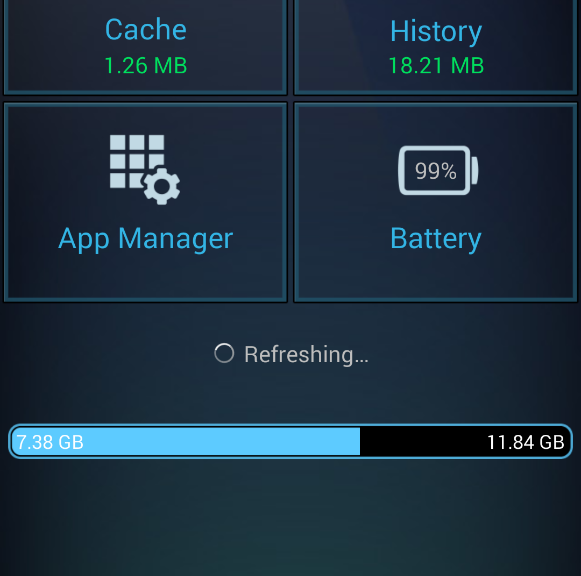
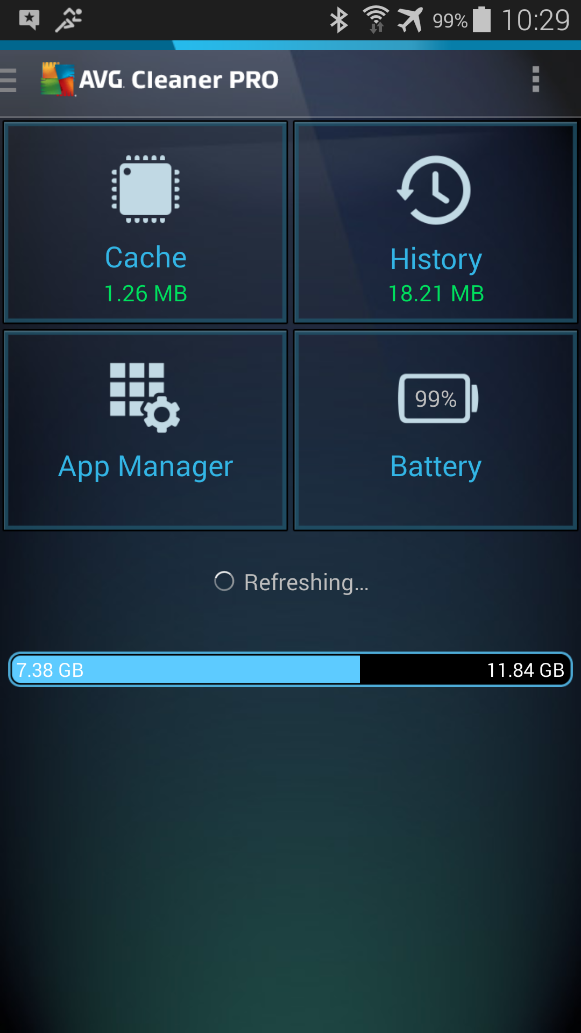
AVG Cleaner PRO


The new ‘App Manager’ feature gives you an immediate overview over their apps and helps you get rid of them once and for all.

App Manager has three display modes to help you identify which apps could be causing problems.


Running Apps:

Smartphones can often become slow and sluggish when multiple apps are running in the background. App Manager shows all running apps on a single screen and details how much RAM they consume.


Unused Apps:

It can be easy to forget just how many apps we install on our devices and forget about. The unused apps view shows you how many of your apps you’ve not used in a long time so you can reclaim valuable space for the things you love.

Unused apps


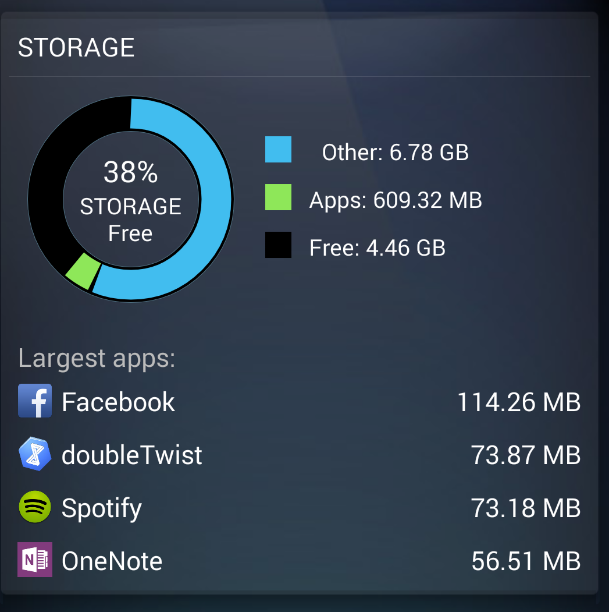
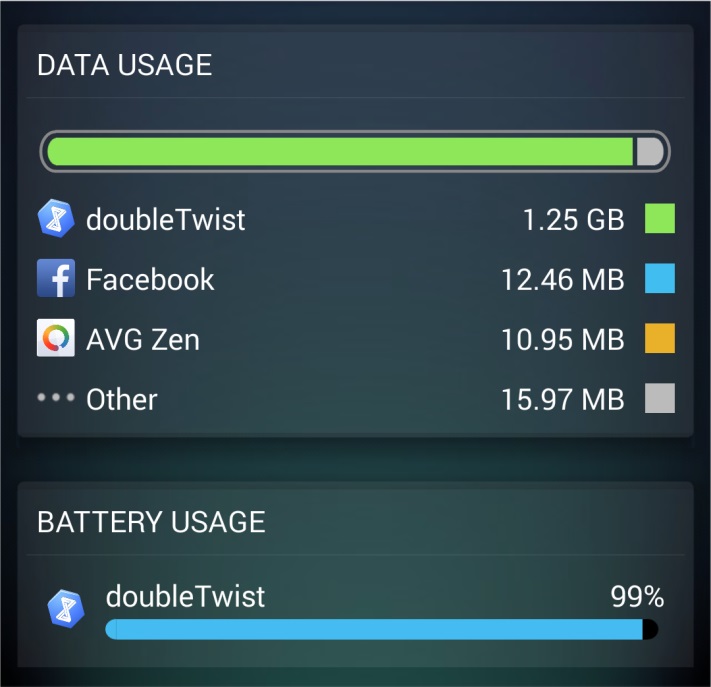
Data Usage, Battery Usage and Storage:

This view helps you understand which apps are affecting the performance of your device. By consuming data, battery or storage space, removing these apps can help you squeeze more out of your device.

Storage

Data Usage

In this example, it shows that doubleTwist probably downloaded 1.25 GB worth of podcasts onto my device and also consumed the most battery. As I stopped using it a while ago, that was a nice reminder to uninstall the app – and not have it eat up the resources of my Android.

Let us know how you like the new ‘App Manager’ and how many apps you were able to get rid of.

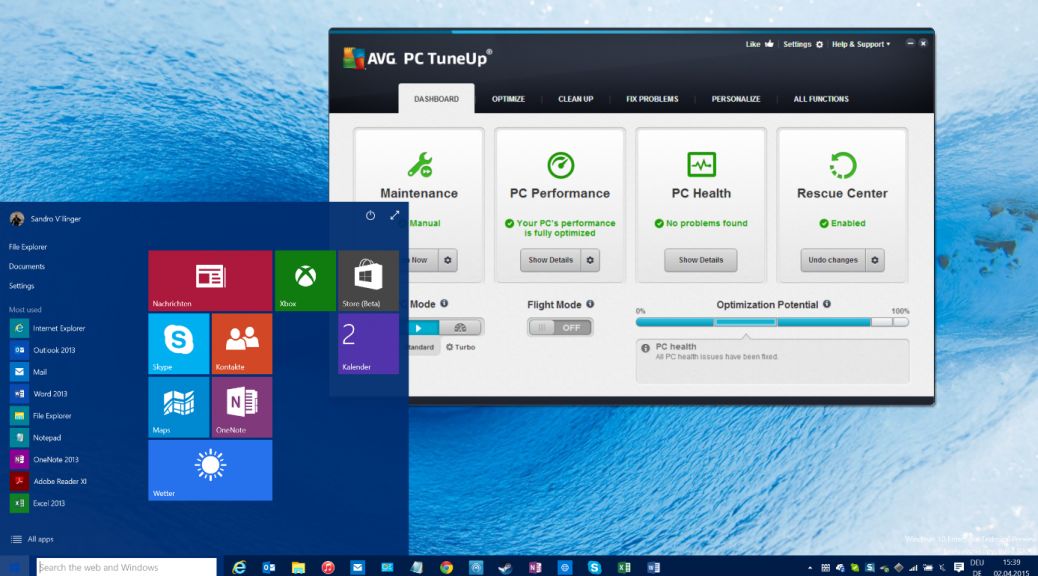
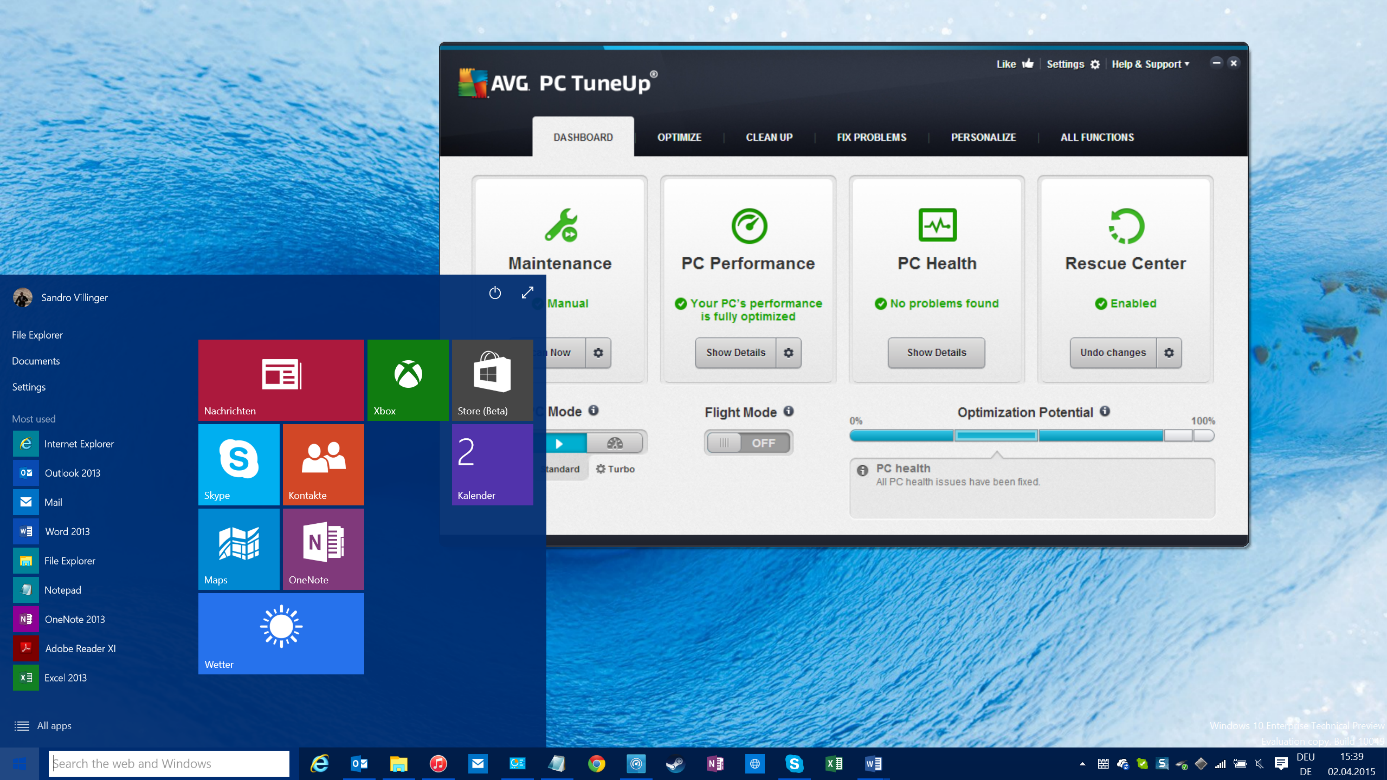
Get ready for Windows 10 with PC TuneUp Update

The update will include new functionality for those seeking to clean up, speed up and improve battery life of their Windows PCs and notebooks.

The new update (SU3) will automatically be installed on April 29th or will already be included if you download the AVG PC TuneUp (2015 release) trial from this page after that date. It sports the following enhancements:


Cleans up, speeds up and powers up Windows 10

AVG PC TuneUp already supports the upcoming Windows 10 operating system ahead of its planned summer 2015 release: All 39 features to reduce the typical slowdown caused by third party applications, solve bottlenecks, clean up and customize are Windows 10 ready.

Windows 10

Optimizing will be more important than ever before with Windows 10. Many new laptops and tablets come with smaller, but generally slower processors and smaller hard drives. That’s why AVG PC TuneUp helps to ensure all the new Windows 10 devices remain fast and have enough disk space for your programs and data.


Enhanced Cleaning for Steam, Downloads and more…

But that’s not all. This month, we’re unveiling a couple of nice new features and functionality for all you PC tweakers out there:

  • Better Steam cleanup: When a game is downloaded via Steam, it downloads files like DirectX, C++ redistributables and other files necessary for the game you launch. But once you launch it, those files remain. In this release, we’re now detecting even more of these wasteful files hidden in all Steam and game folders.
  • Support for the latest Google Chrome version to clean up browser cache files, history lists, auto-complete forms and more from the new Google Chrome builds.
  • Download folders: Our Disk Cleaner also now cleans up the users Downloads folder, which tends to contain a ton of downloaded apps, photos, documents and other things you may not need anymore – and probably totally forgotten about.


Various Fixes Throughout the Product

We listened to your feedback: In addition to the new and enhanced features, we also fixed some minor bugs that some of your experienced when using AVG PC TuneUp, such as:

  • Random crashes with 1-Click Maintenance
  • A bug in which an HTML link could not be opened in Outlook

AVG Technologies ring the opening bell at NYSE

Following investor briefings this week in New York and the recent acquisition announcement of UK based Privax Ltd., makers of the popular ‘HMA! Pro VPN’, it has been a busy time at AVG.

This is the second time that the AVG executive team has had the privilege of ringing the opening bell, doing so in 2012 when it first listed on the exchange. Now with 200 million active users, and over half of them on mobile devices, AVG is once again celebrating.

The NYSE was founded in 1817 and the original signal to open and close the market was a gavel, but during the late 1800’s this changed to a gong.  And then in 1903 the gong was switched to the bell format seen today.

Famous NYSE bell ringers have included Joe DiMaggio of the New York Yankees, Nelson Mandela, Kofi Annan and even fictional characters such as Micky Mouse and Darth Vader.

Standing on the NYSE podium and pushing the button that signals the bells to ring is seen by many as a great honor and a lifetime achievement.  We couldn’t be more proud of our executive team at AVG for their hard work and tireless dedication for this well deserved recognition.

Four tips for safer Wi-Fi surfing

Here’s what you can do to stay protected while hopping from hotspot to hotspot—or at home.


Make sure you’re connected to a real network 

You may never have wondered if the coffee houses you walk into really have a network. After all, if your computer’s found a network, they must have one, right? Think again. Hackers can easily create a fake hotspot imitating the name of your favorite coffee house, library or other establishment. Connect to one of these fake hotspots, and then everything you do online would be going through them.

Always confirm the name of the network with the owners before you connect to it.


Use HTTPS encryption 

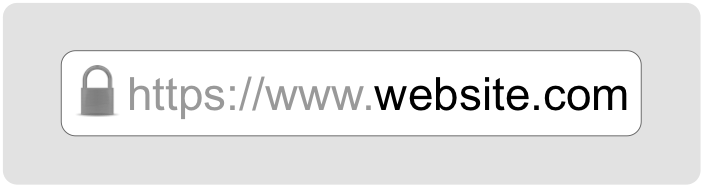
What a mouthful, right? But it’s really quite simple. Most Internet URLs (the addresses or links that you use to navigate the web) start with the four letters http. This is short for Hypertext Transfer Protocol. Well, some web sites offer to connect with a secure, encrypted version of this protocol, called HTTP Secure (or HTTPS for short). Whenever you connect with a website via this secure method, your data to and from it are encrypted so no one else on the same network can see it.

HTTPS


Most important websites like Google, Facebook and more support HTTPS automatically, but keep an eye out for s in the address, and add it if it doesn’t appear. Some browsers have extensions like HTTPS Everywhere that make sure your browser is always seeking the secure connection.

This kind of encryption only works for what happens in your browser. If you have other applications that connect to the Internet, like a mail client such as Outlook or Apple Mail, you’ll need to make sure they have some form of encryption and that its settings are on.


Adjust your settings for maximum protection 

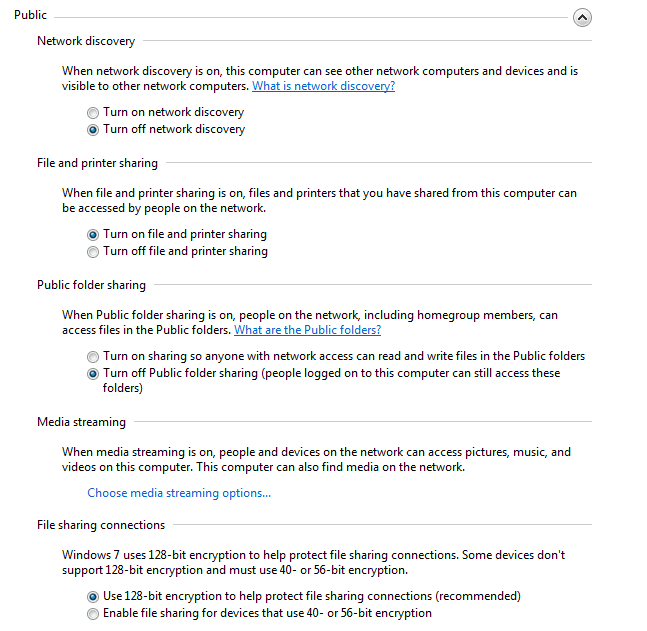
Free Wi-Fi hotspots are high in demand, so you’ll rarely be the only one connected to a network. That means others can reach out through the network and connect to your device if you haven’t changed your sharing and network discovery settings (network discovery lets others find you).

Here’s how you do it:

On Windows: open the start menu (or press the windows key) and type “Manage advanced sharing settings”, then type enter. Make sure that any sharing options are switched off, and that network discovery is also off. Some versions of Windows automatically change these settings for you when you specify you are on a public network vs a home or work one.

Sharing settings


On a Mac:  Open System Preferences and choose Sharing. Make sure all the boxes are unchecked. Head back to the main System Preferences menu, select Security & Privacy and then the Firewall tab. In the Firewall Options, make sure that stealth mode is checked.


Use a clean browser 

You probably have a favorite browser that you use for everything you do online—and that’s exactly why you should use a “clean browser”. Your usual browser is probably set up to give you a lot of handy features like remembering your passwords and keeping cookies from your favorite websites to load them with your personal settings faster. This is all sensitive information worth stealing. A clean browser knows none of that, so there is nothing there for anyone on the same network to steal.


Use a VPN

Virtual Private Networks (VPN) make sure that anything coming in or out of your device is wrapped in strong encryption—not just your browser or email client. This is the safest method of connecting to the Internet when in public. Traditionally used by businesses and governments, VPNs have become affordable for individuals concerned with their security and privacy.

Even with these precautions, however, you should avoid any sensitive browsing like accessing your online bank accounts or making online purchase with your credit card while in public. If it can wait, you should probably do it at home.

How to secure your home network

If you’re looking to protect your home network from strangers, there are really two main things to keep in mind when setting up your Wi-Fi router:

  • Make sure you are using WPA2 encryption.
  • Make sure your password is long.

Our own Michael McKinnon has more on how to protect your network:

Video

Securing your home network

Adobe release critical security patches

Earlier this May, Adobe announced that, on Tuesday 12 May, it will release two vital updates to Adobe Reader and Acrobat that address critical security flaws.

Although Adobe has not yet announced what the issues are, all Adobe users should ensure that they install the update as soon as it becomes available to them.

Keeping your software up to date is one the simplest and most effective ways of keeping your device safe. New bugs and vulnerabilities emerge all the time and developers release updates to mitigate the threats.

For more information on how updating software helps protect your PC, watch the video below from AVG Security Awareness Director Michael McKinnon.

How updating software helps protect your PC

Video

How updating software helps keep you safe


Switch to flight-mode on Mother’s Day

Perhaps Mother’s Day is your opportunity, for one day at least, to bring back the tradition of enjoying a meal surrounded by great conversation and the people you love.

Technology has definitely changed the dinner table dynamic, sometimes for good, and sometimes for bad.  And depending on your age, your family values, and how you use your mobile devices, the experience is often different for many of us.

For some, dinner times used to be a place where debate over controversial urban myths often surfaced.  In the days before “Mythbusters” existed, it was at the dinner table where hypotheses’ and logic were tested and rigorously explored.

And while stronger family personalities often won arguments based on false pretences – mobile devices and Internet now mean that the real facts are just a Google or Wikipedia search away.  In my view, the lessons of learning to “agree to disagree”, along with the ability to resolve conflict using conversation alone, are sadly lacking in today’s world.

Busy family schedules used to be communicated across the dinner table too, but even this has been replaced by Calendar invites and Facebook events.  For technologically savvy families there’s virtually no need to discuss such things during mealtime.

It’s no wonder with all the technology at our disposal, and with the humdrum of daily living taken care of by apps of every kind, that Mother’s are missing out on the attention and conversation they deserve.

So, for this Mother’s Day, switch to flight-mode during dinner time and pretend you’ve taken off to a world of wonder and beauty – one where loving connections are fostered, arguments are settled the old fashioned way, and where stories are shared and enjoyed.

Happy Mother’s Day, and stay safe out there.