Tag Archives: featured1

Avast Mobile Security is the #1 choice for Android users

The most popular mobile security product in the world is Avast Mobile Security.

In their annual IT Security Survey, AV – Comparatives asked, Which mobile anti-malware security solution do you primarily use on your smartphone?

Avast took 1st or 2nd place on four continents: Europe, North America, Asia, and South/Central America.

 Avast Mobile Security is #1 Android protection.

Don’t get burned! Protect your Android with Avast Mobile Security.


How great is the risk of infection on an Android smartphone?

The risk of your Android smartphone becoming infected depends on several factors. In the US and Europe most people use official stores such as Google Play for installing apps. The risk is much lower than in many Asian countries, especially China, where app stores are not subject to stricter controls. Because of these unofficial app stores, along with numerous rooted phones, the chance of installing a dangerous app is highly increased.

In Asia, the smartphone is often used as an alternative to the PC. People frequently use it for online banking which make them vulnerable to Zeus Trojan malware. Zeus is commonly delivered via a link or an attachment in a phishing message or through a text message via WhatsApp, SMS, or Twitter. This threat will similarly increase in Europe and the US as banking apps get more popular.

An ounce of prevention is worth a pound of cure

The Avast Virus Lab has more than one million samples of mobile malware in its database, and reports that 2,850 new mobile threats are created every day by hackers. The threat situation can change quickly and dramatically so it is best to use preventative protection and install security software on your smartphone. At this point though, protecting important data in the event that your phone is lost or stolen is more critical than malware protection.

The AV-Comparatives survey says that Android users in North America protect their phones more than anywhere else in the world with 31 percent of respondents reporting they have protection. South America, Asia, and Europe are much lower at 17 percent.

Protect your Android smartphone and tablet with Avast Mobile Security and Avast Anti-Theft: Free from the Google Play store.


Your SMB’s Biggest Security Threat Could be Sitting in Your Office

This article is a re-print from the April 1, 2015 edition of Silicon India.

Educate your employees about data security.

Careless employees, not hackers, are the biggest threat to your company’s data security.

Security threats are evolving quickly, making it difficult to pinpoint just one threat that is currently affecting small and mid-size businesses.

From the threats we have observed in the past and the ones we anticipate for the future, we have learned that while malware can be damaging to businesses, so can human decisions. This makes it vital for small and mid-size business owners to discuss possible threats with their employees and share basic IT guidelines with them, but more importantly, to implement a strong security solution that holds up dangers before they become a real threat.

Taking Advantage of Human Nature: Social Engineering

Hackers understand that it is human nature to make mistakes, which is why they often turn to social engineering. Social engineering is a tactic that tricks people into revealing their personal information, like log in details, or into performing actions, like downloading malware disguised as an attachment or link.

Phishing emails are a popular form of social engineering that can easily sneak their way into your employees’ inboxes, disguising themselves as yet another offer, promotion, or even customer, if you do not have anti-phishing protection. Phishing campaigns come in many forms; they can either use scare tactics to make people believe they are in trouble or that they have won a prize.

In the last few months we have seen Trojans like Pony Stealer and Tinba make their rounds. Both Pony Stealer and Tinba attempted to convince people they owed money and to download an invoice, which was of course not an actual invoice, but a Trojan.

Falling for phishing scams can have devastating effects on businesses; they could not only steal personal information, but also attack Point of Sale (PoS) systems to steal customers’ financial information, thus not only affecting the business itself, but its clients as well.

Lack of security awareness: Beneficial for hackers, bad for your business

Not taking proper security precautions, like choosing weak passwords or ignoring security updates, is another human flaw cybercriminals like to abuse to access accounts and networks. To gain control of a system, hackers can enter common or weak passwords or simply look up hardware’s default administrative log in credentials.

Neglecting to update software is another gateway for hackers, leaving vulnerabilities and loopholes wide open for them to take advantage of. Similarly, connecting to public and open Wi-Fi connections while on a business trip is like sending hackers a personal invitation to snoop around your business.

India’s SMBs are getting technology ready – hackers are getting ready, too

According to Indian consulting firm, Zinnov, 20% of India’s 50 million small and mid-size businesses are technology ready. Cybercriminals will take note of this and are probably preparing plans at this very moment, which is exactly what you should do, too.

Set up basic security guidelines for your employees, teach them about possible threats and make sure they understand how imperative their role plays in securing your business. For example, your employees should be encouraged to choose strong passwords for their devices and accounts, to keep their software updated – if that’s not what you manage centrally – and to use a VPN when connecting to unsecure wireless networks.

You cannot, of course, rely solely on your employees to protect your business – humans innately make mistakes. To protect your business and to provide your employees with a safety net, you need to have a proper business security solution. Small to mid-size businesses should look for security solutions that include anti-phishing, firewall to control network traffic, and server-side protection. If employees are required to travel frequently, it also makes sense to implement a VPN solution on their laptop, smartphone, and tablet. If connecting to open Wi-Fi at an airport, hotel or café, a VPN can be used to encrypt valuable business data and protect it from hackers.

As humans do make mistakes, you cannot rely on your employees to implement and manage the security solution themselves. It is recommendable to choose a solution that empowers you to remotely manage the security on your employees’ computers.

Whether your business is a two-man show, or an army of 2,000, awareness, paired with the right security technology are essential.


Malware authors go a step further to access bank accounts

Malware authors like to play hide-and-seek. Hiding executable files inside PDFs and Microsoft Office documents then emailing them as attachments are nothing new, but sometimes one layer isn’t enough. This Avast Virus Lab analysis peels back the layers of a new threat.

layers-banking-malware

Malware authors continually surprise us with their creativity. In an effort to trick banking customers into revealing the login credentials for their online account, cycbercrooks are using the trust people have in Microsoft Office to make them execute banking malware on their own computers. Here’s how it works:

Typically, spam emails contain executable files that can harm a victim’s computer and steal private information. In the layered version, they have PDFs or Microsoft Office documents attached that contain a malicious executable file. We recently found an email that had an added layer and decided to analyze the email.

The email, disguised as a financially-related message from a legitimate company,  informed the recipient that an invoice was due and had a PDF file attached. Embedded inside the malicious PDF was a Microsoft Office document and simple java script that dropped and executed the DOC file.

pdf_jsInside the DOC file we found malicious macro code, which users must activate, as the code is disabled by Microsoft Office by default. The code obfuscates DOC files by creating new documents with unique methods names, variable names, and URLs, making it difficult to detect the malicious files.
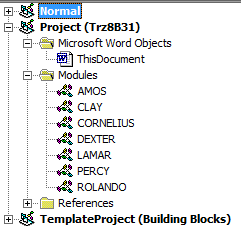

 Macro_modules

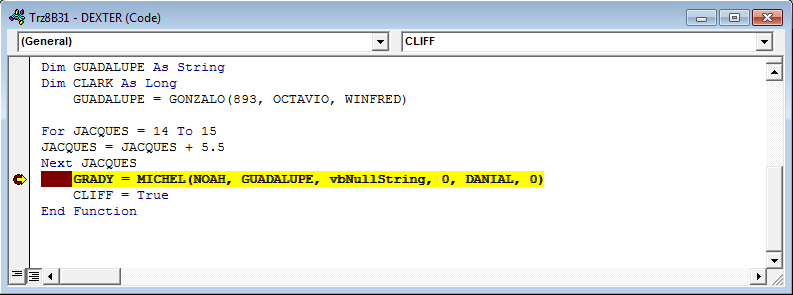
When we analyzed the malicious macro code, we found some hints that helped us with our analysis. In this sample it was a function called MICHEL.

Functions

We already knew this function would open the URL with the malicious file, and when we found this function in one of the modules, we were able to find the download path.

Macro_downloader

The address is stored as a GUADALUPE variable. The URL is unique for each sample and leads to the download of a malicious PE file.

Macro_downloader_watch

The PE file would act as an information stealer, stealing login credentials from banking sites like

  • Santander, whose principal market is in the Northeastern United States
  • Ulster bank, based in Ireland
  • From Google accounts
  • Microsoft

How to protect yourself from banking malware

Our number 1 recommendation is keep your security software updated. Avast streams hundreds of updates every day to your devices, so you will stay protected. For example, the executable file downloaded by the malicious Microsoft Office document belongs to a banker family evolved from infamous Zeus. This variant is also known as a Dridex Botnet. At the time of writing this post, the botnet is still active, but the malware itself is inactive. Avast detects it as Win32: Pierre-A.

Clever cybercrooks use social engineering to manipulate their victims. Use extreme caution when opening emails related to your finances until you can verify the legitimacy.

Samples related to this analysis:

PDF virustotal

DOC virustotal

PE virustotal

How does Fusion protect Government bodies? – Case Study

cloud based solution

We have many times talked about Fusion as a solution which protects, manages and offers remote support to all the IT infrastructure in your organization.

But what if we talked about public institutions or Governments? Here you have two Case Studies about how Fusion worked in these types of organizations in Bjuy and Mullsjö, Sweden.

This is how Fusion protects Government Bodies – Case Studies

Municipality of Bjuv (Suecia)
Download

Mullsjö municipality (Sweden)
Download

The post How does Fusion protect Government bodies? – Case Study appeared first on MediaCenter Panda Security.

This is how Facebook, Twitter or LinkedIn fight to protect your security

social networks

Probably when you were reading about the privacy policy on Facebook or Twitter, you skipped the part of ‘how to protect yourself from cyber attackers’. Each time you download a new application you agree to its terms and conditions, and we are sure that you don’t stop to read them and never worry about how the applications manage your sensitive information.

Social networks strive to inform you on how they protect your information and what can you do to contribute to this task. That’s why they offer the information in the most understandable possible way.

Facebook the most complete

Facebook just had its guide to security redesigned and in the ‘How to Keep Your Account Secure’ section offers new recommendations on how to prevent cyber-attacks through interactive graphics. And to assure everyone can read these tips, they are available in 40 languages and you can share them on your profile.

The recommendations “focus on the tools we make available to help you secure your account, the steps we take to keep your information secure, and the ways you can recognize and avoid attempts to compromise your information” explained Melissa Luu-Van, product manager at Facebook. Van-Luu added in the same post that already millions of people have read the new privacy settings launched last November.

like facebook

Click on ‘help’ if you think your account might have been taken over by someone else, explain you that you have to log out if you are not using your habitual computer or inform you that you can report suspicious profiles and posts are some of the features included in the new security collection.

The guide also warns you of the possibility of a phishing attack. Facebook will never send you an email asking for your password, so if you ever receive an ‘email’ requesting this information could come from a cyber-attacker who created a fake web site to steal your information.

LinkedIn the less organized

Facebook isn’t the only social network which has improved its security information recently. LinkedIn has also a new ‘Security Blog’ with helpful guidelines. “We’ll use this site to share some of our security research, whitepapers on how we handle data and the security features and diligence we’ve built into our products. If you are responsible for information security at an enterprise that uses LinkedIn’s products” says Cory Scott, LinkedIn’s Information Security Director.

This professional network explains how your information is used and protected. For example, inform that they can hire third party companies to provide their services with limited access to your information. In addition its support center offers advice on how to better protect your account: changing your password regularly, check the privacy settings or activate the two-step verification to prevent phishing attacks, that many users have suffered in the last few months.  Nevertheless, this information is less organized than in Facebook, so you will have to dive deeper to find what you want.

Twitter the one that offers personal tips

Twitter also wants to show you its way of protecting your information. If you are interested to know more details, in their help center there is a wide security and protection section, you can access it from the tab of ‘help and support’ in your profile.

twitter

Here you can find out some tips on how to maintain secure account (similar to other social networks), or how to inform Twitter if you find your account has been violated. The company pays special attention to cyberbullying and includes custom security tips for teens, parents and teachers.

What about Google?

But not only social networks detail their security policy; google has been doing it for a while. A complete manual is included in the web ‘How to stay safe and secure online’ where explains how to prevent cyber-attacks protecting your passwords, checking your Gmail’s settings or verifying the emails’ sender if you think it might be a scam.

You can also dig through all the security and privacy tools offered, like two-step verification or who to browse through Chrome without your computer recording it in your browsing history.

So, if you ever wonder how the services you trust every day protect your information against cyber-attacks now you have no excuse, the answer is here!

The post This is how Facebook, Twitter or LinkedIn fight to protect your security appeared first on MediaCenter Panda Security.

Porn clicker app slipped into Google Play imitating popular Dubsmash app

Everyone from celebrities like Lena Dunham to Hugh Jackman are using the (currently) seventh most popular app available on Google Play: Dubsmash. Dubsmash is an app with more than 10 million Google Play installations that lets users choose a sound, record a video to go along with the sound and send their dub to their friends or social media channels. Dubsmash is not only widely popular amongst teens and celebs, but the app has also caught the attention of malware authors.

Avast finds porn clicker app named Dubsmash 2 on Google Play

Google removed the rouge app after Avast notified them

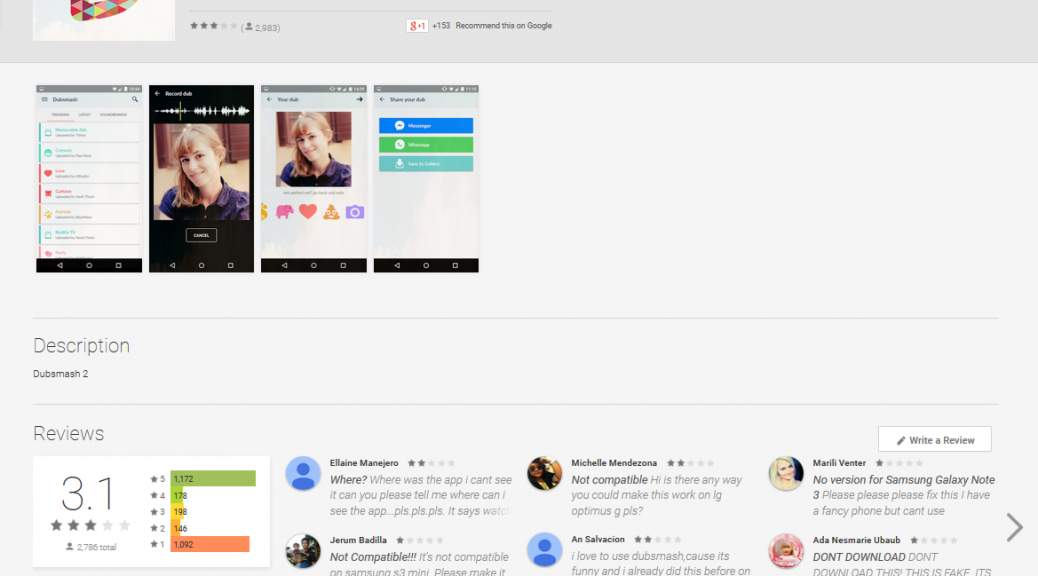
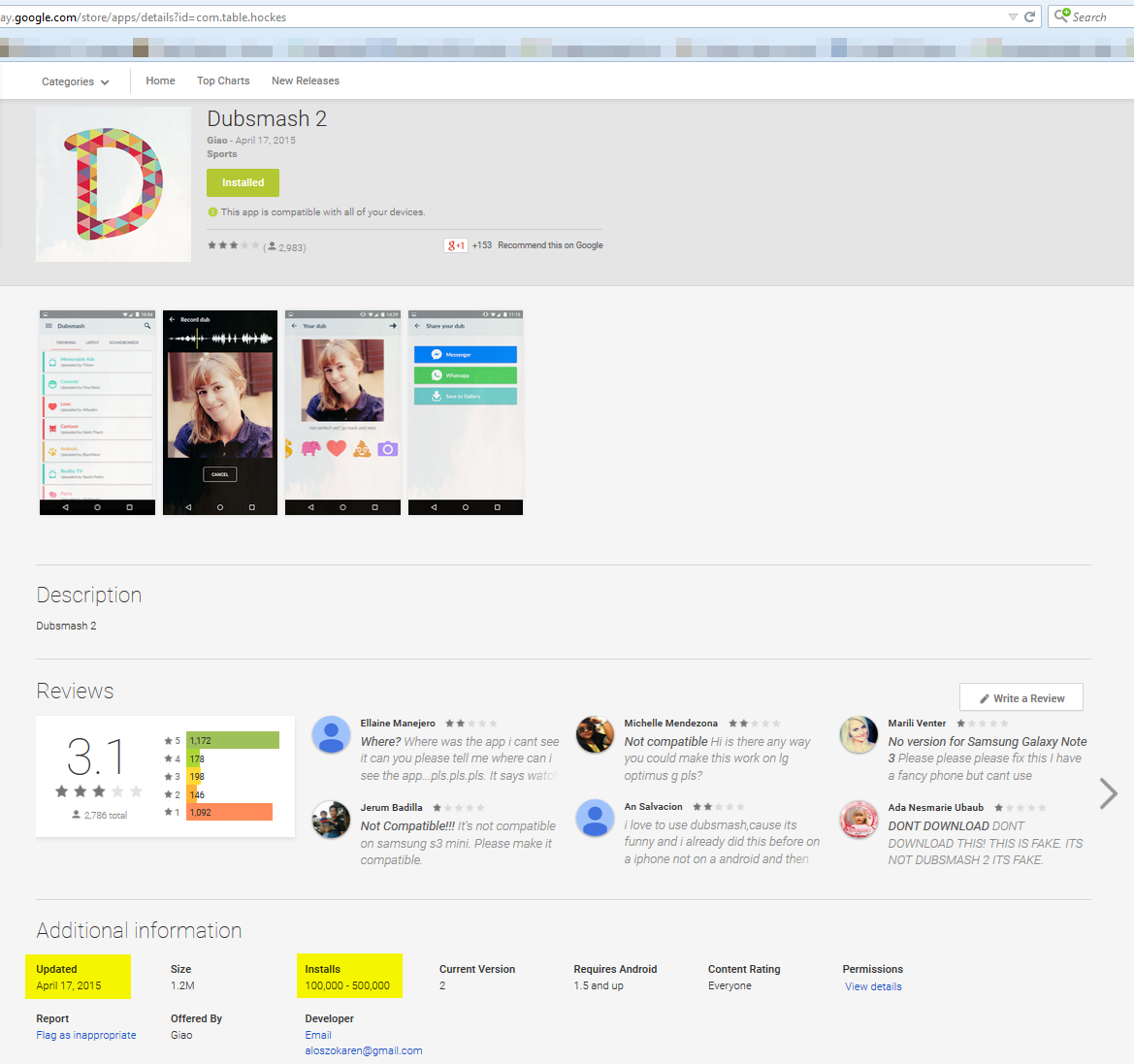
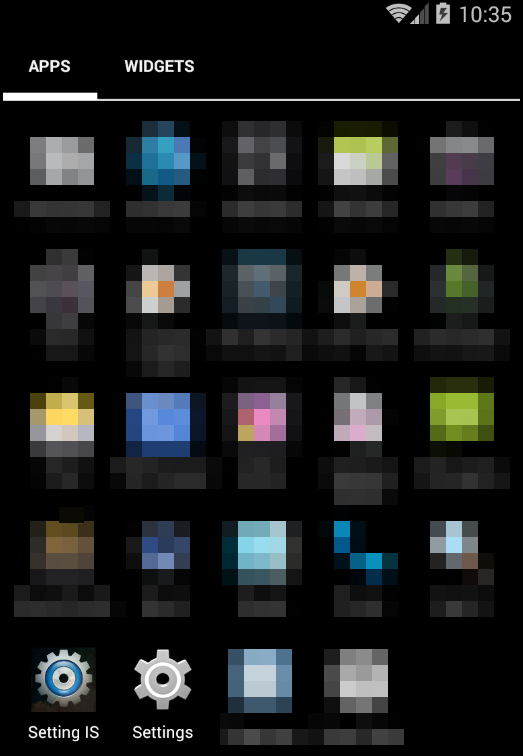
Avast recently discovered “Dubsmash 2” (with the package name “com.table.hockes”) on Google Play – and no, it was not the bigger and better version of the original app. The app is a so called “porn clicker” and was installed 100,000-500,000 times from the Google Play Store. We contacted Google when we discovered the rogue app and it was removed from the Play Store shortly thereafter. Once the app was installed there was no evidence of an app named “Dubsmash 2” on the user’s device, instead the app installed an app icon named “Setting IS”. This is a common trick malware authors use to make it harder for the user to figure out which app is causing problems. This should also be the user’s first clue that something shady is going on. The “Settings IS” icon looked very similar to the actual Android Settings icon (see screenshot below).

The app’s mischievous activities could be triggered by two actions. The first possible way was by simply launching the “Settings IS” app and the second, which occurred only if the user had not yet launched the app, was via the BroadcastReceiver component within the app. BroadcastReceiver observed the device’s Internet connectivity and  if the BroadcastReceiver noticed the device was connected to the Internet, the app’s true functions would be triggered.

If the “Settings IS” app was opened by the user, the Google Play Store would launch to the actual “Dubsmash” app download page.

Porn clicker "Settings IS"

The rogue icon looked very similar to the Android Settings icon

Once activated, the app sent an HTTP GET request to an encrypted URL. If the request returned a string containing the character “1”  two services would begin to work: MyService and Streaming. Using this method the author could also effectively turn off the start of the services remotely.

The MyService service began by deleting the “Settings IS” app icon from the device’s main menu and scheduled a task to run every 60 seconds in the background of the device, meaning the user never realized that anything was happening. The task would download a list of links to various porn sites from an encrypted URL stored within the app, along with JavaScript execution code. One of the porn links from the list would be launched in the browser and after ten seconds, the JavaScript code (also downloaded from an encrypted URL) was executed, clicking further links within the porn site. In the case seen in the picture below, the function opened a random link from the web page.

Porn links app opened

The developer probably made money on pay-per-click ads.

The second service, the Streaming service, was fairly similar in structure to the MyService component in that it also scheduled a task to run every 60 seconds. The main difference to MyService, is that users could notice the Service tasks did not run secretly in the background. The task would check for changes in the device’s IP address or date. If either of them had changed, a video would launch in the device’s YouTube app. The YouTube app needed to be installed on the device for this to function properly. The video address was also obtained from an encrypted URL.

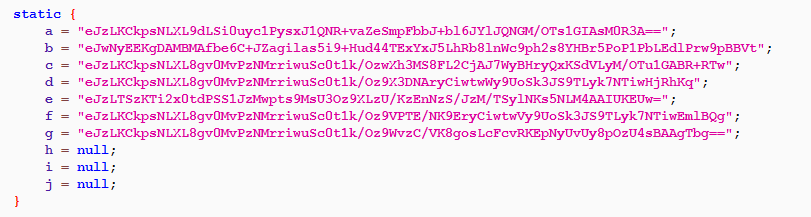
code_screen_1

The encrypted URLs used by the app

After decrypting and further examining the URLs and the video from YouTube, the Avast Virus Lab came to the conclusion that the malware most likely originated from Turkey. The developer’s name listed on Google Play and YouTube hint to this.

We suspect the app developer used the porn clicker method for financial gain. Through clicks on multiple ads within the porn sites, the app developer probably received pay-per-click earnings from advertisers who thought he was displaying their ads on websites for people to actually see.

Despite being undesirable, but basically harmless to the user and less sophisticated than other malware families such as Fobus or Simplocker, this app shows that although there are safeguards in place, undesirable apps that fool users can still slip into the Google Play store.

If you installed Dubsmash 2 (package name “com.table.hockes”), you can delete the app by going into Settings -> Apps -> find “Settings IS” and then uninstall the app.

The Avast Mobile Security application detects this threat as Android:Clicker. SHA-256 hash: de98363968182c27879aa6bdd9a499e30c6beffcc10371c90af2edc32350fac4

Thank you Nikolaos Chrysaidos for your help with the analysis :)

InboxScan: the service that checks if you have saved your passwords in your email

inbox scan

Passwords are the unfinished business of Internet users. We have all had the same problem. After carefully picking the perfect password with capital letters, numbers, special characters and which is finally long enough, we have to sing up for another service. Whether it is to open bank account, a new profile on Instagram or to access our telephone bills via the Web we have to remember yet another password.

Although some platforms help us with this task by sending us a password to enable us to enter the account and which can be modified later, we end up learning it by heart instead of changing it.

That email with our password is then forgotten and ends up at the bottom of our inbox.

inbox scan

We already warned you when more than five million Gmail passwords were leaked on a file and security experts have demonstrated with various safety studies that this is an upward trend. If we look back to that forgotten email among other hundreds, you can figure out that its very existence poses a risk, because its content is at the mercy of the cybercriminals who are always ready to steal the information.

If you, like most people, suffer from ‘digital Diogenes syndrome’ it will be difficult to rescue all those emails with sensitive information and to prevent their theft. And to remember all the online services you have signed up for and for which you have kept the original password.

Whatever the case we recommend a useful and simple option called Scan Inbox. A tool which detects forgotten private information in your inbox and deletes it permanently. You don’t even have to download the service. It is available ‘online’.

The program works in Gmail, Hotmail, Yahoo or AOL and searches for and locates sensitive information such as automated emails with passwords or bank account numbers which you think are secure.

To use this tool you only have to indicate your mail server and it will automatically access and scan your email.  Dashlane, the company owning the service, ensures that this intrusion is temporary and no personal information is stored.

inbox scan protected

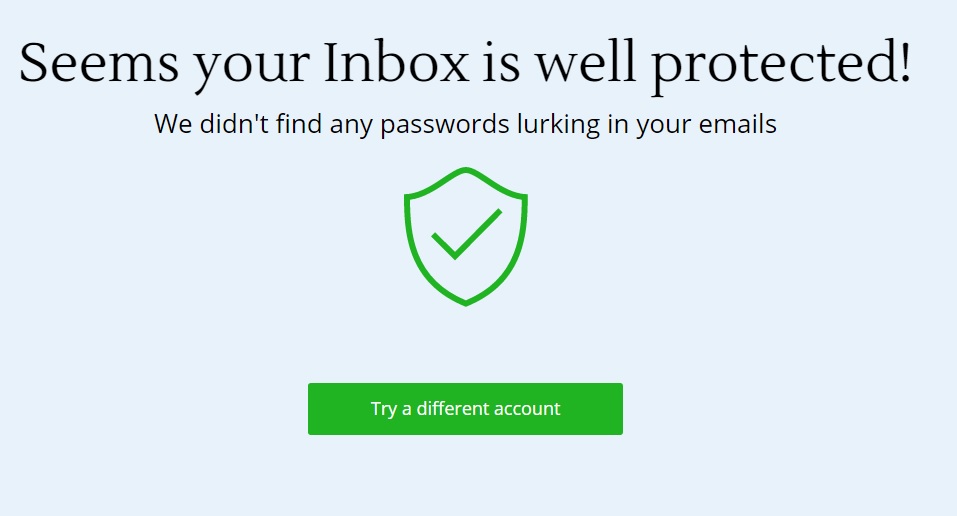
Once the analysis is executed and completed, Inbox Scan gives you a full report on the inbox’s ‘health’ with regard to security. The report includes details like the number of passwords and the number of new accounts created, those which might have been affected by a security breach and which passwords have been reused.

All the information is presented in a visual way: a lower bar indicates the time and above it a series of bubbles arranged chronologically. Each of these represents one of the accounts you have created. The bigger the bubble the more important it is, and the color red indicates whether this tool has found a password associated with the account in question.

If the display is not enough for you and you wish to study the report in depth you can download it in PDF. From there on, you just have to change the compromised passwords and delete all the sensitive emails.

An alternative for you to store your passwords safely

If you wish to have all your passwords stored in one place, you can use the password manager of our antivirus software Panda Global Protection.

If you use this you will only have to remember one master password to access all your Web services. In this way, you will never forget another password again!

The post InboxScan: the service that checks if you have saved your passwords in your email appeared first on MediaCenter Panda Security.

Avast Battery Saver raises the bar with new Wi-Fi-based smart profiles

Avast Battery Saver increases battery life by an average of 7 hours.

Avast Battery Saver increases battery life by an average of 7 hours.

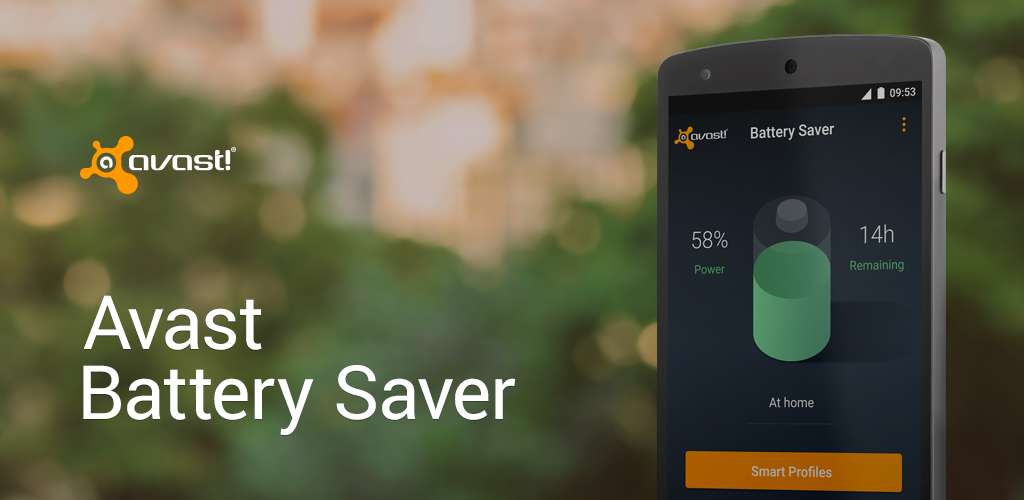
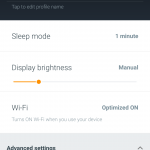
We’ve recently told you about Avast Battery Saver, an application which saves your Android’s power without hassle. It optimizes phone settings such as Internet connectivity, screen brightness, and timeout according to your needs. We’d now like to announce an exciting new feature of the app: Wi-Fi-based smart power profiles. These profiles are activated automatically based on designated local Wi-Fi networks that are detected.  Users can now assign specific wireless networks to be used within their home or work smart profiles. Not only are Wi-Fi-based profiles more precise than GPS-based profiles, but they are also more efficient and require less energy to detect.

In contrast to other battery-saving applications, Avast Battery Saver learns about your daily routine and thus suggests the best smart profiles for your phone. It doesn’t require you to change your behavior or usage, nor does it affect voice calls, text messages, or the ring volume of your phone.

“Everyone needs more battery life for their mobile devices, but most battery savers shut down the wrong apps,” said Jude McColgan, Avast’s President of Mobile. “Avast Battery Saver learns which apps are most important to the user, and shuts down only those that are less used.”

Avast Battery Saver significantly improves battery life, saving up to 20% on one charge — and it’s free from the Google Play Store.

New Wi-Fi-based profiles have been added to make the app’s convenient features significantly more efficient


  • Smart profiles activate automatically based on time, location, user-designated Wi-Fi networks and battery level.
  • App consumption detects and permanently stops apps that drain too much battery life.
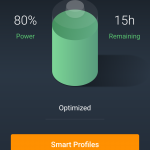
  • Precise estimate of remaining battery life based on actual phone usage and historical data. Battery level is displayed in a percentage and time remaining in status bar notification.
  • The application can turn off Wi-Fi when there are no known hotspots nearby.
  • Your phone limits connections to the Internet to every 5, 10, 15 or 30 minutes, based on your current profile configuration, when its screen is turned off.
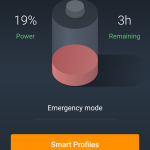
  • Emergency mode is activated when your battery level is very low, and it turns off all functions that require significant energy, saving power for when you really need it (e.g. Wi-Fi, data connection, Bluetooth or GPS).

Emergency mode helps you get the most out of your device's remaining battery life.
Optimize smart power profiles for improved usability.
Users can easily navigate to smart profiles directly from the app's home screen.


The app currently works with the following four profiles: Home, Work, Night, and Super-Saving Emergency Mode. You can easily access the list of profiles by clicking the Smart Profiles button on the app’s home screen. Avast Battery Saver is available for download in the Google Play Store.

When Minecraft Meets IT Security


minecraft panda

The phenomenon that is Minecraft began life back in 2009 as a sandbox construction game and has grown into one of the most popular games in history with hundreds of millions of players all over the world interacting via computers, consoles and mobile devices – there is even a dedicated version for the Raspberry Pi where programmers are encouraged to modify the game code for educational purposes.

Video game merchandise based around the Minecraft world tops the UK charts for sales in 2014 and over 2 million Minecraft books were sold in the UK last year.

The fan-base have created extraordinary objects and landscapes including a 1:25 scale Ordnance Survey map of the UK, a working 16-bit computer and a plan for a life size model of the British Museum is underway.

There are YouTube channels dedicated solely to Minecraft and top vloggers such as Stampy (@stampylongnose) who dedicate their lives making Minecraft adventures to show their millions of followers – with nearly 4 billion Minecraft videos viewed on YouTube every month.

The beginning of a single-player game of Minecraft is ensuring your character ‘Steve’ survives after being dropped alone into a digital world with empty pockets. ‘Steve’ must mine the resources needed to build a home and craft tools to protect him against the monsters which come out in the dark.

minecraft

This process parallels the need to protect a new computer or mobile device before it is exposed to cyberthreats – the very first thing you should do is gather security resources and craft them into protective walls and tools against the ‘monsters’ from the dark side of the Internet.

Minecraft users are well aware of these threats as recently an unpatched vulnerability, first reported to Mojang in July 2013, was published allowing Minecraft servers to be crashed

Back in January 2015 nearly two thousand Minecraft users had their login credentials leaked online with the hackers stating they had many more. How the hackers obtained the credentials is unknown with possibilities ranging from blunt force (zombie mob) guessing of credentials, targeted phishing attacks (skeletons), or even a security breach (Ender Dragon) at Mojang itself – something which the Microsoft owned software developer has since denied.

Other monsters and environmental dangers within Minecraft are also analogous to the various types of cyberthreats including:

  • Pervasive Creepers are the explosive old-skool malware simply out to cause destruction.
  • Pools of lava and rock falls can appear at any time while mining just as a drive-by vulnerability of a compromised website can infect your device while browsing.
  • Falling into a pool of lava will not only kill you, but also cause the loss of all the precious objects and clothing being carried – ensure you back up your important files to provide extra security against destructive malware and ransomware.
  • Dual threats come from Spider Jockeys similar to a vulnerability allowing malware to silently infiltrate the computer – the vulnerability must be patched and the malware cleaned to ensure enemy is vanquished.
  • The largest and most complex Minecraft threat is the Ender Dragon which uses a multitude of attack methods similar to modern Advanced Persistent Threats (APTs) – only a layered security approach, user vigilance and auditing tools (or a very heavily armed ‘Steve’) can mitigate.

Luckily there are numerous security tools that can stop these monstrous problems interfering with the smooth-running of your digital life:

  • The Antivirus and firewall are your house and walls stopping the majority of everyday threats.
  • Proactive cloud-based detection is your armour protecting you wherever you go against new and unknown threats from all directions.
  • Specific security tools are your sword, pick and shovel in the forms of virtual keyboards, application control and USB vaccines.
  • If you are lost within the labyrinth of caverns then Mobile Device Locators are your map and compass, and antitheft may restore your resources when stolen by monsters.
  • A lightweight security solution which protects without impacting on your device performance will allow you to carry all you want – Imagine discovering a huge seam of diamonds without being able to carry an iron pickaxe as your pack is full software bloat.

Panda Security offer a variety of free and paid for solutions for consumers and businesses to protect you against the cyberthreats visit Panda Security for details.

Neil Martin – Head of Marketing at the UK & Ireland arm of Panda Security

The post When Minecraft Meets IT Security appeared first on MediaCenter Panda Security.

Panda Antivirus 2015 latest update: all about our three great innovations

panda simplexity change

If you are reading this after being informed by your computer that your product has been automatically updated, probably by now you have realized we have a new look&feel.

The panda bear located next to your PC’s clock which has always looked after your security while you enjoyed your online freedom has changed its looks to better represent our new corporate identity. Now we are Simplexity!

This new version 15.1, of consumer products, integrates some other important improvements like:

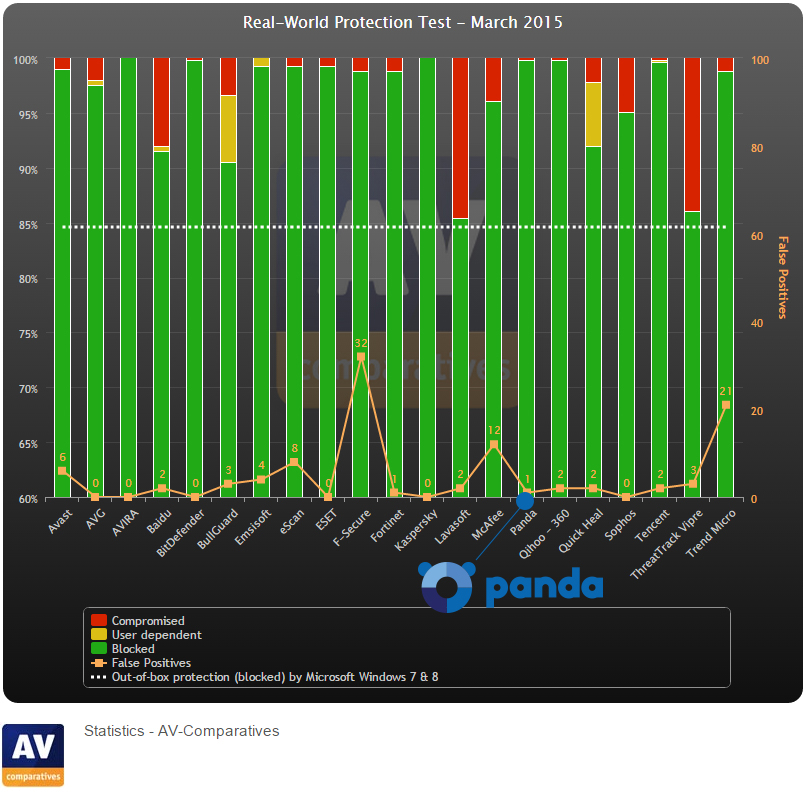
  • Improvement of our XMT engine, it has now greater protection capacity against new threats. To prove this we just have to look at the latest results obtained in the last Real World Protection Test carried out by AV-Comparatives, in which this new version detected 99, 8% of the threats, that’s an excellent result!

panda avcomparatives

  • Product performance maximization, integrating file copies and network analysis optimizations.
  • The possibility of launching the virtual keyboard from the new icon’s menu and Parental Control predefined profiles (available in Panda Internet Security and higher), are some of the improvements included in our paid products.

As you can see, we keep adapting and improving our services after receiving our users’ community feedback.

You are the reason we keep working to improve our security solutions in all devices! In the next few weeks we will announce new features… Stay tuned!

The post Panda Antivirus 2015 latest update: all about our three great innovations appeared first on MediaCenter Panda Security.