More than five percent of all unique IP addresses accessing Google sites included some kind of ad injector software, and there are more than 50,000 of those injector browser extensions in use today, according to new research from Google.
Tag Archives: google
Google Updates Password Alert Extension, But Some Bypasses Still Work
For the second time in less than a week, Google has updated its Password Alert extension for Chrome to address a method for bypassing the warning screens that alert users that they’re entering data on a non-Google site. However, the researcher who discovered the most-recent bypass method said his technique still works on the latest […]
Google Patches Clickjacking Bug
Google paid out a $1,337 bounty to a researcher who found a clickjacking vulnerability in Google API Explorer.
“Mobilegeddon†– Is Your Website Mobile Friendly?
Starting last week, Google’s search algorithm is now ranking mobile-friendly Websites above others. Bottom line: “If your site’s pages aren’t mobile-friendly, there may be a significant decrease in mobile traffic from Google Search,” Google itself says.
Why the change? Ultimately, the move reflects how people are using the Internet. Mobile is being used for everything from searches to banking, and not just while people are on the go. As Google notes, in the US, 94% of people with smartphones search for local information on their phones; 77% of mobile searches occur at home or at work.
The latest data from the Pew Internet Project showed that 64% of American adults own a smartphone. Similarly, comScore reported 60% of Internet traffic is from mobile devices. These numbers are consistent with AVG’s own research conducted with MEF (Mobile Economic Forum) and findings that the move to mobile commerce and content is only going up.
So, what makes a website or page “mobile-friendly”? Since most of us have experienced unfriendly mobile sites, it’s pretty easy to assess at one glance.
The criteria, which Google spelled out last fall when it began calling out “mobile friendly” sites and setting the stage for the current change, includes:
- Avoids software that is not common on mobile devices, like Flash
- Uses text that is readable without zooming
- Sizes content to the screen so users don’t have to scroll horizontally or zoom
- Places links far enough apart so that the correct one can be easily tapped. “
You can find more details here.
You also can check to see if your own site is mobile-friendly with the Google Mobile-Friendly Test or check the status of your entire site through the Mobile Usability report in Webmaster Tools. Be prepared. You may be in for a surprise.
While savvy tech companies have been anticipating Google’s change, the impact will no doubt be felt among small businesses that don’t always have the resources to respond to technology changes quickly. And a change in search ranking is one that can have a huge impact on their business!
Experts are predicting that sites that aren’t mobile friendly will see a dramatic fall-off in page hits and localized searches (i.e., foot traffic). In fact, that’s why analysts have taken to calling the change in rather dramatic terms, such as “Mobilegeddon.”
So what to do if you are a small business owner? You’re website has to go mobile!
Fortunately there are a lot more options available than ever before for easily creating new and mobile friendly websites that don’t require spending a lot of money. Among some of the most popular website building resources are SquareSpace , Wix and Weebly. You can see a comparison review of the tools here.
Once your website becomes mobile-friendly, Google says it will automatically re-evaluate your pages. Google also advises that you can expedite the process by using Fetch as Google with Submit to Index to get a mobile-friendly ranking.
The Google move is another reminder that as the world goes increasingly mobile, it presents new challenges and opportunities. But, it’s not only in the way we present our web pages, but also in many aspects of how we do business – including an evolution of how we secure the data and protect the privacy of our mobile customers. The latter is a matter of consumer trust, which is paramount for businesses in today’s mobile world and why we at AVG are committed to helping businesses do so.


Congress, Crypto and Craziness
A Congressional hearing on encryption and “frontdoors” produced a generous amount of the usual “crazy” from lawmakers and law enforcement.
Google Releases Password Alert Extension for Chrome
Google is rolling out a new extension for Chrome that will monitor users’ logins and warn them if they enter a Google password on a non-Google page, a move designed to help protect users against phishing attacks. The new extension, called Password Alert, works for both consumer accounts and Google Apps for Work accounts. Company […]
You can now download your Google Search history
When it comes to significant historic events, we can all remember where we were when we first heard the news. I can remember where I was on 9/11 and when man landed on the moon but can you remember what you searched for on the 29 November 2012?
Chances are you can’t, but it’s now possible to find out.
Search engines like Google can collect vast amount of data about us that can be used to build a profile of our interests, hopes, fears and activities. Imagine everything you searched for being stored and later analyzed.
College years, holidays, medical conditions, online dating, buying a car, having children or just my news preferences are all there in the keywords that I use when searching for content.
Is there any need for either you or anyone else to have this personal view into your life?
Two years ago, I switched off storage of Google search history with no noticeable effect on my ability to find things. On the other hand, I am sure its inconvenienced a couple of companies that would love to target me for advertising.
Google recently announced the ability to download your entire search history, which if you have a Google account is collected by default. This is a little known feature that comes with a forewarning about the sensitive nature of the data.
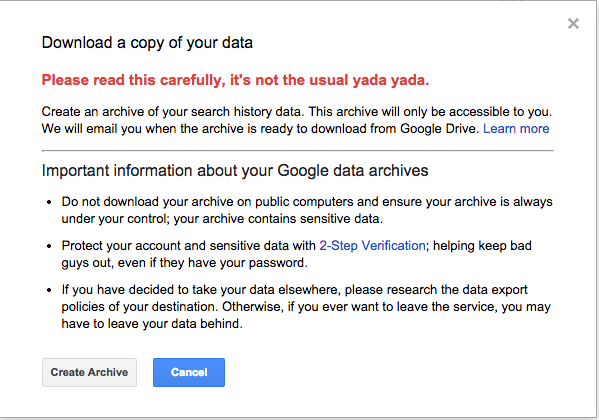
If the data is so sensitive then why was there no warning that someone was collecting it to start with? Maybe it should be an optional feature that I could choose to switch on?
I recommend that you make a conscious decision on whether someone needs to be collecting this or whether you feel that you may need this for some reason in the future (if you can think of one please let me know).
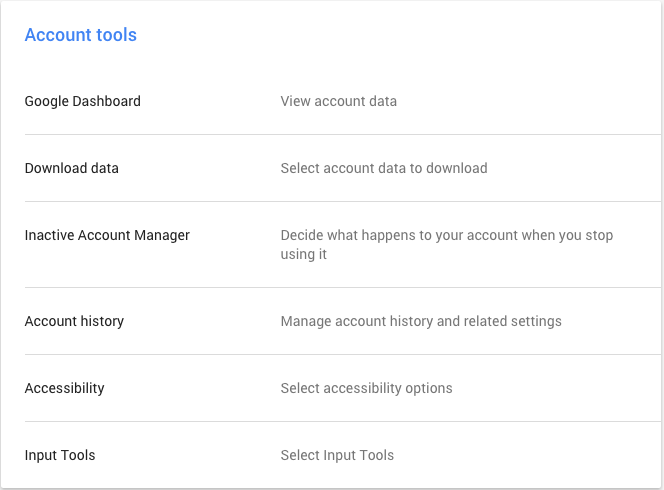
Changing the history storage options is in your Google account settings in the ‘Account Tools’.
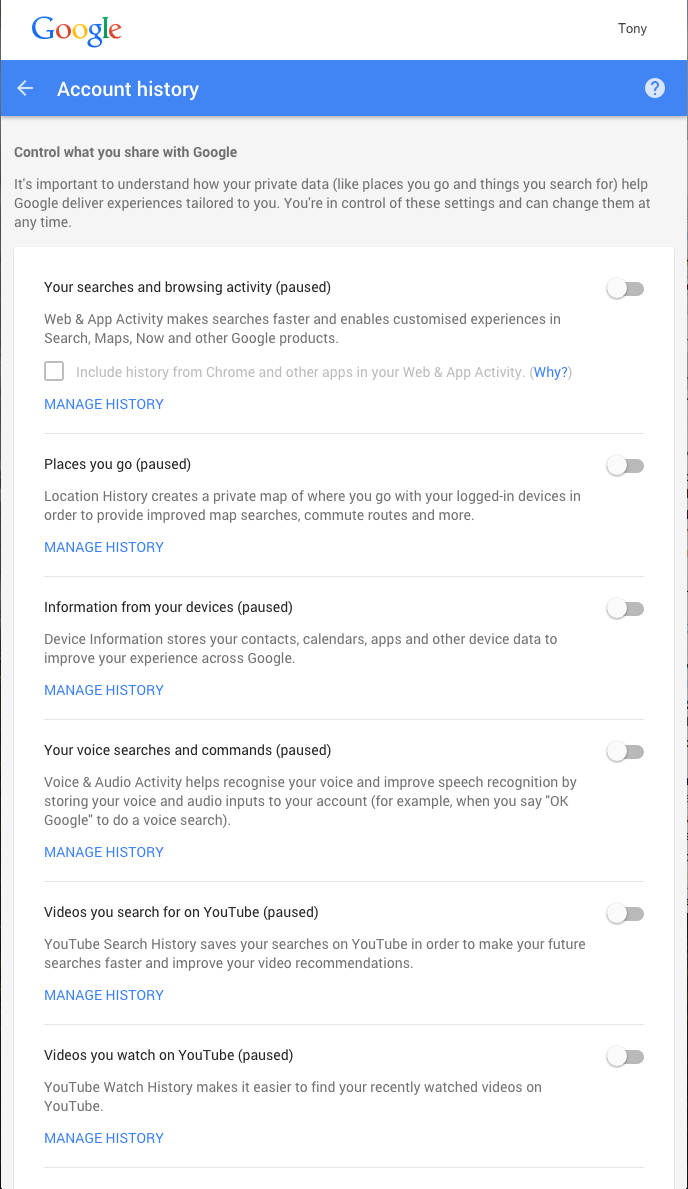
Selecting Account history then opens a screen that allows you to control not only search history but also voice searches, YouTube videos searched for or watched and even the location data that you may be storing. While on this page, be sure to review what history you are willing to share and make the appropriate selections as necessary. As you can see, I have selected to switch off all collection of my history.
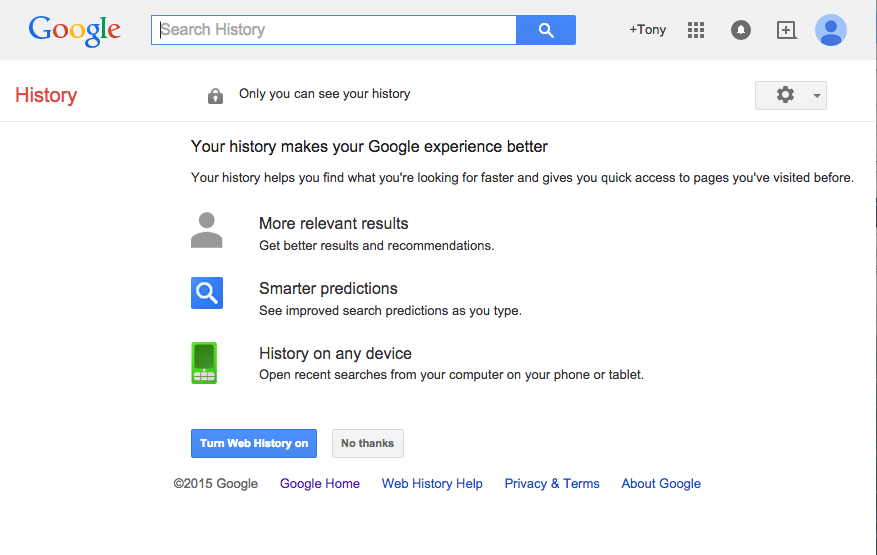
Then there is the management of all the historic data, it might be amusing to go back and look at what you were browsing for before you remove it. This might just highlight to you the need to manage what is collected!


Renewed Attention on Android Apps Failing SSL Validation
CERT researcher Will Dormann presented an update on his research looking at Android apps that fail to validate SSL; Google meanwhile, says it will get stricter with enforcement.
Google Moving Toward Encrypted Ad Services
Google engineers have spent the last several years moving many of the company’s online services to encrypted links. Gmail is HTTPS by default, and Google search is done over SSL for much of the world. Now the company is working to move its ad-serving and ad-buying platforms to HTTPS, as well. Google’s ad networks are pervasive […]
Threatpost News Wrap, April 17, 2015
Dennis Fisher and Mike Mimoso discuss the Windows HTTP.sys vulnerability, Google’s decision to turn off the NPAPI in Chrome and the voting machine security disaster in Virginia.