Tag Archives: Security

Do Millennials Suck When It Comes To Security?

Millennials (or Generation Y) are those who were born from the early 1980s to the early 2000s. A study now looked at the impact which generational attitudes have toward security issues and compared Millennials Generation X/Gen X (those born between 1965 and 1980) and the “baby boomers” (born between 1946 and 1964).

You would normally think that the Millennials know what they are doing when it comes to technology, considering that most of them grew up with it. But while it is a big plus when it comes to handling devices and navigating around the net, the sense of well-being also seems to be their Achilles heel and leads them to being more careless with privacy concerns and a few other security aspects. The study backs this up with some key findings:

  • “Millennials have the worst password reuse habits of all demographics: 85 percent admit to re-using credentials across sites and services.
  • Risky behavior can be found across demographics: 16 percent of millennials and 14 percent of Gen-Xers accept social media invites from strangers “most of the time.”
  • Millennials are most likely to find security workarounds: A combined 56 percent admit they would “very” or “moderately likely” evade restrictive workplace controls. “

On the other hand, the paper also shows that the other included generations show risky behavior as well (though not in the same areas: Baby Boomers for example may pose a rather big BYOD risk; 48% use personal devices to access work related content).

Nonetheless it would seem that Millennials are easy prey for hackers: Reusing passwords and being too trusting on social media (which may or may not lead you to fall victim to social engineering) can lead to unwelcome results.

The post Do Millennials Suck When It Comes To Security? appeared first on Avira Blog.

Avast Home Network Security is ideal for the self-employed

Don't let your router be the weakest link when it comes to protecting your home business.

Don’t let your router be the weakest link when it comes to protecting your home business.

For those of us who are self-employed and/or work from home, our houses are sacred spaces on both personal and professional levels. Although often overlooked, our routers hold the key to our productivity, as they provide the powerful and consistent network connection that we depend on in order to get our work done. Unfortunately, we often take these little guys for granted, and because of this, routers have become the weakest security point in many home and small business networks these days.

“Unsecured routers create an easy entry point for hackers to attack millions of American home networks,” said Vince Steckler, chief executive officer of Avast. “If a router is not properly secured, cybercriminals can easily gain access to an individual’s personal information, including financial information, user names and passwords, photos, and browsing history.”

Securing your router is vital for both you and your business

You may have heard about the recent NetUSB driver flaw that made millions of routers vulnerable to malicious attacks. Unfortunately, this is just one case surrounded by the larger issue of users not taking the necessarily precautions to properly secure their home networks.

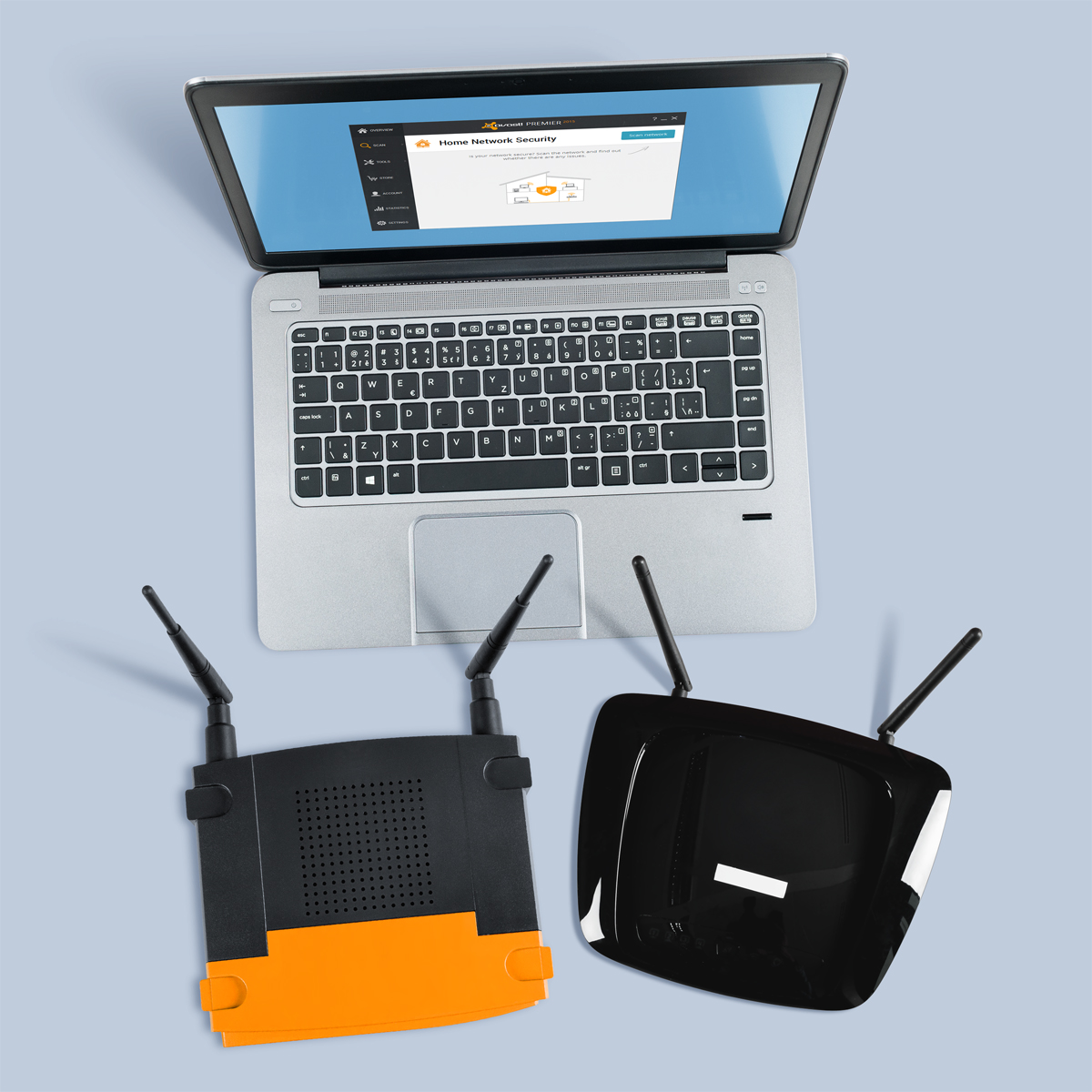
Avast now features Home Network Security (HNS), which scans for home router security problems. Avast is the only security company to offer a tool to help you secure this neglected area. Avast Home Network Security scans a user’s home network and routers for potential security issues that could allow a hacker attack. The scan looks for misconfigured Wi-Fi networks, exposes weak or default Wi-Fi passwords, vulnerable routers, compromised Internet connections, and enabled, but not protected, IPv6. It also lists all devices on the network so you can make sure only your known devices are connected.

In addition to protecting your devices using Avast Home Network Security, there several steps you can take in order to further improve your router’s security.

  • Change the default admin username and password to a strong password. Do not use default passwords because they’re generated from well-known algorithms that makes hacker attacks even easier. Do not use your name, date of birth, home address or any personal information as the password.
  • Turn off WPSthe automated network configuration method that makes your wireless password more vulnerable to hacker attacks.Turn on WPA2 encryption and, if you can, protect it with a strong password.
  • Change the default admin username and password to a strong password. Do not use default passwords because they’re generated from well-known algorithms that makes hacker attacks even easier. Do not use your name, date of birth, home address or any personal information as the password.
  • Upgrade your router firmware to fix known vulnerabilities of the router.
  • Don’t forget to log out after managing the router, avoiding abuse of the authenticated browser sessions.

Protect your router against malicious attacks with Avast Home Network Security.
Avast Home Network Security's scan helps you keep your router secure and safe from hackers.
Results are shown once Avast Home Network Security's scan is complete.


The Home Network Security Solution is available in free and paid versions of Avast. Get it at www.avast.com.


// <![CDATA[
!function(d,s,id){var js,fjs=d.getElementsByTagName(s)[0],p=/^http:/.test(d.location)?’http’:’https’;if(!d.getElementById(id)){js=d.createElement(s);js.id=id;js.src=p+’://platform.twitter.com/widgets.js’;fjs.parentNode.insertBefore(js,fjs);}}(document, ‘script’, ‘twitter-wjs’);
// ]]>

JSON, Homoiconicity, and Database Access

During a recent review of an internal web application based on the Node.js platform, we discovered that combining JavaScript Object Notation (JSON) and database access (database query generators or object-relational mappers, ORMs) creates interesting security challenges, particularly for JavaScript programming environments.

To see why, we first have to examine traditional SQL injection.

Traditional SQL injection

Most programming languages do not track where strings and numbers come from. Looking at a string object, it is not possible to tell if the object corresponds to a string literal in the source code, or input data which was read from a network socket. Combined with certain programming practices, this lack of discrimination leads to security vulnerabilities. Early web applications relied on string concatenation to construct SQL queries before sending them to the database, using Perl constructs like this to load a row from the users table:

# WRONG: SQL injection vulnerability
$dbh->selectrow_hashref(qq{
  SELECT * FROM users WHERE users.user = '$user'
})

But if the externally supplied value for $user is "'; DROP TABLE users; --", instead of loading the user, the database may end up deleting the users table, due to SQL injection. Here’s the effective SQL statement after expansion of such a value:

  SELECT * FROM users WHERE users.user = ''; DROP TABLE users; --'

Because the provenance of strings is not tracked by the programming environment (as explained above), the SQL database driver only sees the entire query string and cannot easily reject such crafted queries.

Experience showed again and again that simply trying to avoid pasting untrusted data into query strings did not work. Too much data which looks trustworthy at first glance turns out to be under external control. This is why current guidelines recommend employing parametrized queries (sometimes also called prepared statements), where the SQL query string is (usually) a string literal, and the variable parameters are kept separate, combined only in the database driver itself (which has the necessary database-specific knowledge to perform any required quoting of the variables).

Homoiconicity and Query-By-Example

Query-By-Example is a way of constructing database queries based on example values. Consider a web application as an example. It might have a users table, containing columns such as user_id (a serial primary key), name, password (we assume the password is stored in the clear, also this practice is debatable), a flag that indicates if the user is an administrator, a last_login column, and several more.

We could describe a concrete row in the users table like this, using JavaScript Object Notation (JSON):

{
  "user_id": 1,
  "name": "admin",
  "password": "secret",
  "is_admin": true,
  "last_login": 1431519292
}

The query-by-example style of writing database queries takes such a row descriptor, omits some unknown parts, and treats the rest as the column values to match. We could check user name an password during a login operation like this:

{
  "name": "admin",
  "password": "secret",
}

If the database returns a row, we know that the user exists, and that the login attempt has been successful.

But we can do better. With some additional syntax, we can even express query operators. We could select the regular users who have logged in today (“1431475200” refers to midnight UTC, and "$gte" stands for “greater or equal”) with this query:

{
  "last_login": {"$gte": 1431475200},
  "is_admin": false
}

This is in fact the query syntax used by Sequelize, a object-relational mapping tool (ORM) for Node.js.

This achieves homoiconicity refers to a property of programming environment where code (here: database queries) and data look very much alike, roughly speaking, and can be manipulated with similar programming language constructors. It is often hailed as a primary design achievement of the programming language Lisp. Homoiconicity makes query construction with the Sequelize toolkit particularly convenient. But it also means that there are no clear boundaries between code and data, similar to the old way of constructing SQL query strings using string concatenation, as explained above.

Getting JSON To The Database

Some server-side programming frameworks, notably Node.js, automatically decode bodies of POST requests of content type application/json into JavaScript JSON objects. In the case of Node.js, these JSON objects are indistinguishable from other such objects created by the application code.  In other words, there is no marker class or other attribute which allows to tell apart objects which come from inputs and objects which were created by (for example) object literals in the source.

Here is a simple example of a hypothetical login request. When Node.js processes the POST request on he left, it assigns a JavaScript object to the the req.body field in exactly the same way the JavaScript code on the right does.

POST request Application code
POST /user/auth HTTP/1.0
Content-Type: application/json

{"name":"admin","password":"secret"}
req.body = {
  name: "admin",
  password: "secret"
}

In a Node.js application using Sequelize, the application would first define a model User, and then use it as part of the authentication procedure, in code similar to this (for the sake of this example, we still assume the password is stored in plain text, the reason for that will be come clear immediately):

User.findOne({
  where: {
    name: req.body.name,
    password: req.body.password
  }
}).then(function (user) {
  if (user) {
    // We got a user object, which means that login was successful.
    …
  } else {
    // No user object, login failure.
    …
  }
})

The query-by-example part is highlighted.

However, this construction has a security issue which is very difficult to fix. Suppose that the POST request looks like this instead:

POST /user/auth HTTP/1.0
Content-Type: application/json

{
  "name": {"$gte": ""},
  "password": {"$gte": ""}
}

This means that Sequelize will be invoked with this query (and the markers included here are invisible to the Sequelize code, they just illustrate the data that came from the post request):

User.findOne({
  where: {
    name: {"$gte": ""},
    password: {"$gte": ""}
  }
})

Sequelize will translate this into a query similar to this one:

SELECT * FROM users where name >= ''  AND password >= '';

Any string is greater than or equal to the empty string, so this query will find any user in the system, regardless of the user name or password. Unless there are other constraints imposed by the application, this allows an attacker to bypass authentication.

What can be done about this? Unfortunately, not much. Validating POST request contents and checking that all the values passed to database queries are of the expected type (string, number or Boolean) works to mitigate individual injection issues, but the experience with SQL injection issues mentioned at the beginning of this post suggests that this is not likely to work out in practice, particularly in Node.js, where so much data is exposed as JSON objects. Another option would be to break homoiconicity, and mark in the query syntax where the query begins and data ends. Getting this right is a bit tricky. Other Node.js database frameworks do not describe query structure in terms of JSON objects at all; Knex.js and Bookshelf.js are in this category.

Due to the prevalence of JSON, such issues are most likely to occur within Node.js applications and frameworks. However, already in July 2014, Kazuho Oku described a JSON injection issue in the SQL::Maker Perl package, discovered by his colleague Toshiharu Sugiyama.

Other fixable issues in Sequelize

Sequelize overloads the findOne method with a convenience feature for primary-key based lookup. This encourages programmers to write code like this:

User.findOne(req.body.user_id).then(function (user) {
  … // Process results.
}

This allows attackers to ship a complete query object (with the “{where: …}” wrapper) in a POST request. Even with strict query-by-example queries, this can be abused to probe the values of normally inaccessible table columns. This can be done efficiently using comparison operators (with one bit leaking per query) and binary search.

But there is another issue. This construct

User.findOne({
  where: "user_id IN (SELECT user_id " +
    "FROM blocked_users WHERE unblock_time IS NULL)"
}).then(function (user) {
  … // Process results.
}

pastes the marked string directly into the generated SQL query (here it is used to express something that would be difficult to do directly in Sequelize (say, because the blocked_users table is not modeled). With the “findOne(req.body.user_id)” example above, a POST request such as

POST /user/auth HTTP/1.0
Content-Type: application/json

{"user_id":{"where":"0=1; DROP TABLE users;--"}}

would result in a generated query, with the highlighted parts coming from the request:

SELECT * FROM users WHERE 0=1; DROP TABLE users;--;

(This will not work with some databases and database drivers which reject multi-statement queries. In such cases, fairly efficient information leaks can be created with sub-queries and a binary search approach.)

This is not a defect in Sequelize, it is a deliberate feature. Perhaps it would be better if this functionality were not reachable with plain JSON objects. Sequelize already supports marker objects for including literals, and a similar marker object could be used for verbatim SQL.

The Sequelize upstream developers have mitigated the first issue in version 3.0.0. A new method, findById (with an alias, findByPrimary), has been added which queries exclusively by primary keys (“{where: …}” queries are not supported). At the same time, the search-by-primary-key automation has been removed from findOne, forcing applications to choose explicitly between primary key lookup and full JSON-based query expression. This explicit choice means that the second issue (although not completely removed from version 3.0.0) is no longer directly exposed. But as expected, altering the structure of a query by introducing JSON constructs (as with the "$gte example is still possible, and to prevent that, applications have to check the JSON values that they put into Sequelize queries.

Conclusion

JSON-based query-by-example expressions can be an intuitive way to write database queries. However, this approach, when taken further and enhanced with operators, can lead to a reemergence of injection issues which are reminiscent of SQL injection, something these tools try to avoid by operating at a higher abstraction level. If you, as an application developer, decide to use such a tool, then you will have to make sure that data passed into queries has been properly sanitized.
Has a plane been hacked mid-flight?

The FBI is investigating Chris Roberts, a security researcher, who claims to have taken control of an aircraft in midflight and made it drift sideways by controlling one of the engines. All this from a passenger seat and a connection through the entertainment system located under a seat.

Chris Roberts, who has demonstrated hacking many devices at Blackhat conferences, denies the claim and has tweeted


The FBI is reported to have interviewed Roberts a number of times in a recently published article on APTN, a Canadian news outlet. According to the article Roberts claimed he took control of an aircraft

Just one month ago, a GAO report warned of a vulnerability on aircraft where they claim that the avionics could be accessed through the entertainment system as they are connected through a common infrastructure. The GAO report was widely disputed by many industry experts as I detailed in a previous blog post.

This second incident has made me revisit the topic and makes me question whether or not I will be safe on my next flight. Once again, my conclusion is that I am. Here’s why:

  • The original conclusion that the two networks are not connected was based on expert commentary from Dr. Phil Postra a qualified pilot and professor of digital forensics at Bloomsburg University.
  • There is speculation that newer aircraft, specifically the Boeing 787 DreamLiner may have a single onboard network but experts say that even on these aircraft the flow of data is one way from the cockpit to the passenger network and that no traffic can fly in the opposite direction. This has been a speculative issue for the last 7 years, see this Fox news story.
  • The aircraft that Roberts reportedly hacked was ‘older’ and had the standard of separate networks for Avionics and Entertainment, which would imply that the hack may not have happened at all and may have just been a bit of bragging.
  • Since this story took to the mainstream press last month, I am certain that manufacturers of aircraft have tested and re-tested the security of the avionics systems and if necessary made the necessary changes. In fact, Roberts may have made the systems even more secure with just the rumor of a hack.
  • Lastly, aircraft are fitted with the ability for the pilot to take manual control and fly by wire, this is done through a disconnect switch in the cockpit. In the remote possibility someone did manage to mess with the avionics then I would trust one of the pilots to take control.


While there maybe doubt, speculation and differing views, there are many other systems that could potentially be hacked to disrupt a flight such as air traffic control systems or satellite positioning systems. These could be attacked from the ground and not require a hacker to be on board. It seems far more likely to me, that these would be the target of a person with malicious intent.

Will I be boarding an aircraft soon? Yes, next week. If the person sitting next to me gets out a screw driver and starts taking his seat apart to access networks cables I will call the crew over  and ask them to inform the pilot, I trust you will do the same.

Wise up and get smarter with your data

Most of us can agree that we don’t want our personal data falling into other people’s hands. This may seem like an obvious concept, but with the amount of data we regularly share online, it’s not such an uncommon occurrence that our information is wrongfully passed onto others. In this clever video published by Facebook Security, we learn how to nip scams in the bud and prevent others from tricking us into sharing personal information.

// <![CDATA[
(function(d, s, id) { var js, fjs = d.getElementsByTagName(s)[0]; if (d.getElementById(id)) return; js = d.createElement(s); js.id = id; js.src = “//connect.facebook.net/en_US/sdk.js#xfbml=1&version=v2.3”; fjs.parentNode.insertBefore(js, fjs);}(document, ‘script’, ‘facebook-jssdk’));
// ]]>

Ever had someone approach you online saying they are a foreign prince and asking for your personal information? Watch…

Posted by Facebook Security on Monday, May 18, 2015

In order to keep your personal data secure, make sure to practice the following:

  • Shred all personal documents before throwing them away. This is especially important when dealing with bank statements and bills.
  • Be mindful of what you post on social media and other online forums.
  • Choose your passwords carefully. Keep them diverse and don’t use the same password for each of your accounts.
  • Use security software on all of your devices and make sure that it’s up to date.

How to spot a hacker before it’s too late? As the video’s narrator warns, “Beware of anyone requesting your personal data or money, whether over the phone, via email or online. They may pretend to be a romantic interest, a family member in trouble, or even a foreign prince – odds are, they’re not.”


Hackers Using Starbucks Gift Cards to steal money

Earlier in May, researcher Bob Sullivan reported that hackers were targeting Starbucks mobile users and using the Starbucks app to steal money through linked credit cards.

The Starbucks app links to a credit card so that the user can prepay for goods and purchase Starbucks gift cards for friends and family to spend in store.

Reports indicate that the gift cards are fundamental to the attacks.

After gaining access to the victim’s Starbucks account, attackers create a new gift card for the entire balance of the account and issue it to themselves. The problem is then compounded  as the Starbucks app automatically tops up the user’s balance when it gets low. This means that the attacker can then strike again.

Within a few minutes, attackers could potentially siphon hundreds of dollars through gift cards without even needing the victim’s credit card details.

In a recent blog post, Starbucks recently defended the security of their app and said that “News reports that the Starbucks mobile app has been hacked are false.”

Instead, they say that it is reusing login details from other sites that is putting customers at risk:

Occasionally, Starbucks receives reports from customers of unauthorized activity on their online account. This is primarily caused when criminals obtain reused names and passwords from other sites and attempt to apply that information to Starbucks. To protect their security, customers are encouraged to use different user names and passwords for different sites, especially those that keep financial information.


This isn’t the first time that the Starbucks app has come under fire, after last year it emerged that it stores users’ passwords on the device in plain text.


How to help protect yourself from attacks such as these:

Pick a strong, unique password

It goes without saying that this attack would not be possible if hackers were shut out of Starbucks accounts. Therefore, keeping a strong and unique password (one that is not used on any other site) is one of the most important things you can do to help protect yourself from an attack like this. For help creating a strong password, check out this simple guide.


Turn off or limit auto-top up

One of the things that makes this attack so dangerous is the fact that the damage can escalate rapidly thanks to the auto top-up functionality used by the Starbucks app (and many others like it).

While automatically replenishing your account balance can be an incredibly convenient thing, if you are concerned about attacks like these, disable or set a deposit limit on your auto top-up.


Regularly check your accounts

Just like with online banking fraud, one of the best ways to protect yourself or recover from attacks such as this is to stay vigilant. Regularly check your bank statements and online account histories for suspicious activity and do not hesitate to get in touch with your bank or retailer should something unexpected appear.

For Starbucks users, if you see any suspicious activity on your Starbucks Card or mobile app, please immediately notify Starbucks customer service at 1-800-STARBUC.

Technology mistakes to stop making today

We love our fans and followers on Twitter because they frequently alert us to great resources. It happened today when we received a tweet from @LoveNerds4Ever letting us know that Avast Antivirus was mentioned on a Sacramento (California) News10 video segment. Thanks, Shawna!

The guest on this video segment is Ryan Eldridge, co-founder of Nerds on Call, a computer repair Business in Sacramento. He spoke to reporter Keba Arnold about technology mistakes that people typically make. These simple, but oh, so important points, are ones that we continually try to make, and Ryan puts it all together in one good video. Watch it now.

The security recommendations that Ryan makes:

  • Run updates on your computer and mobile phone. Program updates and security patches are very important to keep your device up to date and running optimally.
  • Download apps and programs from places you know and trust. On your mobile phone this would be the Google Play Store or Amazon App Store. For your computer, he says it’s a little bit harder, but suggest that you visit download.com, CNET’s well-known download site where you can read user reviews and see the reputation of the app before you download.
  • Ryan reminds computer users that when they get a new device antivirus software may be pre-installed, but it is a trial for a limited time.  After it expires, you need to get protected with a quality antivirus product. Ryan recommends Avast Free Antivirus for your computer, your Mac, and your mobile phone.
  • Ms. Arnold confesses that she has one email address that acts as a catch-all for everything. Ryan says this is a no-no because if a hacker breaks into that email address, then he has access to everything. Ryan suggests that you have separate email addresses for friends and family, work, one for shopping, and one for banking.
  • Passwords, admittedly are a pain in the you-know-what. Ryan suggests using an algorithm, or a kind of personal code, to construct your own passwords. For example, you can use a line from your favorite song, say Somewhere Over the Rainbow. Use the first letter of each word, use letters from the website name, and end with a series of numbers. Each password will be unique and known only to you.

And Ryan, we have a tip for you! Small businesses like yours need security protection too, and consumer antivirus like Avast Free Antivirus, doesn’t do the trick when you need to manage multiple devices, platforms, and people in remote locations. Adding to our collection of free products is the new Avast for Business. Avast for Business is free to use for as long as you want and for an unlimited number of admins and devices.

Adobe release critical security patches

Earlier this May, Adobe announced that, on Tuesday 12 May, it will release two vital updates to Adobe Reader and Acrobat that address critical security flaws.

Although Adobe has not yet announced what the issues are, all Adobe users should ensure that they install the update as soon as it becomes available to them.

Keeping your software up to date is one the simplest and most effective ways of keeping your device safe. New bugs and vulnerabilities emerge all the time and developers release updates to mitigate the threats.

For more information on how updating software helps protect your PC, watch the video below from AVG Security Awareness Director Michael McKinnon.

How updating software helps protect your PC

Video

How updating software helps keep you safe


The Avira Online Essentials Dashboard: what’s essential about it?

Nowadays, taking care of your digital security is no longer reduced to downloading an antivirus program to your personal computer and hope not to catch any viruses while surfing the web. Your digital life has become an extension of all your most important daily activities and you now have to worry also about things like the photos and videos stored on your mobile devices or your email account being breached. Not to mention, how do you protect your close ones when IT isn’t exactly their cup of tea?

Avira Online Essentials: Your dedicated dashboard to manage your security across multiple devices

What if we told you that we can grant all our users access to a dashboard that allows them to manage the security level across all the devices they own and for as many users as they wish? This dashboard is real, it’s called Online Essentials and it is truly…essential, see it for yourself in the video below.

The Avira Online Essentials dashboard gives you an overview of the security applications installed on all your devices and helps you do so for other users as well. You won’t have to worry anymore about your mom’s antivirus expiring without you knowing, it has never been easier to help her keep her computer’s protection up-to-date.

Surfing the web is also safer now that Avira has integrated the Browser Safety feature in the Online Essentials dashboard. You just have to make sure to install our browser extension and we’ll keep you away from malicious websites. To get any worries related to phishing attacks off your mind, we added the Identity Safeguard feature to the menu, so that you can be the first to know about data breaches that may have an impact on your email account.

You’ll enjoy being able to protect and manage your computer, tablet and smartphone’s security in one single place but wait, there’s more. In case you have trouble locating your mobile device, the anti-theft feature helps you find it, block it or even wipe all personal data stored on it remotely. This way, you make sure to prevent any unauthorized access to your private information. A full data report on your device can also be exported from the dashboard to help the police find your stolen smartphone or tablet.

There’s a lot of other cool stuff you can do directly from the Online Essentials dashboard, like organizing a remote connection session in case you need to take over the control on one of your devices from distance.

The best news about the Avira Online Essentials dashboard? It’s free for all Avira users! Register now and unlock all the cool features: http://www.avira.com/en/avira-online-essentials

The post The Avira Online Essentials Dashboard: what’s essential about it? appeared first on Avira Blog.