Category Archives: AVG

AVG

A text message with a lot more than just abbreviations and emojis!

A blog released this week by Cybersecurity firm Zimperium details how Android phones can be infected when receiving an MMS (multimedia messaging service), giving hackers complete control of your phone. The report estimates that the security vulnerability is present in 950 million devices.

All the hacker needs for the attack is your phone number, and they can send you the message. In some cases the clever attackers have the message delete itself after delivery. The phone needs to be running Android 2.2 or later for it to be effected, that’s the majority of phones.

MMS Messages sent to Android phones that use the default messenger app use a piece of software called Stagefright that processes the messages.  It is this component that potentially vulnerable to attack.

The real danger in the attack is that it requires no user intervention or action and can be installed completely without the victim’s knowledge.

Zimperium are a responsible company and not only alerted Google to the issue but also provided them with the necessary code to resolve the issue, and Google being responsible as well patched the software quickly, within 48hrs.

The big question is how do you get the fix and what is required? Generally this is dependent on your handset provider building the fix into their Android software and then pushing the fix to you. Typically, new software updates are not pushed to devices older then 18 months, this is of course due to the way we, as consumers, churn our mobile phones and always want a new one.

Disabling Auto-Retrieve

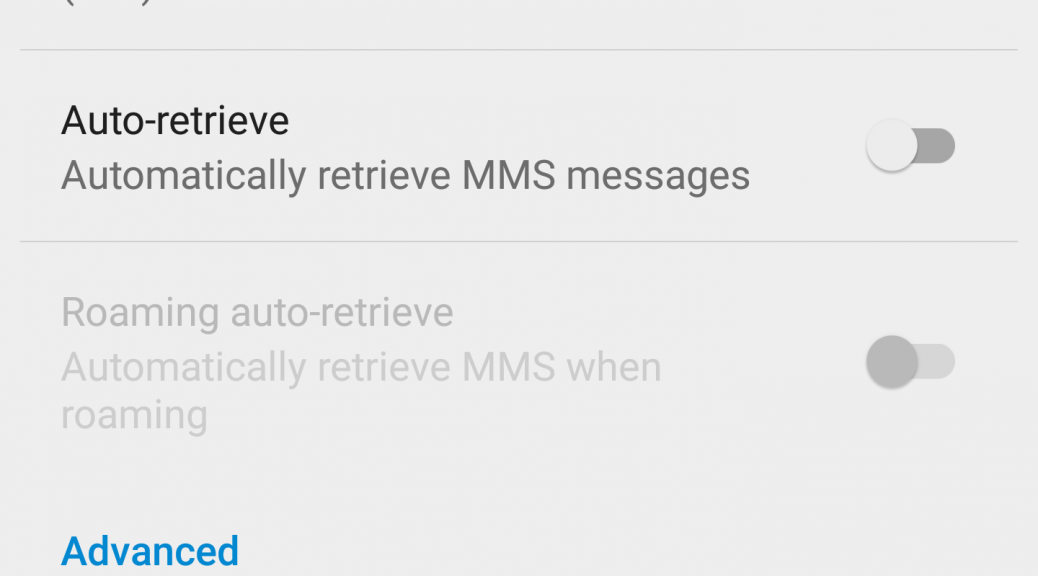
Alternatively, you can reduce the risk by switching off the ‘auto-retreive’ option in the Android MMS service, this would then mean that any MMS destined for your phone would need to be accepted by you. I have just taken these preventive steps on my Nexus 6 as follow:

  • Open the messenger app
  • From the menu (top right corner) take the option for ‘Settings’
  • Then select ‘Advanced’
  • You can then change the ‘auto-retrieve’ option to off
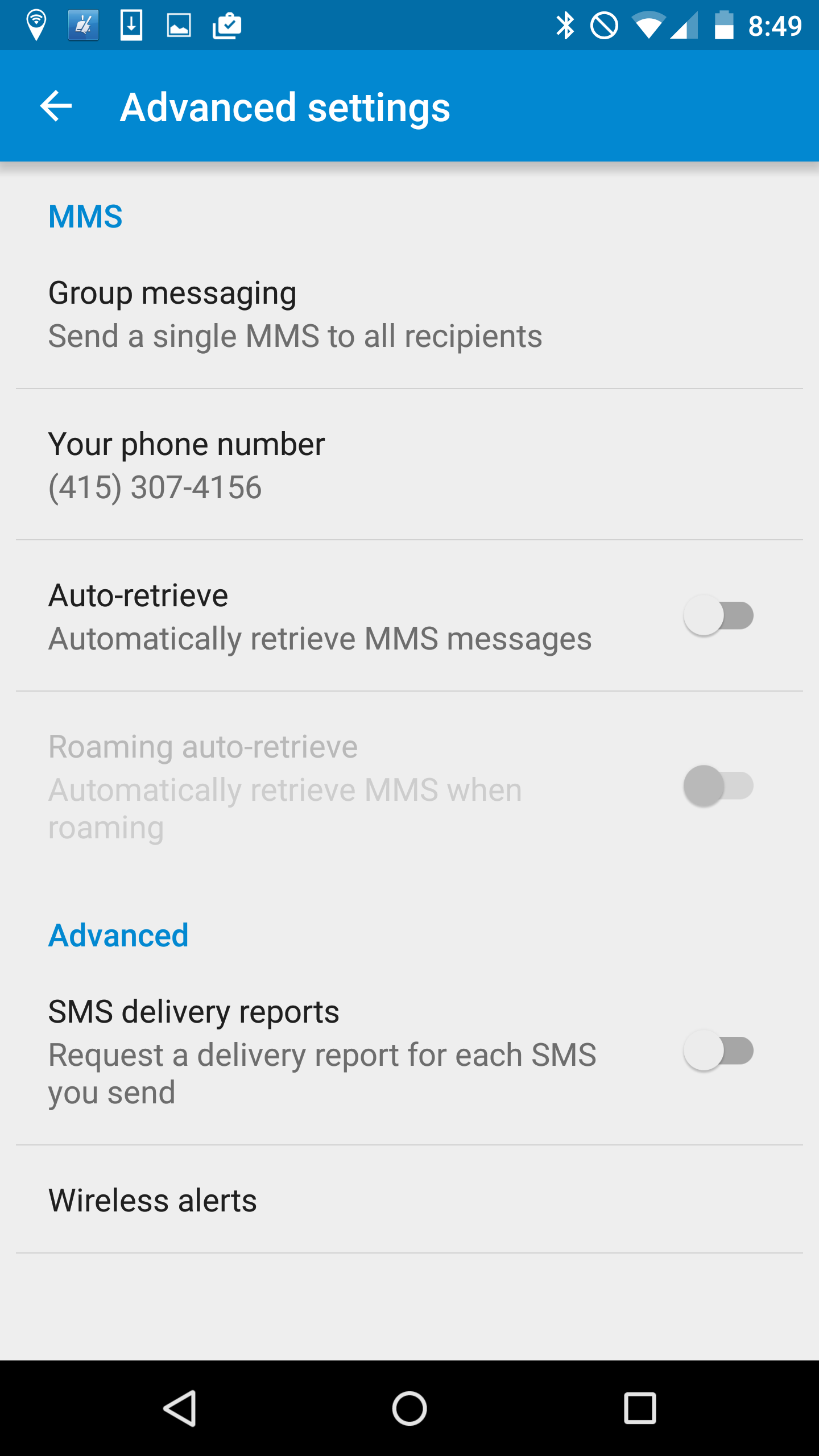
Auto-retrieve

If you are running Google Hangouts as the default way to receive MMS messages then switching back to the standard messenger and switching the auto-retrieve option off will help mitigate the risk.

There are other vendors who also use the Stagefright code, some of whom have responded quickly and already released and delivered the fix to their users, they include Mozilla, Silent Circles Blackphone and CyanogenMod.

The research paper detailing the exact details of the vulnerability is due to be delivered at the Black Hat conference in Las Vegas next week. Every year around this time hacker’s use the conference to publish major issues found in our everyday devices. Just last week Charlie Miller published a report on taking control of a Chrysler Jeep.

I wonder what devices are next on the list and isn’t it worrying that they wait for Black Hat to publish the details rather than raise the concern when they actually find it.

Follow me on Twitter @TonyatAVG


Google Timeline knows everywhere you’ve ever been and can show you

When security experts warn us about sharing and publishing our location data, it’s easy to think that they are exaggerating the importance, and really what harm can come from “checking-in”?

I got a nasty shock this week when I found out about Google’s new Timeline feature which it launched last week.

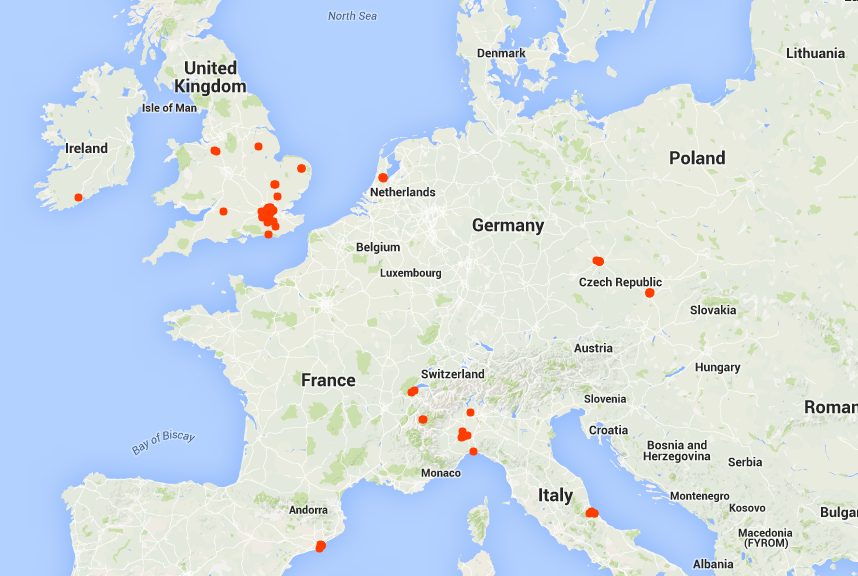
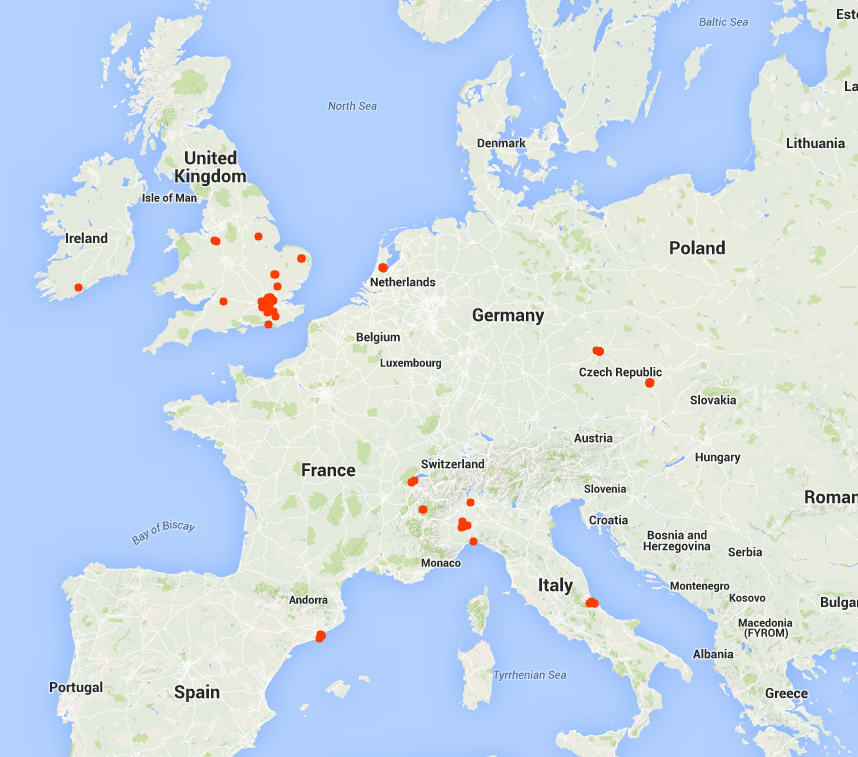
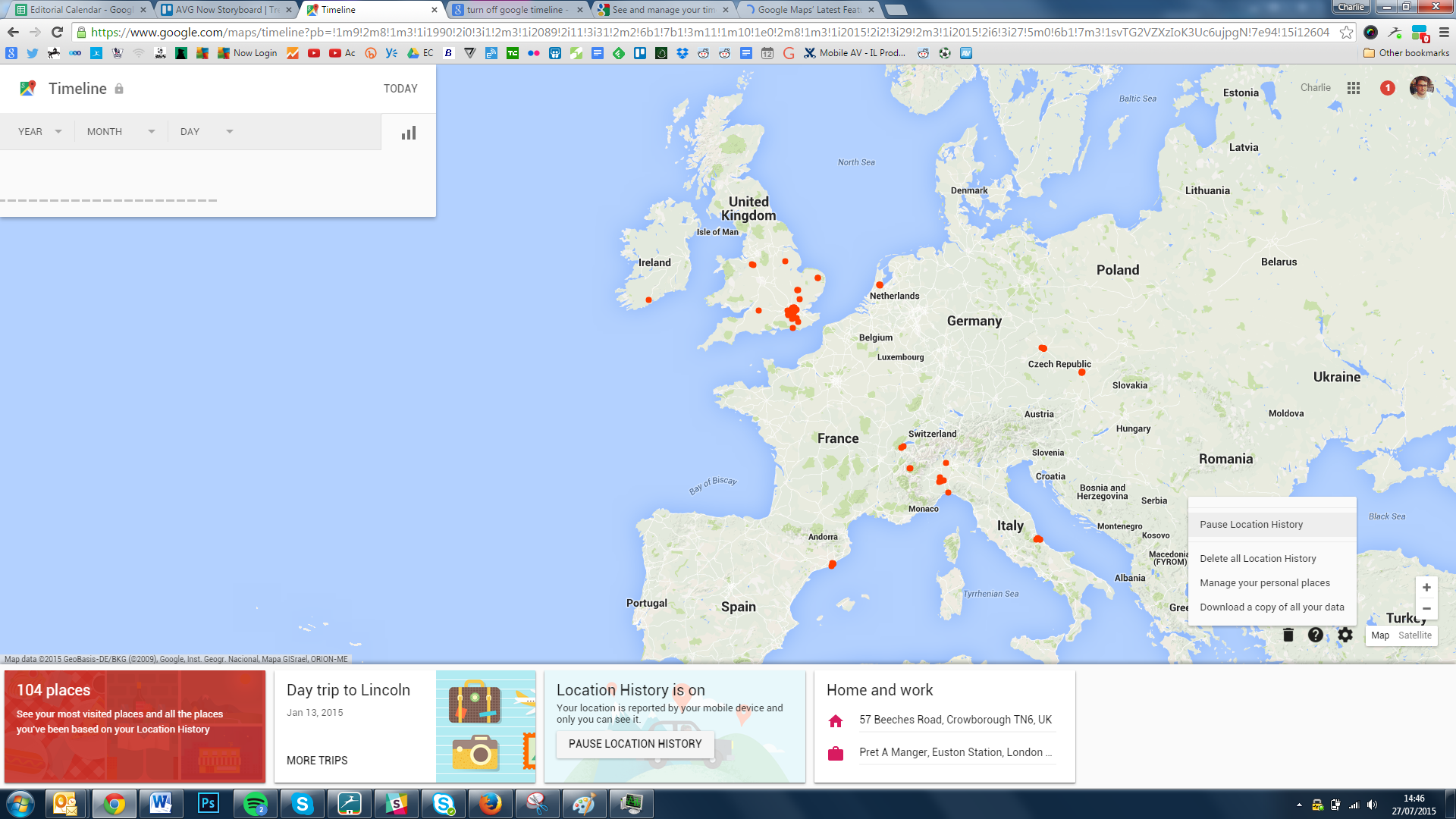
Timeline will dot everywhere you’ve accessed Google Maps and plot it on a map. Mine, for example, looks a bit like this.

Google Timeline


As you can see, a couple of trips around Europe but most dots are in and around London, where I live.

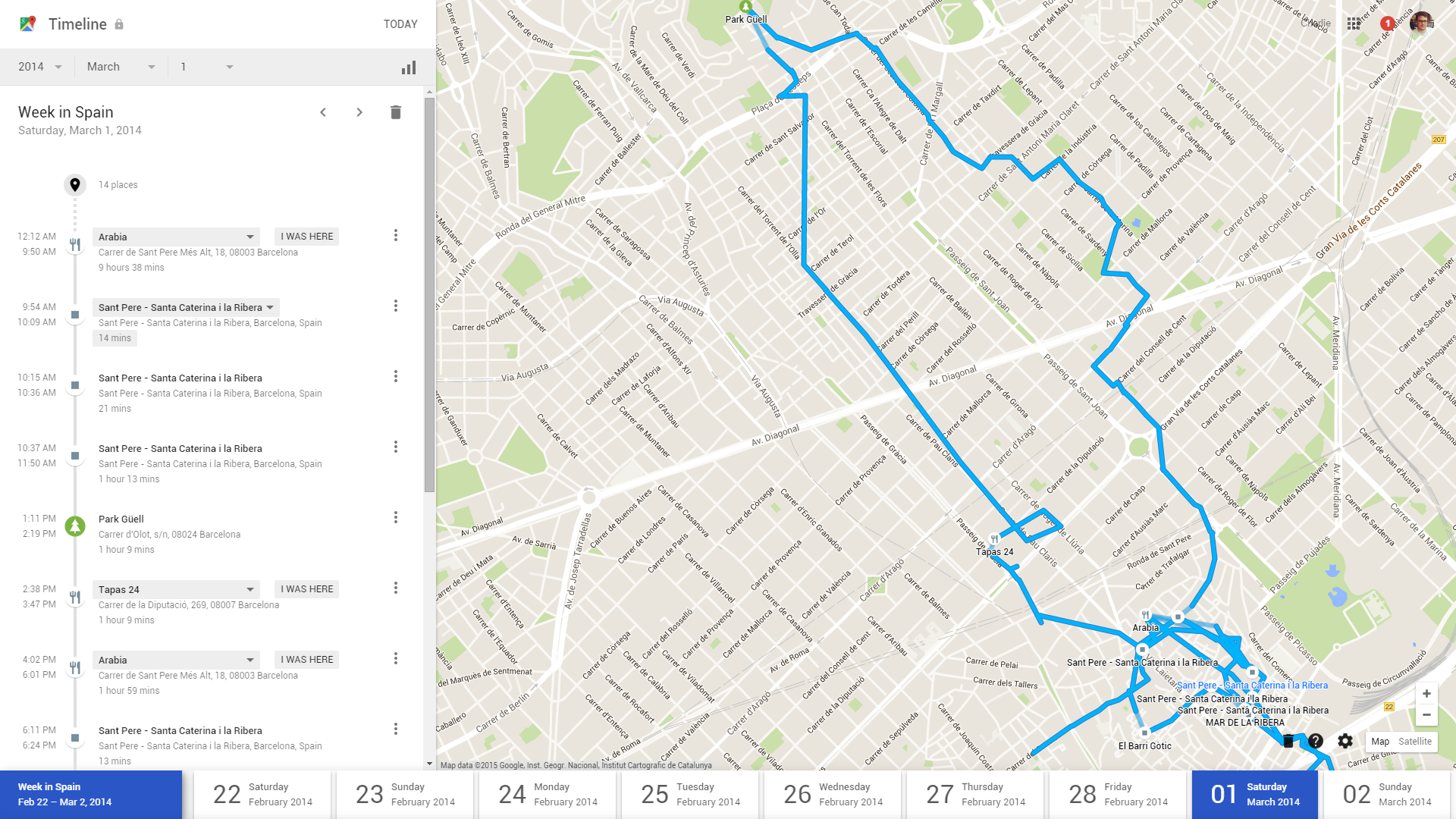
This alone is quite strange to see but it gets creepier. Click on any one of these dots and it opens your journey. Here for example, is my stroll around Barcelona at Mobile World Congress last year.

Timeline 2


This is an exact map of where I went, which roads I took and how long I stayed at each location. Very surreal to see, given that I wasn’t even sure I was actively using my phone to navigate.

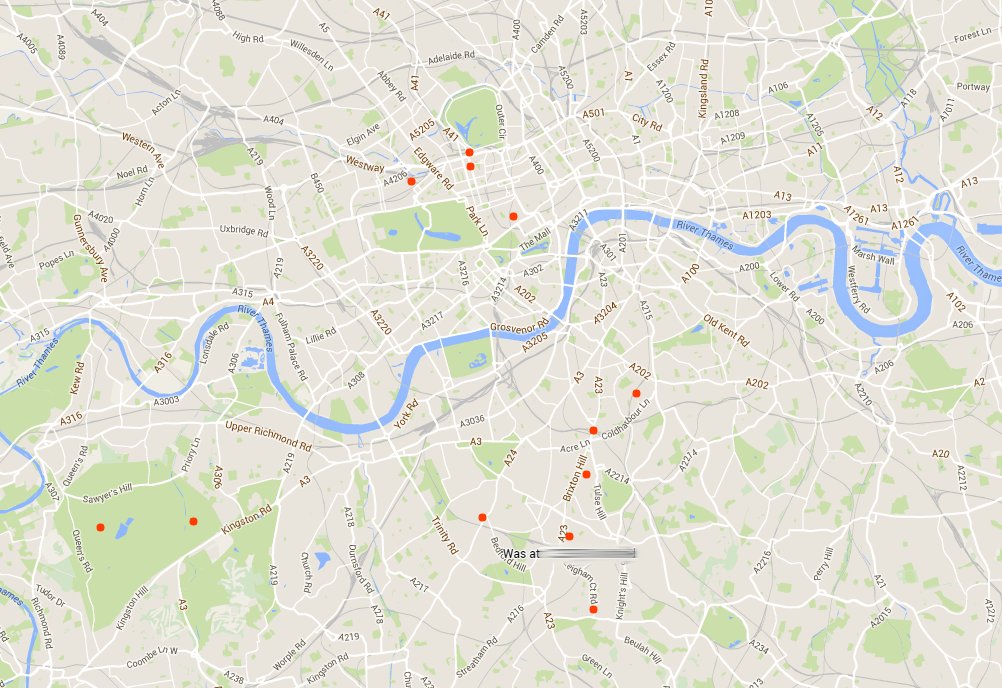
Google Timeline allows you to search for your location by date, so if I wanted to know everywhere I went in October 2013, or even on a specific day, I can find out.

Timeline 3


Google Timeline also arranges these journeys for me by calling them useful things like “Day Trip to Cambridge”.

Timeline 4


This is a brand new feature and one that has certainly made me reconsider how much data I leave behind in my everyday life.

Naturally, all of this information is private and only visible to me, but I strongly suggest you access your own Google Timeline and see whether you are comfortable with what information is being stored.


Here’s how to switch it off:

Turning off your location tracking is simple. In Google Timeline, click the cog at the bottom right corner and select Pause Location History.

Timeline 5

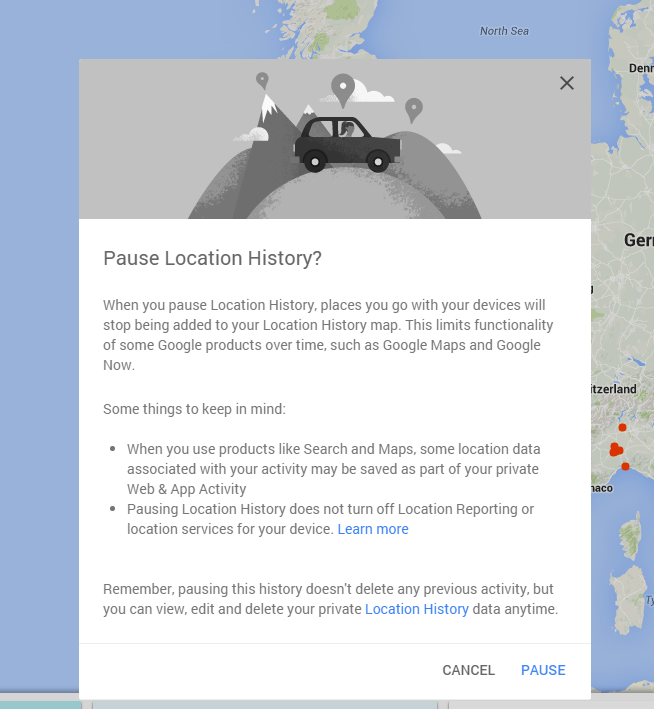
You’ll see the following message

Timeline 6

Click “Pause”.


Within the options, you can also delete all stored location history and even download your history.

Just how safe are connected cars?

Last week, Wired published an article ‘Hackers remotely kill a Jeep on the highway – with me in it’ detailing the actions of two well know hackers Charlie Miller and Chris Valasek. In the words of the journalist, Andy Greenberg, he agreed to be their ‘digital crash-test dummy’.

The hackers managed to remotely control many important functions of the Jeep, including braking, transmission and accelerator. They also controlled the wipers, air-con and radio, but the threat is very different when someone can control the driving and safety features of the vehicle.

Miller and Valasek proved in 2013 that they could hack a car, at that time a Ford Escape and Toyota Prius, but at that time they demonstrated it from the back seat and they needed to be physically connected in the car.

This latest demonstration of their skills show that in this instance they could control the vehicle remotely, which is of course a very different risk.

This story has so many similarities to the recent stories about the ability to hack an aircraft and control it. Experts in avionics were quick to disclose that only in a few aircraft have the infotainment systems connected to the control of the aircraft and in all cases the pilot has a manual control button in the cockpit to take control and fly without the reliance on technology in this way.

While similar stories they are two very separate industries, the automotive industry regulators would appear to be in catch up mode as opposed to setting definitive standards for the industry to follow in advance of deployment in the field.

My other concern raised by this and previous stories about car vulnerabilities is the method of deployment of the fix. There is a software update available for the Jeep, it can be downloaded and loaded through a USB stick. While this sounds simple it should not be left to the consumer to perform updates of this importance, if there was a manufacturing fault in the breaks of a car they would be recalled and a trained mechanic would repair them. While the dealer may load the software for you its my opinion that when a major vulnerability like this is found the car companies should be made to do a full recall and take responsibility.

I wonder how many car drivers of connected cars have the latest software loaded in the cars today? I suspect that many BMW drivers that were subject to the ‘unlock’ hack earlier this years are still driving around in a vulnerable car.

There is light on the horizon as US and UK Government departments that control standards in this area are both reportedly writing new guidance. I am sure that in the next few months they will be published but of course implementation in manufacturing takes time and the risk grows with every new ‘connected’ car that rolls off the production line.


Tech’s Not So Free Lunch

On the macro level, for example, and in the “plus” column, is the transparency practice of many leading tech firms, revealing the diversity of their workforces. And on a more micro level, the big security industry RSA Conference this year essentially banned “booth babes” by stressing strict dress attire for its exhibitors.

Bravo!

Now we come to a step back. A new report by Forbes is that the hottest lunch spot for many SF male techies is, rather unbelievably, a strip club…

The lunch spot of the moment is apparently the Gold Club in San Francisco’s SoMa district, which is conveniently located within walking distance of top tech companies such as Yelp and Salesforce. (You can read the article about this here.

Supposedly the attraction is a cheap lunch: for a $5 cover charge, you get a free lunch buffet and …enjoy dancers. (Ironically, Silicon Valley tech companies have long been the providers of free and subsidized lunches for employees –all to attract the best talent, keep them on campus and at their desks…)

Is the new lunch fad simply a good deal on a buffet? Innocent fun? A way to escape the drudgery of staring at a screen all day?

To me, it’s inappropriate and more troublesome than that. It’s one more manifestation of the techbro culture that permeates our industry.

Worse, it seems to have gotten the wink and nod from many tech firms. For example, according to the Forbes article, one well-known tech firm’s hiring managers would take prospective hires to the Gold Club—which was referred to by the secret code name of “Conference Room G.”

But I don’t want to make light of this. Regardless of your take on strip clubs (whether they objectify or empower women), for the tech industry, which has always been exclusionary (both of women and minorities), it’s simply one more example of the way it can be careless and tone-deaf.

Another take-away from this is that corporate culture doesn’t just come from the top. These techbros are influencing their workplace just as much – arguably more so– as their managers are. Imagine being a woman or gay male programmer and hearing guys in the break room talking about their great lunch… How excluded would you feel?

On another cautionary note, this sounds like a lawsuit waiting to happen, whether an unsuspecting worker is taken to a club by colleagues and feels uncomfortable, or overhearing the guys talk about their fun in the workplace…

On that note, we were reminded just this past week of the most famous sex discrimination lawsuit to date in the tech industry: the case of Ellen Pao against Kleiner Perkins. In March, the highly reported case ended with Ms. Pao losing her lawsuit, but tarnishing the reputation of her former employer, a gold standard Silicon Valley VC firm.

Fast forward and Ms. Pao was recently forced out of her interim CEO position at the Internet community site Reddit. (The New York Times headline read: “It’s Silicon Valley 2, Ellen Pao 0: Fighter of Sexism is Out at Reddit.”)

Ms. Pao wrote an Op-Ed column about her ordeal at Reddit, which appeared this past weekend. In it she chronicled the work she and the company did to try to prevent and ban harassment on the Reddit site and the resulting “attempts to demean, shame and scare” her into silence that ultimately led to her resignation.

As Ms. Pao has noted, I couldn’t agree more: “It’s left to all of us to figure it out, to call out abuse when we see it.”

Sex discrimination and harassment –and resulting lawsuits— have been happening in other industries for years. No, the tech industry didn’t invent sexism or the wheel. But as they say… we’ve driven the car into the ditch all the same. These are glaring examples of the distance we have to travel.

Tech Tips to Stay Safe While Travelling Abroad

One in five of the 198 million Americans who have plans to take vacations this summer are planning to go abroad, with Europe being the most popular destination.

The attraction is not surprising given the strong US dollar, though uncertainty about the Greece debt crisis and default, and its impact (still an unknown), is a possible damper for some travel plans.

At this juncture, the UK Foreign Office has advised its travellers: “Visitors to Greece should be aware of the possibility that banking services – including credit card processing and servicing of ATMs – throughout Greece could potentially become limited at short notice.”

The Greek situation aside…If you are preparing to travel abroad, here are some tech-related tips on the basics to make sure you have a great, safe time.


Cash or credit cards?

It’s a simple but complex question. Many small proprietors in Europe only take cash. So, you will need to travel with a certain amount of cash.

Starting with currency basics, there are many apps that can show you instant conversion rates, no matter what country you are visiting. And now, ordering currency online can make your life easier. Order Euros online from your bank in advance and get delivery direct to your home or for pick up at your local bank branch in 1-3 business days.

If you need to find an ATM on the fly while abroad, try an app such as as ATM Locator available on the Android platform or iOS.

At the end of the day, most security experts advise against using your debit card for anything beyond cash withdrawals at ATMs. For other transactions, use cash or a credit card.


Using Your Mobile Abroad

Probably chief among the tech challenges for most of us when traveling abroad is using your cell and smartphones. Cell phones and other mobile devices from North America don’t automatically work in Europe. Europe uses the GSM network and much of North America primarily uses the CDMA network. Some US cell phone companies use GSM (T-Mobile, AT&T), but many do not.

To be able to use phones whether they are public phones, landlines or a mobile phone, please confirm the situation with your personal device manufacturer and service provider before you leave for your trip.

Among your options, is to rent a European cell phone. Telestial, for example, offers standard rental package which comes with a SIM with a UK number. That means that if you are calling to other countries, there are calling charges. For lowest calling charges rent the phone and then purchase a local SIM either in advance or when you arrive.

If you can use your own phone, get an international calling and data plan. Roaming charges have improved, but can still add up very quickly. Before you leave, contact your carrier for an international data and calling plans. Also check how to access your Cell phone voicemail when traveling abroad; it may be different than when you are at home.


Turn off the phone when not in use. Turn off 3G (or 4G), cellular data and data roaming when not in use. Another quick fix is turn your phone on “airplane mode.’ Disable automatic downloads and app updates, or restrict this feature to operate only when connected to Wi-Fi. Reset all your usage statistics (so you can keep track of how much you are using your phone, whether it’s texting, voicemail, etc.).

You might also want to pick up a local calling card, as old school and non-high-tech as that seems. J In many cases, these cards offer better rates to cellular networks in foreign countries than are available in the U.S.


“Free” Wi-Fi considerations

Wi-Fi is ubiquitous now and that’s a good thing. But you need to be careful. This is where a lot of data gets stolen. Whether it’s at a café or your hotel, you should ask staff to tell you the name of the network. Many scams simply say “Free Wi-Fi” and people innocently connect with them…

As another simple precaution, avoid disclosing any sensitive information online in a free Wi-Fi hotspot. This would include banking, credit card information, or other personal data.

I highly recommend using AVG’s Wi-Fi Assistant, a free app that allows you to encrypt your data when on the move and helps save battery by shutting off your smartphone’s Wi-Fi when not in use.

Oh, and finally, be sure to leave that selfie stick at home J. (They have been banned at many tourists sites!)

The UK gets ready for automated vehicles

Earlier this July, the British government published “The Pathway to Driverless Cars: A Code of Practice for testing”, a fourteen page document clarifying the legislation around driverless vehicle testing in the UK.

As expected, the document is heavily skewed towards safety, with stipulations for operator overrides and emergency service procedures among others.

That’s not the part that I found interesting about the guidleines. That came later, and was more focused on data collection and cyber security.

As we have come to expect from our connected devices, data collection is inevitable. The government’s outlines mandate the following as minimum data recording functionality on the vehicle.

As a minimum this device should record the following information (preferably at 10Hz or more):

  • Whether the vehicle is operating in manual or automated mode
  • Vehicle speed
  • Steering command and activation
  • Braking command and activation
  • Operation of the vehicle’s lights and indicators
  • Use of the vehicle’s audible warning system (horn)
  • Sensor data concerning the presence of other road users or objects in the vehicle’s vicinity
  • Remote commands which may influence the vehicle’s movement (if applicable)


Add to these minimum prerequisites some other specific datasets such as location (for traffic updates etc.) and you begin to get the picture. Very soon our connected, driverless cars will become a hive of activity, bringing convenience to our daily lives but documenting it like never before.

In fact, immediately following the data collection requirements, the document then went on to establish expected behavior for handling this data.

“Testing is likely to involve the processing of personal data. For example, if data is collected and analysed about the behaviour or location of individuals in the vehicle, such as test drivers, operators and assistants, and those individuals can be identified.”

Will our own cars present a privacy risk to us in the future? Thorough data logs of everything we do and everywhere we go suggest that it might. Who knows, perhaps we’ll see an optional “incognito mode” like we see in some web browsers, where you can drive “off-record” for a limited time.

I was also pleased to see the inclusion of some basic cybersecurity standards included in the document. As our digital world rapidly merges with the offline, it becomes ever more important to safeguard the things that matter most from attack.

The document stipulates:

“Nevertheless, manufacturers providing vehicles, and other organisations supplying parts for testing will need to ensure that all prototype automated controllers and other vehicle systems have appropriate levels of security built into them to manage any risk of unauthorised access.”

This is hardly comprehensive but it does make developers consider cybersecurity from the outset.

While time will tell just how ready the people of Britain are for driverless vehicles, but it’s good to see that the government is addressing safety concerns both on the road and online.

Google cracks down on ad-injectors

The reality of the web is that not every site is secure. However, most of us get by just fine by sticking to well-known websites from trustworthy companies. Antivirus plays its part by scanning websites and letting you know ahead of time whether or not a site is trustworthy.

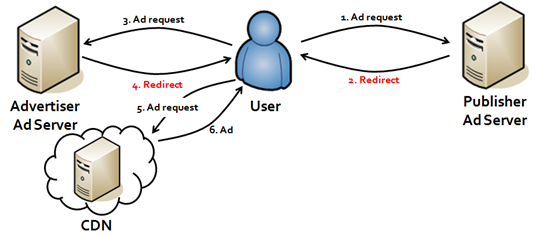
While this helps protect against most browser based threats, one area that is commonly exploited is ad-injection. Unlike the bulk of a page’s content, ads tend to be loaded from an external ad server or Content Delivery network (CDN).

Ad Map

Image source


Attackers have found a way to insert malware into the advertising code, which in some cases can circumvent the web page’s security and serve malicious code to the visitor.

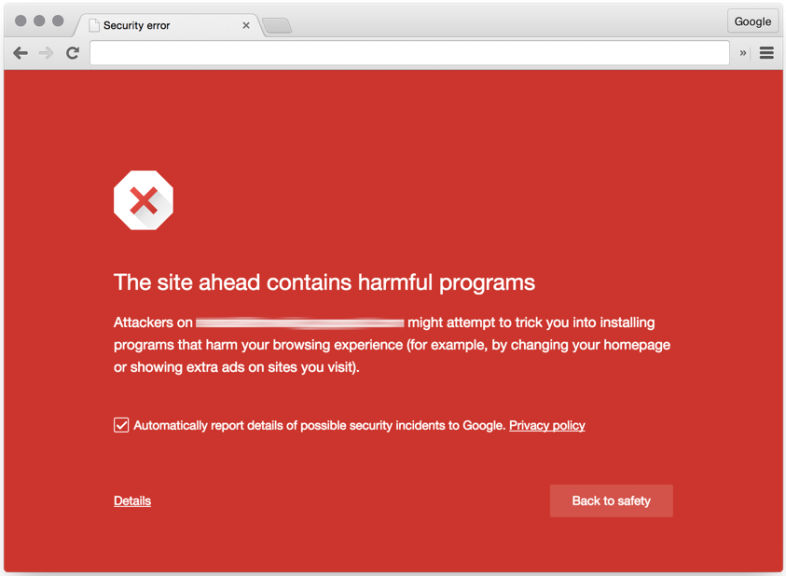
In an effort to combat ad-injection malware, Google’s Safe Browsing team announced that when Chrome detects a possible ad-injection on a site that it will serve its famous “red screen” advising the user that the site is potentially unsafe to visit.

Red screen


How to activate Google Safe Browsing

Activating Google Safe Browsing is simple.

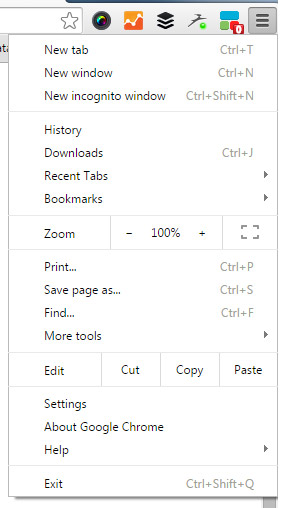
In Google Chrome, select the drop down menu in the top right hand corner.

Select “Settings”

Chrome Menu


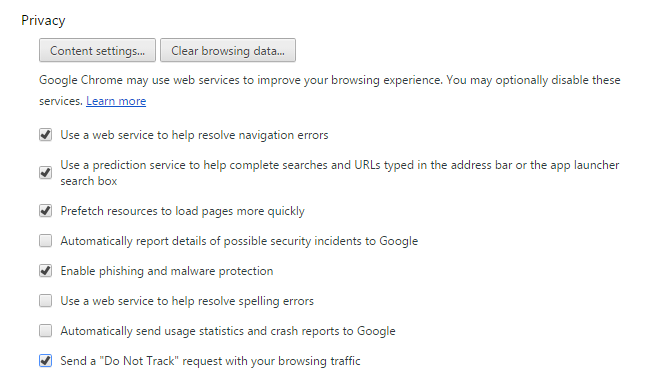
Ensure that the “Enable phishing and malware protection” button is checked.

Chrome Privacy Settings

AV-Comparatives describes AVG AntiVirus for Mac® as ‘flawless’

While this makes us at AVG proud it’s the commentary that the editor uses to describe our Mac product that really pleases us. “AVG AntiVirus is a simple, easy to use antivirus program for Mac, with all the essential features. Its detection of Mac malware was perfect”.

In fact the test results state that not only did the AVG product score 100% in the detection of Mac malware but it also scored 100% in Windows Malware Detection. We at AVG believe that you should feel protected across all of your devices, so we work hard to block the bad stuff regardless of which operating system you prefer.

Our Mac product is simple and easy to use, with features to scan the ‘Entire Mac’, ‘File Scanner’ and ‘Real-Time Protection’ it could not be easier to keep your Mac secure.

If you are one of those Mac users sitting there without protection then you need to think about the assets and information that you have on your machine. While there are limited examples of malware for the Mac platform it could be devastating if it infects your machine.

Imagine taking the view that you have never seen someone you don’t know try opening the front door of your house, so you leave it unlocked. On the day that the chance burglar does try the door and its unlocked then the burglary is likely to be very bad as there is nothing stopping them from emptying your entire house.

Loading the AVG Antivirus product on you Mac, just like locking your door, is a preventative measure that all Mac users should take to stay safe. And what makes this even more compelling is that it’s completely free.

Download AVG AntiVirus for Mac from here.

You can follow me on Twitter @TonyatAVG and find my Google+ profile here.
Why “Chip and PIN” is more secure than “Swipe and Sign”  

This change to “chip and PIN” has already occurred in many other countries and has reduced credit card fraud – in particular “card skimming” and “cloning” whereby somebody can make a copy of your credit card and use it elsewhere.

Most credit cards now contain a “smart chip” on them that are much more secure than the “magnetic stripe”.  The reason for this is that the smart chip is actually a tiny-computer that can interact directly with a payment terminal or ATM – and they’re designed never to give up their secret information.  Whereas a magnetic stripe reveals all its data and is easily copied.

U.S. business owners who fail to upgrade their payment terminals to support chip & PIN by October will also become liable for any fraudulent transactions as American Express, Discover, MasterCard and VISA get set to implement the change.  However, some “pay at the pump” Gas stations will be exempt until 2017.

The good news for all of us though is that insisting on a PIN at the point of sale means your card, if lost or stolen, is useless to whoever might get hold of it – except for contactless transactions which don’t require a PIN under a certain transaction amount.  As always you should still protect your credit cards the same way you do with cash.

Five (5) quick PIN tricks and tips:

  1. Did you know YOU can change your PIN at any time? You can easily change the PIN assigned to your new card at an ATM (usually at an ATM belonging to your bank) – just look for the “select new PIN” or “Other” options.
  2. How long is your PIN? It can be between 4 and 6-digits in length – personally I like to use 5 just to be different!
  3. Don’t use your date of birth! Having a 4 or 6-digit PIN can be a temptation to store your birthdate, but it should be obvious that this is something to avoid at all cost!
  4. Don’t use predictable key combinations! Try to avoid choosing a PIN that uses a combination of keys that form a pattern – for example, 2580, 1234, 1379.
  5. Never write your PIN down! Now that you know how to change the PIN yourself, you should be able to choose one that you’ll never forget – so make sure you don’t write it down or store it anywhere, like on your mobile device – doing so will almost certainly be a violation of your credit card issuer’s acceptable usage policy.


Until next time, stay safe out there.

Title image courtesy of thisismoney.com