Multiple Vulnerabilities in TYPO3 CMS

Component Type: TYPO3 CMS

Vulnerability Types: Denial of Service, Arbitrary Shell Execution

Overall Severity: Medium

Release Date: October 22, 2014


Vulnerable subcomponent: OpenID System Extension

Vulnerability Type: Denial of Service

Affected Versions: Versions 4.5.0 to 4.5.36, 4.7.0 to 4.7.19, 6.1.0 to 6.1.11 and 6.2.0 to 6.2.5

Severity: Medium

Suggested CVSS v2.0: AV:N/AC:L/Au:N/C:P/I:P/A:P/E:ND/RL:OF/RC:C

Related CVE: CVE-2013-4701

Problem Description: The OpenID library that is shipped with TYPO3 allows remote attackers to read arbitrary files, send HTTP requests to intranet servers, or cause a denial of service (CPU and memory consumption) via XRDS data containing an external entity declaration in conjunction with an entity reference, related to an XML External Entity (XXE) issue. Affected are all TYPO3 installation with system extension openid installed and enabled.

Solution: Update to TYPO3 versions 4.5.37, 4.7.20, 6.1.12 or 6.2.6 that fix the problem described.

Solution: Alternatively disabling openid system extension also fixes the vulnerability in case an update is currently not possible. However it is unlikely but possible that other third party extensions use the OpenID library exposing this TYPO3 installation to this vulnerability again. Therefore updating is strongly recommended.

Solution: TYPO3 branches 4.6 and 6.0 are also affected by this vulnerability but have reached end of maintenance. We hereby provide patches for the these branches: 62357_4-6.diff, 62357_6-0.diff

Solution:Since the fix has also been committed to our git source code repository also in the 4.6 and 6.0 branches, updating your installation to the latest state of the according branch also fixes the vulnerability.

Credits: The vendor credits Kousuke Ebihara.


Vulnerable subcomponent: Swiftmailer library

Vulnerability Type: Arbitrary Shell Execution

Affected Versions: Versions 4.5.0 to 4.5.36, 4.7.0 to 4.7.19, 6.1.0 to 6.1.11 and 6.2.0 to 6.2.5

Severity: Medium

Suggested CVSS v2.0: AV:N/AC:M/Au:N/C:P/I:P/A:N/E:ND/RL:OF/RC:C

Related announcement: Swiftmailer release 5.2.1

Problem Description: The swiftmailer library in use allows to execute arbitrary shell commands if the “From” header comes from a non-trusted source and no “Return-Path” is configured. Affected are only TYPO3 installation the configuration option

$GLOBALS['TYPO3_CONF_VARS']['MAIL']['transport'] 

is set to “sendmail”. Installations with the default configuration are not affected.

Solution: Update to TYPO3 versions 4.5.37, 4.7.20, 6.1.12 or 6.2.6 that fix the problem described.

Solution:TYPO3 branches 4.6 and 6.0 are also affected by this vulnerability but have reached end of maintenance. We hereby provide patches for the these branches: 59573_4-6.diff, 59573_6-0.diff

Solution: Since the fix has also been committed to our git source code repository also in the 4.6 and 6.0 branches, updating your installation to the latest state of the according branch also fixes the vulnerability.

General Advice: Follow the recommendations that are given in the TYPO3 Security Guide. Please subscribe to the typo3-announce mailing list.

General Note: All security related code changes are tagged so that you can easily look them up on our review system.

Multiple Vulnerabilities in TYPO3 CMS

Component Type: TYPO3 CMS

Vulnerability Types: Denial of Service, Arbitrary Shell Execution

Overall Severity: Medium

Release Date: October 22, 2014


Vulnerable subcomponent: OpenID System Extension

Vulnerability Type: Denial of Service

Affected Versions: Versions 4.5.0 to 4.5.36, 4.7.0 to 4.7.19, 6.1.0 to 6.1.11 and 6.2.0 to 6.2.5

Severity: Medium

Suggested CVSS v2.0: AV:N/AC:L/Au:N/C:P/I:P/A:P/E:ND/RL:OF/RC:C

Related CVE: CVE-2013-4701

Problem Description: The OpenID library that is shipped with TYPO3 allows remote attackers to read arbitrary files, send HTTP requests to intranet servers, or cause a denial of service (CPU and memory consumption) via XRDS data containing an external entity declaration in conjunction with an entity reference, related to an XML External Entity (XXE) issue. Affected are all TYPO3 installation with system extension openid installed and enabled.

Solution: Update to TYPO3 versions 4.5.37, 4.7.20, 6.1.12 or 6.2.6 that fix the problem described.

Solution: Alternatively disabling openid system extension also fixes the vulnerability in case an update is currently not possible. However it is unlikely but possible that other third party extensions use the OpenID library exposing this TYPO3 installation to this vulnerability again. Therefore updating is strongly recommended.

Solution: TYPO3 branches 4.6 and 6.0 are also affected by this vulnerability but have reached end of maintenance. We hereby provide patches for the these branches: 62357_4-6.diff, 62357_6-0.diff

Solution:Since the fix has also been committed to our git source code repository also in the 4.6 and 6.0 branches, updating your installation to the latest state of the according branch also fixes the vulnerability.

Credits: The vendor credits Kousuke Ebihara.


Vulnerable subcomponent: Swiftmailer library

Vulnerability Type: Arbitrary Shell Execution

Affected Versions: Versions 4.5.0 to 4.5.36, 4.7.0 to 4.7.19, 6.1.0 to 6.1.11 and 6.2.0 to 6.2.5

Severity: Medium

Suggested CVSS v2.0: AV:N/AC:M/Au:N/C:P/I:P/A:N/E:ND/RL:OF/RC:C

Related announcement: Swiftmailer release 5.2.1

Problem Description: The swiftmailer library in use allows to execute arbitrary shell commands if the “From” header comes from a non-trusted source and no “Return-Path” is configured. Affected are only TYPO3 installation the configuration option

$GLOBALS['TYPO3_CONF_VARS']['MAIL']['transport'] 

is set to “sendmail”. Installations with the default configuration are not affected.

Solution: Update to TYPO3 versions 4.5.37, 4.7.20, 6.1.12 or 6.2.6 that fix the problem described.

Solution:TYPO3 branches 4.6 and 6.0 are also affected by this vulnerability but have reached end of maintenance. We hereby provide patches for the these branches: 59573_4-6.diff, 59573_6-0.diff

Solution: Since the fix has also been committed to our git source code repository also in the 4.6 and 6.0 branches, updating your installation to the latest state of the according branch also fixes the vulnerability.

General Advice: Follow the recommendations that are given in the TYPO3 Security Guide. Please subscribe to the typo3-announce mailing list.

General Note: All security related code changes are tagged so that you can easily look them up on our review system.
The Ultimate ‘Alien Isolation’ Performance Guide

Once Alien Isolation got announced a few months ago, I immediately went back and rewatched the 1970s Ridley Scott classic movie “Alien”. No AlienS, no Alien 3, no Alien 4. The plain old Alien! And it still holds up as one of the scariest sci-fi movies ever, dealing with the struggle of one women versus one alien.

With the blockbuster game, Alien Isolation, by Sega and The Creative Assembly, that very spirit of one versus one is back big time. Set 15 years after the events of Alien you play Amanda Ripley, the daughter of famous alien hunter Ellen Ripler from the movie. And while it’s set in probably the most beautiful graphics out there right now, it mimics the 1970s wonderfully:

Alien Isolation

It’s all about cassette decks, monochrome monitors, and wonderful sci-fi furniture art of that decade.

However, you need a fairly powerful system to run Alien Isolation but – lucky you – we’ve played the game over the course of the past couple of days and found ways to improve the performance of the game and even unlock some hidden features to make it run significantly faster on slower PCs. Here’s how:


#1 – Basic PCs and Laptops

Before you start tweaking performance settings for Alien: Isolation, I recommend that you follow the 9 essential steps to boost your PC or laptop speed that I published a while ago. This covers the basic steps to get your machine in top shape, including how to:

  • Upgrade your graphics drivers and even use beta drivers
  • Overclock your graphics card (safely!)
  • Use our AVG Zen Performance to turn off all performance-sapping background activity
  • Defrag your hard disk
  • …and more!

As Alien Isoluation takes its toll on your hardware, you got to be sure that it’s tweaked to its absolute limit before you jump into the game-specific settings.


#2 – Enhanced 2k/4k/8k and Level of Detail

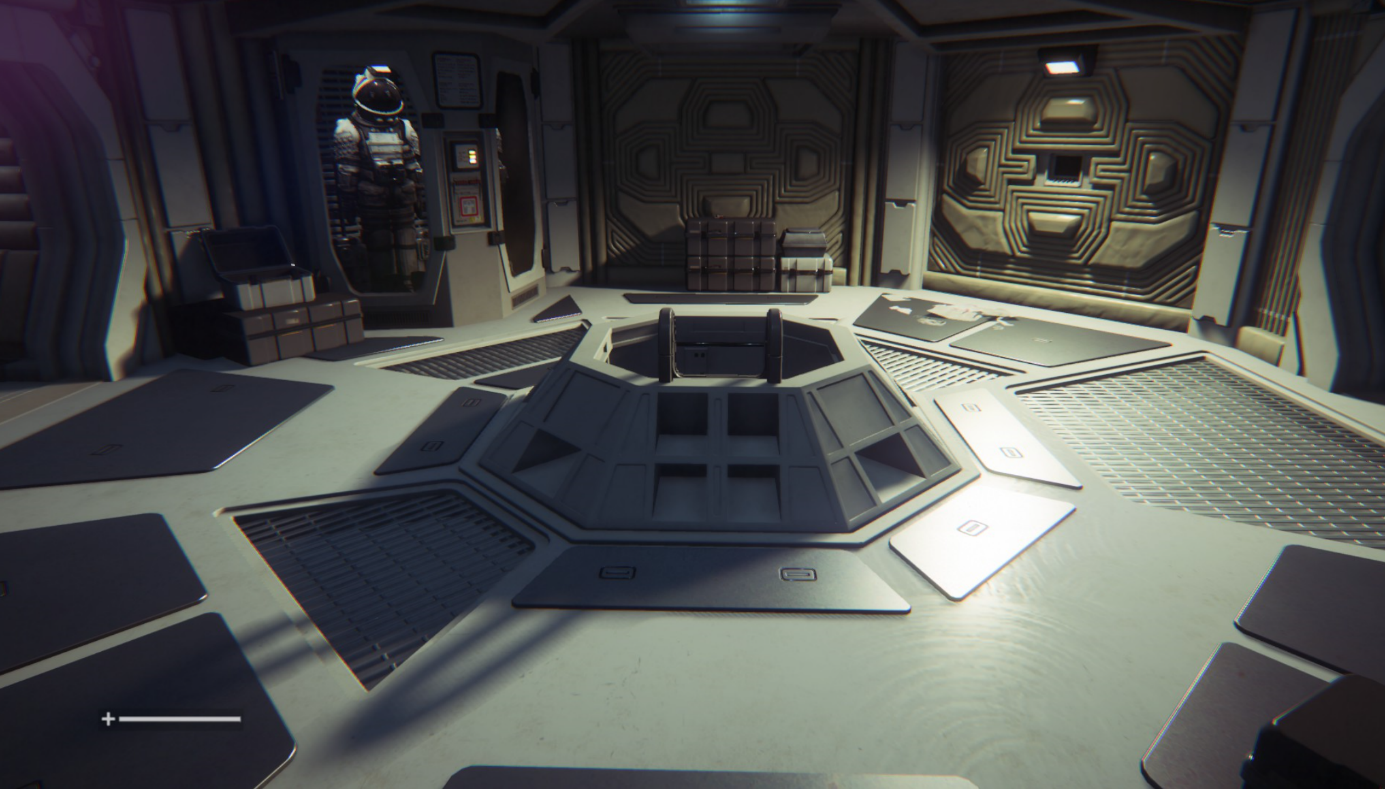
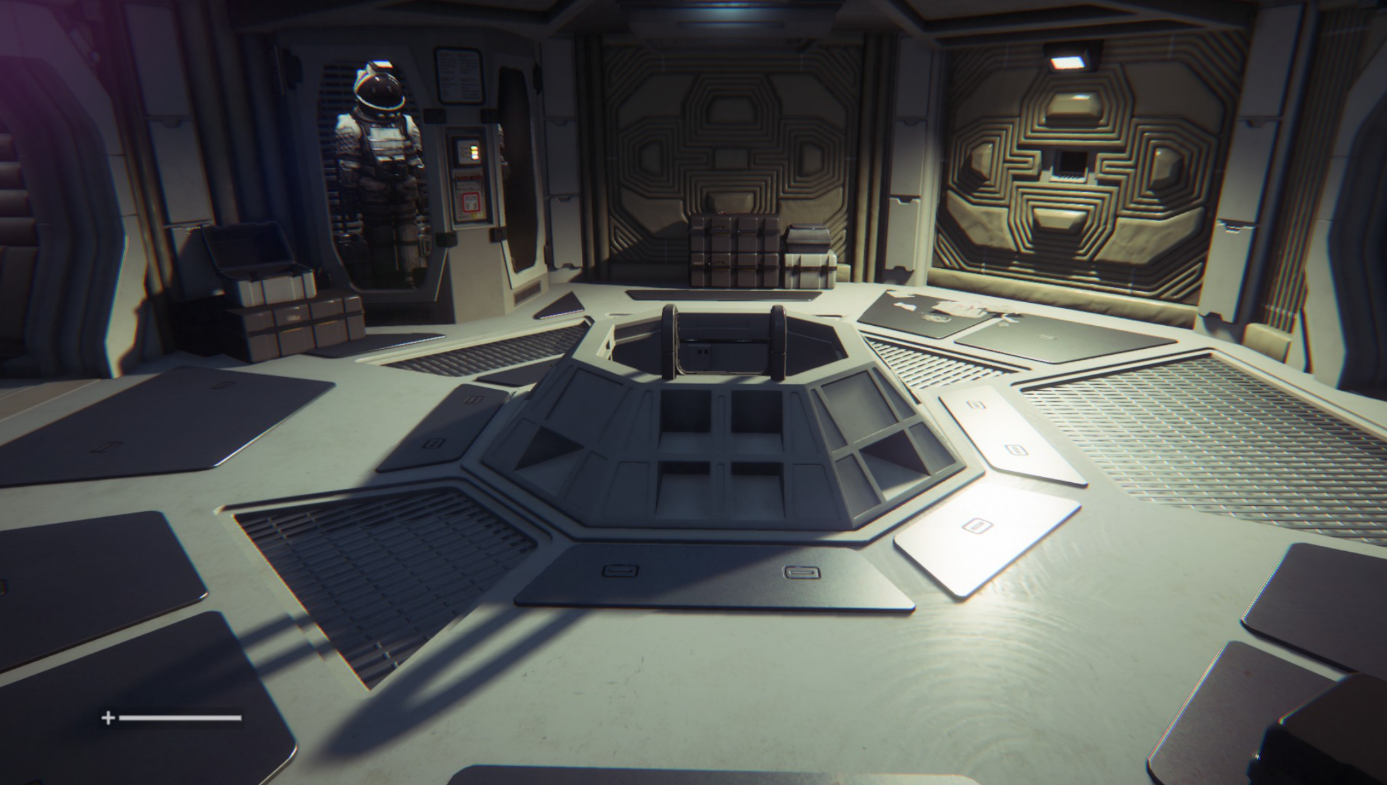
Gamers have immediately found a way to increase the visual quality of the game greatly by increasing both the level of detail level beyond what’s possible in the “in game” settings menu as well increase the resolution of the shadows. Now instead of using shadows with a 1k resolution, they managed to crank that up to 2k, 4k or even 8k resolution.

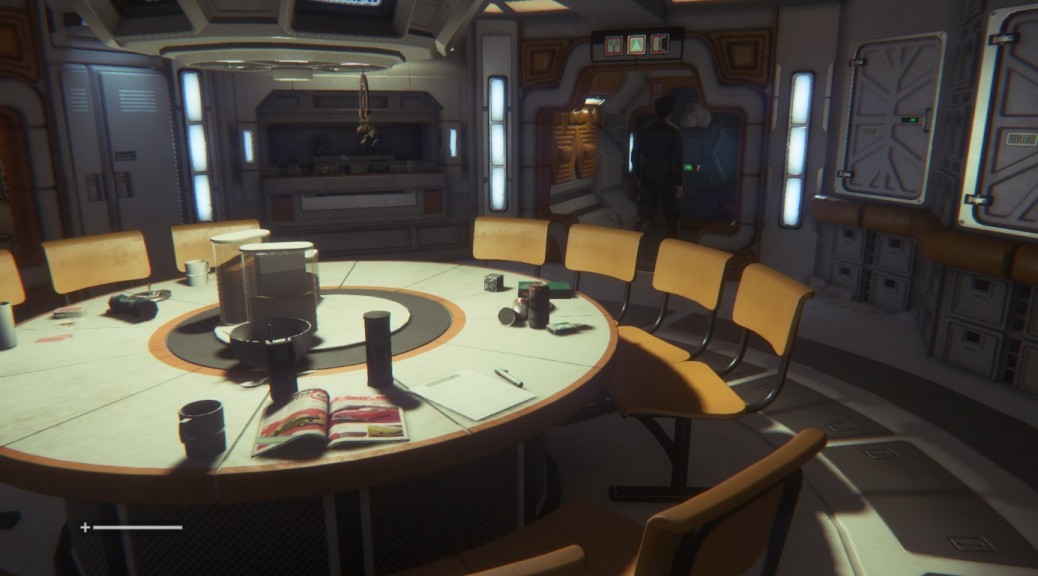
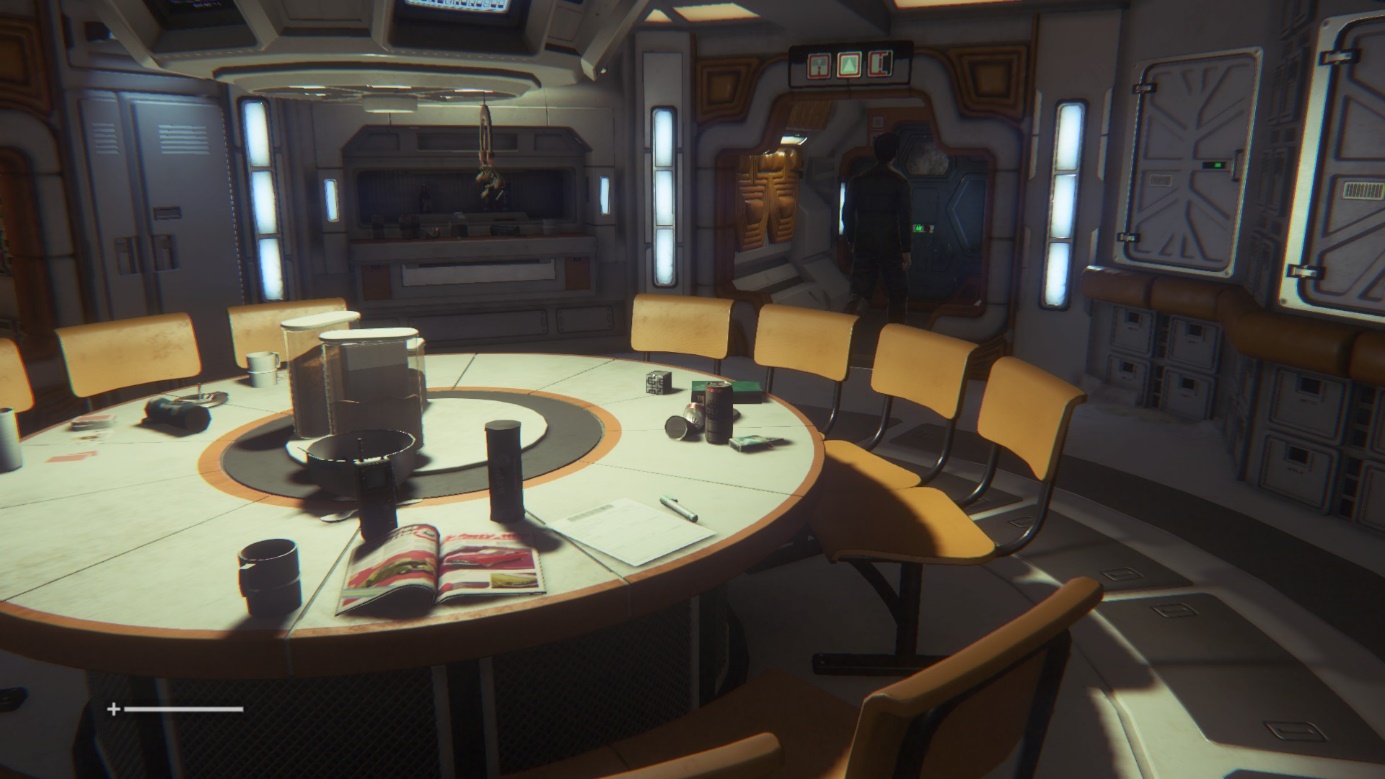
We’ve done the tests and the visuals are noticeably better. Click on the before and after images:

Before:

Alien Isolation

After:

Alien Isolation

It’s relatelively easy to see the difference between the shots: the shadows appear much crisper and clearer. However, while it’s easy to see in bright spots, it’s relatively tough to differentiate in other more darker scenes. We noticed a drop of 20% in performance, though that was on a relatively “weak” mobile GeForce 650M. If you feel it’s worth the drop, it should be enabled.

All you have to do is download the tweaked “ENGINE_SETTINGS.XML” from this page. Put the XML file right in your Alien Isolations “Alien IsolationDATA” folder and overwrite the existing file with it. For example, if you purchased the game on steam, the file sits under: C:Program Files (x86)SteamSteamAppscommonAlien IsolationDATA

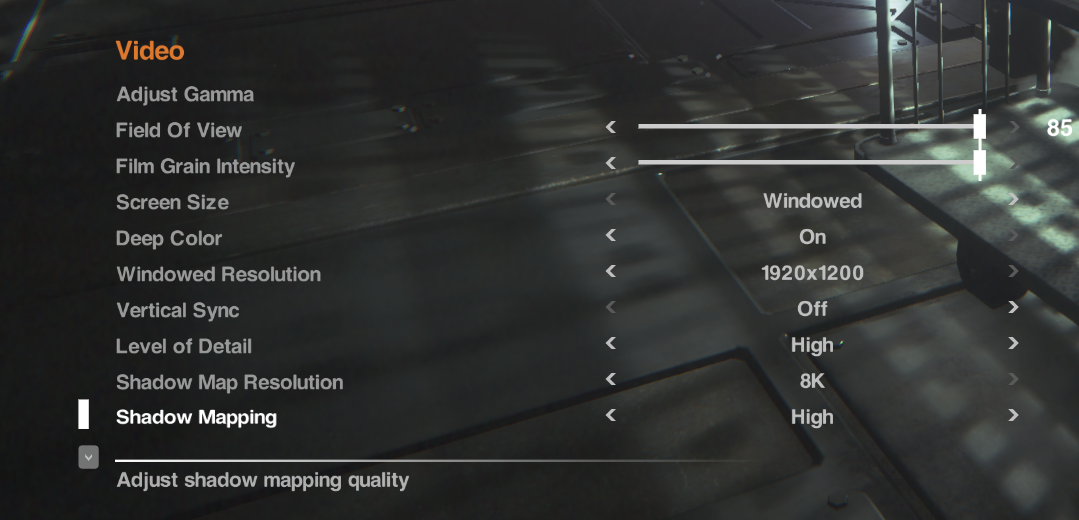
To enable the setting, launch the game and go to “OptionsVideo”. Make sure to set the “Shadow Map Resolution” to “8K”.


Alien Isolation


#3 – Enhance Reflections

Another great addition that comes with the enhanced engine file (see #2) are enhanced reflections that the developers turned off. Now while these may look significantly “nicer”, they also have a shiny look to them which some gamers feel disturb the overall atmosphere of the game:

Before

Alien Isolation

After

Alien Isolation


Source:
Steam Community

To enable it, you set the “Planar Reflections” to “Alternative” – see how you like it. If you want to go back, you can always set it to “On” (which is the game’s default setting). In my tests I noticed no drop in performance whatsoever with the reflections enabled or disabled.


#4 – Increase the Level of Details for Distant Objects

Some objects tend to pop up out of nowhere. In order to prevent this rather annoying (and tension breaking) effect, you should increase the level of detail for distant objects. This, too, can be done by applying the hacked file (#2) and enabling it under the “Level of Details” – simple go for the “Ultra” setting once you’ve enabled the tweak!


#5 – Skip the Videos

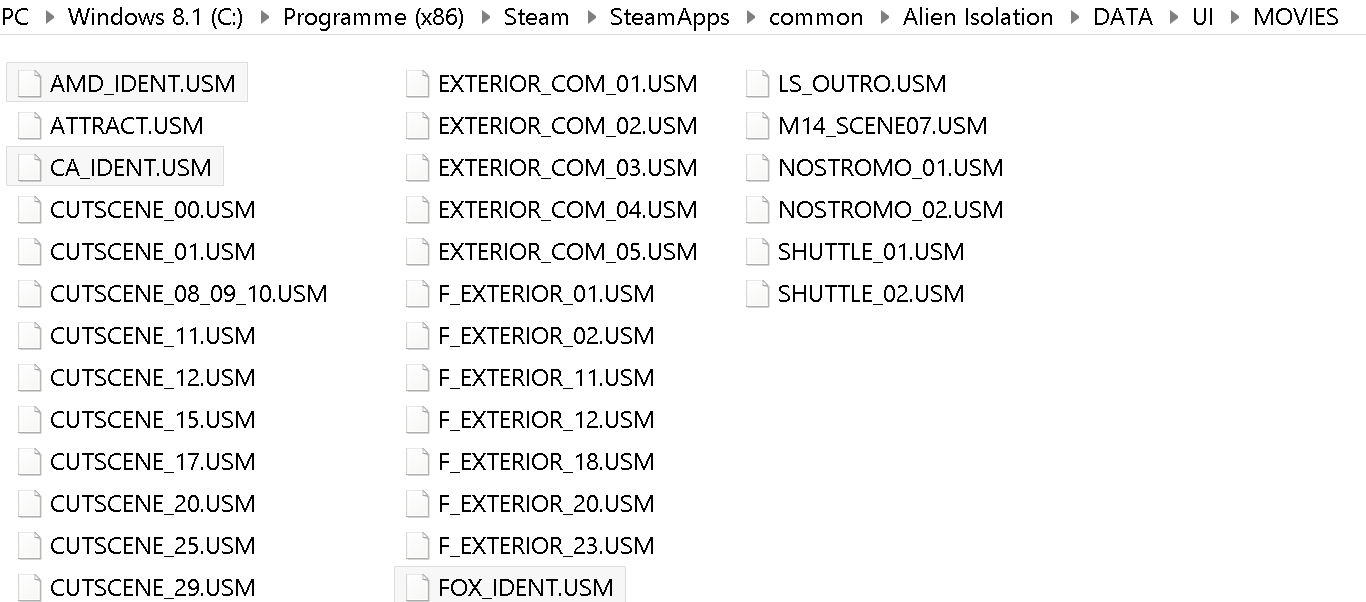
The introduction videos are somewhat annoying and they can’t be skipped at a push of a button. Here’s how to get rid of them. Simple solution: Delete them! Here’s how: Navigate to your Alien Isolations “DATAUIMOVIES” and delete or rename the files “AMD_IDENT.USM”, “FOX_IDENT.USM” and “CA_IDENT.USM”.

Alien Isolation


#6 – Get Smoother Mouse Movements

We’ve talked about VSync in the past and it still holds true, especially with Alien Isolation. With the vertical synchronization turned on you may get some delays. That’s why we recommend turning it off either completely using the in-game setting or via the NVIDIA or ATI control panel:

NVIDIA: To get to the NVIDIA Control Panel, right-click on your desktop, select “NVIDIA Control Panel” and head over to the “Manage 3D Settings” category on the left. Go to Maximum Pre-Rendered Frames first: This controls the number of frames that the processor prepares before transferring them to the graphics card. Increasing this value results in smoother game play, but you may notice a lag when using the mouse and keyboard. To eliminate the lag, try the “1″ setting. Next, move over to VSync: It synchronizes the frames that your graphics card renders with the refresh rate of your monitor. If you disable it, you will notice that Alien Isolation may not lag as much or not at all anymore.

ATI/AMD: You’ll find the Wait for Vertical Refresh feature in your 3D settings control panel. Disable Vsync for Alien Isolation and you may find it to run smoother.

Alien Isolation


#7 – Fix Your SLI RIG (Nvidia)

Got yourself a gaming rig with two (or more) graphics cards? Then you may in for a negative surprise as Alien: Isolation could completely crash on you at any moment or run even slower than with a single GPU. Here’s how to solve the problem: Download nVidia Inspector from this place and run the tool. Go to the SLI Compatibility form and change it to x080912F5. Done.


#8 – Enjoy!

As I’ve been super-busy as of late I couldn’t really play more than a few hours but I can tell you that the enhanced graphics tweaks really made the game more immersive and enjoyable. Now I can’t wait for the weekend to hit so I can crawl under a blanket, light up a candle and get hunted down by an Alien.


Zen Performance


Microsoft Windows OLE code execution

This particular vulnerability is in the Microsoft Windows OLE package manager.  One of the common exploit paths witnessed is delivered via in a Powerpoint Show file (the .PPTS extension) and renders objects outside the viewable area capable to execute arbitrary code on an impacted system (Windows 2012 Server, Windows Vista, Windows 7 and Windows 8).

CESA-2014:1677 Moderate CentOS 5 wiresharkSecurity Update

CentOS Errata and Security Advisory 2014:1677 Moderate

Upstream details at : https://rhn.redhat.com/errata/RHSA-2014-1677.html

The following updated files have been uploaded and are currently 
syncing to the mirrors: ( sha256sum Filename ) 

i386:
90c9794ecc6fbc42724223acfd5b16d2d22ac6585f8981cacfd347d58ee999f4  wireshark-1.0.15-7.el5_11.i386.rpm
123eaab95ce85af02e83aa2a49802ac7c00f698b144c9840fc52c57232741eab  wireshark-gnome-1.0.15-7.el5_11.i386.rpm

x86_64:
0971e5b9e2371e4aa70e7e5722a304b8b1926bf1be346e2776288da1c84e2a0f  wireshark-1.0.15-7.el5_11.x86_64.rpm
bc7446fc9ea394869c1df985e58305a0236eee12e567b07d59c1ea4e2d787147  wireshark-gnome-1.0.15-7.el5_11.x86_64.rpm

Source:
d56080e1059682ffb593c36c458a82991317ba1e8114e650df32d07cddfe9a7d  wireshark-1.0.15-7.el5_11.src.rpm