Mozilla Firefox/Thunderbird CVE-2014-1581 Use After Free Memory Corruption Vulnerability
Monthly Archives: November 2014
Vuln: Mozilla Firefox CVE-2014-1583 Same Origin Policy Security Bypass Vulnerability
Mozilla Firefox CVE-2014-1583 Same Origin Policy Security Bypass Vulnerability
Vuln: Mozilla Firefox/Thunderbird CVE-2014-1578 Out of Bounds Memory Corruption Vulnerability
Mozilla Firefox/Thunderbird CVE-2014-1578 Out of Bounds Memory Corruption Vulnerability
[The ManageOwnage series, part VIII]: Remote code execution and blind SQLi in OpManager, Social IT and IT360
Posted by Pedro Ribeiro on Nov 09
Hi,
This is the 8th part of the ManageOwnage series. For previous parts see [1].
This time we have a file upload leading to remote code execution and a
blind SQL injection in ManageEngine OpManager, Social IT Plus and
IT360.
ManageEngine have released an emergency fix, see details in the
advisory below. The proper fixed version will be 11.5, which will come
out at the end of the year.
I had already released a Metasploit exploit for RCE back in…
ManageEngine OpManager / Social IT Plus / IT360 File Upload / SQL Injection
ManageEngine OpManager, Social IT Plus, and IT360 suffer from code execution, remote shell upload, and remote SQL injection vulnerabilities.
Password Manager Pro SQL Injection
Password Manager Pro versions prior to 7.1 build 7105 suffer from multiple remote SQL injection vulnerabilities.
Fedora 20 Security Update: python-requests-kerberos-0.6-1.fc20
Fedora 19 Security Update: python-requests-kerberos-0.6-1.fc19
Fedora 20 Security Update: oath-toolkit-2.4.1-6.fc20

How to strengthen the security of your Twitter account

Like Facebook and Gmail, Twitter also lets you strengthen the security of your account through the session login procedure.
This way, you can prevent unauthorized access to your account as in order to enter, you will need a code that Twitter sends to the phone number you provide.
Here we tell you step-by-step how to activate this feature.
How to strengthen access verification in Twitter
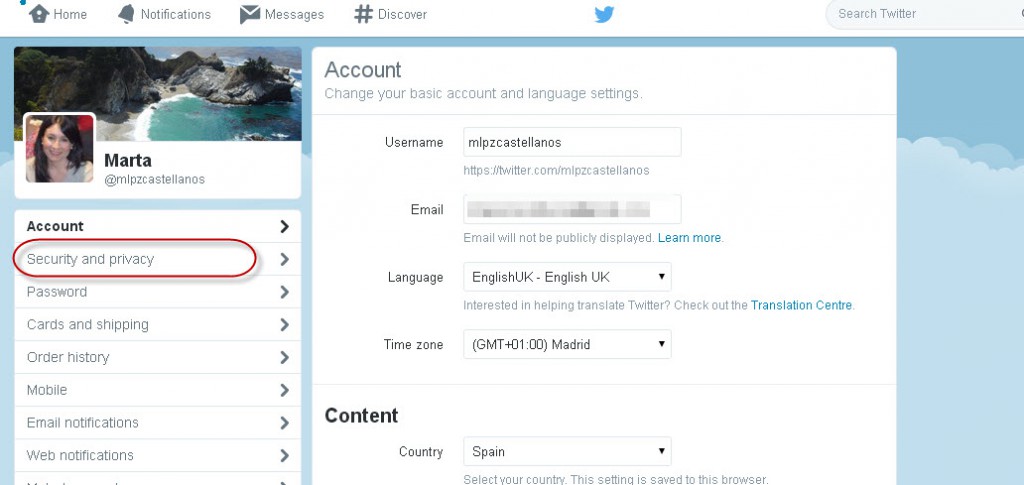
The first thing you have to do is go to your Twitter account. Go to “Settings” and from there, go to “Security and Privacy”.

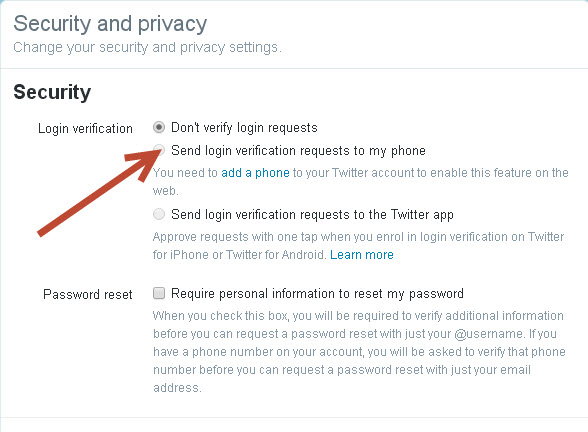
There, select “Send login verification requests to my phone”.
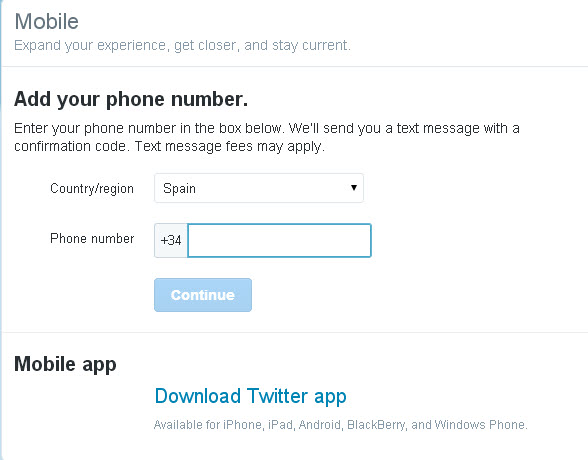
Then add the telephone number that you want the code to be sent to. The logical thing is to include the number of the phone that you usually carry around with you.
Twitter will immediately send you an SMS with a code that you’ll have to enter here.
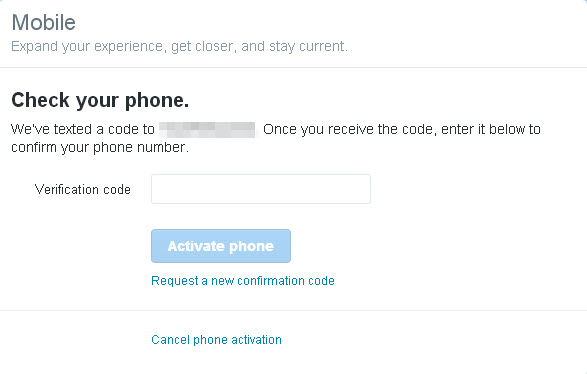
And once you have done that, you’re finished!
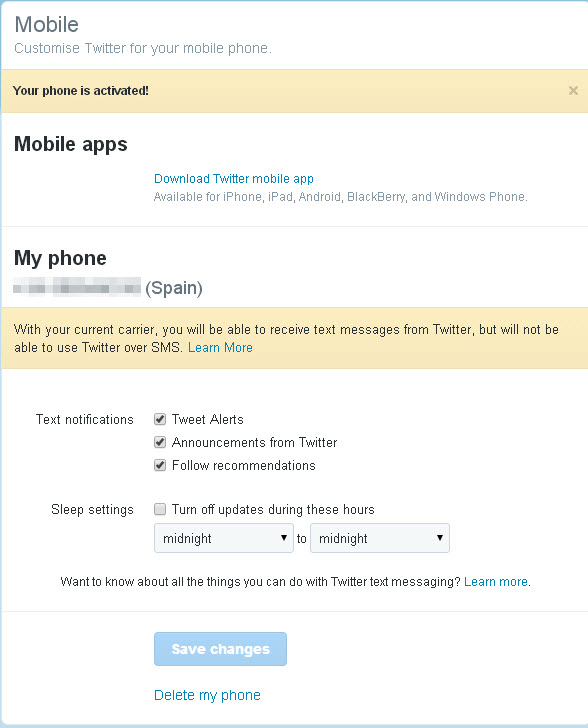
So as you can see, it’s easy to boost security in Twitter. So will you do it?
The post How to strengthen the security of your Twitter account appeared first on MediaCenter Panda Security.