Integer overflow in filter/texttopdf.c in texttopdf in cups-filters before 1.0.71 allows remote attackers to cause a denial of service (crash) or possibly execute arbitrary code via a crafted line size in a print job, which triggers a heap-based buffer overflow.
Monthly Archives: July 2015
CVE-2015-5147 (redcarpet)
Stack-based buffer overflow in the header_anchor function in the HTML renderer in Redcarpet before 3.3.2 allows attackers to cause a denial of service (crash) and possibly execute arbitrary code via unspecified vectors.
CVE-2015-5397 (joomla!)
Cross-site request forgery (CSRF) vulnerability in Joomla! 3.2.0 through 3.3.x and 3.4.x before 3.4.2 allows remote attackers to hijack the authentication of unspecified victims for requests that upload code via unknown vectors.
CVE-2015-5519 (wideimage)
Cross-site scripting (XSS) vulnerability in the applyConvolution demo in WideImage 11.02.19 allows remote attackers to inject arbitrary web script or HTML via the matrix parameter to demo/index.php.
CVE-2015-5520
Cross-site scripting (XSS) vulnerability in the Users module in Orchard 1.7.3 through 1.8.2 and 1.9.x before 1.9.1 allows remote attackers to inject arbitrary web script or HTML via the username when creating a new user account, which is not properly handled when deleting an account.
CVE-2015-5521 (blackcat_cms)
Cross-site scripting (XSS) vulnerability in BlackCat CMS 1.1.2 allows remote attackers to inject arbitrary web script or HTML via the name in a new group to backend/groups/index.php.
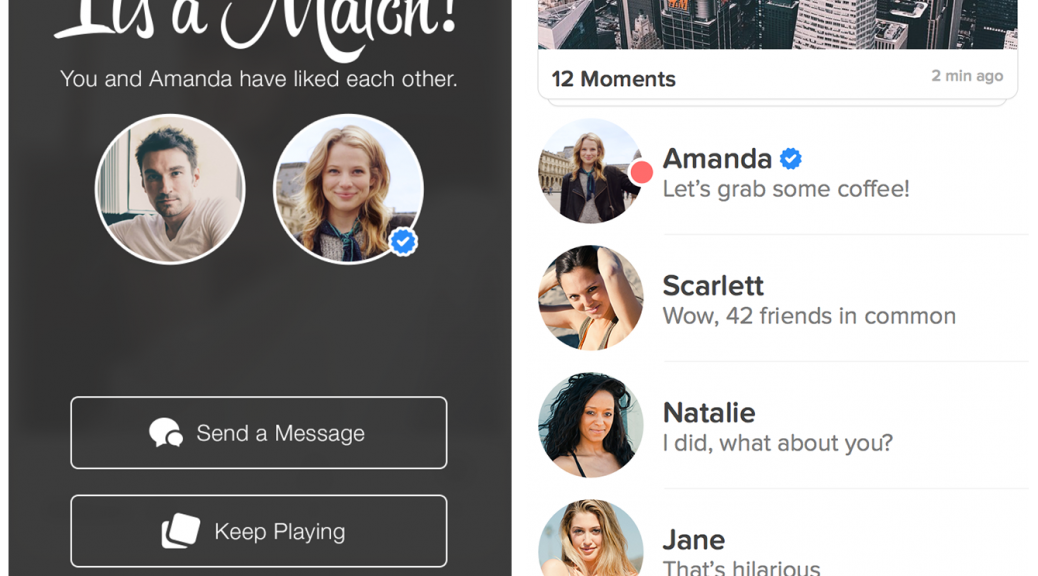
Tinder introduce verified profiles
Many of us are already familiar with the little “check mark” found on social networks that signifies that an account is legitimate. Most often seen with celebrities or famous sports personalities, it’s a simple way of letting everyone know that the account holder is the person they claim to be.
Now, mobile dating app Tinder has followed suit by introducing verified accounts to their service and we’ll no doubt see blue check marks next to Lindsay Lohan and Katy Perry who are apparently fans of the app.
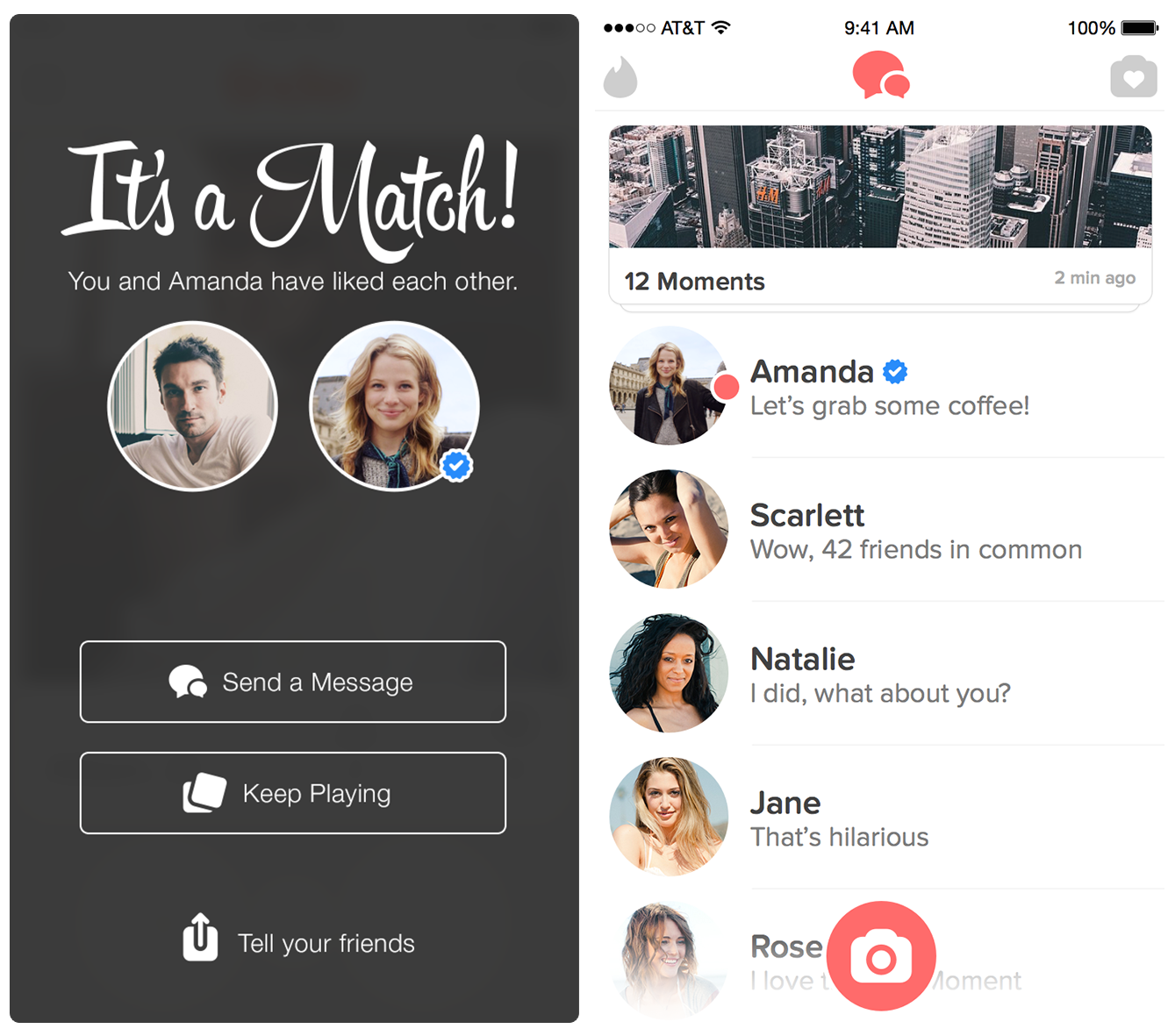
Here are three quick tips to help you have fun and avoid scandal while dating online.
Use throwaway accounts: Some dating apps require an email or a Facebook account to log in. If you want to use one of these sites, it may be smart to create a new account just for dating. That way you can close them down easily if you need to.
Use secure messaging in app: Don’t rush to move to off-app communications (email, phone, etc). Take your time and communicate through the app, there are measures in place to help you stay private and get support when you need it.
Be wary of fake accounts: Just like we’ve said in this article, online dating services can have a lot of fake dating profiles, known as Catfish scams. You can help protect yourself and your data by not giving out any personal details unless you are sure you’re talking to a real person.
Be careful what you share: Remember that anything you upload to an app will likely become their property, so don’t be surprised if you log in to find your picture on the homepage as “hot date of the week” or even used in promotional material! Make sure you’re happy for anything you share to be seen publicly.
If you want to meet, tell someone where you’re going: Common sense rules that you shouldn’t rush out to meet someone you don’t know in the middle of the night. Meet in a public place during the day and make sure someone knows you’re going and check in from time to time to let them know everything is ok.


United Airlines Showers Air Miles On Bug Bounty Researchers
Undo Send: a Gift to Email and the Workplace
The Internet, email and mobile devices are the most essential connectors in today’s workplace. Between meeting alerts, necessary attachments, and up-to-date correspondence, most of us depend heavily on email in our work-a-day world.
And most of us also have sent embarrassing or regrettable emails: whether in the heat of the moment, when tired, or with an inadvertent ‘Reply All’ – or even, in some cases, hitting send to the wrong person entirely.
These days, when we’re all on tablets and smartphones we’re even more apt to make a mistake with our emails, when writing on the go or “trying” to multitask…and the email autocorrect kicks in. You probably have your own favorite funny and cringing email mistakes due to the ‘helpful’ autocorrect feature in email.
Humor aside, misplaced or poorly worded emails are a major issue for the workplace. One study by an enterprise email provider in 2013, found that 64% of people blamed unintended email for causing anger or confusion in the workplace; 43% found that this communication tool also was the most likely (above phones, IM, and text, for example) to cause resentment between senders and receivers.
Just this past month, Google officially launched its “Undo Send” feature for users of its Gmail accounts. The delete-that-email feature had been available for the past year in beta, housed in its Google Labs section.
If you tried Undo Send via Gmail Labs, your Undo Send setting now will be on by default.
Otherwise, you will find that you can easily enable the Undo Send feature in your Gmail settings. You can even set your system to have up to thirty seconds to review your message before you send. For details, go here.
For many years, users of Microsoft Exchange Server-based email systems have had the opportunity to recall and replace their emails. But most home and personal email users, and many small business accounts do not use Microsoft Exchange. And, in order, to recall your message, the recipient of the e-mail message that you want to recall also must be using an Exchange account. You can’t recall a message sent to an outside email system, such as someone’s POP3 e-mail account.
There are an estimated 900 million Gmail users, and almost 25% say they use the service during work hours. Some estimates place the number of mid-sized business users of Gmail at 60%. You can do the math and see that the new Undo Send feature of Gmail will be a valuable tool to the workplace.
Unsend? I’m all for it! But, of course, we should all still review our emails before we hit send…


CloudFlare Transparency Report Shows Spike in Court Orders
In its latest transparency report, CloudFlare says that the number of subpoenas it has received has remained steady since last year, but the volume of court orders has more than doubled since the second half of last year. While much of the data from CloudFlare’s report for the first half of 2015 closely mirrors the […]