Which are the best mobile messaging apps?

pandasecurity-best-mobile-messaging-apps
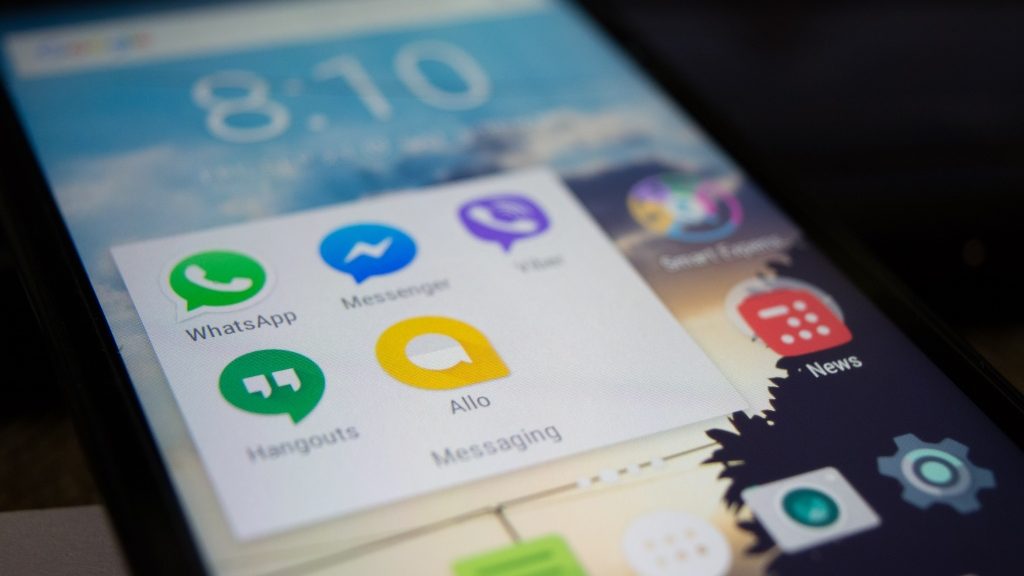
There are dozens of messaging apps available for your smartphone, each with its own strong points. This guide will help you understand which are the best – and how to use each one securely.

Best for – Apple users

Built into every iPhone and iPad as standard, Apple’s iMessage app is a safe and secure tool for staying in touch with friends and family. You can send text, photos and videos quickly and easily – and your messages are encrypted to prevent people snooping on them.

The only drawback is that iMessage only works on Apple devices. So if your friends have Android handsets, you won’t be able to contact them this way.

Staying safe: Make sure you have a passcode enabled on your phone. You should also consider disabling the message preview on your lock screen.

Best for – picture messages

Despite the controversy about how teens may be using the app to send inappropriate pictures, Snapchat remains a useful tool for picture messaging. You can add sketches or text to your photos to make sure people understand your messages.

Snapchat is available on iOS and Android, so you can stay in touch with all your friends.

Staying safe: Just because Snapchat deletes your pictures automatically, don’t assume that they cannot be recovered or saved. Think very carefully about the potential consequences before sending explicit or embarrassing snaps.

Best for – the most users

An add-on service to the social network, Facebook Messenger boasts well over a million users. So if your friends have a Facebook account, they will also be available on Messenger.

Facebook Messenger is available on iOS, Android, Windows Mobile and Blackberry smartphones, as well as any internet connected PC. You can also make voice and video calls using the app.

If you really need the message to get through, Facebook Messenger is a great option.

Staying safe: Facebook has added end-to-end encryption to Messenger, but it is not enabled by default. You must switch this feature on to prevent your messages being intercepted – and to stop Facebook snooping on your conversations.

Best for all-round connections

It may seem like it sometimes, but not everyone has a smartphone. Although you can always rely on traditional SMS, the messaging cost can quickly escalate.

WhatsApp uses your phone’s data connection, allowing you to message with your data allowance, or when connected to a WiFi network. As well as being available on all the major smartphone platforms, the app can also be installed on older/less powerful devices running Symbian. Which means you can message even more people – for free.

So if your friends are resistant to technology, WhatsApp could be what you need to stay in touch.

Staying safe: WhatsApp has struggled with security problems in the past, so you will need to have an additional tool to identify potential problems and block malware/loopholes. Panda’s Mobile Security toolkit can help provide that cover. You should also check to make sure that end-to-end encryption has been enabled, and that you have disabled data sharing with Facebook to protect your privacy.

Staying connected – and safe

These messaging apps will help you stay connected. And when it comes to staying safe, a little common sense goes a long way:

• Always make sure your phone is protected with a pass code.
• Never share information that is sensitive or embarrassing.
• Install a security app to prevent malware or hackers from stealing your data

And that’s it. Have fun!

The post Which are the best mobile messaging apps? appeared first on Panda Security Mediacenter.

Bye Bye BlackBerry. There’s a new kind of smartphone security.

BlackBerry

BlackBerry used to define the Smartphone sphere. Once popular for its physical keyboard and exclusive-for-users IM service, now BlackBerry has been left out in the cold. The Canadian company recently announced that they will no longer make the devices. However, they will continue to market the phones that will be manufactured by other companies. So, why buy a BlackBerry in 2016?

Because they’ve got an incredible reputation for security (as a matter of fact, many government officials use BlackBerry devices for that reason). In 2000 the brand was known as Research In Motion (RIM) and offered Subscription-based emailing. At this time, all emails sent and received by BlackBerry phones had to pass through highly-protected servers. This means that an attacker wouldn’t be able to intercept the phone’s messages. This encryption measure is pretty common in today’s phones, but it wasn’t 16 years ago.

User security remains a priority for BlackBerry. They have hardened security in their newest model, the DTEK50– a Smartphone manufactured by Alcatel that’s running on Android.

The phone is also named “the smartest smartphone in the world” and has a number of security-related features. This super secure Smartphone encrypts its users’ photographs, bank information and also uses the software necessary to store passwords safely. It also notifies its owners if someone uses the camera remotely to take photos or videos, or if the microphone is being used to record conversations.  

Most businesses think about security when building their IT infrastructure. By focusing exclusively on the corporate environment, BlackBerry is going back to its roots, and for good reason: it doesn’t matter who continues to make BlackBerry phones, the company still promises to enforce the strongest security possible.


The post Bye Bye BlackBerry. There’s a new kind of smartphone security. appeared first on Panda Security Mediacenter.

12-Year-Old SSH Bug Exposes More than 2 Million IoT Devices

Are your internet-connected devices spying on you? Perhaps.

We already know that the Internet of Thing (IoT) devices are so badly insecure that hackers are adding them to their botnet network for launching Distributed Denial of Service (DDoS) attacks against target services.

But, these connected devices are not just limited to conduct DDoS attacks; they have far more potential to harm you.

RHSA-2016:2062-1: Important: mariadb-galera security update

Red Hat Enterprise Linux: An update for mariadb-galera is now available for Red Hat OpenStack Platform 9.0
(Mitaka).

Red Hat Product Security has rated this update as having a security impact of
Important. A Common Vulnerability Scoring System (CVSS) base score, which gives
a detailed severity rating, is available for each vulnerability from the CVE
link(s) in the References section.
CVE-2016-6662

RHSA-2016:2060-1: Important: mariadb-galera security and bug fix update

Red Hat Enterprise Linux: An update for mariadb-galera is now available for Red Hat Enterprise Linux
OpenStack Platform 6.0 (Juno) for RHEL 7.

Red Hat Product Security has rated this update as having a security impact of
Important. A Common Vulnerability Scoring System (CVSS) base score, which gives
a detailed severity rating, is available for each vulnerability from the CVE
link(s) in the References section.
CVE-2016-6662

RHSA-2016:2059-1: Important: mariadb-galera security and bug fix update

Red Hat Enterprise Linux: An update for mariadb-galera is now available for Red Hat Enterprise Linux
OpenStack Platform 5.0 (Icehouse) for RHEL 7.

Red Hat Product Security has rated this update as having a security impact of
Important. A Common Vulnerability Scoring System (CVSS) base score, which gives
a detailed severity rating, is available for each vulnerability from the CVE
link(s) in the References section.
CVE-2016-6662

RHSA-2016:2058-1: Important: mariadb-galera security update

Red Hat Enterprise Linux: An update for mariadb-galera is now available for Red Hat Enterprise Linux
OpenStack Platform 5.0 (Icehouse) for RHEL 6.

Red Hat Product Security has rated this update as having a security impact of
Important. A Common Vulnerability Scoring System (CVSS) base score, which gives
a detailed severity rating, is available for each vulnerability from the CVE
link(s) in the References section.
CVE-2016-6662