Asterisk Project Security Advisory – When an out of call message – delivered by either the SIP or PJSIP channel driver or the XMPP stack – is handled in Asterisk, a crash can occur if the channel servicing the message is sent into the ReceiveFax dialplan application while using the res_fax_spandsp module. Note that this crash does not occur when using the res_fax_digium module. While this crash technically occurs due to a configuration issue, as attempting to receive a fax from a channel driver that only contains textual information will never succeed, the likelihood of having it occur is sufficiently high as to warrant this advisory.
All posts by 007admin
Asterisk Project Security Advisory – AST-2014-009
Asterisk Project Security Advisory – It is possible to trigger a crash in Asterisk by sending a SIP SUBSCRIBE request with unexpected mixes of headers for a given event package. The crash occurs because Asterisk allocates data of one type at one layer and then interprets the data as a separate type at a different layer. The crash requires that the SUBSCRIBE be sent from a configured endpoint, and the SUBSCRIBE must pass any authentication that has been configured. Note that this crash is Asterisk’s PJSIP-based res_pjsip_pubsub module and not in the old chan_sip module.
Oracle MyOracle Filter Bypass
Oracle’s MyOracle allows for malicious script code insertion into outbound emails.
Red Hat Security Advisory 2014-1265-01
Red Hat Security Advisory 2014-1265-01 – In accordance with the Red Hat OpenShift Enterprise Life Cycle Policy, the two-year life cycle of Production Support for version 1.2 will end on November 27, 2014. In addition, technical support through Red Hat’s Global Support Services will no longer be provided after this date.
Red Hat Security Advisory 2014-1263-01
Red Hat Security Advisory 2014-1263-01 – Red Hat Storage is software-only, scale-out storage that provides flexible and affordable unstructured data storage for an enterprise. GlusterFS, a key building block of Red Hat Storage, is based on a stackable user-space design and can deliver exceptional performance for diverse workloads. GlusterFS aggregates various storage servers over network interconnections into one large, parallel network file system. A denial of service flaw was found in the way Python’s SSL module implementation performed matching of certain certificate names. A remote attacker able to obtain a valid certificate that contained multiple wildcard characters could use this flaw to issue a request to validate such a certificate, resulting in excessive consumption of CPU.
How to make a backup with avast! Mobile Backup & Restore
 Question of the week: I have lots of photos on my phone from summer vacation. How do I back them up so I don’t lose them?
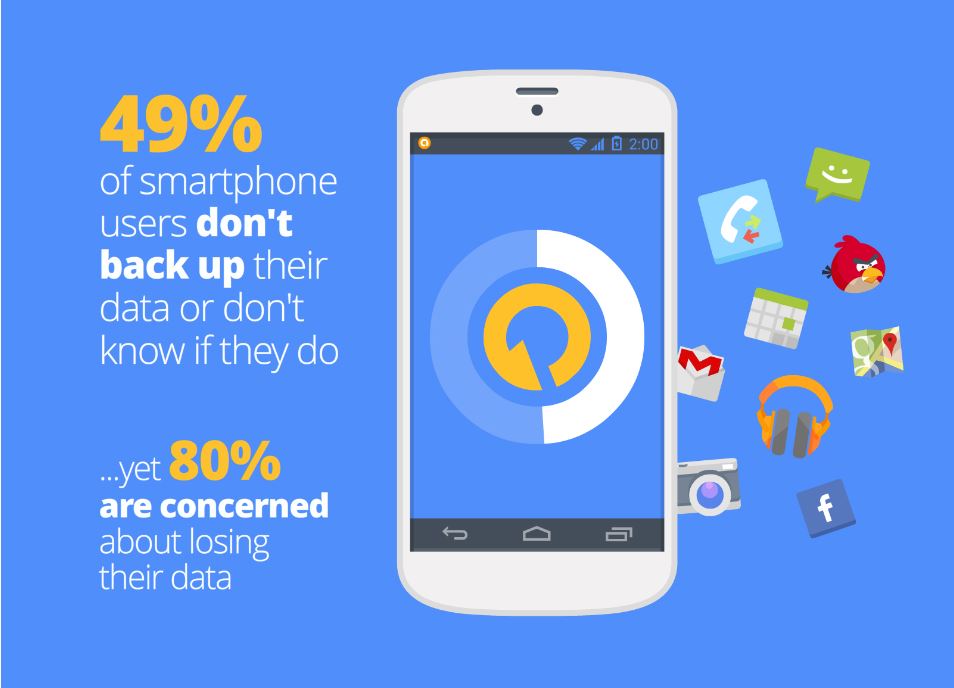
These days we keep everything from photographs, videos and music to messages and contacts on our mobile devices. This makes losing our phones a big headache. Unfortunately, most people don’t think of this until after their phone goes missing or fails. We asked our users if they back-up their data, and a whopping 49% said they don’t back up or don’t know if they do.
avast! Mobile Backup makes backing up your important data easy for you. In a few easy steps, you can backup all your files from the pictures of your last trip to the contacts and applications you keep in your devices.
Want to know how? Just follow the following steps:
- Install avast! Mobile Backup & Restore from Google Play.
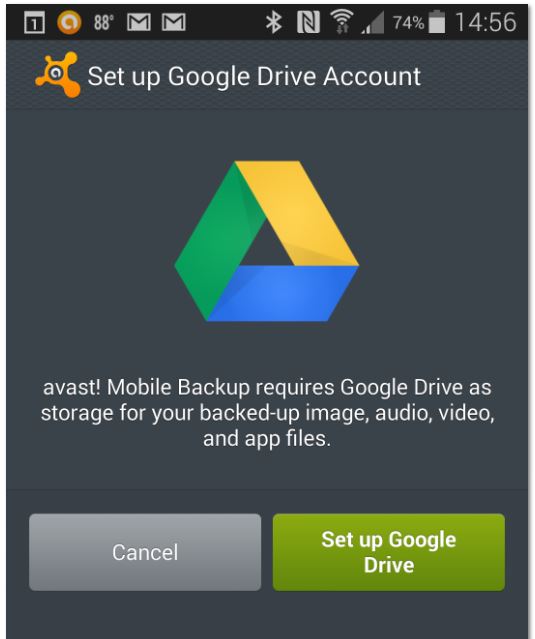
- Once you have installed avast! Mobile Backup, you’ll need to configure your Google Drive. It’s as simple as clicking on the button “Set up Google Drive Account” and follow the simple steps on the screen to access your Google account.
- Once you’ve set up your Google Drive, you can select items for backup. The free version lets you back up contacts, calls and SMS. The Premium version also allows you to back up all the audio and video files and also all your applications. When you finish the selection, click the “Continue” button.
- On the next page, “Important Options”, you can select whether you want the backups to be made only through a WiFi connection in order to save mobile data, and configure the maximum size of the files which you want to perform that backup. Once you’ve configured everything, click Finish.
- You are now ready to perform the backup. Tap the dark square at the top and avast! Mobile Backup will start backing up your files.
If you want to restore your backup when you change your phone, simply reinstall avast! Mobile Backup, click “Browse backup” and then “Restore all.”
Thank you for using avast! Antivirus and recommending us to your friends and family. For all the latest news, fun and contest information, please follow us on Facebook, Twitter and Google+. Business owners – check out our business products.
OWASP Releases Latest App Sec Guide
OWASP published the latest iteration of its Testing Guide, an informational manual designed to teach developers how to build and maintain secure application.

iOS 8. Apple increases user privacy

No doubt if you have an Apple device, you’ll know that the new iOS 8 operating system is now available. What you might not know is that installing it will prevent Apple from accessing users’ devices without their consent.
This has been announced by the company, which says that “unlike their competitors” they will not access users’ systems without their permission. They claim that it is therefore not technically possible for them to comply with government orders to retrieve data from devices running iOS 8.
So how is privacy enhanced with iOS 8? To prevent itself from accessing these devices, Apple has modified its encryption system which is applied automatically when users select their password.
This way, Apple’s new operating system has taken a step forward in increasing privacy, as all the information stored on users’ iPads or iPhones (photos, emails, files, etc.) will be protected not only from Apple, but also from governments.
This is clearly how Apple has responded to accusations of collaboration with the National Security Agency (NSA) by handing over its customers personal data. Similarly, the company has also assured that it only provided the data of “less than 0.00385%” of Apple device users. ”
We remind you that it’s important to scan your iPhone or iPad for malware that could affect the functionality of your device. For your peace of mind, try our antivirus for Mac.
More | Cyber-espionage. Can you avoid it?
The post iOS 8. Apple increases user privacy appeared first on MediaCenter Panda Security.