Resolved Bugs
1147917 – CVE-2014-7300 gnome-shell: lockscreen bypass with printscreen key
1149039 – gnome-shell: lockscreen bypass with printscreen key [fedora-all]<br
Security fix for lock screen circumvention by consecutive screenshot requests triggering OOM situation
Fedora 20 Security Update: facter-1.7.6-1.fc20
Resolved Bugs
1101346 – CVE-2014-3248 puppet: Ruby modules could be loaded from the current working directory
1114902 – CVE-2014-3248 facter: puppet: Ruby modules could be loaded from the current working directory [fedora-20]<br
Update to 1.7.6 for bz#1107891 and CVE-2014-3248
See http://puppetlabs.com/security/cve/cve-2014-3248 for more
information upstream.
Fedora 19 Security Update: facter-1.6.18-5.fc19
Resolved Bugs
1101346 – CVE-2014-3248 puppet: Ruby modules could be loaded from the current working directory
1107891 – CVE-2014-3248 facter: puppet: Ruby modules could be loaded from the current working directory [fedora-19]<br
Patch facter 1.6 series for Bug 1107891 – CVE-2014-3248
See http://puppetlabs.com/security/cve/cve-2014-3248 for more
information from upstream.
CSP Bypass on Android prior to 4.4
Posted by E Boogie on Oct 12
I’ve found a Content Security Policy bypass similar and related to the
same origin policy bypass in CVE-2014-6041.
https://cve.mitre.org/cgi-bin/cvename.cgi?name=CVE-2014-6041
I’ve tested this on an Android 4.3 tablet running a bunch of different
browsers, including Inbrowser, Firefox, and the default Android
browser on an emulator for Android 4.3.1.
HTML PoC:
<input type=button value=”test” onclick=”…
CVE-2014-5327
Buffer overflow in the Webserver component on the Huawei E5332 router before 21.344.27.00.1080 allows remote authenticated users to cause a denial of service (reboot) via a long URI.
CVE-2014-5328
Buffer overflow in the Webserver component on the Huawei E5332 router before 21.344.27.00.1080 allows remote authenticated users to cause a denial of service (reboot) via a long parameter in an API service request message.
Cleaning Up Your Right-Click Menu
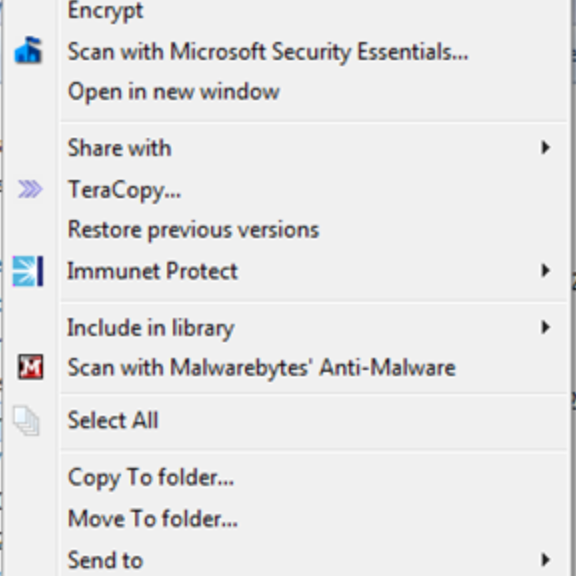
Does it take several seconds for the right click menu (called the “context menuâ€) to load when you right-click on a file, a folder or even just the desktop?
Are you tired of looking at completely overblown context menus like this:
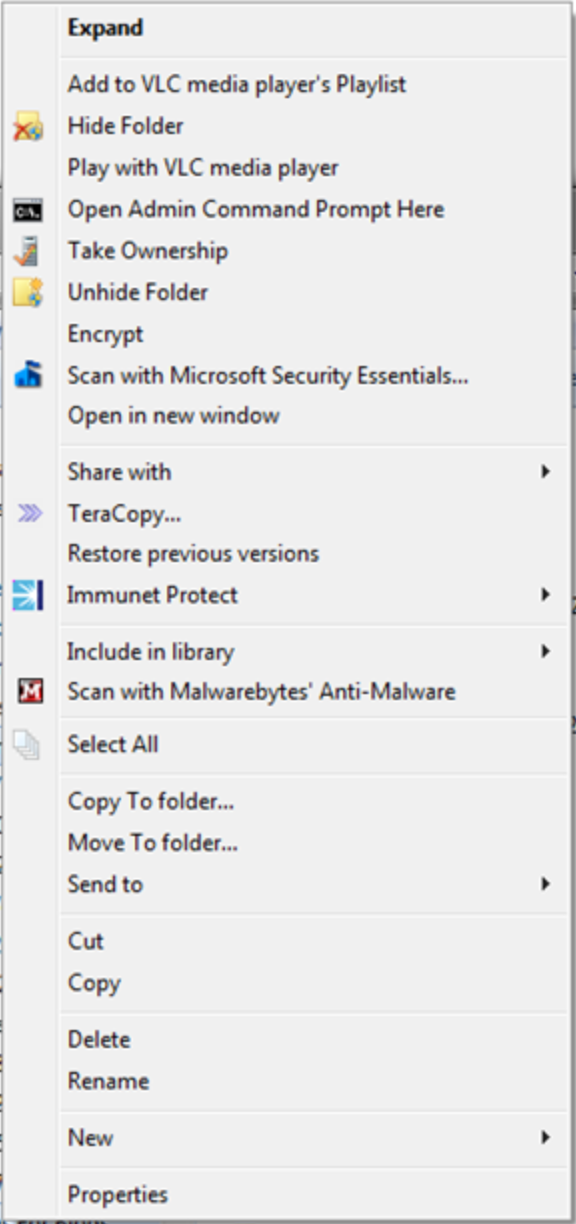
Then it’s time to clean up!
In this blog post, we’ll show you how to easily clean up your context menu in no time. It requires a little bit of tinkering with Windows, but if you follow our instructions you’ll find it easy to follow. Let’s do it:
- All entries that show up under your “Right-click menu†or “Context menu†are stored in a rather secret location, called the Windows registry. Here’s how to open it: Hold down the “WINDOWS†key on your keyboard and then press the “R†button. This will bring up the following screen:
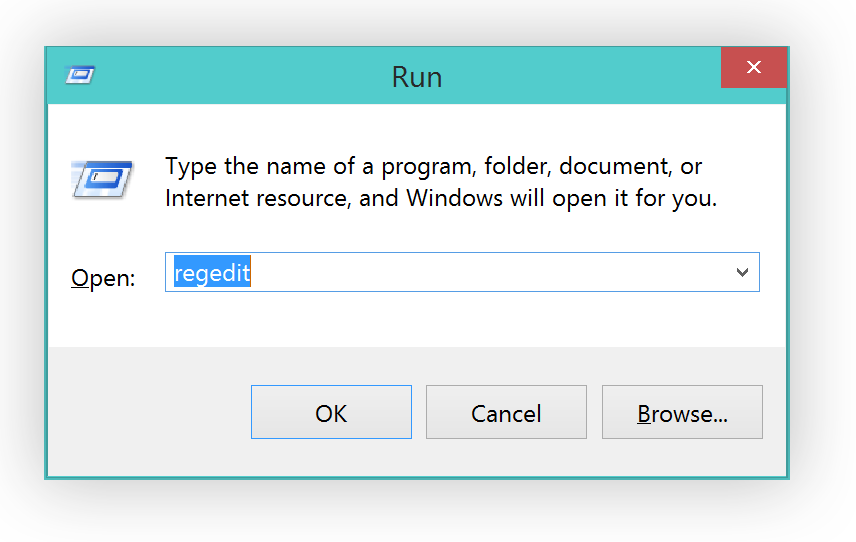
Type in “regedit†and hit Enter.
- Before we make any changes, I strongly recommend you perform a backup of the entire folder structure so you can go back to the original menus any time you want. To do that, simply click on “FileExport†and type in the file name.
- Next, open the following folders: HKEY_CLASSES_ROOT*shellexContextMenuHandlers. All the folders you see below represent entries in the right-click menu:
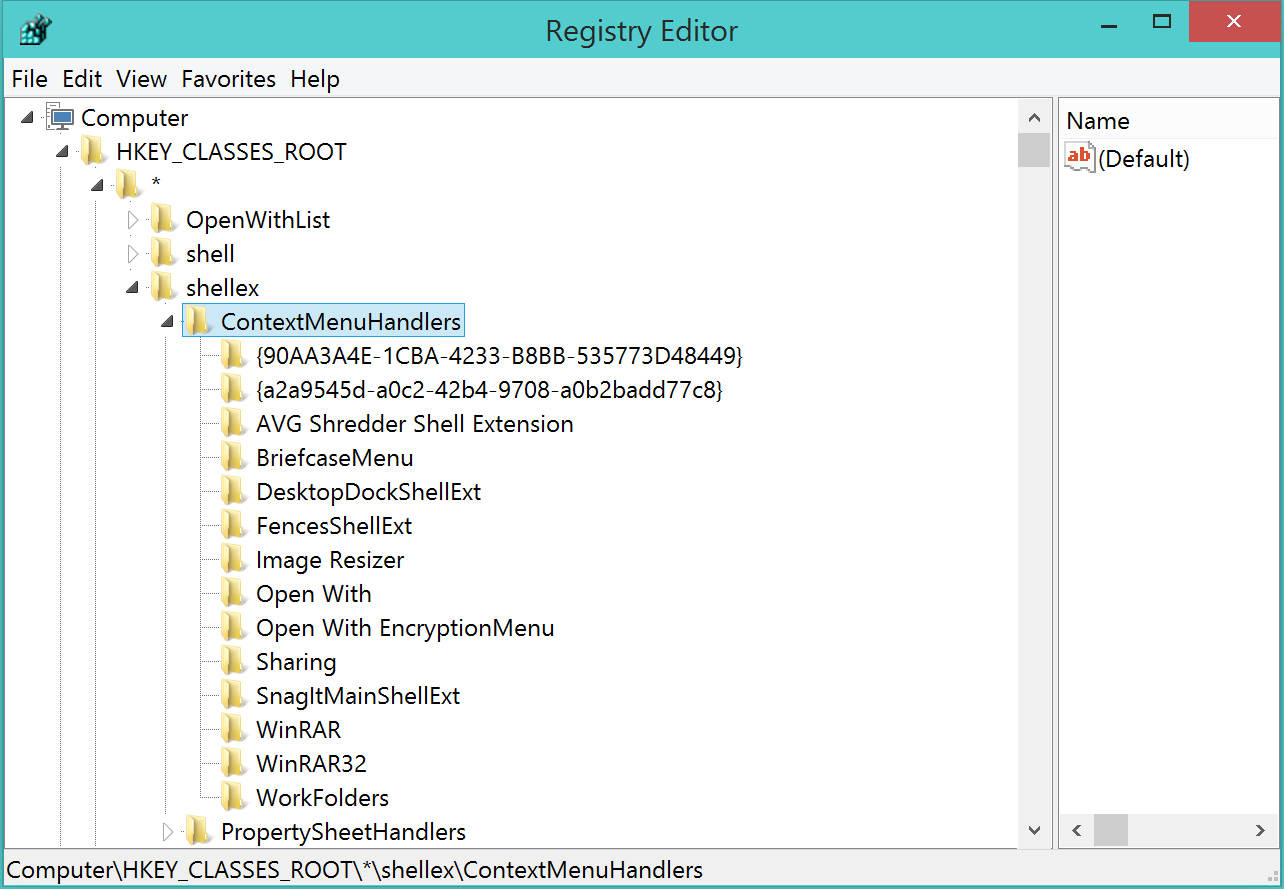
- Ok, let’s move on to actually getting rid of that folder. So, for example, the “AVG Shredder Shell Extension†folder represents the following item:If you like to get rid of it, simply delete that entire “Folderâ€. So for example, I wanted to get rid of the entry for a nice desktop organization tool called “Fences†that I use a lot:So I click on “FencesShellExt†(don’t tough the OpenWith or WorkFolders entries, though!) and hit the “Delete†key on my keyboard. Now, once I cleaned it up, my context menu looks very clean:
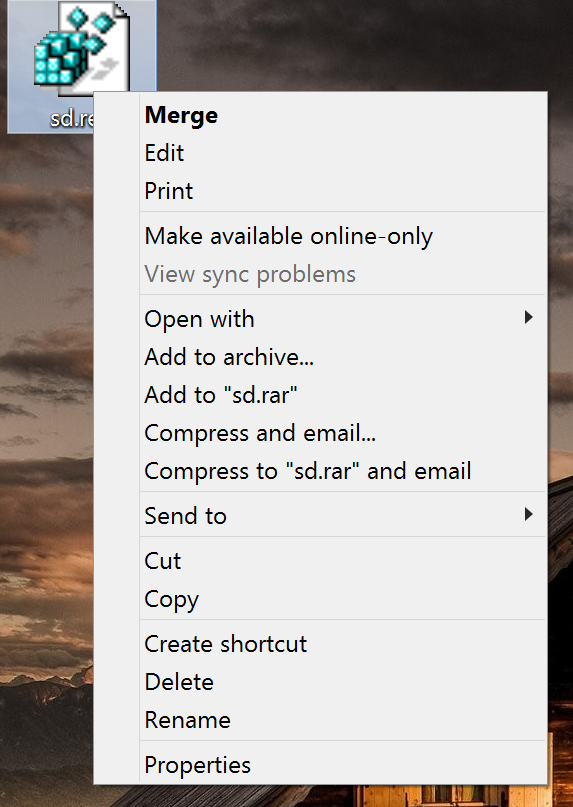 Plus, you may even be able to solve problems related to the context menus and delays when working with files.
Pro Tip:
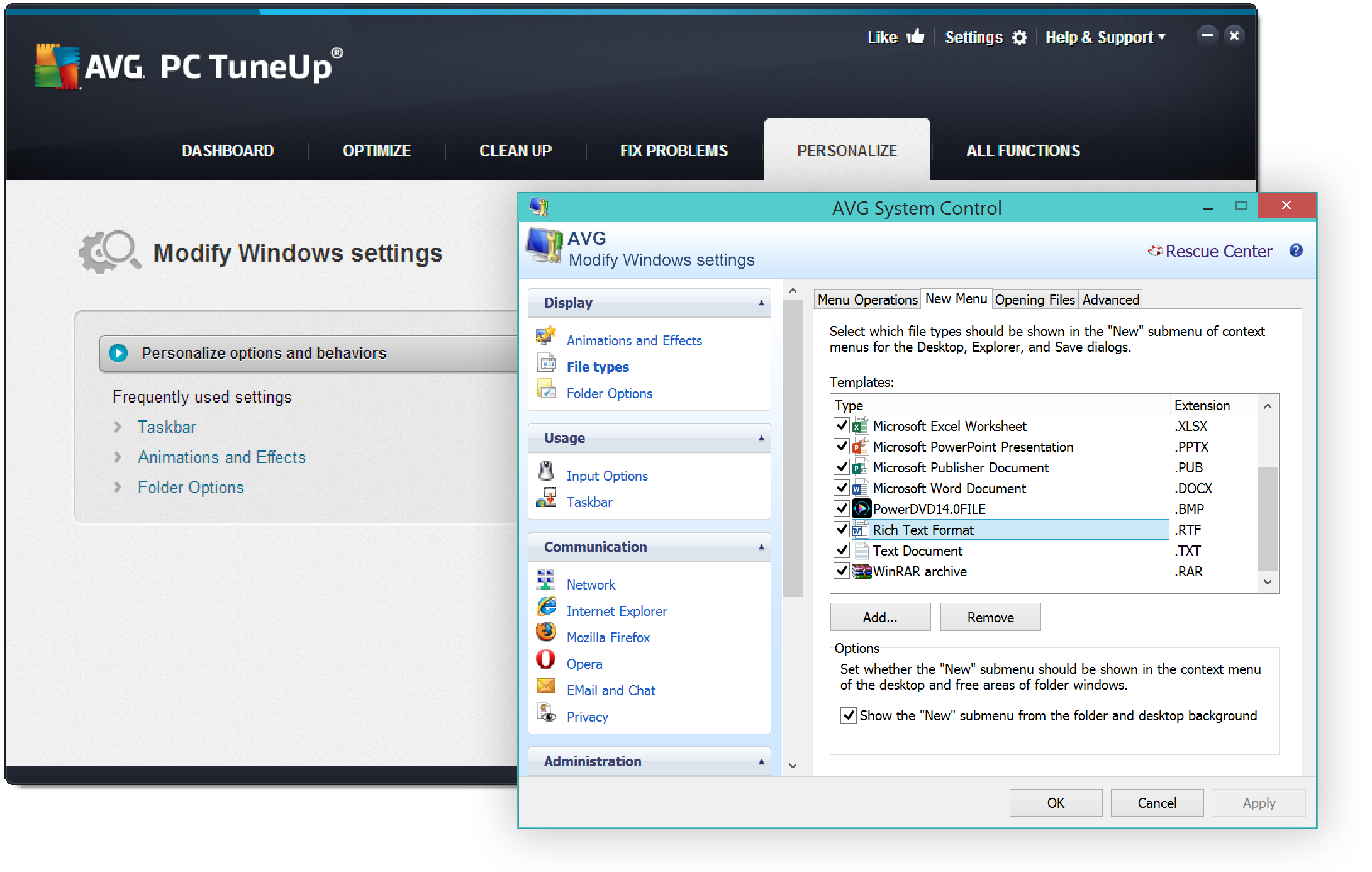
If you’d like to add or remove items in your “Create New…” menu there’s a great (and much easier) solution for you. All you need is AVG PC TuneUp (you can get the trial here: http://www.avg.com/us-en/avg-pctuneup):
Once installed, go to “Personalize†and click on the “Personalize and behaviorsâ€.   Head over to “File Types†and “Newâ€:In this are you can easily get rid (or even add!) items that appear under the “New†menu, which I personally like to keep very clean as I only create a few files that way:
Got any questions? Let us know!


APPLE-SA-2013-11-14-1 iOS 7.0.4
From: Apple Product Security
Reply to list
APPLE-SA-2013-11-14-1 iOS 7.0.4

iOS 7.0.4 is now available and addresses the following:

App Store
Available for:  iPhone 4 and later,
iPod touch (5th generation) and later, iPad 2 and later
Impact:  App and In-App purchases may be completed with insufficient
authorization [...]
More rss feeds from SecurityFocus
News, Infocus, Columns, Vulnerabilities, Bugtraq …
Bugtraq: [SECURITY] [DSA 3048-1] apt security update
[SECURITY] [DSA 3048-1] apt security update