Mandriva Linux Security Advisory 2014-180 – The gnupg program before version 1.4.16 is vulnerable to an ELGAMAL side-channel attack.
Five Hidden Features to Boost Windows Performance
So, you think you know Windows 7 and 8 inside and out? Think again! In this week’s blog post, I am going to show you five little known features in Windows you may have never even heard of…
Power efficiency report
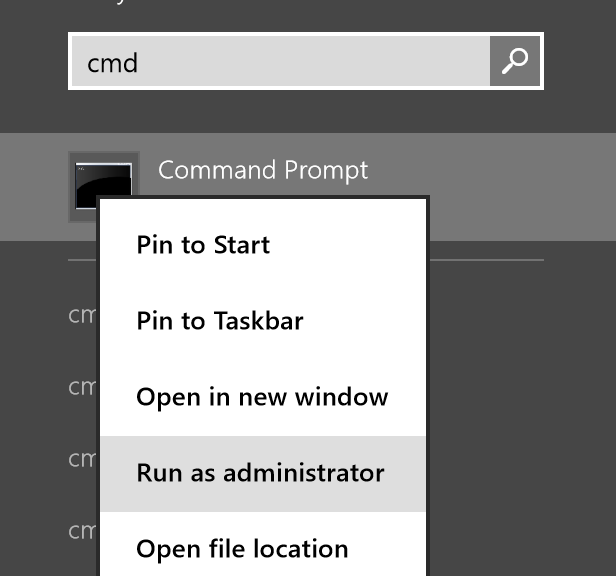
Here at AVG, we love our laptops to last as long as possible which is why this Windows feature is one of our favorites. Microsoft developed an in-depth method for checking power deficiencies in Windows 7 and 8, which is originally meant to be for the IT pro but can still be useful for everyone. The “Energy Efficiency Report†provides detailed information on processes, devices, and Windows settings that increase power levels and, thus, drain your battery quickly. So how can you access this feature? The process can be a bit tricky for less experienced users, but if you follow these instructions, you should have no problems. First, open the Start menu or the Start screen (in Windows 8) and type in “cmdâ€. Right-click on the “cmd†entry and select “Run as Administratorâ€: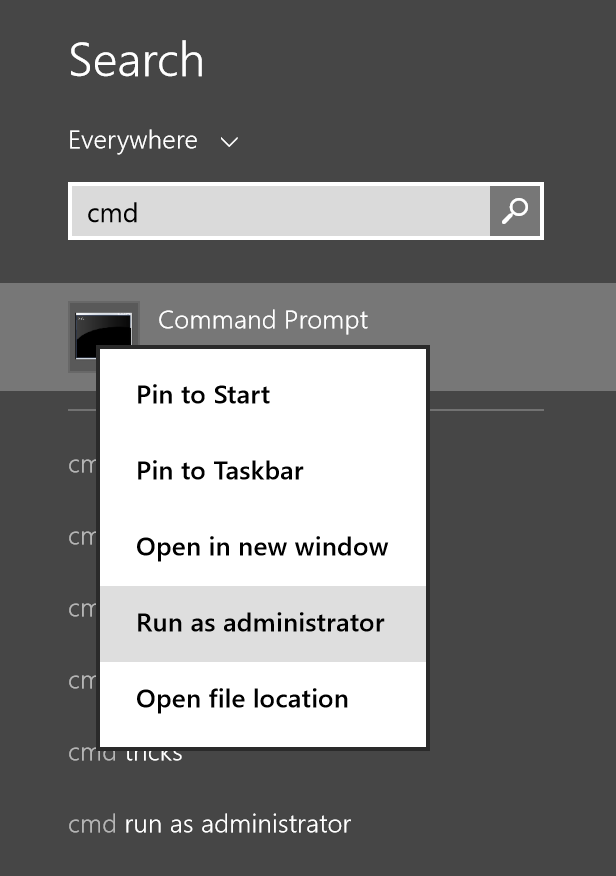
Once you’re in the command prompt, type in “powercfg /energy†and wait for the 60-second energy check to complete. When done, go to the location given by the powercfg command, such as displayed in the following image:
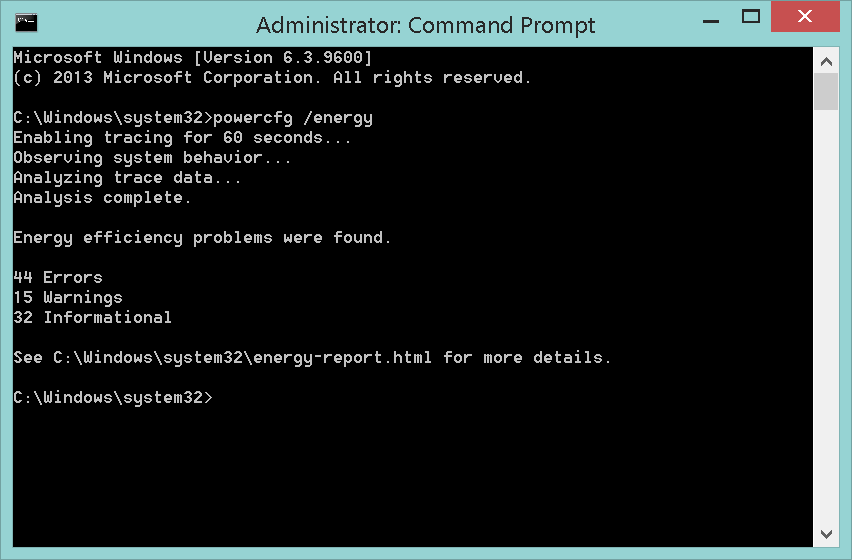
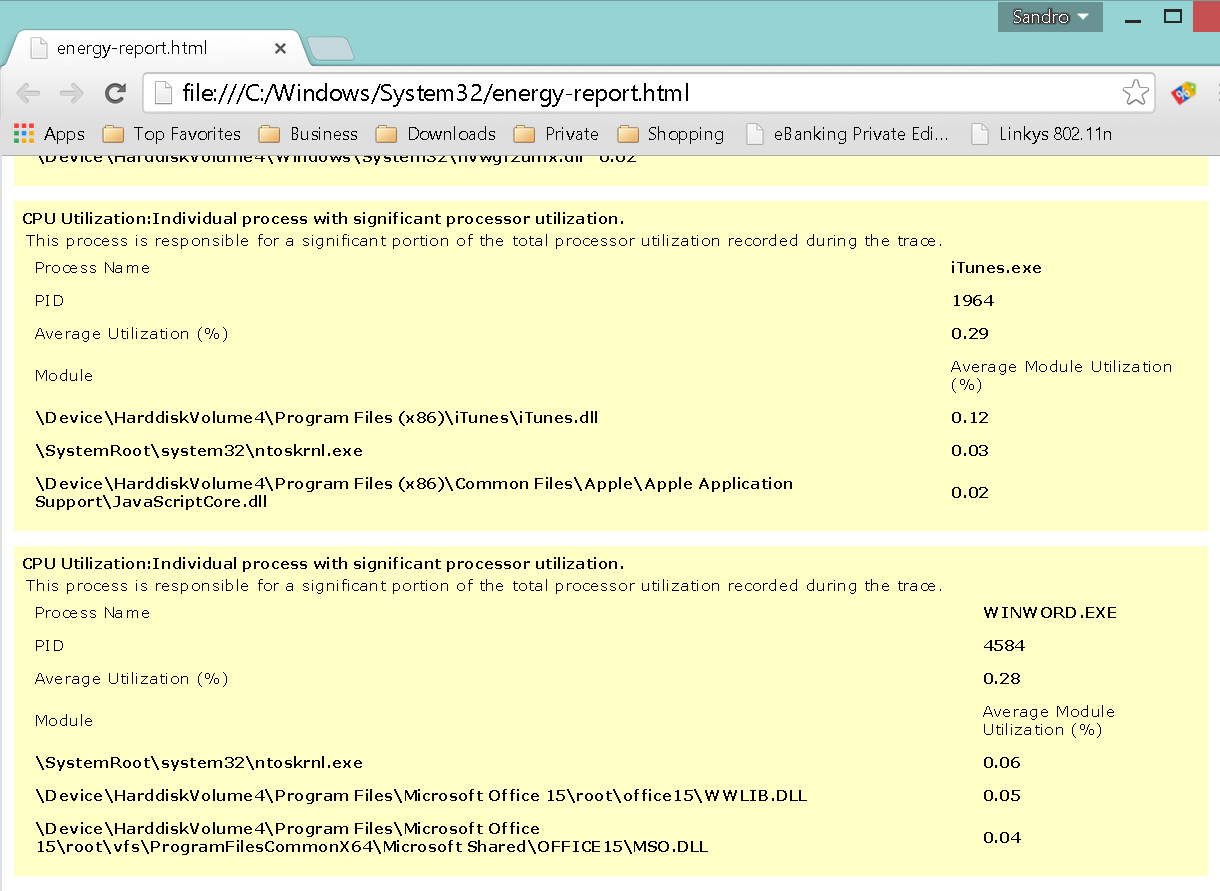
Note: Depending on your User Account Control settings, this report might also be stored in your user directory. To determine this, just look at the last line that tells you its exact location. Once you’ve opened the report in your browser, you will see several power errors and solutions. Not all errors found in that report will make sense, but you will see quickly when drivers or programs are the cause for poor battery life, such as:
System health report
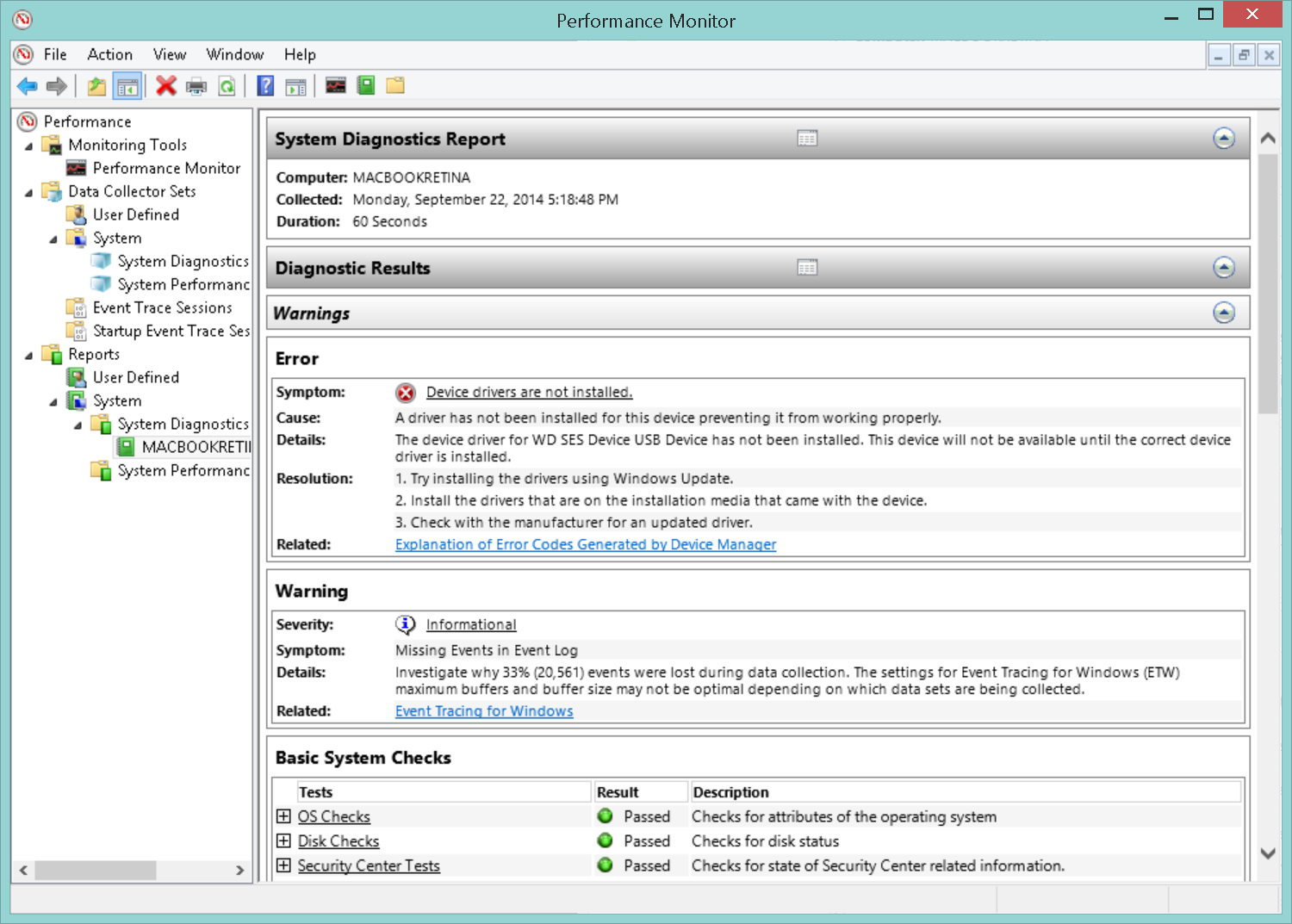
PCs lose performance and stability over time—this is a fact of computing life. The causes usually vary from too many third-party tools and junk to an old or faulty device driver, to malware and unfixed Windows bugs. You can check overall system stability by using another hidden tool called “System Diagnostics Reportâ€.
To access this tool, begin by pressing the “WINDOWS†and “R†keys at the same time. Doing so will open the “Run†window. Type in “perfmon.msc†and hit “OKâ€. On Windows 8 and 8.1, you have to click on “ReportsSystemSystem Diagnostics†and then double-click on the report for your PC. Yet again, your system will be observed for 60 seconds. Once completed, the “Diagnostics Results†should provide some ideas about what’s happening with your system. For example, it shows overall system utilization and Device Manager error codes. Going through each of these sections will help you figure out what’s wrong with your PC.
Record your problems
This is a great tool for Windows experts who are tired of hour-long support calls to their family and friends, helping them with their computer issues. Instead of having them describe what’s wrong with their PC, you can let them record each step that leads to the problem using “Problem Steps Recorderâ€. With this neat feature, Windows logs each step using text and screenshots and puts it into an easily readable HTML file for you to analyze! It’s also a good way to guide less experienced users through complicated steps—simply record each step for them, and send it over. This approach is much easier than writing massive guides via e-mail or spending another hour on the phone.
Here’s how you can launch Problem Steps Recorder: First, open up your Start menu or Start screen and type “Recorder†into the search box. Then, click on “Record steps to reproduce a problem†(Windows 7) or “Steps Recorder†(Windows 8). It’s that simple!
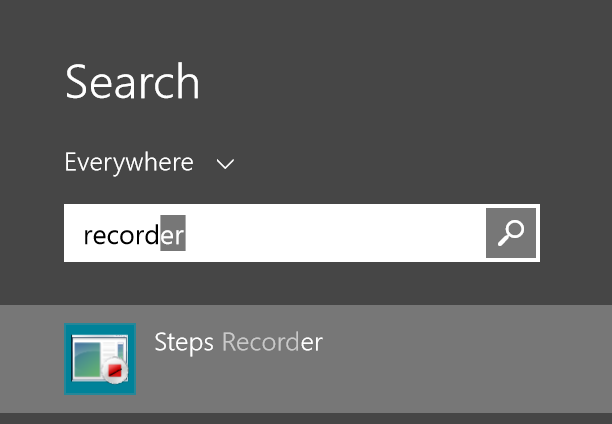
Once you’re ready to record your problem or step-by-step instructions, just hit the record button and you’re good to go. When finished, hit “Stop record†and enter a name to save the session. Problem Steps Recorder automatically packs all the recorded images and HTML files into one nice and neat ZIP package that you can share! To look at the problem report before you send it, extract the ZIP file and double-click on the MHTML file, such as:
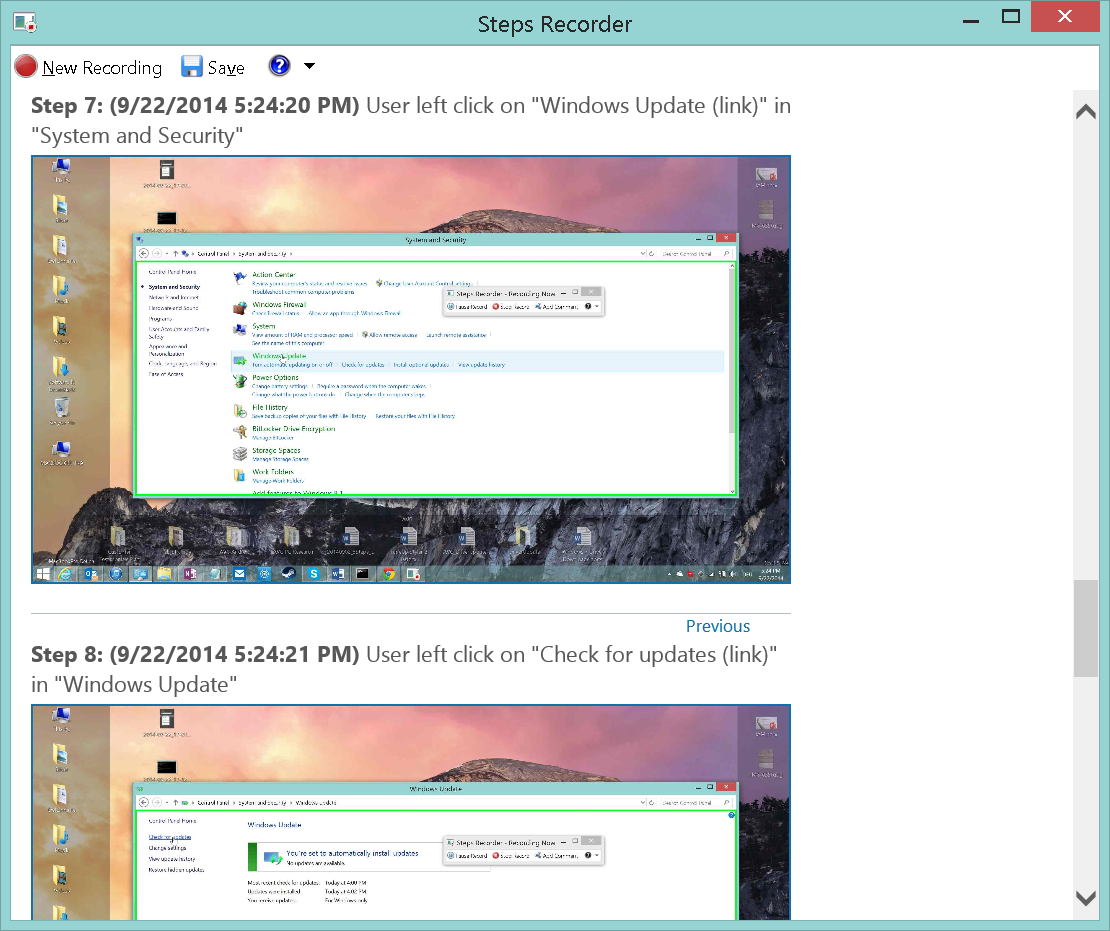
If the steps are clearly visible and understandable, feel free to send the ZIP file to your friends or family so they can help you with your problem (or ask them to send the report to you if you’re trying to troubleshoot for them).
Repair system files
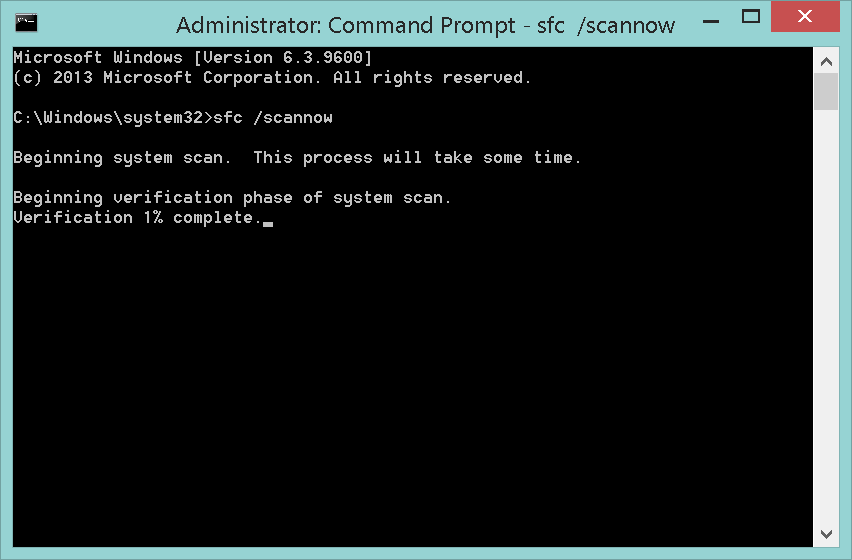
Does your Windows report missing or damaged files? Does your system crash for no reason or some applications fail to install or start? There’s something you can do to fix this. It entails letting Windows check on the integrity of important system files and replace them with the original (working) ones. To do this, consider the “System File Checker†as your little helper. Begin by opening up a command prompt with administrative privileges (see instructions in feature #1) and type in “sfc /scannowâ€. With this, Windows checks critical system files, informs you about any errors and tries to fix them—that’s it!
Calibrate your screen
Are the colors of your desktop or photos not quite as brilliant as they should be? Do your images appear to be washed out? Windows can help you fix these issues and optimize your screen by using a built-in calibration feature to adjust brightness, contrast, sharpness, and color levels appropriately. To launch this feature, open up your Start menu or Start screen (in Windows 8) and type in “dccw†and hit the “Enter†key.
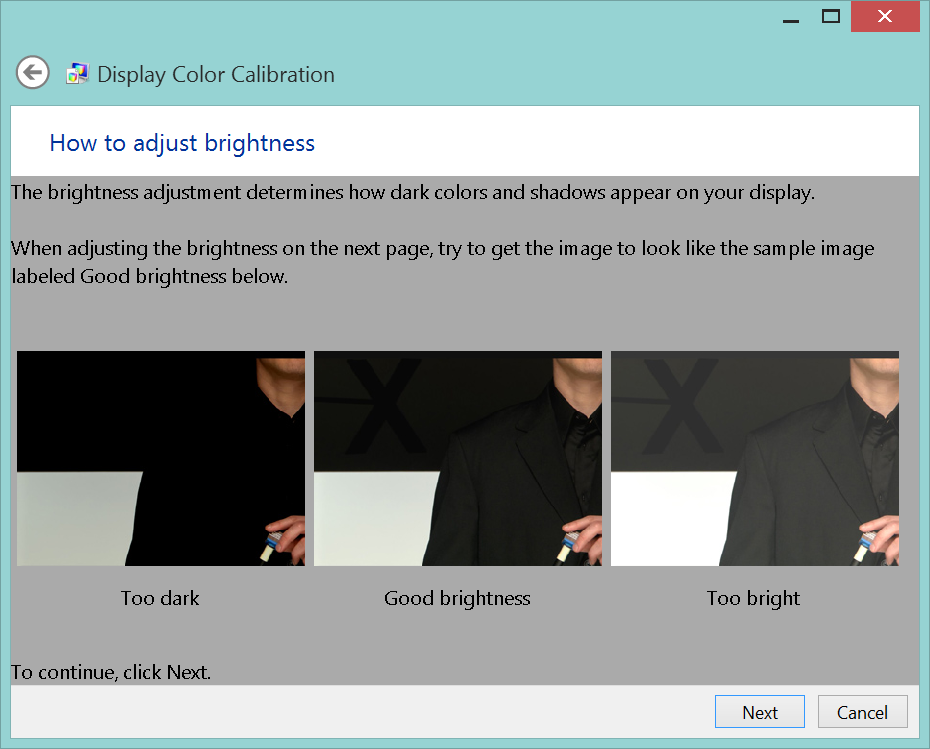
The wizard pictured above will guide you through all the necessary steps to optimize screen levels.
These were just five features, but there are dozens of more (very hidden) gems in Windows 7 and 8. What’s your favorite feature that you discovered by accident or have just heard of? Share it with us in the comments section.


Panda Security launches new 2015 Consumer Line with XMT Smart Engineering Engine #Panda2015
- Panda Security’s new consumer product line is now available. New solutions are lighter, safer and easier to use than ever before, and are based on the new XMT Smart Engineering architecture, a new engine for a new technological era
- Â Panda Global Protection 2015, Panda Internet Security 2015, Panda Antivirus Pro 2015, Panda Mobile Security and Panda Gold Protection leverage the power of cloud computing to combat maware threats
Madrid, August 13, 2014
Panda Security, The Cloud Security Company, today announced the launch of its new line of consumer solutions. Panda Global Protection 2015, Panda Internet Security 2015, Panda Antivirus Pro 2015, Panda Mobile Security 2.0 and Panda Gold Protection are the five products included in the security company’s 2015 consumer line which this year boasts the new XMT Smart Engineering engine as its main new feature.
The results of the latest comparative tests conducted by independent laboratories such as AV-Comparatives, AV-TEST and Virus Bulletin, where Panda Security achieved the best scores in detection, protection and resource use, showcase the excellent capabilities of the new XMT engine. With XMT, different technologies interact with each other to achieve new levels of efficiency and greater detection and disinfection power to eradicate all threats.
“In a context in which 160,000 new malware samples are created every day, as reported by PandaLabs’ Q2 report, we are very much aware that we have to provide users with the best protection. And the best thing is that the engine with which we’re achieving the highest detection ratios in the industry’s leading tests is the basis of all our endpoint protection products,†said Ãlvaro Elorriaga, Global Retail Director at Panda Security. “Our aim is to continue integrating technologies in the platform to stay in pole position when it comes to detection, and provide our users with maximum protection and minimum impact on their systemsâ€.
Minimum impact on performance
Designed to provide complete protection with minimal performance impact, Panda Security’s new 2015 Consumer solutions harness the power of cloud computing to combat the myriad security threats users face today: viruses, hackers, online fraud, identity theft and all other known and unknown threats.
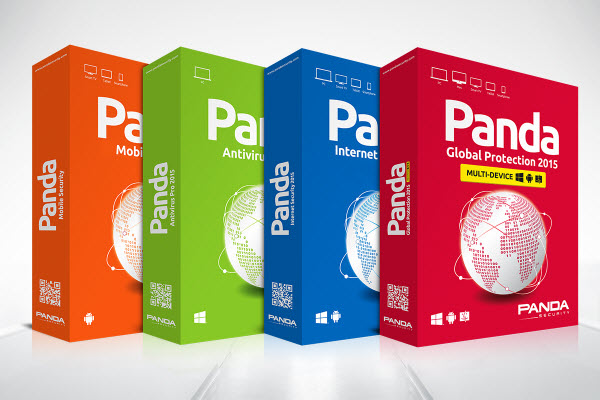
“The new 2015 Consumer line is based on four pillars that have allowed us to further improve our security solutions, adjusting them to our customers’ needs: protection, lightness, flexibility and stabilityâ€, explained Hervé Lambert, Retail Product Marketing Manager at Panda Security. Â
Cross-Platform Protection
In addition to the new XMT engine, one of the most noteworthy features of Panda Security’s new 2015 solutions is the cross-platform protection provided by Panda Global Protection 2015 for Mac environments and even mobile devices. Furthermore, advanced users will find an additional layer of protection with Data Shield, a new module to protect user data against malware such as ransomware that tries to access sensitive information with malicious purposes (theft, deletion and encryption).
Additionally, the 2015 versions of Panda Internet Security and Panda Antivirus Pro include improved protection capabilities against viruses, hackers and Wi-Fi intrusions thanks to a Wi-Fi monitor that provides full visibility into all the devices connected to the wireless network. Along with these features, Panda Internet Security 2015 helps protect users’ children, identity and data with parental control, application control and online backup functionalities. “Despite Panda Antivirus Pro is the most basic solution in the entire line –it protects Windows environments only–, the truth is that it is much more than a simple antivirus. Besides providing fast and intuitive protection, it also includes other features such as a firewall, virtual keyboard, rescue kit and multimedia optionsâ€, explained Hervé Lambert.
New Panda Mobile Security Now Available on Google Play
Additionally, the new Panda Mobile Security 2.0 is now available on Google Play. This solution, designed to protect Android devices, includes features such as geolocation and anti-theft to remotely locate, lock and wipe lost or stolen devices. The new version is much more intuitive and user-friendly than before thanks to a brand new look and feel.
Panda Gold Protection
Panda Security’s 2015 Consumer product line also includes Panda Gold Protection, a complete solution designed to protect users’ data regardless of the device they are using: PC, Mac, and Android smartphones, tablets and Smart TVs. Panda Gold Protection is the only product in the entire 2015 line that features Panda Cloud Drive, an online backup and sync service with 20 GB of free space that allows users to store files securely in the cloud and access them from any computer, mobile device or Web browser at any time.
Users who want to take a free trial of Panda Security’s new 2015 solutions can go to http://www.pandasecurity.com/homeusers/
Also, users who want to buy Panda Security’s products can do so online on the company’s website or at the usual points of sale (retailers, dealers, shopping malls, etc).
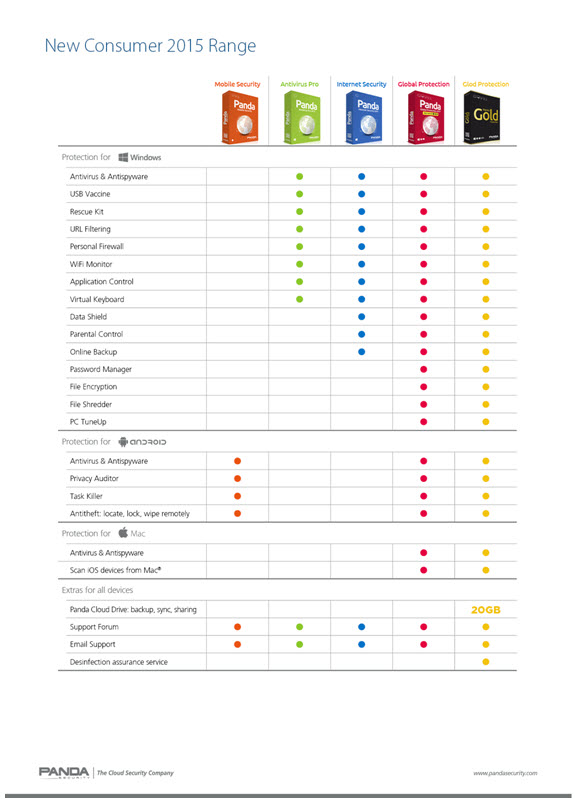
Main features of Panda Security’s 2015 Consumer solutions
About Panda Security
Founded in 1990, Panda Security is the world’s leading provider of cloud-based security solutions, with products available in more than 14 languages and millions of users located in 195 countries around the world. Panda Security was the first IT security company to harness the power of cloud computing with its Collective Intelligence technology. This innovative security model can automatically analyze and classify thousands of new malware samples every day, guaranteeing corporate customers and home users the most effective protection against Internet threats with minimum impact on system performance. Panda Security has 80 offices throughout the globe with US headquarters in Florida and European headquarters in Spain
Panda Security collaborates with The Stella Project, a program aimed at promoting the incorporation into the community and workplace of people with Down syndrome and other intellectual disabilities, as part of its Corporate Social Responsibility policy.
For more information, please visit www.pandasecurity.com/
Â
The post Panda Security launches new 2015 Consumer Line with XMT Smart Engineering Engine #Panda2015 appeared first on MediaCenter Panda Security.
KonaKart Storefront Application Cross Site Request Forgery
KonaKart Storefront Application versions prior to 7.3.0.0 suffer from a cross site request forgery bypass vulnerability.
Home Depot Ignored Security Warnings For Years, Employees Say
eBay Under Pressure As Hacks Continue
The Pirate Bay Uses The Cloud To Stay Out Of Law Enforcement's Reach
Who.is Does The Harlem Shake
Glype Proxy 1.4.9 Cross Site Request Forgery
Glype Proxy version 1.4.9 privacy settings can be bypassed via cross site request forgery.

Presentation of the 2015 Consumer Antivirus Solutions
Today is not just another Monday! Aching muscles, photos in red jumpsuits, exciting stories… What are we talking about? About the presentation of our 2015 product line, of course!
Unashamedly proud of our new XMT scan engine, on Friday we decided to launch the new range in style at Carlos Sainz Karts in Madrid. We brought together representatives from the media to present our new antivirus and explain all the new features they would find in this new product line.
But before we tell you all about them, let’s tell you their names: Panda Global Protection 2015 Multi-Device, Panda Internet Security 2015 Multi-Device, Panda Antivirus Pro 2015 and Panda Mobile Security 2.0.
New Antivirus Panda 2015
What better place to talk about engines than a go-kart track? So we had our Global Retail Director, Alvaro Elorriaga, tell everyone about the revolutionary power of our new XMTâ„¢ engine. “Threats have changed and this means we have to change the way we scan, detect and disinfect.â€

The XMTâ„¢ engine, which is in all the new Panda products, includes a new protection system, new heuristic technologies, new behavior analysis features and new anti-exploit technologies.
What’s more, Herve Lambert, Product Marketing Manager, explains that “the latest independent industry testsâ€, carried out by AV-Comparatives, AV-TEST and Virus Bulletin, “demonstrate the power of the new engine included in Panda Security’s latest solutions.â€
2015 Consumer Product Line Features
During the presentation, our colleague Herve explained in more depth our product features, including the Data Shield, a layer of data protection that prevents one of the fastest-growing threats: ransomware. This dangerous malware infects computers and locks them until the user (or company) pays a ransom.
Herve also talked about other new features, such as the Wi-Fi Monitor, which lets you know what devices are connected to your network; and Application Control, which lets you set run permissions for the programs installed on your computer.
Finally, Pablo Alonso, Consumer Sales Director for Spain, praised “the effort made by Panda Security in terms of pricing and licensing.”
The Panda Security race
Given that we were at the go-kart track, what other way to end the day than racing karts!? So, journalists and our Panda Security colleagues donned suits and helmets to organize our very own Grand Prix. Needless to say, some fared better than others. 

It was soon apparent who had driven a kart before and who was a first-timer. After some warm-up races and two semi-finals, the winner was our friend and colleague Pablo Alonso (thanks Pablo for flying the flag for Panda!).

Many thanks to all of you who joined us on the day!
The post Presentation of the 2015 Consumer Antivirus Solutions appeared first on MediaCenter Panda Security.