
Tag Archives: Antivirus

How to Recover a Stolen Smartphone

recuperarmovil1You wake up to the beep-beep! ring of an alarm and, as you eat your breakfast, you comfortably read about the current events on your Smartphone screen without needing to listen to the radio, watch television or turn on the computer. On your way to work, while on public transportation, you take advantage of the time and play a game you’ve downloaded. You chat with your friends on WhatsApp at all hours of the day and even share photos of your outings on Facebook. Even checking emails from your boss has become a somewhat lighter task thanks to this thing that goes with you everywhere: your Smartphone.


Mobile phones and tablets have become part of our day-to-day. Most people argue that without them, our lives would be more complicated and boring. Their necessity makes it of upmost importance that we educate ourselves on how to protect these devices to ensure the privacy of the personal data they hold.

What if your Smartphone disappeared?

What would you do if you lost your Smartphone or it was stolen?


We have shared a multitude of tips that will help keep your terminal from disappearing into the reach of a cyber-criminal, but what if your Smartphone physically disappeared? What would you do if you lost it or had it stolen? Let us hope that you will never have to find out, but just in case, you should prepare yourself.  We have good news: we present to you a free App that will help you if your phone is stolen, and help you hunt the thief who took it.


The App, which you can test for free, allows you to locate the terminal in case of theft or loss. You can see the location of your mobile phone or tablet on a map and can even lock the device or erase data remotely. This will prevent a third party from using your phone and accessing your personal information.

What about Smartwatches?


Connecting Panda Security to your Android Wear Smartwatch is one of the simplest ways you can protect and recover your device. If you activate the anchor mode in your watch you will know where it is at all times.  If it’s too far away, an alarm will go off.  If it is stolen, you will be able to see its location on a map, block it from being used and delete information.


What are you waiting for? Protect your most precious technological goods with the best anti-theft application.

The post How to Recover a Stolen Smartphone appeared first on Panda Security Mediacenter.
A Kidnapping Survival Guide: How to Combat Digital Ransomware (Part 1)

Kidnappers can easily take your digital information using one of the most dreaded types of malware: ransomware. Cyber-criminals are relying more and more on these malicious programs to block our computers.  Now, they are asking for larger amounts of money if you want them to “give back” access to your hard-drive.

The losses that a business can incur from an attack of this kind are enormous, which is why it is essential to be knowledgeable about the basic precautions that should be taken if you are in this type of situation.  First to prevent these types of attacks; and then to fight them.

We have prepared a summarized guide with the essential things that you need to be aware of. Here they are:

  • Do not forget the basics. Ignore any of the “simple” measures, which can be fatal for your company’s security. For example, if you allow your company’s employees to open email attachments containing executable files (like a Windows screensaver), then you are opening the door for cyber-attacks.


  • Remember that “human factor”. People are your business’ weakest links when it comes to security, since it is usually much easier to trick them then to trick a machine. It is essential that you give your team the right skills (for example, teach them how to recognize a supplanter or a suspicious email). Your employees can be your company’s best shield against ransomware, or they can be the black hole your organization falls into.


  • Perform an inventory of all of your company’s hardware and software. If something leads us to grow suspicious of a potential attack, it is important to know what “it” is and where we can find “it”.  How fast you are able to respond to an incident will largely depend on how long it takes you to locate the affected computers and systems.


  • Compartmentilize your company’s network, or in other words, divide your company’s network into areas with different access profiles. Apply internal rules to define the type of communication that can be exchanged between these groups and the privileges they have during certain events, in order to prevent greater problems.


  • The safety of our corporate network isn’t the only thing we need to worry about. Every computer (computers, tablets, mobile…) used by employees in the organization must be protected because they are both an entry point and a first line of defense against any type of infection. For instance, when a laptop connects from an external network not belonging to the company, the risk for infection is multiplied. We must prepare ourselves.


  • Buy a good security solution for your company. If you are constantly updating your database, then an anti-virus will more likely and more rapidly be able to detect all kind of threats, even some of the newest ones.

The post A Kidnapping Survival Guide: How to Combat Digital Ransomware (Part 1) appeared first on Panda Security Mediacenter.
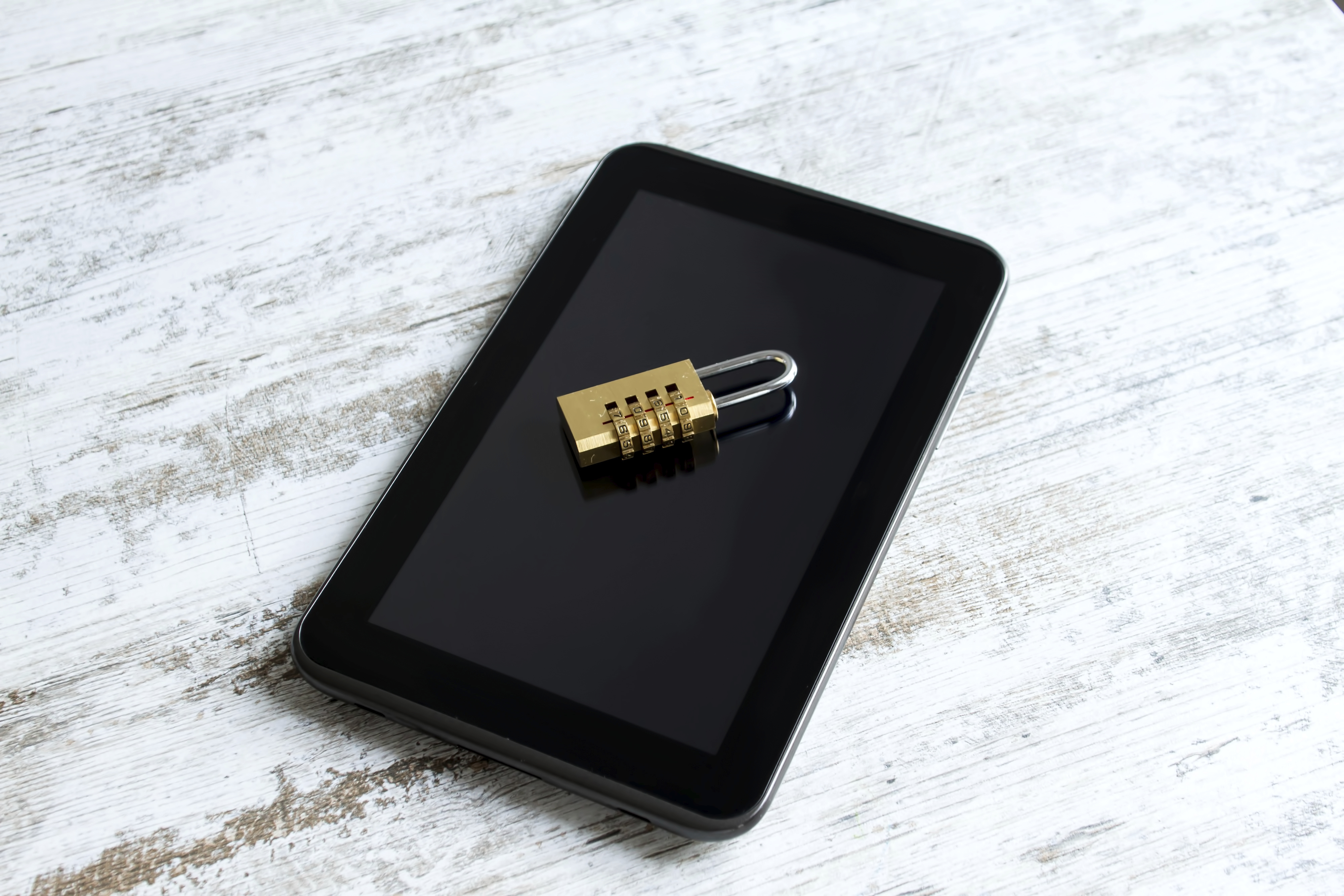
Eight everyday security tips for the whole family

family-EN

From the youngest to the oldest in your household, every member of the family uses the Internet and apps to inform, entertain and maintain contact with their loved ones. This Sunday, May 15th, is International Day of Families and to celebrate, here are some basic tips to keep your family safe while navigating the web.

Updates

Make sure that your operating system and programs or applications are updated properly. Manufacturers often fix vulnerabilities that are appearing, but the only way to make sure your software is “patched-up” is by using the latest version.

Email Attachments

If you get an email that looks suspicious, do not open it until you are sure that the sender is who he claims to be. If you receive unknown messages, do not download the attachments! Even those documents that appear harmless (such as a Word or a spreadsheet) can hide malware. A simple photo might not be what it seems.

Public Wi-Fi

Prevent connecting to public Wi-Fi networks.  Any cyber-delincuent  could use the network as a trap to access your device and steal your information.  If you must use a public network, you should follow these basic security tips.

Online Shopping

While searching for the “best deals” online, we can end up on some unreliable and unknown websites.  Stay away from them! Always verify that the website address matches the webite you are trying to access and that it starts with “https”.  If you always buy on reputable website you will avoid greater evils.

Social Networks

Do not accept friend requests from strangers or allow your children to do so. Try not to share your personal data (like your phone number or address)across platforms like Facebook, Twitter or Instagram, because you can never be certain who is on the other side or spying your conversations. It’s better to be safe than sorry.

Anti-virus

A good anti-virus is the best barrier that you can put between your computer and possible cyber-attackers. Each day, new vulnerabilities are discovered. Only the security experts are aware of them and can update the protection measures when there is a threat.

Parental Control

There are always threats on the network targeted towards young internet users.  Educate the children in your family about proper internet usage and how to recognize unusual behavior.  Teach them what they should do in a difficult situations and always install a good parental control system, like Panda solutions.

Keep Them Little

It is normal, if not inevitable, that your children use social networks or messaging programs like WhatsApp, Snapchat, and Facebook Messenger to speak with their friends. These services can be beneficial or entertaining, but are not 100% danger-free.  Beware of cyber-bullying and the danger-strangers that lurk behind the disguise of a screenname. And for those older members of your family, you should educate them about the dangers of sexting.


The post Eight everyday security tips for the whole family appeared first on Panda Security Mediacenter.

The Best Free Tools for your PC

Panda Free

From fashion and flights to technology and innovation, we love to get a good deal.  We get a thrill out of saving money, and it’s even better when it’s free.

There’s a world of freedoms, thanks to popular software and licenses that are offered for free, depending on what interests you. Whether you are a photo-fanatic, music-junkie, or just love a good deal, there are tons of resources at your disposal. There is even software that turns your phone into a digital wallet, in case you want to go wallet less!

The Down Low on the free Downloads

You can perfect and share a multitude of photos using free photo editing software. One of those freebies, PhotoScape, allows us to retouch and perfect all of our digital images in just a couple clicks. Once they’re fixed up, go ahead and share them on your favorite Social Network.

Because of their accessibility, we have become over-consumers of music, TV and movies. We want to use them whenever we want. You can organize and play all of your media using VLC media player, a free and open-source multimedia player that is available for different operating systems in several versions. You are able to watch movies and TV shows, and listen to music. It can be downloaded in the following formats: OGG, FLAC, MKV, MP3, MP4, WMV, MOV.

But, even freebies have imperfections. Companies have been battling to be the internet’s “most downloaded”, as seen with Google Chrome and Internet Explorer´s back and forth battle.  Explorer was recently dethroned as the most-used browser. Regardless of who is in first place, both of these web browsers continue to trail the rest, like Firefox and Safari.

Take care of your PC on a low-cost budget

If we want to take advantage of these tools we must make sure our PCs are running at optimal levels. The free software CCleaner helps us delete useless files, while keeping our PCs clean, optimizing it, and speeding it up!

What about cyber-security? Let’s not forget that hackers take advantage of large security holes in order to attack Internet users. To protect ourselves from the 227,000 new malware samples that have been detected each day this year, we have free solutions like Panda Free Antivirus 2016a great value with Panda´s guarantee. Quality isn´t always costly!

Who said it was expensive to keep your system up-to-date?

The post The Best Free Tools for your PC appeared first on Panda Security Mediacenter.

Researcher releases Free Ransomware Detection Tool for Mac OS X Users

In Brief:
Introducing RansomWhere, a free generic ransomware detection tool for Mac OS X users that can identify ransomware-like behavior by continually monitoring the file-system for the creation of encrypted files by suspicious processes.

This ransomware detection tool helps to block the suspicious processes and waits for the user to decide whether to allow or stop the process.

Linked Out: how job-search platforms are being used for ransomware

job-search-ransomware

Infecting computers with a new type of Ransomware 

Sending out your resume into the net’s black hole can make the job application process feel hopeless.  Where do our resumes end up?  Do recruiters even read them?   The recipe for landing a job is already a difficult task in itself, but now we have to squeeze a little more fear into it.  Every time we apply for jobs, we could be falling prey to one of these new cyber-attacks that use ransomware to hold your computer hostage. 


Warn those fresh-grads that they could be fresh-meat

Digital-age criminals are posing as hiring companies on various job-posting websites.  The cyber-criminals are tricking both candidates and recruiters, asking them for too much information, like, credentials and economic information.  Know anyone on the job hunt? Are you familiar with LinkedIn?  Like we’ve stated before, these are becoming some of the best resources for cyber-criminals.

We’ve also seen these wrong-doers capture innocent job-searchers by “pretending” to be hiring managers from important companies, where they post false job advertisements so they can phish for credentials and other sensitive information.  In addition to phishing, we have been advised of another type of attack: a variant of malware that black-hats are using to infect company computer systems when their recruiters download, what they think to be, a candidate’s CV.

They wanna get ya with PETYA

This type of malware, called Petya, spreads via email. Here’s the process of infection:

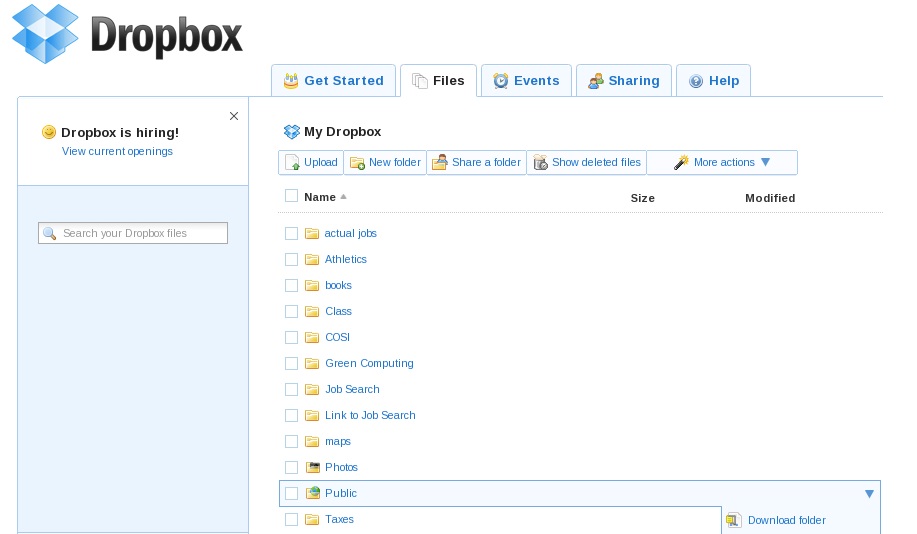
  1. HR managers of the organization receive an email from a potential candidate for a job, which includes a link to their resume and a photograph, both stored in Dropbox.
  2. When you click on the link, the user begins to download a self-extracting file that contains a Trojan.
  3. The malware gets into the antivirus program to help pave the way for its partner-in-crime, the ransomware, which later blocks the entire operating system.
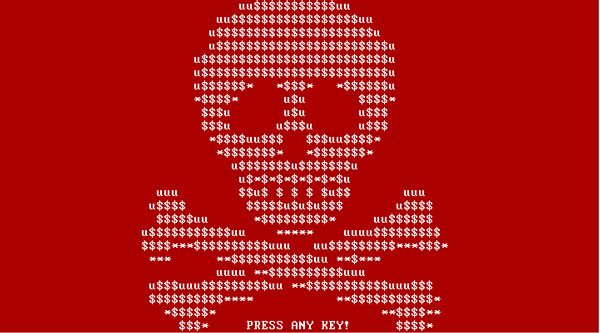
  4. Windows’ “blue screen of death” stamps the screen.  Dun Dun Dun.  If you try to restart the computer, you will see a skull on a red background with a message from the hacker. (Safe mode is pointless at this point because the malware disables it.)

Ransomware_imagen 2

Ransomware_image


The only way to regain control of your device and sensitive information is to pay a ransom.  Currently, the approximate cost to release a system and files is around 0.99 bitcoins which exchanges to approximately €431,379 (bitcoins: the first digital currency.  Although it has been said that this form of payment could be used for “legitimate” reasons, it’s more commonly used on the deep web as a form of payment for theft and the black market.)

It’s easy to be a victim in this scenario when there’s always someone looking to prey upon the desperate.  In the summer of 2015, a group of security experts identified a number of emails sent to companies with resumes, and in this case, in a ZIP compressed file containing a malicious code.

Despite the uncertainty and fear that comes with an attack of this type, don’t give into the pressure!  Paying the ransom does not guarantee that they are to unlock the infected computer (it might even motivate the perp to ask for an even larger sum instead.)

Infected, now what?

  • The solution for someone affected would be to consult a computer or security expert (like those that are part of our technical team) to guide you in the process of eliminating the ransomware from your system and browser, and reconfiguring your computer.
  • The absolute best way to prevent this kind of malware hijacking your system is by taking precautions, because generally, the users themselves are the ones opening (unknowingly) the doors to infection. 
  • Be sure to install all security patches and system updates, in order to keep the browser and antivirus updated.  Regularly back-up your files.
  • Try not to download documents or access links from unknown sources, and if you do, check their format. 
  • Lastly, keep updated with the new attacks and threats detected by security experts; this way you’ll know exactly what you should pay attention to.

As they say, prevention is always better than the cure.

The post Linked Out: how job-search platforms are being used for ransomware appeared first on Panda Security Mediacenter.
Introducing Panda Protection Service, who said cybersecurity was expensive?

Panda_Protection_Service_Antivirus


Technology is always changing, growing, and improving our lives, whether it is at a business or a personal level. Digital transformation affects everyone. In Spain, more than 26 million Internet users regularly access the Internet from different devices, but do they always do it safely? At Panda Security, we want to lead our users on the road to digitization, offering solutions like Panda Protection Service.

Save on cybersecurity

2015 holds the record as the year with the most malware created in history. In total, there were 84 millions of new samples detected and neutralized by PandaLabs, with an average of 230,000 per day. One of the main methods of attacks that has become increasingly popular is done by compromising routers in homes and businesses, allowing the attacker to be in control of the device for a continued period of time.

How can we protect our privacy and the privacy of our loved ones? Panda Protection Service was created to provide maximum protection for your devices and those of your family, by optimizing device performance in the most economical way. A monthly subscription system allows users to pay only for what they use with the flexibility of canceling the service at any time they choose.

Protect your digital world, no strings attached.

Consumers (currently known as “multiscreen users”) have changed. Not only have their habits changed, but they have changed in the way they interact with their devices, using more than one device at a time to do many different things. Social networks are the main catalysts of user activity. According to the latest study published by IAB, the most commonly used devices that are connected to Social Media are PCs (99% of users), phones (75%), tablets (28%), and lastly, Smart TVs, that are currently present in about 6,350,400 households.

Social media is the primary use of the Internet for most users (to see what’s going on with their friends, to send messages, post, chat, etc.), and can get expensive if preventative security measures aren’t taken. Try Panda Protection Service to safeguard all of your devices… the first month is free!


The post Introducing Panda Protection Service, who said cybersecurity was expensive? appeared first on Panda Security Mediacenter.
Avira Free Antivirus – Even your grandma will love it

If you are under 40 years of age, it’s very likely that you know how to use computers and mobile devices —  and how to install the needed software to keep them secure. Also, it’s also very likely that at least once you’ve been in position to demonstrate how a technology works to some of your elder relatives. Our Avira Free Antivirus is here to make these moments of your life less stressful.

The post Avira Free Antivirus – Even your grandma will love it appeared first on Avira Blog.

Internet of Things: How to protect smart cars from cyber-attacks

Knight Rider, Back to the Future, Minority Report. What do these movies have in common? Well, it’s the fact that they all talk about the evolution of cars. We may not yet have a car “buddy” like KITT or flying DeLoreans all over the place – but we are in that moment of time when our cars can be hijacked via the internet and a third party take control over the vehicle.

The post Internet of Things: How to protect smart cars from cyber-attacks appeared first on Avira Blog.