Two academics discussed just how woefully inadequate some services are encryption-wise in a talk at Black Hat on Thursday.
Tag Archives: Encryption
KeySniffer Lets Hackers Steal Keystrokes from Wireless Keyboards
Radio-based wireless keyboards and mice that use a special USB dongle to communicate with your PC can expose all your secrets – your passwords, credit card numbers and everything you type.
Back in February, researchers from the Internet of things security firm Bastille Networks demonstrated how they could take control of wireless keyboards and mice from several top vendors using so-called


Locky goes offline (by design)
New Locky variant can encrypt files without directions from the ransomware’s CnC. That makes it tougher to block. But, this new variant may have the weakness that once someone has paid the ransom for their private key ID – it should be possible to reuse the same key for other victims with the same public key.
The post Locky goes offline (by design) appeared first on Avira Blog.
Facebook Messenger adds End-to-End Encryption (Optional) for Secret Conversations
Facebook has begun rolling out end-to-end encryption for its Messenger app, thus making its users’ conversations completely private.
The end-to-end encryption feature, dubbed “Secret Conversations,” will allow Messenger users to send and receive messages in a way that no one, including the FBI with a warrant, hackers and not even Facebook itself, can intercept them.
<!– adsense –>
But, this

Apple left iOS 10 Kernel Code Unencrypted, Intentionally!
Apple’s new iOS 10 recently made headlines after MIT Technology Review revealed that the company had left the kernel of the mobile operating system unencrypted.
Yes, the first developer preview of iOS 10 released at WWDC has an unencrypted kernel.
When the headline broke, some of the users were surprised enough that they assumed Apple had made a mistake by leaving unencrypted kernel in iOS

Don’t pay the Ransom! AVG releases six free decryption tools to retrieve your files
Ransomware has proven very lucrative for criminals. Many have extended their “business” models by adding ransomware to their malicious catalog. To help prevent personal data and files being held hostage by cybercriminals, we have previously, advised on how to avoid ransomware infections, and what to do if your files have already been held to ransom. In that article, we stated that:
“Many ransomware families contain weaknesses in their encryption algorithm, which may lead to decrypting your files even without paying the ransom! It may take some time to spot and exploit such weaknesses, but in the meantime don’t delete your encrypted files; there may still be hope.”
And now there is hope. With our new tools, you should be able to recover your files without paying the ransom.
Using the Ransomware Decryption Tools
Our new free tools are for the decryption of six current ransomware strains: Apocalypse, BadBlock, Crypt888, Legion, SZFLocker, and TeslaCrypt.
To use, follow our simple four step process to unlock your files:
- Run a full system scan on the infected PC.
- (Optional) Back-up the encrypted files on their own flash drive, so they can then be transferred to another PC for decryption.
- Identify which infection strain encrypted your files. See the descriptions of each strain below. If your ransomware infection matches the strain details, download the appropriate tool and launch it.
- The tool opens a wizard, which breaks the decryption process into several easy steps:
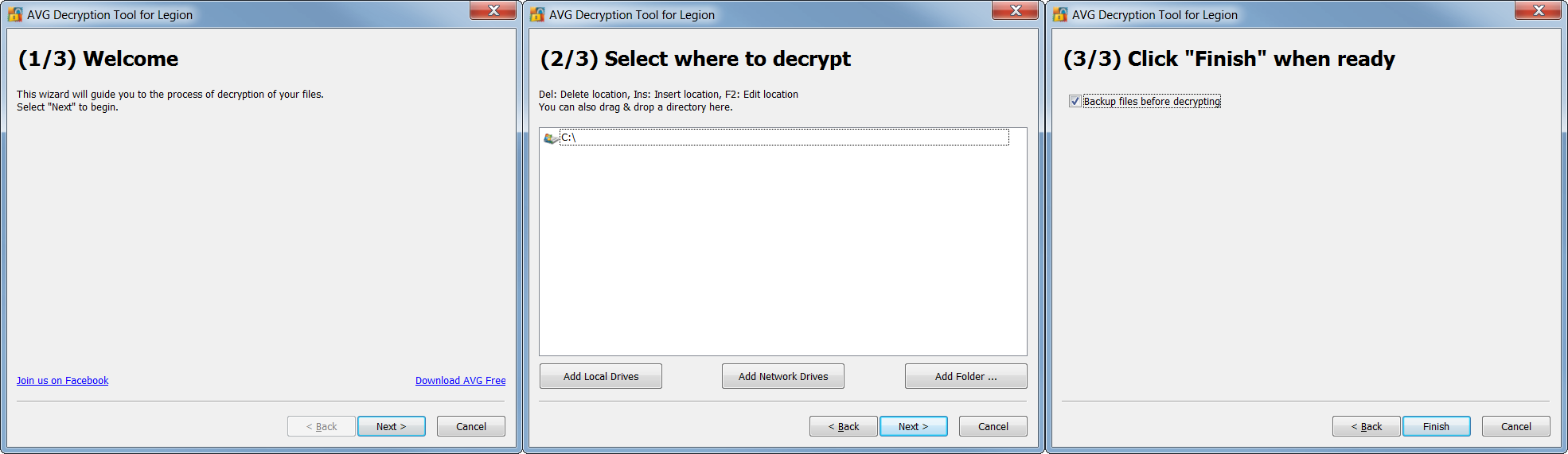
Follow the steps, and you should again be able to reclaim your files in most cases. After decryption, be sure to securely back up restored files on a flash drive or in the cloud.
Apocalypse
The Apocalypse ransomware appends “.encrypted”, “.locked”, or “.SecureCrypted” to names of encrypted files (e.g. example.docx.encrypted, example.docx.locked, example.docx.SecureCrypted). It also creates ransom messages in files with extensions “.How_To_Decrypt.txt”, “.README.Txt”, or “.Contact_Here_To_Recover_Your_Files.txt” (e.g. example.docx.How_To_Decrypt.txt, example.docx.README.Txt, or example.docx.Contact_Here_To_Recover_Your_Files.txt).
In those messages, you can find contact addresses such as [email protected], [email protected], [email protected], or [email protected]. For example:

We prepared two separate decryption tools for this strain: one for the early versions of Apocalypse and the other one for the current version:
http://files-download.avg.com/util/avgrem/avg_decryptor_Apocalypse.exe
http://files-download.avg.com/util/avgrem/avg_decryptor_ApocalypseVM.exe
BadBlock
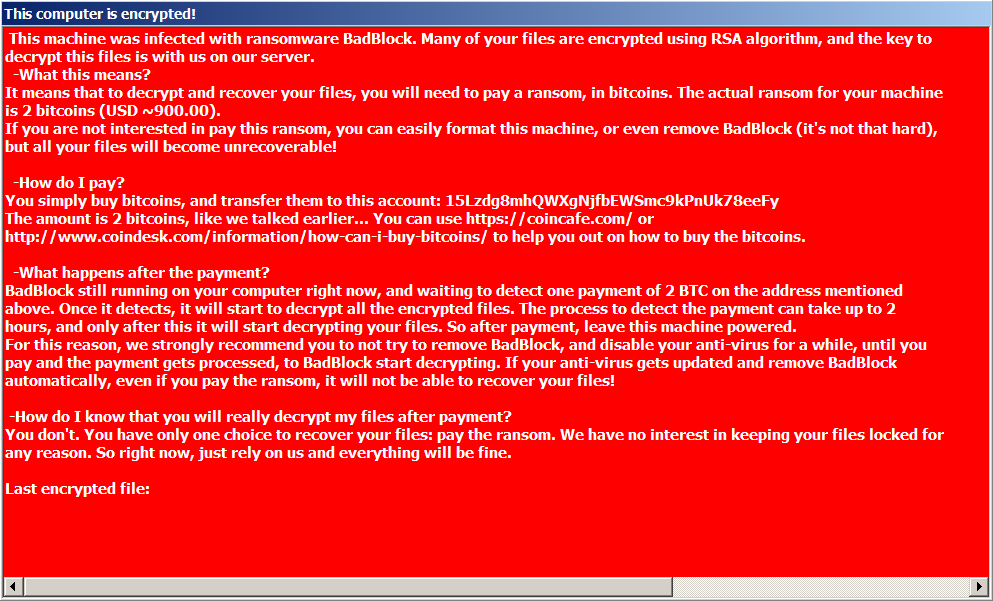
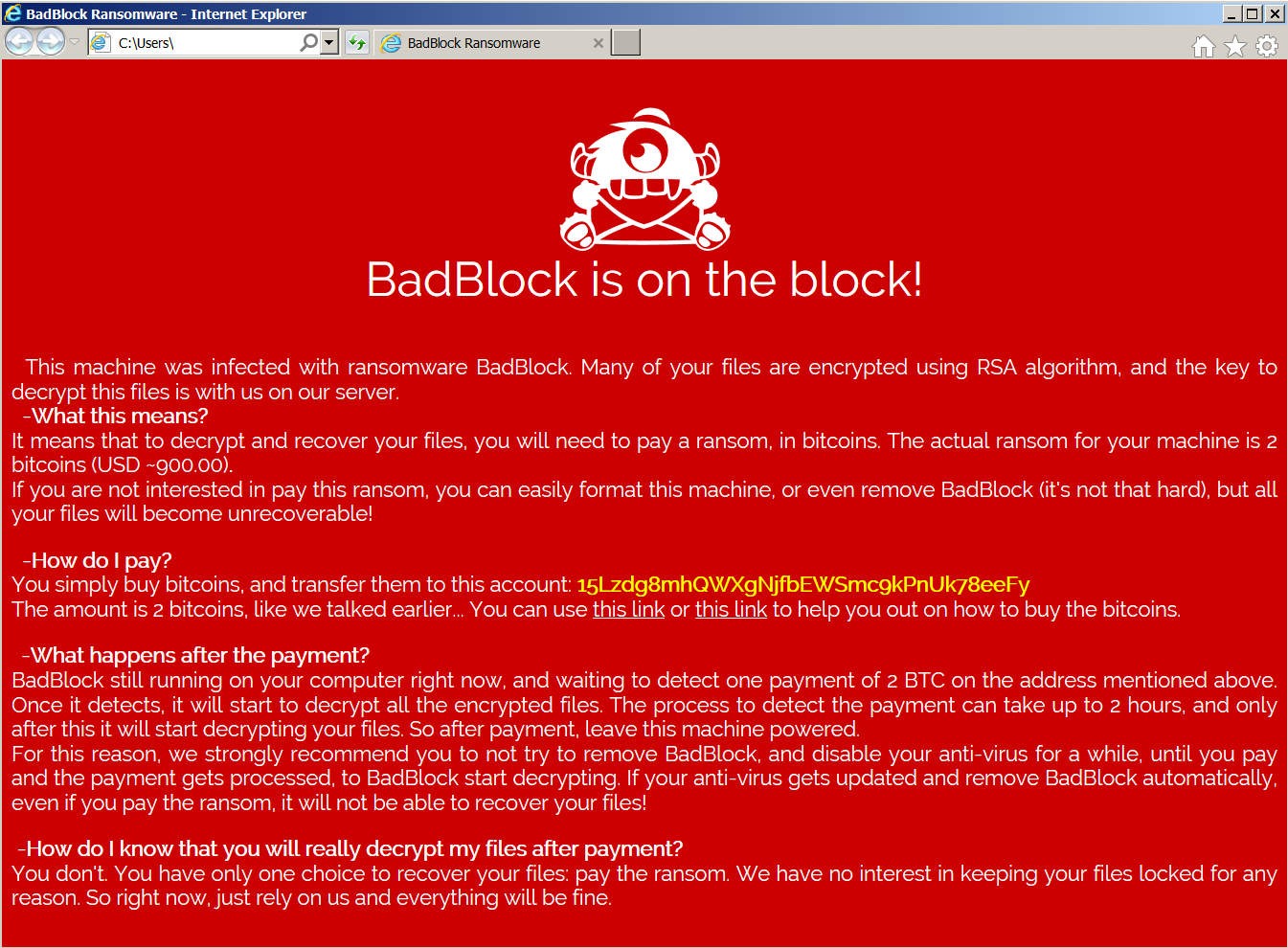
BadBlock does not rename encrypted files. You can identify BadBlock by the ransom message named “Help Decrypt.html” and by the red windows with ransom messages, like the following ones:
The BadBlock decryption tool can be found here:
http://files-download.avg.com/util/avgrem/avg_decryptor_BadBlock32.exe
http://files-download.avg.com/util/avgrem/avg_decryptor_BadBlock64.exe
Crypt888
Crypt888 (aka Mircop) creates encrypted files with the prepended name “Lock.” (e.g. Lock.example.docx). It also changes your desktop’s wallpaper to the following image:
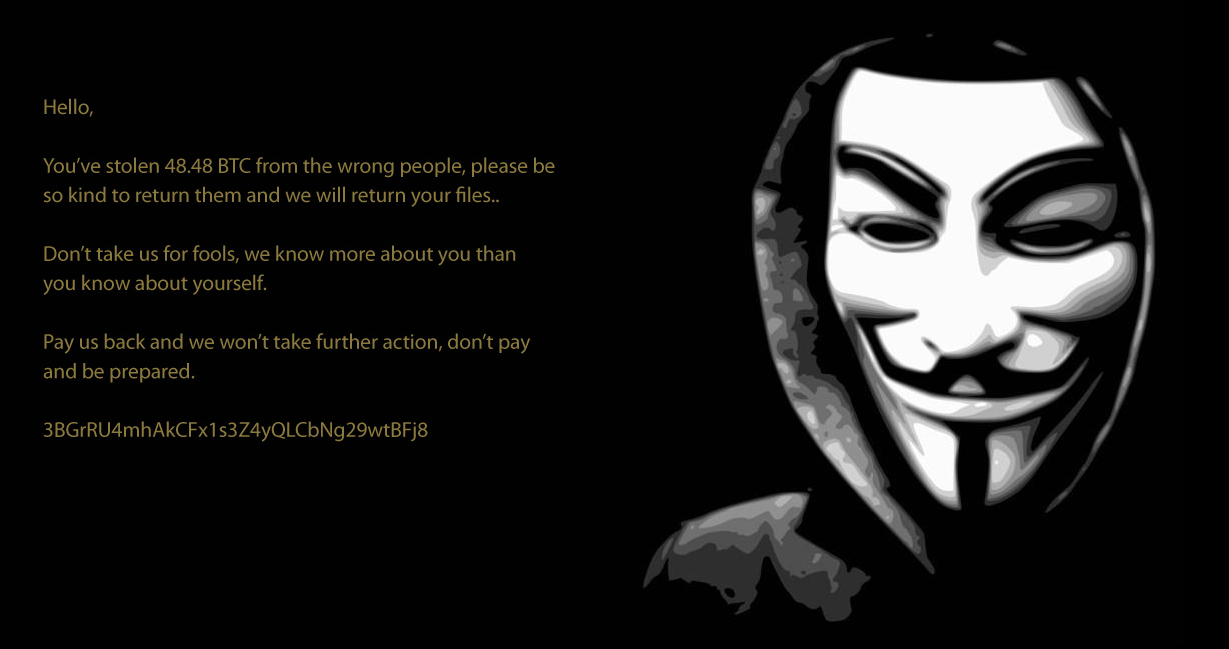
Unfortunately, Crypt888 is a badly written piece of code, which means some of the encrypted files or folders will stay that way, even if you pay the fine, as their “official decryptor” may not work. The AVG decryptor can be found here:
http://files-download.avg.com/util/avgrem/avg_decryptor_Crypt888.exe
Legion
Legion encrypts and renames your files with names like “example.docx[email protected]$.legion”. It also changes the desktop wallpaper and displays a warning about your encrypted files:
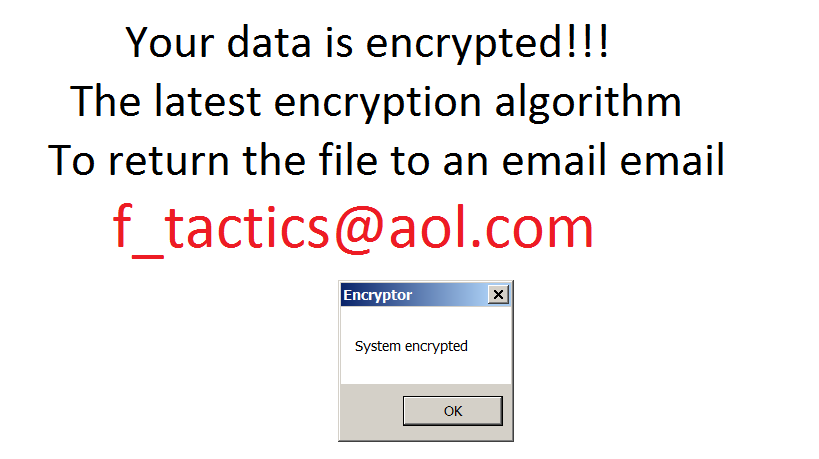
Note: Don’t be confused by another ransomware strain that renames files to a similar name – “[email protected]”. It is NOT the same strain and it cannot be decrypted by this tool.
The decryptor is available here:
http://files-download.avg.com/util/avgrem/avg_decryptor_Legion.exe
SZFLocker
The name of this ransomware originates from a string that is appended to the names of encrypted files (e.g. example.docx.szf). The original files are rewritten with the following Polish message:
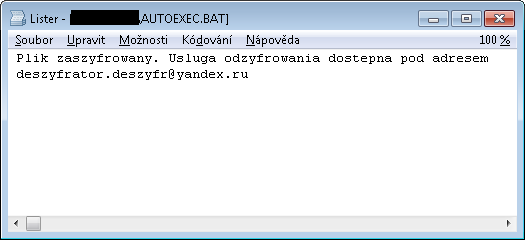
The decryptor for SZFLocker is available here:
http://files-download.avg.com/util/avgrem/avg_decryptor_SzfLocker.exe
TeslaCrypt
Last but not least, we prepared a decryptor for the infamous TeslaCrypt. This tool supports decryption of files encrypted by TeslaCrypt v3 and v4. The encrypted files come with different extensions, such as .vvv, .micro, .mp3, or with the original name only. It also displays a message like the following:
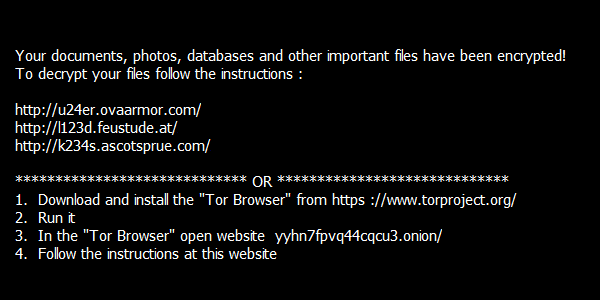
The decryptor can be found here:
http://files-download.avg.com/util/avgrem/avg_decryptor_TeslaCrypt3.exe
Conclusion
At AVG, we take ransomware threats very seriously. Be proactive by using multilayered protection, such as AVG Antivirus Pro, which detects and removes ransomware. Adding decryption tools is a last resort for when your files are already encrypted by ransomware and you need to get your valuable data back.


Patrick Wardle on macOS Gatekeeper, Crypto Enhancements
At last week’s Apple Worldwide Developer Conference, Apple announced some security upgrades around Gatekeeper and a new filesystem that includes native support for encryption. Mac hacker Patrick Wardle, director of research at Synack, explains whether this a big deal and how the upgrades address some problems he’d disclosed to Apple.
Apple announces Encryption-focused New File System for macOS Sierra
Apple announced one huge change at WWDC 2016: The company is replacing the HFS+ file system on MacOS, iOS, tvOS and WatchOS with a new file system.
The company has introduced its brand new file system called The Apple File System — or APFS for short — for iOS, OS X, tvOS, and WatchOS, making security its centerpiece.
“The Apple File System (APFS) is the next-generation file system designed

Don’t let the bad guys score: Get your defenses ready
One championship, 24 teams, and millions of smartphones. The action’s not on the field. It’s in your hands.
The post Don’t let the bad guys score: Get your defenses ready appeared first on Avira Blog.
Good-bye Before H-Allo: Experts Don’t Approve of Google’s New Messaging App
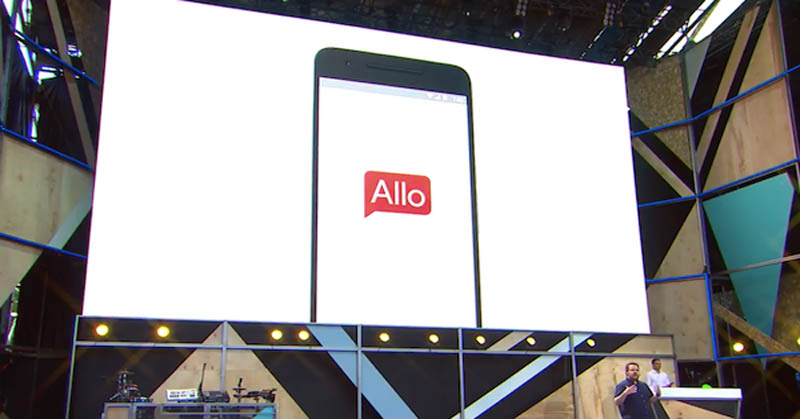
During their annual developer event, Google I/O, the superior search engine introduced the public to Duo and Allo, which have been …. In the market of instant messaging apps, compared alongside its rivals of WhatsApp and Facebook Messenger.
Google’s main dish, Allo, has raised the bar of virtual assistants and bots, which are going to revolutionize the way we interact online. The tool will learn how to talk-the-talk—it will be able to capable of human interaction without having to pinch their brain or move a finger.
Allo will protect messages using end-to-end encryption
If, for example, you are invited to go out to dinner, the app will not only suggest a phrase to help you accept the invitation, but that will also book the restaurant for you, if you want it to, AND the restaurant chosen will be in-line with your preferences. According to Google, Allo will do all of this without compromising our privacy and security. As with WhatsApp, Allo will include end-to-end encryption to protect our messages.
So what is the problem? The chat encryption… which has become an extremely controversial topic. The security measure in the app will not be enabled by default, it will only work after we have activated incognito mode.
Thai Duong is one of the Google engineers responsible for the chat’s development. He wrote about this on his blog, but soon after, he deleted the paragraph. He wrote, “if the incognito mode with end-to-end encryption and disappearing messages is so useful, why not use it by default in Allo?” Many of us are wondering the same thing, which is precisely the reason Duong decided to remove the post, which would have made him into a voice for change or activism.
“Google’s decision to disable end-to-end encryption by default in its new #Allo chat app is dangerous, and makes it unsafe”, said the ex-analyst on Twitter, bringing to the light the NSA’s dirty laundry. “Avoid it for now”, he warned his followers.
Google’s decision to disable end-to-end encryption by default in its new #Allo chat app is dangerous, and makes it unsafe. Avoid it for now.
— Edward Snowden (@Snowden) May 19, 2016
Another privacy-defender, Christopher Soghoian, has also decided to voice his opinion against the decision that was taken by “Google’s legal teams and company” in order to avoid “upsetting the government”.
The post Good-bye Before H-Allo: Experts Don’t Approve of Google’s New Messaging App appeared first on Panda Security Mediacenter.