
Tag Archives: Mobile Security

WhatsSpy Public: The app that spies on WhatsApp users  

whatsapp smartphone

When WhatsApp decided to let users hide or display the ‘Last Seen’ info, many hurried to disable a feature they considered a breach of privacy. However, shortly after came the blue check marks, which caused angry reactions from users who considered it yet another intrusion into their privacy. The new feature proved to be rather unpopular among many, and so, the instant messaging service decided to let users disable the annoying tick marks and breathe a big sigh of relief.

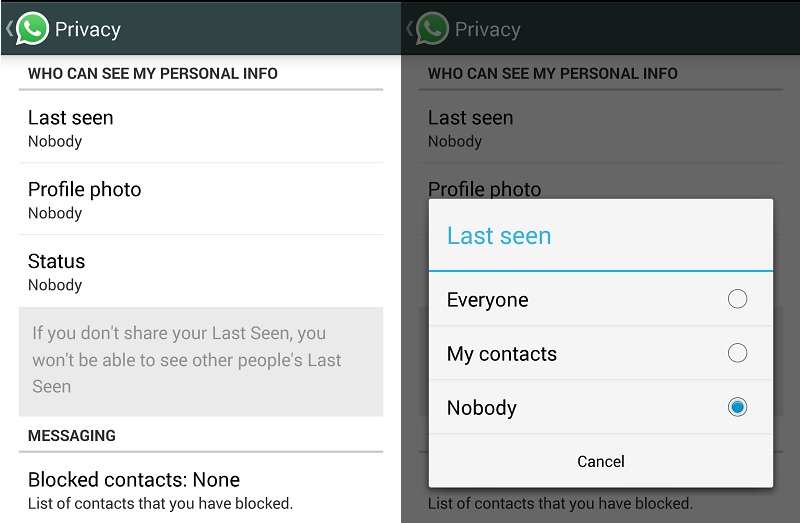
Despite all the measures you may take to hide as many details as you can about your digital life, a lot of that information is still available to third parties. For example, even if you change your WhatsApp privacy settings, any would-be snooper can still see the time when you are online.

WhatsApp is aware of this design flaw since the end of last year; however, they haven’t done anything about it. Users are normally not aware of this bug, so it has been mostly overlooked.
whatsapp privacy

Now, however, Dutch developer Maikel Zweerink has released an application that demonstrates that WhatsApp users’ online status and other information can be monitored, even with the strictest privacy settings: WhatsSpy Public.

The name might ring a bell as it is similar to another tool, WhatsSpy, which claimed to have similar features to WhatsSpy Public (or even more invasive), even though it turned out to be a fraud.

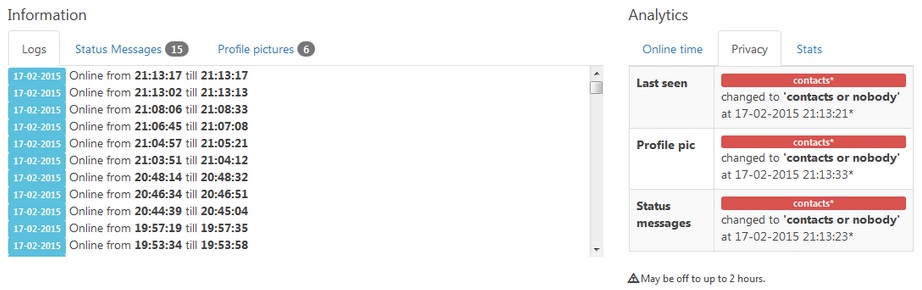
Even if the ‘Last Seen’ option is disabled, WhatsSpy Public can still track the user’s online status, as well as the last time of connection and any changes made to profile photos. Zweerink’s intention is not to provide snoopers with the perfect tool to spy on other people indiscriminately, but highlight the messaging service’s ineffective privacy options.

whatsspy on line

Everything started as an experiment. Zweerink was trying to build a bot for personal use, when he realized that someone could use a similar tool to track other people’s digital footprint. He then decided to develop an app to fully expose and share his discovery with other people.

Once the app is installed, all you have to do to retrieve the online status of any telephone number is to add it to your contacts and open a chat window, without alerting the phone number owner or asking for their permission.

The bot displays the victim’s information in the chat window, just as if the snooper had actually subscribed to the other user’s account. Attackers could use the tool to track any WhatsApp user they choose to follow, even though Zweerink explains that the app is not designed to support a large number of requests.
whatsspy public

Maybe it is not too serious that other people may know when you are online or not, but Zweerink believes it is unacceptable that WhatsApp’s privacy settings simply don’t work. In his opinion, the company is giving users a false sense of security by ensuring it protects some private information it actually doesn’t protect.

Zweerink also warns that this information could be used not only by friends or contact but also by companies. Many Internet advertisers use the trace people leave on the Internet (the Web pages they visit, their online activities, etc.) to design custom advertising campaigns; and they could do the same with your WhatsApp information.

A spokesperson for WhatsApp recently denied Zweerink’s accusations that the app’s security settings are broken, explaining that the Dutch researcher’s tool simply gathers publicly available data. And that’s precisely the point that Zweerink is trying to make: the fact that some WhatsApp user information is simply there for anyone to see no matter what you do.

The post WhatsSpy Public: The app that spies on WhatsApp users   appeared first on MediaCenter Panda Security.
New Avast SecureMe app protects iOS and Android users from Wi-Fi Hacking

Avast mobile security experts launched a new app today at the Mobile World Congress in Barcelona.

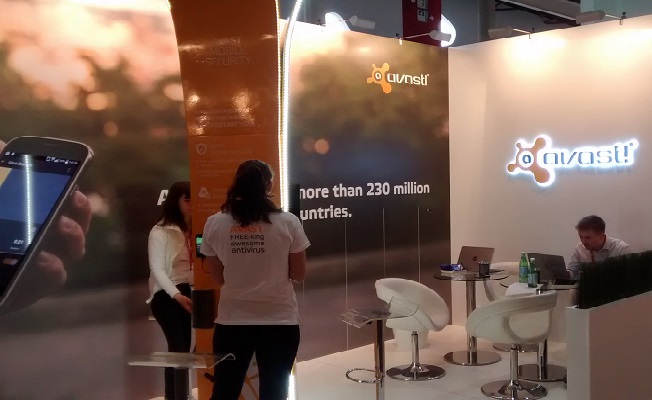
Avast booth at MWC15

Avast launches SecureMe app for iOS and Android at Mobile World Congress 2015

Avast SecureMe is the world’s first application that gives iPhone and iPad users a tool to protect their devices and personal data when they connect to Wi-Fi networks. The free app automatically locates Wi-Fi networks and tells users which of them are safe. Since many users connect without knowing the status of the Wi-Fi network – whether it’s protected or not – Avast SecureMe will create a secure connection in order to keep them safe.

“Public Wi-Fi and unsecured routers have become prime targets for hackers, which presents new risks for smartphones and tablets – even iOS devices aren’t immune,” said Jude McColgan, President of Mobile at Avast.

Avast SecureMe will be available in a invitation-only public beta test within the next few weeks. Check back on our blog, Facebook, and Google+ for more information on signing up coming soon.

The app notifies you if it finds security issues

Avast SecureMe includes a feature called Wi-Fi Security. (This feature is also available for Android users within the Avast Mobile Security app available on Google Play.) People who use open Wi-Fi in public areas such as airports, hotels, or cafes will find this helpful. This feature’s job is to scan Wi-Fi connections and notify you if it finds any security issues including routers with weak passwords, unsecured wireless networks, and routers with vulnerabilities that could be exploited by hackers.

“Avast SecureMe and Avast Mobile Security offer users a simple, one-touch solution to find and choose safe networks to protect themselves from the threat of stolen personal data,” said McColgan.

What’s the risk that my personal data will be stolen?

If you use unsecured Wi-Fi when you log in to a banking site, for example, thieves can capture your log in credentials which can lead to identify theft. On unprotected Wi-Fi networks, thieves can also easily see emails, browsing history, and personal data if you do not use a secure or encrypted connection like a virtual private network (VPN). See our global Wi-Fi hacking experiment to see how widespread the threat really is.

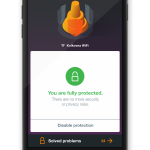
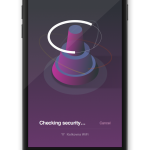
Avast SecureMe checks the security of Wi-Fi networks.
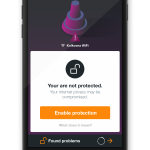
Avast SecureMe notifies you of security problems.
Avast SecureMe is a simple way to find and choose safe networks.

The SecureMe app includes a VPN to protect your privacy

Avast SecureMe features a VPN to secure your connections while you conduct online tasks you want to remain private, especially checking emails, doing your online banking, and even visiting your favorite social network sites. Avast SecureMe automatically connects to the secure VPN when it detects that you have connected to a public Wi-Fi making all transferred data invisible to prying eyes. For convenience, you can disable the protection for Wi-Fi connections you trust, like your home network.

Avast SecureMe for iOS will be available soon in the iTunes Store. Before it’s widespread release, we will conduct an invitation-only public beta test, so check back on our blog, Facebook, and Google+ for more information on signing up.

The Wi-Fi Security feature is now also included in the Avast Mobile Security app for Android, available on Google Play.

Avast at Mobile World Congress 2015

MWC2015

Stop by for a visit with Avast; booth 5K29.

New mobile apps, a live Wi-Fi hack, results of a global Wi-Fi experiment, a demonstration of mobile malware, and Avast mobile experts can all be found at Avast’s booth (hall 5 stand 5K29) at this year’s Mobile World Congress in Barcelona.

Open Wi-Fi Risks and Live Demonstration

Connecting to public Wi-Fi networks at airports, hotels, or cafes has become common practice for people around the world. Many users are, however, unaware that their sensitive data is visible to hackers if they don’t use protection. This data includes emails, messages, passwords and browsing history – information you don’t necessarily want the guy sipping the latte next to you at the cafe to see. Avast experts traveled to different cities across the U.S., as well as Europe and Asia, to find out how much information is openly shared via public Wi-Fi. They found that one-third of browsing traffic in New York City, San Francisco and Chicago is openly visible for hackers.

At the Congress, Avast will conduct a Wi-Fi hack demonstration. The demonstration will allow visitors to see, first hand, what a hacker can access if they don’t use protection. Participants can connect to Avast’s (password protected) Wi-Fi network to browse and send messages as they normally would when connected to open Wi-Fi. To demonstrate how this information would look through the eyes of a hacker, their activities will be displayed on a screen at the Avast stand.

Mobile Malware and Simplocker Demonstration

Mobile malware is often perceived as a myth, yet Avast currently has more than one million samples of mobile malware in its database. Avast recently discovered a new variant of the mobile ransomware, Simplocker, which will also be demonstrated during the Congress. Visitors can see how the malware disguises itself, behaves, and will learn how they can protect themselves.

Introducing Avast’s New Suite of Apps

Avast will be introducing a suite of new apps at this year’s Mobile World Congress, including productivity and security apps for Android and iOS. Avast GrimeFighter and Avast Battery Saver address two of the most common complaints for Android users: storage concerns and battery life. Avast GrimeFighter helps users free extra storage on their devices by identifying unimportant data for one-tap removal, while Avast Battery Saver extends battery life up to 24 hours by learning the user’s behavior and optimizing features to preserve battery power.

Avast SecureMe is a dual solution app that helps iOS users identify secure Wi-Fi connections and protect personal data while using public Wi-Fi connections.

Wi-Fi Security, a feature available in Avast SecureMe, and coming soon to Avast Mobile Security for Android, prevents users from falling victim to Domain Name Server (DNS) hijacking by exposing vulnerabilities in routers they want to connect to.

We look forward to meeting you!

If you are attending this year’s Mobile World Congress, feel free to stop by the Avast booth to speak with Avast experts, learn more results from Avast’s global Wi-Fi experiment, see Avast’s new mobile apps and participate in the Wi-Fi demonstration. If you aren’t attending, make sure to check our blog, follow us on Twitter and Instagram, and like us on Facebook for updates during the Congress!

Note to media: If you would like to set up a meeting with Avast, please email [email protected].


Dating Apps on your company’s phone. Be careful not to reveal too much personal information!

dating apps people

Your personal life is not incompatible with your professional life, and even less so on your smartphone, a device we use for almost everything these days. People use the same phone for work, social networking and even dating through apps like Tinder.

In principle that shouldn’t be a problem. However, a report published by tech giant IBM shows that this could put personal user information and corporate data at risk.

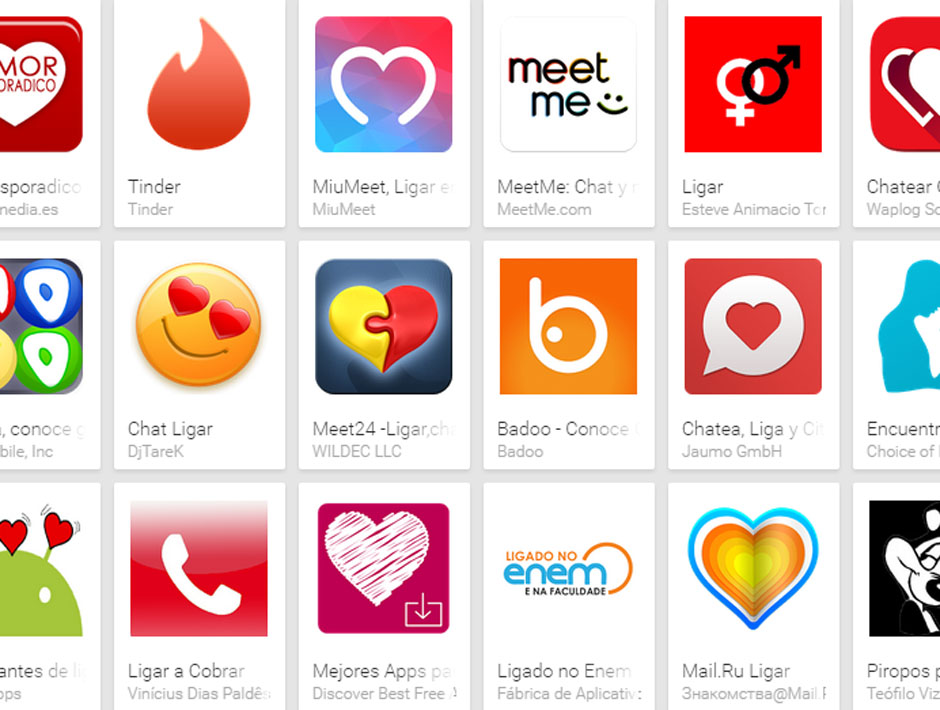
Tinder is just one of the dozens of dating apps that have recently emerged, and the number of their users grows exponentially.

dating apps play store

IBM’s analysis was based on the 40 most popular dating apps available on Play Store. The company‘s experts concluded that 63 percent of all apps had security flaws and were vulnerable to hacking. Consequently, any criminal that could access any of these applications would be able to obtain not only personal user information but also corporate data.

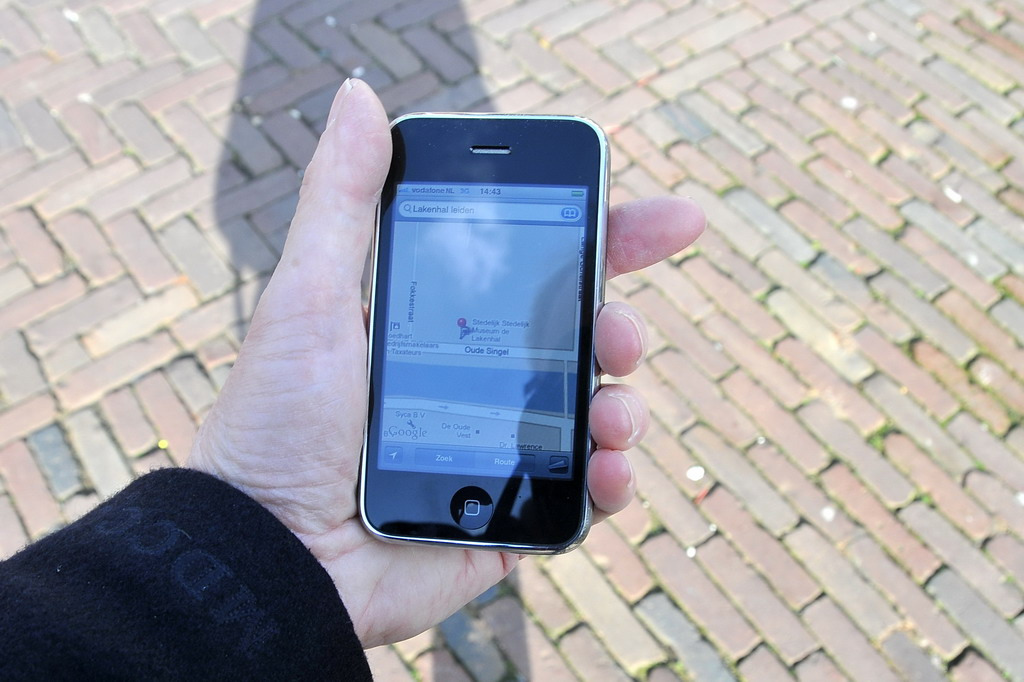
The study revealed that 73 percent of dating apps had access to GPS location information. With this data, an attacker could track users’ movements and find out where they live, where they work, who they meet and where they spend their spare time.

Additionally, an attacker could take control of a phone’s camera or microphone to access the user’s photographs or calls and gain knowledge of their professional activities, for example.

smartphone GPS

Purchasing and credit card information could also end up in criminal hands. Crooks could also install malware on the device, monitor the user’s activities or even spoof their identity, taking control of their account profiles and acting on their behalf. In an attempt to give users peace of mind, IAC (the parent company of Tinder, Match and OKCupid) promptly denied that any of its apps could be exploited in any of these ways.

IBM’s security experts also analyzed the devices used by employees of different organizations. In this case, researchers found that for 50 percent of enterprises analyzed, employee-installed dating apps had access to professional data.

Apart from presenting these alarming results, the US multinational offered up some tips to users of these apps:

  • Use unique passwords for all your online accounts. Make your passwords complex enough to be secure and, as previously suggested on other occasions, change them regularly.
  • Always apply the latest patches and updates to your apps and devices as soon as they become available. This will fix any identified bugs.
  • Use only trusted Wi-Fi connections when on your dating app.
  • Review app permissions before installing them and after any software upgrade or updates are made. These permissions will indicate the data that the app can access. If they look suspicious, maybe you should just go for another, less dangerous app.

If you yourself use any of these apps don’t be afraid. Check the software’s conditions of use and if you think the app is not trusted, simply uninstall it. You can always leave your phone aside and turn to more traditional methods to find your ‘special one’. ;)

The post Dating Apps on your company’s phone. Be careful not to reveal too much personal information! appeared first on MediaCenter Panda Security.
How to choose the best mobile security protection

There are two noteworthy risks associated with owning a smartphone or a tablet. The first one is malware and the second is loss. You need to protect yourself against both, and these days there are plenty of choices for each. Some are free security apps and some are paid-for solutions.

Protect your smartphone or tablet with mobile antivirus software

Last year more than 1 billion Android devices were shipped out to customers around the world. With Android winning the majority of the smartphone market, it offers a tempting target to malware authors. I have read in some publications that the average users need not worry about being infected with a virus on their phone or tablet, but with 2,850 new mobile threats being created every day by hackers the odds are getting worse.

Even if you think your chances are low, we suggest that you go ahead and install a good mobile antivirus software. The great thing about Avast Mobile Security is that it’s free, so your investment is minimal – just a few minutes of setup and you’re done.

Avast Mobile Security includes antivirus protection which scans your apps to see what they are doing, and a Web shield that scans URLs for malware or phishing. Malicious apps allow malware to enter your phone, so it’s good to have Avast on your side to detect when a bad one slips by on Google Play or another app store.

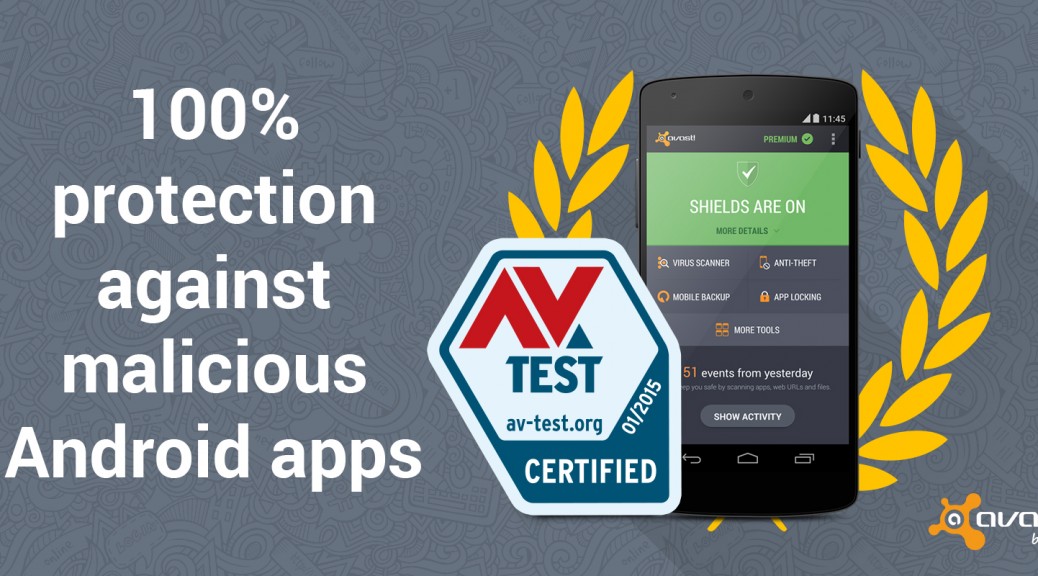
Avast Mobile Security gives Android users 100% protection against malicious apps.

Avast Mobile Security gives Android users 100% protection against malicious apps.

To compare the choices of mobile antivirus software, you can look at the January 2015 “Mobile Security Test” conducted by the independent labs at AV-TEST. They looked at 31 popular Android security apps. Avast Mobile Security tops the list because it detected 100% of malicious apps without any impact on the battery life or slowing down of the device.

Install Avast Mobile Security and Antivirus from the Google Play store.

Protect your smartphone or tablet against loss or theft

Hackers aren’t the only risk – theft or loss of your device is more probable. In a famous stat from 2 years ago, Norton figured that 113 phones were lost or stolen every minute at the tune of $7 million a day! With all the personal and maybe even company data you have stored, losing your phone could be devastating.

You can protect your device and the data on it by following some easy tips and installing Avast Anti-theft. Avast Anti-theft is an app that you can download with Avast Mobile Security for free. The anti-theft feature is hidden from thieves and allows you to remotely control your smartphone using SMS or via your MyAvast account. You can back up personal data and track your phone or sound an alarm if it’s lost or stolen.

Install Avast Anti-theft from the Google Play store.

Siemens ICS Switches Hit With Buffer Overflow, Authentication Bugs

There are a number of serious vulnerabilities in the Siemens Ruggedcom WIN switches, including a remotely exploitable buffer overflow and a flaw that could allow an attacker to take actions on the device without authentication. The vulnerabilities affect several models of the Ruggedcom WIN switches, including WIN51xx all versions prior to SS4.4.4624.35, WIN52xx: all versions […]

When will voice calls be available in WhatsApp?

Whatsapp voice calls

It is highly demanded by many users and it seems that it is now closer than ever. WhatsApp is finalizing the details to add voice calls to its services.

According to some users of the social network Reddit, the instant messaging app is testing this new functionality with some users, who claim that a new interface that allows them to make calls has been activated. According to some of the screenshots sent by these users, the interface consists of three sections: “calls”, “chats” and “contacts”.

Despite the many rumours, so far WhatsApp has not commented on the matter. Will we have to wait long? We will keep you updated!

The post When will voice calls be available in WhatsApp? appeared first on MediaCenter Panda Security.
Come meet Avast at Mobile World Congress

Mobile World Congress 2014

Avast will participate in the 2015 Mobile World Congress

The Avast Mobile Security Team will be introducing its latest suite of apps and solutions at this year’s Mobile World Congress in Barcelona, March 2 – 5.

The team, including Jude McColgan, President of Mobile, and Daniel Chang, Head of Worldwide Mobile Sales and Marketing, will be participating in this must-attend conference for mobile industry leaders, visionaries, and innovators.

The Avast team are leaders in securing the mobile ecosystem as it expands into the retail, banking, and health services industries. Along with interesting discussions about the latest security threats and vulnerabilities for Android and iOS devices and how users can protect themselves from those threats, our team will show users how they can free their phone from unnecessary files to gain valuable storage space on their mobile devices.

New threats and trends

Mr. McColgan and Mr. Chang will introduce a solution that addresses Wi-Fi security issues. Most people know that connecting to Wi-Fi networks on-the-go at cafes, airports, or hotels can make them vulnerable to hackers. Without the protection of a virtual private network (VPN), hackers can gain access to people’s emails, browsing history, and personal data. Now, routers are increasingly becoming targets for hackers, harboring new risks for iOS and Android smartphones and tablets. Avast will be revealing new research data, then introducing a solution for this threat at Mobile World Congress.

Storage on your smartphone and tablet can be a challenge especially when social media, video, music streaming, and news reader apps pile up data that eats up valuable storage space. Avast will showcase a new solution that addresses this problem.

If you are attending Mobile World Congress, please stop by and visit the Avast team at stand 5K29 in Hall 5.

For the rest of us not lucky enough to travel to Barcelona during the Mobile World Congress, visit the Avast blog and Facebook page where we will keep you updated on all the announcements and happenings. Take a look at some of the fun from last year’s event.

// <![CDATA[
(function(d, s, id) { var js, fjs = d.getElementsByTagName(s)[0]; if (d.getElementById(id)) return; js = d.createElement(s); js.id = id; js.src = “//connect.facebook.net/en_US/all.js#xfbml=1”; fjs.parentNode.insertBefore(js, fjs); }(document, ‘script’, ‘facebook-jssdk’));
// ]]>