Tag Archives: Security

World Password Day: Make Sure Your Password is Secure

If you are like me, you have a love-hate relationship with passwords. You know you need them. You love them, because you they keep your data and internet-self secure. You hate them, because you have to come up with good ones in order to do so and because if they are finally really good, you most likely will forget them at one point.

So what to do?

The easiest solution would be to get a password manager that automatically 1) Generates complex passwords, 2) Encrypts and store them for you.

A run-of-the-mill six-letter password has 310 million possible combinations – and can be cracked by a fast PC in 30 seconds. The kinds of passwords generated by a password manager would take 23 years …

A password manager is out of the question for you? Then make sure you at least consider the following security tips:

  • Use a unique password for each of your accounts. When a website gets hacked one of the first things bad guys do is checking out if your username/email-address/password combination works on other (high-profile) pages.
  • Your password should consist of at least eight characters. It should include upper- and lower-cases, numbers, and special characters.
  • Try and create passwords that can’t be found in a dictionary. Hackers nowadays have programs that cycle through dictionaries to check if they can access your account.
  • Don’t use character strings like 12345, abcde, qweertyui, etc.
  • Use passwords that can’t be associated with you: Your dog’s name, birthday dates of family members or yourself or your favorite sport are a no go.
  • Change your password regularly – especially when it comes to your email and online banking/online payment accounts.
  • Don’t write down your password and do never ever share them.

If you have trouble coming up with a good, strong, and complex enough password, try one of the many password generators out there. Just make sure to remember it afterwards. 😉

What are your password tips?

The post World Password Day: Make Sure Your Password is Secure appeared first on Avira Blog.

WordPress 4.2.2 Security and Maintenance Release

WordPress 4.2.2 is now available. This is a critical security release for all previous versions and we strongly encourage you to update your sites immediately.

Version 4.2.2 addresses two security issues:

  • The Genericons icon font package, which is used in a number of popular themes and plugins, contained an HTML file vulnerable to a cross-site scripting attack. All affected themes and plugins hosted on WordPress.org (including the Twenty Fifteen default theme) have been updated today by the WordPress security team to address this issue by removing this nonessential file. To help protect other Genericons usage, WordPress 4.2.2 proactively scans the wp-content directory for this HTML file and removes it. Reported by Robert Abela of Netsparker.
  • WordPress versions 4.2 and earlier are affected by a critical cross-site scripting vulnerability, which could enable anonymous users to compromise a site. WordPress 4.2.2 includes a comprehensive fix for this issue. Reported separately by Rice Adu and Tong Shi.

The release also includes hardening for a potential cross-site scripting vulnerability when using the visual editor. This issue was reported by Mahadev Subedi.

Our thanks to those who have practiced responsible disclosure of security issues.

WordPress 4.2.2 also contains fixes for 13 bugs from 4.2. For more information, see the release notes or consult the list of changes.

Download WordPress 4.2.2 or venture over to Dashboard → Updates and simply click “Update Now.” Sites that support automatic background updates are already beginning to update to WordPress 4.2.2.

Thanks to everyone who contributed to 4.2.2:

Aaron Jorbin, Andrew Ozz, Andrew Nacin, Boone Gorges, Dion Hulse, Ella Iseulde Van Dorpe, Gary Pendergast, Hinaloe, Jeremy Felt, John James Jacoby, Konstantin Kovshenin, Mike Adams, Nikolay Bachiyski, taka2, and willstedt.

Explaining Security Lingo

This post is aimed to clarify certain terms often used in the security community. Let’s start with the easiest one: vulnerability. A vulnerability is a flaw in a selected system that allows an attacker to compromise the security of that particular system. The consequence of such a compromise can impact the confidentiality, integrity, or availability of the attacked system (these three aspects are also the base metrics of the CVSS v2 scoring system that are used to rate vulnerabilities). ISO/IEC 27000, IETF RFC 2828, NIST, and others have very specific definitions of the term vulnerability, each differing slightly. A vulnerability’s attack vector is the actual method of using the discovered flaw to cause harm to the affected software; it can be thought of as the entry point to the system or application. A vulnerability without an attack vector is normally not assigned a CVE number.

When a vulnerability is found, an exploit can be created that makes use of this vulnerability. Exploits can be thought of as a way of utilizing one or more vulnerabilities to compromise the targeted software; they can come in the form of an executable program, or a simple set of commands or instructions. Exploits can be local, executed by a user on a system that they have access to, or remote, executed to target certain vulnerable services that are exposed over the network.

Once an exploit is available for a vulnerability, this presents a threat for the affected software and, ultimately, for the person or business operating the affected software. ISO/IEC 27000 defines a threat as “A potential cause of an incident, that may result in harm of systems and organization”. Assessing threats is a crucial part of the threat management process that should be a part of every company’s IT risk management policy. Microsoft has defined a useful threat assessment model, STRIDE, that is used to assess every threat in several categories: Spoofing, Tampering, Repudiation, Information disclosure, Denial of service, and Elevation of privilege. Each of these categories correlates to a particular security property of the affected software; for example, if a vulnerability allows the attacker to tamper with the system (Tampering), the integrity of the that system is compromised. A targeted threat is a type of a threat that is specific to a particular application or system; such threats usually involve malware designed to utilize a variety of known vulnerabilities in specific applications that have a large user base, for example, Flash, WordPress, or PHP.

A related term often considered when assessing a threat is a vulnerability window. This is the time from the moment a vulnerability is published, regardless of whether an exploit exists, up to the point when a fix or a workaround is available that can be used to mitigate the vulnerability. If a vulnerability is published along with a fix, then the vulnerability window can also represent the time it takes to patch that particular vulnerability.

A zero-day vulnerability is a subclass of all vulnerabilities that is published while the affected software has no available patch that would mitigate the issue. Similarly, a zero-day exploit is an exploit that uses a vulnerability that has not yet been patched. Edit: Alternatively, the term zero-day can be used to refer to a vulnerability that has not yet been published publicly or semi-publicly (for example, on a closed mailing list). The term zero-day exploit would then refer to an exploit for an undisclosed vulnerability. The two differing definitions for the term zero-day may be influenced with the recent media attention security issues received. Media, maybe unknowingly, have coined the term zero-day to represent critical issues that are disclosed without being immediately patched. Nevertheless, zero-day as a term is not strictly defined and should be used with care to avoid ambiguity in communication.

Unpatched vulnerabilities can allow malicious users to conduct an attack. Attacking a system or an application is the act of using a vulnerability’s exploit to compromise the security policy of the attacked asset. Attacks can be categorized as either active, which directly affect integrity or availability of the system, or passive, which is used to compromise the confidentiality of the system without affecting the system. An example of an ongoing active attack can be a distributed denial of service attack that targets a particular website with the intention of compromising it’s availability.

The terminology described above is only the tip of the iceberg when it comes to the security world. IETF RFC 2828, for example, consists of 191 pages of definitions and 13 pages of references strictly relevant to IT security. However, the knowing the difference between terms such as threat or exploit can be quite crucial when assessing and communicating a vulnerability within a team or a community.

Secure your business this Small Business Week

Small businesses don’t typically make the headlines when it comes to cyber security. Fortunately for small businesses, those stories remain the domain of large enterprises. However, cyber security for small businesses has the attention of hackers, insurers and the government.

While large enterprises may be the ultimate treasure, small businesses often represent easier targets, and compromising enough small business can add up quickly.

A recent Business Journals article citing a National Small Business Association survey reported that half of small business report that they’ve been a victim of a cyber-attack and that the average amount of money stolen through those attacks rose to $19,948 by the end of 2014.

The tools that have become so critical to small business success also create multiple points of vulnerability. Laptops, tablets, and smartphones continue to proliferate and with BYOD becoming a reality, the ability to control and manage access to data and applications has become overwhelming for many small and medium sized businesses.

Clearly, a comprehensive security review is essential for all companies and in many cases a good starting point is evaluating and addressing the risk of attack through the range of devices connected to a company’s systems.

Whether your business has its own IT department or works with a Managed Service Provider, be sure to spend time during Small Business Week 2015 to address the following vulnerabilities:

Mobile devices:

The ability to easily authorize and de-authorize mobile devices for specific applications and data sources, even BYOD, is critical. Your mobile device management system should allow for complete reporting of all connected devices, who they belong to and what they can access. This not only saves time as new employees come on board, it allows instant removal of access when an employee leaves. In the event a device is lost or stolen, locking and/or wiping of the device can be managed quickly and effectively.

Identity and password management:

Employees simply have too many passwords to remember and resort to repeatedly using the same password or writing them down on post-it notes. To make matters worse, when passwords are forgotten, employees call support which reduces their efficiency and increases costs to a small business. Single sign on with multi factor authentication and easy integration with Office 365 is an essential security component and will help protect systems, reduce costs and improve employee efficiency.

Not all attacks simply take information

They may also delete or remove critical business data. It’s essential that a comprehensive backup and disaster recovery system is implemented to ensure that your operations can continue even in the event of a natural…or un-natural disaster.

Small business cyber security doesn’t require huge budgets or even a dedicated IT department. MSPs like those that work with AVG Business can help evaluate your systems and recommend a set of security measures that will help your company to operate effectively and efficiently, even in the face of uncertain attackers.

For more information on keeping your business secure check out our AVG Small Business Digital Policy Guide

TGIF: Avast news wrap up for April 18 – May 1

The Avast bi weekly wrap-up is a quick summary of what was on the Avast blog for the last two weeks.

Woman using smartphoneMost everyone knows their PC needs antivirus protection, but they don’t think about their smartphone. These days smartphones are just about as powerful and have as much or more personal information as our desktop PC at home. We answer the question do Android devices really need protection?

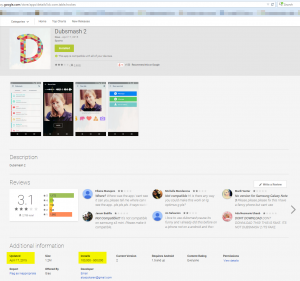
Avast finds porn clicker app named Dubsmash 2 on Google PlayThe answer is a resounding YES. The Avast Virus Lab gives us an example from a trusted download source, Google Play: A porn clicker app slipped into Google Play imitating the popular Dubsmash app. If we cannot completely rely on trusted app stores to weed out nasty apps, then it’s time to add an extra layer of security.

AV-Comparatives internet study 2015Once you decide that you do want to protect your Android device, you can be confident in Avast Mobile Security, Avast’s free security app available on Google Play. A survey by AV -Comparatives said that Avast was the #1 choice for mobile security in the entire world. No need to wait any longer to protect your smartphone or tablet.

newABSOne of the challenges with using a smartphone for so many activities, is that the battery gives out before we do. Our new free app Avast Battery Saver raises the bar with new Wi-Fi based smart profiles that can increase battery life by an average of 7 hours.

battery-saver-infographics-EN one sectionAvast Battery Saver has only been available for a month or so but already 200,000 customers have downloaded it from the Google Play Store. For Earth Day we highlighted battery saver users for their positive impact on the environment. Who knew that Avast Battery Saver would be so green? A cool infographic shows just how much they saved –  not only from their own battery –  but in energy costs too. Now Earth Day can be everyday!

office-workersSmall and medium-sized businesses (SMBs) run the risk of data breaches just like there Enterprise cousins. Luke Walling, the General Manager of Avast for Business, explains that the biggest threat to SMBs is not actually hackers sitting somewhere far away. The biggest threat to your SMB could be sitting in your office!

blog3-enSpeaking of Avast for Business, our new disruptive free security offering for SMBs has 75,000 new customers in just 2 months. If you have a start-up, a small business, if you work in a school or non-profit organization, then it’s time to stop paying for security protection.

Cybercrooks use lots of tricksOur researchers are constantly surprised by the creativity of malware authors. Recently, they found a new way cybercrooks trick people in giving up their banking information. It’s a crafty combination of spam email, social engineering, and a macro code embedded in an innocent looking Word document.

usb_hub_robotMost people have security protection on their computers. That’s great when there are things like the banking malware we wrote about. With all that great protection why is it that they don’t trust the warnings? The Avast Virus Lab explored why some people would rather be right than believe a malware warning.

PCs require antivirus. Smartphones don’t. Right?

Woman using smartphone

That smartphone means a lot to her. Protect it from hackers and thieves with Avast Mobile Security.

It’s very common to find people concerned about Windows viruses and malware that say, “Oh, my PC is protected by Avast Antivirus, but we don’t need it for our smartphones and tablets.”

With more than 230 million Avast Antivirus customers, we see “only” 60 million or so Android users of Avast Mobile Security. Many more mobile devices are sold every second than desktops and notebooks together. Why are people not as concerned about the security of their smartphone as their desktop?

The AV-Comparatives survey that we wrote about yesterday  in Avast Mobile Security is the #1 choice for Android users says that Android users in North America protect their phones more than anywhere else in the world with 31 percent of respondents reporting they have protection. South America, Asia, and Europe are much lower at 17 percent.

What about the rest of the Android users?

– Do you realize that mobile malware is increasing?

– Do you realize that you (most probably) have much more personal info in your smartphone than your PC? Like photos, selfies, contacts, videos, and also banking and financial information.

– What if one of your apps is using your personal info against you like the Dubsmash 2 app we just discovered?

Your Android device needs protection

Avast Mobile Security is a complete suite for Android protection. It is completely focused on security and privacy features.

Maybe you have a friend or your girlfriend that should be reading this… Take this opportunity to introduce them to Avast Mobile Security and teach them some tips about mobile security. Maybe we’ll see a better protected world if we reduce the number of unprotected devices and the cybercrooks have more work to steal from innocents. Download Avast Mobile Security for free on Google Play.

Earn free Avast Mobile Premium

In the latest update of Avast Mobile Security, we added a referral program, so you can recommend Avast Mobile Security to your friends and family. Not only can you recommend the best mobile security app available on Google Play, but you will be rewarded for doing so; you can earn up to three months of Avast Mobile Premium for free!

Here is how it works: For every five friends you send an SMS to recommending Avast, you get one free month of Avast Mobile Premium. Cool, huh?

Do your good action today: Tell someone you care about that smartphones and tablets need to have a security app installed and updated..


Can your next password be found in your browsing history?

Some companies try to help us out and make the login process into mobile phones and other devices easier – the most recent example being Yahoo with its ideas of using you ear and knuckles to do so. It sounds cool, but will it help you getting rid of the good old password altogether? Probably not.

Researchers believe that a very personalized authentication process could help out though. It would be a bit creepy if your smartphone asked you “Which YouTube-Video did you watch yesterday evening”, but at the same time it would also be pretty secure.  Romit Roy Choudhury, an associate professor at the University of Illinois who researched the topic and wrote a paper on it, says: “Whenever there’s something you and your phone share and no one else knows, that’s a secret, and that can be used as a key.”

There are some drawbacks though:

  • We all have horrible memories. To actually work, the event apparently has to be unique enough to jog our memory, and not much older than a day.
  • Good friends might be able to predict some of the answers (and consequently your password).

Overall the results were not bad. The study showed that the password prompt works well enough – users were able to answer three questions correctly 95% of the time.

For more information head over to the article from MIT Technology Review.

The post Can your next password be found in your browsing history? appeared first on Avira Blog.

Container Security: Just The Good Parts

Security is usually a matter of trade-offs. Questions like: “Is X Secure?”, don’t often have direct yes or no answers. A technology can mitigate certain classes of risk even as it exacerbates others.

Containers are just such a recent technology and their security impact is complex. Although some of the common risks of containers are beginning to be understood, many of their upsides are yet to be widely recognized. To emphasize the point, this post will highlight three of advantages of containers that sysadmins and DevOps can use to make installations more secure.

Example Application

To give this discussion focus, we will consider an example application: a simple imageboard application. This application allows users to create and respond in threads of anonymous image and text content. Original posters can control their posts via “tripcodes” (which are basically per-post passwords). The application consists of the following “stack”:

  • nginx to serve static content, reverse proxy the active content, act as a cache-layer, and handle SSL
  • node.js to do the heavy lifting
  • mariadb to enable persistence

The Base Case

The base-case for comparison is the complete stack being hosted on a single machine (or virtual machine). It is true that this is a simple case, but this is not a straw man. A large portion of the web is served from just such unified instances.

The Containerized Setup

The stack naturally splits into three containers:

  • container X, hosting nginx
  • container J, hosting node.js
  • container M, hosting mariadb

Additionally, three /var locations are created on the host: (1) one for static content (a blog, theming, etc.), (2) one for the actual images, and (3) one for database persistence. The node.js container will have a mount for the the image-store, the mariadb container will have a mount for the database, and the nginx container will have mounts for both the image-store and static content.

Advantage #1: Isolated Upgrades

Let’s look at an example patch Tuesday under both setups.

The Base Case

The sysadmin has prepared a second staging instance for testing the latest patches from her distribution. Among the updates is a critical one for SSL that prevents a key-leak from a specially crafted handshake. After applying all updates, she starts her automatic test suite. Everything goes well until the test for tripcodes. It turns out that the node.js code uses the SSL library to hash the tripcodes for storage and the fix either changed the signature or behavior of those methods. This puts the sysadmin in a tight spot. Does she try to disable tripcodes? Hold back the upgrade?

The Contained Case

Here the sysadmin has more work to do. Instead of updating and testing a single staging instance, she will update and test each individual container, promoting them to production on a container-by-container basis. The nginx and mariadb containers suceed and she replaces them in production. Her keys are safe. As with the base case, the tripcode tests don’t succeed. Unlike the base case, the sysadmin has the option of holding back just the node.js’s SSL library and the nature of the flaw being key-exposure at handshake means that this is not an emergency requiring her to rush developers for a fix.

The Advantage

Of course, isolated upgrades aren’t unique to containers. node.js provides them itself, in the form of npm. So—depending on code specifics—the base case sysadmin might have been able to hold back the SSL library used for tripcodes. However, containers grant all application frameworks isolated upgrades, regardless of whether they provide them themselves. Further, they easily provide them to bigger portions of the stack.

Containers also simplify isolated upgrades. Technologies like rubygems or python virtualenvs create reliance on yet another curated collection of dependencies. It’s easy for sysadmins to be in a position where they need three or more such curated collections to update before their application is safe from a given vulnerability. Container-driven isolated upgrades let sysadmins lean on single collections, such as Linux distributions. These are much more likely to have—for example—paid support or guaranteed SLA’s. They also unify the dependency management to the underlying distribution’s update mechanism.

Containers can also make existing isolation mechanisms easier to manage. While the above case might have been handled via node.js’s npm mechanism, containers would have allowed the developers to deal with that complexity, simply handing an updated container to the sysadmin.

Of course, isolated upgrades are not always an advantage. In large-use environments the resource savings from shared images/memory may make it worth the additional headaches to move all applications forward in lock-step.

Advantage #2: Containers Simplify Real Isolation

Containers do not contain.” However, what containers do well is group related processes and create natural (if undefended) trusts boundaries. This—it turns out—simplifies the task of providing real containment immensely. SELinux, cgroups, iptables, and kernel capabilities have a—mostly undeserved—reputation of being complicated. Complemented with containers, these technologies become much simpler to leverage.

The Base Case

A sysadmin trying to lock-down their installation in the traditional case faces a daunting task. First, they must identify what processes should be allowed to do what. Does node.js as used in this application use /tmp? What kernel capabilities does mariadb need? The need to answer these questions is one of the reasons technologies such as SELinux are considered complicated. They require a deep understanding of the behavior of not just application code, but the application runtime and the underlying OS itself. The tools available to trouble-shoot these issues are often limited (e.g. strace).

Even if the sysadmin is able to nail down exactly what processes in her stack need what capabilities (kernel or otherwise) the question of how to actually bind the application by those restrictions is still a complicated one. How will the processes be transitioned to the correct SELinux context? The correct cgroup?

The Contained Case

In contrast, a sysadmin trying to secure a container has four advantages:

  1. It is trivial (and usually automatic) to transition an entire container into a particular SELinux context and/or cgroup (Docker has –security-opt, OpenShift PID-based groups, etc.).
  2. Operating system behavior need not be locked down, only the container/host relationship.
  3. The container is—usually—placed on a virtual network and/or interface (often the container runtime environment even has supplemental lock-down capabilities).
  4. Containers naturally provide for experimentation. You can easily launch a container with a varying set of kernel capabilities.

Most frameworks for launching containers do so with sensible “base” SELinux types. For example, both Docker and systemd-nspawn (when using SELinux under RHEL or Fedora) launch all containers with variations of svirt types based on previous work with libvirt. Additionally, many container launchers also borrow libvirt’s philosophy of giving each launched container unique Multi-Category Security (MCS) labels that can optionally be set by the admin. Combined with read-only mounting and the fact that an admin only needs to worry about container/host interactions, this MCS functionality can go a long way towards restricting an applications behavior.

For this application, it is straight-forward to:

  • Label the static, image, and database stores with unique MCS labels (e.g. c1, c2, and c3).
  • Launch the nginx container with labels and binding options (i.e. :ro) appropriate for reading only the image and static stores (-v /path:/path:ro and –security-opt=label:level:s0:c1,c2 for Docker).
  • Launch the node.js container binding the image store read/write and with a label giving it only access to that store.
  • Launching the mariadb container with only the data persistence store mounted read/write and with a label giving it access only to that store.

Should you need to go beyond what MCS can offer, most container frameworks support launching containers with specific SELinux types. Even when working with derived or original SELinux types, containers make everything easier as you need only worry about the interactions between the container and host.

With containers, there are many tools for restricting intra-container communication. Alternatively, for all container frameworks that give each container a unique IP, iptables can also be applied directly. With iptables—for example—it is easy to restrict:

  • The nginx container from speaking anything but HTTP to the nginx container and HTTPS to the outside world.
  • Block the node.js container from doing anything but speaking HTTP to the nginx container and using the database port of the mariadb container.
  • Block mariadb from doing anything but receiving request from the node.js container on it’s database port.

For preventing DDOS or other resource-based attacks, we can use the container launchers built-in tools (e.g. Docker’s ulimit options) or cgroups directly. Either way it is easy to—for example—restrict the node.js and mariadb containers to some hard resource limit (40% of RAM, 20% of CPU and so on).

Finally, container frameworks combined with unit tests are a great way for finding a restricted set of kernel capabilities with which to run an application layer. Whether the framework encourages starting with a minimal set and building up (systemd-nspawn) or with a larger set and letting you selectively drop (Docker), it’s easy to keep launching containers until you find a restricted—but workable—collection.

The configuration to isolation ratio of the above work is extremely high compared to “manual” SELinux/cgroup/iptables isolation. There is also much less to “go wrong” as it is much easier to understand the container/host relationship and its needs than it is to understand the process/OS relationship. Among other upsides, the above configuration: prevents a compromised nginx from altering any data on the host (including the image-store and database), prevents a compromised mariadb from altering anything other than the database, and—depending on what exact kernel capabilities are absolutely required—may go a long way towards prevention of privilege escalation.

The Advantage

While containers do not allow for any forms of isolation not already possible, in practice they make configuring isolation much simpler. They limit isolation to container/host instead of process/OS. By binding containers to virtual networks or interfaces, they simplify firewall rules. Container implementations often provide sensible SELinux or other protection defaults that can be easily extended.

The trade-off is that containers expose an additional container/container attack-surface that is not as trivial to isolate.

Advantage #3: Containers Have More Limited and Explicit Dependencies

The Base Case

Containers are meant to eliminate “works for me” problems. A common cause of “works for me” problems in traditional installations is hidden dependencies. An example is a software component depending on a common command line utility without a developer knowing it. Besides creating instability over installation types, this is a security issue. A sysadmin cannot protect against a vulnerability in a component they do not know is being used.

The flip-side of unknown dependencies and of much greater concern is extraneous or cross-over components. Components needed by one portion of the stack can actually make other components not designed with them in mind extremely dangerous. Many privilege escalation flaws involve abusing access to suid programs that, while essential to some applications, are extraneous to others.

The Contained Case

Obviously, container isolation helps prevent component dependency cross-over but containers also help to minimize extraneous dependencies. Containers are not virtual machines. Containers do not not have to boot, they do not have to support interactive usage, they are usually single user, and can be simpler than a full operating system in any number of ways. Thus containers can eschew service launchers, shells, sensitive configuration files, and other cruft that serves (from an application perspective) to only serve as an attack surface.

Truly minimal custom containers will more or less look like just the top few layers of their RPM/Deb/pkg “pyramid” without any of the bottom layers. Even “general” purpose containers are undergoing a healthy “race to the bottom” to have as minimal a starting footprint as possible. The Docker version of RHEL 7, an operating system not exactly famous for minimalism, is itself less than 155 megs uncompressed.

The Advantage

Container isolation means that when a portion of your application stack has a dependency, that dependency’s attack surface is available only to that portion of your application. This is in stark contrast to traditional installations where attack surfaces are always additive. Exploitation almost always involves chaining multiple vulnerabilities, so this advantage may be one of containers’ most powerful.

A common security complaint regarding containers is that in many ways they are comparable to statically linked binaries. The flip side is that this puts pressure on developers and maintainers to minimize the size of these blobs, which minimizes their attack surface. Shellshock is a good example of the kind of vulnerability this mitigates. It is nearly impossible for a traditional container to not have a highly complex shell, but many containers ship without a shell of any kind.

Beyond containers themselves this pressure has resulted in the rise of the minimal host operating system (e.g. Atomic, CoreOS, RancherOS). This has brought a reduced attack surface (and in the case of Atomic a certain degree of immutability) to the host as well as the container.

Containers Is As Containers Do

Other security advantages of containers include working well in an immutable and/or stateless paradigms, good content auditability (especially compared to virtual machines), and—potentially—good verifiability. A single blog post can’t cover all of the upsides of containers, much less the upsides and downsides. Ultimately, a large part of understanding the security impact of containers is coming to terms with the fact that containers are neither degenerate virtual machines nor superior jails. They are a unique technology whose impact needs to be assessed on its own.

WordPress 4.2.1 Security Release

WordPress 4.2.1 is now available. This is a critical security release for all previous versions and we strongly encourage you to update your sites immediately.

A few hours ago, the WordPress team was made aware of a cross-site scripting vulnerability, which could enable commenters to compromise a site. The vulnerability was discovered by Jouko Pynnönen.

WordPress 4.2.1 has begun to roll out as an automatic background update, for sites that support those.

For more information, see the release notes or consult the list of changes.

Download WordPress 4.2.1 or venture over to Dashboard → Updates and simply click “Update Now”.