This introductory guide to online safety offers parents some useful security tips on how to protect their children.
The post 4 top security tips for parents appeared first on We Live Security.

This introductory guide to online safety offers parents some useful security tips on how to protect their children.
The post 4 top security tips for parents appeared first on We Live Security.
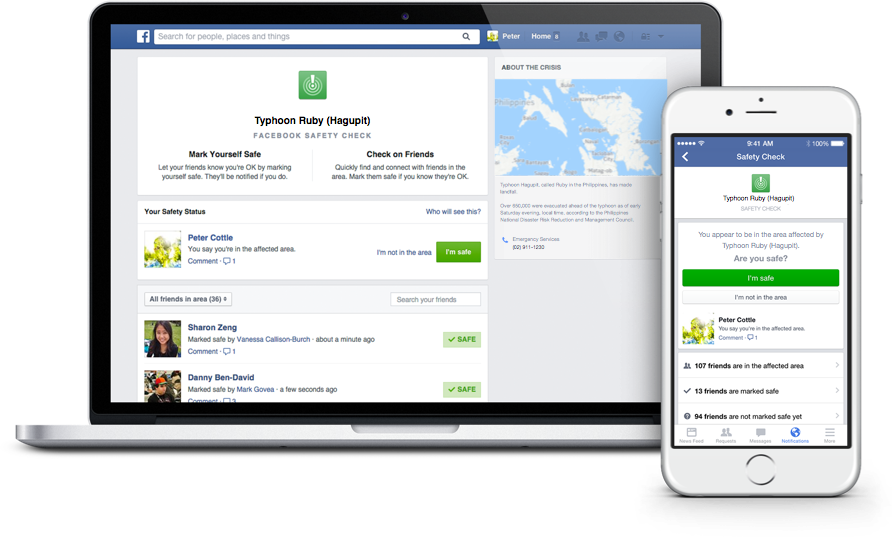
Facebook’s Safety Check feature allows users to connect with friends and loved ones during a disaster.
Facebook’s Safety Check feature was created in October 2014 in response to the devastating earthquake and tsunami that struck Japan in March 2011. In a Facebook post about the feature, Mark Zuckerburg described the mission of the feature:
Over the last few years there have been many disasters and crises where people have turned to the Internet for help. Each time, we see people use Facebook to check on their loved ones and see if they’re safe. Connecting with people is always valuable, but these are the moments when it matters most.
This is how it works:
1. Facebook will prompt users that might be in the area of a natural disaster to inform others about their status using the Safety Check feature.
2. Users can click the “I’m safe“ button to let their Facebook friends know that they are safe.
3. Facebook will alert you of friends that used Safety Check and allow you to look over the list of friends who could potentially be affected by the disaster.
Safety Check is only offered to individuals that are located in a disaster area. Although the feature was originally created to respond to natural disasters, it has recently been utilized to help users connect with others in the wake of social crises. Zuckerberg told CNET that Facebook is still developing the policy to determine exactly when Safety Check will be activated. He was also quoted saying that he won’t post each time Safety Check is activated because “unfortunately, these kinds of events are all too common.”
For more information about Safety Check, you can read through Facebook’s page about the feature.
Follow Avast on Facebook, Twitter, YouTube, and Google+ where we keep you updated on cybersecurity news every day.

Our Facebook contest gave participants a chance to win one free year of Avast Premier 2016.
Over the weekend, we ran a fill-in-the blank contest on our Facebook page in celebration of the launch of Avast 2016 products. Participants had the chance to win a 1-year license for Avast Premier 2016, and could do so by finishing the following sentence:
“The best celebrations always include ______________.”
We received many fun, creative answers from our Facebook fans who are passionate about Avast and staying secure. Here are some of our favorite responses:
“The best celebrations always include free food, because who doesn’t like free food? #Avast2016”
“The best celebrations always include close friends, family and the dog. #Avast2016”
“GOOD FOOD (along with family, of course). #Avast2016”
“The best celebrations always include an AVAST amount of love. #Avast2016”
“#Avast2016 The best celebrations always include Czech beer“
We’d like to thank each of our users who participated in the contest, and we encourage you to keep your eyes peeled for more upcoming promotions on our social media channels. Thanks for celebrating the arrival of Avast 2016 with us!
Follow Avast on Facebook, Twitter, YouTube, and Google+ where we keep you updated on cybersecurity news every day.

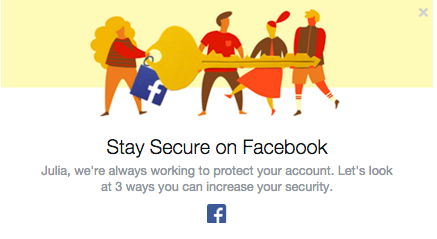
Don’t ignore Facebook alerts and take your time to improve your security
Facebook has become more concerned about its users’ security. The social giant understands that education is the key to providing users with a secure experience. We have already seen the Facebook “dinosaur” guiding us via privacy settings. Now Facebook pops out a short guide to improve the security of our profiles. We strongly recommend not to ignore it and take those steps to ensure that your profile is properly protected.
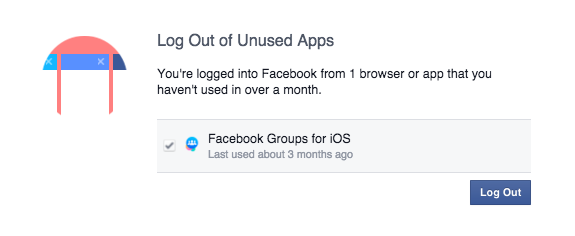
Don’t ignore Facebook alerts and take your time to improve your security
We check our Facebook profile on multiple devices: Our smartphones, tablets and via different apps (Facebook group, messenger, Facebook app). Sometimes we don’t even realize it! ‘Log Out of Unused Apps’ will show you all the apps that you use to log in, but haven’t used for a long period of time. From a security perspective that can create a vulnerable situation. If you don’t use the app, better log out!
We have also a solution for that. If you don’t want to be bother with constant login into your social account, we recommend Avast Passwords available for all your mobile devices for FREE. Check it out for Android and iOS. With one password you can safely log in into your all social apps, without remembering multiple passwords!
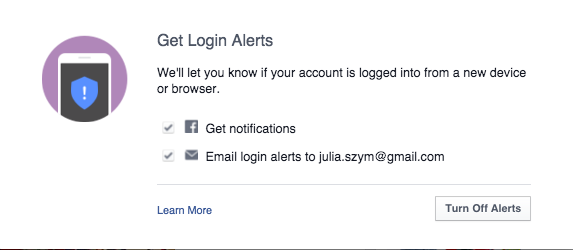
Login alerts will notify you about unauthorized login attempts into your account
Facebook will let you know when there is an attempt to log into your account via a new device or browser. You can set up both – Facebook notifications as well as email alerts. In this way you have better control over who, when, and where someone tries to login into your profile. You will receive a notification and if it is a hacking attempt, you can block it. We recommend to chose both options, in order to increase your chances to discover a hacker, before he cracks your account.
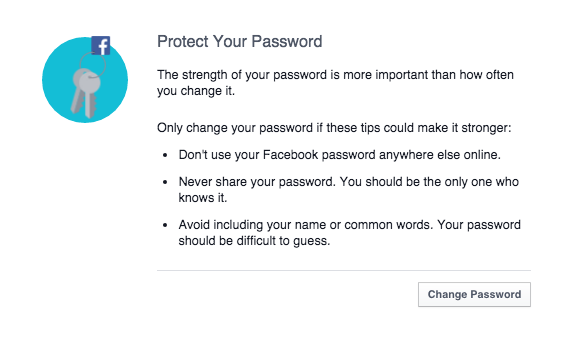
Follow Facebook rules to protect your password
Follow simple security rules:
Secure Facebooking!
Follow Avast on Facebook, Twitter, YouTube, and Google+ where we keep you updated on cybersecurity news every day.

Don’t ignore Facebook alerts and take your time to improve your security
Facebook has become more concerned about its users’ security. The social giant understands that education is the key to providing users with a secure experience. We have already seen the Facebook “dinosaur” guiding us via privacy settings. Now Facebook pops out a short guide to improve the security of our profiles. We strongly recommend not to ignore it and take those steps to ensure that your profile is properly protected.
Don’t ignore Facebook alerts and take your time to improve your security
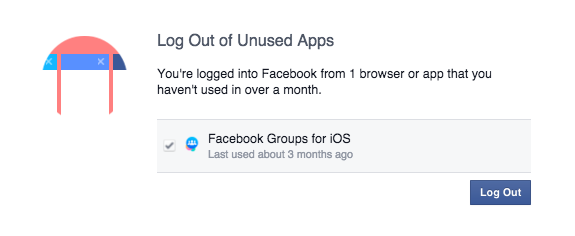
We check our Facebook profile on multiple devices: Our smartphones, tablets and via different apps (Facebook group, messenger, Facebook app). Sometimes we don’t even realize it! ‘Log Out of Unused Apps’ will show you all the apps that you use to log in, but haven’t used for a long period of time. From a security perspective that can create a vulnerable situation. If you don’t use the app, better log out!
We have also a solution for that. If you don’t want to be bother with constant login into your social account, we recommend Avast Passwords available for all your mobile devices for FREE. Check it out for Android and iOS. With one password you can safely log in into your all social apps, without remembering multiple passwords!
Login alerts will notify you about unauthorized login attempts into your account
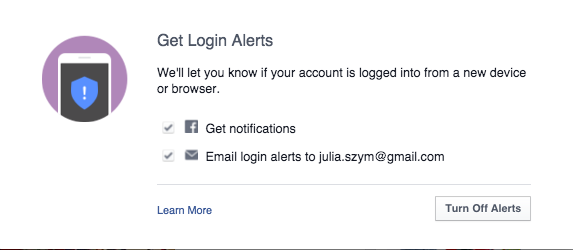
Facebook will let you know when there is an attempt to log into your account via a new device or browser. You can set up both – Facebook notifications as well as email alerts. In this way you have better control over who, when, and where someone tries to login into your profile. You will receive a notification and if it is a hacking attempt, you can block it. We recommend to chose both options, in order to increase your chances to discover a hacker, before he cracks your account.
Follow Facebook rules to protect your password
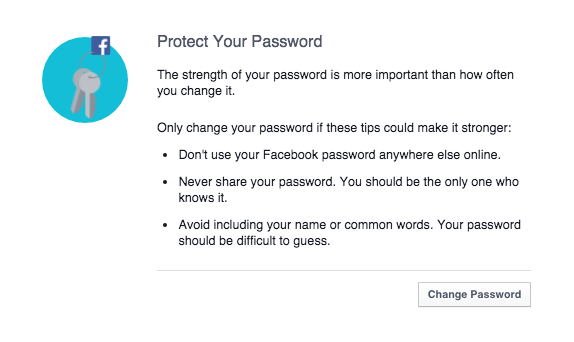
Follow simple security rules:
Secure Facebooking!
Follow Avast on Facebook, Twitter, YouTube, and Google+ where we keep you updated on cybersecurity news every day.
Don’t ignore Facebook alerts and take your time to improve your security
Facebook has become more concerned about its users’ security. The social giant understands that education is the key to providing users with a secure experience. We have already seen the Facebook “dinosaur” guiding us via privacy settings. Now Facebook pops out a short guide to improve the security of our profiles. We strongly recommend not to ignore it and take those steps to ensure that your profile is properly protected.
Don’t ignore Facebook alerts and take your time to improve your security
We check our Facebook profile on multiple devices: Our smartphones, tablets and via different apps (Facebook group, messenger, Facebook app). Sometimes we don’t even realize it! ‘Log Out of Unused Apps’ will show you all the apps that you use to log in, but haven’t used for a long period of time. From a security perspective that can create a vulnerable situation. If you don’t use the app, better log out!
We have also a solution for that. If you don’t want to be bother with constant login into your social account, we recommend Avast Passwords available for all your mobile devices for FREE. Check it out for Android and iOS. With one password you can safely log in into your all social apps, without remembering multiple passwords!
Login alerts will notify you about unauthorized login attempts into your account
Facebook will let you know when there is an attempt to log into your account via a new device or browser. You can set up both – Facebook notifications as well as email alerts. In this way you have better control over who, when, and where someone tries to login into your profile. You will receive a notification and if it is a hacking attempt, you can block it. We recommend to chose both options, in order to increase your chances to discover a hacker, before he cracks your account.
Follow Facebook rules to protect your password
Follow simple security rules:
Secure Facebooking!
Follow Avast on Facebook, Twitter, YouTube, and Google+ where we keep you updated on cybersecurity news every day.
A new study finds that current university students have a mature approach to social media that helps keep them safe from cybercrime.
The post Social media savvy students ‘better at avoiding cybercrime’ appeared first on We Live Security.

It sounds like great fun! Join your friends for a “Secret Santa” type gift exchange, and invite lots of others to the party. Only problem is that it’s a hoax.
Don’t wait by your mailbox for gifts from this exchange
Watch out if you get a message on your Facebook Newsfeed (also spotted on Reddit) inviting you to join a ‘Secret Sister’ gift exchange. And don’t pass it on, either. It’s a scam, it’s against Facebook’s Terms of Service for sharing personal information, and it could very well be illegal.
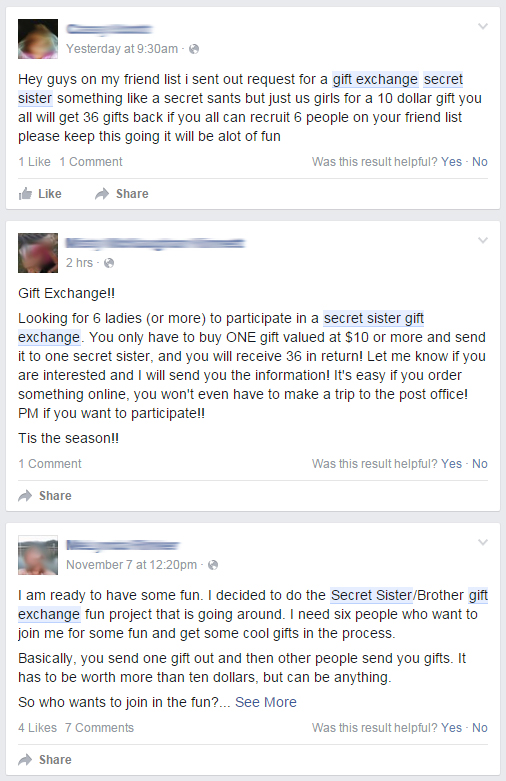
Recent messages shared on Facebook
The invitation describes the way it works; you send one present valued at $10 or more to one person and list six other women’s names to continue the process. You are promised to receive up to 36 gifts in return. Sounds fun and lots of women are falling for it. The messages above were sent this weekend, and one of them only 2 hours ago!
What this gift exchange really looks like is a social media version of the old Chain Letter people used to get in their mail boxes. It’s also known as a Pyramid or Ponzi scheme. The recipient of a chain letter was instructed to copy the letter and send it to a bunch of their friends in order not to “break the chain”.
The United States Postal Inspection Service (USPIS) describes a chain letter as “a get-rich-quick scheme that promises that your mailbox will soon be stuffed full of cash if you decide to participate.”
A typical chain letter includes names and addresses of several individuals whom you may or may not know. You are instructed to send a certain amount of money–usually $5–to the person at the top of the list, and then eliminate that name and add yours to the bottom. You are then instructed to mail copies of the letter to a few more individuals who will hopefully repeat the entire process. The letter promises that if they follow the same procedure, your name will gradually move to the top of the list and you’ll receive money — lots of it.
If you don’t think about it too carefully, it sounds like it could work. The problem is that it doesn’t work, and it’s illegal. USPIS says,
They’re illegal if they request money or other items of value and promise a substantial return to the participants. Chain letters are a form of gambling, and sending them through the mail (or delivering them in person or by computer, but mailing money to participate) violates Title 18, United States Code, Section 1302, the Postal Lottery Statute.
When you receive a message over and over again by friends that you have learned to trust, you automatically think that the information they share is trustworthy. Because these scams exist (read about The Tiffany & Co scam), it’s better to stop and think about it, even do a quick search for the topic, so you don’t become a victim,too.
If you receive a message like this, do not participate in it. You may also want to inform the sender of the scam by sharing this blog with them.
Follow Avast on Facebook, Twitter, YouTube, and Google+ where we keep you updated on cybersecurity news every day.

If you’re looking to introduce your child to social networks and want peace of mind, look no further. Here are some of the most popular and secure sites.
The post The best social networks for younger children appeared first on We Live Security.

It’s been a few weeks since Mark Zuckerberg revealed that Facebook was working on incorporating the much awaited dislike button into its website, finally allowing users to give the thumbs down to posts that they don’t like.
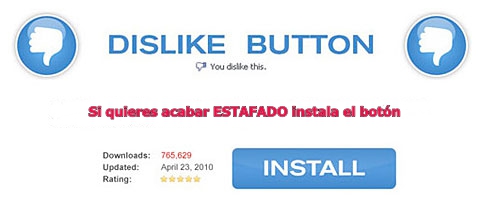
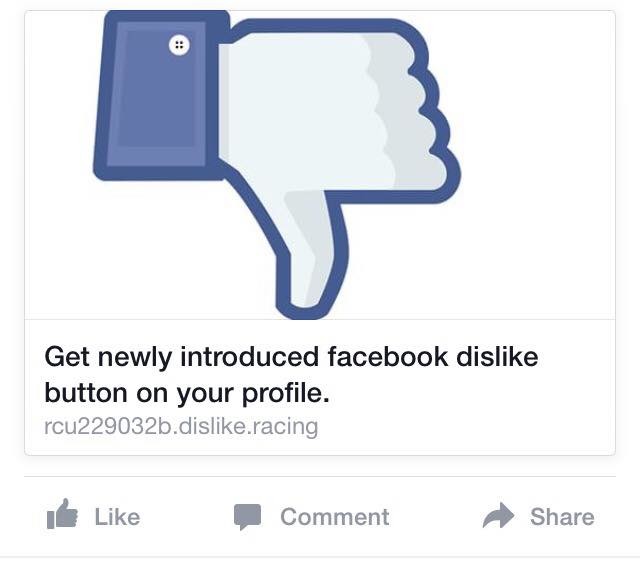
As expected, some scheming cybercriminals have taken it upon themselves to introduce the dislike option ahead of the official Facebook launch. However, you’re not going to like what you get if you download it.
What’s most likely to happen if you download this fake dislike option is that you will pass all control of your account to the cybercriminals and, even worse, they could install malware on your computer rendering it unusable.
How can we find this supposed dislike button on our profiles? There are a few versions:
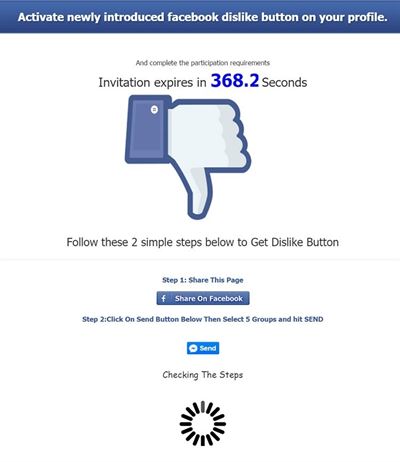
So, now you know that if you find anything like this on your profile that you should ignore it. Also, don’t share these fraudulent pages on your timeline!
The post Has the dislike button finally arrived to Facebook? Of course not, don’t be fooled! appeared first on MediaCenter Panda Security.