Tag Archives: Threats

Why iOS devices could be one tap away from disaster

Users who don’t pay attention to warning messages on their iPhones or iPads run the risk of becoming infected with malware that can steal their personal information such as text messages, contact lists, pictures and even their location.

If you’ve followed our advice in the past for keeping your iOS device secure, you’ll know that you should be doing the following:

  • Install updates – keep up to date, and that includes your apps too.
  • Keep a backup – use iCloud or Dropbox for photos and backup your device.
  • Never “jailbreak” – this is the method for breaking the factory security.
  • Activate anti-theft – such as “Find my iPhone/iPad” to locate a lost or stolen device.

BUT despite this, did you know you could still be just one tap away from disaster?

As reported in Macworld, security researchers uncovered spyware dubbed “XAgent” that is delivered via a phishing attack and can spread to other iOS users via contacts in your address book.

For more tips on staying safe from phishing, check out my blog “How To Protect Yourself from Phishing Attacks”

The good news is that you can do something about this, as all the users affected by this particular threat (and previous ones using the same technique) almost certainly “infected themselves” by ignoring vital warning message prompts.

Apple advise iOS users here to be mindful to only download and install apps from the Apple App Store and to be cautious of so-called “enterprise apps” that are only intended for employees of large businesses.

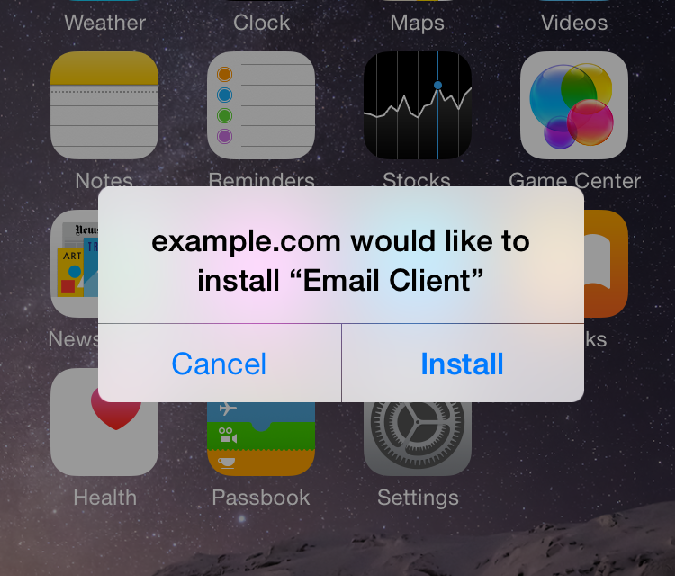
Therefore, if you don’t work for a company that is specifically requesting you to install an app and you see these following prompts – make sure you answer them correctly to protect yourself from inadvertently installing malware.
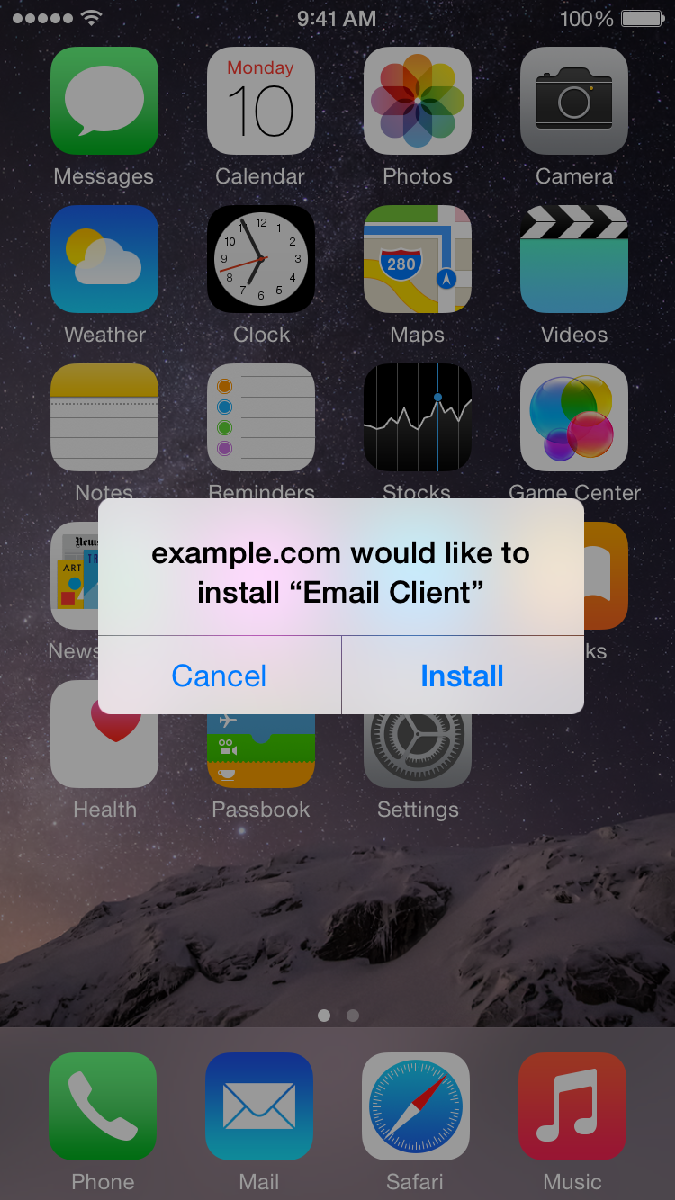
iOS Install Warning

To protect yourself in this example you click CANCEL
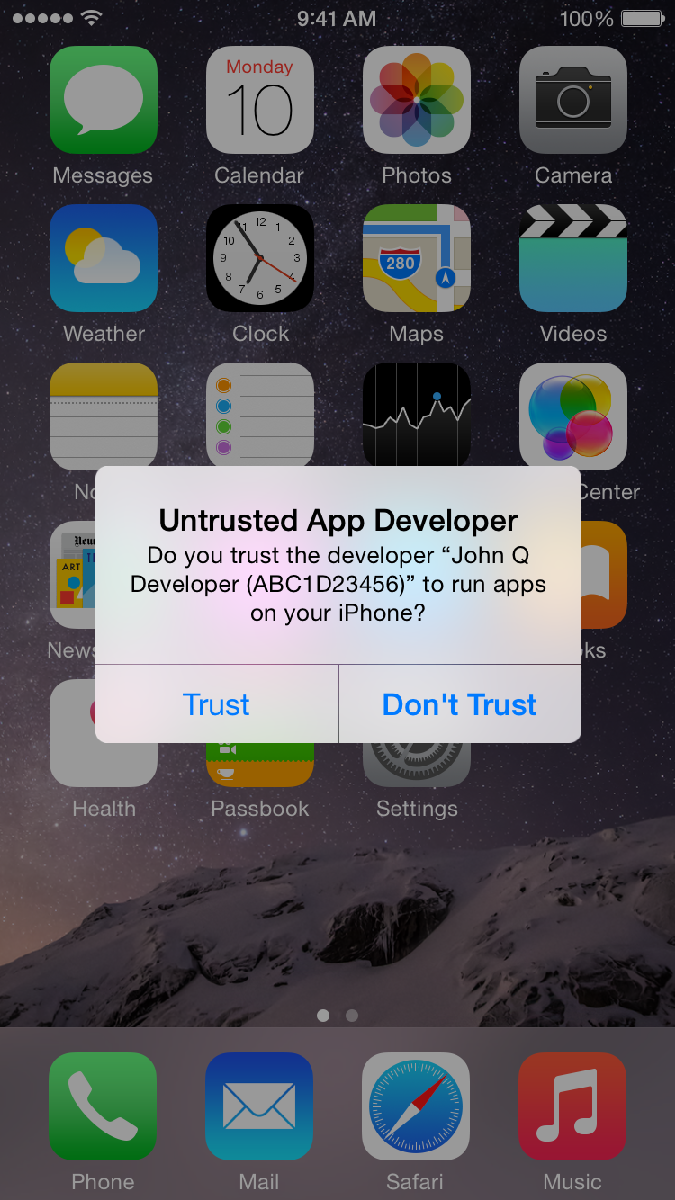
 

iOS Trust Warning


To protect yourself in this example you click DON’T TRUST

You might have also seen a similar Trust or Don’t Trust option available when connecting your iPhone or iPad to a friends computer – and again the safer option is always Don’t Trust.

Until next time, stay safe out there.

Title image courtesy of iMore

Attack of the QR codes

Give it a try with your mobile!
Don’t worry, no barcode on this blog post is malicious

Scary attack underway!

This image is a Quick Response code.

You’ve probably seen one before, as it’s often used to store website addresses to be scanned from a mobile, so that no one has to type the whole address manually.

The obvious risk with QR codes is that they can lead you to a malicious address, for infection or phishing – make sure your scanning app lets you confirm the URL!

the “secret”

However, this QR code hides a secret: it actually contains another barcode (of a different type), inside the QR code. It could be malicious. Not all applications will see it, but some will: very sneaky!

a QR code with an inner barcode

This is the… Attack of the QR codes !!!
(~ scary music playing ~)

How is it possible?

Barcodes use Error Correction, so that even if they are torn or badly printed, the information can be recovered. Even if you overwrite a part of the picture, it may still be valid:

a QR code with an overwritten center

a QR code with an overwritten center


So, in the middle, you can put another kind of barcode, that might still be readable, and will not necessarily be clearly visible to you:

a DataMatrix barcode

a DataMatrix barcode

So, be really careful, and really double-check before scanning, and then validating!

A bit more knowledge

  • to learn: the Wikipedia page has many technical details, nicely explained.
  • to experiment: an online generator, and an online decoder
  • to explore: an impressive halftone QR codes generation technic (the image is IN the barcode, not over the barcode)
    the Avira logo IN a QR code
  • the original paper presenting this QR code attack, with detailed experiments
    "QR Inception" academic paper

The most important part

In 2015, every security risk needs a logo, so here it is:

(let's see how many people say that there is a typo)

Attack of the Q(ille)R codes

The post Attack of the QR codes appeared first on Avira Blog.

Making purchases with security in mind

For other shoppers, a lot of thought may go into the purchasing process. Price is certainly something to consider, but features, design, and reliability are also other factors that many consumers will look at before they make their final decision. With that said, one area that many people forget to think about when buying a new computer or electronic device is security.

With so many stories about hacks and malware in the news today, it’s easy to see why security should also be considered with any tech purchase. After all, a security problem can turn an otherwise satisfying purchase into a nightmare.

Because of this, when it comes to security, the first thing to do is understand what kinds of security features are included on board. Are there options to customize the security settings? How extensive are they?

Outside of the hardware itself, what options are there to install third-party security software? In addition to knowing this, it’s also important to know which third-party options will work best for you and the way that you use the hardware.

While the previously mentioned items would be considered before making the purchase, attention to security doesn’t end once the hardware has been paid for. From the moment the new device is first turned on, make sure that you customize the security settings and install the necessary security applications before doing anything else. The last thing you want to do is forget to take these steps and then pay for it later. Additionally, beyond just the first steps, security should continue to be something that you check in on throughout the life of the device.

Are you going to start making security a part of your checklist when buying computers and other devices?

The post Making purchases with security in mind appeared first on Avira Blog.

Is the Maker Movement a security threat?

For a lot of budding technology creators, software programming has been one of the best places to start, but thanks to the Maker Movement (which is powered by people who want to build things and tinker with hardware), hardware projects are also becoming a great way to learn about technology and build interesting and interactive things. In fact, if you’ve heard about Arduino or Raspberry Pi, then you’re already familiar with some of the devices that are being used as part of the Maker Movement.

The educational possibilities with this DIY hardware are endless, but just like with anything solidly based in technology, there are security concerns to think about. When we think about hacking attacks, we usually think of software that’s been designed by hackers to cause problems or steal data, but with the rise of DIY hardware, hackers now have another outlet in which they can orchestrate sophisticated attacks.

You see, if a regular computer user can use open hardware to build and program a physical device, then a skilled hacker can easily build a device that has security threats embedded within. One individual even showed how you can build a USB device that can hack a computer in about sixty seconds.

Some of these threats can sound pretty dramatic, but if you avoid plugging in or interacting with unknown homemade hardware devices, then you’re taking the right step to keep yourself protected. For years, we’ve had to train ourselves to be careful about where we click, but thanks to the Maker Movement, we also need to start training ourselves to be more cautious about hardware, too.

The post Is the Maker Movement a security threat? appeared first on Avira Blog.

Is Lack of Security Holding Back Mobile Wallets?

Yet the uptake of mobile wallets to pay for offline goods is significantly lower – Javelin Strategy Research found that mobile POS (Point of Sale) proximity payments made up just 0.01 percent of total retail volume.

So people will use a mobile device to shop at Amazon, but not to pay for items right in front of them. Is the lack of security holding back the adoption of mobile wallets?

Apple’s Apple Pay is now pre-installed on iPhone 6 and 6+ devices, and is accepted in 220,000 stores and by dozens of major banks. Lagging behind, Google Wallet is accepted by 158 of the top online retailers as well as scores of offline merchants such as coffee houses and grocery stores (source: Internet Retailer). Softcard (Isis Wallet) rolled out a pilot in mid-2012 that attracted even fewer users. All three of these mobile wallet solutions use the NFC (Near Field Communication) chip in the mobile device to communicate to the POS system that accepts payment. Security is obviously compromised if the phone were to be stolen, but hackers can also intercept the NFC transmission and capture the wallet information without even touching the device.

To add an extra layer of security, mobile wallet designers are requiring some type of additional authentication to complete a payment transaction. One of the secure authentication methods that is gaining traction is biometric authentication — like a finger-print reader. Biometric identification techniques also include facial recognition, voice recognition, and the most sci-fi of all, eye-scan recognition. Biometric identification is by its nature unique and difficult to copy or steal — unlike knowledge-based identification such as passwords and PIN codes.

Although biometric authentication technology has been available for many years, it took the launch of Apple iPhone’s finger print reader in 2013 to bring the technology mainstream. Now other mobile device makers including HTC and Samsung are including finger print readers as well. Uniform standards are beginning to take shape in order to allow a payments ecosystem to form around these authentication methods and to bring down the costs for merchants to accept them.

If mobile payment methods are made sufficiently secure, mobile wallets may ultimately find adoption far beyond purchases at the café. A secure (and easy) authentication method for mobile wallets would allow them to be used for electronic ticketing like bus fares and parking garages, for larger purchases like home furnishing, and even for official government IDs like driver licenses and passports.

Solving the security challenge will allow mobile wallets and mobile payment apps to finally flourish.

The post Is Lack of Security Holding Back Mobile Wallets? appeared first on Avira Blog.