USN-2545-1: Linux kernel (Utopic HWE) vulnerabilities

Ubuntu Security Notice USN-2545-1

24th March, 2015

linux-lts-utopic vulnerabilities

A security issue affects these releases of Ubuntu and its
derivatives:

  • Ubuntu 14.04 LTS

Summary

Several security issues were fixed in the kernel.

Software description

  • linux-lts-utopic
    – Linux hardware enablement kernel from Utopic

Details

A flaw was discovered in the automatic loading of modules in the crypto
subsystem of the Linux kernel. A local user could exploit this flaw to load
installed kernel modules, increasing the attack surface and potentially
using this to gain administrative privileges. (CVE-2013-7421)

A flaw was discovered in the crypto subsystem when screening module names
for automatic module loading if the name contained a valid crypto module
name, eg. vfat(aes). A local user could exploit this flaw to load installed
kernel modules, increasing the attack surface and potentially using this to
gain administrative privileges. (CVE-2014-9644)

Sun Baoliang discovered a use after free flaw in the Linux kernel’s SCTP
(Stream Control Transmission Protocol) subsystem during INIT collisions. A
remote attacker could exploit this flaw to cause a denial of service
(system crash) or potentially escalate their privileges on the system.
(CVE-2015-1421)

Marcelo Leitner discovered a flaw in the Linux kernel’s routing of packets
to too many different dsts/too fast. A remote attacker can exploit this
flaw to cause a denial of service (system crash). (CVE-2015-1465)

Update instructions

The problem can be corrected by updating your system to the following
package version:

Ubuntu 14.04 LTS:
linux-image-3.16.0-33-powerpc-e500mc

3.16.0-33.44~14.04.1
linux-image-3.16.0-33-powerpc-smp

3.16.0-33.44~14.04.1
linux-image-3.16.0-33-powerpc64-emb

3.16.0-33.44~14.04.1
linux-image-3.16.0-33-powerpc64-smp

3.16.0-33.44~14.04.1
linux-image-3.16.0-33-lowlatency

3.16.0-33.44~14.04.1
linux-image-3.16.0-33-generic

3.16.0-33.44~14.04.1
linux-image-3.16.0-33-generic-lpae

3.16.0-33.44~14.04.1

To update your system, please follow these instructions:
https://wiki.ubuntu.com/Security/Upgrades.

After a standard system update you need to reboot your computer to make
all the necessary changes.

ATTENTION: Due to an unavoidable ABI change the kernel updates have
been given a new version number, which requires you to recompile and
reinstall all third party kernel modules you might have installed. If
you use linux-restricted-modules, you have to update that package as
well to get modules which work with the new kernel version. Unless you
manually uninstalled the standard kernel metapackages (e.g. linux-generic,
linux-server, linux-powerpc), a standard system upgrade will automatically
perform this as well.
References

CVE-2013-7421,

CVE-2014-9644,

CVE-2015-1421,

CVE-2015-1465

USN-2546-1: Linux kernel vulnerabilities

Ubuntu Security Notice USN-2546-1

24th March, 2015

linux vulnerabilities

A security issue affects these releases of Ubuntu and its
derivatives:

  • Ubuntu 14.10

Summary

Several security issues were fixed in the kernel.

Software description

  • linux
    – Linux kernel

Details

A flaw was discovered in the automatic loading of modules in the crypto
subsystem of the Linux kernel. A local user could exploit this flaw to load
installed kernel modules, increasing the attack surface and potentially
using this to gain administrative privileges. (CVE-2013-7421)

A flaw was discovered in the crypto subsystem when screening module names
for automatic module loading if the name contained a valid crypto module
name, eg. vfat(aes). A local user could exploit this flaw to load installed
kernel modules, increasing the attack surface and potentially using this to
gain administrative privileges. (CVE-2014-9644)

Sun Baoliang discovered a use after free flaw in the Linux kernel’s SCTP
(Stream Control Transmission Protocol) subsystem during INIT collisions. A
remote attacker could exploit this flaw to cause a denial of service
(system crash) or potentially escalate their privileges on the system.
(CVE-2015-1421)

Marcelo Leitner discovered a flaw in the Linux kernel’s routing of packets
to too many different dsts/too fast. A remote attacker can exploit this
flaw to cause a denial of service (system crash). (CVE-2015-1465)

Update instructions

The problem can be corrected by updating your system to the following
package version:

Ubuntu 14.10:
linux-image-3.16.0-33-powerpc-e500mc

3.16.0-33.44
linux-image-3.16.0-33-powerpc-smp

3.16.0-33.44
linux-image-3.16.0-33-powerpc64-emb

3.16.0-33.44
linux-image-3.16.0-33-powerpc64-smp

3.16.0-33.44
linux-image-3.16.0-33-lowlatency

3.16.0-33.44
linux-image-3.16.0-33-generic

3.16.0-33.44
linux-image-3.16.0-33-generic-lpae

3.16.0-33.44

To update your system, please follow these instructions:
https://wiki.ubuntu.com/Security/Upgrades.

After a standard system update you need to reboot your computer to make
all the necessary changes.

ATTENTION: Due to an unavoidable ABI change the kernel updates have
been given a new version number, which requires you to recompile and
reinstall all third party kernel modules you might have installed. If
you use linux-restricted-modules, you have to update that package as
well to get modules which work with the new kernel version. Unless you
manually uninstalled the standard kernel metapackages (e.g. linux-generic,
linux-server, linux-powerpc), a standard system upgrade will automatically
perform this as well.

References

CVE-2013-7421,

CVE-2014-9644,

CVE-2015-1421,

CVE-2015-1465

USN-2547-1: Mono vulnerabilities

Ubuntu Security Notice USN-2547-1

24th March, 2015

mono vulnerabilities

A security issue affects these releases of Ubuntu and its
derivatives:

  • Ubuntu 14.10
  • Ubuntu 14.04 LTS
  • Ubuntu 12.04 LTS

Summary

Several security issues were fixed in Mono.

Software description

  • mono
    – Mono is a platform for running and developing applications

Details

It was discovered that the Mono TLS implementation was vulnerable to the
SKIP-TLS vulnerability. A remote attacker could possibly use this issue
to perform client impersonation attacks. (CVE-2015-2318)

It was discovered that the Mono TLS implementation was vulnerable to the
FREAK vulnerability. A remote attacker or a man in the middle could
possibly use this issue to force the use of insecure ciphersuites.
(CVE-2015-2319)

It was discovered that the Mono TLS implementation still supported a
fallback to SSLv2. This update removes the functionality as use of SSLv2 is
known to be insecure. (CVE-2015-2320)

It was discovered that Mono incorrectly handled memory in certain
circumstances. A remote attacker could possibly use this issue to cause
Mono to crash, resulting in a denial of service, or to obtain sensitive
information. This issue only applied to Ubuntu 12.04 LTS. (CVE-2011-0992)

It was discovered that Mono incorrectly handled hash collisions. A remote
attacker could possibly use this issue to cause Mono to crash, resulting in
a denial of service. This issue only applied to Ubuntu 12.04 LTS.
(CVE-2012-3543)

Update instructions

The problem can be corrected by updating your system to the following
package version:

Ubuntu 14.10:
libmono-2.0-1

3.2.8+dfsg-4ubuntu2.1
mono-runtime

3.2.8+dfsg-4ubuntu2.1
Ubuntu 14.04 LTS:
libmono-2.0-1

3.2.8+dfsg-4ubuntu1.1
mono-runtime

3.2.8+dfsg-4ubuntu1.1
Ubuntu 12.04 LTS:
libmono-2.0-1

2.10.8.1-1ubuntu2.3
mono-runtime

2.10.8.1-1ubuntu2.3

To update your system, please follow these instructions:
https://wiki.ubuntu.com/Security/Upgrades.

After a standard system update you need to restart Mono applications to
make all the necessary changes.

References

CVE-2011-0992,

CVE-2012-3543,

CVE-2015-2318,

CVE-2015-2319,

CVE-2015-2320

Banking Trojan Vawtrak: Harvesting Passwords Worldwide

Over the last few months, AVG has tracked the rapid spread of a banking Trojan known as Vawtrak (aka Neverquest or Snifula).

Once it has infected a system, Vawtrak gains access to bank accounts visited by the victim. Furthermore, Vawtrak uses the infamous Pony module for stealing a wide range of login credentials.

While Vawtrak Trojans are not new, this particular sample is of great interest.


How and where is it spreading?

The Vawtrak Trojkan spreads in three main ways:

  • Drive-by download – in the form of spam email attachments or links to compromised sites
  • Malware downloader – such as Zemot or Chaintor
  • Exploit kit – such as Angler

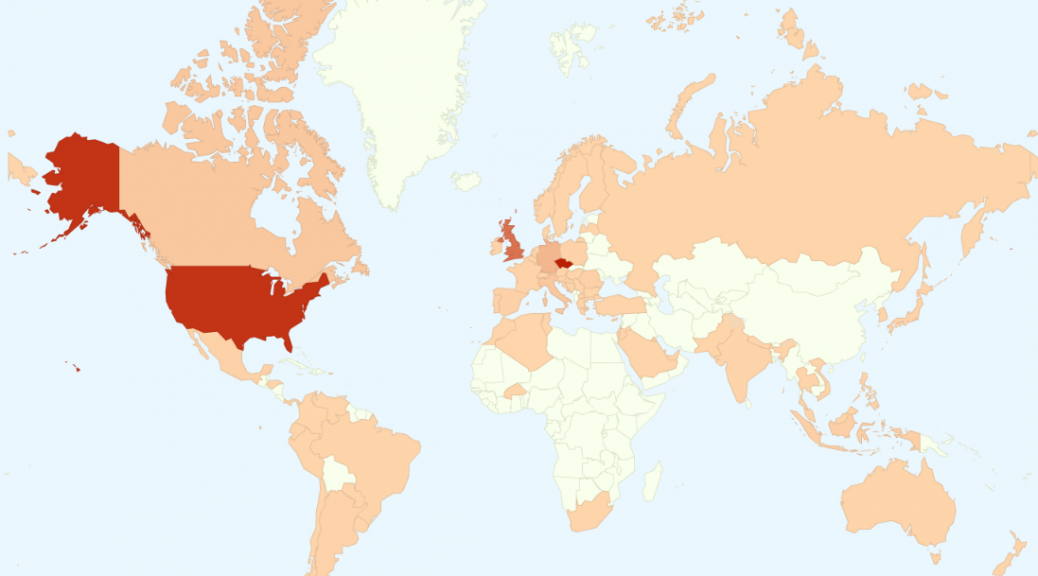
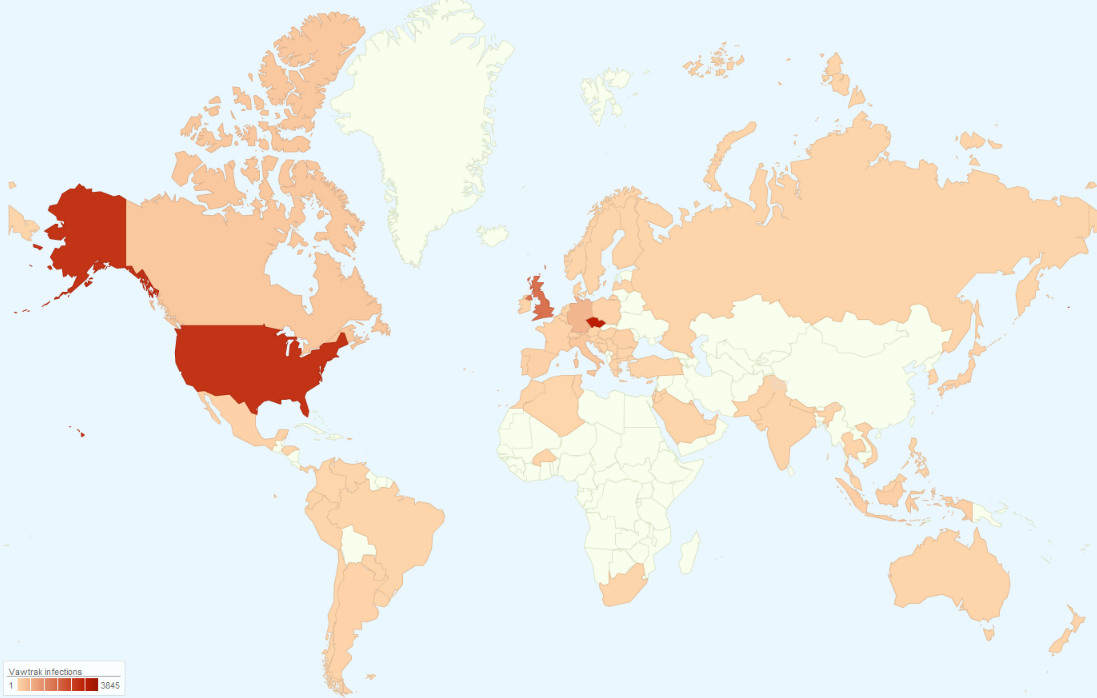
Based on our statistics, the Czech Republic, USA, UK, and Germany are the most affected countries by the Vawtrak campaigns this year.

Countries most affected by the spreading of Vawtrak in Q1 2015.


What are the features of this Vawtrak?

This Vawtrak sample is remarkable for the high number of functions that it can execute on a victim’s machine. These include:

  • Theft of multiple types of passwords used by user online or stored on a local machine;
  • Injection of custom code in a user-displayed web pages (this is mostly related to online banking);
  • Surveillance of the user (key logging, taking screenshots, capturing video);
  • Creating a remote access to a user’s machine (VNC, SOCKS);
  • Automatic updating.

Of particular interest from a security standpoint is that by using Tor2web proxy, it can access update servers that are hosted on the Tor hidden web services without installing specialist software such as Torbrowser.

Moreover, the communication with the remote server is done over SSL, which adds further encryption.

This Vawtrak sample also uses steganography to hide update files inside of favicons so that downloading them does not seem suspicious. Each favicon is only few kilobytes in size, but it is enough to carry a digitally signed update file hidden inside.


Detailed analysis

Our complete analysis of this malware is too long to publish in full on this blog so we have prepared a detailed white paper that describes this infection, its internals and functions in detail.


You can also download the report here


Stay Safe

While this Vawtrak Trojan is very flexible in functionality, it’s coding is mostly basic and can be defended against. At AVG, we protect our users from Vawtrak in several ways:

  • AVG LinkScanner and Online Shield provide real-time scanning of clicked links and web pages containing malicious code.
  • AVG Antivirus for generic detection of malicious files and regular scans.
  • AVG Identity Protection, that uses a behavioral-based detection, will detect even the latest versions of such infections.
  • AVG Firewall prevents any unsolicited network traffic, such as communication with a C&C server.

22 Million PUA detected last month. STOP!

Potentially Unwanted Applications (PUAs) are causing our security analysts to rethink the detection patterns used in Avira’s software solutions. We therefore released a new set of ethical guidelines for all vendors and distribution partners to respect, in order to offer the best protection against PUA.

Most of the time, potentially unwanted applications end up on the user’s PC as a bundled component of the initially desired programs. Standard installation processes can mislead users into complying with this recurring scenario. Avira detects as PUAs all those which attempt to inject malicious content, or those which request an unjustified amount of personal data, as well as payment processing apps that may overcharge the user without explicit consent. Products which require unnecessary access rights or inject unwanted advertising on the device, not to mention spy or remotely controlled software, all get detected by the Avira radar.

Only last month, the Avira Virus Lab detected 22,508,407 PUAs threatening users’ devices.

Our security analysts have provided a list of the five most frequently encountered PUAs and the impact they have:

  • iLivid: an app that hijacks your Internet web browser and redirects your Internet searches to ilivid.com. iLivid will attempt to infect all Internet browsers installed on your PC.
  • SeaSuite: this toolbar is installed in browsers as an extension or add-on. It shows advertisements and injects ads in the web.
  • SoftPulse: a bundle that installs an additional program to display and/or download to your device unwanted advertisements and toolbars, and it may be considered privacy-invasive.
  • NextLive: a browser plugin that changes your internet browser settings, such as your home page and default search. This kind of adware is causing unwanted browser redirections, and displays unwanted pop-ups, coupons, and other advertisements.
  • OptimizerPro: tracks your computer’s web usage to feed you undesired pop-up ads and some might even hijack your browser search or home pages, redirecting you to a different site or search engine than the one you had originally configured. The application itself should optimize the computer’s performance, but it acts as a scareware, making users pay for fictitious improvements to their PCs.

“We believe in the free internet, and therefore accept advertising as means to sponsor content, however downloading free software does not imply agreeing to also install unwanted or unknown applications on your device. We expect software publishers and download portals to not abuse users and be more transparent in their intentions. It is our duty to protect users against, not only malware, but privacy and financial loss. We have chosen to raise the protection of our users, therefore we have established a set of acceptable application guidelines, which our product enforces”, said Travis Witteveen, Chief Executive Officer of Avira.

Reducing the number of Potentially Unwanted Applications populating the user’s devices is one of Avira’s main concerns. Avira’s new list of guidelines for software providers is an important step toward this goal. It is, nonetheless, extremely important that users themselves understand the dangers and keep themselves protected.

The post 22 Million PUA detected last month. STOP! appeared first on Avira Blog.